Instant Connection for Pixel Streaming
— New Feature Automated Setup

Best SketchUp Tutorials in 2026: Free & Paid Courses
Architecture
Best SketchUp Tutorials in 2026: Free & Paid Courses
Architecture
Best SketchUp Tutorials in 2026: Free & Paid Courses
Architecture
Table of Contents
The best SketchUp tutorial for most beginners in 2026 is the free Trimble Learn Fundamentals path. Start there, build the basics, then move to SketchUp School or The SketchUp Essentials Course when you need architecture, LayOut, rendering, or direct instructor support.
Choosing the course is only half of the setup. Many beginner lessons work in SketchUp for Web, but professional courses quickly move into SketchUp for Desktop, large architectural models, LayOut, extensions, V-Ray, Enscape, and other workflows that demand more from your computer.
That is where Vagon Cloud Computer fits. It gives you access to a persistent cloud Windows computer with switchable CPU and GPU performance from the device you already have. Instead of buying a new workstation before you even finish the course, you can install your licensed SketchUp tools, keep your course files in one environment, and increase performance when the project becomes heavier.
We checked every tutorial in this guide for current availability, curriculum, price, duration, platform, and SketchUp version relevance. Prices and access terms were verified on September 1, 2026 and can change.
Which SketchUp tutorial should you choose?
The right choice depends on what you want to produce. Use the table to match the learning resource to your goal, then make sure your computer setup can run the workflow taught in its later lessons.
Resource | Best for | Format | Cost | What you will need to follow it | Our recommendation |
|---|---|---|---|---|---|
New SketchUp users | Structured official e-learning | Free | Web or Desktop, depending on the module | Start here before buying another course | |
Architects, interior designers, and professionals | Large professional video library | $159/month | Desktop and capable hardware for CAD, rendering, terrain, and LayOut tracks | Best paid library for professional depth | |
Architecture, LayOut, rendering, and learners who want support | 14+ video hours, projects, calls, and forum | $99/month or a checked annual offer of $594 | Desktop for the full workflow; stronger hardware for large projects and rendering | Best paid path when support matters | |
Fast refresher and certificate | 3h 17m linear course | LinkedIn Learning subscription or institutional access | SketchUp Pro 2024 or a newer interface you can translate | Best short course | |
Visual learners and targeted questions | Individual videos and playlists | Free | Web or Desktop, depending on the lesson | Best free video companion | |
Browser-based beginners | Structured online course | Free | Browser and Trimble ID | Best Web-specific starting course | |
Current platform guidance | Help articles and short videos | Help is free; app features depend on plan | Web browser or eligible iPad access | Best for current interface questions |
Our recommended path is straightforward:
Learn navigation, precision, geometry, groups, components, tags, and scenes for free through Trimble Learn.
Move into a paid architecture or professional course when you need a complete workflow rather than isolated tools.
Run the Desktop, LayOut, extension, and rendering parts on Vagon Cloud Computer if local hardware is limiting what you can practice.
This avoids two common mistakes: paying for advanced instruction before learning the basics and paying for a course that your current computer cannot run properly.
How does Vagon Cloud Computer help you follow advanced SketchUp tutorials?
A tutorial can show you every step and still leave you stuck if your laptop slows down when the model becomes detailed. This often happens later in a course, after you add high-resolution materials, 3D Warehouse components, imported CAD files, terrain, shadows, scenes, extensions, or a rendering engine.
Vagon Cloud Computer moves that workload to a cloud Windows computer. You connect from your existing laptop, Mac, Chromebook, tablet, or browser, while the remote computer handles SketchUp and the heavier project files.
For a learner, that creates a much cleaner path from watching to doing:
Install your licensed SketchUp version in one persistent Windows environment.
Keep exercise files, models, textures, plugins, and exports together between sessions.
Use SketchUp for Desktop instead of being limited to browser-only lessons.
Follow LayOut, extension, and Windows-based workflow tutorials from devices that cannot run them locally.
Switch to a GPU tier when a course moves into V-Ray, Enscape, or another compatible rendering workflow.
Increase CPU, GPU, and memory capacity as practice models become real portfolio or client projects.
Vagon's SketchUp setup guide says SketchUp can be selected for preinstallation, after which users can sign in to their licensed version and install compatible plugins. Vagon supplies the cloud computer, while your SketchUp, renderer, extensions, and course licenses remain separate.
The Vagon Cloud Computer pricing page lists usage by the minute, displayed as hourly rates, plus a separate storage plan that keeps the cloud computer and its files available between sessions. On September 1, 2026, Planet was listed at $0.99 per hour with a 16 GB NVIDIA T4 GPU, Spark at $1.67 per hour with a 24 GB A10G GPU, and Personal storage at $7.99 per month. Regional prices and machine availability can differ.
This model is especially useful for:
Students learning professional SketchUp without buying a workstation first
Architects and interior designers working with detailed models and LayOut
Freelancers who need stronger hardware for particular projects or deadlines
Mac and Chromebook users who need access to a cloud Windows workflow
Learners moving from basic modeling into GPU rendering
People who want the same SketchUp environment from home, school, the studio, or while traveling
At Vagon, we see the cloud computer as the practical bridge between a tutorial and the professional workflow it teaches. You choose the learning resource. Vagon Cloud Computer gives you a place to run it with scalable performance.
What are the best SketchUp tutorials for beginners?
If you are new to SketchUp, start with structure. Opening a different video every time you get stuck feels productive, but it usually leaves gaps in precise drawing and model organization.
Trimble Learn Fundamentals: our first choice
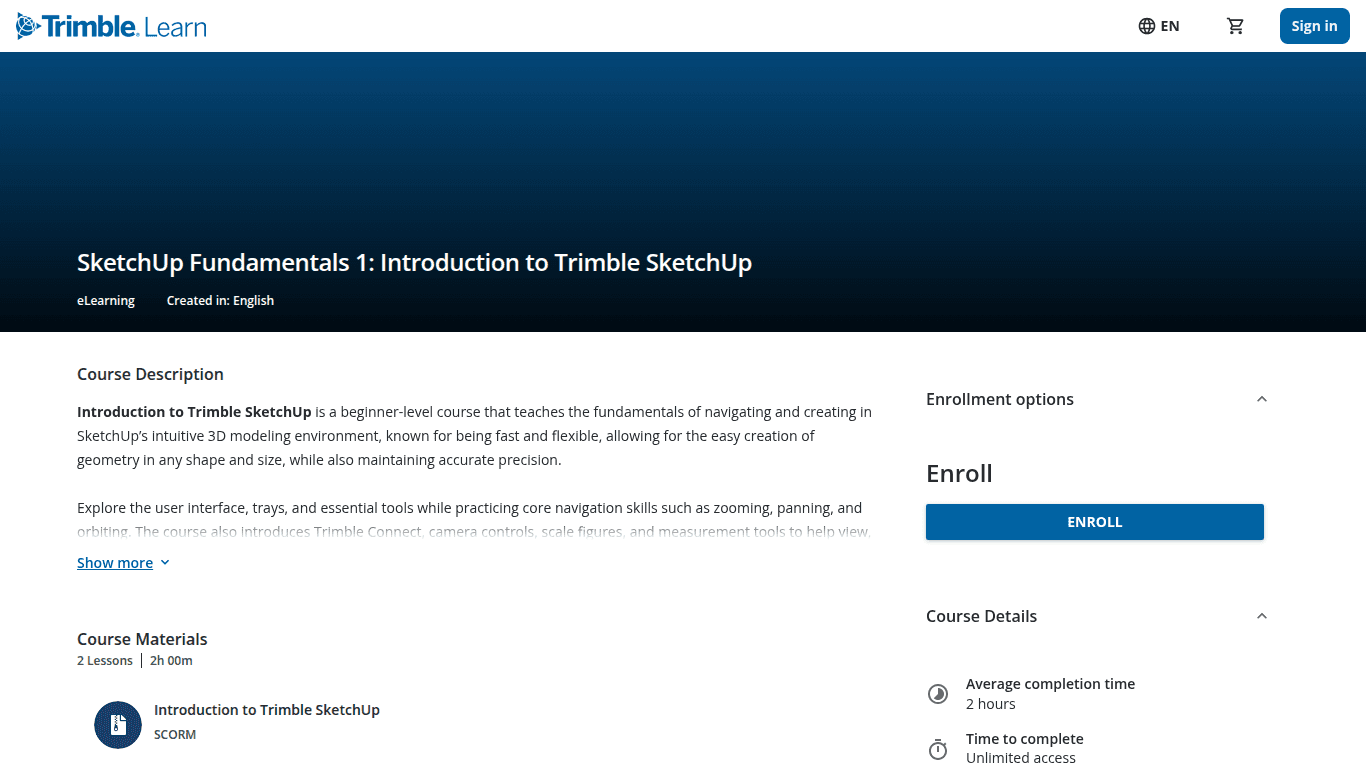
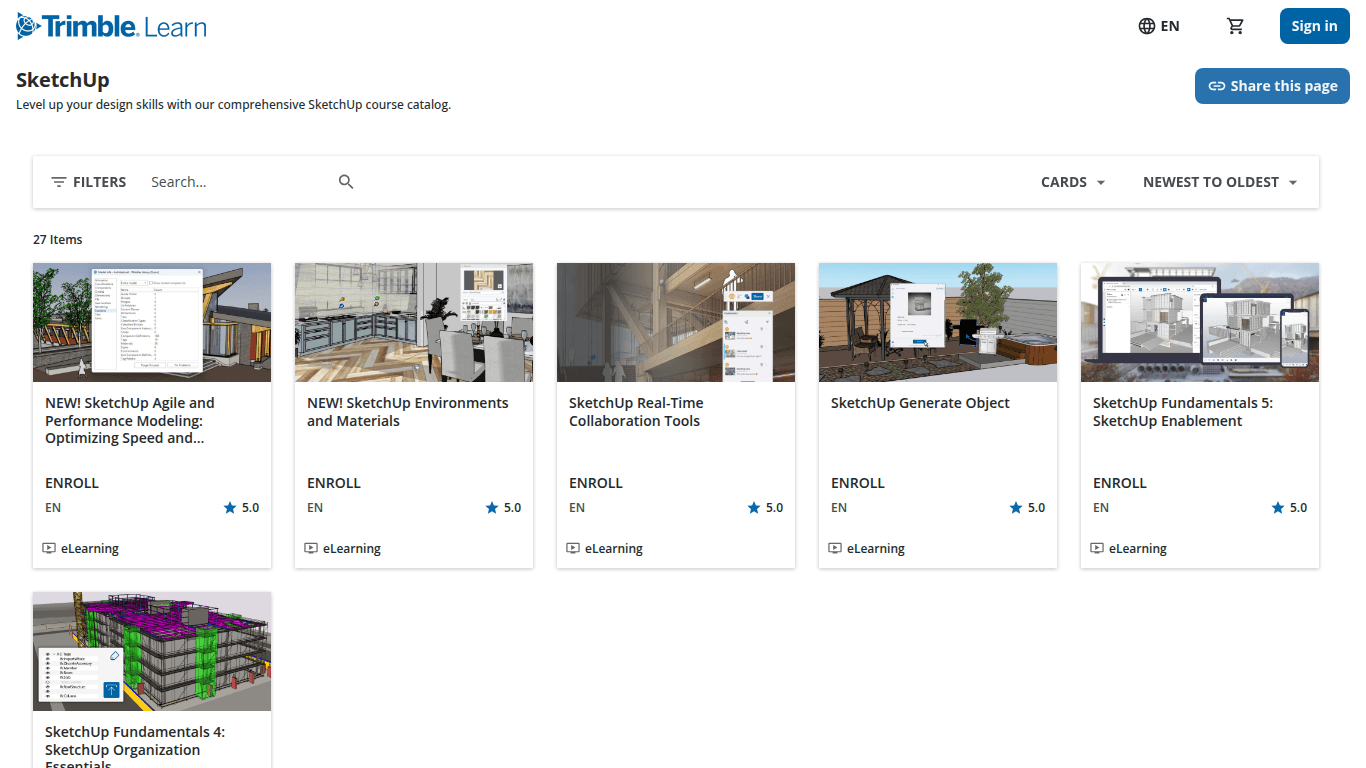
SketchUp Fundamentals 1 is a two-hour official introduction covering the interface, files, Trimble Connect, navigation, camera controls, measurements, trays, context menus, and preferences.
SketchUp Fundamentals 2 moves into precise geometry, Push/Pull, selections, transformations, arrays, duplication, and Tape Measure. The public catalog lists it at 11 hours.
The visible Fundamentals sequence continues through visualization, organization, and enablement. The five numbered courses total about 20.5 hours according to the public catalog.
Our advice is to complete one small model after every major topic. Build a room after learning precision. Build a table after learning groups and components. Build a small house after learning tags and scenes. The point is to turn the lesson into a repeatable modeling habit.
Why we recommend it: It is free, official, and sequenced well enough to stop beginners from jumping randomly between tools.
What comes next: When the course path reaches workflows that need Desktop or your practice files begin to outgrow local hardware, move the same learning environment to Vagon Cloud Computer instead of restarting on another device.
The SketchUp Essentials free videos: the best visual companion
Getting Started with SketchUp Pro 2025 walks through version choice, templates, navigation, shortcuts, drawing, inferencing, exact lengths, faces, and Push/Pull while creating a simple house.
The channel also has a 2026 starting lesson, current feature videos, and a large free tutorial index covering modeling, extensions, rendering, and quick tips.
We would use these videos when a Trimble Learn explanation does not click or when you need help with one exact problem. For a complete beginner, they work better beside a structured path than as hundreds of disconnected lessons.
LinkedIn Learning: the fastest certificate route
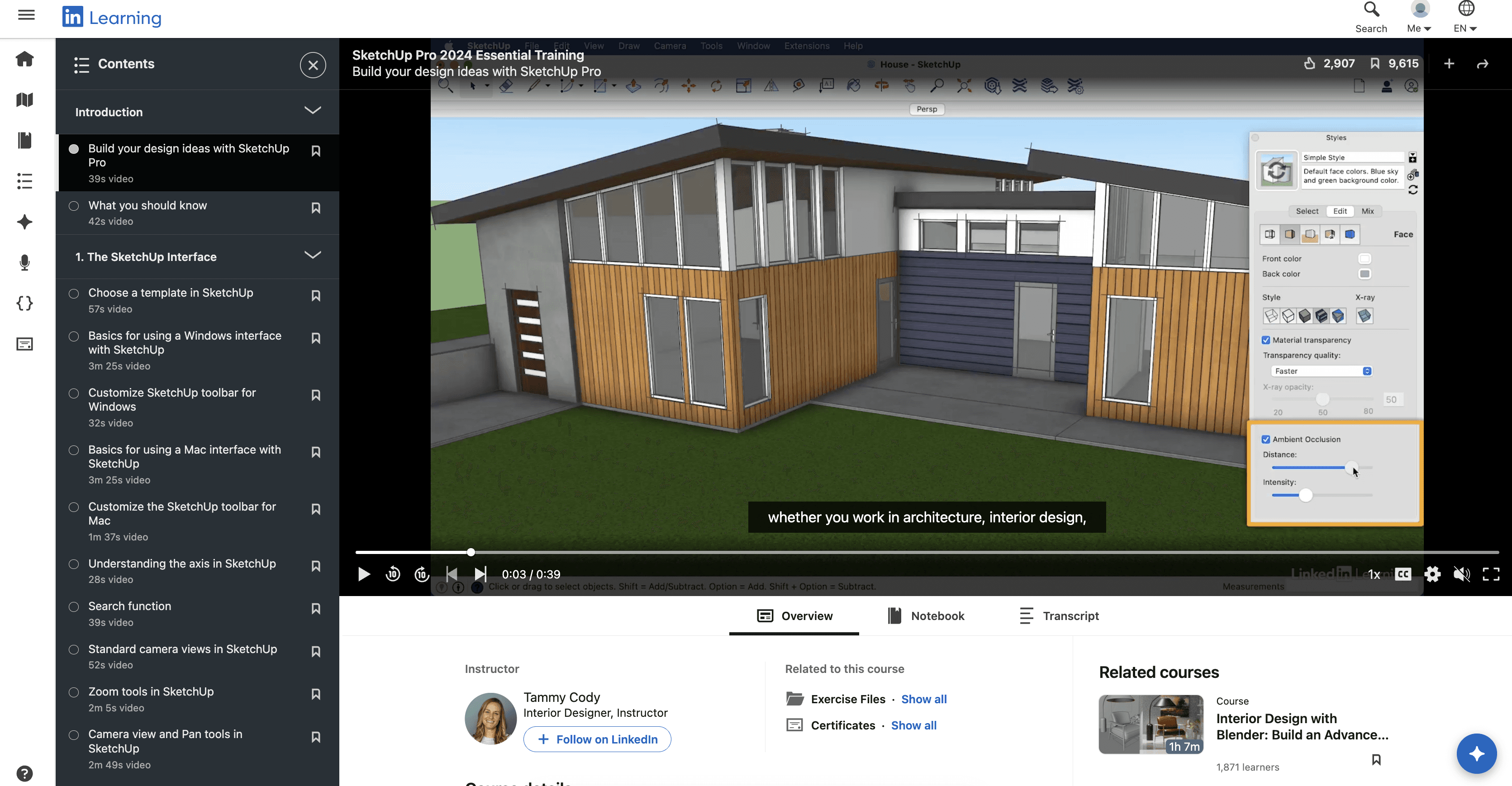
SketchUp Pro 2024 Essential Training by Tammy Cody runs for 3 hours and 17 minutes. It covers the Windows and Mac interfaces, navigation, precise drawing, floor-plan modeling, groups, components, tags, Outliner, materials, scenes, sections, dimensions, styles, and export.
The course includes practice files and a shareable LinkedIn Learning Certificate of Completion. SketchUp 2024 remains officially supported through January 31, 2027, but the course does not cover the additions in SketchUp 2025 or 2026.
Choose this when you want to finish a focused overview quickly, especially if your university, employer, or library already provides LinkedIn Learning access.
MasterSketchUp: the Web-specific option
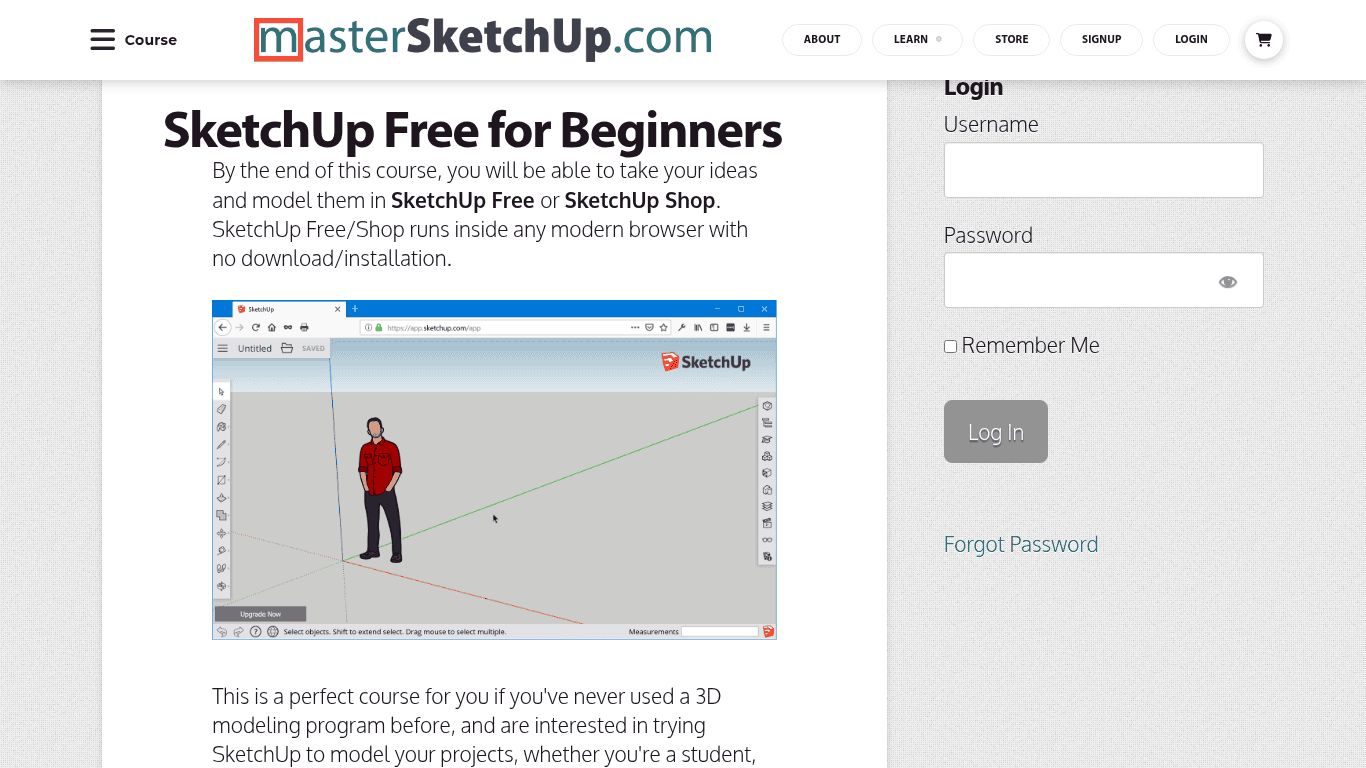
SketchUp Free for Beginners is designed for the browser-based edition. It is a useful starting point for Chromebook users or anyone testing SketchUp before moving to Desktop.
The public page does not disclose a reliable update date, duration, detailed syllabus, supported version, or certificate. That is why we rank Trimble Learn above it overall.
Which SketchUp Tutorials Are Best For Architects And Interior Designers?
Professional SketchUp training should not stop when the building looks finished in the viewport. Architects and interior designers need a workflow that continues through clean model organization, imported plans or CAD, components, tags, scenes, sections, materials, terrain, presentation, and LayOut documentation.
These are also the courses where hardware matters more. A simple cube teaches the interface. A furnished interior, detailed site, imported CAD plan, full LayOut set, or rendered building tests the whole workstation.
SketchUp School: our pick for the deepest professional library
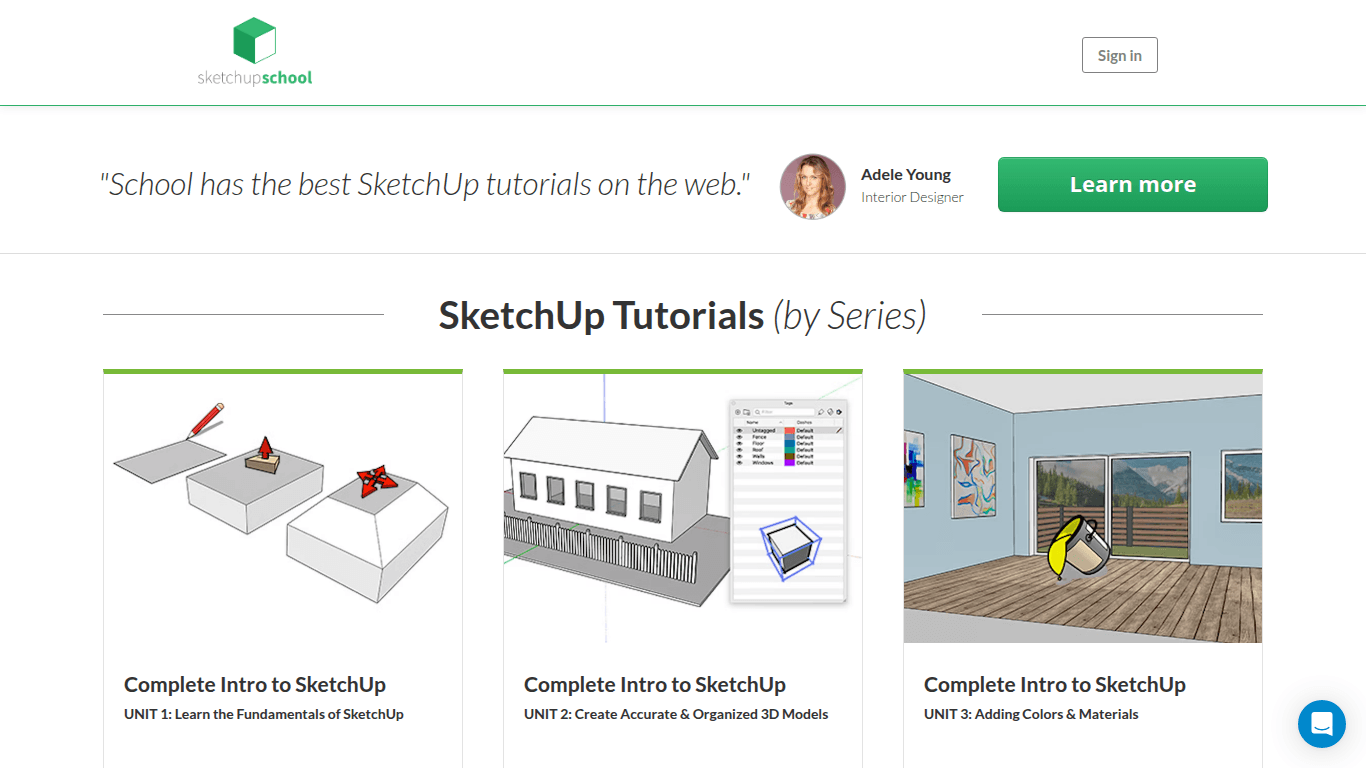
The SketchUp School Video Course Library includes seven Complete Intro units plus tracks for interiors, CAD exchange, terrain, V-Ray, Lumion, Photoshop rendering, organic modeling, and LayOut.
Its interiors material covers floor plans, field measurements, PDFs, CAD, doors, windows, cabinets, 3D Warehouse assets, materials, sections, scenes, and presentations. Four LayOut levels progress from basic plans and elevations to templates and detailed construction documents.
The library costs $159 per month. That is not a casual purchase. It makes sense when you plan to use several professional tracks during a focused learning period and apply them directly to architecture or interior-design work.
For these workflows, Vagon Cloud Computer lets you keep the course files, SketchUp Desktop, LayOut, compatible extensions, and rendering tools in the same cloud workspace. You can begin with a suitable tier for modeling and move to stronger GPU performance when the training reaches rendering.
The SketchUp Essentials Course: our pick for support and LayOut
The SketchUp Essentials Course combines more than 14 hours of video with example projects, biweekly group calls, a private forum, and question submission. Its visible curriculum covers architecture, floor plans, kitchens, cabinets, terrain, extensions, rendering, and LayOut.
The included Plan Essentials module covers viewports, drawing scale, model preparation, line weights, hatching, visual hierarchy, and the route from an organized model to 2D plans.
The price checked for this guide was $99 month to month or a limited annual offer of $594. The annual rate should be verified before purchase.
This is the option we would choose for a learner who already knows free videos exist but keeps getting stuck without a clear path or someone to ask. You are paying for the combination of instruction, workflow, community, and support.
Running the course through Vagon Cloud Computer is a natural fit when the later architecture, LayOut, extension, and rendering modules exceed local hardware. The same cloud environment can continue beyond the course into portfolio, freelance, and client projects.
Trimble Learn specialist courses: the free next step
The Trimble Learn catalog also includes architecture, commercial interiors, LayOut, landscape and site design, CAD-to-3D, V-Ray, Sandbox Tools, Add Location, Solid Tools, and 3D Warehouse topics.
Do not complete courses just to collect them. Finish the fundamentals, choose the specialist course closest to your next project, and build that project inside SketchUp.
Do You Need Different Tutorials For Desktop, Web, And iPad?
Yes. The modeling principles transfer, but the interface and available workflows can be very different.
SketchUp for Web
Start here if you are testing SketchUp or learning the basics on a Chromebook or lightweight computer. Official SketchUp for Web Help covers browser navigation, shortcuts, Trimble Connect, files, sharing, and plan-dependent features.
The Web version is a good starting point, but it is not the full workflow taught in courses that rely on Desktop extensions or LayOut.
SketchUp for Desktop
Choose Desktop-focused training for professional modeling, extension workflows, broader file exchange, and LayOut. SketchUp's plan comparison places the Desktop modeler, 2D documentation, and extension access in its professional offering.
If your current device cannot run that setup, Vagon Cloud Computer lets you access a cloud Windows workstation from the device you already use. This creates a direct upgrade path from free Web tutorials to professional Desktop training without making local hardware the gatekeeper.
SketchUp for iPad
Use the current iPad Getting Started guide and in-app Help panel for touch, Apple Pencil, markup, mobile files, and iPad-specific tools. Both public pages were updated in August 2026.
Desktop videos can still teach modeling concepts, but learn the iPad controls first. When a course requires the full Windows Desktop workflow, you can access Vagon Cloud Computer remotely rather than trying to translate every Desktop step into the iPad app.
Are SketchUp tutorials from 2018 still useful?
Sketchup tutorials 2018 can still teach evergreen concepts such as Orbit, inference, exact dimensions, Push/Pull, groups, components, and scenes. They should not be your primary guide to SketchUp 2026.
A 2018 video predates current licensing, sign-in, web services, extensions, the newer tag workflow, the graphics engine introduced in 2024, later photoreal materials, and SketchUp 2026 collaboration and LayOut changes.
SketchUp's End of Support policy says versions from 2023 and earlier are unsupported in 2026. The current Supported Versions page lists SketchUp 2024, 2025, and 2026.
Use older tutorials for modeling ideas, then verify version-specific steps against current Help or the SketchUp 2026 release notes. If an old local installation is part of the problem, move to a supported SketchUp version before building your learning setup around it.
Frequently Asked Questions
What is the best SketchUp tutorial for beginners?
Start with SketchUp Fundamentals 1 in Trimble Learn. It is free, official, and followed by courses covering geometry, visualization, and organization.
Can I learn SketchUp for free?
Yes. Trimble Learn offers a free structured path, while The SketchUp Essentials provides free videos for visual explanations and targeted questions.
Do I need SketchUp Pro?
Not for basic Web modeling. You need the appropriate professional product when a tutorial depends on SketchUp for Desktop, LayOut, desktop extensions, or professional import and export features.
Can I run SketchUp on Vagon Cloud Computer?
Yes. Vagon's official SketchUp guide says SketchUp can be selected for preinstallation, after which you can sign in to your licensed SketchUp version and install compatible plugins in the cloud Windows environment.
Does Vagon Cloud Computer include a SketchUp license?
No. Vagon Cloud Computer provides the cloud hardware and Windows workspace. SketchUp, rendering tools, extensions, course subscriptions, and other paid software require their own valid licenses.
Why use Vagon Cloud Computer instead of buying a new PC?
Vagon Cloud Computer offers usage-based access to switchable CPU and GPU tiers without the upfront purchase of a workstation. It is suited to learners and professionals who need stronger hardware for particular courses, rendering sessions, projects, or deadlines.
Can I use Vagon Cloud Computer from a Mac or Chromebook?
Yes. Vagon Cloud Computer can be accessed remotely from devices including Macs, Chromebooks, lightweight laptops, and tablets, subject to a stable connection and regional availability.
Which Vagon performance tier should I choose for SketchUp?
Use a tier that matches the current task. Smaller models need less than detailed architecture or GPU rendering. Because performance can be switched, you can begin with a suitable modeling tier and increase capacity when the course reaches larger scenes or rendering.
Can I use SketchUp tutorials from 2018 on Vagon Cloud Computer?
The modeling concepts may still transfer, but use a supported SketchUp version on Vagon Cloud Computer and verify old interface, extension, licensing, and file instructions against current documentation.
The right tutorial gives you the workflow. Vagon Cloud Computer gives you the scalable cloud workstation to follow it, practice it, and carry it into real projects. Start using Vagon Cloud Computer for SketchUp and choose the performance level that matches your course and project.
The best SketchUp tutorial for most beginners in 2026 is the free Trimble Learn Fundamentals path. Start there, build the basics, then move to SketchUp School or The SketchUp Essentials Course when you need architecture, LayOut, rendering, or direct instructor support.
Choosing the course is only half of the setup. Many beginner lessons work in SketchUp for Web, but professional courses quickly move into SketchUp for Desktop, large architectural models, LayOut, extensions, V-Ray, Enscape, and other workflows that demand more from your computer.
That is where Vagon Cloud Computer fits. It gives you access to a persistent cloud Windows computer with switchable CPU and GPU performance from the device you already have. Instead of buying a new workstation before you even finish the course, you can install your licensed SketchUp tools, keep your course files in one environment, and increase performance when the project becomes heavier.
We checked every tutorial in this guide for current availability, curriculum, price, duration, platform, and SketchUp version relevance. Prices and access terms were verified on September 1, 2026 and can change.
Which SketchUp tutorial should you choose?
The right choice depends on what you want to produce. Use the table to match the learning resource to your goal, then make sure your computer setup can run the workflow taught in its later lessons.
Resource | Best for | Format | Cost | What you will need to follow it | Our recommendation |
|---|---|---|---|---|---|
New SketchUp users | Structured official e-learning | Free | Web or Desktop, depending on the module | Start here before buying another course | |
Architects, interior designers, and professionals | Large professional video library | $159/month | Desktop and capable hardware for CAD, rendering, terrain, and LayOut tracks | Best paid library for professional depth | |
Architecture, LayOut, rendering, and learners who want support | 14+ video hours, projects, calls, and forum | $99/month or a checked annual offer of $594 | Desktop for the full workflow; stronger hardware for large projects and rendering | Best paid path when support matters | |
Fast refresher and certificate | 3h 17m linear course | LinkedIn Learning subscription or institutional access | SketchUp Pro 2024 or a newer interface you can translate | Best short course | |
Visual learners and targeted questions | Individual videos and playlists | Free | Web or Desktop, depending on the lesson | Best free video companion | |
Browser-based beginners | Structured online course | Free | Browser and Trimble ID | Best Web-specific starting course | |
Current platform guidance | Help articles and short videos | Help is free; app features depend on plan | Web browser or eligible iPad access | Best for current interface questions |
Our recommended path is straightforward:
Learn navigation, precision, geometry, groups, components, tags, and scenes for free through Trimble Learn.
Move into a paid architecture or professional course when you need a complete workflow rather than isolated tools.
Run the Desktop, LayOut, extension, and rendering parts on Vagon Cloud Computer if local hardware is limiting what you can practice.
This avoids two common mistakes: paying for advanced instruction before learning the basics and paying for a course that your current computer cannot run properly.
How does Vagon Cloud Computer help you follow advanced SketchUp tutorials?
A tutorial can show you every step and still leave you stuck if your laptop slows down when the model becomes detailed. This often happens later in a course, after you add high-resolution materials, 3D Warehouse components, imported CAD files, terrain, shadows, scenes, extensions, or a rendering engine.
Vagon Cloud Computer moves that workload to a cloud Windows computer. You connect from your existing laptop, Mac, Chromebook, tablet, or browser, while the remote computer handles SketchUp and the heavier project files.
For a learner, that creates a much cleaner path from watching to doing:
Install your licensed SketchUp version in one persistent Windows environment.
Keep exercise files, models, textures, plugins, and exports together between sessions.
Use SketchUp for Desktop instead of being limited to browser-only lessons.
Follow LayOut, extension, and Windows-based workflow tutorials from devices that cannot run them locally.
Switch to a GPU tier when a course moves into V-Ray, Enscape, or another compatible rendering workflow.
Increase CPU, GPU, and memory capacity as practice models become real portfolio or client projects.
Vagon's SketchUp setup guide says SketchUp can be selected for preinstallation, after which users can sign in to their licensed version and install compatible plugins. Vagon supplies the cloud computer, while your SketchUp, renderer, extensions, and course licenses remain separate.
The Vagon Cloud Computer pricing page lists usage by the minute, displayed as hourly rates, plus a separate storage plan that keeps the cloud computer and its files available between sessions. On September 1, 2026, Planet was listed at $0.99 per hour with a 16 GB NVIDIA T4 GPU, Spark at $1.67 per hour with a 24 GB A10G GPU, and Personal storage at $7.99 per month. Regional prices and machine availability can differ.
This model is especially useful for:
Students learning professional SketchUp without buying a workstation first
Architects and interior designers working with detailed models and LayOut
Freelancers who need stronger hardware for particular projects or deadlines
Mac and Chromebook users who need access to a cloud Windows workflow
Learners moving from basic modeling into GPU rendering
People who want the same SketchUp environment from home, school, the studio, or while traveling
At Vagon, we see the cloud computer as the practical bridge between a tutorial and the professional workflow it teaches. You choose the learning resource. Vagon Cloud Computer gives you a place to run it with scalable performance.
What are the best SketchUp tutorials for beginners?
If you are new to SketchUp, start with structure. Opening a different video every time you get stuck feels productive, but it usually leaves gaps in precise drawing and model organization.
Trimble Learn Fundamentals: our first choice
SketchUp Fundamentals 1 is a two-hour official introduction covering the interface, files, Trimble Connect, navigation, camera controls, measurements, trays, context menus, and preferences.
SketchUp Fundamentals 2 moves into precise geometry, Push/Pull, selections, transformations, arrays, duplication, and Tape Measure. The public catalog lists it at 11 hours.
The visible Fundamentals sequence continues through visualization, organization, and enablement. The five numbered courses total about 20.5 hours according to the public catalog.
Our advice is to complete one small model after every major topic. Build a room after learning precision. Build a table after learning groups and components. Build a small house after learning tags and scenes. The point is to turn the lesson into a repeatable modeling habit.
Why we recommend it: It is free, official, and sequenced well enough to stop beginners from jumping randomly between tools.
What comes next: When the course path reaches workflows that need Desktop or your practice files begin to outgrow local hardware, move the same learning environment to Vagon Cloud Computer instead of restarting on another device.
The SketchUp Essentials free videos: the best visual companion
Getting Started with SketchUp Pro 2025 walks through version choice, templates, navigation, shortcuts, drawing, inferencing, exact lengths, faces, and Push/Pull while creating a simple house.
The channel also has a 2026 starting lesson, current feature videos, and a large free tutorial index covering modeling, extensions, rendering, and quick tips.
We would use these videos when a Trimble Learn explanation does not click or when you need help with one exact problem. For a complete beginner, they work better beside a structured path than as hundreds of disconnected lessons.
LinkedIn Learning: the fastest certificate route
SketchUp Pro 2024 Essential Training by Tammy Cody runs for 3 hours and 17 minutes. It covers the Windows and Mac interfaces, navigation, precise drawing, floor-plan modeling, groups, components, tags, Outliner, materials, scenes, sections, dimensions, styles, and export.
The course includes practice files and a shareable LinkedIn Learning Certificate of Completion. SketchUp 2024 remains officially supported through January 31, 2027, but the course does not cover the additions in SketchUp 2025 or 2026.
Choose this when you want to finish a focused overview quickly, especially if your university, employer, or library already provides LinkedIn Learning access.
MasterSketchUp: the Web-specific option
SketchUp Free for Beginners is designed for the browser-based edition. It is a useful starting point for Chromebook users or anyone testing SketchUp before moving to Desktop.
The public page does not disclose a reliable update date, duration, detailed syllabus, supported version, or certificate. That is why we rank Trimble Learn above it overall.
Which SketchUp Tutorials Are Best For Architects And Interior Designers?
Professional SketchUp training should not stop when the building looks finished in the viewport. Architects and interior designers need a workflow that continues through clean model organization, imported plans or CAD, components, tags, scenes, sections, materials, terrain, presentation, and LayOut documentation.
These are also the courses where hardware matters more. A simple cube teaches the interface. A furnished interior, detailed site, imported CAD plan, full LayOut set, or rendered building tests the whole workstation.
SketchUp School: our pick for the deepest professional library
The SketchUp School Video Course Library includes seven Complete Intro units plus tracks for interiors, CAD exchange, terrain, V-Ray, Lumion, Photoshop rendering, organic modeling, and LayOut.
Its interiors material covers floor plans, field measurements, PDFs, CAD, doors, windows, cabinets, 3D Warehouse assets, materials, sections, scenes, and presentations. Four LayOut levels progress from basic plans and elevations to templates and detailed construction documents.
The library costs $159 per month. That is not a casual purchase. It makes sense when you plan to use several professional tracks during a focused learning period and apply them directly to architecture or interior-design work.
For these workflows, Vagon Cloud Computer lets you keep the course files, SketchUp Desktop, LayOut, compatible extensions, and rendering tools in the same cloud workspace. You can begin with a suitable tier for modeling and move to stronger GPU performance when the training reaches rendering.
The SketchUp Essentials Course: our pick for support and LayOut
The SketchUp Essentials Course combines more than 14 hours of video with example projects, biweekly group calls, a private forum, and question submission. Its visible curriculum covers architecture, floor plans, kitchens, cabinets, terrain, extensions, rendering, and LayOut.
The included Plan Essentials module covers viewports, drawing scale, model preparation, line weights, hatching, visual hierarchy, and the route from an organized model to 2D plans.
The price checked for this guide was $99 month to month or a limited annual offer of $594. The annual rate should be verified before purchase.
This is the option we would choose for a learner who already knows free videos exist but keeps getting stuck without a clear path or someone to ask. You are paying for the combination of instruction, workflow, community, and support.
Running the course through Vagon Cloud Computer is a natural fit when the later architecture, LayOut, extension, and rendering modules exceed local hardware. The same cloud environment can continue beyond the course into portfolio, freelance, and client projects.
Trimble Learn specialist courses: the free next step
The Trimble Learn catalog also includes architecture, commercial interiors, LayOut, landscape and site design, CAD-to-3D, V-Ray, Sandbox Tools, Add Location, Solid Tools, and 3D Warehouse topics.
Do not complete courses just to collect them. Finish the fundamentals, choose the specialist course closest to your next project, and build that project inside SketchUp.
Do You Need Different Tutorials For Desktop, Web, And iPad?
Yes. The modeling principles transfer, but the interface and available workflows can be very different.
SketchUp for Web
Start here if you are testing SketchUp or learning the basics on a Chromebook or lightweight computer. Official SketchUp for Web Help covers browser navigation, shortcuts, Trimble Connect, files, sharing, and plan-dependent features.
The Web version is a good starting point, but it is not the full workflow taught in courses that rely on Desktop extensions or LayOut.
SketchUp for Desktop
Choose Desktop-focused training for professional modeling, extension workflows, broader file exchange, and LayOut. SketchUp's plan comparison places the Desktop modeler, 2D documentation, and extension access in its professional offering.
If your current device cannot run that setup, Vagon Cloud Computer lets you access a cloud Windows workstation from the device you already use. This creates a direct upgrade path from free Web tutorials to professional Desktop training without making local hardware the gatekeeper.
SketchUp for iPad
Use the current iPad Getting Started guide and in-app Help panel for touch, Apple Pencil, markup, mobile files, and iPad-specific tools. Both public pages were updated in August 2026.
Desktop videos can still teach modeling concepts, but learn the iPad controls first. When a course requires the full Windows Desktop workflow, you can access Vagon Cloud Computer remotely rather than trying to translate every Desktop step into the iPad app.
Are SketchUp tutorials from 2018 still useful?
Sketchup tutorials 2018 can still teach evergreen concepts such as Orbit, inference, exact dimensions, Push/Pull, groups, components, and scenes. They should not be your primary guide to SketchUp 2026.
A 2018 video predates current licensing, sign-in, web services, extensions, the newer tag workflow, the graphics engine introduced in 2024, later photoreal materials, and SketchUp 2026 collaboration and LayOut changes.
SketchUp's End of Support policy says versions from 2023 and earlier are unsupported in 2026. The current Supported Versions page lists SketchUp 2024, 2025, and 2026.
Use older tutorials for modeling ideas, then verify version-specific steps against current Help or the SketchUp 2026 release notes. If an old local installation is part of the problem, move to a supported SketchUp version before building your learning setup around it.
Frequently Asked Questions
What is the best SketchUp tutorial for beginners?
Start with SketchUp Fundamentals 1 in Trimble Learn. It is free, official, and followed by courses covering geometry, visualization, and organization.
Can I learn SketchUp for free?
Yes. Trimble Learn offers a free structured path, while The SketchUp Essentials provides free videos for visual explanations and targeted questions.
Do I need SketchUp Pro?
Not for basic Web modeling. You need the appropriate professional product when a tutorial depends on SketchUp for Desktop, LayOut, desktop extensions, or professional import and export features.
Can I run SketchUp on Vagon Cloud Computer?
Yes. Vagon's official SketchUp guide says SketchUp can be selected for preinstallation, after which you can sign in to your licensed SketchUp version and install compatible plugins in the cloud Windows environment.
Does Vagon Cloud Computer include a SketchUp license?
No. Vagon Cloud Computer provides the cloud hardware and Windows workspace. SketchUp, rendering tools, extensions, course subscriptions, and other paid software require their own valid licenses.
Why use Vagon Cloud Computer instead of buying a new PC?
Vagon Cloud Computer offers usage-based access to switchable CPU and GPU tiers without the upfront purchase of a workstation. It is suited to learners and professionals who need stronger hardware for particular courses, rendering sessions, projects, or deadlines.
Can I use Vagon Cloud Computer from a Mac or Chromebook?
Yes. Vagon Cloud Computer can be accessed remotely from devices including Macs, Chromebooks, lightweight laptops, and tablets, subject to a stable connection and regional availability.
Which Vagon performance tier should I choose for SketchUp?
Use a tier that matches the current task. Smaller models need less than detailed architecture or GPU rendering. Because performance can be switched, you can begin with a suitable modeling tier and increase capacity when the course reaches larger scenes or rendering.
Can I use SketchUp tutorials from 2018 on Vagon Cloud Computer?
The modeling concepts may still transfer, but use a supported SketchUp version on Vagon Cloud Computer and verify old interface, extension, licensing, and file instructions against current documentation.
The right tutorial gives you the workflow. Vagon Cloud Computer gives you the scalable cloud workstation to follow it, practice it, and carry it into real projects. Start using Vagon Cloud Computer for SketchUp and choose the performance level that matches your course and project.
Get Beyond Your Computer Performance
Run applications on your cloud computer with the latest generation hardware. No more crashes or lags.

Trial includes 1 hour usage + 7 days of storage.
Summarize with AI

Ready to focus on your creativity?
Vagon gives you the ability to create & render projects, collaborate, and stream applications with the power of the best hardware.

Run heavy applications on any device with
your personal computer on the cloud.
San Francisco, California
Solutions
Vagon Teams
Vagon Streams
Use Cases
© 2026 Vagon. All rights reserved.
Run heavy applications on any device with
your personal computer on the cloud.
San Francisco, California
Solutions
Vagon Teams
Vagon Streams
Use Cases
© 2026 Vagon. All rights reserved.
Run heavy applications on any device with
your personal computer on the cloud.
San Francisco, California
Solutions
Vagon Teams
Vagon Streams
Use Cases
© 2026 Vagon. All rights reserved.