Instant Connection for Pixel Streaming
— New Feature Automated Setup

How to Use Claude Code With After Effects in 2026
VideoProduction
How to Use Claude Code With After Effects in 2026
VideoProduction
How to Use Claude Code With After Effects in 2026
VideoProduction
Table of Contents
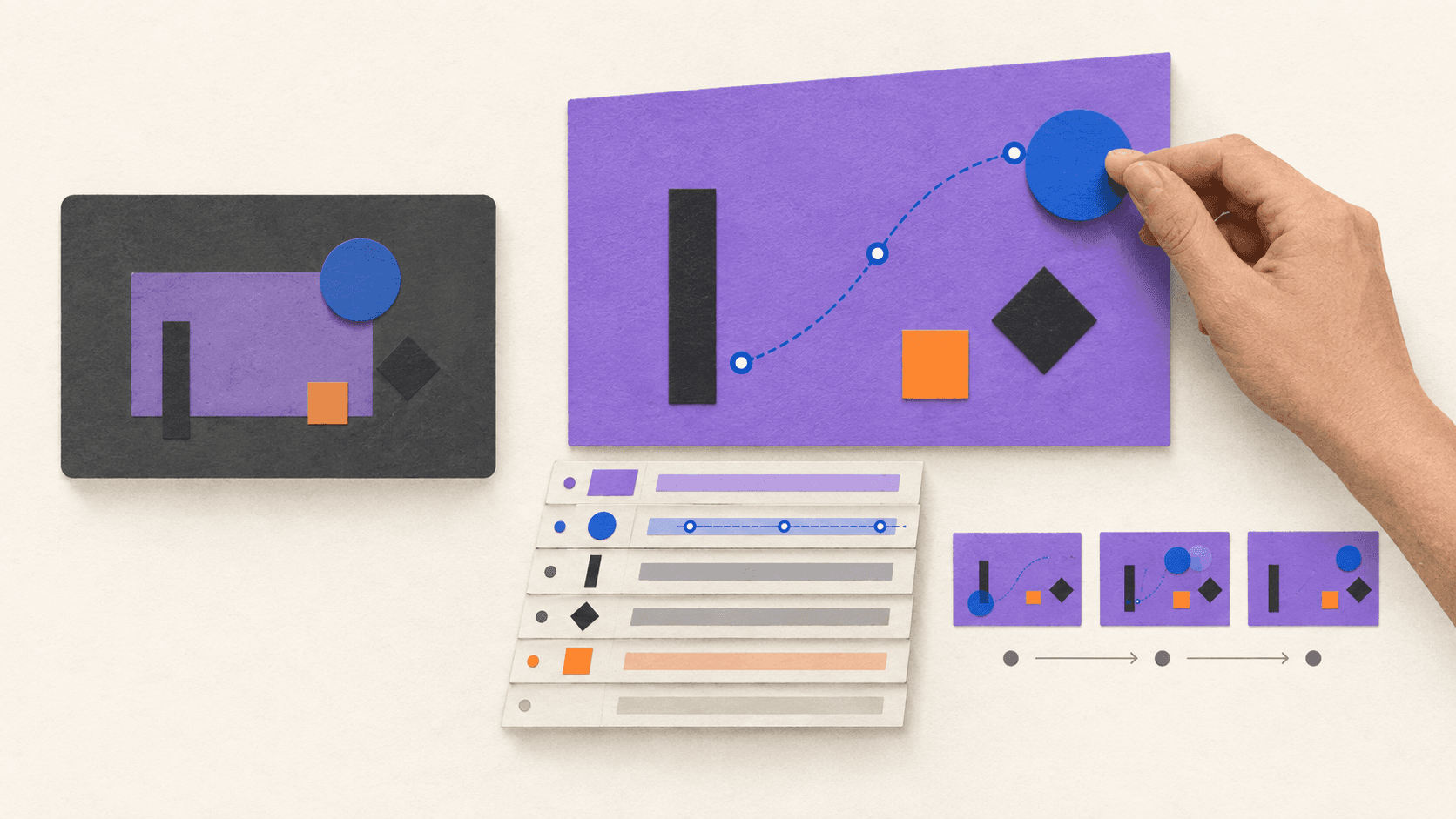
Claude Code can now work with After Effects in two fundamentally different ways.
The first is MCP. An After Effects-aware MCP server exposes named tools that Claude Code can call, such as reading the active composition, inspecting layers, executing a reviewed script, creating a preview frame, or preparing a render. Claude does not operate the interface like a person; it communicates with a bridge that understands specific After Effects operations.
The second is computer use. Claude looks at screenshots and controls the mouse and keyboard. It can open After Effects, navigate panels, select a composition, click commands, and inspect what appears on screen without needing an After Effects-specific connector.
These methods are not interchangeable. MCP is usually faster and more precise for structured project operations. Computer use is broader and easier to try when no connector exists, but it is slower and more vulnerable to interface changes, hidden panels, and misplaced clicks.
There is still no native Connect Claude Code button in After Effects. MCP depends on community or third-party software, while computer use must be enabled in Claude Desktop. Neither route replaces control over the project, timing, visual quality, or final render.
Why Claude Code and After Effects Are Interesting Right Now
Most generative video systems return a finished clip. After Effects is built around editable compositions: layers, keyframes, expressions, controls, source assets, precomps, and delivery versions. That difference matters as soon as feedback arrives.
If a client changes one line of copy, a flattened result may need to be generated again. In an After Effects project, the designer can update the relevant text layer while preserving the animation. The same principle applies to timing, logos, product screens, colors, and aspect ratios.
Claude Code is useful here because many After Effects tasks already have a programmable layer. It can help:
diagnose and rewrite expressions
generate JSX scripts for repeatable project operations
turn CSV data into controlled composition variants
build utilities, panels, and plug-ins
inspect or modify a project through an MCP bridge
operate visible parts of the application through computer use
prepare command-line rendering after the composition is approved
The goal is not “one prompt creates a perfect animation.” It is reducing repetitive work between a creative decision and an editable result.
Interest in the workflow became visible when Adobe announced broader Claude access to Creative Cloud tools in April 2026. Motion designer E.J. Hassenfratz responded, “Missing from this photo… After Effects.” The post had more than 88,000 views when reviewed on September 15, 2026. It did not demonstrate a product, but it summarized the demand for an After Effects-specific workflow.
Creators can now connect Claude Code to application-aware tools through MCP or let it operate the visible desktop through computer use. Choosing between them is the first practical decision.
MCP and Computer Use Are Two Different Ways Into After Effects
MCP gives Claude a structured vocabulary. Computer use gives Claude eyes, a mouse, and a keyboard.
MCP | Computer use | |
|---|---|---|
How Claude acts | Calls named tools exposed by a bridge | Reads screenshots and controls the interface |
What Claude can understand | Structured data returned by the tool | What is currently visible on screen |
Precision | Better for exact layers, properties, scripts, and values | Better for visible navigation and general UI actions |
Speed | Usually faster for repeated operations | Slower because Claude must observe and click through steps |
Setup | Requires an After Effects-aware MCP server or extension | Requires Claude Desktop, computer use enabled, and OS permissions |
Main risk | A broadly scoped tool can make large project changes | A wrong click or changed layout can affect the wrong control |
Best use | Inspection, repeatable edits, readback, previews, automation | Opening files, navigating UI, using unsupported dialogs, visual checks |
Anthropic describes the same general preference in its computer-use guidance: Claude reaches for more precise connectors and tools first, then uses screen interaction when a direct route is unavailable. Anthropic also warns that screen interaction is slower and more error-prone than a direct integration. That tradeoff is particularly relevant in an interface as dense as After Effects.
The routes can work together: MCP performs an exact layer operation, while computer use handles a dialog or visual state the server does not expose.
Route 1: Using Claude Code With After Effects Through MCP
Model Context Protocol is an open standard for connecting AI applications to external tools and data. In an After Effects workflow, the MCP server sits between Claude Code and the application.
The path looks like this:
Claude Code → After Effects MCP server or panel → After Effects project
Claude Code → After Effects MCP server or panel → After Effects project
Claude Code does not magically understand the entire application. It can only use the operations the MCP server exposes. A bridge might offer tools for checking the active project, reading layer properties, running ExtendScript, validating expressions, saving preview frames, or creating checkpoints.
One current community example is JUNKDOGE-JOE/after-effects-mcp. Its documentation describes a CEP panel that hosts a local MCP service and exposes project-status, readback, scripting, preview, validation, checkpoint, and revert tools. Claude Code connects to its local endpoint with:
claude mcp add --transportclaude mcp add --transportThe loopback address is important: the documented setup expects Claude Code, the MCP panel, and After Effects to run on the same computer. The panel also needs to remain open while the external client uses its tools.
This is community software, not an official Adobe or Anthropic connector. Review its releases and exposed tools, use a supported package, and begin with a non-critical project.
What MCP is good at
MCP is the better route when the task can be described with explicit project data:
report the active composition and its dimensions
list layers and identify expression errors
change one named property from one value to another
create a standard composition with exact settings
apply a reviewed script to selected layers
generate previews at specific frames
read changed values back after execution
prepare controlled variants or Render Queue items
Because the bridge can return structured information, Claude can verify more than “the screen looks different.” It can report that Title_Main now has three position keyframes or that a composition is 1080 × 1920 at 30 fps.
MCP is not automatically safe. If a server exposes unrestricted script execution, the effective permission is much broader than a friendly tool name suggests. The server, its configuration, and the project boundary all need review.
Route 2: Using Claude Code With After Effects Through Computer Use
Computer use does not require an After Effects-specific language. Claude sees screenshots of the desktop and issues actions such as click, type, scroll, drag, and keyboard input. That allows it to work with applications that do not have a dedicated connector.
Anthropic made computer use available in Claude Code through the Claude Desktop application in research preview. According to the current Claude Code Desktop documentation, it is supported on macOS and Windows for eligible Pro and Max users. It is off by default.
To enable it:
Update and open Claude Desktop.
Go to Settings → General.
Turn on Computer use.
On macOS, grant Accessibility and Screen Recording permissions.
Approve After Effects access when Claude requests it for the session.
Anthropic's official computer-use announcement explains how Claude chooses between connectors, browser control, and direct screen interaction. Its accompanying computer-use video shows the general interaction model. The video is not an After Effects benchmark; it is useful for understanding how Claude observes and operates a desktop.
What computer use can do in After Effects
With After Effects visible, Claude may be able to:
open a project through the application interface
select a known composition or panel
navigate menus and dialogs
type a value into a visible property field
trigger a preview or open the Render Queue
compare screenshots before and after an operation
operate a third-party panel whose functions are not available through MCP
Computer use can reach almost any visible control, but it sees pixels rather than the complete project model. A hidden layer, dialog, changed workspace, scaling difference, or notification can alter the next action.
Do not use computer use for long, unsupervised sequences of precise Timeline edits. Break the task into short stages and require a screenshot after each important action. Keep the stop control available and take over whenever the selected layer or panel is unclear.
A suitable first prompt is visual and specific:
Use computer control only in the open After Effects window.
Open the composition named CC_LowerThird_Test. Do not save yet.
Show me the Timeline and confirm the selected layer in a screenshot.
After I approve, change only that layer's visible opacity value to 80%.
Take another screenshot and stop. Do not modify any other property
Use computer control only in the open After Effects window.
Open the composition named CC_LowerThird_Test. Do not save yet.
Show me the Timeline and confirm the selected layer in a screenshot.
After I approve, change only that layer's visible opacity value to 80%.
Take another screenshot and stop. Do not modify any other property
Notice what this prompt does not request: it does not ask Claude to design a sequence, manipulate ten keyframes, save over the original, and render unattended. The task remains visible and reversible.
Which Route Should You Choose?
Choose MCP when you need exact values, repeatable project operations, batch work, or reliable readback. Choose computer use when the required action exists only in the interface, when you need help navigating a dialog, or when an MCP tool does not cover the step.
For a recurring studio workflow, MCP is usually the stronger foundation because its tools can be tested and reused. For an occasional unsupported interface task, computer use may be faster than developing an integration.
Use both when the task crosses the boundary. For example:
Computer use opens the correct project and arranges the workspace.
MCP reads the active composition and named layers.
MCP performs a narrow property change and reads it back.
Computer use plays the preview while Claude and the designer inspect the visible result.
MCP or
aerenderprepares the approved output.
The best route is the one that exposes the least access needed for the task. If a reviewed JSX script can solve the problem, you may not need either a live MCP session or computer control.
What Creators Are Actually Demonstrating
Most widely shared Claude Code and After Effects demonstrations currently appear to use extensions, scripts, or structured bridges rather than pure computer use. That distinction matters when evaluating what a video proves.
Umair Fareed's “Using Claude Code inside After Effects to get things done” had more than 193,000 views, 2,000 likes, and 2,100 bookmarks when reviewed on September 15, 2026. The associated thread links to AE GPT on aescripts and says the extension supports Claude alongside other models. It demonstrates a third-party extension route, not native Claude screen control.
Maciej Dziuba's 14-minute walkthrough provides more process context than a short reveal. Its “10x more powerful” description is a creator claim, not a controlled benchmark.
Wes McDermott's post about using Claude Code and Cursor to build an After Effects plug-in shows another useful pattern: build reusable tools rather than one finished animation. A tested project auditor, naming utility, or delivery checker can support many projects.
These examples should not be confused with computer use. An extension exposes application capabilities directly; computer use navigates what a person can see and click. A short video may look similar even though the setup and reliability differ.
A Controlled MCP Workflow
Before trying either route on an existing project, use After Effects' Save As workflow to create a clearly named working copy, such as Product_Launch_AI_TEST_v01.aep, and leave the approved master untouched. That is all “test .aep” means: a normal copy used for experimentation, not a special file format or a request for Claude to duplicate the binary project. If you are starting from scratch, use a new blank project instead.
After opening the working copy, begin with read-only inspection:
Use the connected After Effects tools in read-only mode.
Report the application version, active project, active composition,
dimensions, duration, frame rate, layer count, expression errors,
and Render Queue state. Do not change or save anything
Use the connected After Effects tools in read-only mode.
Report the application version, active project, active composition,
dimensions, duration, frame rate, layer count, expression errors,
and Render Queue state. Do not change or save anything
Confirm that the returned project and composition names match what is open. Then request one reversible operation:
Work only in Product_Launch_AI_TEST_v01.aep and CC_LowerThird_Test.
Read the current opacity of Title_Main. Propose the smallest change first.
After approval, change it to 80%, read the value back, save a preview frame
to the review folder, and stop without saving over another project
Work only in Product_Launch_AI_TEST_v01.aep and CC_LowerThird_Test.
Read the current opacity of Title_Main. Propose the smallest change first.
After approval, change it to 80%, read the value back, save a preview frame
to the review folder, and stop without saving over another project
The sequence should remain consistent:
Inspect the project.
Name the exact target.
Propose the change.
Approve the operation.
Execute one change.
Read the project state back.
Generate a preview.
Stop for visual review.
Once this loop works, expand to selected expression repairs, controlled layer creation, data-driven variants, or Render Queue preparation.

A Controlled Computer-Use Workflow
Computer use needs a different discipline because the screen is the source of truth.
Start with a consistent workspace. Close unrelated applications, reset the After Effects workspace if panels are scattered, open the test project, and bring the target composition into view. Avoid changing display scaling or moving panels during the task.
Then use short visual checkpoints:
Ask Claude to identify the active After Effects window.
Let it navigate to the named test composition.
Require a screenshot showing the selected composition and layer.
Approve one visible edit.
Require another screenshot of the changed value and composition.
Preview the motion.
Save under a new version name only after review.
Do not ask computer use to infer hidden state. If a layer is collapsed, expand it. If the selected property is ambiguous, stop. If a dialog appears unexpectedly, require Claude to describe it before clicking.
Computer use is particularly helpful for gaps: opening the correct panel, choosing a visible menu command, operating a plug-in UI, or checking the result after a structured tool completes its work. It is less suitable for entering dozens of precise keyframes one by one.
Technical Success Is Not Visual Approval
MCP may report that a tool call succeeded. Computer use may show that a button was clicked. Neither result proves that the motion feels right.
After every material change, inspect the affected layers, properties, expressions, and output paths. Review frames at the beginning, during active motion, and after the composition settles. Then play the sequence at its intended frame rate to judge timing, easing, continuity, and hierarchy.
Before final output, verify dimensions, duration, codec, alpha, audio, fonts, footage, plug-ins, and the destination path. Adobe's official aerender can automate rendering from an approved project. It does not create or visually validate the animation.

What If You Do Not Want MCP or Computer Use?
Claude Code can still help without controlling After Effects.
The lowest-access workflow is to provide the expression, requirements, or scripting task as text. Claude Code writes or explains the JSX code, you review it, and you run it manually in a duplicate project. This is often the best starting point for a studio because the proposed operation is visible before After Effects executes it.
If Claude Code is not a requirement, Adobe's AI Assistant for After Effects Beta is the official Adobe route, while third-party products such as Higgsfield offer more packaged prompt-to-motion experiences. These alternatives have their own supported features, service requirements, pricing, and data policies. They are not Claude Code integrations.
Running Both Workflows on a Vagon Cloud Computer
Both routes work best when the moving parts stay in one environment.
For MCP, Claude Code, the local MCP service, its After Effects panel, project files, and After Effects itself generally need to run on the same workstation. For computer use, Claude Desktop must be able to see and control the workstation on which After Effects is open.
Vagon Cloud Computer provides a remote Windows workstation where you can install and manage those components together. The project, source footage, fonts, plug-ins, cache, previews, and renders can remain beside the applications using them.
The two Vagon setups are different:
MCP on Vagon
Run After Effects, Claude Code, and the approved MCP panel inside the same Vagon Cloud Computer. The bridge can use its documented local endpoint without crossing between your laptop and a separate render machine. You remotely access the workstation to supervise the project and review the result.
Computer use on Vagon
Run a supported Claude Desktop setup and After Effects inside the Vagon Cloud Computer, enable computer use there, and approve the required application permissions. Claude then operates the same remote Windows desktop you inspect through Vagon. Test this with a non-critical project and keep the session available, because computer use depends on the visible desktop and the Claude application remaining active.
Vagon does not provide the Claude–After Effects integration. It provides one remotely accessible computer for the applications, dependencies, project state, and compute resources. You still manage the software, licenses, integrations, and AI usage.
Choose resources around the actual composition. Adobe's current After Effects system requirements list 16 GB of RAM as the Windows minimum, recommend at least 32 GB for 4K work, recommend 8 GB of GPU memory, and call for fast SSD storage for the application and cache. Complex compositions may require more.
Frequently Asked Questions
Is MCP the same as computer use?
No. MCP lets Claude call structured tools exposed by an integration. Computer use lets Claude operate the visible interface with screenshots, mouse actions, and keyboard input.
Which method is better for After Effects?
MCP is generally better for exact, repeatable project operations and readback. Computer use is helpful for visual navigation, dialogs, and interface steps that no MCP tool exposes. A hybrid workflow can use both.
Does Claude Code officially support computer use?
Anthropic currently offers computer use in Claude Code through the Claude Desktop application as a research preview for eligible Pro and Max users on macOS and Windows. It must be enabled in settings, and availability may change.
Is there an official After Effects MCP server?
Adobe and Anthropic do not currently document an official After Effects-specific MCP server. Available After Effects bridges are community or third-party projects and should be evaluated accordingly.
Can computer use judge whether an animation looks good?
It can inspect screenshots and visible previews, but that does not replace a motion designer's judgment. Timing, easing, hierarchy, continuity, and brand fit still need human review.
Does Vagon include After Effects, Claude, or an MCP server?
No. Vagon provides the remote cloud computer. You supply and manage the applications, licenses, accounts, integrations, plug-ins, and AI usage.
Choose the Connection Before You Choose the Prompt
Claude Code can reach After Effects through structured MCP tools or through visual computer use. MCP is the precise route. Computer use is the flexible route. Neither should begin with unrestricted access to an approved project.
Start with a clearly named copy, one composition, and one reversible operation. Use MCP when exact project data and repeatability matter. Use computer use when the task depends on the visible interface. Combine them when each route covers a different part of the workflow.
When you want Claude, After Effects, the selected bridge, project files, dependencies, previews, and rendering resources to remain on one remotely accessible workstation, build the environment on a Vagon Cloud Computer.
Create your Vagon Cloud Computer
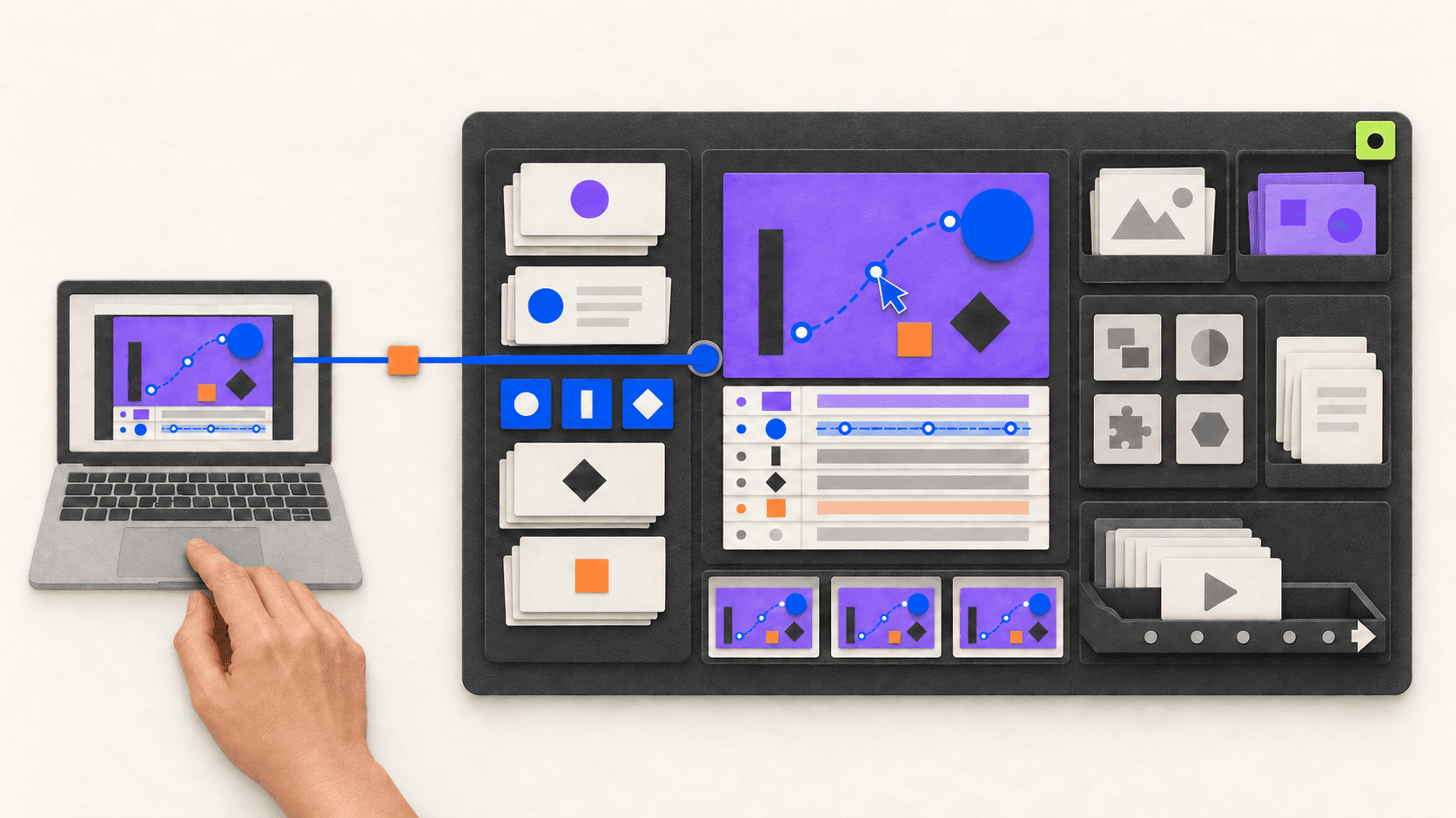
Claude Code can now work with After Effects in two fundamentally different ways.
The first is MCP. An After Effects-aware MCP server exposes named tools that Claude Code can call, such as reading the active composition, inspecting layers, executing a reviewed script, creating a preview frame, or preparing a render. Claude does not operate the interface like a person; it communicates with a bridge that understands specific After Effects operations.
The second is computer use. Claude looks at screenshots and controls the mouse and keyboard. It can open After Effects, navigate panels, select a composition, click commands, and inspect what appears on screen without needing an After Effects-specific connector.
These methods are not interchangeable. MCP is usually faster and more precise for structured project operations. Computer use is broader and easier to try when no connector exists, but it is slower and more vulnerable to interface changes, hidden panels, and misplaced clicks.
There is still no native Connect Claude Code button in After Effects. MCP depends on community or third-party software, while computer use must be enabled in Claude Desktop. Neither route replaces control over the project, timing, visual quality, or final render.
Why Claude Code and After Effects Are Interesting Right Now
Most generative video systems return a finished clip. After Effects is built around editable compositions: layers, keyframes, expressions, controls, source assets, precomps, and delivery versions. That difference matters as soon as feedback arrives.
If a client changes one line of copy, a flattened result may need to be generated again. In an After Effects project, the designer can update the relevant text layer while preserving the animation. The same principle applies to timing, logos, product screens, colors, and aspect ratios.
Claude Code is useful here because many After Effects tasks already have a programmable layer. It can help:
diagnose and rewrite expressions
generate JSX scripts for repeatable project operations
turn CSV data into controlled composition variants
build utilities, panels, and plug-ins
inspect or modify a project through an MCP bridge
operate visible parts of the application through computer use
prepare command-line rendering after the composition is approved
The goal is not “one prompt creates a perfect animation.” It is reducing repetitive work between a creative decision and an editable result.
Interest in the workflow became visible when Adobe announced broader Claude access to Creative Cloud tools in April 2026. Motion designer E.J. Hassenfratz responded, “Missing from this photo… After Effects.” The post had more than 88,000 views when reviewed on September 15, 2026. It did not demonstrate a product, but it summarized the demand for an After Effects-specific workflow.
Creators can now connect Claude Code to application-aware tools through MCP or let it operate the visible desktop through computer use. Choosing between them is the first practical decision.
MCP and Computer Use Are Two Different Ways Into After Effects
MCP gives Claude a structured vocabulary. Computer use gives Claude eyes, a mouse, and a keyboard.
MCP | Computer use | |
|---|---|---|
How Claude acts | Calls named tools exposed by a bridge | Reads screenshots and controls the interface |
What Claude can understand | Structured data returned by the tool | What is currently visible on screen |
Precision | Better for exact layers, properties, scripts, and values | Better for visible navigation and general UI actions |
Speed | Usually faster for repeated operations | Slower because Claude must observe and click through steps |
Setup | Requires an After Effects-aware MCP server or extension | Requires Claude Desktop, computer use enabled, and OS permissions |
Main risk | A broadly scoped tool can make large project changes | A wrong click or changed layout can affect the wrong control |
Best use | Inspection, repeatable edits, readback, previews, automation | Opening files, navigating UI, using unsupported dialogs, visual checks |
Anthropic describes the same general preference in its computer-use guidance: Claude reaches for more precise connectors and tools first, then uses screen interaction when a direct route is unavailable. Anthropic also warns that screen interaction is slower and more error-prone than a direct integration. That tradeoff is particularly relevant in an interface as dense as After Effects.
The routes can work together: MCP performs an exact layer operation, while computer use handles a dialog or visual state the server does not expose.
Route 1: Using Claude Code With After Effects Through MCP
Model Context Protocol is an open standard for connecting AI applications to external tools and data. In an After Effects workflow, the MCP server sits between Claude Code and the application.
The path looks like this:
Claude Code → After Effects MCP server or panel → After Effects project
Claude Code does not magically understand the entire application. It can only use the operations the MCP server exposes. A bridge might offer tools for checking the active project, reading layer properties, running ExtendScript, validating expressions, saving preview frames, or creating checkpoints.
One current community example is JUNKDOGE-JOE/after-effects-mcp. Its documentation describes a CEP panel that hosts a local MCP service and exposes project-status, readback, scripting, preview, validation, checkpoint, and revert tools. Claude Code connects to its local endpoint with:
claude mcp add --transportThe loopback address is important: the documented setup expects Claude Code, the MCP panel, and After Effects to run on the same computer. The panel also needs to remain open while the external client uses its tools.
This is community software, not an official Adobe or Anthropic connector. Review its releases and exposed tools, use a supported package, and begin with a non-critical project.
What MCP is good at
MCP is the better route when the task can be described with explicit project data:
report the active composition and its dimensions
list layers and identify expression errors
change one named property from one value to another
create a standard composition with exact settings
apply a reviewed script to selected layers
generate previews at specific frames
read changed values back after execution
prepare controlled variants or Render Queue items
Because the bridge can return structured information, Claude can verify more than “the screen looks different.” It can report that Title_Main now has three position keyframes or that a composition is 1080 × 1920 at 30 fps.
MCP is not automatically safe. If a server exposes unrestricted script execution, the effective permission is much broader than a friendly tool name suggests. The server, its configuration, and the project boundary all need review.
Route 2: Using Claude Code With After Effects Through Computer Use
Computer use does not require an After Effects-specific language. Claude sees screenshots of the desktop and issues actions such as click, type, scroll, drag, and keyboard input. That allows it to work with applications that do not have a dedicated connector.
Anthropic made computer use available in Claude Code through the Claude Desktop application in research preview. According to the current Claude Code Desktop documentation, it is supported on macOS and Windows for eligible Pro and Max users. It is off by default.
To enable it:
Update and open Claude Desktop.
Go to Settings → General.
Turn on Computer use.
On macOS, grant Accessibility and Screen Recording permissions.
Approve After Effects access when Claude requests it for the session.
Anthropic's official computer-use announcement explains how Claude chooses between connectors, browser control, and direct screen interaction. Its accompanying computer-use video shows the general interaction model. The video is not an After Effects benchmark; it is useful for understanding how Claude observes and operates a desktop.
What computer use can do in After Effects
With After Effects visible, Claude may be able to:
open a project through the application interface
select a known composition or panel
navigate menus and dialogs
type a value into a visible property field
trigger a preview or open the Render Queue
compare screenshots before and after an operation
operate a third-party panel whose functions are not available through MCP
Computer use can reach almost any visible control, but it sees pixels rather than the complete project model. A hidden layer, dialog, changed workspace, scaling difference, or notification can alter the next action.
Do not use computer use for long, unsupervised sequences of precise Timeline edits. Break the task into short stages and require a screenshot after each important action. Keep the stop control available and take over whenever the selected layer or panel is unclear.
A suitable first prompt is visual and specific:
Use computer control only in the open After Effects window.
Open the composition named CC_LowerThird_Test. Do not save yet.
Show me the Timeline and confirm the selected layer in a screenshot.
After I approve, change only that layer's visible opacity value to 80%.
Take another screenshot and stop. Do not modify any other property
Notice what this prompt does not request: it does not ask Claude to design a sequence, manipulate ten keyframes, save over the original, and render unattended. The task remains visible and reversible.
Which Route Should You Choose?
Choose MCP when you need exact values, repeatable project operations, batch work, or reliable readback. Choose computer use when the required action exists only in the interface, when you need help navigating a dialog, or when an MCP tool does not cover the step.
For a recurring studio workflow, MCP is usually the stronger foundation because its tools can be tested and reused. For an occasional unsupported interface task, computer use may be faster than developing an integration.
Use both when the task crosses the boundary. For example:
Computer use opens the correct project and arranges the workspace.
MCP reads the active composition and named layers.
MCP performs a narrow property change and reads it back.
Computer use plays the preview while Claude and the designer inspect the visible result.
MCP or
aerenderprepares the approved output.
The best route is the one that exposes the least access needed for the task. If a reviewed JSX script can solve the problem, you may not need either a live MCP session or computer control.
What Creators Are Actually Demonstrating
Most widely shared Claude Code and After Effects demonstrations currently appear to use extensions, scripts, or structured bridges rather than pure computer use. That distinction matters when evaluating what a video proves.
Umair Fareed's “Using Claude Code inside After Effects to get things done” had more than 193,000 views, 2,000 likes, and 2,100 bookmarks when reviewed on September 15, 2026. The associated thread links to AE GPT on aescripts and says the extension supports Claude alongside other models. It demonstrates a third-party extension route, not native Claude screen control.
Maciej Dziuba's 14-minute walkthrough provides more process context than a short reveal. Its “10x more powerful” description is a creator claim, not a controlled benchmark.
Wes McDermott's post about using Claude Code and Cursor to build an After Effects plug-in shows another useful pattern: build reusable tools rather than one finished animation. A tested project auditor, naming utility, or delivery checker can support many projects.
These examples should not be confused with computer use. An extension exposes application capabilities directly; computer use navigates what a person can see and click. A short video may look similar even though the setup and reliability differ.
A Controlled MCP Workflow
Before trying either route on an existing project, use After Effects' Save As workflow to create a clearly named working copy, such as Product_Launch_AI_TEST_v01.aep, and leave the approved master untouched. That is all “test .aep” means: a normal copy used for experimentation, not a special file format or a request for Claude to duplicate the binary project. If you are starting from scratch, use a new blank project instead.
After opening the working copy, begin with read-only inspection:
Use the connected After Effects tools in read-only mode.
Report the application version, active project, active composition,
dimensions, duration, frame rate, layer count, expression errors,
and Render Queue state. Do not change or save anything
Confirm that the returned project and composition names match what is open. Then request one reversible operation:
Work only in Product_Launch_AI_TEST_v01.aep and CC_LowerThird_Test.
Read the current opacity of Title_Main. Propose the smallest change first.
After approval, change it to 80%, read the value back, save a preview frame
to the review folder, and stop without saving over another project
The sequence should remain consistent:
Inspect the project.
Name the exact target.
Propose the change.
Approve the operation.
Execute one change.
Read the project state back.
Generate a preview.
Stop for visual review.
Once this loop works, expand to selected expression repairs, controlled layer creation, data-driven variants, or Render Queue preparation.
A Controlled Computer-Use Workflow
Computer use needs a different discipline because the screen is the source of truth.
Start with a consistent workspace. Close unrelated applications, reset the After Effects workspace if panels are scattered, open the test project, and bring the target composition into view. Avoid changing display scaling or moving panels during the task.
Then use short visual checkpoints:
Ask Claude to identify the active After Effects window.
Let it navigate to the named test composition.
Require a screenshot showing the selected composition and layer.
Approve one visible edit.
Require another screenshot of the changed value and composition.
Preview the motion.
Save under a new version name only after review.
Do not ask computer use to infer hidden state. If a layer is collapsed, expand it. If the selected property is ambiguous, stop. If a dialog appears unexpectedly, require Claude to describe it before clicking.
Computer use is particularly helpful for gaps: opening the correct panel, choosing a visible menu command, operating a plug-in UI, or checking the result after a structured tool completes its work. It is less suitable for entering dozens of precise keyframes one by one.
Technical Success Is Not Visual Approval
MCP may report that a tool call succeeded. Computer use may show that a button was clicked. Neither result proves that the motion feels right.
After every material change, inspect the affected layers, properties, expressions, and output paths. Review frames at the beginning, during active motion, and after the composition settles. Then play the sequence at its intended frame rate to judge timing, easing, continuity, and hierarchy.
Before final output, verify dimensions, duration, codec, alpha, audio, fonts, footage, plug-ins, and the destination path. Adobe's official aerender can automate rendering from an approved project. It does not create or visually validate the animation.
What If You Do Not Want MCP or Computer Use?
Claude Code can still help without controlling After Effects.
The lowest-access workflow is to provide the expression, requirements, or scripting task as text. Claude Code writes or explains the JSX code, you review it, and you run it manually in a duplicate project. This is often the best starting point for a studio because the proposed operation is visible before After Effects executes it.
If Claude Code is not a requirement, Adobe's AI Assistant for After Effects Beta is the official Adobe route, while third-party products such as Higgsfield offer more packaged prompt-to-motion experiences. These alternatives have their own supported features, service requirements, pricing, and data policies. They are not Claude Code integrations.
Running Both Workflows on a Vagon Cloud Computer
Both routes work best when the moving parts stay in one environment.
For MCP, Claude Code, the local MCP service, its After Effects panel, project files, and After Effects itself generally need to run on the same workstation. For computer use, Claude Desktop must be able to see and control the workstation on which After Effects is open.
Vagon Cloud Computer provides a remote Windows workstation where you can install and manage those components together. The project, source footage, fonts, plug-ins, cache, previews, and renders can remain beside the applications using them.
The two Vagon setups are different:
MCP on Vagon
Run After Effects, Claude Code, and the approved MCP panel inside the same Vagon Cloud Computer. The bridge can use its documented local endpoint without crossing between your laptop and a separate render machine. You remotely access the workstation to supervise the project and review the result.
Computer use on Vagon
Run a supported Claude Desktop setup and After Effects inside the Vagon Cloud Computer, enable computer use there, and approve the required application permissions. Claude then operates the same remote Windows desktop you inspect through Vagon. Test this with a non-critical project and keep the session available, because computer use depends on the visible desktop and the Claude application remaining active.
Vagon does not provide the Claude–After Effects integration. It provides one remotely accessible computer for the applications, dependencies, project state, and compute resources. You still manage the software, licenses, integrations, and AI usage.
Choose resources around the actual composition. Adobe's current After Effects system requirements list 16 GB of RAM as the Windows minimum, recommend at least 32 GB for 4K work, recommend 8 GB of GPU memory, and call for fast SSD storage for the application and cache. Complex compositions may require more.
Frequently Asked Questions
Is MCP the same as computer use?
No. MCP lets Claude call structured tools exposed by an integration. Computer use lets Claude operate the visible interface with screenshots, mouse actions, and keyboard input.
Which method is better for After Effects?
MCP is generally better for exact, repeatable project operations and readback. Computer use is helpful for visual navigation, dialogs, and interface steps that no MCP tool exposes. A hybrid workflow can use both.
Does Claude Code officially support computer use?
Anthropic currently offers computer use in Claude Code through the Claude Desktop application as a research preview for eligible Pro and Max users on macOS and Windows. It must be enabled in settings, and availability may change.
Is there an official After Effects MCP server?
Adobe and Anthropic do not currently document an official After Effects-specific MCP server. Available After Effects bridges are community or third-party projects and should be evaluated accordingly.
Can computer use judge whether an animation looks good?
It can inspect screenshots and visible previews, but that does not replace a motion designer's judgment. Timing, easing, hierarchy, continuity, and brand fit still need human review.
Does Vagon include After Effects, Claude, or an MCP server?
No. Vagon provides the remote cloud computer. You supply and manage the applications, licenses, accounts, integrations, plug-ins, and AI usage.
Choose the Connection Before You Choose the Prompt
Claude Code can reach After Effects through structured MCP tools or through visual computer use. MCP is the precise route. Computer use is the flexible route. Neither should begin with unrestricted access to an approved project.
Start with a clearly named copy, one composition, and one reversible operation. Use MCP when exact project data and repeatability matter. Use computer use when the task depends on the visible interface. Combine them when each route covers a different part of the workflow.
When you want Claude, After Effects, the selected bridge, project files, dependencies, previews, and rendering resources to remain on one remotely accessible workstation, build the environment on a Vagon Cloud Computer.
Create your Vagon Cloud Computer
Get Beyond Your Computer Performance
Run applications on your cloud computer with the latest generation hardware. No more crashes or lags.

Trial includes 1 hour usage + 7 days of storage.
Summarize with AI

Ready to focus on your creativity?
Vagon gives you the ability to create & render projects, collaborate, and stream applications with the power of the best hardware.

Run heavy applications on any device with
your personal computer on the cloud.
San Francisco, California
Solutions
Vagon Teams
Vagon Streams
Use Cases
© 2026 Vagon. All rights reserved.
Run heavy applications on any device with
your personal computer on the cloud.
San Francisco, California
Solutions
Vagon Teams
Vagon Streams
Use Cases
© 2026 Vagon. All rights reserved.
Run heavy applications on any device with
your personal computer on the cloud.
San Francisco, California
Solutions
Vagon Teams
Vagon Streams
Use Cases
© 2026 Vagon. All rights reserved.