Instant Connection for Pixel Streaming
— New Feature Automated Setup

Best Freelance Platforms 2026: 9 Sites for Contracts
Freelance
Best Freelance Platforms 2026: 9 Sites for Contracts
Freelance
Best Freelance Platforms 2026: 9 Sites for Contracts
Freelance
Table of Contents
There is no single best freelance platform in 2026. The right choice depends on your profession, experience, location, budget for fees, and whether you prefer bidding, inbound leads, curated matching, or direct client relationships.
The list below includes open marketplaces, specialist creative platforms, professional networks, curated talent networks, and one managed software outsourcing partner. The order is editorial, not a performance score.
Option | Best for | How work is secured | Freelancer cost | Main limitation |
|---|---|---|---|---|
Upwork | Broad professional categories | Proposals and matching | 0% to 15%, plus Connects | High competition |
Fiverr | Productized services | Inbound Gig orders | 20% of earnings | Discovery depends on visibility |
Contra | Creative and technical independents | Jobs, discovery, and direct clients | No freelancer commission, other fees may apply | Opportunity access varies by plan |
Toptal | Experienced specialists | Screening and curated matching | No cut from talent rates | Selective entry |
Direct professional relationships | Networking, outreach, and job search | No marketplace commission | No payment protection | |
Behance | Visual creatives | Portfolio discovery and inquiries | 0% to 5%, plus processing | Payment tools are country-dependent |
99designs | Design specialists | Direct projects and contests | 5% to 15%, plus possible introduction fee | Contests can involve unpaid work |
Freelancer.com | Broad project bidding | Public bids | 10% or minimum fee | Competitive bidding |
Malt | European professionals | Profile discovery and quotes | Varies by country | Regional eligibility and pricing |
Fee information was verified on September 11, 2026. Platforms can change pricing, eligibility, and payment policies, so confirm the current terms before accepting a contract.
#1. Upwork 🔗
Best for: Freelancers who want access to a wide range of hourly and fixed-price opportunities and are comfortable writing tailored proposals.
Upwork covers development, design, video production, marketing, writing, consulting, customer support, and many other professional categories. Freelancers create profiles, search public listings, receive invitations, and submit proposals.
Most proposals require Connects. According to Upwork’s Connects documentation, additional Connects cost $0.15 each. This makes proposal activity a real acquisition cost, even before a freelancer wins a contract.
The freelancer service fee ranges from 0% to 15% per contract. The applicable rate appears before the freelancer submits a proposal or accepts an offer and remains fixed once the contract begins. Basic clients can also pay a marketplace fee of up to 7.99% and a one-time contract initiation fee.
Upwork provides hourly and fixed-price payment protection, but only when users follow its rules. Fixed-price freelancers should confirm that a milestone is funded before working and submit the result through the required workflow. The fixed-price protection policy explains these conditions.
Its main advantage is range. A freelancer can test different services, industries, and contract formats without switching platforms. Its main limitation is competition combined with the cost of submitting proposals that may never receive a response.

#2. Fiverr 🔗
Best for: Freelancers who can turn their skills into clearly defined packages with predictable deliverables, timelines, and revision limits.
Fiverr is built around service listings called Gigs. Rather than applying to every public project, freelancers publish packages and wait for clients to place orders, request custom offers, or contact them about requirements.
The format works particularly well for repeatable services such as logo design, video editing, voice-over, animation, 3D visualization, social content, WordPress setup, and small development tasks. Freelancers can offer Basic, Standard, and Premium packages, then add extras or prepare a custom offer for less standardized work.
Some categories have additional eligibility requirements or standardized minimum package rules. New sellers should review Fiverr’s current Gig creation requirements before building an offer.
Freelancers receive 80% of completed order value, according to Fiverr’s earnings documentation. The current client payment page lists a 5.5% checkout fee plus a $3.50 surcharge on orders below $200. Fiverr has displayed conflicting small-order thresholds across its help pages, so clients should rely on the fee shown at checkout.
The main advantage is that a strong service listing can produce inbound inquiries without repeated proposal writing. The limitation is the 20% freelancer deduction and dependence on search position, reputation, and client demand.

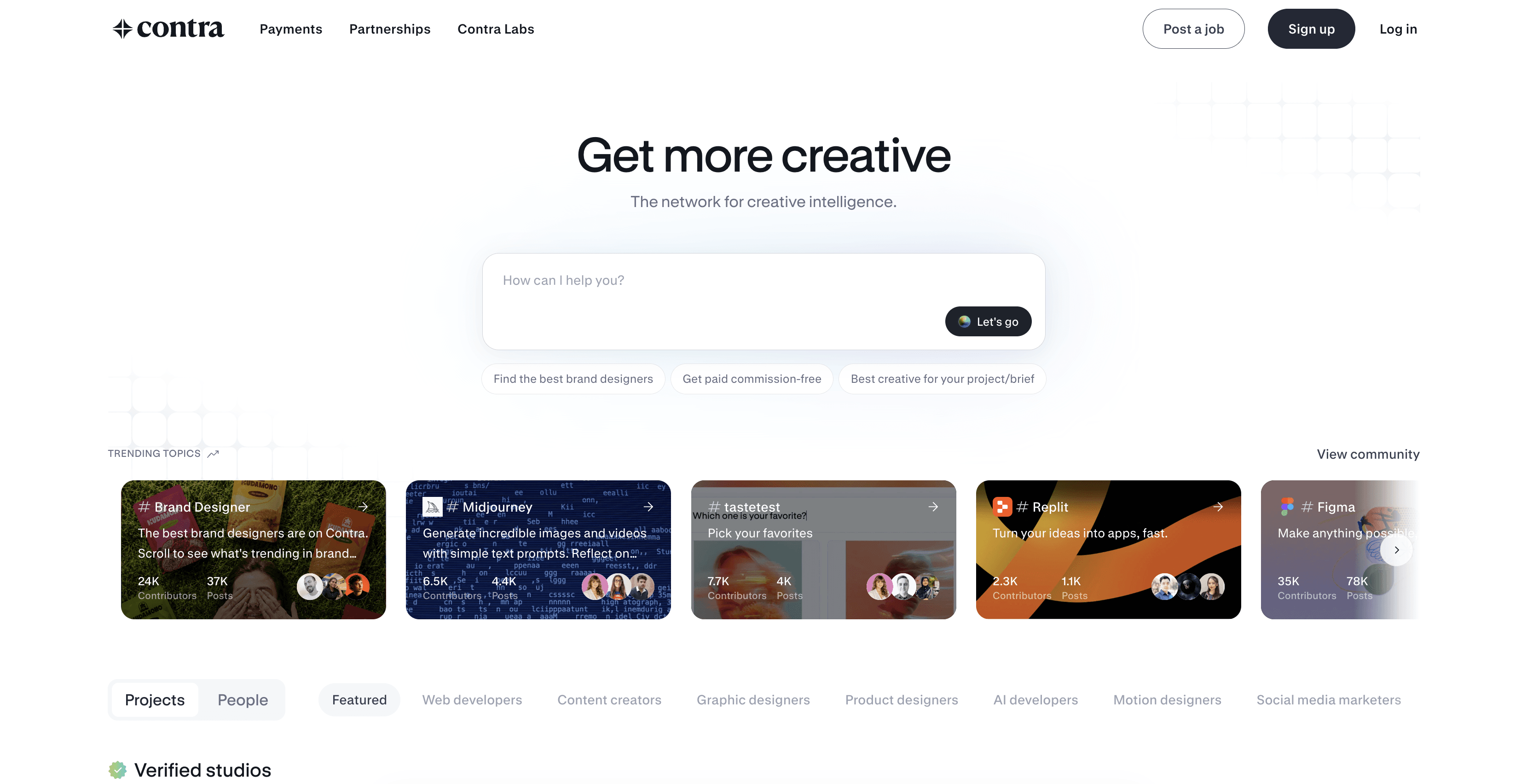
#3. Contra 🔗
Best for: Independent designers, developers, marketers, video professionals, and consultants who want portfolio discovery and business-management tools in one place.
Contra combines public profiles, job applications, client inquiries, contracts, invoices, payment links, and project management. Freelancers can search opportunities, get discovered through their work, or bring existing clients onto the platform.
Its categories include design, engineering, marketing, product, social media, consulting, music, audio, video, and animation. Contracts can use milestones, retainers, subscriptions, one-time payments, or regular invoices.
Contra describes freelancer earnings as commission-free. This means it does not take a percentage from the independent professional’s stated earnings, but it does not mean every transaction is free. Its current pricing page shows client payment fees on the Free plan, while payment processing, international card, conversion, faster payout, or crypto payout fees can apply depending on the transaction.
The Free plan costs $0. Contra Pro costs $29 per month or $199 per year and changes opportunity access, discoverability, payout features, and certain client-side fees. Payment and payout availability still depend on country and method.
The main advantage is having a professional profile, contract system, and payment workflow under one account. The main limitation is that access to opportunities and visibility can differ between Free and Pro, while “commission-free” requires a careful explanation of the remaining fees.
#4. Toptal 🔗
Best for: Experienced developers, designers, product managers, project managers, and consultants who prefer screened opportunities over open-market bidding.
Toptal uses a curated talent network. Applicants go through a multi-stage process that evaluates subject knowledge, communication, professionalism, and the ability to work with client teams.
According to its talent FAQ, successful applicants normally have at least two to three years of relevant experience. The complete screening process generally takes several weeks.
Accepted freelancers can receive matches and search eligible opportunities. Engagements may be full-time, part-time, or hourly, and freelancers can set their availability between zero and 50 hours per week.
Talent members set their own rates, and Toptal states that it does not take a cut from those rates. Toptal manages client billing and pays freelancers in US dollars. Standardized client pricing is not publicly listed because costs depend on the requested expertise and engagement.
The main advantage is access to curated client opportunities without competing in a completely open proposal pool. The main limitation is the entry barrier. Applying requires time, acceptance is not guaranteed, and joining the network does not guarantee a particular volume of work.

#5. LinkedIn 🔗
Best for: Freelancers with a clear specialization who want to build direct relationships with clients, recruiters, agencies, and professional teams.
LinkedIn is not a traditional freelance marketplace. It supports contract discovery through professional networking, referrals, public posts, direct outreach, job listings, and Service Pages.
Freelancers can filter job searches for contract and temporary positions. They can also create a LinkedIn Service Page, list the services they provide, receive requests, and submit proposals to potential clients.
There is no general screening process beyond the credibility clients infer from the freelancer’s profile, employment history, portfolio, recommendations, and activity. Optional Premium products can provide additional messaging, visibility, or service-request features, but freelancers do not pay LinkedIn a percentage of each independent contract.
The critical difference is that clients and service providers finalize terms outside LinkedIn. LinkedIn does not hold project funds, manage milestones, or provide marketplace payment protection. The freelancer must prepare the agreement, define payment terms, issue invoices, and assess the client independently.
Its main advantage is direct access to professional relationships, which can lead to repeat work without a permanent marketplace commission. Its main limitation is the absence of an integrated contract and escrow system.

#6. Behance 🔗
Best for: Graphic designers, illustrators, photographers, motion designers, animators, and other visual creatives with presentation-ready portfolios.
Behance uses portfo0lio discovery as its primary contract channel. Instead of leading with bids, creatives publish detailed projects that show the quality, context, and development of their work.
Clients can send freelance job inquiries directly to a creative. Clients can also submit briefs that Behance privately distributes to a selected group of recommended professionals.
The current freelancer platform fee is 5% for projects from $1 to $500, 2% for projects from $501 to $2,500, and 0% above $2,500. Stripe or PayPal processing fees remain separate. A Behance Pro subscription removes the Behance platform fee, but not payment processing costs.
Freelance payment features are only available in supported countries. A freelancer may still use Behance as a portfolio and discovery channel elsewhere, but the proposal and payment workflow could require external tools.
The main advantage is that the freelancer’s portfolio acts as both evidence and marketing. The limitation is that results depend heavily on presentation quality and visibility, while integrated payments remain geographically restricted.

#7. 99designs 🔗
Best for: Freelancers specializing in branding, logos, packaging, illustration, web design, and related graphic-design services.
99designs offers two main ways to find work. Designers can build direct relationships through 1-to-1 projects or compete in client-run design contests.
The direct model allows a client and designer to agree on scope, price, deliverables, and payment releases. Funds can be held through the platform and released as the project progresses. The contest model asks several designers to submit concepts, with the client selecting a winner.
Designer platform fees depend on level. The current platform fee documentation lists 5% for top-level designers, 10% for mid-level designers, and 15% for entry-level designers.
A new client relationship can also trigger a 20% introduction fee on the first $500 invoiced, capped at $100 and subject to listed exceptions. Clients normally pay a separate 5% platform fee.
The main advantage is concentrated buyer intent around professional design. The main limitation is the contest model, where several designers may invest time but only the selected entry receives the award. Direct projects provide a more predictable alternative once a client relationship exists.

#8. Freelancer.com 🔗
Best for: Freelancers who want a broad public project marketplace and are comfortable evaluating listings and competing through bids.
Freelancer.com covers software, design, writing, data, engineering, sales, administration, and many other categories. Freelancers create profiles, browse public projects, submit bids, and negotiate terms with clients.
Both fixed-price and hourly work are available. The platform also supports contests, direct quotes, invoices, and Milestone Payments.
For fixed-price work, the standard freelancer project fee is 10% of the winning bid or $5, whichever is greater. Hourly projects carry a 10% fee on released Milestone Payments. Clients generally pay 3% or $3 minimum for fixed-price projects and 3% on hourly payments. Enterprise projects can carry a 15% freelancer fee. These figures come from the current Freelancer.com project fee policy.
Milestone Payments can confirm that project funds are available before a freelancer delivers work. Users should keep communication and payments on the platform when they expect its dispute and payment systems to apply.
The main advantage is access to many project categories and work formats. The limitation is open bidding competition, combined with project fees, optional upgrades, and the need to examine clients and project requests carefully.

#9. Malt 🔗
Best for: European freelancers and independent professionals who need profile discovery, contracts, invoicing, compliance checks, and managed payments.
Malt serves technology, data, marketing, design, support, consulting, and other professional categories. Clients can search public freelancer profiles or post project requirements and receive recommendations.
Freelancers respond through quotes rather than informal bids. Because Malt manages contracts and payments, freelancers must validate identity, business registration, tax information, and other legal documents according to their country and legal structure.
The platform supports task-based and time-based projects. A client can prepay, with funds held in escrow until the project or activity report is approved. Eligible business clients may also use invoice-based payments and cash-advance arrangements.
Fees vary significantly by market. Malt’s regional fee documentation currently states that freelancers in the United Kingdom and Netherlands are not charged freelancer fees. Some other supported markets use 10%, 5%, and 2% tiers based on how the client relationship began and how long it continues. Client fees also vary by country and plan.
The main advantage is an integrated European contracting and compliance system. The limitation is that eligibility, documents, payment support, and fees must be checked for the freelancer’s specific country.

Run Your Freelance Projects on Vagon Cloud Computer
Securing a contract is only the first step. Delivering demanding creative or technical work on schedule requires a workstation that can handle the applications, project files, and production workload involved.
If you are working with Premiere Pro, After Effects, Blender, Unreal Engine, CAD software, or other resource-intensive Windows applications, a cloud computer for freelancers gives you access to a powerful remote workstation from your existing laptop, desktop, or tablet.
With Vagon Cloud Computer, you can select the CPU, GPU, and memory configuration that fits your project. Start with a practical setup for everyday work, then increase performance when you reach rendering, simulation, export, or other demanding production stages. Your applications and project files remain inside the same remote workspace as you move between configurations.
This makes Vagon especially useful for freelancers who take on different types of projects, work from multiple locations, or need additional computing power without purchasing a new physical workstation for every requirement. You can keep client assets, production software, working files, and final exports together in one accessible Windows environment.
Vagon does not provide freelance contracts. It gives you the computing environment to complete the contracts you secure.
When your next project requires more performance than your current setup can provide, create a Vagon Cloud Computer and configure it around the workload.

Frequently Asked Questions
What is the best freelance platform for beginners in 2026?
Upwork, Fiverr, and Freelancer.com offer open entry across many professional categories. Fiverr may suit beginners who can package a specific service, while Upwork and Freelancer.com are better for people comfortable submitting proposals and competing for public projects.
Which freelance platform charges the lowest fees?
The answer depends on the contract and payment method. Contra does not deduct a commission from freelancer earnings, while Toptal also states that it does not take a cut from talent rates. Client fees, subscriptions, payment processing, currency conversion, or payout charges may still apply. Fees were verified on September 11, 2026 and should be checked before accepting work.
Which freelance platforms are best for designers?
Behance is useful for portfolio-led discovery, while 99designs focuses on direct design projects and contests. Fiverr works well for packaged creative services, and Contra combines portfolio discovery with contracts and payments. The best choice depends on whether you prefer inbound inquiries, predefined services, direct projects, or competitions.
Which freelance platforms are best for developers?
Upwork offers a broad range of public development projects. Toptal is designed for experienced developers who can pass its screening process, while Contra supports independent developers through profiles, job applications, and client contracts. LinkedIn can also help developers build direct relationships without using a traditional marketplace.
Do freelance platforms guarantee payment?
No platform guarantees payment under every circumstance. Payment protection usually depends on following specific rules, such as confirming that milestones are funded, recording hourly work correctly, keeping communication on the platform, and submitting deliverables through the required system. Read the applicable protection policy before starting work.
Can I use more than one freelance platform?
Yes. Many freelancers use one primary platform and one or two secondary channels. For example, you might use Fiverr for packaged services, LinkedIn for direct relationships, and Behance for portfolio discovery. Maintaining too many profiles can become difficult, so prioritize the channels that match your strongest services.
Does Vagon help freelancers find contracts?
No. Vagon is not a job board or freelance marketplace and does not provide or guarantee contracts. It is a cloud computer for freelancers that can help professionals complete demanding creative or technical work after they secure a project.
There is no single best freelance platform in 2026. The right choice depends on your profession, experience, location, budget for fees, and whether you prefer bidding, inbound leads, curated matching, or direct client relationships.
The list below includes open marketplaces, specialist creative platforms, professional networks, curated talent networks, and one managed software outsourcing partner. The order is editorial, not a performance score.
Option | Best for | How work is secured | Freelancer cost | Main limitation |
|---|---|---|---|---|
Upwork | Broad professional categories | Proposals and matching | 0% to 15%, plus Connects | High competition |
Fiverr | Productized services | Inbound Gig orders | 20% of earnings | Discovery depends on visibility |
Contra | Creative and technical independents | Jobs, discovery, and direct clients | No freelancer commission, other fees may apply | Opportunity access varies by plan |
Toptal | Experienced specialists | Screening and curated matching | No cut from talent rates | Selective entry |
Direct professional relationships | Networking, outreach, and job search | No marketplace commission | No payment protection | |
Behance | Visual creatives | Portfolio discovery and inquiries | 0% to 5%, plus processing | Payment tools are country-dependent |
99designs | Design specialists | Direct projects and contests | 5% to 15%, plus possible introduction fee | Contests can involve unpaid work |
Freelancer.com | Broad project bidding | Public bids | 10% or minimum fee | Competitive bidding |
Malt | European professionals | Profile discovery and quotes | Varies by country | Regional eligibility and pricing |
Fee information was verified on September 11, 2026. Platforms can change pricing, eligibility, and payment policies, so confirm the current terms before accepting a contract.
#1. Upwork 🔗
Best for: Freelancers who want access to a wide range of hourly and fixed-price opportunities and are comfortable writing tailored proposals.
Upwork covers development, design, video production, marketing, writing, consulting, customer support, and many other professional categories. Freelancers create profiles, search public listings, receive invitations, and submit proposals.
Most proposals require Connects. According to Upwork’s Connects documentation, additional Connects cost $0.15 each. This makes proposal activity a real acquisition cost, even before a freelancer wins a contract.
The freelancer service fee ranges from 0% to 15% per contract. The applicable rate appears before the freelancer submits a proposal or accepts an offer and remains fixed once the contract begins. Basic clients can also pay a marketplace fee of up to 7.99% and a one-time contract initiation fee.
Upwork provides hourly and fixed-price payment protection, but only when users follow its rules. Fixed-price freelancers should confirm that a milestone is funded before working and submit the result through the required workflow. The fixed-price protection policy explains these conditions.
Its main advantage is range. A freelancer can test different services, industries, and contract formats without switching platforms. Its main limitation is competition combined with the cost of submitting proposals that may never receive a response.
#2. Fiverr 🔗
Best for: Freelancers who can turn their skills into clearly defined packages with predictable deliverables, timelines, and revision limits.
Fiverr is built around service listings called Gigs. Rather than applying to every public project, freelancers publish packages and wait for clients to place orders, request custom offers, or contact them about requirements.
The format works particularly well for repeatable services such as logo design, video editing, voice-over, animation, 3D visualization, social content, WordPress setup, and small development tasks. Freelancers can offer Basic, Standard, and Premium packages, then add extras or prepare a custom offer for less standardized work.
Some categories have additional eligibility requirements or standardized minimum package rules. New sellers should review Fiverr’s current Gig creation requirements before building an offer.
Freelancers receive 80% of completed order value, according to Fiverr’s earnings documentation. The current client payment page lists a 5.5% checkout fee plus a $3.50 surcharge on orders below $200. Fiverr has displayed conflicting small-order thresholds across its help pages, so clients should rely on the fee shown at checkout.
The main advantage is that a strong service listing can produce inbound inquiries without repeated proposal writing. The limitation is the 20% freelancer deduction and dependence on search position, reputation, and client demand.
#3. Contra 🔗
Best for: Independent designers, developers, marketers, video professionals, and consultants who want portfolio discovery and business-management tools in one place.
Contra combines public profiles, job applications, client inquiries, contracts, invoices, payment links, and project management. Freelancers can search opportunities, get discovered through their work, or bring existing clients onto the platform.
Its categories include design, engineering, marketing, product, social media, consulting, music, audio, video, and animation. Contracts can use milestones, retainers, subscriptions, one-time payments, or regular invoices.
Contra describes freelancer earnings as commission-free. This means it does not take a percentage from the independent professional’s stated earnings, but it does not mean every transaction is free. Its current pricing page shows client payment fees on the Free plan, while payment processing, international card, conversion, faster payout, or crypto payout fees can apply depending on the transaction.
The Free plan costs $0. Contra Pro costs $29 per month or $199 per year and changes opportunity access, discoverability, payout features, and certain client-side fees. Payment and payout availability still depend on country and method.
The main advantage is having a professional profile, contract system, and payment workflow under one account. The main limitation is that access to opportunities and visibility can differ between Free and Pro, while “commission-free” requires a careful explanation of the remaining fees.
#4. Toptal 🔗
Best for: Experienced developers, designers, product managers, project managers, and consultants who prefer screened opportunities over open-market bidding.
Toptal uses a curated talent network. Applicants go through a multi-stage process that evaluates subject knowledge, communication, professionalism, and the ability to work with client teams.
According to its talent FAQ, successful applicants normally have at least two to three years of relevant experience. The complete screening process generally takes several weeks.
Accepted freelancers can receive matches and search eligible opportunities. Engagements may be full-time, part-time, or hourly, and freelancers can set their availability between zero and 50 hours per week.
Talent members set their own rates, and Toptal states that it does not take a cut from those rates. Toptal manages client billing and pays freelancers in US dollars. Standardized client pricing is not publicly listed because costs depend on the requested expertise and engagement.
The main advantage is access to curated client opportunities without competing in a completely open proposal pool. The main limitation is the entry barrier. Applying requires time, acceptance is not guaranteed, and joining the network does not guarantee a particular volume of work.
#5. LinkedIn 🔗
Best for: Freelancers with a clear specialization who want to build direct relationships with clients, recruiters, agencies, and professional teams.
LinkedIn is not a traditional freelance marketplace. It supports contract discovery through professional networking, referrals, public posts, direct outreach, job listings, and Service Pages.
Freelancers can filter job searches for contract and temporary positions. They can also create a LinkedIn Service Page, list the services they provide, receive requests, and submit proposals to potential clients.
There is no general screening process beyond the credibility clients infer from the freelancer’s profile, employment history, portfolio, recommendations, and activity. Optional Premium products can provide additional messaging, visibility, or service-request features, but freelancers do not pay LinkedIn a percentage of each independent contract.
The critical difference is that clients and service providers finalize terms outside LinkedIn. LinkedIn does not hold project funds, manage milestones, or provide marketplace payment protection. The freelancer must prepare the agreement, define payment terms, issue invoices, and assess the client independently.
Its main advantage is direct access to professional relationships, which can lead to repeat work without a permanent marketplace commission. Its main limitation is the absence of an integrated contract and escrow system.
#6. Behance 🔗
Best for: Graphic designers, illustrators, photographers, motion designers, animators, and other visual creatives with presentation-ready portfolios.
Behance uses portfo0lio discovery as its primary contract channel. Instead of leading with bids, creatives publish detailed projects that show the quality, context, and development of their work.
Clients can send freelance job inquiries directly to a creative. Clients can also submit briefs that Behance privately distributes to a selected group of recommended professionals.
The current freelancer platform fee is 5% for projects from $1 to $500, 2% for projects from $501 to $2,500, and 0% above $2,500. Stripe or PayPal processing fees remain separate. A Behance Pro subscription removes the Behance platform fee, but not payment processing costs.
Freelance payment features are only available in supported countries. A freelancer may still use Behance as a portfolio and discovery channel elsewhere, but the proposal and payment workflow could require external tools.
The main advantage is that the freelancer’s portfolio acts as both evidence and marketing. The limitation is that results depend heavily on presentation quality and visibility, while integrated payments remain geographically restricted.
#7. 99designs 🔗
Best for: Freelancers specializing in branding, logos, packaging, illustration, web design, and related graphic-design services.
99designs offers two main ways to find work. Designers can build direct relationships through 1-to-1 projects or compete in client-run design contests.
The direct model allows a client and designer to agree on scope, price, deliverables, and payment releases. Funds can be held through the platform and released as the project progresses. The contest model asks several designers to submit concepts, with the client selecting a winner.
Designer platform fees depend on level. The current platform fee documentation lists 5% for top-level designers, 10% for mid-level designers, and 15% for entry-level designers.
A new client relationship can also trigger a 20% introduction fee on the first $500 invoiced, capped at $100 and subject to listed exceptions. Clients normally pay a separate 5% platform fee.
The main advantage is concentrated buyer intent around professional design. The main limitation is the contest model, where several designers may invest time but only the selected entry receives the award. Direct projects provide a more predictable alternative once a client relationship exists.
#8. Freelancer.com 🔗
Best for: Freelancers who want a broad public project marketplace and are comfortable evaluating listings and competing through bids.
Freelancer.com covers software, design, writing, data, engineering, sales, administration, and many other categories. Freelancers create profiles, browse public projects, submit bids, and negotiate terms with clients.
Both fixed-price and hourly work are available. The platform also supports contests, direct quotes, invoices, and Milestone Payments.
For fixed-price work, the standard freelancer project fee is 10% of the winning bid or $5, whichever is greater. Hourly projects carry a 10% fee on released Milestone Payments. Clients generally pay 3% or $3 minimum for fixed-price projects and 3% on hourly payments. Enterprise projects can carry a 15% freelancer fee. These figures come from the current Freelancer.com project fee policy.
Milestone Payments can confirm that project funds are available before a freelancer delivers work. Users should keep communication and payments on the platform when they expect its dispute and payment systems to apply.
The main advantage is access to many project categories and work formats. The limitation is open bidding competition, combined with project fees, optional upgrades, and the need to examine clients and project requests carefully.
#9. Malt 🔗
Best for: European freelancers and independent professionals who need profile discovery, contracts, invoicing, compliance checks, and managed payments.
Malt serves technology, data, marketing, design, support, consulting, and other professional categories. Clients can search public freelancer profiles or post project requirements and receive recommendations.
Freelancers respond through quotes rather than informal bids. Because Malt manages contracts and payments, freelancers must validate identity, business registration, tax information, and other legal documents according to their country and legal structure.
The platform supports task-based and time-based projects. A client can prepay, with funds held in escrow until the project or activity report is approved. Eligible business clients may also use invoice-based payments and cash-advance arrangements.
Fees vary significantly by market. Malt’s regional fee documentation currently states that freelancers in the United Kingdom and Netherlands are not charged freelancer fees. Some other supported markets use 10%, 5%, and 2% tiers based on how the client relationship began and how long it continues. Client fees also vary by country and plan.
The main advantage is an integrated European contracting and compliance system. The limitation is that eligibility, documents, payment support, and fees must be checked for the freelancer’s specific country.
Run Your Freelance Projects on Vagon Cloud Computer
Securing a contract is only the first step. Delivering demanding creative or technical work on schedule requires a workstation that can handle the applications, project files, and production workload involved.
If you are working with Premiere Pro, After Effects, Blender, Unreal Engine, CAD software, or other resource-intensive Windows applications, a cloud computer for freelancers gives you access to a powerful remote workstation from your existing laptop, desktop, or tablet.
With Vagon Cloud Computer, you can select the CPU, GPU, and memory configuration that fits your project. Start with a practical setup for everyday work, then increase performance when you reach rendering, simulation, export, or other demanding production stages. Your applications and project files remain inside the same remote workspace as you move between configurations.
This makes Vagon especially useful for freelancers who take on different types of projects, work from multiple locations, or need additional computing power without purchasing a new physical workstation for every requirement. You can keep client assets, production software, working files, and final exports together in one accessible Windows environment.
Vagon does not provide freelance contracts. It gives you the computing environment to complete the contracts you secure.
When your next project requires more performance than your current setup can provide, create a Vagon Cloud Computer and configure it around the workload.
Frequently Asked Questions
What is the best freelance platform for beginners in 2026?
Upwork, Fiverr, and Freelancer.com offer open entry across many professional categories. Fiverr may suit beginners who can package a specific service, while Upwork and Freelancer.com are better for people comfortable submitting proposals and competing for public projects.
Which freelance platform charges the lowest fees?
The answer depends on the contract and payment method. Contra does not deduct a commission from freelancer earnings, while Toptal also states that it does not take a cut from talent rates. Client fees, subscriptions, payment processing, currency conversion, or payout charges may still apply. Fees were verified on September 11, 2026 and should be checked before accepting work.
Which freelance platforms are best for designers?
Behance is useful for portfolio-led discovery, while 99designs focuses on direct design projects and contests. Fiverr works well for packaged creative services, and Contra combines portfolio discovery with contracts and payments. The best choice depends on whether you prefer inbound inquiries, predefined services, direct projects, or competitions.
Which freelance platforms are best for developers?
Upwork offers a broad range of public development projects. Toptal is designed for experienced developers who can pass its screening process, while Contra supports independent developers through profiles, job applications, and client contracts. LinkedIn can also help developers build direct relationships without using a traditional marketplace.
Do freelance platforms guarantee payment?
No platform guarantees payment under every circumstance. Payment protection usually depends on following specific rules, such as confirming that milestones are funded, recording hourly work correctly, keeping communication on the platform, and submitting deliverables through the required system. Read the applicable protection policy before starting work.
Can I use more than one freelance platform?
Yes. Many freelancers use one primary platform and one or two secondary channels. For example, you might use Fiverr for packaged services, LinkedIn for direct relationships, and Behance for portfolio discovery. Maintaining too many profiles can become difficult, so prioritize the channels that match your strongest services.
Does Vagon help freelancers find contracts?
No. Vagon is not a job board or freelance marketplace and does not provide or guarantee contracts. It is a cloud computer for freelancers that can help professionals complete demanding creative or technical work after they secure a project.
Get Beyond Your Computer Performance
Run applications on your cloud computer with the latest generation hardware. No more crashes or lags.

Trial includes 1 hour usage + 7 days of storage.
Summarize with AI

Ready to focus on your creativity?
Vagon gives you the ability to create & render projects, collaborate, and stream applications with the power of the best hardware.

Run heavy applications on any device with
your personal computer on the cloud.
San Francisco, California
Solutions
Vagon Teams
Vagon Streams
Use Cases
© 2026 Vagon. All rights reserved.
Run heavy applications on any device with
your personal computer on the cloud.
San Francisco, California
Solutions
Vagon Teams
Vagon Streams
Use Cases
© 2026 Vagon. All rights reserved.
Run heavy applications on any device with
your personal computer on the cloud.
San Francisco, California
Solutions
Vagon Teams
Vagon Streams
Use Cases
© 2026 Vagon. All rights reserved.