Instant Connection for Pixel Streaming
— New Feature Automated Setup

Best Revit Tutorials in 2026 for Beginners and BIM Pros
Architecture
Best Revit Tutorials in 2026 for Beginners and BIM Pros
Architecture
Best Revit Tutorials in 2026 for Beginners and BIM Pros
Architecture
Table of Contents
For most beginners, the best place to start is Autodesk’s free-to-access Learn Revit in 90 minutes course, followed by Revit 2026: Essential Training for Architects on LinkedIn Learning if you want a longer, structured program. Architects who prefer project-based training should also consider Steve Clancy’s Udemy course, while BIM coordinators need separate instruction in worksharing, standards, coordination, and model management.
Choosing a course is only half of the setup. You also need access to Revit and a Windows computer capable of running it. If your current laptop isn’t suitable, Vagon Cloud Computer gives you a scalable Windows workstation where you can install your licensed Revit environment and complete the tutorial exercises.
These recommendations are based on current availability, version relevance, curriculum, exercises, access conditions, and the type of work each resource actually teaches. Every option has a different purpose, so the right choice depends on what you want to do with Revit.
Which Revit Tutorial Should You Choose First?
A short official course, a paid learning program, a YouTube video, and a searchable documentation library shouldn’t be compared as if they solve the same problem.
Use this table to narrow the options before looking at the detailed recommendations.
Resource | Level | Version relevance | Format | Duration | Access | Best for |
|---|---|---|---|---|---|---|
Autodesk Learn Revit in 90 minutes | Beginner | Current, exact release not stated | Structured course | 1h 30m | No course fee shown | First Revit project |
LinkedIn Revit 2026 Essential Training | Beginner to intermediate | Revit 2026 | Video course | 15h 31m | Subscription | Architecture fundamentals |
Steve Clancy on Udemy | Beginner to advanced | 2018 files plus 2024 to 2026 updates | Project-based course | About 22h | Paid, regional pricing | Practice and assessments |
Balkan Architect beginner course | Beginner | Published in 2024 | YouTube video | About 1h 21m | Free | Quick project walkthrough |
Autodesk coordination course | Intermediate | Current platform workflows | Structured course | 2h 55m | No course fee shown | Worksharing and coordination |
BIM Manager: Managing Revit | Intermediate | Released in 2025 | Video course | 3h 24m | Subscription | Standards and model management |
Autodesk certification prep | Advanced | Updated July 2026 | Course and practice test | 9h | Exam sold separately | Certification candidates |
One version detail matters here. In September 2026, Autodesk identifies Revit 2027 as the current release, with Revit 2026, 2025, and 2024 also supported. A Revit 2026 course can still be useful, but learners using Revit 2027 should check changed interface steps and new features against Autodesk’s current documentation.
What Are The Best Revit Tutorials For Beginners?
Best free starting point: Autodesk Learn Revit in 90 minutes
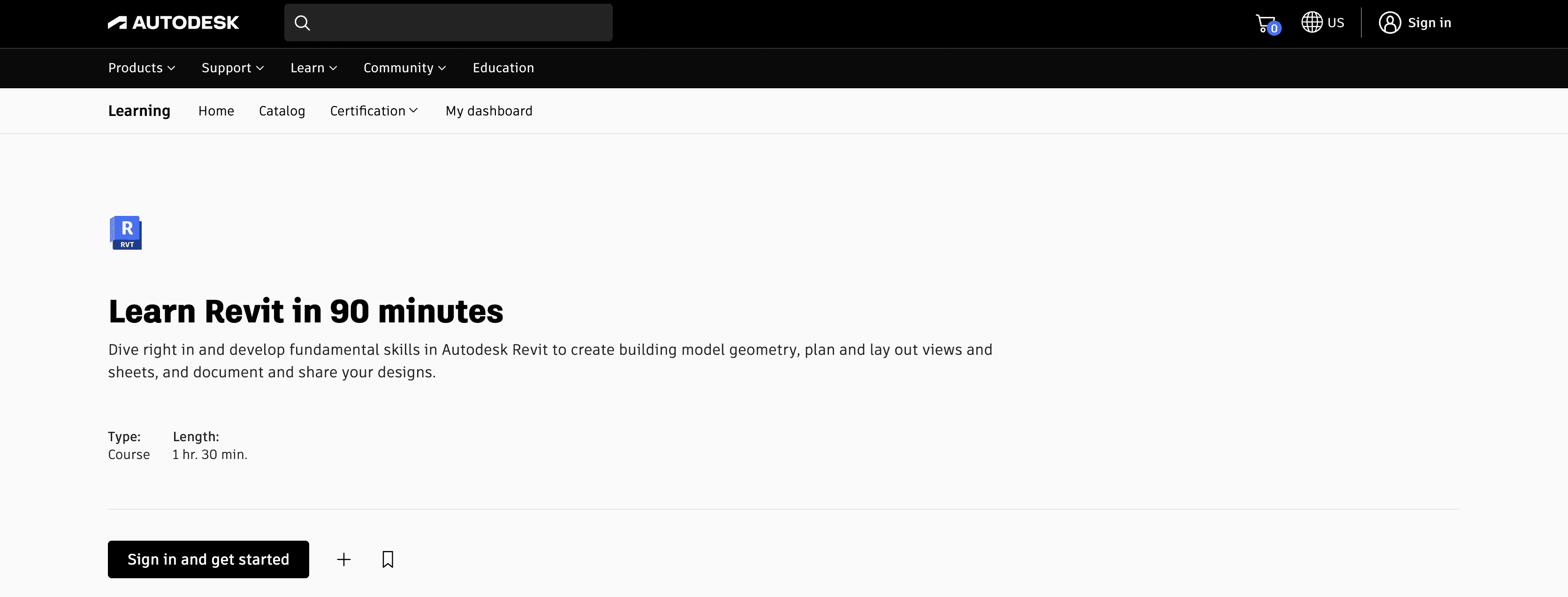
Learn Revit in 90 minutes is the clearest first step for someone opening Revit for the first time.
The course uses a simple house project to teach walls, floors, roofs, equipment, furnishings, plans, elevations, sections, 3D views, sheets, title blocks, and PDF output. Autodesk also supplies imperial and metric course files, so you can follow the exercise instead of recreating its setup.
Its main limitation is depth. Ninety minutes is enough to understand how a Revit model, its views, and its drawings relate to one another, but it won’t prepare you to deliver a complex architectural project independently.
No checkout or course fee was displayed when access was checked. Revit software is separate, and the exact completion-certificate status should be confirmed while signed in to an Autodesk account.
Best structured architecture course: Revit 2026 Essential Training
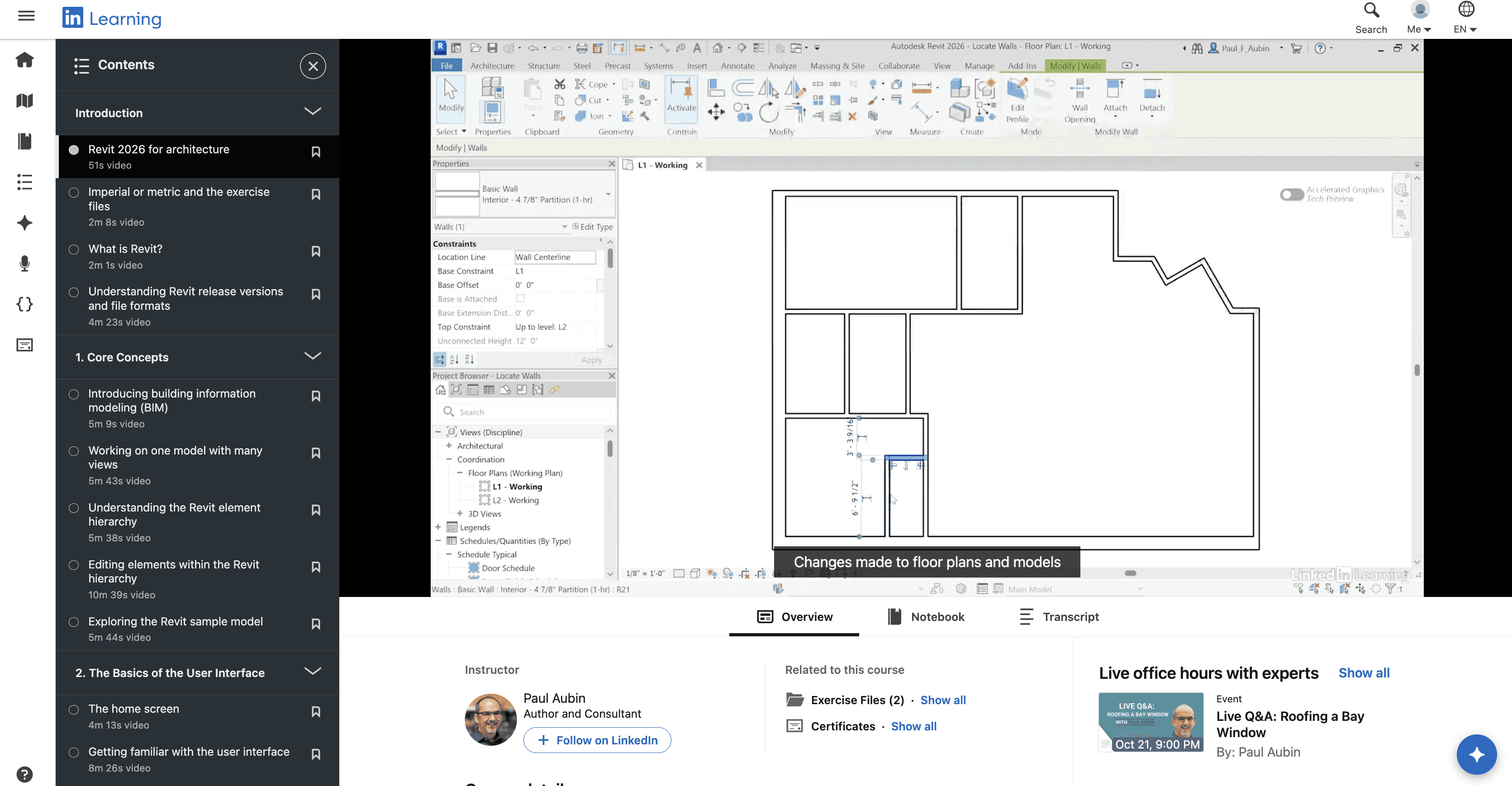
For learners who want a full sequence, Revit 2026: Essential Training for Architects is the strongest architecture-focused recommendation.
Paul F. Aubin’s 15-hour, 31-minute course begins with the interface and project setup, then covers walls, families, rooms, stairs, railings, links, groups, schedules, tags, annotation, detailing, sharing, and worksharing. It was released on July 10, 2025 and is designed for beginner and intermediate learners.
The course includes exercise files and transcripts. Completion earns a LinkedIn Learning certificate, which documents course completion but isn’t the same as Autodesk professional certification.
Access requires LinkedIn Premium or an organizational LinkedIn Learning account. The course page advertises a trial for eligible users, but the exact subscription price, currency, and tax depend on the user’s account and region.
Its main limitation is the commitment required. It’s a better fit for someone building a real foundation than for a returning user who only needs help with one command.
Best project-based option: Steve Clancy’s Udemy course
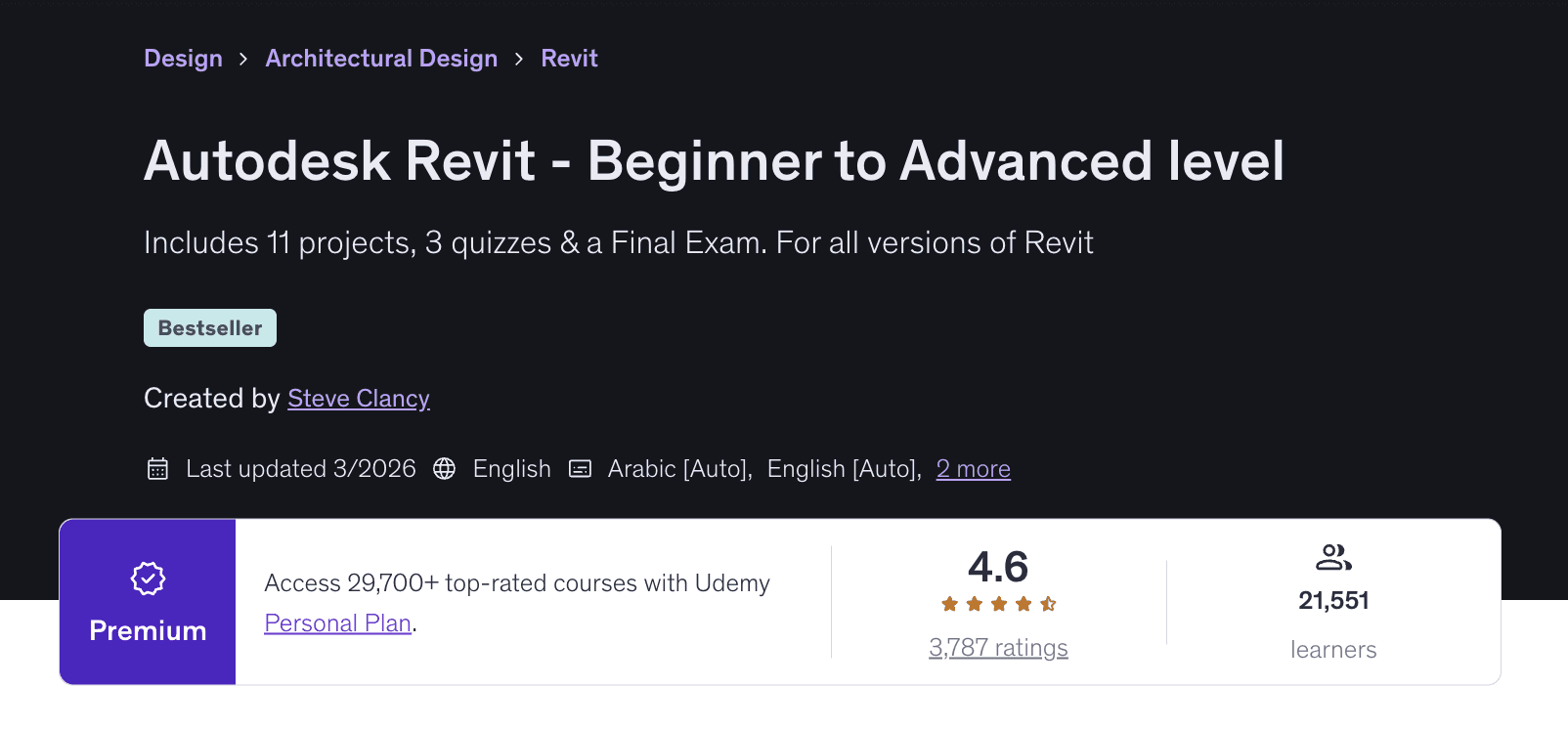
Autodesk Revit - Beginner to Advanced level is suited to learners who want several projects, quizzes, files, and assessments rather than one long demonstration.
The course was updated in March 2026 and includes approximately 22 hours of video, 11 projects, 37 downloadable files, three quizzes, and a final exam. It covers architectural modeling, documentation, families, basic structural concepts, collaboration, and coordination. Updates for Revit 2024, 2025, and 2026 are listed.
Some provided project files originate in Revit 2018 and are meant to be upgraded when opened in a newer release. That makes the course useful for learners working across versions, but some interface steps won’t match Revit 2026 or 2027 exactly.
Udemy prices courses by account, promotion, and region, so a reliable public price wasn’t available. A paid approved Udemy course includes a completion certificate, but Udemy states that its certificates aren’t formal accreditation.
Best free project walkthrough: Balkan Architect
Balkan Architect’s Autodesk Revit - Full Beginner Course is a useful free preview of how a small project comes together.
The video runs for about 81 minutes and covers navigation, project setup, walls, floors, stairs, railings, doors, windows, curtain walls, roofs, and placed families. It was published in September 2024.
This is a single modeling walkthrough, not a complete program in documentation, schedules, office standards, or collaboration. The description also promotes the instructor’s paid courses and resources, and access terms for linked project files should be checked separately.
Use it to test your interest or reinforce concepts from a longer course. Don’t treat it as a replacement for structured Revit architecture tutorials if your goal is professional project delivery.
Which Revit BIM Tutorials Teach Coordination And Project Delivery?
Revit Architecture training and BIM-process training overlap, but they aren’t identical.
A basic architecture course teaches you to create and document a building. A genuine Revit BIM tutorial should also address information, standards, shared parameters, worksharing, multidisciplinary coordination, model management, or quality control.
For architects moving into team projects, Autodesk’s Coordination and worksharing for architects is the most direct next step. The 2-hour, 55-minute course covers model co-authoring, publishing, Revit worksharing, cloud worksharing, and coordination between project stakeholders.
It isn’t intended for someone who still needs to learn walls, views, and sheets. Some exercises also use Autodesk cloud collaboration services, which require the relevant Autodesk entitlement in addition to Revit.
For users responsible for office standards, BIM Manager: Managing Revit goes further into templates, shared parameters, filters, phasing, Project Browser organization, annotation standards, master details, and worksharing environments.
Eric Wing’s course runs for 3 hours and 24 minutes and was released in July 2025. It’s best for intermediate users moving toward a BIM coordinator or Revit management role. Its limitation is scope: it focuses on managing Revit standards and workflows rather than teaching every part of organization-wide BIM delivery.
A sensible progression is:
Learn the Revit interface and model-view relationship.
Complete an architectural project with schedules and sheets.
Rebuild a second project with less step-by-step guidance.
Learn worksharing, linking, shared coordinates, and coordination.
Add templates, standards, shared parameters, model health, and information management.
Which Course Is Best For Autodesk Certification?
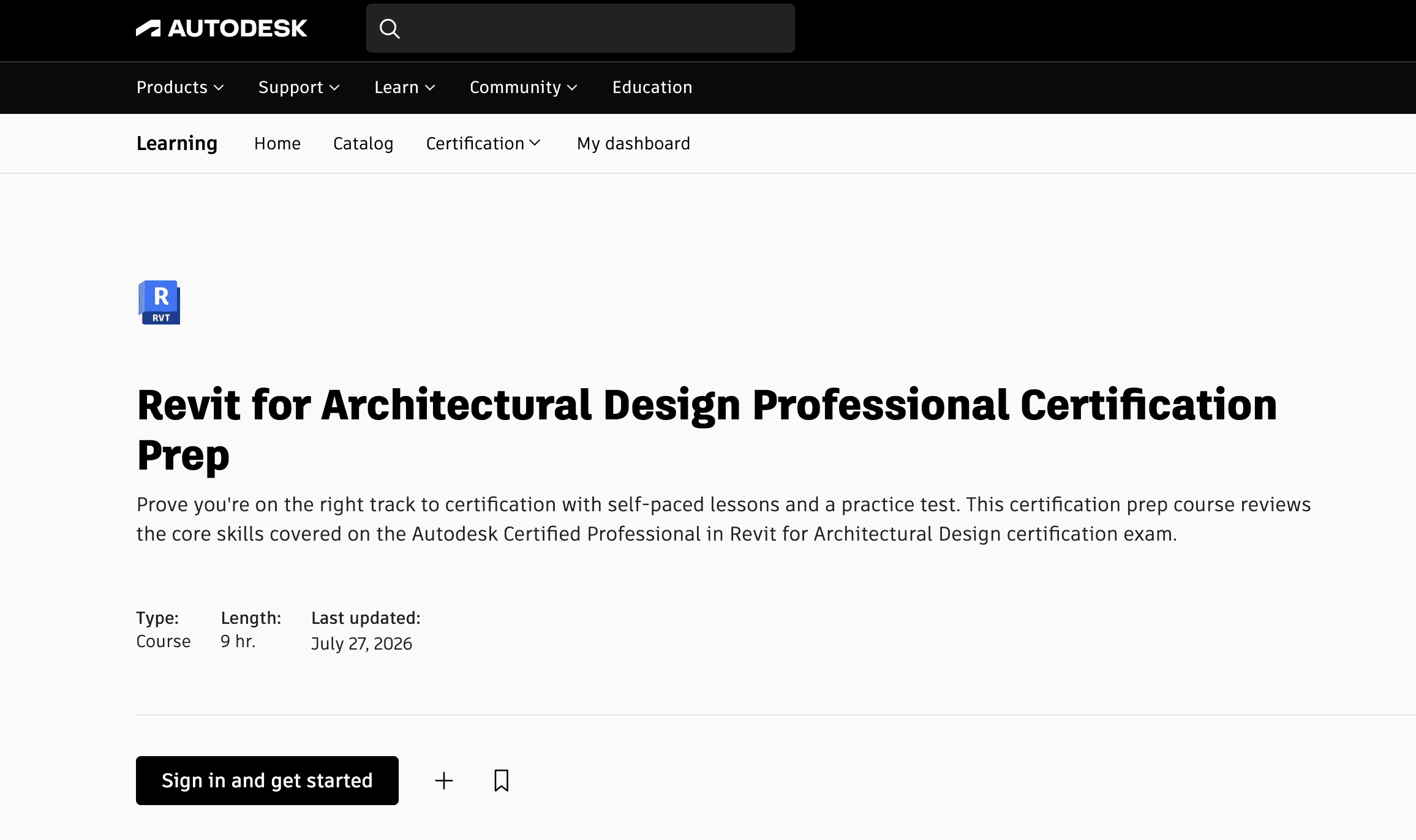
Experienced users should choose Autodesk’s Revit for Architectural Design Professional Certification Prep.
Updated on July 27, 2026, the nine-hour course reviews modeling, documentation, families, schedules, collaboration, coordination, worksharing, project standards, and information analysis. It includes downloadable datasets, practice exercises, a challenge assignment, and a practice test.
This isn’t a beginner course. Autodesk says candidates for its professional credential typically need roughly 400 to 1,200 hours of real-world Revit experience in an architectural environment.
Finishing the prep course also doesn’t automatically make you Autodesk certified. The separate Autodesk Certified Professional in Revit for Architectural Design exam lasts 120 minutes, contains 45 to 60 questions, and had a standard US retail price of $200 when checked. The English-language certification remains valid for three years.
Choose this route after you’ve completed projects and used Revit in realistic architectural workflows. A beginner will get more value from foundational training before attempting exam preparation.
Are Revit 2018 Tutorials Still Useful?
Some readers searching for Revit tutorials 2018 already have the older software installed or need to maintain a legacy project. In that situation, older instruction can still explain durable concepts such as levels, grids, constraints, walls, families, views, schedules, and sheets.
The limitations are significant. Autodesk states that Revit 2018 is no longer supported and isn’t normally available for download through Autodesk Account. Autodesk also doesn’t confirm Revit 2018 as compatible with Windows 11, and some cloud workflows aren’t expected to work.
Version compatibility matters at the file level too. A current Revit release can upgrade an older model, but Revit can’t save that upgraded model back to the 2018 file format. Autodesk recommends keeping the original file separate before upgrading. See its Revit backward-compatibility guidance.
Use Revit 2018 tutorials when you must reproduce a 2018 workflow. For new learning, current training is the safer choice because interface details, content libraries, cloud collaboration, rendering tools, and supported operating environments have changed.
How Can You Practice Revit Without Buying A New Workstation?
Watching a lesson helps you understand the instructor’s decisions. Opening Revit and repeating the work is where that understanding becomes a usable skill.
Revit also needs a suitable Windows environment. Autodesk’s Revit 2026 system requirements list 64-bit Windows 10 or 11 and 16 GB of RAM for an entry configuration. Its balanced configuration lists 32 GB of RAM, while larger and more complex models may require more.
Vagon Cloud Computer gives you a persistent Windows cloud desktop that you can access through a supported browser and device. You can choose a performance level for your current exercises, scale to a more powerful configuration as your projects grow, and keep your applications and files available between sessions.
The setup is straightforward:
Create a Vagon account.
Choose the closest available region.
Select a machine configuration that matches Autodesk’s requirements and your project size.
Launch the Windows cloud computer.
Install Revit and sign in with your own valid Autodesk entitlement.
Transfer the tutorial’s exercise files into your workspace.
Follow the lessons while completing each step in Revit.
Save your model in the persistent workspace and continue from another supported location or device when needed.
Vagon’s public pricing combines usage-based compute charges with persistent storage. When checked, the Personal plan included 75 GB of disk storage for $7.99 per month. Compute was billed by the minute, with hourly equivalents shown for comparison, and rates varied by configuration and region. The trial included one hour of Planet or equivalent usage plus seven days of storage. Current local rates are available on the Vagon Cloud Computer pricing page.
Your Autodesk subscription, Revit license, course access, add-ins, and any Autodesk collaboration entitlement remain separate. Once those are ready, the cloud workstation becomes the practical link between choosing a tutorial and completing the work yourself.
Create a Vagon Cloud Computer, choose the performance you need, and start practicing your selected Revit tutorial on a scalable Windows workstation.
What Learning Path Should You Follow?
If you’re completely new, begin with Autodesk’s 90-minute course. Then choose LinkedIn Essential Training or a longer project-based course and produce a complete model, schedules, and drawing sheets.
If you already understand architectural modeling, move into worksharing, coordination, templates, shared parameters, and model management. Certification candidates should add Autodesk’s official preparation course after gaining substantial project experience.
Whichever path you choose, keep the tutorial and practice environment side by side. Start with Vagon Cloud Computer and turn each lesson into hands-on Revit project work.
Frequently Asked Questions
Which Revit tutorial is best for a complete beginner?
Autodesk’s Learn Revit in 90 minutes is the clearest free starting point. It introduces the interface, basic modeling, views, sheets, and documentation through a small house project. After completing it, move to a longer architecture course for greater depth.
Are free Revit tutorials enough?
Free tutorials are enough to understand the interface and complete small guided projects. For professional work, you’ll also need practice with documentation, families, schedules, standards, worksharing, and coordination. A structured course can make that progression easier to follow.
What’s the difference between Revit Architecture and Revit BIM tutorials?
Revit Architecture tutorials primarily teach building modeling and documentation. Revit BIM tutorials should also cover information management, standards, shared parameters, worksharing, coordination, model health, or multidisciplinary delivery.
Should I learn Revit 2026 or Revit 2027?
Revit 2027 is the current release as of September 2026, while Revit 2026 remains officially supported. Choose training that matches the version you use, but prioritize durable concepts and verify interface changes against current Autodesk documentation.
Are Revit 2018 tutorials still useful?
Revit 2018 tutorials can still explain fundamentals such as levels, grids, walls, families, views, schedules, and sheets. They shouldn’t be your main source for current installation, interface, cloud collaboration, rendering, or supported operating-system guidance.
Is a course-completion certificate the same as Autodesk certification?
No. LinkedIn Learning and Udemy certificates show that you completed a course. Autodesk professional certification requires a separate proctored exam and is intended for experienced Revit users.
Can I follow Revit tutorials on a Mac, Chromebook, or tablet?
You can use a supported device to connect to a remote Windows workstation such as Vagon Cloud Computer. Revit runs inside that cloud environment rather than natively on the local device.
Does Vagon Cloud Computer include Revit?
No. You need your own valid Autodesk entitlement, course access, add-in licenses, and any required collaboration subscriptions. Vagon provides the scalable Windows cloud workstation where you can install your licensed software and complete the tutorial exercises.
Ready to start practicing? Create a Vagon Cloud Computer and turn your chosen Revit tutorial into hands-on project work.
For most beginners, the best place to start is Autodesk’s free-to-access Learn Revit in 90 minutes course, followed by Revit 2026: Essential Training for Architects on LinkedIn Learning if you want a longer, structured program. Architects who prefer project-based training should also consider Steve Clancy’s Udemy course, while BIM coordinators need separate instruction in worksharing, standards, coordination, and model management.
Choosing a course is only half of the setup. You also need access to Revit and a Windows computer capable of running it. If your current laptop isn’t suitable, Vagon Cloud Computer gives you a scalable Windows workstation where you can install your licensed Revit environment and complete the tutorial exercises.
These recommendations are based on current availability, version relevance, curriculum, exercises, access conditions, and the type of work each resource actually teaches. Every option has a different purpose, so the right choice depends on what you want to do with Revit.
Which Revit Tutorial Should You Choose First?
A short official course, a paid learning program, a YouTube video, and a searchable documentation library shouldn’t be compared as if they solve the same problem.
Use this table to narrow the options before looking at the detailed recommendations.
Resource | Level | Version relevance | Format | Duration | Access | Best for |
|---|---|---|---|---|---|---|
Autodesk Learn Revit in 90 minutes | Beginner | Current, exact release not stated | Structured course | 1h 30m | No course fee shown | First Revit project |
LinkedIn Revit 2026 Essential Training | Beginner to intermediate | Revit 2026 | Video course | 15h 31m | Subscription | Architecture fundamentals |
Steve Clancy on Udemy | Beginner to advanced | 2018 files plus 2024 to 2026 updates | Project-based course | About 22h | Paid, regional pricing | Practice and assessments |
Balkan Architect beginner course | Beginner | Published in 2024 | YouTube video | About 1h 21m | Free | Quick project walkthrough |
Autodesk coordination course | Intermediate | Current platform workflows | Structured course | 2h 55m | No course fee shown | Worksharing and coordination |
BIM Manager: Managing Revit | Intermediate | Released in 2025 | Video course | 3h 24m | Subscription | Standards and model management |
Autodesk certification prep | Advanced | Updated July 2026 | Course and practice test | 9h | Exam sold separately | Certification candidates |
One version detail matters here. In September 2026, Autodesk identifies Revit 2027 as the current release, with Revit 2026, 2025, and 2024 also supported. A Revit 2026 course can still be useful, but learners using Revit 2027 should check changed interface steps and new features against Autodesk’s current documentation.
What Are The Best Revit Tutorials For Beginners?
Best free starting point: Autodesk Learn Revit in 90 minutes
Learn Revit in 90 minutes is the clearest first step for someone opening Revit for the first time.
The course uses a simple house project to teach walls, floors, roofs, equipment, furnishings, plans, elevations, sections, 3D views, sheets, title blocks, and PDF output. Autodesk also supplies imperial and metric course files, so you can follow the exercise instead of recreating its setup.
Its main limitation is depth. Ninety minutes is enough to understand how a Revit model, its views, and its drawings relate to one another, but it won’t prepare you to deliver a complex architectural project independently.
No checkout or course fee was displayed when access was checked. Revit software is separate, and the exact completion-certificate status should be confirmed while signed in to an Autodesk account.
Best structured architecture course: Revit 2026 Essential Training
For learners who want a full sequence, Revit 2026: Essential Training for Architects is the strongest architecture-focused recommendation.
Paul F. Aubin’s 15-hour, 31-minute course begins with the interface and project setup, then covers walls, families, rooms, stairs, railings, links, groups, schedules, tags, annotation, detailing, sharing, and worksharing. It was released on July 10, 2025 and is designed for beginner and intermediate learners.
The course includes exercise files and transcripts. Completion earns a LinkedIn Learning certificate, which documents course completion but isn’t the same as Autodesk professional certification.
Access requires LinkedIn Premium or an organizational LinkedIn Learning account. The course page advertises a trial for eligible users, but the exact subscription price, currency, and tax depend on the user’s account and region.
Its main limitation is the commitment required. It’s a better fit for someone building a real foundation than for a returning user who only needs help with one command.
Best project-based option: Steve Clancy’s Udemy course
Autodesk Revit - Beginner to Advanced level is suited to learners who want several projects, quizzes, files, and assessments rather than one long demonstration.
The course was updated in March 2026 and includes approximately 22 hours of video, 11 projects, 37 downloadable files, three quizzes, and a final exam. It covers architectural modeling, documentation, families, basic structural concepts, collaboration, and coordination. Updates for Revit 2024, 2025, and 2026 are listed.
Some provided project files originate in Revit 2018 and are meant to be upgraded when opened in a newer release. That makes the course useful for learners working across versions, but some interface steps won’t match Revit 2026 or 2027 exactly.
Udemy prices courses by account, promotion, and region, so a reliable public price wasn’t available. A paid approved Udemy course includes a completion certificate, but Udemy states that its certificates aren’t formal accreditation.
Best free project walkthrough: Balkan Architect
Balkan Architect’s Autodesk Revit - Full Beginner Course is a useful free preview of how a small project comes together.
The video runs for about 81 minutes and covers navigation, project setup, walls, floors, stairs, railings, doors, windows, curtain walls, roofs, and placed families. It was published in September 2024.
This is a single modeling walkthrough, not a complete program in documentation, schedules, office standards, or collaboration. The description also promotes the instructor’s paid courses and resources, and access terms for linked project files should be checked separately.
Use it to test your interest or reinforce concepts from a longer course. Don’t treat it as a replacement for structured Revit architecture tutorials if your goal is professional project delivery.
Which Revit BIM Tutorials Teach Coordination And Project Delivery?
Revit Architecture training and BIM-process training overlap, but they aren’t identical.
A basic architecture course teaches you to create and document a building. A genuine Revit BIM tutorial should also address information, standards, shared parameters, worksharing, multidisciplinary coordination, model management, or quality control.
For architects moving into team projects, Autodesk’s Coordination and worksharing for architects is the most direct next step. The 2-hour, 55-minute course covers model co-authoring, publishing, Revit worksharing, cloud worksharing, and coordination between project stakeholders.
It isn’t intended for someone who still needs to learn walls, views, and sheets. Some exercises also use Autodesk cloud collaboration services, which require the relevant Autodesk entitlement in addition to Revit.
For users responsible for office standards, BIM Manager: Managing Revit goes further into templates, shared parameters, filters, phasing, Project Browser organization, annotation standards, master details, and worksharing environments.
Eric Wing’s course runs for 3 hours and 24 minutes and was released in July 2025. It’s best for intermediate users moving toward a BIM coordinator or Revit management role. Its limitation is scope: it focuses on managing Revit standards and workflows rather than teaching every part of organization-wide BIM delivery.
A sensible progression is:
Learn the Revit interface and model-view relationship.
Complete an architectural project with schedules and sheets.
Rebuild a second project with less step-by-step guidance.
Learn worksharing, linking, shared coordinates, and coordination.
Add templates, standards, shared parameters, model health, and information management.
Which Course Is Best For Autodesk Certification?
Experienced users should choose Autodesk’s Revit for Architectural Design Professional Certification Prep.
Updated on July 27, 2026, the nine-hour course reviews modeling, documentation, families, schedules, collaboration, coordination, worksharing, project standards, and information analysis. It includes downloadable datasets, practice exercises, a challenge assignment, and a practice test.
This isn’t a beginner course. Autodesk says candidates for its professional credential typically need roughly 400 to 1,200 hours of real-world Revit experience in an architectural environment.
Finishing the prep course also doesn’t automatically make you Autodesk certified. The separate Autodesk Certified Professional in Revit for Architectural Design exam lasts 120 minutes, contains 45 to 60 questions, and had a standard US retail price of $200 when checked. The English-language certification remains valid for three years.
Choose this route after you’ve completed projects and used Revit in realistic architectural workflows. A beginner will get more value from foundational training before attempting exam preparation.
Are Revit 2018 Tutorials Still Useful?
Some readers searching for Revit tutorials 2018 already have the older software installed or need to maintain a legacy project. In that situation, older instruction can still explain durable concepts such as levels, grids, constraints, walls, families, views, schedules, and sheets.
The limitations are significant. Autodesk states that Revit 2018 is no longer supported and isn’t normally available for download through Autodesk Account. Autodesk also doesn’t confirm Revit 2018 as compatible with Windows 11, and some cloud workflows aren’t expected to work.
Version compatibility matters at the file level too. A current Revit release can upgrade an older model, but Revit can’t save that upgraded model back to the 2018 file format. Autodesk recommends keeping the original file separate before upgrading. See its Revit backward-compatibility guidance.
Use Revit 2018 tutorials when you must reproduce a 2018 workflow. For new learning, current training is the safer choice because interface details, content libraries, cloud collaboration, rendering tools, and supported operating environments have changed.
How Can You Practice Revit Without Buying A New Workstation?
Watching a lesson helps you understand the instructor’s decisions. Opening Revit and repeating the work is where that understanding becomes a usable skill.
Revit also needs a suitable Windows environment. Autodesk’s Revit 2026 system requirements list 64-bit Windows 10 or 11 and 16 GB of RAM for an entry configuration. Its balanced configuration lists 32 GB of RAM, while larger and more complex models may require more.
Vagon Cloud Computer gives you a persistent Windows cloud desktop that you can access through a supported browser and device. You can choose a performance level for your current exercises, scale to a more powerful configuration as your projects grow, and keep your applications and files available between sessions.
The setup is straightforward:
Create a Vagon account.
Choose the closest available region.
Select a machine configuration that matches Autodesk’s requirements and your project size.
Launch the Windows cloud computer.
Install Revit and sign in with your own valid Autodesk entitlement.
Transfer the tutorial’s exercise files into your workspace.
Follow the lessons while completing each step in Revit.
Save your model in the persistent workspace and continue from another supported location or device when needed.
Vagon’s public pricing combines usage-based compute charges with persistent storage. When checked, the Personal plan included 75 GB of disk storage for $7.99 per month. Compute was billed by the minute, with hourly equivalents shown for comparison, and rates varied by configuration and region. The trial included one hour of Planet or equivalent usage plus seven days of storage. Current local rates are available on the Vagon Cloud Computer pricing page.
Your Autodesk subscription, Revit license, course access, add-ins, and any Autodesk collaboration entitlement remain separate. Once those are ready, the cloud workstation becomes the practical link between choosing a tutorial and completing the work yourself.
Create a Vagon Cloud Computer, choose the performance you need, and start practicing your selected Revit tutorial on a scalable Windows workstation.
What Learning Path Should You Follow?
If you’re completely new, begin with Autodesk’s 90-minute course. Then choose LinkedIn Essential Training or a longer project-based course and produce a complete model, schedules, and drawing sheets.
If you already understand architectural modeling, move into worksharing, coordination, templates, shared parameters, and model management. Certification candidates should add Autodesk’s official preparation course after gaining substantial project experience.
Whichever path you choose, keep the tutorial and practice environment side by side. Start with Vagon Cloud Computer and turn each lesson into hands-on Revit project work.
Frequently Asked Questions
Which Revit tutorial is best for a complete beginner?
Autodesk’s Learn Revit in 90 minutes is the clearest free starting point. It introduces the interface, basic modeling, views, sheets, and documentation through a small house project. After completing it, move to a longer architecture course for greater depth.
Are free Revit tutorials enough?
Free tutorials are enough to understand the interface and complete small guided projects. For professional work, you’ll also need practice with documentation, families, schedules, standards, worksharing, and coordination. A structured course can make that progression easier to follow.
What’s the difference between Revit Architecture and Revit BIM tutorials?
Revit Architecture tutorials primarily teach building modeling and documentation. Revit BIM tutorials should also cover information management, standards, shared parameters, worksharing, coordination, model health, or multidisciplinary delivery.
Should I learn Revit 2026 or Revit 2027?
Revit 2027 is the current release as of September 2026, while Revit 2026 remains officially supported. Choose training that matches the version you use, but prioritize durable concepts and verify interface changes against current Autodesk documentation.
Are Revit 2018 tutorials still useful?
Revit 2018 tutorials can still explain fundamentals such as levels, grids, walls, families, views, schedules, and sheets. They shouldn’t be your main source for current installation, interface, cloud collaboration, rendering, or supported operating-system guidance.
Is a course-completion certificate the same as Autodesk certification?
No. LinkedIn Learning and Udemy certificates show that you completed a course. Autodesk professional certification requires a separate proctored exam and is intended for experienced Revit users.
Can I follow Revit tutorials on a Mac, Chromebook, or tablet?
You can use a supported device to connect to a remote Windows workstation such as Vagon Cloud Computer. Revit runs inside that cloud environment rather than natively on the local device.
Does Vagon Cloud Computer include Revit?
No. You need your own valid Autodesk entitlement, course access, add-in licenses, and any required collaboration subscriptions. Vagon provides the scalable Windows cloud workstation where you can install your licensed software and complete the tutorial exercises.
Ready to start practicing? Create a Vagon Cloud Computer and turn your chosen Revit tutorial into hands-on project work.
Get Beyond Your Computer Performance
Run applications on your cloud computer with the latest generation hardware. No more crashes or lags.

Trial includes 1 hour usage + 7 days of storage.
Summarize with AI

Ready to focus on your creativity?
Vagon gives you the ability to create & render projects, collaborate, and stream applications with the power of the best hardware.

Run heavy applications on any device with
your personal computer on the cloud.
San Francisco, California
Solutions
Vagon Teams
Vagon Streams
Use Cases
© 2026 Vagon. All rights reserved.
Run heavy applications on any device with
your personal computer on the cloud.
San Francisco, California
Solutions
Vagon Teams
Vagon Streams
Use Cases
© 2026 Vagon. All rights reserved.
Run heavy applications on any device with
your personal computer on the cloud.
San Francisco, California
Solutions
Vagon Teams
Vagon Streams
Use Cases
© 2026 Vagon. All rights reserved.