Instant Connection for Pixel Streaming
— New Feature Automated Setup

9 Best VirtualBox Alternatives for Mac & Windows (2026)
ComputerPerformance
9 Best VirtualBox Alternatives for Mac & Windows (2026)
ComputerPerformance
9 Best VirtualBox Alternatives for Mac & Windows (2026)
ComputerPerformance
Table of Contents
The right VirtualBox alternative depends on your computer and what you need to run. On x86 Windows, VMware Workstation Pro is the strongest free general-purpose choice, while Hyper-V is a good built-in option for Windows Pro and Enterprise. On a Mac, Parallels Desktop offers the easiest paid route to Windows 11 Arm, VMware Fusion Pro is a capable free option, and UTM is the more flexible choice for open-source virtualization and cross-architecture emulation.
If you need Linux-native control, look at QEMU with KVM. If you only need fast Ubuntu environments, Multipass is simpler. And if your real problem is limited local hardware, Apple silicon compatibility, or a lack of GPU power, a cloud computer may make more sense than another local hypervisor.
This guide is for people who need full operating systems for development, testing, legacy applications, or cross-platform work. If you only want Linux command-line tools on Windows or need to run one Windows app in a temporary sandbox, WSL or Windows Sandbox may be enough, but neither is a general VirtualBox replacement.
Which VirtualBox Alternative Should You Choose in 2026?
Start with three questions:
Is your host computer running Windows, macOS, or Linux?
Does its processor use x86-64 or Arm architecture?
Do you need a local VM, cross-architecture emulation, or simply access to a more powerful remote computer?
Architecture matters before features. Virtualizing an Arm guest on an Arm host, or an x86 guest on an x86 host, is the practical performance path. Running an operating system built for a different processor usually requires emulation, which is slower and may have weaker graphics or peripheral support.
Here is the shortlist. Pricing and availability were checked on August 25, 2026.
Product | Best fit | Host platform | Arm and Apple silicon position | Price | Open source | Main limitation | Type |
|---|---|---|---|---|---|---|---|
VMware Workstation Pro | General-purpose VMs on x86 Windows | Windows and Linux | No Arm host path in the cited requirements | Free for personal, educational, and commercial use | No | Not available on macOS | Local hypervisor |
Hyper-V | Windows labs and native Microsoft tooling | Windows 10 or 11 Pro and Enterprise | The cited desktop requirements cover 64-bit x86 systems | Included with eligible Windows editions | No | Not available as the full role on Windows Home | Local hypervisor |
Parallels Desktop 26 | The easiest Windows 11 experience on Mac | macOS | Supports Apple silicon; Arm guests are the standard path | Standard list price of $99.99 per year or $219.99 one-time | No | Mac-only and paid | Local hypervisor |
VMware Fusion Pro | Free local VMs on Mac | macOS | Apple silicon supports Arm64 guests only | Free for personal, educational, and commercial use | No | Cannot run x86 guest operating systems on Apple silicon | Local hypervisor |
UTM | Open-source Mac VMs and legacy OS emulation | macOS and other Apple platforms | Virtualizes Arm64 and can emulate x86 or x64 more slowly | Free direct download | Yes | Cross-architecture emulation is slower | Virtualizer and emulator front end |
QEMU | Cross-architecture emulation and advanced control | Linux, macOS, and Windows | Supports Arm and x86 with platform-specific accelerators | Free | Yes | Steep setup curve without a front end | Virtualizer and emulator |
QEMU/KVM with libvirt | Advanced, high-control Linux VMs | Linux | KVM accelerates compatible host and guest architectures | Free | Yes | KVM is Linux-only and setup can be technical | Local virtualization stack |
Multipass | Quick disposable Ubuntu instances | Windows, macOS, and Linux | Uses different drivers by host platform | Free | Yes | Focused on Ubuntu rather than arbitrary guests | VM workflow tool |
Vagon Cloud Computer | Remote x86 Windows or Ubuntu work and GPU-heavy software | Accessed from supported client devices | Compute architecture is remote, not tied to the client processor | Usage-based compute plus persistent storage | No | Requires a good internet connection and is not a local VM manager | Cloud computer |
The short version:
Choose VMware Workstation Pro for a free, familiar VirtualBox alternative on an x86 Windows PC.
Choose Hyper-V if you have Windows Pro or Enterprise and prefer Microsoft's built-in virtualization stack.
Choose Parallels Desktop if you want the smoothest supported Windows 11 Arm setup on an Apple silicon Mac and do not mind paying.
Choose VMware Fusion Pro if you need a free Mac hypervisor and your guest architecture matches your Mac.
Choose UTM if you want an open-source Mac app or need to emulate an older or different processor architecture.
Choose QEMU/KVM if Linux is your host and control matters more than simple setup.
Choose Multipass if you only need disposable Ubuntu machines.
Choose a cloud computer if the main constraint is local performance, GPU access, or x86 software compatibility rather than VM management itself.
These products are not interchangeable. QEMU can emulate processors that a conventional hypervisor cannot, Multipass focuses on Ubuntu, and a cloud computer moves the desktop off your hardware.
What Is The Best VirtualBox Alternative For Windows 11 or Windows 10?
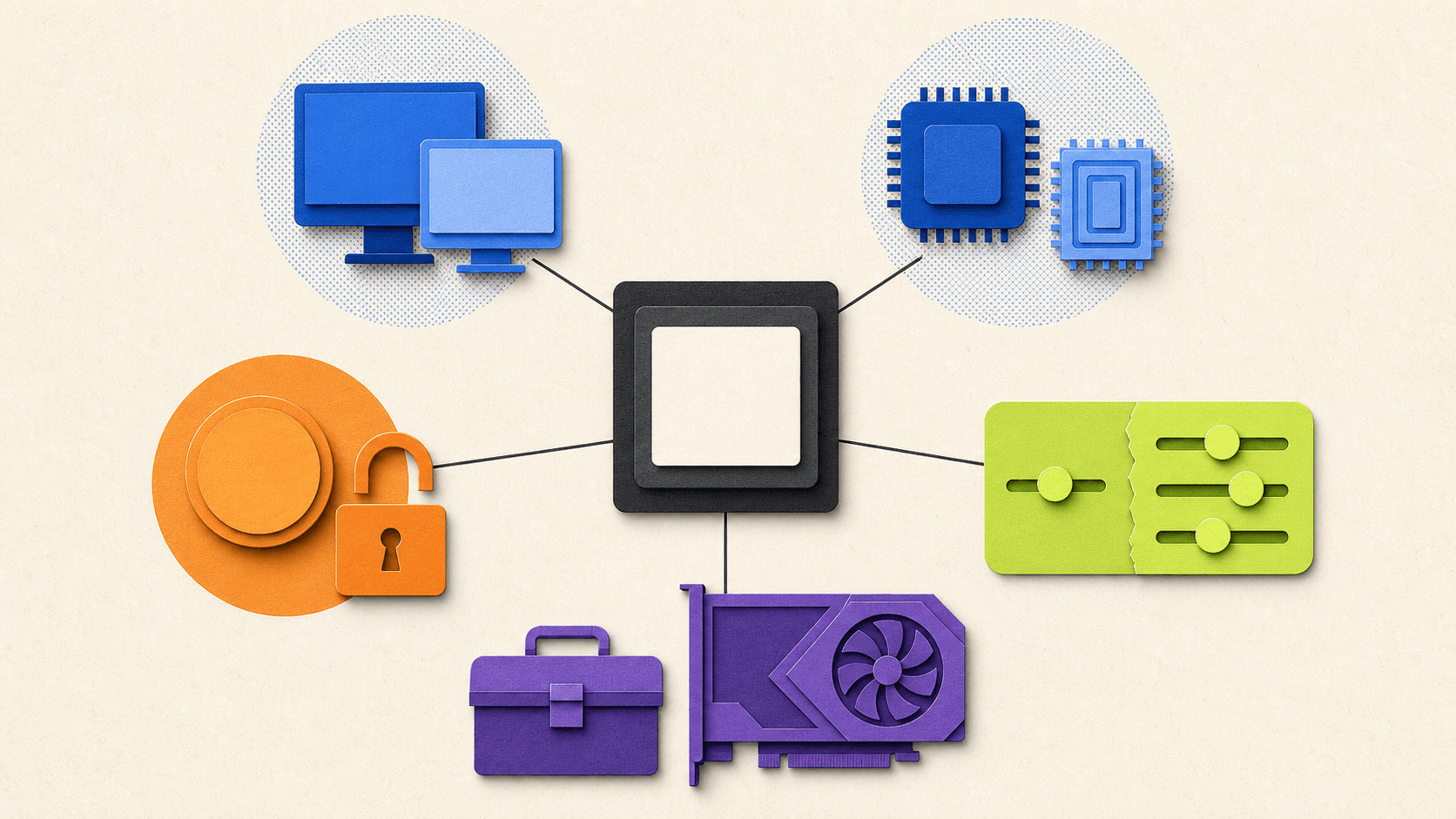
For most x86 Windows users, VMware Workstation Pro is the clearest place to start. It has the familiar structure people expect from a desktop VM application, including snapshots, clones, configurable networking, and USB support. VMware made Workstation Pro free for personal, educational, and commercial use in November 2024, which removed its biggest pricing disadvantage against VirtualBox. VMware's licensing announcement confirms the current policy.
In a VirtualBox vs VMware comparison, Workstation is the better fit when you want a polished desktop VM workflow without paying for the hypervisor. VirtualBox still has the advantage of an open-source base package and consistent familiarity across Windows, Mac, and Linux, but VMware no longer requires a paid desktop license for commercial use.
Choose Workstation when you want a general-purpose manager for Windows or Linux guests, need snapshots or custom virtual networks, or use Windows Home, where the full Hyper-V role is unavailable.
VMware's current cited requirements cover supported 64-bit Windows and Linux hosts on x86 hardware. Workstation is not the Mac product. VMware Fusion fills that role. VMware's Workstation requirements provide the host and processor details.
Choose Hyper-V when:
Hyper-V makes sense when you already have Windows 10 or 11 Pro or Enterprise and want a Microsoft-native hypervisor. It works well for Windows and Linux labs, PowerShell-based management, and workflows that resemble Windows Server environments.
It is included as an optional Windows feature, so there is no separate Hyper-V download. The full role is not available on Windows Home. Microsoft lists a 64-bit processor with second-level address translation, virtualization support in firmware, and at least 4 GB of memory among the requirements. Microsoft's Hyper-V requirements explain the supported editions and hardware.
Hyper-V is not always the friendliest option for desktop software testing. Peripheral handling and consumer 3D workflows are not its main strengths. Enabling Hyper-V, Virtualization-Based Security, Device Guard, or Credential Guard can also change how VMware Workstation or VirtualBox operates. Current third-party hypervisors may use Windows hypervisor APIs in some configurations, so the right advice is to check your exact combination rather than assume the tools can never coexist. Microsoft's installation guidance documents the interaction warning.
What about Windows Sandbox, WSL, and QEMU?
Windows Sandbox is useful when you only need a clean, disposable Windows environment to test an installer or open an unfamiliar file. Closing the sandbox removes its software, files, and state, so it does not replace a persistent library of Windows and Linux VMs. It also requires a supported Windows edition and is not available on Home. Microsoft's Windows Sandbox documentation describes those limits.
WSL is often a better answer than any hypervisor if your actual goal is to run Linux command-line tools or Linux GUI applications beside Windows. Microsoft describes WSL as using fewer resources than a full VM, but its GUI support is not a full Linux desktop experience. It is not an arbitrary guest OS manager. Microsoft's WSL FAQ makes that distinction clear.
Which virtual machine is best for Windows 10?
If Windows 10 is the host, VMware Workstation Pro is the most approachable general-purpose choice, while Hyper-V remains useful on Pro and Enterprise editions. But this is now a legacy decision. General Windows 10 support ended on October 14, 2025, and Microsoft recommends moving to Windows 11 or using an applicable Extended Security Updates option. Microsoft's Windows 10 support notice should be considered before building a new VM workflow around a Windows 10 host.

What Is The Best VirtualBox Alternative For an Intel or Apple Silicon Mac?
The first Mac question is not Parallels vs VMware Fusion. It is Intel vs Apple silicon.
An Intel Mac and an M-series Mac do not run the same guest operating systems in the same way. On Apple silicon, efficient local virtualization uses Arm operating systems. An x86 operating system requires emulation, a preview feature, or a remote x86 computer.
Parallels Desktop 26: the easiest paid option
Parallels Desktop is the most straightforward choice for a Mac user who wants Windows 11 Arm with minimal setup and strong macOS integration. Its supported Apple silicon guests include Windows 11 Arm and several Linux distributions.
As of the August 25, 2026 verification date, Parallels Desktop Standard had a list price of $99.99 per year or $219.99 as a one-time purchase. Promotions may reduce the displayed price, and a Windows license is separate. Check the current Parallels pricing page before buying.
Parallels Desktop 26 lists x86 OS emulation on Apple silicon as a preview. That may help with some legacy cases, but it should not be treated as equivalent to virtualizing x86 Windows on an Intel processor. Test the actual application, driver, and graphics workload that matters to you. The Parallels Desktop 26 requirements list supported hosts and guests and identify the preview status.
Choose Parallels when convenience, Mac integration, and vendor support are worth paying for. Look elsewhere if open source or cross-architecture experimentation matters more.
VMware Fusion Pro: the strongest free Mac choice
VMware Fusion Pro is free for personal, educational, and commercial use under VMware's current policy. That makes VMware Fusion vs VirtualBox a much closer comparison than it used to be.
On an Intel Mac, Fusion can run supported x86 guests. On Apple silicon, it virtualizes Arm64 guests only. It does not emulate an x86 operating system, so older x86 editions of Windows cannot run as Fusion VMs on an M-series Mac. Windows 11 Arm can run some x86 Windows applications through Microsoft's application compatibility layer, but that does not turn the guest into an x86 operating system.
Fusion supports snapshots, virtual networking, and DirectX 11 graphics in supported Windows 11 Arm configurations, although some integration features differ between Intel and Apple silicon. Broadcom's Apple silicon compatibility guidance and Windows 11 feature matrix document those boundaries.
Choose Fusion when you want a capable free Mac hypervisor and the Arm guest limitation is acceptable. Choose Parallels when ease of setup and Mac integration justify the price.

UTM: the open-source Mac option
UTM wraps QEMU and Apple's virtualization technologies in a Mac-focused interface. On Apple silicon, it can virtualize Arm64 operating systems at near-native speeds. It can also emulate x86 or x64 systems, along with several older processor architectures, but emulation is slower than virtualization.
That makes UTM useful for legacy software and cases where Fusion's Arm-only rule is too restrictive. It is not automatically suitable for demanding x86 Windows applications because graphics performance and device support can become limiting factors.
The direct macOS download is free, and the front end is distributed under Apache 2.0 with other licensed components. See the UTM product page for the virtualization and emulation distinction.
Where VirtualBox now stands on Mac
VirtualBox should not be described as Intel-only in 2026. Oracle ships an Arm64 build for Apple silicon, and VirtualBox 7.2 can virtualize Arm guests. However, Oracle lists 3D acceleration on macOS Arm as experimental. That matters if graphics are one reason you are leaving VirtualBox. The VirtualBox 7.2 manual records the Arm guest and graphics changes.
On Intel Macs, Parallels, Fusion, VirtualBox, QEMU, and UTM can use x86 guest paths, subject to current macOS support. If you still have an Intel Mac, check the product's current host support matrix before assuming the latest release will install.
When Should You Choose QEMU, KVM, UTM, or Multipass?
QEMU, KVM, UTM, and Multipass appear in the same searches, but they sit at different layers.
QEMU can create a full virtual machine model, including processors, memory, disks, network devices, and other hardware. It can use platform accelerators such as KVM on Linux, Apple's Hypervisor Framework on macOS, or Windows Hypervisor Platform on Windows. It can also use its Tiny Code Generator to emulate a different processor architecture. QEMU's accelerator matrix shows these combinations.
KVM is the Linux kernel virtualization interface. It is not a polished cross-platform desktop app by itself. On Linux, QEMU commonly supplies the virtual hardware while KVM accelerates compatible guest code. Libvirt, virsh, or virt-manager then provides a management layer.
This resolves the QEMU vs KVM question: on Linux, the normal high-performance answer is QEMU and KVM together. Use QEMU without KVM when the host cannot provide KVM acceleration or when you need cross-architecture emulation.
In a QEMU vs VirtualBox comparison, VirtualBox is easier as one desktop application. QEMU offers more architecture coverage and control but asks more from the user.
For KVM vs VirtualBox or VMware, QEMU/KVM is the Linux-native foundation for advanced networking and customized VM definitions. VirtualBox and VMware package more of the desktop workflow into one interface. Ubuntu's libvirt setup guide shows how the stack fits together.
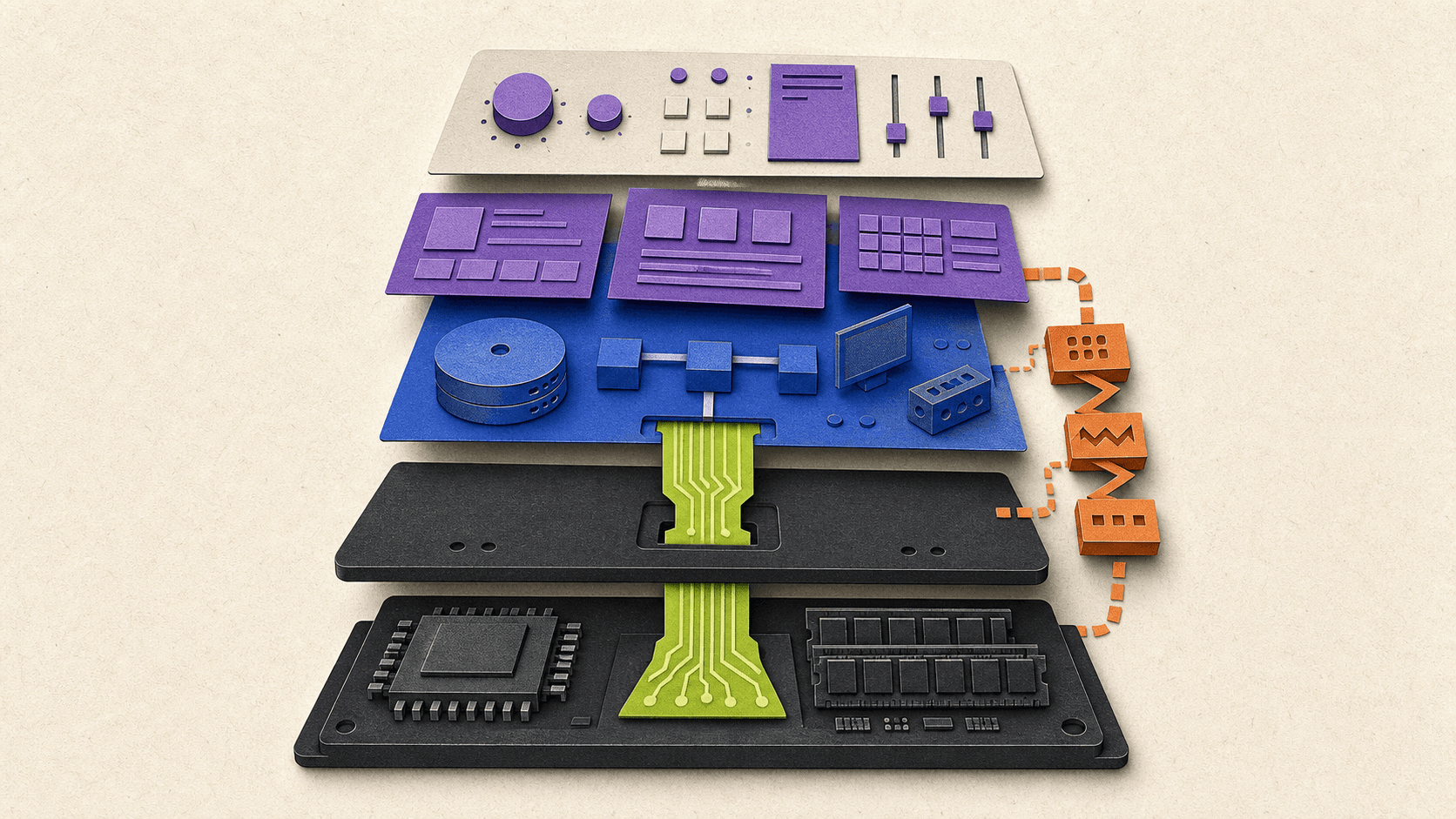
UTM is one way to make QEMU approachable on a Mac. It combines QEMU's emulation range with Apple virtualization frameworks and a native interface. Choose it when you want QEMU's flexibility without building every command by hand.
Multipass narrows the problem in another direction. It launches Ubuntu instances with a simple command and uses a suitable virtualization driver underneath. Canonical currently documents QEMU as the default on Linux and macOS, with Apple Virtualization available as a Mac option. On Windows, it uses Hyper-V on Pro or VirtualBox on Home by default. Canonical's driver documentation lists the current matrix.
Choose Multipass when you want quick Ubuntu development environments that behave more like small cloud instances. Do not choose it as a general manager for arbitrary Windows, BSD, macOS, or legacy guest images.
When Is a Cloud Computer Better Than a Local Virtual Machine?
Sometimes the search for another hypervisor is really a search for more hardware.
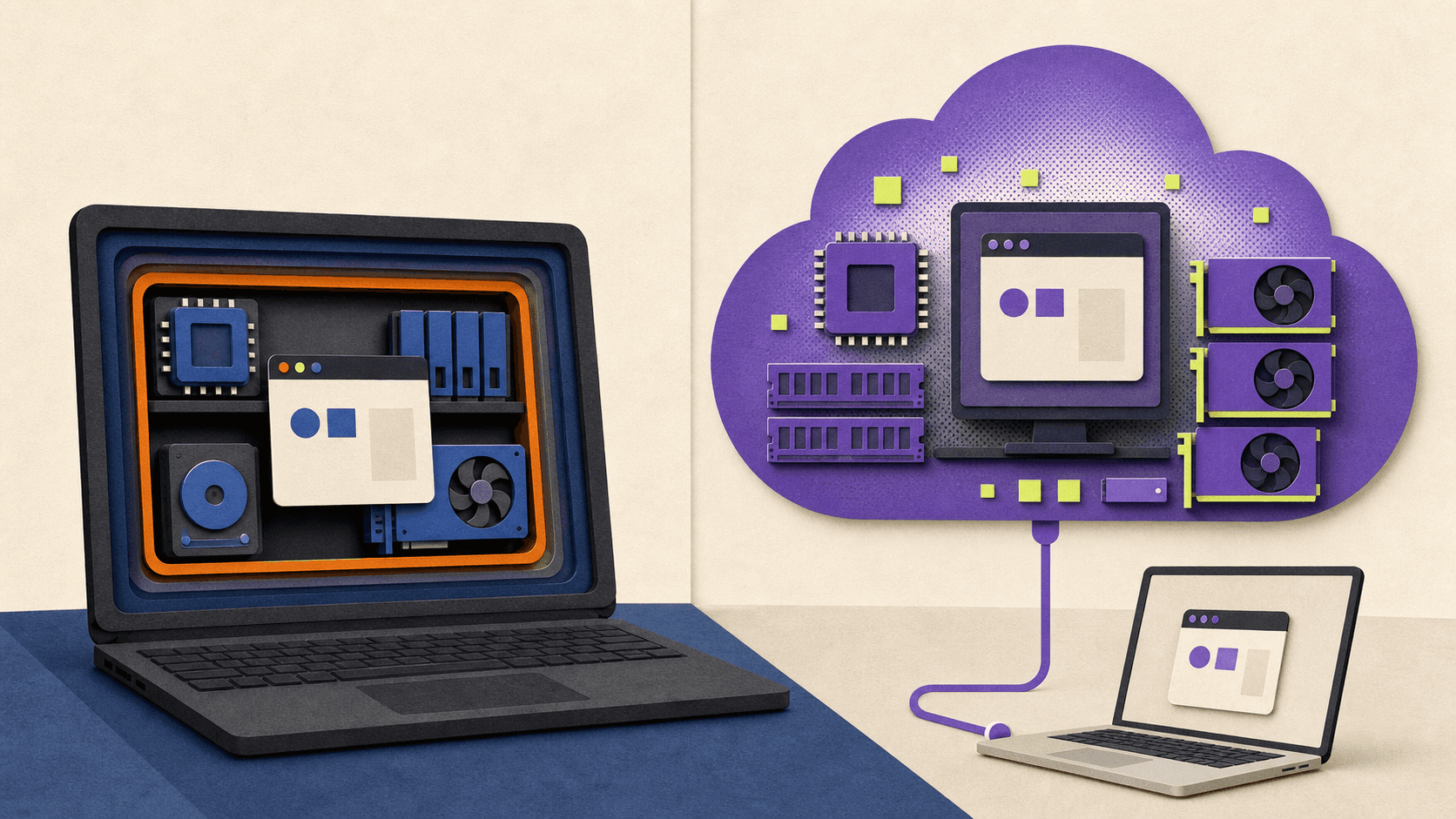
A local VM divides your computer's resources between the host and guest. It becomes less attractive when the guest needs a powerful GPU, large amounts of memory, or x86 software that does not work well through Windows 11 Arm compatibility.
A cloud computer takes a different approach. The Windows or Ubuntu desktop runs on remote data-center hardware and streams to your device. Your Mac or Windows laptop becomes the screen and input device rather than the machine doing the heavy work.
Vagon Cloud Computer fits this comparison when you need:
An x86 Windows workstation from an Apple silicon Mac.
Occasional access to more CPU, memory, or an NVIDIA GPU than your local computer has.
Demanding creative, engineering, development, or graphical Linux software.
A persistent remote desktop you can reach from more than one device.
Separation between experimental software and the files or credentials on your main laptop, as long as you control what you upload to the remote computer.
It is not a drop-in VirtualBox replacement. Vagon does not give you the same control over arbitrary ISO images, virtual hardware definitions, snapshot trees, nested virtualization, or multi-VM lab networks. It also makes less sense for offline work, specialist local peripherals, unreliable connections, or a lightweight server that must run continuously.
The cost model is different too. As verified on August 25, 2026, Vagon lists CPU-only compute from $0.25 per hour and a Planet configuration with a Tesla T4 GPU from $0.99 per hour in its base pricing. Active use is billed by the minute. Persistent storage starts at $7.99 per month, and performance pricing can vary by region. Current rates and data-transfer terms are available on the Vagon pricing page.
This model fits bursty work better than an always-on desktop. Test a representative project for latency, file transfer, licensing, peripherals, security rules, and expected monthly cost before committing.
Which Options Are Actually Free, Open Source, or Free For Commercial Use?
"Free" can refer to price, source code, personal use, commercial use, or bundled support. Those are separate questions.
Is VirtualBox free?
The VirtualBox base platform packages are released under GPLv3. They can be used in commercial settings under that license.
The Oracle VirtualBox Extension Pack has different terms. Oracle offers it without charge under the Personal Use and Educational License for personal and educational use. Commercial or enterprise use requires the relevant Oracle terms. This distinction matters because some additional capabilities come from the Extension Pack rather than the GPL base package. See Oracle's VirtualBox download and licensing page for the current wording.
So the plain-English answer is: the VirtualBox base package is free and open source, including for commercial use under GPLv3, but do not assume the Extension Pack has the same commercial-use terms.
Is VMware free?
Yes. VMware Workstation Pro and VMware Fusion Pro have been free for personal, educational, and commercial use since November 11, 2024. The policy is broader than the older personal-use-only offer.
Free use does not mean every organization receives a new paid support contract. VMware points desktop users toward documentation and community resources under the current model. A Windows guest may also require its own Microsoft license.
Which options are open source?
QEMU, KVM, UTM, and Multipass are open-source options, but they occupy different layers of the virtualization stack.
Hyper-V is included with eligible Windows editions but is not open source. Parallels Desktop is paid commercial software. Vagon is a paid cloud service with separate compute and persistent-storage charges.
Treat these licensing notes as a practical summary, not legal advice. Check the current product license and the licenses for every guest operating system and add-on your organization plans to use.
Frequently Asked Questions
Is VMware Workstation free for personal use?
Yes. It is also currently free for educational and commercial use under VMware's policy announced in November 2024.
Is VMware Fusion free for Mac?
Yes. Fusion Pro is currently free for personal, educational, and commercial use. On Apple silicon, it supports Arm64 guest operating systems rather than x86 guest operating systems.
Is VirtualBox free for commercial use?
The GPLv3 VirtualBox base package can be used commercially under that license. Oracle's Extension Pack is separate, and its no-charge PUEL terms cover personal and educational use rather than general commercial use.
Can Apple silicon run an x86 Windows VM?
Apple silicon can emulate x86 systems through tools such as UTM, and Parallels Desktop 26 lists x86 OS emulation as a preview. Mainstream high-performance local virtualization uses Windows 11 Arm. If you need a full x86 Windows environment for demanding work, a remote x86 computer is another option.
Is QEMU better than VirtualBox?
QEMU is the better fit for broad architecture support, low-level configuration, and advanced automation. VirtualBox is easier when you want one integrated desktop application with a familiar interface. The right answer depends on whether flexibility or setup speed matters more.
What is the best Linux distribution for a VM?
There is no universal winner. Ubuntu is widely supported and works especially well with Multipass, but the right guest depends on the software, production environment, package ecosystem, and release lifecycle you need to match.
The right VirtualBox alternative depends on your computer and what you need to run. On x86 Windows, VMware Workstation Pro is the strongest free general-purpose choice, while Hyper-V is a good built-in option for Windows Pro and Enterprise. On a Mac, Parallels Desktop offers the easiest paid route to Windows 11 Arm, VMware Fusion Pro is a capable free option, and UTM is the more flexible choice for open-source virtualization and cross-architecture emulation.
If you need Linux-native control, look at QEMU with KVM. If you only need fast Ubuntu environments, Multipass is simpler. And if your real problem is limited local hardware, Apple silicon compatibility, or a lack of GPU power, a cloud computer may make more sense than another local hypervisor.
This guide is for people who need full operating systems for development, testing, legacy applications, or cross-platform work. If you only want Linux command-line tools on Windows or need to run one Windows app in a temporary sandbox, WSL or Windows Sandbox may be enough, but neither is a general VirtualBox replacement.
Which VirtualBox Alternative Should You Choose in 2026?
Start with three questions:
Is your host computer running Windows, macOS, or Linux?
Does its processor use x86-64 or Arm architecture?
Do you need a local VM, cross-architecture emulation, or simply access to a more powerful remote computer?
Architecture matters before features. Virtualizing an Arm guest on an Arm host, or an x86 guest on an x86 host, is the practical performance path. Running an operating system built for a different processor usually requires emulation, which is slower and may have weaker graphics or peripheral support.
Here is the shortlist. Pricing and availability were checked on August 25, 2026.
Product | Best fit | Host platform | Arm and Apple silicon position | Price | Open source | Main limitation | Type |
|---|---|---|---|---|---|---|---|
VMware Workstation Pro | General-purpose VMs on x86 Windows | Windows and Linux | No Arm host path in the cited requirements | Free for personal, educational, and commercial use | No | Not available on macOS | Local hypervisor |
Hyper-V | Windows labs and native Microsoft tooling | Windows 10 or 11 Pro and Enterprise | The cited desktop requirements cover 64-bit x86 systems | Included with eligible Windows editions | No | Not available as the full role on Windows Home | Local hypervisor |
Parallels Desktop 26 | The easiest Windows 11 experience on Mac | macOS | Supports Apple silicon; Arm guests are the standard path | Standard list price of $99.99 per year or $219.99 one-time | No | Mac-only and paid | Local hypervisor |
VMware Fusion Pro | Free local VMs on Mac | macOS | Apple silicon supports Arm64 guests only | Free for personal, educational, and commercial use | No | Cannot run x86 guest operating systems on Apple silicon | Local hypervisor |
UTM | Open-source Mac VMs and legacy OS emulation | macOS and other Apple platforms | Virtualizes Arm64 and can emulate x86 or x64 more slowly | Free direct download | Yes | Cross-architecture emulation is slower | Virtualizer and emulator front end |
QEMU | Cross-architecture emulation and advanced control | Linux, macOS, and Windows | Supports Arm and x86 with platform-specific accelerators | Free | Yes | Steep setup curve without a front end | Virtualizer and emulator |
QEMU/KVM with libvirt | Advanced, high-control Linux VMs | Linux | KVM accelerates compatible host and guest architectures | Free | Yes | KVM is Linux-only and setup can be technical | Local virtualization stack |
Multipass | Quick disposable Ubuntu instances | Windows, macOS, and Linux | Uses different drivers by host platform | Free | Yes | Focused on Ubuntu rather than arbitrary guests | VM workflow tool |
Vagon Cloud Computer | Remote x86 Windows or Ubuntu work and GPU-heavy software | Accessed from supported client devices | Compute architecture is remote, not tied to the client processor | Usage-based compute plus persistent storage | No | Requires a good internet connection and is not a local VM manager | Cloud computer |
The short version:
Choose VMware Workstation Pro for a free, familiar VirtualBox alternative on an x86 Windows PC.
Choose Hyper-V if you have Windows Pro or Enterprise and prefer Microsoft's built-in virtualization stack.
Choose Parallels Desktop if you want the smoothest supported Windows 11 Arm setup on an Apple silicon Mac and do not mind paying.
Choose VMware Fusion Pro if you need a free Mac hypervisor and your guest architecture matches your Mac.
Choose UTM if you want an open-source Mac app or need to emulate an older or different processor architecture.
Choose QEMU/KVM if Linux is your host and control matters more than simple setup.
Choose Multipass if you only need disposable Ubuntu machines.
Choose a cloud computer if the main constraint is local performance, GPU access, or x86 software compatibility rather than VM management itself.
These products are not interchangeable. QEMU can emulate processors that a conventional hypervisor cannot, Multipass focuses on Ubuntu, and a cloud computer moves the desktop off your hardware.
What Is The Best VirtualBox Alternative For Windows 11 or Windows 10?
For most x86 Windows users, VMware Workstation Pro is the clearest place to start. It has the familiar structure people expect from a desktop VM application, including snapshots, clones, configurable networking, and USB support. VMware made Workstation Pro free for personal, educational, and commercial use in November 2024, which removed its biggest pricing disadvantage against VirtualBox. VMware's licensing announcement confirms the current policy.
In a VirtualBox vs VMware comparison, Workstation is the better fit when you want a polished desktop VM workflow without paying for the hypervisor. VirtualBox still has the advantage of an open-source base package and consistent familiarity across Windows, Mac, and Linux, but VMware no longer requires a paid desktop license for commercial use.
Choose Workstation when you want a general-purpose manager for Windows or Linux guests, need snapshots or custom virtual networks, or use Windows Home, where the full Hyper-V role is unavailable.
VMware's current cited requirements cover supported 64-bit Windows and Linux hosts on x86 hardware. Workstation is not the Mac product. VMware Fusion fills that role. VMware's Workstation requirements provide the host and processor details.
Choose Hyper-V when:
Hyper-V makes sense when you already have Windows 10 or 11 Pro or Enterprise and want a Microsoft-native hypervisor. It works well for Windows and Linux labs, PowerShell-based management, and workflows that resemble Windows Server environments.
It is included as an optional Windows feature, so there is no separate Hyper-V download. The full role is not available on Windows Home. Microsoft lists a 64-bit processor with second-level address translation, virtualization support in firmware, and at least 4 GB of memory among the requirements. Microsoft's Hyper-V requirements explain the supported editions and hardware.
Hyper-V is not always the friendliest option for desktop software testing. Peripheral handling and consumer 3D workflows are not its main strengths. Enabling Hyper-V, Virtualization-Based Security, Device Guard, or Credential Guard can also change how VMware Workstation or VirtualBox operates. Current third-party hypervisors may use Windows hypervisor APIs in some configurations, so the right advice is to check your exact combination rather than assume the tools can never coexist. Microsoft's installation guidance documents the interaction warning.
What about Windows Sandbox, WSL, and QEMU?
Windows Sandbox is useful when you only need a clean, disposable Windows environment to test an installer or open an unfamiliar file. Closing the sandbox removes its software, files, and state, so it does not replace a persistent library of Windows and Linux VMs. It also requires a supported Windows edition and is not available on Home. Microsoft's Windows Sandbox documentation describes those limits.
WSL is often a better answer than any hypervisor if your actual goal is to run Linux command-line tools or Linux GUI applications beside Windows. Microsoft describes WSL as using fewer resources than a full VM, but its GUI support is not a full Linux desktop experience. It is not an arbitrary guest OS manager. Microsoft's WSL FAQ makes that distinction clear.
Which virtual machine is best for Windows 10?
If Windows 10 is the host, VMware Workstation Pro is the most approachable general-purpose choice, while Hyper-V remains useful on Pro and Enterprise editions. But this is now a legacy decision. General Windows 10 support ended on October 14, 2025, and Microsoft recommends moving to Windows 11 or using an applicable Extended Security Updates option. Microsoft's Windows 10 support notice should be considered before building a new VM workflow around a Windows 10 host.
What Is The Best VirtualBox Alternative For an Intel or Apple Silicon Mac?
The first Mac question is not Parallels vs VMware Fusion. It is Intel vs Apple silicon.
An Intel Mac and an M-series Mac do not run the same guest operating systems in the same way. On Apple silicon, efficient local virtualization uses Arm operating systems. An x86 operating system requires emulation, a preview feature, or a remote x86 computer.
Parallels Desktop 26: the easiest paid option
Parallels Desktop is the most straightforward choice for a Mac user who wants Windows 11 Arm with minimal setup and strong macOS integration. Its supported Apple silicon guests include Windows 11 Arm and several Linux distributions.
As of the August 25, 2026 verification date, Parallels Desktop Standard had a list price of $99.99 per year or $219.99 as a one-time purchase. Promotions may reduce the displayed price, and a Windows license is separate. Check the current Parallels pricing page before buying.
Parallels Desktop 26 lists x86 OS emulation on Apple silicon as a preview. That may help with some legacy cases, but it should not be treated as equivalent to virtualizing x86 Windows on an Intel processor. Test the actual application, driver, and graphics workload that matters to you. The Parallels Desktop 26 requirements list supported hosts and guests and identify the preview status.
Choose Parallels when convenience, Mac integration, and vendor support are worth paying for. Look elsewhere if open source or cross-architecture experimentation matters more.
VMware Fusion Pro: the strongest free Mac choice
VMware Fusion Pro is free for personal, educational, and commercial use under VMware's current policy. That makes VMware Fusion vs VirtualBox a much closer comparison than it used to be.
On an Intel Mac, Fusion can run supported x86 guests. On Apple silicon, it virtualizes Arm64 guests only. It does not emulate an x86 operating system, so older x86 editions of Windows cannot run as Fusion VMs on an M-series Mac. Windows 11 Arm can run some x86 Windows applications through Microsoft's application compatibility layer, but that does not turn the guest into an x86 operating system.
Fusion supports snapshots, virtual networking, and DirectX 11 graphics in supported Windows 11 Arm configurations, although some integration features differ between Intel and Apple silicon. Broadcom's Apple silicon compatibility guidance and Windows 11 feature matrix document those boundaries.
Choose Fusion when you want a capable free Mac hypervisor and the Arm guest limitation is acceptable. Choose Parallels when ease of setup and Mac integration justify the price.
UTM: the open-source Mac option
UTM wraps QEMU and Apple's virtualization technologies in a Mac-focused interface. On Apple silicon, it can virtualize Arm64 operating systems at near-native speeds. It can also emulate x86 or x64 systems, along with several older processor architectures, but emulation is slower than virtualization.
That makes UTM useful for legacy software and cases where Fusion's Arm-only rule is too restrictive. It is not automatically suitable for demanding x86 Windows applications because graphics performance and device support can become limiting factors.
The direct macOS download is free, and the front end is distributed under Apache 2.0 with other licensed components. See the UTM product page for the virtualization and emulation distinction.
Where VirtualBox now stands on Mac
VirtualBox should not be described as Intel-only in 2026. Oracle ships an Arm64 build for Apple silicon, and VirtualBox 7.2 can virtualize Arm guests. However, Oracle lists 3D acceleration on macOS Arm as experimental. That matters if graphics are one reason you are leaving VirtualBox. The VirtualBox 7.2 manual records the Arm guest and graphics changes.
On Intel Macs, Parallels, Fusion, VirtualBox, QEMU, and UTM can use x86 guest paths, subject to current macOS support. If you still have an Intel Mac, check the product's current host support matrix before assuming the latest release will install.
When Should You Choose QEMU, KVM, UTM, or Multipass?
QEMU, KVM, UTM, and Multipass appear in the same searches, but they sit at different layers.
QEMU can create a full virtual machine model, including processors, memory, disks, network devices, and other hardware. It can use platform accelerators such as KVM on Linux, Apple's Hypervisor Framework on macOS, or Windows Hypervisor Platform on Windows. It can also use its Tiny Code Generator to emulate a different processor architecture. QEMU's accelerator matrix shows these combinations.
KVM is the Linux kernel virtualization interface. It is not a polished cross-platform desktop app by itself. On Linux, QEMU commonly supplies the virtual hardware while KVM accelerates compatible guest code. Libvirt, virsh, or virt-manager then provides a management layer.
This resolves the QEMU vs KVM question: on Linux, the normal high-performance answer is QEMU and KVM together. Use QEMU without KVM when the host cannot provide KVM acceleration or when you need cross-architecture emulation.
In a QEMU vs VirtualBox comparison, VirtualBox is easier as one desktop application. QEMU offers more architecture coverage and control but asks more from the user.
For KVM vs VirtualBox or VMware, QEMU/KVM is the Linux-native foundation for advanced networking and customized VM definitions. VirtualBox and VMware package more of the desktop workflow into one interface. Ubuntu's libvirt setup guide shows how the stack fits together.
UTM is one way to make QEMU approachable on a Mac. It combines QEMU's emulation range with Apple virtualization frameworks and a native interface. Choose it when you want QEMU's flexibility without building every command by hand.
Multipass narrows the problem in another direction. It launches Ubuntu instances with a simple command and uses a suitable virtualization driver underneath. Canonical currently documents QEMU as the default on Linux and macOS, with Apple Virtualization available as a Mac option. On Windows, it uses Hyper-V on Pro or VirtualBox on Home by default. Canonical's driver documentation lists the current matrix.
Choose Multipass when you want quick Ubuntu development environments that behave more like small cloud instances. Do not choose it as a general manager for arbitrary Windows, BSD, macOS, or legacy guest images.
When Is a Cloud Computer Better Than a Local Virtual Machine?
Sometimes the search for another hypervisor is really a search for more hardware.
A local VM divides your computer's resources between the host and guest. It becomes less attractive when the guest needs a powerful GPU, large amounts of memory, or x86 software that does not work well through Windows 11 Arm compatibility.
A cloud computer takes a different approach. The Windows or Ubuntu desktop runs on remote data-center hardware and streams to your device. Your Mac or Windows laptop becomes the screen and input device rather than the machine doing the heavy work.
Vagon Cloud Computer fits this comparison when you need:
An x86 Windows workstation from an Apple silicon Mac.
Occasional access to more CPU, memory, or an NVIDIA GPU than your local computer has.
Demanding creative, engineering, development, or graphical Linux software.
A persistent remote desktop you can reach from more than one device.
Separation between experimental software and the files or credentials on your main laptop, as long as you control what you upload to the remote computer.
It is not a drop-in VirtualBox replacement. Vagon does not give you the same control over arbitrary ISO images, virtual hardware definitions, snapshot trees, nested virtualization, or multi-VM lab networks. It also makes less sense for offline work, specialist local peripherals, unreliable connections, or a lightweight server that must run continuously.
The cost model is different too. As verified on August 25, 2026, Vagon lists CPU-only compute from $0.25 per hour and a Planet configuration with a Tesla T4 GPU from $0.99 per hour in its base pricing. Active use is billed by the minute. Persistent storage starts at $7.99 per month, and performance pricing can vary by region. Current rates and data-transfer terms are available on the Vagon pricing page.
This model fits bursty work better than an always-on desktop. Test a representative project for latency, file transfer, licensing, peripherals, security rules, and expected monthly cost before committing.
Which Options Are Actually Free, Open Source, or Free For Commercial Use?
"Free" can refer to price, source code, personal use, commercial use, or bundled support. Those are separate questions.
Is VirtualBox free?
The VirtualBox base platform packages are released under GPLv3. They can be used in commercial settings under that license.
The Oracle VirtualBox Extension Pack has different terms. Oracle offers it without charge under the Personal Use and Educational License for personal and educational use. Commercial or enterprise use requires the relevant Oracle terms. This distinction matters because some additional capabilities come from the Extension Pack rather than the GPL base package. See Oracle's VirtualBox download and licensing page for the current wording.
So the plain-English answer is: the VirtualBox base package is free and open source, including for commercial use under GPLv3, but do not assume the Extension Pack has the same commercial-use terms.
Is VMware free?
Yes. VMware Workstation Pro and VMware Fusion Pro have been free for personal, educational, and commercial use since November 11, 2024. The policy is broader than the older personal-use-only offer.
Free use does not mean every organization receives a new paid support contract. VMware points desktop users toward documentation and community resources under the current model. A Windows guest may also require its own Microsoft license.
Which options are open source?
QEMU, KVM, UTM, and Multipass are open-source options, but they occupy different layers of the virtualization stack.
Hyper-V is included with eligible Windows editions but is not open source. Parallels Desktop is paid commercial software. Vagon is a paid cloud service with separate compute and persistent-storage charges.
Treat these licensing notes as a practical summary, not legal advice. Check the current product license and the licenses for every guest operating system and add-on your organization plans to use.
Frequently Asked Questions
Is VMware Workstation free for personal use?
Yes. It is also currently free for educational and commercial use under VMware's policy announced in November 2024.
Is VMware Fusion free for Mac?
Yes. Fusion Pro is currently free for personal, educational, and commercial use. On Apple silicon, it supports Arm64 guest operating systems rather than x86 guest operating systems.
Is VirtualBox free for commercial use?
The GPLv3 VirtualBox base package can be used commercially under that license. Oracle's Extension Pack is separate, and its no-charge PUEL terms cover personal and educational use rather than general commercial use.
Can Apple silicon run an x86 Windows VM?
Apple silicon can emulate x86 systems through tools such as UTM, and Parallels Desktop 26 lists x86 OS emulation as a preview. Mainstream high-performance local virtualization uses Windows 11 Arm. If you need a full x86 Windows environment for demanding work, a remote x86 computer is another option.
Is QEMU better than VirtualBox?
QEMU is the better fit for broad architecture support, low-level configuration, and advanced automation. VirtualBox is easier when you want one integrated desktop application with a familiar interface. The right answer depends on whether flexibility or setup speed matters more.
What is the best Linux distribution for a VM?
There is no universal winner. Ubuntu is widely supported and works especially well with Multipass, but the right guest depends on the software, production environment, package ecosystem, and release lifecycle you need to match.
Get Beyond Your Computer Performance
Run applications on your cloud computer with the latest generation hardware. No more crashes or lags.

Trial includes 1 hour usage + 7 days of storage.
Summarize with AI

Ready to focus on your creativity?
Vagon gives you the ability to create & render projects, collaborate, and stream applications with the power of the best hardware.

Run heavy applications on any device with
your personal computer on the cloud.
San Francisco, California
Solutions
Vagon Teams
Vagon Streams
Use Cases
© 2026 Vagon. All rights reserved.
Run heavy applications on any device with
your personal computer on the cloud.
San Francisco, California
Solutions
Vagon Teams
Vagon Streams
Use Cases
© 2026 Vagon. All rights reserved.
Run heavy applications on any device with
your personal computer on the cloud.
San Francisco, California
Solutions
Vagon Teams
Vagon Streams
Use Cases
© 2026 Vagon. All rights reserved.