Instant Connection for Pixel Streaming
— New Feature Automated Setup

Best TeamViewer, AnyDesk & Splashtop Alternatives (2026)
Teams & IT
Best TeamViewer, AnyDesk & Splashtop Alternatives (2026)
Teams & IT
Best TeamViewer, AnyDesk & Splashtop Alternatives (2026)
Teams & IT
Table of Contents
The right TeamViewer alternative depends on what you're actually trying to do. Chrome Remote Desktop is a simple choice for personal access, RemotePC is a low-cost paid option for a small set of computers, RustDesk fits open-source self-hosting, Zoho Assist is built for support teams, Microsoft Remote Desktop works well for eligible Windows hosts, and Parsec is designed for low-latency streaming.
There is another possibility too. If you don't need to control an existing computer and instead need a more powerful one, a cloud computer such as Vagon belongs in a different category.
This guide is for individuals, IT teams, small businesses, and creative professionals. It isn't a universal speed ranking, and it doesn't assume every app with a remote screen solves the same problem.
Prices and plan details in this article were checked in August 2026. Vendors change plans, regional prices, promotions, and feature limits, so confirm the final checkout terms before buying.
Which TeamViewer Alternative Is Best For Each Use Case?
Start with the job, not the product name. Remote support, access to your own computer, low-latency streaming, and cloud computing have different requirements.
For simple personal access: Chrome Remote Desktop is the easiest place to start. It has no separate product fee and can connect to a configured Windows, Mac, or Linux computer through a browser or mobile app.
For inexpensive paid remote access: RemotePC has a low standard monthly entry price for one user and one computer, with larger plans for more endpoints.
For open-source or self-hosted access: RustDesk gives you an AGPL-licensed client, a free open-source server, and paid self-hosted plans with more administrative features.
For attended customer support: Zoho Assist is the most focused help-desk alternative in this group. It separates attended remote support from managed unattended access.
For a native Windows route: Microsoft Remote Desktop and Windows App make sense when the host already runs an eligible Windows edition and the network path is properly secured.
For gaming or creative streaming from existing hardware: Parsec is designed around low-latency, hardware-encoded sessions. Splashtop Performance is also relevant for professional workflows that need higher frame rates, 4:4:4 color, stylus features, or USB passthrough.
For access to stronger hardware: Vagon Cloud Computer fits when the missing piece is the computer itself, not a way to control one you already own.
TeamViewer, AnyDesk, and Splashtop can still be the right answer. Switching only makes sense when an alternative improves the part of the setup that matters to you.
How Do The Leading TeamViewer Alternatives Compare?
The table below separates the device being controlled, called the host, from the device doing the controlling, called the client. That distinction matters most on Linux, Android, iOS, and browser-based setups.
Product | Best fit | Starting price or free status as of August 2026 | Commercial use | Host and client support | Unattended access | Main limitation |
|---|---|---|---|---|---|---|
TeamViewer Remote | Broad remote support and access | Free for personal use; paid annual pricing varies by locale and add-ons | Paid license required | Hosts and clients across major desktop and mobile platforms, with device qualifiers | Yes, on supported computers and Android devices | Free use excludes work; channels, managed devices, and mobile support depend on the plan |
AnyDesk | Cross-platform access and support | Free personal plan; Solo is $28.90/month equivalent, billed annually | Paid plan required | Windows, macOS, Linux, Android, iOS, ChromeOS, Raspberry Pi, with role differences | Yes, but Android may still require a local prompt | Solo has one non-scalable connection; Android control can require a device plugin |
Splashtop | Paid remote work, SOS support, and higher-performance access | Solo $6/month; Pro $8.25/user/month; Performance $13/user/month; SOS from $22/concurrent user/month, all billed annually | Paid plans | Major desktop and mobile platforms, depending on product | Yes; unattended Android is a higher-tier feature | Remote Access, SOS, Performance, and Enterprise are different products and prices |
Chrome Remote Desktop | Basic personal computer access and occasional help | No separate product fee stated | Enterprise controls exist, but this is not sold as a help-desk platform | Windows, macOS, and Linux hosts; browser, Android, and iOS clients | Yes, for configured computers | Limited team administration; attended support must be reconfirmed every 30 minutes |
RemotePC | Low-cost access to enrolled computers | Solo is $2.95/month at the standard monthly rate; promotions vary | Paid plans | Windows, macOS, and Linux hosts; desktop, mobile, and browser clients | Yes | It doesn't replace Android remote support; introductory and renewal prices need careful comparison |
RustDesk | Open-source and self-hosted remote access | OSS server is free; Pro Individual is $9.90/month equivalent, billed annually | Commercial use is allowed under the open-source license obligations | Windows, macOS, Linux, and Android hosts; iOS is a client but can't be controlled | Yes, with Linux and Android caveats | You operate and secure the server; the public service isn't intended for production or sensitive work |
Zoho Assist | Attended support and managed unattended access | Free plan available; paid prices are localized and dynamically displayed | Confirm the exact paid plan for business features | Windows, macOS, Linux, Android, and Raspberry Pi with plan and device qualifiers | Yes, including qualified Android setups | Mobile support and administrative features are plan-dependent |
Microsoft Remote Desktop or Windows App | Native access to a Windows computer | Included with an eligible Windows host edition; other infrastructure and licensing may apply | Covered by the underlying Microsoft licenses | Windows Pro, Enterprise, Education, and Server hosts; clients across Windows and Windows App platforms | Yes | Windows Home can't host; external access needs a secure network design |
Parsec | Low-latency gaming and creative streaming | Personal is free; Individuals is $8.33/user/month equivalent annually; both are non-commercial; Teams is $30/user/month annually for work | Teams or Enterprise required for work | Windows and macOS hosts; Windows, macOS, Ubuntu, Android, and Chromium clients with feature differences | Yes | No Linux or Android hosting; the Android client is experimental |
Vagon Cloud Computer | Access to an on-demand cloud computer | From $0.25/hour for compute or $0.99/hour for T4 graphics, plus storage from $7.99/month | Yes, subject to service and third-party software terms | Vagon supplies the host; access is browser-based from suitable devices | Persistent cloud environment, not unattended control of an existing PC | Not a remote-support, endpoint-management, or Android-control product |
Starting prices aren't directly comparable. One vendor may charge per technician, another per concurrent connection, another per managed computer, and another per hour of cloud-computer use. Before comparing totals, write down how many people start sessions, how many endpoints they reach, and how many sessions must run at once.
The safest evaluation order is:
Decide whether you need support, existing-computer access, low-latency streaming, or a cloud computer.
Write the direction of the connection, such as
Android tablet -> Windows office PC.Confirm whether the use is personal or commercial.
Check attended, unattended, reboot, login-screen, and headless requirements.
Compare security and administrative controls on the exact plan.
Test the real host, client, network, monitors, peripherals, and applications.
Compare first-year, renewal, add-on, storage, transfer, and operating costs.
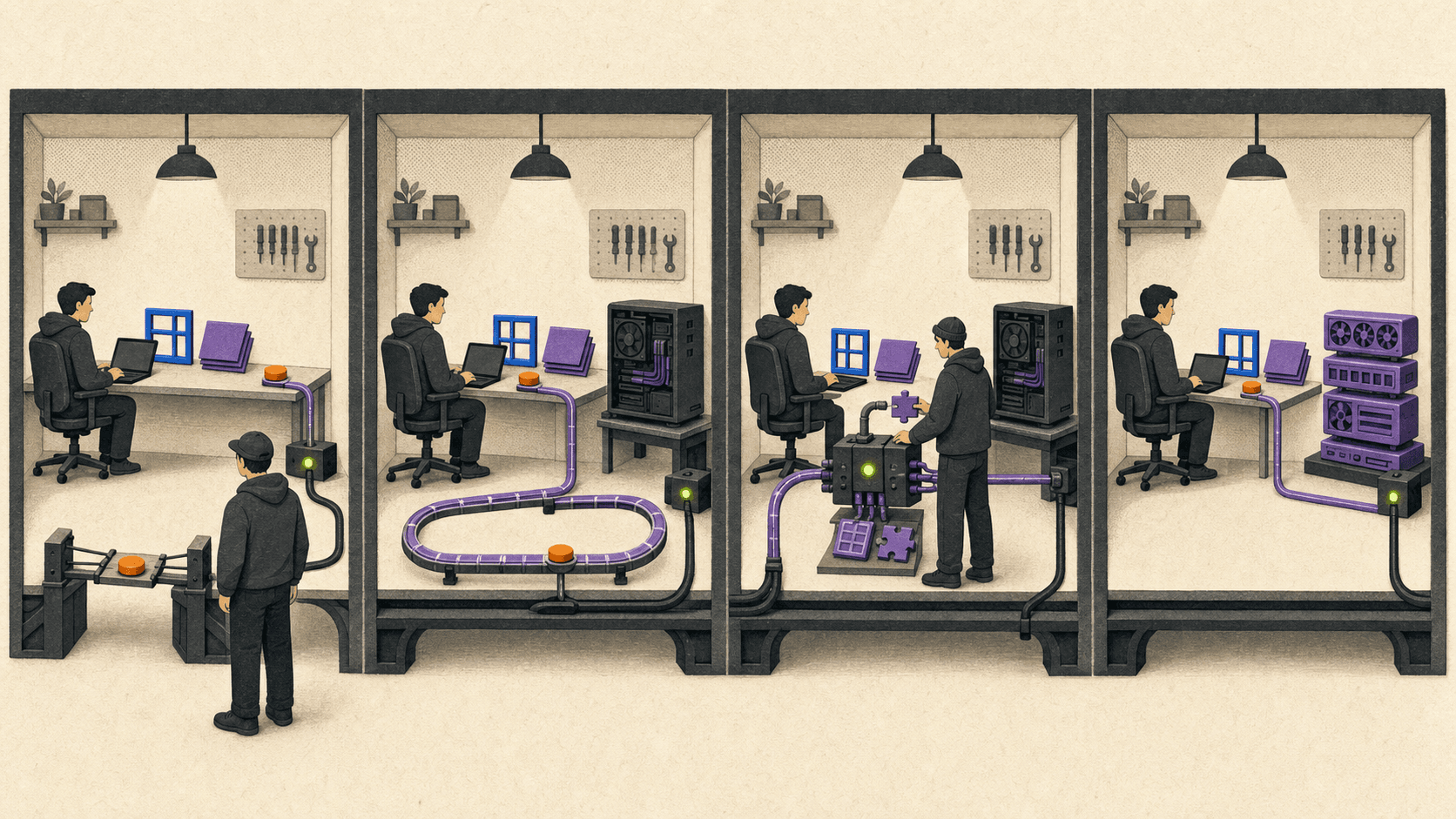
What Is The Best Free or Open-Source TeamViewer Alternative?
"Free" can describe three very different things: a personal-use service, software that permits commercial use, or a feature already included in another license.
TeamViewer and AnyDesk limit their free versions to personal, non-commercial use. Connecting to a work computer, providing professional IT support, or helping paying customers requires an appropriate commercial plan.
Parsec has an easy-to-miss restriction: both Personal and the paid Individuals plan are non-commercial. Commercial work requires Teams or Enterprise.
Chrome Remote Desktop for simple personal access
Chrome Remote Desktop is a sensible free TeamViewer alternative for basic personal access to a Windows, Mac, or Linux host. It also supports one-time help codes, but the recipient must confirm every 30 minutes that sharing should continue. Google publishes enterprise controls, yet the product isn't structured as a paid help desk with support queues, technician roles, and managed endpoint operations.
RustDesk for open-source self-hosting
RustDesk is the strongest open-source TeamViewer alternative in this comparison. Its client repository uses the AGPL-3.0 license, and the project offers a free open-source server that you can run on your own infrastructure. Paid self-hosted plans add features such as a web console, 2FA, address books, audit logs, access control, centralized settings, OIDC, and LDAP at applicable tiers.
This option gives you control of the ID and relay services, but it also gives you the work. Your team becomes responsible for server updates, TLS, exposed ports, authentication, monitoring, backups, uptime, and incident response.
RustDesk warns that its public server is for demonstration and testing rather than production or sensitive work. A business deployment should use a maintained self-hosted server or a properly supported paid setup.
Microsoft Remote Desktop when Windows already covers the host
Microsoft Remote Desktop can avoid another remote-access subscription if the host already runs Windows Pro, Enterprise, Education, or Server and the underlying license covers the use. Windows Home can act as a client, but it can't accept incoming Remote Desktop connections.
That doesn't make the whole solution free. You still need a secure connection path, identity controls, a powered host, and someone to manage the system. Microsoft notes that access from outside the host's network may require a VPN or port forwarding. For a business setup, a managed VPN or Remote Desktop Gateway is a better default than exposing RDP directly to the public internet.
Which Alternatives Work on Mac, Linux, Ubuntu, and Android?
Platform lists can be misleading because they often mix hosts and clients. An Android app may let you control a computer without letting anyone control the Android device. A Linux client may connect to Windows even when Linux hosting isn't supported.
Mac
TeamViewer, AnyDesk, Splashtop, Chrome Remote Desktop, RemotePC, RustDesk, Zoho Assist, and Parsec all support Mac in some role. The important questions are whether the Mac will be controlled, whether unattended access must survive a restart, and which macOS permissions are required.
Recent macOS versions protect screen capture, input control, and file access. TeamViewer documents Screen Recording, Accessibility, Remote Desktop permission for unattended access, and Full Disk Access for file transfer. These permissions can't simply be granted by the remote app itself.
Parsec supports macOS hosting on macOS 10.15 or newer and recommends 2019 or newer hardware, including Apple M1. Its first-time host setup also requires manual macOS permissions.
If Apple silicon support is essential, verify the exact app and current release rather than assuming every Mac download is native. TeamViewer has documented native Apple silicon support since version 15.12, while RemotePC's current download page lists Intel and Apple silicon support through the M4 series.
Linux and Ubuntu
RustDesk is the clearest Linux-focused choice in this shortlist. It supplies packages for Ubuntu and Debian derivatives, Fedora and CentOS, Arch and Manjaro, openSUSE, NixOS, AppImage, and Flatpak. Its Linux support has an important caveat: Wayland support is experimental, and remote access to the login screen still requires X11.
Chrome Remote Desktop supports a Linux host through a 64-bit Debian package and creates a virtual desktop session. Google's setup instructions cover choosing a desktop environment through the session configuration. That is useful for personal access, but it isn't the same workflow as controlling the physical console on every distribution.
RemotePC offers host and viewer packages for Linux, including a host-only setup for remote computers and headless servers. Parsec works in the opposite direction: Ubuntu can join a Parsec session, but Ubuntu can't host one.
For any Ubuntu or Linux deployment, check the distribution, CPU architecture, desktop environment, display server, headless behavior, and login-screen access. A generic Linux logo doesn't answer those questions.
Android as a controller
Most of the cross-platform products here let an Android phone or tablet control a computer. TeamViewer, AnyDesk, Splashtop, Chrome Remote Desktop, RemotePC, RustDesk, Zoho Assist, Windows App, and Parsec all offer an Android client in some form.
Parsec's Android app is still described as experimental. It requires Android 9 or later, can't host sessions, and has known mouse, keyboard, controller, and device-compatibility issues.
Android as the controlled device
This is the important path for anyone searching for a TeamViewer QuickSupport alternative on Android.
TeamViewer QuickSupport lets an Android user receive attended support, but it can't initiate an outgoing connection. Commercial desktop-to-mobile support requires the relevant TeamViewer subscription and mobile-device support option. TeamViewer Host serves unattended Android use on supported devices, while QuickSupport requires the user to accept the session.
AnyDesk can initiate and receive Android sessions. Full input control may require a manufacturer-specific or generic control plugin. On Android 10 and later, the operating system can require someone at the device to approve screen capture even when unattended access is configured.
Splashtop SOS supports attended access through a session code. Android 5 or later can be viewed, while control can require a device add-on or the accessibility service on Android 8 or later.
RustDesk can share an Android screen and file system. Screen sharing requires Android 6 or later, and the user must grant screen-capture and input-control permissions when starting the service.
Zoho Assist uses its Customer app plus a manufacturer add-on or a universal add-on for Android 7 or later. The universal add-on relies on the Android accessibility service for control. Zoho also documents unattended Android enrollment, but prompts, MDM configuration, and device-specific support still matter.
No option should be described as universal Android control without those qualifications. OS privacy rules, manufacturer support, add-ons, accessibility permissions, and local prompts can all change what a technician can do.
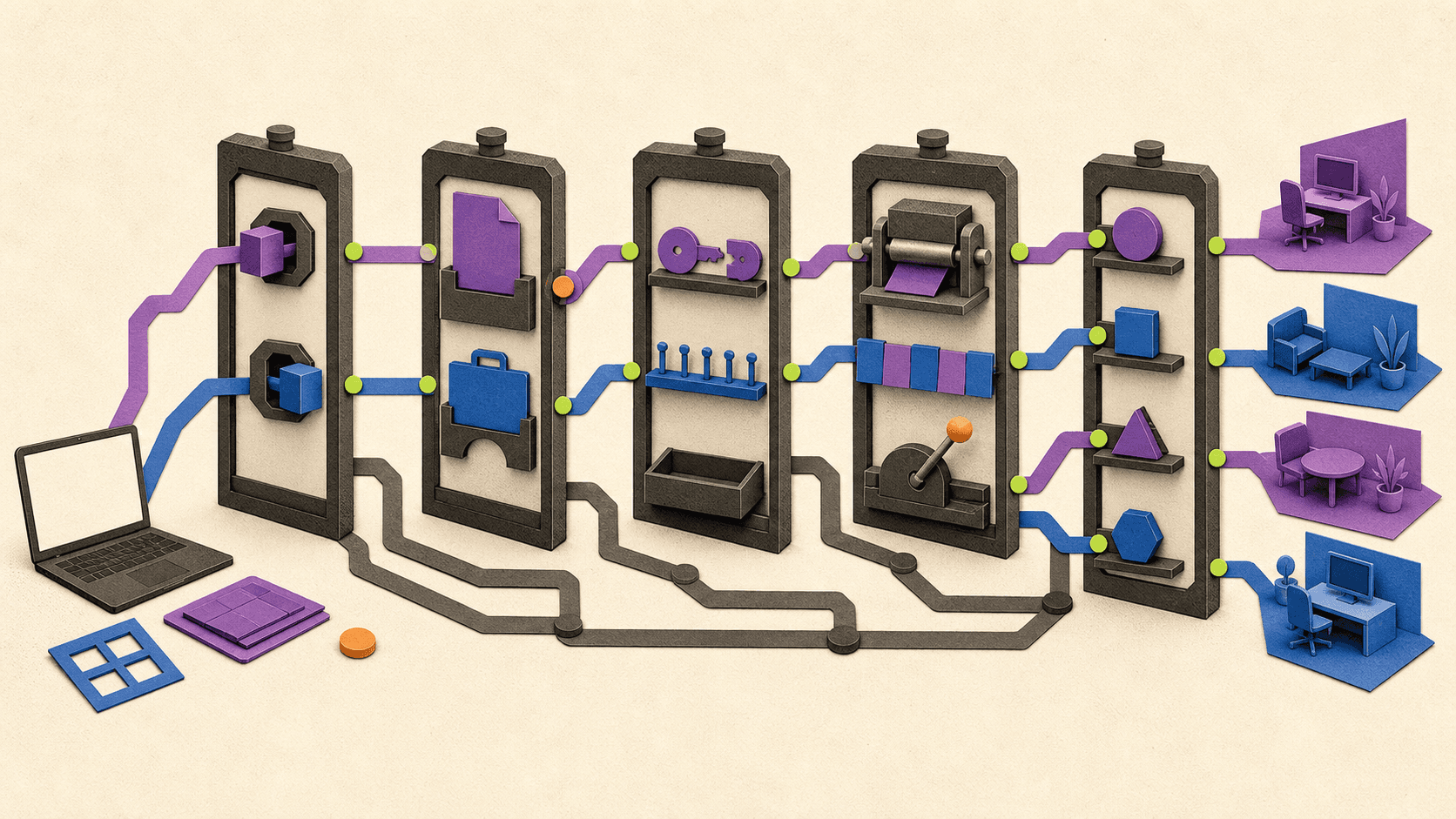
Which Option Fits Remote Support, Unattended Work, and Small Teams?
Attended support starts with a person at the remote device. They open an app, follow a link, enter a session code, or approve a request. Unattended access uses an installed service or agent so an authorized person can connect later without someone accepting each session.
TeamViewer, AnyDesk, and Splashtop remain useful reference points because they support both patterns and add business controls at higher tiers. Splashtop also separates Remote Access from SOS and Enterprise support products.
Zoho Assist is the clearest alternative here for a team whose main job is helping customers or employees. Its Remote Support plans are organized around technicians and ad-hoc sessions, while Unattended Access plans are organized around configured devices. Higher tiers add items such as mobile-device support, session recording, service queues, audit features, reports, rebranding, and remote scripts.
RemotePC is better for people accessing enrolled computers regularly. Its paid plans list always-on access, file transfer, remote printing, session recording, chat, web access, and multi-to-multi monitor support. Team and Enterprise tiers add users, grouping, deployment, roles, SSO-related functions, and HelpDesk support.
RustDesk can fit a technically capable team that needs to keep its relay and management services under its own control. The free server offers the core self-hosted path. Paid tiers are more practical when the team needs managed users and devices, centralized settings, 2FA, audit logs, access control, OIDC, or LDAP.
Chrome Remote Desktop is enough for occasional assistance between trusted people. It becomes a weak fit once a team needs queues, role separation, reporting, repeatable endpoint enrollment, offboarding, service commitments, or detailed session policy.
Compare license units before comparing prices
Imagine a support team with three technicians, 100 managed endpoints, and a need for two simultaneous customer sessions. One vendor may charge for three named technicians. Another may charge for two concurrent connections. Another may include a fixed number of managed devices per license.
A starting price for one person and one connection tells you very little about that scenario. Record these numbers before requesting quotes:
people who can start sessions;
total managed endpoints;
occasional attended endpoints;
simultaneous connections;
sessions per connection;
mobile devices that must be controlled;
required logs, recordings, roles, and SSO;
support hours and response expectations.
Security should be compared the same way. TeamViewer documents end-to-end AES-256 session encryption, 2FA, allowlists, conditional access, and SSO. AnyDesk documents TLS, AES transport encryption, 2FA, access controls, and an on-premises option. Splashtop documents TLS 1.2, AES-256, device authentication, 2FA, session controls, and higher-tier identity features. Availability depends on the selected plan.
Encryption names alone don't settle the decision. A business also needs enforceable MFA, roles, device approval, allowlists, logs, file-transfer policy, updates, offboarding, and a clear incident-response process.
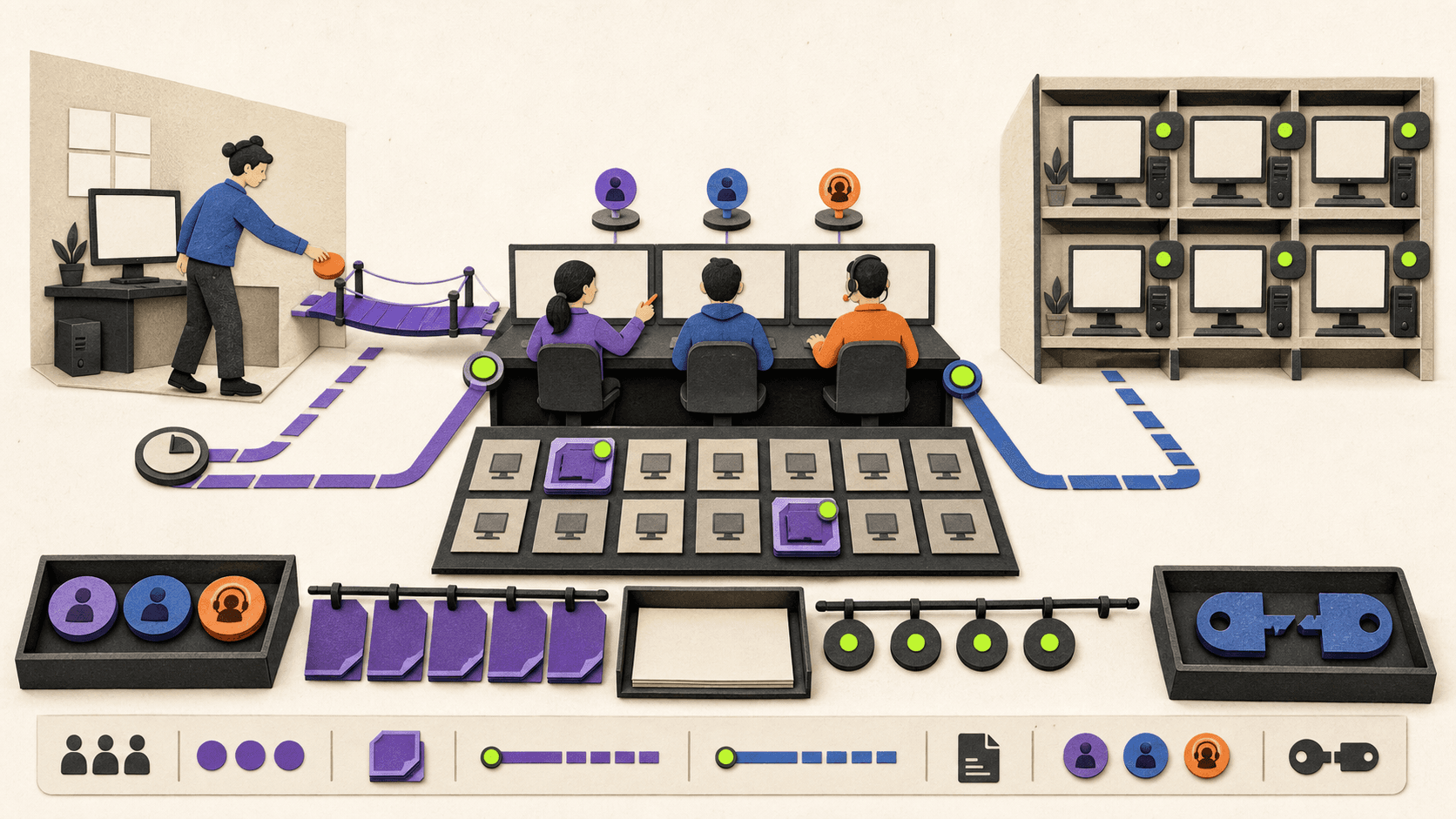
What Should You Use For Gaming or Latency-Sensitive Creative Work?
General remote-access software can display a game, timeline, viewport, or canvas. That doesn't mean it was designed for fast motion, precise input, color-sensitive work, high-frame-rate playback, or pen pressure.
Parsec is the focused choice when the host computer already has the power to run the workload. It uses hardware video encoding and documents settings for gaming, playtesting, build review, and QA. Its current guidance recommends 25 Mbps or more for 1080p at 60 FPS in the gaming profile. Its broader connection guidance recommends 30 Mbps and latency below 15 ms to a same-city speed-test server for a stronger 1080p60 setup. Those are requirements and recommendations, not a promise of identical performance on every connection.
Hosting currently works on Windows and macOS. Linux, Android, and Chromium can be clients, but their feature support differs. For example, Parsec's platform matrix shows that Android doesn't support 4:4:4 decoding or extra screens, and the Chromium client has its own codec limits.
Commercial licensing matters here. A gamer can use Personal at no charge, and Individuals adds display and pen features for personal use. A designer, editor, animator, or studio doing paid work needs Teams or Enterprise.
Splashtop Performance is the relevant alternative for professional remote work. As of August 2026, its $13 per-user monthly equivalent, billed annually, lists 4:4:4 color, up to 240 FPS, high-fidelity audio, Remote Stylus and Wacom Bridge, and USB passthrough. Those features make it a better candidate than a generic support app for a creative-work pilot.
Neither product should be declared universally faster. Test the actual host GPU, hardware encoder, client decoder, display resolution, refresh rate, monitor count, pen tablet, controller, application, ping, jitter, packet loss, and bandwidth. A connection that feels good at 1080p on a desktop can behave very differently at 4K on Wi-Fi.
An ordinary access or support tool shouldn't become a gaming recommendation simply because a game window appears on the remote screen.
When Is a Cloud Computer Better Than Controlling an Existing PC?
Remote-access software assumes the computer you need already exists. That host must be powered on, connected, maintained, and strong enough to run the software before the remote session starts.
That model is right when you need a specific office PC, files stored on that machine, a local device attached to it, or access to an environment your company already manages. TeamViewer, AnyDesk, Splashtop, RemotePC, RustDesk, Chrome Remote Desktop, RDP, and Parsec all depend on an existing host.
But remote control doesn't add CPU cores, RAM, GPU memory, or storage performance to an underpowered computer. If the real problem is that a laptop or office desktop can't handle a large 3D scene, video project, CAD model, game-development build, or other demanding application, improving the connection leaves the main bottleneck in place.
Where Vagon Cloud Computer fits
Vagon Cloud Computer supplies the computer in the cloud. You access a persistent environment through a browser from a suitable device, choose a performance tier, install or use the applications you need, and keep the environment's data through a separate storage plan.
As of August 2026, Vagon's public US pricing starts at $0.25 per hour for the compute-focused Sand tier. Graphics tiers start with Planet at $0.99 per hour using an NVIDIA T4 configuration, while the A10G-based Spark tier starts at $1.67 per hour. Usage is charged by the minute, and the Personal storage plan starts at $7.99 per month. Regional prices can differ, and outbound data transfer beyond the included amount can add cost.
The current trial includes one hour of Planet use, or the equivalent amount of Spark usage, plus seven days of storage. That gives a qualified reader a practical way to test an application and network before committing to a longer workflow.
Vagon is a fit for an individual creative or technical user who needs stronger CPU, RAM, or GPU resources from a lightweight or less capable device. It's especially relevant when buying and maintaining another high-performance local machine isn't the preferred route.
It isn't the right tool for:
supporting a customer's computer;
controlling an existing office PC;
managing employee endpoints;
running attended help-desk sessions;
controlling Android devices; or
retrieving files that remain only on an offline physical computer.
Third-party application licenses aren't automatically included. Before adopting any cloud-computer workflow, test the named application, project files, plugins, peripherals, region, display setup, network quality, and file-transfer pattern.
If that category matches the problem, explore Vagon Cloud Computer and test the real workflow instead of judging it by a generic remote-desktop session.
Frequently Asked Questions
Is there a free TeamViewer alternative for commercial use?
RustDesk's client and open-source server permit commercial use subject to their license obligations, though hosting and maintenance still cost money. Microsoft Remote Desktop may avoid a separate subscription when an eligible Windows host and secure network path already exist.
Don't assume that a free personal plan allows business use. TeamViewer, AnyDesk, and Parsec explicitly restrict the free plans discussed here to personal, non-commercial use. Zoho Assist advertises a free plan, but its current terms and feature coverage should be checked against the exact business workflow before relying on it.
What is the best open-source TeamViewer alternative?
RustDesk is the primary open-source recommendation here. Its AGPL-3.0 client, documented self-hosting, free OSS server, and paid server plans cover both personal and managed deployments. The trade-off is responsibility for updates, authentication, monitoring, backups, and incident handling.
What is the best TeamViewer alternative for Mac?
Chrome Remote Desktop fits basic personal access, RemotePC fits low-cost paid access, RustDesk covers self-hosting, and Parsec handles low-latency streaming from a capable Mac. Confirm host support, Apple silicon compatibility, and the required macOS privacy permissions.
Which TeamViewer alternatives work on Ubuntu or Linux?
Several options support Linux, but the role and distribution matter. Parsec supports Ubuntu as a client but not a host. RustDesk's Wayland support is experimental and still needs X11 for login-screen access. Chrome Remote Desktop uses a Debian host package and virtual desktop session.
What can replace TeamViewer QuickSupport on Android?
AnyDesk, Splashtop SOS, RustDesk, and Zoho Assist can cover related attended Android support needs. They aren't identical replacements.
AnyDesk may need a control plugin and can still show a local screen-capture prompt. Splashtop uses supported add-ons or an accessibility service for control. RustDesk needs screen-capture and input permissions when its service starts. Zoho Assist uses manufacturer or universal add-ons and Android accessibility permissions. Test the actual device model and Android version.
What is the best TeamViewer alternative for games?
Parsec is the focused choice when you already own a suitable Windows or Mac host. It is designed for low-latency, hardware-encoded streaming and has explicit gaming guidance.
If you need cloud hardware rather than access to an existing gaming PC, Vagon is a different route. Verify the game's terms, launcher, anti-cheat system, controller support, region availability, and latency before treating any cloud computer as compatible.
How can you buy TeamViewer more cheaply?
Choose the smallest legitimate plan that covers the number of users, managed devices, concurrent connections, and mobile-support features you need. Check current nonprofit or education eligibility if it applies to your organization. You can also compare a lower-cost alternative whose license clearly permits the intended use.
Avoid shared accounts, gray-market keys, cracked software, and unauthorized resellers. A cheaper license that violates the terms or can't be renewed safely isn't a useful saving.
Should Reddit decide which remote-access tool to use?
Reddit discussions can reveal recurring concerns about price changes, free-use detection, unattended access, Linux compatibility, and concurrent connections. They can't verify security, performance, reliability, licensing, or current prices.
For example, a September 2024 TeamViewer alternatives thread shows how one small consultant compared device counts and concurrent sessions. It is useful as community sentiment, not as proof that any product performs better or costs the same today.
Are TeamViewer alternative lists from 2018 or 2019 still useful?
Only as historical context. Product ownership, security updates, operating-system support, mobile permissions, prices, plan names, and licensing models can all change.
Current examples show the risk of using an old list. NoMachine version 10 discontinued its previous free server-side edition. Microsoft's Windows clients have been moving toward Windows App. RustDesk has developed into a significant self-hosted option, and Android privacy controls now shape unattended access in ways an older comparison may not cover.
Use old names as research leads, then verify every recommendation against current official documentation.
The final decision should follow one clear question: do you need to support another person's device, reach an existing computer, stream a latency-sensitive workload, or access a new cloud computer? Once that is clear, platform direction, commercial-use rights, unattended behavior, security controls, and total cost become much easier to compare.
If your answer is "a powerful computer I can reach from the device I already have," try Vagon Cloud Computer with your actual application and project. If you need to control or support an existing endpoint, choose the remote-access product that passes your platform, license, security, and workflow checks.
The right TeamViewer alternative depends on what you're actually trying to do. Chrome Remote Desktop is a simple choice for personal access, RemotePC is a low-cost paid option for a small set of computers, RustDesk fits open-source self-hosting, Zoho Assist is built for support teams, Microsoft Remote Desktop works well for eligible Windows hosts, and Parsec is designed for low-latency streaming.
There is another possibility too. If you don't need to control an existing computer and instead need a more powerful one, a cloud computer such as Vagon belongs in a different category.
This guide is for individuals, IT teams, small businesses, and creative professionals. It isn't a universal speed ranking, and it doesn't assume every app with a remote screen solves the same problem.
Prices and plan details in this article were checked in August 2026. Vendors change plans, regional prices, promotions, and feature limits, so confirm the final checkout terms before buying.
Which TeamViewer Alternative Is Best For Each Use Case?
Start with the job, not the product name. Remote support, access to your own computer, low-latency streaming, and cloud computing have different requirements.
For simple personal access: Chrome Remote Desktop is the easiest place to start. It has no separate product fee and can connect to a configured Windows, Mac, or Linux computer through a browser or mobile app.
For inexpensive paid remote access: RemotePC has a low standard monthly entry price for one user and one computer, with larger plans for more endpoints.
For open-source or self-hosted access: RustDesk gives you an AGPL-licensed client, a free open-source server, and paid self-hosted plans with more administrative features.
For attended customer support: Zoho Assist is the most focused help-desk alternative in this group. It separates attended remote support from managed unattended access.
For a native Windows route: Microsoft Remote Desktop and Windows App make sense when the host already runs an eligible Windows edition and the network path is properly secured.
For gaming or creative streaming from existing hardware: Parsec is designed around low-latency, hardware-encoded sessions. Splashtop Performance is also relevant for professional workflows that need higher frame rates, 4:4:4 color, stylus features, or USB passthrough.
For access to stronger hardware: Vagon Cloud Computer fits when the missing piece is the computer itself, not a way to control one you already own.
TeamViewer, AnyDesk, and Splashtop can still be the right answer. Switching only makes sense when an alternative improves the part of the setup that matters to you.
How Do The Leading TeamViewer Alternatives Compare?
The table below separates the device being controlled, called the host, from the device doing the controlling, called the client. That distinction matters most on Linux, Android, iOS, and browser-based setups.
Product | Best fit | Starting price or free status as of August 2026 | Commercial use | Host and client support | Unattended access | Main limitation |
|---|---|---|---|---|---|---|
TeamViewer Remote | Broad remote support and access | Free for personal use; paid annual pricing varies by locale and add-ons | Paid license required | Hosts and clients across major desktop and mobile platforms, with device qualifiers | Yes, on supported computers and Android devices | Free use excludes work; channels, managed devices, and mobile support depend on the plan |
AnyDesk | Cross-platform access and support | Free personal plan; Solo is $28.90/month equivalent, billed annually | Paid plan required | Windows, macOS, Linux, Android, iOS, ChromeOS, Raspberry Pi, with role differences | Yes, but Android may still require a local prompt | Solo has one non-scalable connection; Android control can require a device plugin |
Splashtop | Paid remote work, SOS support, and higher-performance access | Solo $6/month; Pro $8.25/user/month; Performance $13/user/month; SOS from $22/concurrent user/month, all billed annually | Paid plans | Major desktop and mobile platforms, depending on product | Yes; unattended Android is a higher-tier feature | Remote Access, SOS, Performance, and Enterprise are different products and prices |
Chrome Remote Desktop | Basic personal computer access and occasional help | No separate product fee stated | Enterprise controls exist, but this is not sold as a help-desk platform | Windows, macOS, and Linux hosts; browser, Android, and iOS clients | Yes, for configured computers | Limited team administration; attended support must be reconfirmed every 30 minutes |
RemotePC | Low-cost access to enrolled computers | Solo is $2.95/month at the standard monthly rate; promotions vary | Paid plans | Windows, macOS, and Linux hosts; desktop, mobile, and browser clients | Yes | It doesn't replace Android remote support; introductory and renewal prices need careful comparison |
RustDesk | Open-source and self-hosted remote access | OSS server is free; Pro Individual is $9.90/month equivalent, billed annually | Commercial use is allowed under the open-source license obligations | Windows, macOS, Linux, and Android hosts; iOS is a client but can't be controlled | Yes, with Linux and Android caveats | You operate and secure the server; the public service isn't intended for production or sensitive work |
Zoho Assist | Attended support and managed unattended access | Free plan available; paid prices are localized and dynamically displayed | Confirm the exact paid plan for business features | Windows, macOS, Linux, Android, and Raspberry Pi with plan and device qualifiers | Yes, including qualified Android setups | Mobile support and administrative features are plan-dependent |
Microsoft Remote Desktop or Windows App | Native access to a Windows computer | Included with an eligible Windows host edition; other infrastructure and licensing may apply | Covered by the underlying Microsoft licenses | Windows Pro, Enterprise, Education, and Server hosts; clients across Windows and Windows App platforms | Yes | Windows Home can't host; external access needs a secure network design |
Parsec | Low-latency gaming and creative streaming | Personal is free; Individuals is $8.33/user/month equivalent annually; both are non-commercial; Teams is $30/user/month annually for work | Teams or Enterprise required for work | Windows and macOS hosts; Windows, macOS, Ubuntu, Android, and Chromium clients with feature differences | Yes | No Linux or Android hosting; the Android client is experimental |
Vagon Cloud Computer | Access to an on-demand cloud computer | From $0.25/hour for compute or $0.99/hour for T4 graphics, plus storage from $7.99/month | Yes, subject to service and third-party software terms | Vagon supplies the host; access is browser-based from suitable devices | Persistent cloud environment, not unattended control of an existing PC | Not a remote-support, endpoint-management, or Android-control product |
Starting prices aren't directly comparable. One vendor may charge per technician, another per concurrent connection, another per managed computer, and another per hour of cloud-computer use. Before comparing totals, write down how many people start sessions, how many endpoints they reach, and how many sessions must run at once.
The safest evaluation order is:
Decide whether you need support, existing-computer access, low-latency streaming, or a cloud computer.
Write the direction of the connection, such as
Android tablet -> Windows office PC.Confirm whether the use is personal or commercial.
Check attended, unattended, reboot, login-screen, and headless requirements.
Compare security and administrative controls on the exact plan.
Test the real host, client, network, monitors, peripherals, and applications.
Compare first-year, renewal, add-on, storage, transfer, and operating costs.
What Is The Best Free or Open-Source TeamViewer Alternative?
"Free" can describe three very different things: a personal-use service, software that permits commercial use, or a feature already included in another license.
TeamViewer and AnyDesk limit their free versions to personal, non-commercial use. Connecting to a work computer, providing professional IT support, or helping paying customers requires an appropriate commercial plan.
Parsec has an easy-to-miss restriction: both Personal and the paid Individuals plan are non-commercial. Commercial work requires Teams or Enterprise.
Chrome Remote Desktop for simple personal access
Chrome Remote Desktop is a sensible free TeamViewer alternative for basic personal access to a Windows, Mac, or Linux host. It also supports one-time help codes, but the recipient must confirm every 30 minutes that sharing should continue. Google publishes enterprise controls, yet the product isn't structured as a paid help desk with support queues, technician roles, and managed endpoint operations.
RustDesk for open-source self-hosting
RustDesk is the strongest open-source TeamViewer alternative in this comparison. Its client repository uses the AGPL-3.0 license, and the project offers a free open-source server that you can run on your own infrastructure. Paid self-hosted plans add features such as a web console, 2FA, address books, audit logs, access control, centralized settings, OIDC, and LDAP at applicable tiers.
This option gives you control of the ID and relay services, but it also gives you the work. Your team becomes responsible for server updates, TLS, exposed ports, authentication, monitoring, backups, uptime, and incident response.
RustDesk warns that its public server is for demonstration and testing rather than production or sensitive work. A business deployment should use a maintained self-hosted server or a properly supported paid setup.
Microsoft Remote Desktop when Windows already covers the host
Microsoft Remote Desktop can avoid another remote-access subscription if the host already runs Windows Pro, Enterprise, Education, or Server and the underlying license covers the use. Windows Home can act as a client, but it can't accept incoming Remote Desktop connections.
That doesn't make the whole solution free. You still need a secure connection path, identity controls, a powered host, and someone to manage the system. Microsoft notes that access from outside the host's network may require a VPN or port forwarding. For a business setup, a managed VPN or Remote Desktop Gateway is a better default than exposing RDP directly to the public internet.
Which Alternatives Work on Mac, Linux, Ubuntu, and Android?
Platform lists can be misleading because they often mix hosts and clients. An Android app may let you control a computer without letting anyone control the Android device. A Linux client may connect to Windows even when Linux hosting isn't supported.
Mac
TeamViewer, AnyDesk, Splashtop, Chrome Remote Desktop, RemotePC, RustDesk, Zoho Assist, and Parsec all support Mac in some role. The important questions are whether the Mac will be controlled, whether unattended access must survive a restart, and which macOS permissions are required.
Recent macOS versions protect screen capture, input control, and file access. TeamViewer documents Screen Recording, Accessibility, Remote Desktop permission for unattended access, and Full Disk Access for file transfer. These permissions can't simply be granted by the remote app itself.
Parsec supports macOS hosting on macOS 10.15 or newer and recommends 2019 or newer hardware, including Apple M1. Its first-time host setup also requires manual macOS permissions.
If Apple silicon support is essential, verify the exact app and current release rather than assuming every Mac download is native. TeamViewer has documented native Apple silicon support since version 15.12, while RemotePC's current download page lists Intel and Apple silicon support through the M4 series.
Linux and Ubuntu
RustDesk is the clearest Linux-focused choice in this shortlist. It supplies packages for Ubuntu and Debian derivatives, Fedora and CentOS, Arch and Manjaro, openSUSE, NixOS, AppImage, and Flatpak. Its Linux support has an important caveat: Wayland support is experimental, and remote access to the login screen still requires X11.
Chrome Remote Desktop supports a Linux host through a 64-bit Debian package and creates a virtual desktop session. Google's setup instructions cover choosing a desktop environment through the session configuration. That is useful for personal access, but it isn't the same workflow as controlling the physical console on every distribution.
RemotePC offers host and viewer packages for Linux, including a host-only setup for remote computers and headless servers. Parsec works in the opposite direction: Ubuntu can join a Parsec session, but Ubuntu can't host one.
For any Ubuntu or Linux deployment, check the distribution, CPU architecture, desktop environment, display server, headless behavior, and login-screen access. A generic Linux logo doesn't answer those questions.
Android as a controller
Most of the cross-platform products here let an Android phone or tablet control a computer. TeamViewer, AnyDesk, Splashtop, Chrome Remote Desktop, RemotePC, RustDesk, Zoho Assist, Windows App, and Parsec all offer an Android client in some form.
Parsec's Android app is still described as experimental. It requires Android 9 or later, can't host sessions, and has known mouse, keyboard, controller, and device-compatibility issues.
Android as the controlled device
This is the important path for anyone searching for a TeamViewer QuickSupport alternative on Android.
TeamViewer QuickSupport lets an Android user receive attended support, but it can't initiate an outgoing connection. Commercial desktop-to-mobile support requires the relevant TeamViewer subscription and mobile-device support option. TeamViewer Host serves unattended Android use on supported devices, while QuickSupport requires the user to accept the session.
AnyDesk can initiate and receive Android sessions. Full input control may require a manufacturer-specific or generic control plugin. On Android 10 and later, the operating system can require someone at the device to approve screen capture even when unattended access is configured.
Splashtop SOS supports attended access through a session code. Android 5 or later can be viewed, while control can require a device add-on or the accessibility service on Android 8 or later.
RustDesk can share an Android screen and file system. Screen sharing requires Android 6 or later, and the user must grant screen-capture and input-control permissions when starting the service.
Zoho Assist uses its Customer app plus a manufacturer add-on or a universal add-on for Android 7 or later. The universal add-on relies on the Android accessibility service for control. Zoho also documents unattended Android enrollment, but prompts, MDM configuration, and device-specific support still matter.
No option should be described as universal Android control without those qualifications. OS privacy rules, manufacturer support, add-ons, accessibility permissions, and local prompts can all change what a technician can do.
Which Option Fits Remote Support, Unattended Work, and Small Teams?
Attended support starts with a person at the remote device. They open an app, follow a link, enter a session code, or approve a request. Unattended access uses an installed service or agent so an authorized person can connect later without someone accepting each session.
TeamViewer, AnyDesk, and Splashtop remain useful reference points because they support both patterns and add business controls at higher tiers. Splashtop also separates Remote Access from SOS and Enterprise support products.
Zoho Assist is the clearest alternative here for a team whose main job is helping customers or employees. Its Remote Support plans are organized around technicians and ad-hoc sessions, while Unattended Access plans are organized around configured devices. Higher tiers add items such as mobile-device support, session recording, service queues, audit features, reports, rebranding, and remote scripts.
RemotePC is better for people accessing enrolled computers regularly. Its paid plans list always-on access, file transfer, remote printing, session recording, chat, web access, and multi-to-multi monitor support. Team and Enterprise tiers add users, grouping, deployment, roles, SSO-related functions, and HelpDesk support.
RustDesk can fit a technically capable team that needs to keep its relay and management services under its own control. The free server offers the core self-hosted path. Paid tiers are more practical when the team needs managed users and devices, centralized settings, 2FA, audit logs, access control, OIDC, or LDAP.
Chrome Remote Desktop is enough for occasional assistance between trusted people. It becomes a weak fit once a team needs queues, role separation, reporting, repeatable endpoint enrollment, offboarding, service commitments, or detailed session policy.
Compare license units before comparing prices
Imagine a support team with three technicians, 100 managed endpoints, and a need for two simultaneous customer sessions. One vendor may charge for three named technicians. Another may charge for two concurrent connections. Another may include a fixed number of managed devices per license.
A starting price for one person and one connection tells you very little about that scenario. Record these numbers before requesting quotes:
people who can start sessions;
total managed endpoints;
occasional attended endpoints;
simultaneous connections;
sessions per connection;
mobile devices that must be controlled;
required logs, recordings, roles, and SSO;
support hours and response expectations.
Security should be compared the same way. TeamViewer documents end-to-end AES-256 session encryption, 2FA, allowlists, conditional access, and SSO. AnyDesk documents TLS, AES transport encryption, 2FA, access controls, and an on-premises option. Splashtop documents TLS 1.2, AES-256, device authentication, 2FA, session controls, and higher-tier identity features. Availability depends on the selected plan.
Encryption names alone don't settle the decision. A business also needs enforceable MFA, roles, device approval, allowlists, logs, file-transfer policy, updates, offboarding, and a clear incident-response process.
What Should You Use For Gaming or Latency-Sensitive Creative Work?
General remote-access software can display a game, timeline, viewport, or canvas. That doesn't mean it was designed for fast motion, precise input, color-sensitive work, high-frame-rate playback, or pen pressure.
Parsec is the focused choice when the host computer already has the power to run the workload. It uses hardware video encoding and documents settings for gaming, playtesting, build review, and QA. Its current guidance recommends 25 Mbps or more for 1080p at 60 FPS in the gaming profile. Its broader connection guidance recommends 30 Mbps and latency below 15 ms to a same-city speed-test server for a stronger 1080p60 setup. Those are requirements and recommendations, not a promise of identical performance on every connection.
Hosting currently works on Windows and macOS. Linux, Android, and Chromium can be clients, but their feature support differs. For example, Parsec's platform matrix shows that Android doesn't support 4:4:4 decoding or extra screens, and the Chromium client has its own codec limits.
Commercial licensing matters here. A gamer can use Personal at no charge, and Individuals adds display and pen features for personal use. A designer, editor, animator, or studio doing paid work needs Teams or Enterprise.
Splashtop Performance is the relevant alternative for professional remote work. As of August 2026, its $13 per-user monthly equivalent, billed annually, lists 4:4:4 color, up to 240 FPS, high-fidelity audio, Remote Stylus and Wacom Bridge, and USB passthrough. Those features make it a better candidate than a generic support app for a creative-work pilot.
Neither product should be declared universally faster. Test the actual host GPU, hardware encoder, client decoder, display resolution, refresh rate, monitor count, pen tablet, controller, application, ping, jitter, packet loss, and bandwidth. A connection that feels good at 1080p on a desktop can behave very differently at 4K on Wi-Fi.
An ordinary access or support tool shouldn't become a gaming recommendation simply because a game window appears on the remote screen.
When Is a Cloud Computer Better Than Controlling an Existing PC?
Remote-access software assumes the computer you need already exists. That host must be powered on, connected, maintained, and strong enough to run the software before the remote session starts.
That model is right when you need a specific office PC, files stored on that machine, a local device attached to it, or access to an environment your company already manages. TeamViewer, AnyDesk, Splashtop, RemotePC, RustDesk, Chrome Remote Desktop, RDP, and Parsec all depend on an existing host.
But remote control doesn't add CPU cores, RAM, GPU memory, or storage performance to an underpowered computer. If the real problem is that a laptop or office desktop can't handle a large 3D scene, video project, CAD model, game-development build, or other demanding application, improving the connection leaves the main bottleneck in place.
Where Vagon Cloud Computer fits
Vagon Cloud Computer supplies the computer in the cloud. You access a persistent environment through a browser from a suitable device, choose a performance tier, install or use the applications you need, and keep the environment's data through a separate storage plan.
As of August 2026, Vagon's public US pricing starts at $0.25 per hour for the compute-focused Sand tier. Graphics tiers start with Planet at $0.99 per hour using an NVIDIA T4 configuration, while the A10G-based Spark tier starts at $1.67 per hour. Usage is charged by the minute, and the Personal storage plan starts at $7.99 per month. Regional prices can differ, and outbound data transfer beyond the included amount can add cost.
The current trial includes one hour of Planet use, or the equivalent amount of Spark usage, plus seven days of storage. That gives a qualified reader a practical way to test an application and network before committing to a longer workflow.
Vagon is a fit for an individual creative or technical user who needs stronger CPU, RAM, or GPU resources from a lightweight or less capable device. It's especially relevant when buying and maintaining another high-performance local machine isn't the preferred route.
It isn't the right tool for:
supporting a customer's computer;
controlling an existing office PC;
managing employee endpoints;
running attended help-desk sessions;
controlling Android devices; or
retrieving files that remain only on an offline physical computer.
Third-party application licenses aren't automatically included. Before adopting any cloud-computer workflow, test the named application, project files, plugins, peripherals, region, display setup, network quality, and file-transfer pattern.
If that category matches the problem, explore Vagon Cloud Computer and test the real workflow instead of judging it by a generic remote-desktop session.
Frequently Asked Questions
Is there a free TeamViewer alternative for commercial use?
RustDesk's client and open-source server permit commercial use subject to their license obligations, though hosting and maintenance still cost money. Microsoft Remote Desktop may avoid a separate subscription when an eligible Windows host and secure network path already exist.
Don't assume that a free personal plan allows business use. TeamViewer, AnyDesk, and Parsec explicitly restrict the free plans discussed here to personal, non-commercial use. Zoho Assist advertises a free plan, but its current terms and feature coverage should be checked against the exact business workflow before relying on it.
What is the best open-source TeamViewer alternative?
RustDesk is the primary open-source recommendation here. Its AGPL-3.0 client, documented self-hosting, free OSS server, and paid server plans cover both personal and managed deployments. The trade-off is responsibility for updates, authentication, monitoring, backups, and incident handling.
What is the best TeamViewer alternative for Mac?
Chrome Remote Desktop fits basic personal access, RemotePC fits low-cost paid access, RustDesk covers self-hosting, and Parsec handles low-latency streaming from a capable Mac. Confirm host support, Apple silicon compatibility, and the required macOS privacy permissions.
Which TeamViewer alternatives work on Ubuntu or Linux?
Several options support Linux, but the role and distribution matter. Parsec supports Ubuntu as a client but not a host. RustDesk's Wayland support is experimental and still needs X11 for login-screen access. Chrome Remote Desktop uses a Debian host package and virtual desktop session.
What can replace TeamViewer QuickSupport on Android?
AnyDesk, Splashtop SOS, RustDesk, and Zoho Assist can cover related attended Android support needs. They aren't identical replacements.
AnyDesk may need a control plugin and can still show a local screen-capture prompt. Splashtop uses supported add-ons or an accessibility service for control. RustDesk needs screen-capture and input permissions when its service starts. Zoho Assist uses manufacturer or universal add-ons and Android accessibility permissions. Test the actual device model and Android version.
What is the best TeamViewer alternative for games?
Parsec is the focused choice when you already own a suitable Windows or Mac host. It is designed for low-latency, hardware-encoded streaming and has explicit gaming guidance.
If you need cloud hardware rather than access to an existing gaming PC, Vagon is a different route. Verify the game's terms, launcher, anti-cheat system, controller support, region availability, and latency before treating any cloud computer as compatible.
How can you buy TeamViewer more cheaply?
Choose the smallest legitimate plan that covers the number of users, managed devices, concurrent connections, and mobile-support features you need. Check current nonprofit or education eligibility if it applies to your organization. You can also compare a lower-cost alternative whose license clearly permits the intended use.
Avoid shared accounts, gray-market keys, cracked software, and unauthorized resellers. A cheaper license that violates the terms or can't be renewed safely isn't a useful saving.
Should Reddit decide which remote-access tool to use?
Reddit discussions can reveal recurring concerns about price changes, free-use detection, unattended access, Linux compatibility, and concurrent connections. They can't verify security, performance, reliability, licensing, or current prices.
For example, a September 2024 TeamViewer alternatives thread shows how one small consultant compared device counts and concurrent sessions. It is useful as community sentiment, not as proof that any product performs better or costs the same today.
Are TeamViewer alternative lists from 2018 or 2019 still useful?
Only as historical context. Product ownership, security updates, operating-system support, mobile permissions, prices, plan names, and licensing models can all change.
Current examples show the risk of using an old list. NoMachine version 10 discontinued its previous free server-side edition. Microsoft's Windows clients have been moving toward Windows App. RustDesk has developed into a significant self-hosted option, and Android privacy controls now shape unattended access in ways an older comparison may not cover.
Use old names as research leads, then verify every recommendation against current official documentation.
The final decision should follow one clear question: do you need to support another person's device, reach an existing computer, stream a latency-sensitive workload, or access a new cloud computer? Once that is clear, platform direction, commercial-use rights, unattended behavior, security controls, and total cost become much easier to compare.
If your answer is "a powerful computer I can reach from the device I already have," try Vagon Cloud Computer with your actual application and project. If you need to control or support an existing endpoint, choose the remote-access product that passes your platform, license, security, and workflow checks.
Get Beyond Your Computer Performance
Run applications on your cloud computer with the latest generation hardware. No more crashes or lags.

Trial includes 1 hour usage + 7 days of storage.
Summarize with AI

Ready to focus on your creativity?
Vagon gives you the ability to create & render projects, collaborate, and stream applications with the power of the best hardware.

Run heavy applications on any device with
your personal computer on the cloud.
San Francisco, California
Solutions
Vagon Teams
Vagon Streams
Use Cases
© 2026 Vagon. All rights reserved.
Run heavy applications on any device with
your personal computer on the cloud.
San Francisco, California
Solutions
Vagon Teams
Vagon Streams
Use Cases
© 2026 Vagon. All rights reserved.
Run heavy applications on any device with
your personal computer on the cloud.
San Francisco, California
Solutions
Vagon Teams
Vagon Streams
Use Cases
© 2026 Vagon. All rights reserved.