Instant Connection for Pixel Streaming
— New Feature Automated Setup
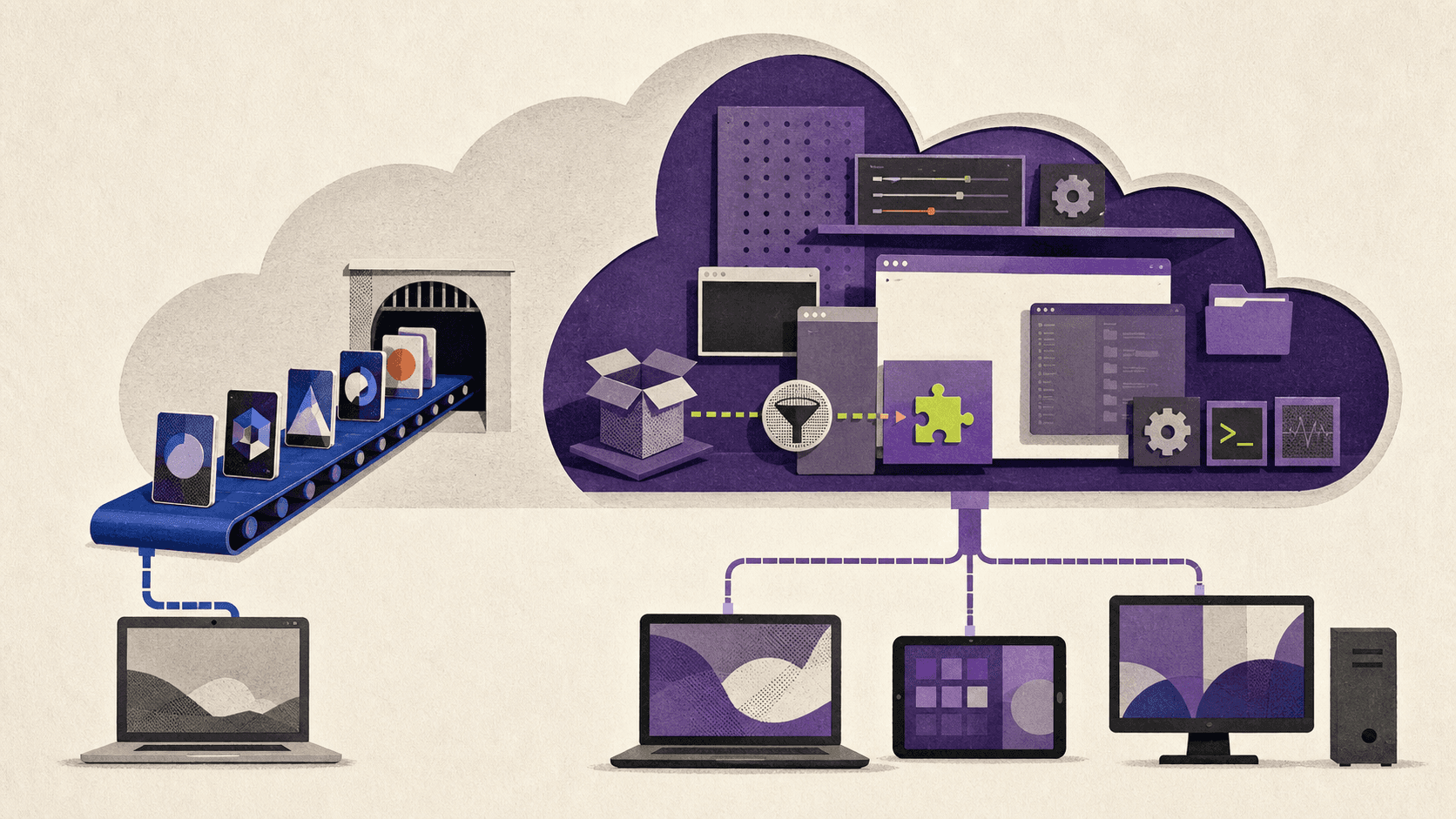
Xbox Cloud Gaming Alternatives With Full Desktop Access
ComputerPerformance
Xbox Cloud Gaming Alternatives With Full Desktop Access
ComputerPerformance
Xbox Cloud Gaming Alternatives With Full Desktop Access
ComputerPerformance
Table of Contents
If you need a Windows desktop where you can install launchers, owned games, mods, and other applications, another catalog-based streaming service isn’t the closest Xbox Cloud Gaming alternative. You need either a full cloud PC such as Vagon Cloud Computer, Shadow PC, or airgpu, or remote-play software connected to a gaming PC you already own.
GeForce NOW and Boosteroid can still be good choices when they support the games you want. They’re easier to use and may cost less, but they don’t provide unrestricted desktop access.
This guide is for players who want more control than Xbox cloud streaming offers, especially from a Mac, Android device, or low-spec computer. It isn’t for someone who simply wants the largest included game catalog with the least setup.
Pricing, plans, platforms, and availability were checked on August 25, 2026. Regional prices and features can change.
What Kind of Xbox Cloud Gaming Alternative Do You Need?
Xbox Cloud Gaming runs supported console games on Microsoft’s remote hardware and streams the result to your device. You can play most cloud-enabled Game Pass titles and selected games you own, but you don’t receive a Windows desktop or control over the underlying machine.
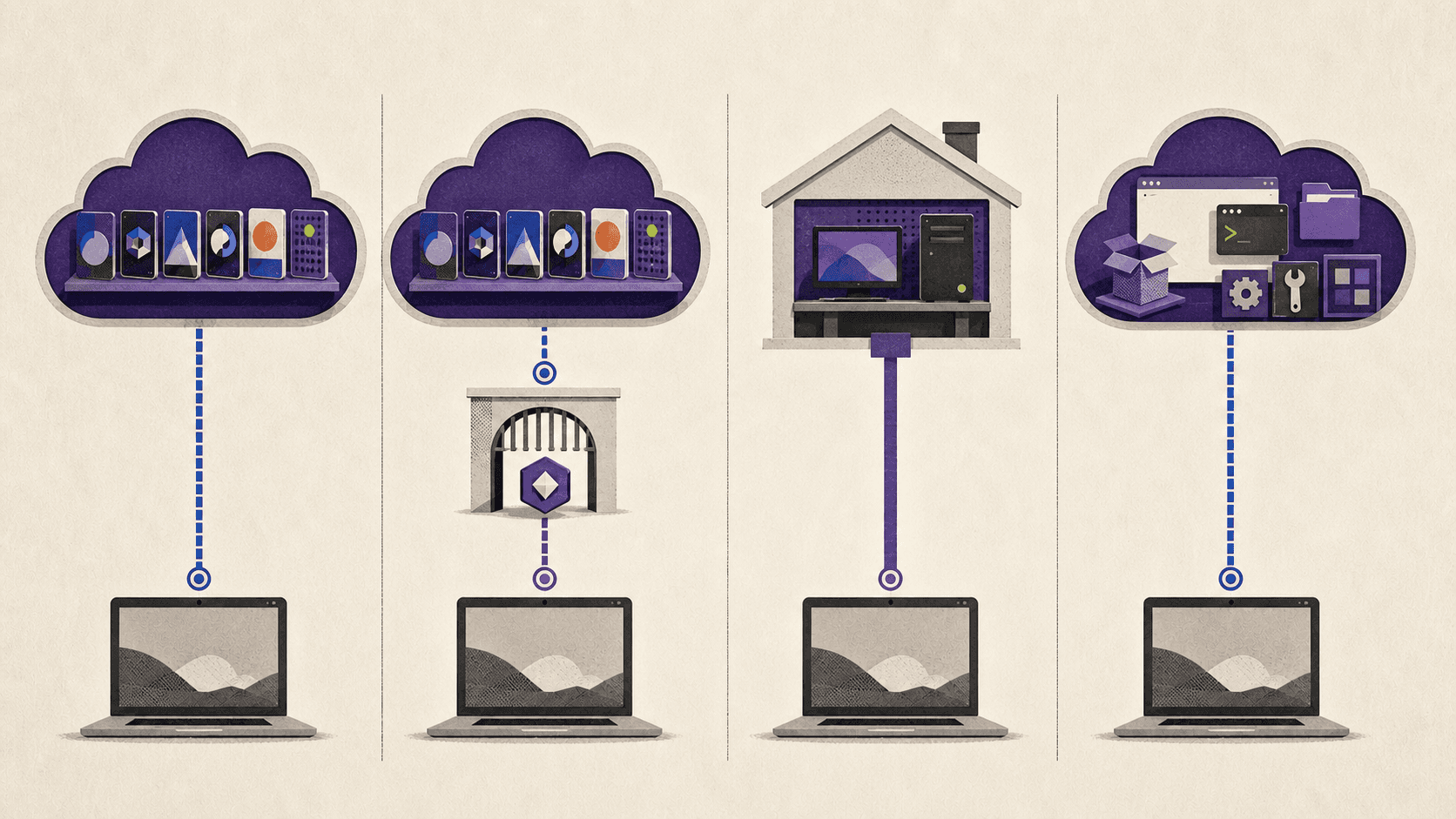
Alternatives fall into four different groups.
Catalog-based cloud gaming
A catalog service lets you choose from games that the provider has made available. The service manages the remote hardware, installation, and updates.
Xbox Cloud Gaming belongs in this group. Its strengths are convenience and access to games included with Game Pass. Its main limitation for this comparison is that you can’t install Windows applications, unsupported launchers, or arbitrary game files.
Bring-your-own-game streaming
Services such as GeForce NOW and Boosteroid connect to supported game stores and let you stream eligible games you already own. This gives you more library control than a subscription catalog, but only titles and storefront versions supported by the provider will run.
These services don’t expose a normal desktop. Even when you see a launcher or install a supported game, you’re still operating inside a managed gaming environment.
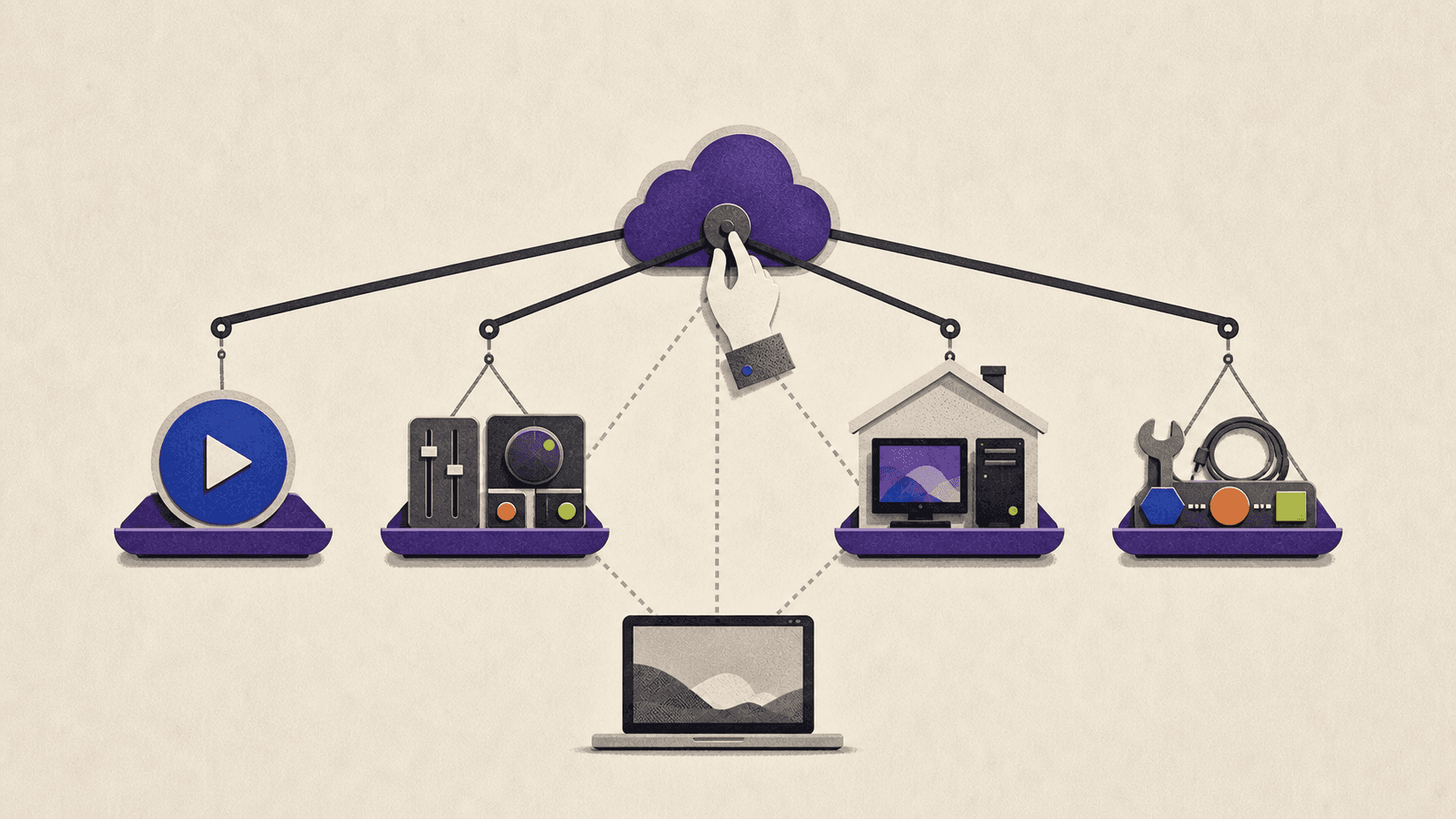
Self-hosted remote play
Moonlight and Parsec stream games or a desktop from another computer. They can give you extensive control because the host is your PC, but they don’t supply that PC.
This distinction matters when comparing free cloud gaming services. Free remote-play software isn’t a free cloud gaming PC if you still need to buy, maintain, power, and connect the host hardware.
Full cloud PCs
A full cloud PC supplies remote hardware and a general desktop. You install compatible launchers, games, mods, and applications much as you would on a local computer.
This is the category to prioritize if your goal is to use Steam, Epic Games Store, Battle.net, GOG, creative software, development tools, or other Windows applications from the same remote machine.
Desktop access still doesn’t guarantee universal game compatibility. Anti-cheat and DRM systems can detect or block virtual machines, so the exact game remains the final compatibility test.
Which Alternatives Provide a Full Desktop?
Service | Type | Full desktop | What can you install? | Host PC required? | Main clients | Verified free access | Pricing basis | Best fit |
|---|---|---|---|---|---|---|---|---|
Xbox Cloud Gaming | Catalog service | No | Nothing outside supported cloud games | No | Windows and browser, Apple and Android mobile devices, Xbox, selected TVs, Fire TV, and selected VR devices | Selected free-to-play games with a Microsoft account | Game Pass subscription for most games | Players who want an included console-game catalog |
Vagon Cloud Computer | Full cloud PC | Yes | Compatible Windows launchers, games, mods, and applications | No | Browser, Windows, macOS, tablets, and mobile devices | No free tier; trial starts at $0.99 | Per-minute compute plus monthly storage | Occasional or variable full-PC use |
Shadow PC | Full cloud PC | Yes | Compatible games, launchers, mods, and software | No | Windows, macOS, Linux, iOS, Android, browser, TVs, and Raspberry Pi | No general free trial verified | Fixed monthly subscription | Frequent users who want predictable monthly billing |
airgpu | Full cloud PC | Yes | Games and general software supported by its Windows environment | No | Most Windows, Linux, macOS, Android, and ChromeOS devices through Parsec or Moonlight | No free trial | Hourly compute plus monthly storage | Users who want hourly billing and more GPU or region choices |
GeForce NOW | Bring-your-own-game service | No | Supported Ready-to-Play and publisher-approved Install-to-Play games | No | Windows, macOS, Linux beta, ChromeOS, Android, iOS browser, handhelds, TVs, and browser | Ad-supported Free plan in eligible markets | Free, monthly, annual, or day pass | Supported PC game libraries with little setup |
Boosteroid | Bring-your-own-game service | No | Supported games from supported storefronts | No | Browser, Windows, macOS, Linux, Android, iOS browser, ChromeOS, and selected TVs | No general free tier or trial verified | Monthly or annual subscription | Long sessions with games in its supported library |
Moonlight with Sunshine | Self-hosted remote play | Yes, on your host | Anything your host PC can run | Yes | Windows, macOS, Linux, ChromeOS, Android, iOS, Apple TV, Raspberry Pi, and community ports | Free software | No software fee; user supplies the hardware | Gaming PC owners who want control and broad client support |
Parsec | Self-hosted remote play | Yes, on your host | Anything your host can run | Yes | Windows, macOS, Linux, Android, and Chromium browsers | Free for personal use | Free personal plan; paid feature upgrades | Existing PC owners who want easy desktop sharing |
The table exposes the most important dividing line: Vagon, Shadow, and airgpu supply both a remote computer and its desktop. Moonlight and Parsec supply the connection layer only. Xbox Cloud Gaming, GeForce NOW, and Boosteroid supply remote hardware without a general desktop.
Game access also differs. Xbox includes games through Game Pass and supports selected owned titles. GeForce NOW and Boosteroid usually require an existing game license from a supported store. Full cloud PCs require you to supply all necessary game and software licenses.
Which Full Cloud PC Fits Your Usage Pattern?
The three relevant full-desktop choices use different billing and access models. The right one depends less on a universal ranking and more on how often you play, how much storage you need, and which nearby regions offer suitable hardware.
Vagon Cloud Computer: flexible access for occasional use
Vagon Cloud Computer gives you a personal Windows desktop rather than a game-selection screen. You can manually install compatible applications and launchers, and the files on your computer remain available through its persistent storage plan.
Its main difference from Xbox Cloud Gaming is control. Xbox decides which cloud games can launch. With Vagon, you manage the Windows environment and install your own licensed software.
Vagon charges computer usage by the minute. Its currently published performance options and prices include:
Planet with four cores, 16 GB RAM, and an NVIDIA T4 at $0.99 per hour
Spark with four cores, 16 GB RAM, and an NVIDIA A10G at $1.67 per hour
Higher A10G configurations for more CPU and memory
Persistent Personal storage includes a 75 GB computer disk and starts at $7.99 per month. Additional disk space costs $5 for each 50 GB, up to a published maximum of 525 GB. Prices and machine availability can vary by region.
The current Vagon trial starts at $0.99. It includes one hour of Planet or equivalent Spark usage and seven days of storage, so it shouldn’t be presented as a free trial.
Vagon works in a browser across desktop, tablet, and mobile devices. It also provides native applications for Windows and macOS, while mobile access uses the browser-based experience.
This model makes the most sense when your usage changes from month to month. Someone playing for a few evenings or temporarily needing a Windows gaming PC from a Mac may prefer metered compute over a full monthly subscription.
The trade-offs are setup and cost management. You need to install your launchers and games, allow time for downloads, and account for both compute and storage. Vagon also doesn’t publish a definitive compatibility list for individual games, so anti-cheat support should be confirmed before committing to a large installation.
Shadow PC: predictable billing for frequent use
Shadow provides a persistent Windows PC with monthly billing. Its current consumer plans start with Neo Lite at $29.99 per month, followed by Neo at $37.99. Power options cost more and provide additional memory and GPU capacity.
You can install games from Steam, Epic Games Store, Battle.net, and other libraries, as well as mods and non-gaming software. Shadow supports Windows, macOS, Linux, iOS, Android, smart-TV platforms, Raspberry Pi, and browser access.
The fixed monthly price makes Shadow easier to budget for regular use. However, “monthly” no longer means completely unlimited.
Current limits for newly subscribed consumer plans include:
Lite plans: four-hour individual sessions and 120 hours of monthly PC uptime
Standard Neo and Power plans: six-hour sessions and 210 monthly uptime hours
Immediate reconnection after an individual session limit, provided the monthly quota hasn’t been exhausted
Shadow explains how its individual session limits work separately from its monthly fair-use quotas. Unused monthly hours don’t roll over, and Shadow currently doesn’t sell extra hours after a quota is exhausted.
Shadow’s strongest warning is game compatibility. Its current list of games affected by anti-cheat and virtual-machine restrictions includes titles using Riot Vanguard, Easy Anti-Cheat, EA AntiCheat, and other systems.
Fortnite, Valorant, League of Legends, Apex Legends, several Battlefield titles, and other popular games are among the documented examples. The list isn’t exhaustive.
Shadow is therefore a better fit for frequent use than for blindly assuming every multiplayer game will run.
airgpu: hourly billing with more configuration choices
airgpu supplies a Windows cloud PC for gaming and GPU-heavy applications. Users can install games through Steam, Epic Games Store, and other stores, along with general Windows software. Streaming is handled through Parsec or Moonlight.
Its published GPU choices include NVIDIA T4, L4, A10G, and L40S machines, plus several RTX workstation configurations in North America. Entry pricing starts at $0.65 per hour, depending on the selected hardware and location.
Storage is separate at $3.50 per month for each 50 GB, with a 100 GB minimum. There’s no current free trial.
airgpu lists locations across North America, Europe, Asia-Pacific, and Cape Town. It supports most Windows, Linux, macOS, Android, and ChromeOS client devices through its remote-streaming tools.
This option suits readers who want to choose a particular GPU or rent by the hour in a nearby location. It requires more setup than Xbox Cloud Gaming or Shadow because the user needs to configure the Windows machine and its streaming client.
As with other virtual machines, some anti-cheat-protected multiplayer games won’t work. airgpu advises users to check whether their intended games have known compatibility issues before creating a machine.
Comparing hourly and monthly costs
Hourly pricing isn’t automatically cheaper. It depends on how long the machine remains on.
For example, 20 hours on Vagon’s published $0.99 Planet rate would produce $19.80 in compute charges before storage, regional price differences, outbound data, or tax. At 50 hours, the same base compute rate would reach $49.50 before those additions.
That doesn’t prove which service will cost less for you. It shows why usage frequency matters. Downloads, game updates, installation, troubleshooting, and idle time can all consume billable compute hours.
A practical comparison should use your expected monthly hours, required disk size, nearest region, and suitable machine tier. If you play heavily throughout the month, Shadow’s fixed price may be easier to justify. If you need a cloud PC occasionally, Vagon or airgpu can avoid charging you for unused compute time.
When Are GeForce NOW or Boosteroid Better Choices?
Full desktop control isn’t always necessary. If your games already appear in a managed streaming library, GeForce NOW or Boosteroid can remove most of the installation and machine-management work.
GeForce NOW
GeForce NOW connects to stores including Steam, Epic Games Store, GOG, Ubisoft Connect, Battle.net, the EA app, and Xbox. You normally need to own the game or have access through a supported subscription, although free-to-play games are also available.
NVIDIA currently supports two game-access models:
Ready-to-Play titles are prepared and updated by NVIDIA.
Install-to-Play titles can be downloaded into GeForce NOW storage when their publishers have opted them into Steam Cloud Gaming.
NVIDIA’s documentation explains that Install-to-Play remains limited to eligible, publisher-approved Steam games. It makes the service more flexible, but it doesn’t turn GeForce NOW into a full cloud PC. Its storage can’t be used for arbitrary applications or unsupported game files.
Performance and Ultimate memberships receive 100 hours of premium playtime per month, with up to 15 unused hours rolling into the next month. Once the allowance is exhausted, users can purchase more premium time or continue with free-tier features until the monthly reset.
The Free plan doesn’t require a payment method. It uses basic rigs, can have queues, and shows up to two minutes of advertising before a session. Free sessions are limited to one hour, after which the player can rejoin the queue. Availability and rules may differ in regions operated by GeForce NOW Alliance partners.
In direct NVIDIA US pricing, Performance costs $9.99 per month and Ultimate costs $19.99 per month. Day passes and annual plans are also available.
Choose GeForce NOW when your library is supported and you care more about fast access than Windows control. Don’t choose it if you need a mod manager, emulator, unsupported launcher, or non-gaming desktop application.
Boosteroid
Boosteroid streams supported PC games to browsers, computers, mobile devices, and selected TVs. Its applications cover Windows, macOS, Linux, Android, and TV platforms, while iOS access is browser-based.
It uses a bring-your-own-game model for paid titles. You sign into the relevant store account and need a license for the exact storefront version Boosteroid supports. Owning a game on Epic doesn’t help if only its Steam version is available on the service.
Boosteroid advertises no individual session-duration limit. Its Ultra plan currently costs €12.89 per month, with annual pricing starting at the equivalent of €7.49 per month. No current general free tier or free trial was verified.
Boosteroid can be a sensible game streaming service for PC titles when its catalog matches your library. It isn’t a replacement for a Windows workstation because users can’t freely install launchers, mods, or other applications outside the supported game workflow.
Should You Use Moonlight or Parsec Instead?
Moonlight and Parsec solve a different problem. They let you reach a computer that already exists, whether it’s in your home or hosted somewhere else.
Moonlight with Sunshine
Moonlight is a free, open-source streaming client. Sunshine is its recommended host software. Together, they can stream games or the full desktop from your PC.
Moonlight clients are available for Windows, macOS, Linux, Android, iOS, ChromeOS, Apple TV, Raspberry Pi, and several community-supported platforms. If something appears on your host desktop, Moonlight can transmit it to a supported client.
That freedom comes from owning the host. You’re responsible for:
Buying and maintaining the gaming PC
Installing games and software
Keeping the host powered or configuring wake-on-LAN
Providing enough upload bandwidth
Securing remote network access
Troubleshooting controller and router issues
Moonlight is a strong option when you already own a suitable PC. It isn’t a standalone cloud gaming service and doesn’t provide free remote hardware.
Parsec
Parsec also provides low-latency desktop streaming. Its Personal plan is free for personal, non-commercial use and includes desktop capture plus keyboard, mouse, and gamepad support. Paid plans add features such as multiple monitors, enhanced color modes, virtual displays, and privacy controls.
Hosting is supported on Windows and macOS. Parsec’s current platform documentation lists clients for Windows, macOS, Linux, Android, and Chromium-based browsers. It doesn’t currently support iOS or iPadOS clients, and its Android client is classified as experimental.
Parsec can be easier to configure for desktop access and sharing than a game-focused tool. It also works as the streaming layer for some rented cloud machines, including airgpu.
For someone who already has a gaming PC, Parsec or Moonlight may offer the most control at the lowest additional service cost. For someone whose entire problem is not having that hardware, a hosted cloud PC is the more relevant comparison.
What Should You Check Before Choosing?
A cloud gaming PC can meet every feature requirement on paper and still be a poor choice if its nearest server is far away or the main game rejects virtual machines.
Use this checklist before paying:
Verify the exact game and storefront.
Check both the game title and where you own it. Managed services may support one store version but not another.Check anti-cheat and virtual-machine rules.
Full desktop access lets you install a game. It doesn’t force the game’s anti-cheat system to accept the virtual hardware.Find the nearest server region.
Physical distance affects latency. A faster GPU in a distant data center can feel worse than a more modest machine nearby.Test the intended device and connection.
Run the test from the same Mac, Android device, or low-spec PC you plan to use regularly. Ethernet or 5 GHz Wi-Fi is generally preferable to a crowded 2.4 GHz connection.Confirm input support.
Desktop browsers and mobile clients may handle controllers, keyboards, mice, microphones, or special peripherals differently.Calculate the complete cost.
Include compute, storage, data transfer, premium-hour overages, game licenses, and subscriptions. For self-hosting, include hardware, electricity, and home upload capacity.Allow enough storage.
A 75 GB system disk can fill quickly once Windows, launchers, and modern games are installed. Compare upgrade costs before creating the machine.Review session and monthly limits.
“Unlimited sessions” may coexist with a maximum length for each session or a monthly fair-use quota.Don’t treat bandwidth as a performance guarantee.
Xbox lists 10 Mbps as its minimum, with 20 Mbps recommended for some devices. Shadow recommends at least 15 Mbps download and 5 Mbps upload. airgpu recommends at least 10 Mbps download and 2 Mbps upload. GeForce NOW’s connection requirements begin at 15 Mbps for HD and increase for higher resolutions and frame rates.
Stable latency, packet loss, Wi-Fi conditions, and distance to the server matter alongside download speed.
Frequently Asked Questions
Is there a free cloud gaming PC with a full Windows desktop?
No recommended full cloud PC in this comparison has a verified unrestricted free tier.
Vagon’s starter trial begins at $0.99. Shadow and airgpu don’t currently offer general free trials. GeForce NOW has a free tier, but it only runs supported games and doesn’t provide desktop access.
Moonlight and Parsec can be free for personal use, but they require a compatible host computer. They’re free remote-play tools, not free cloud PCs.
Can I install any Steam game on a cloud PC?
A full cloud PC lets you install Steam and download licensed games, but “installable” doesn’t always mean “playable.” Anti-cheat, DRM, virtual-machine restrictions, operating-system requirements, and storage limitations can stop a game from working.
GeForce NOW and Boosteroid are more restricted. They only run games and store versions supported by their platforms.
Can I use mods on an Xbox Cloud Gaming alternative?
Full cloud PCs and self-hosted computers generally give you the file access needed for compatible mod managers, community patches, and manual modifications. The game’s rules and anti-cheat policies still apply.
Managed cloud gaming services support only limited, provider-approved mod workflows. GeForce NOW, for example, documents support for selected in-game mods and add-ons, not arbitrary Windows modding tools.
Does GeForce NOW give you a full desktop?
No. GeForce NOW’s Install-to-Play feature lets premium users install eligible, publisher-approved Steam games into game-specific cloud storage. It doesn’t expose a general Windows desktop or allow arbitrary software installation.
Can I use a cloud PC from a Mac or Android device?
Yes, although the access method varies.
Vagon provides a native macOS application and browser access for mobile devices. Shadow has native macOS, iOS, and Android clients. airgpu can be accessed through Parsec or Moonlight on supported devices.
Mobile access is useful, but check controller and keyboard support before subscribing. A service that technically opens on Android may not provide the control setup you need for a particular game or desktop application.
Is Xbox cloud storage the same as Xbox Cloud Gaming?
No. Xbox cloud storage generally refers to synchronized save data. Xbox Cloud Gaming runs supported games on remote hardware and streams the gameplay to your device.
The right choice comes down to the resource you’re missing. If you only need remote access to a PC you already own, start with Moonlight or Parsec. If your games are supported and you want minimal setup, compare GeForce NOW and Boosteroid. If you need both the remote hardware and the Windows desktop, compare Vagon, Shadow, and airgpu using your expected hours, storage, region, and exact games.
You can try Vagon Cloud Computer from $0.99 to test a full cloud desktop on your own device before committing to a longer-term setup.
If you need a Windows desktop where you can install launchers, owned games, mods, and other applications, another catalog-based streaming service isn’t the closest Xbox Cloud Gaming alternative. You need either a full cloud PC such as Vagon Cloud Computer, Shadow PC, or airgpu, or remote-play software connected to a gaming PC you already own.
GeForce NOW and Boosteroid can still be good choices when they support the games you want. They’re easier to use and may cost less, but they don’t provide unrestricted desktop access.
This guide is for players who want more control than Xbox cloud streaming offers, especially from a Mac, Android device, or low-spec computer. It isn’t for someone who simply wants the largest included game catalog with the least setup.
Pricing, plans, platforms, and availability were checked on August 25, 2026. Regional prices and features can change.
What Kind of Xbox Cloud Gaming Alternative Do You Need?
Xbox Cloud Gaming runs supported console games on Microsoft’s remote hardware and streams the result to your device. You can play most cloud-enabled Game Pass titles and selected games you own, but you don’t receive a Windows desktop or control over the underlying machine.
Alternatives fall into four different groups.
Catalog-based cloud gaming
A catalog service lets you choose from games that the provider has made available. The service manages the remote hardware, installation, and updates.
Xbox Cloud Gaming belongs in this group. Its strengths are convenience and access to games included with Game Pass. Its main limitation for this comparison is that you can’t install Windows applications, unsupported launchers, or arbitrary game files.
Bring-your-own-game streaming
Services such as GeForce NOW and Boosteroid connect to supported game stores and let you stream eligible games you already own. This gives you more library control than a subscription catalog, but only titles and storefront versions supported by the provider will run.
These services don’t expose a normal desktop. Even when you see a launcher or install a supported game, you’re still operating inside a managed gaming environment.
Self-hosted remote play
Moonlight and Parsec stream games or a desktop from another computer. They can give you extensive control because the host is your PC, but they don’t supply that PC.
This distinction matters when comparing free cloud gaming services. Free remote-play software isn’t a free cloud gaming PC if you still need to buy, maintain, power, and connect the host hardware.
Full cloud PCs
A full cloud PC supplies remote hardware and a general desktop. You install compatible launchers, games, mods, and applications much as you would on a local computer.
This is the category to prioritize if your goal is to use Steam, Epic Games Store, Battle.net, GOG, creative software, development tools, or other Windows applications from the same remote machine.
Desktop access still doesn’t guarantee universal game compatibility. Anti-cheat and DRM systems can detect or block virtual machines, so the exact game remains the final compatibility test.
Which Alternatives Provide a Full Desktop?
Service | Type | Full desktop | What can you install? | Host PC required? | Main clients | Verified free access | Pricing basis | Best fit |
|---|---|---|---|---|---|---|---|---|
Xbox Cloud Gaming | Catalog service | No | Nothing outside supported cloud games | No | Windows and browser, Apple and Android mobile devices, Xbox, selected TVs, Fire TV, and selected VR devices | Selected free-to-play games with a Microsoft account | Game Pass subscription for most games | Players who want an included console-game catalog |
Vagon Cloud Computer | Full cloud PC | Yes | Compatible Windows launchers, games, mods, and applications | No | Browser, Windows, macOS, tablets, and mobile devices | No free tier; trial starts at $0.99 | Per-minute compute plus monthly storage | Occasional or variable full-PC use |
Shadow PC | Full cloud PC | Yes | Compatible games, launchers, mods, and software | No | Windows, macOS, Linux, iOS, Android, browser, TVs, and Raspberry Pi | No general free trial verified | Fixed monthly subscription | Frequent users who want predictable monthly billing |
airgpu | Full cloud PC | Yes | Games and general software supported by its Windows environment | No | Most Windows, Linux, macOS, Android, and ChromeOS devices through Parsec or Moonlight | No free trial | Hourly compute plus monthly storage | Users who want hourly billing and more GPU or region choices |
GeForce NOW | Bring-your-own-game service | No | Supported Ready-to-Play and publisher-approved Install-to-Play games | No | Windows, macOS, Linux beta, ChromeOS, Android, iOS browser, handhelds, TVs, and browser | Ad-supported Free plan in eligible markets | Free, monthly, annual, or day pass | Supported PC game libraries with little setup |
Boosteroid | Bring-your-own-game service | No | Supported games from supported storefronts | No | Browser, Windows, macOS, Linux, Android, iOS browser, ChromeOS, and selected TVs | No general free tier or trial verified | Monthly or annual subscription | Long sessions with games in its supported library |
Moonlight with Sunshine | Self-hosted remote play | Yes, on your host | Anything your host PC can run | Yes | Windows, macOS, Linux, ChromeOS, Android, iOS, Apple TV, Raspberry Pi, and community ports | Free software | No software fee; user supplies the hardware | Gaming PC owners who want control and broad client support |
Parsec | Self-hosted remote play | Yes, on your host | Anything your host can run | Yes | Windows, macOS, Linux, Android, and Chromium browsers | Free for personal use | Free personal plan; paid feature upgrades | Existing PC owners who want easy desktop sharing |
The table exposes the most important dividing line: Vagon, Shadow, and airgpu supply both a remote computer and its desktop. Moonlight and Parsec supply the connection layer only. Xbox Cloud Gaming, GeForce NOW, and Boosteroid supply remote hardware without a general desktop.
Game access also differs. Xbox includes games through Game Pass and supports selected owned titles. GeForce NOW and Boosteroid usually require an existing game license from a supported store. Full cloud PCs require you to supply all necessary game and software licenses.
Which Full Cloud PC Fits Your Usage Pattern?
The three relevant full-desktop choices use different billing and access models. The right one depends less on a universal ranking and more on how often you play, how much storage you need, and which nearby regions offer suitable hardware.
Vagon Cloud Computer: flexible access for occasional use
Vagon Cloud Computer gives you a personal Windows desktop rather than a game-selection screen. You can manually install compatible applications and launchers, and the files on your computer remain available through its persistent storage plan.
Its main difference from Xbox Cloud Gaming is control. Xbox decides which cloud games can launch. With Vagon, you manage the Windows environment and install your own licensed software.
Vagon charges computer usage by the minute. Its currently published performance options and prices include:
Planet with four cores, 16 GB RAM, and an NVIDIA T4 at $0.99 per hour
Spark with four cores, 16 GB RAM, and an NVIDIA A10G at $1.67 per hour
Higher A10G configurations for more CPU and memory
Persistent Personal storage includes a 75 GB computer disk and starts at $7.99 per month. Additional disk space costs $5 for each 50 GB, up to a published maximum of 525 GB. Prices and machine availability can vary by region.
The current Vagon trial starts at $0.99. It includes one hour of Planet or equivalent Spark usage and seven days of storage, so it shouldn’t be presented as a free trial.
Vagon works in a browser across desktop, tablet, and mobile devices. It also provides native applications for Windows and macOS, while mobile access uses the browser-based experience.
This model makes the most sense when your usage changes from month to month. Someone playing for a few evenings or temporarily needing a Windows gaming PC from a Mac may prefer metered compute over a full monthly subscription.
The trade-offs are setup and cost management. You need to install your launchers and games, allow time for downloads, and account for both compute and storage. Vagon also doesn’t publish a definitive compatibility list for individual games, so anti-cheat support should be confirmed before committing to a large installation.
Shadow PC: predictable billing for frequent use
Shadow provides a persistent Windows PC with monthly billing. Its current consumer plans start with Neo Lite at $29.99 per month, followed by Neo at $37.99. Power options cost more and provide additional memory and GPU capacity.
You can install games from Steam, Epic Games Store, Battle.net, and other libraries, as well as mods and non-gaming software. Shadow supports Windows, macOS, Linux, iOS, Android, smart-TV platforms, Raspberry Pi, and browser access.
The fixed monthly price makes Shadow easier to budget for regular use. However, “monthly” no longer means completely unlimited.
Current limits for newly subscribed consumer plans include:
Lite plans: four-hour individual sessions and 120 hours of monthly PC uptime
Standard Neo and Power plans: six-hour sessions and 210 monthly uptime hours
Immediate reconnection after an individual session limit, provided the monthly quota hasn’t been exhausted
Shadow explains how its individual session limits work separately from its monthly fair-use quotas. Unused monthly hours don’t roll over, and Shadow currently doesn’t sell extra hours after a quota is exhausted.
Shadow’s strongest warning is game compatibility. Its current list of games affected by anti-cheat and virtual-machine restrictions includes titles using Riot Vanguard, Easy Anti-Cheat, EA AntiCheat, and other systems.
Fortnite, Valorant, League of Legends, Apex Legends, several Battlefield titles, and other popular games are among the documented examples. The list isn’t exhaustive.
Shadow is therefore a better fit for frequent use than for blindly assuming every multiplayer game will run.
airgpu: hourly billing with more configuration choices
airgpu supplies a Windows cloud PC for gaming and GPU-heavy applications. Users can install games through Steam, Epic Games Store, and other stores, along with general Windows software. Streaming is handled through Parsec or Moonlight.
Its published GPU choices include NVIDIA T4, L4, A10G, and L40S machines, plus several RTX workstation configurations in North America. Entry pricing starts at $0.65 per hour, depending on the selected hardware and location.
Storage is separate at $3.50 per month for each 50 GB, with a 100 GB minimum. There’s no current free trial.
airgpu lists locations across North America, Europe, Asia-Pacific, and Cape Town. It supports most Windows, Linux, macOS, Android, and ChromeOS client devices through its remote-streaming tools.
This option suits readers who want to choose a particular GPU or rent by the hour in a nearby location. It requires more setup than Xbox Cloud Gaming or Shadow because the user needs to configure the Windows machine and its streaming client.
As with other virtual machines, some anti-cheat-protected multiplayer games won’t work. airgpu advises users to check whether their intended games have known compatibility issues before creating a machine.
Comparing hourly and monthly costs
Hourly pricing isn’t automatically cheaper. It depends on how long the machine remains on.
For example, 20 hours on Vagon’s published $0.99 Planet rate would produce $19.80 in compute charges before storage, regional price differences, outbound data, or tax. At 50 hours, the same base compute rate would reach $49.50 before those additions.
That doesn’t prove which service will cost less for you. It shows why usage frequency matters. Downloads, game updates, installation, troubleshooting, and idle time can all consume billable compute hours.
A practical comparison should use your expected monthly hours, required disk size, nearest region, and suitable machine tier. If you play heavily throughout the month, Shadow’s fixed price may be easier to justify. If you need a cloud PC occasionally, Vagon or airgpu can avoid charging you for unused compute time.
When Are GeForce NOW or Boosteroid Better Choices?
Full desktop control isn’t always necessary. If your games already appear in a managed streaming library, GeForce NOW or Boosteroid can remove most of the installation and machine-management work.
GeForce NOW
GeForce NOW connects to stores including Steam, Epic Games Store, GOG, Ubisoft Connect, Battle.net, the EA app, and Xbox. You normally need to own the game or have access through a supported subscription, although free-to-play games are also available.
NVIDIA currently supports two game-access models:
Ready-to-Play titles are prepared and updated by NVIDIA.
Install-to-Play titles can be downloaded into GeForce NOW storage when their publishers have opted them into Steam Cloud Gaming.
NVIDIA’s documentation explains that Install-to-Play remains limited to eligible, publisher-approved Steam games. It makes the service more flexible, but it doesn’t turn GeForce NOW into a full cloud PC. Its storage can’t be used for arbitrary applications or unsupported game files.
Performance and Ultimate memberships receive 100 hours of premium playtime per month, with up to 15 unused hours rolling into the next month. Once the allowance is exhausted, users can purchase more premium time or continue with free-tier features until the monthly reset.
The Free plan doesn’t require a payment method. It uses basic rigs, can have queues, and shows up to two minutes of advertising before a session. Free sessions are limited to one hour, after which the player can rejoin the queue. Availability and rules may differ in regions operated by GeForce NOW Alliance partners.
In direct NVIDIA US pricing, Performance costs $9.99 per month and Ultimate costs $19.99 per month. Day passes and annual plans are also available.
Choose GeForce NOW when your library is supported and you care more about fast access than Windows control. Don’t choose it if you need a mod manager, emulator, unsupported launcher, or non-gaming desktop application.
Boosteroid
Boosteroid streams supported PC games to browsers, computers, mobile devices, and selected TVs. Its applications cover Windows, macOS, Linux, Android, and TV platforms, while iOS access is browser-based.
It uses a bring-your-own-game model for paid titles. You sign into the relevant store account and need a license for the exact storefront version Boosteroid supports. Owning a game on Epic doesn’t help if only its Steam version is available on the service.
Boosteroid advertises no individual session-duration limit. Its Ultra plan currently costs €12.89 per month, with annual pricing starting at the equivalent of €7.49 per month. No current general free tier or free trial was verified.
Boosteroid can be a sensible game streaming service for PC titles when its catalog matches your library. It isn’t a replacement for a Windows workstation because users can’t freely install launchers, mods, or other applications outside the supported game workflow.
Should You Use Moonlight or Parsec Instead?
Moonlight and Parsec solve a different problem. They let you reach a computer that already exists, whether it’s in your home or hosted somewhere else.
Moonlight with Sunshine
Moonlight is a free, open-source streaming client. Sunshine is its recommended host software. Together, they can stream games or the full desktop from your PC.
Moonlight clients are available for Windows, macOS, Linux, Android, iOS, ChromeOS, Apple TV, Raspberry Pi, and several community-supported platforms. If something appears on your host desktop, Moonlight can transmit it to a supported client.
That freedom comes from owning the host. You’re responsible for:
Buying and maintaining the gaming PC
Installing games and software
Keeping the host powered or configuring wake-on-LAN
Providing enough upload bandwidth
Securing remote network access
Troubleshooting controller and router issues
Moonlight is a strong option when you already own a suitable PC. It isn’t a standalone cloud gaming service and doesn’t provide free remote hardware.
Parsec
Parsec also provides low-latency desktop streaming. Its Personal plan is free for personal, non-commercial use and includes desktop capture plus keyboard, mouse, and gamepad support. Paid plans add features such as multiple monitors, enhanced color modes, virtual displays, and privacy controls.
Hosting is supported on Windows and macOS. Parsec’s current platform documentation lists clients for Windows, macOS, Linux, Android, and Chromium-based browsers. It doesn’t currently support iOS or iPadOS clients, and its Android client is classified as experimental.
Parsec can be easier to configure for desktop access and sharing than a game-focused tool. It also works as the streaming layer for some rented cloud machines, including airgpu.
For someone who already has a gaming PC, Parsec or Moonlight may offer the most control at the lowest additional service cost. For someone whose entire problem is not having that hardware, a hosted cloud PC is the more relevant comparison.
What Should You Check Before Choosing?
A cloud gaming PC can meet every feature requirement on paper and still be a poor choice if its nearest server is far away or the main game rejects virtual machines.
Use this checklist before paying:
Verify the exact game and storefront.
Check both the game title and where you own it. Managed services may support one store version but not another.Check anti-cheat and virtual-machine rules.
Full desktop access lets you install a game. It doesn’t force the game’s anti-cheat system to accept the virtual hardware.Find the nearest server region.
Physical distance affects latency. A faster GPU in a distant data center can feel worse than a more modest machine nearby.Test the intended device and connection.
Run the test from the same Mac, Android device, or low-spec PC you plan to use regularly. Ethernet or 5 GHz Wi-Fi is generally preferable to a crowded 2.4 GHz connection.Confirm input support.
Desktop browsers and mobile clients may handle controllers, keyboards, mice, microphones, or special peripherals differently.Calculate the complete cost.
Include compute, storage, data transfer, premium-hour overages, game licenses, and subscriptions. For self-hosting, include hardware, electricity, and home upload capacity.Allow enough storage.
A 75 GB system disk can fill quickly once Windows, launchers, and modern games are installed. Compare upgrade costs before creating the machine.Review session and monthly limits.
“Unlimited sessions” may coexist with a maximum length for each session or a monthly fair-use quota.Don’t treat bandwidth as a performance guarantee.
Xbox lists 10 Mbps as its minimum, with 20 Mbps recommended for some devices. Shadow recommends at least 15 Mbps download and 5 Mbps upload. airgpu recommends at least 10 Mbps download and 2 Mbps upload. GeForce NOW’s connection requirements begin at 15 Mbps for HD and increase for higher resolutions and frame rates.
Stable latency, packet loss, Wi-Fi conditions, and distance to the server matter alongside download speed.
Frequently Asked Questions
Is there a free cloud gaming PC with a full Windows desktop?
No recommended full cloud PC in this comparison has a verified unrestricted free tier.
Vagon’s starter trial begins at $0.99. Shadow and airgpu don’t currently offer general free trials. GeForce NOW has a free tier, but it only runs supported games and doesn’t provide desktop access.
Moonlight and Parsec can be free for personal use, but they require a compatible host computer. They’re free remote-play tools, not free cloud PCs.
Can I install any Steam game on a cloud PC?
A full cloud PC lets you install Steam and download licensed games, but “installable” doesn’t always mean “playable.” Anti-cheat, DRM, virtual-machine restrictions, operating-system requirements, and storage limitations can stop a game from working.
GeForce NOW and Boosteroid are more restricted. They only run games and store versions supported by their platforms.
Can I use mods on an Xbox Cloud Gaming alternative?
Full cloud PCs and self-hosted computers generally give you the file access needed for compatible mod managers, community patches, and manual modifications. The game’s rules and anti-cheat policies still apply.
Managed cloud gaming services support only limited, provider-approved mod workflows. GeForce NOW, for example, documents support for selected in-game mods and add-ons, not arbitrary Windows modding tools.
Does GeForce NOW give you a full desktop?
No. GeForce NOW’s Install-to-Play feature lets premium users install eligible, publisher-approved Steam games into game-specific cloud storage. It doesn’t expose a general Windows desktop or allow arbitrary software installation.
Can I use a cloud PC from a Mac or Android device?
Yes, although the access method varies.
Vagon provides a native macOS application and browser access for mobile devices. Shadow has native macOS, iOS, and Android clients. airgpu can be accessed through Parsec or Moonlight on supported devices.
Mobile access is useful, but check controller and keyboard support before subscribing. A service that technically opens on Android may not provide the control setup you need for a particular game or desktop application.
Is Xbox cloud storage the same as Xbox Cloud Gaming?
No. Xbox cloud storage generally refers to synchronized save data. Xbox Cloud Gaming runs supported games on remote hardware and streams the gameplay to your device.
The right choice comes down to the resource you’re missing. If you only need remote access to a PC you already own, start with Moonlight or Parsec. If your games are supported and you want minimal setup, compare GeForce NOW and Boosteroid. If you need both the remote hardware and the Windows desktop, compare Vagon, Shadow, and airgpu using your expected hours, storage, region, and exact games.
You can try Vagon Cloud Computer from $0.99 to test a full cloud desktop on your own device before committing to a longer-term setup.
Get Beyond Your Computer Performance
Run applications on your cloud computer with the latest generation hardware. No more crashes or lags.

Trial includes 1 hour usage + 7 days of storage.
Summarize with AI

Ready to focus on your creativity?
Vagon gives you the ability to create & render projects, collaborate, and stream applications with the power of the best hardware.

Run heavy applications on any device with
your personal computer on the cloud.
San Francisco, California
Solutions
Vagon Teams
Vagon Streams
Use Cases
© 2026 Vagon. All rights reserved.
Run heavy applications on any device with
your personal computer on the cloud.
San Francisco, California
Solutions
Vagon Teams
Vagon Streams
Use Cases
© 2026 Vagon. All rights reserved.
Run heavy applications on any device with
your personal computer on the cloud.
San Francisco, California
Solutions
Vagon Teams
Vagon Streams
Use Cases
© 2026 Vagon. All rights reserved.