Instant Connection for Pixel Streaming
— New Feature Automated Setup

Best Unity Asset Store Assets & 3D Models in 2026
GameDev
Best Unity Asset Store Assets & 3D Models in 2026
GameDev
Best Unity Asset Store Assets & 3D Models in 2026
GameDev
Table of Contents
The best Unity Asset Store assets are not necessarily the biggest packs or the ones with the highest ratings. They are the ones that match your project’s art direction, render pipeline, performance budget, and license requirements without creating weeks of cleanup work.
For a new Unity project in 2026, URP support is a sensible starting point. From there, look for a consistent visual style, a recent support history, clear technical information, and a package you can test before building the rest of your game around it.
The selection below covers free and paid environments, characters, animation, VFX, and a smaller set of 2D options. Prices were checked in September 2026 and may change.
What Should You Check Before Choosing A Unity Asset?
A polished store page can tell you what an asset looks like. It cannot tell you whether that asset belongs in your game.
Start with five practical questions:
Does it support your Unity version and render pipeline?
Does its style match the rest of your game?
Is it suitable for your target hardware?
Can your team use it under the listed license?
Is there enough documentation or publisher support to solve integration problems?
Render pipeline support deserves special attention. Unity is shifting its focus toward URP and plans to begin deprecating the Built-in Render Pipeline with Unity 6.5. Built-in will not disappear immediately, but Unity does not recommend it for new titles. If you are starting from scratch, an asset with explicit URP support is generally a safer choice than one built only for Built-in.
Compatibility should always be stated by the listing or publisher. Do not assume that an HDRP asset will work in URP, or that Unity’s material conversion tools will preserve every shader and visual effect.
The current storefront uses marketplace.unity.com for many product pages, but it is still the Unity Asset Store. References to a “new Unity Asset Store” usually mean the redesigned web experience, not a separate library or license system.
The Best Unity 3D Assets For Different Types Of Projects
There is no useful way to rank a stylized city, a realistic forest, and a modular character system against one another. A better approach is to choose by production need.
Asset | Price | Best for | Supported pipelines | Main limitation |
|---|---|---|---|---|
Free | Learning and quick prototypes | Built-in, URP | Limited sample with no character animations | |
$20 | Stylized urban games | Built-in, URP | Recognizable art style and no stated HDRP support | |
Free | Medieval URP prototypes | URP | Built-in and HDRP are not supported | |
$60 | Realistic outdoor scenes | Built-in, URP, HDRP | Large package that needs careful profiling | |
$49 | Modular characters and crowds | Built-in, URP, HDRP | Its character style must fit the wider project |
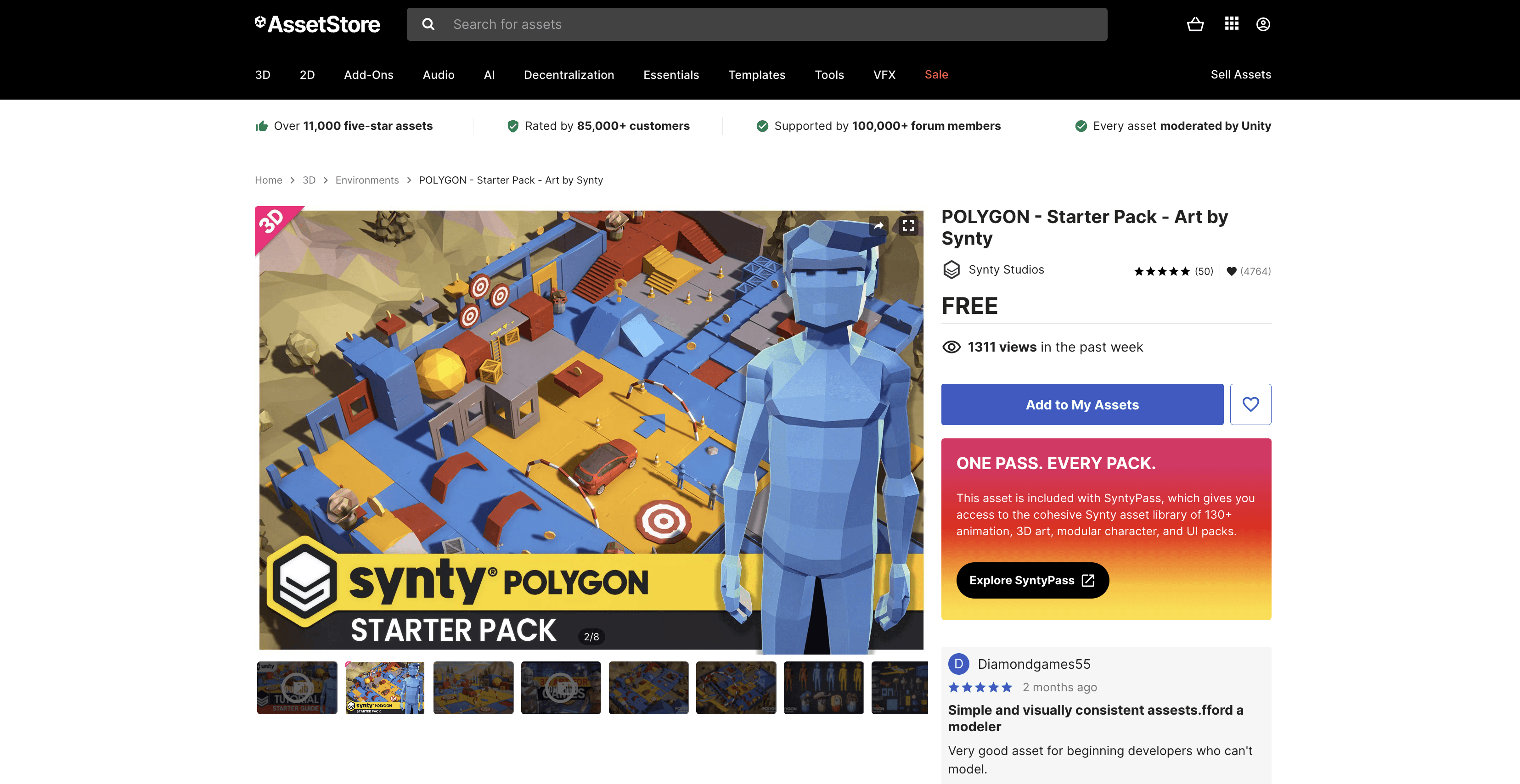
POLYGON - Starter Pack: a free starting point for low-poly prototypes
Synty Studios’ POLYGON Starter Pack is a practical first download for beginners and game-jam teams. It includes a small selection of environments, props, and characters in one consistent low-poly style.
That consistency is its main advantage. Instead of combining unrelated free Unity assets, you can build a readable prototype with pieces that already look like they belong together. The characters are prepared for Mecanim, but animations are not included. The publisher states support for Unity 2022.3 and later, Built-in, and URP, but not HDRP.
Use it to test the POLYGON workflow and visual style. If the project grows, you can decide whether a larger pack makes sense without making an expensive first purchase.
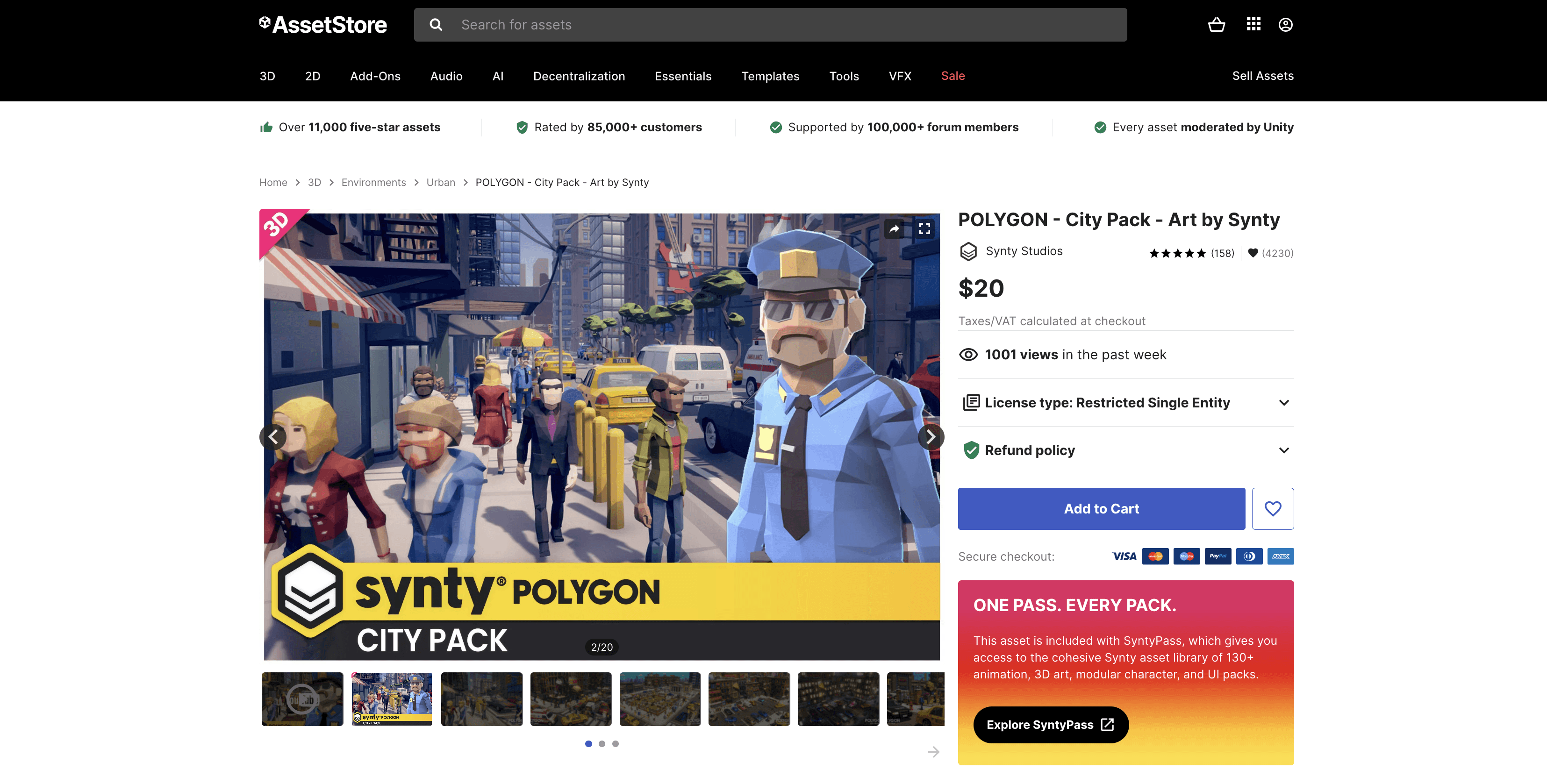
POLYGON - City Pack: a complete stylized city kit
POLYGON City Pack is the stronger option when the game needs buildings, streets, vehicles, props, and characters that share the same visual language. It is broad enough to create a recognizable urban setting without sourcing every object separately.
The pack supports Unity 2022.3 and later, Built-in, and URP. Its characters use Mecanim, though animations are not included.
The biggest limitation is also part of its appeal: Synty’s POLYGON style is immediately recognizable. A small team can build scenes quickly, but an unchanged pack can make the finished game look similar to other projects using the same assets. Custom lighting, materials, level composition, and a few original hero objects can help give the world its own identity.
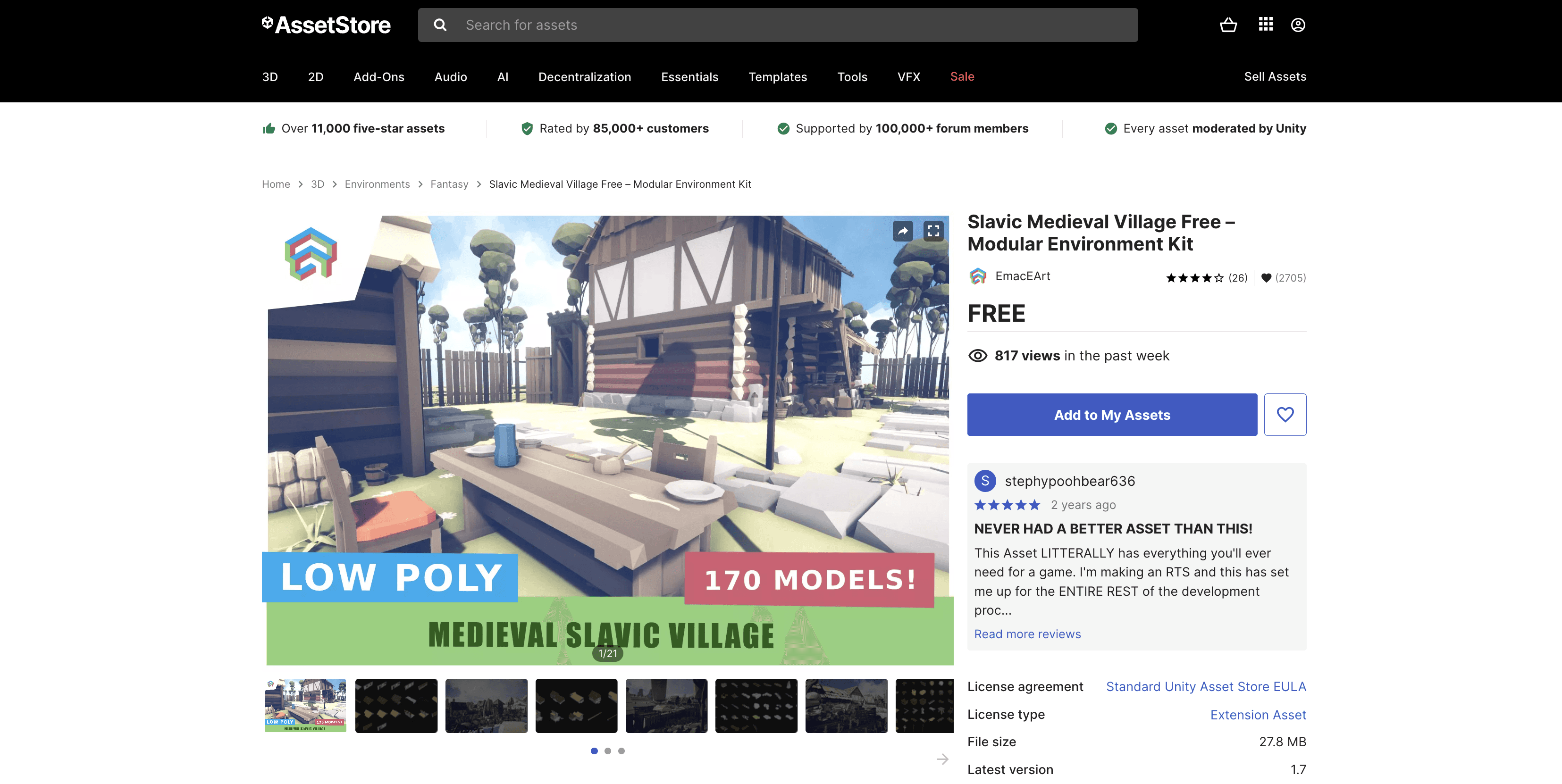
Slavic Medieval Village Free: a focused medieval environment
Slavic Medieval Village Free is a good fit for developers building a medieval or fantasy prototype in URP. Its modular structure makes it more useful than a single finished scene because buildings and props can be rearranged into different layouts.
The compatibility boundary is clear: the listing supports URP and marks Built-in and HDRP as incompatible. That makes it easy to recommend for the right project and easy to reject for the wrong one.
This is an important habit when browsing the store. A smaller package with a clear technical target can be more useful than a larger one that leaves pipeline support ambiguous.
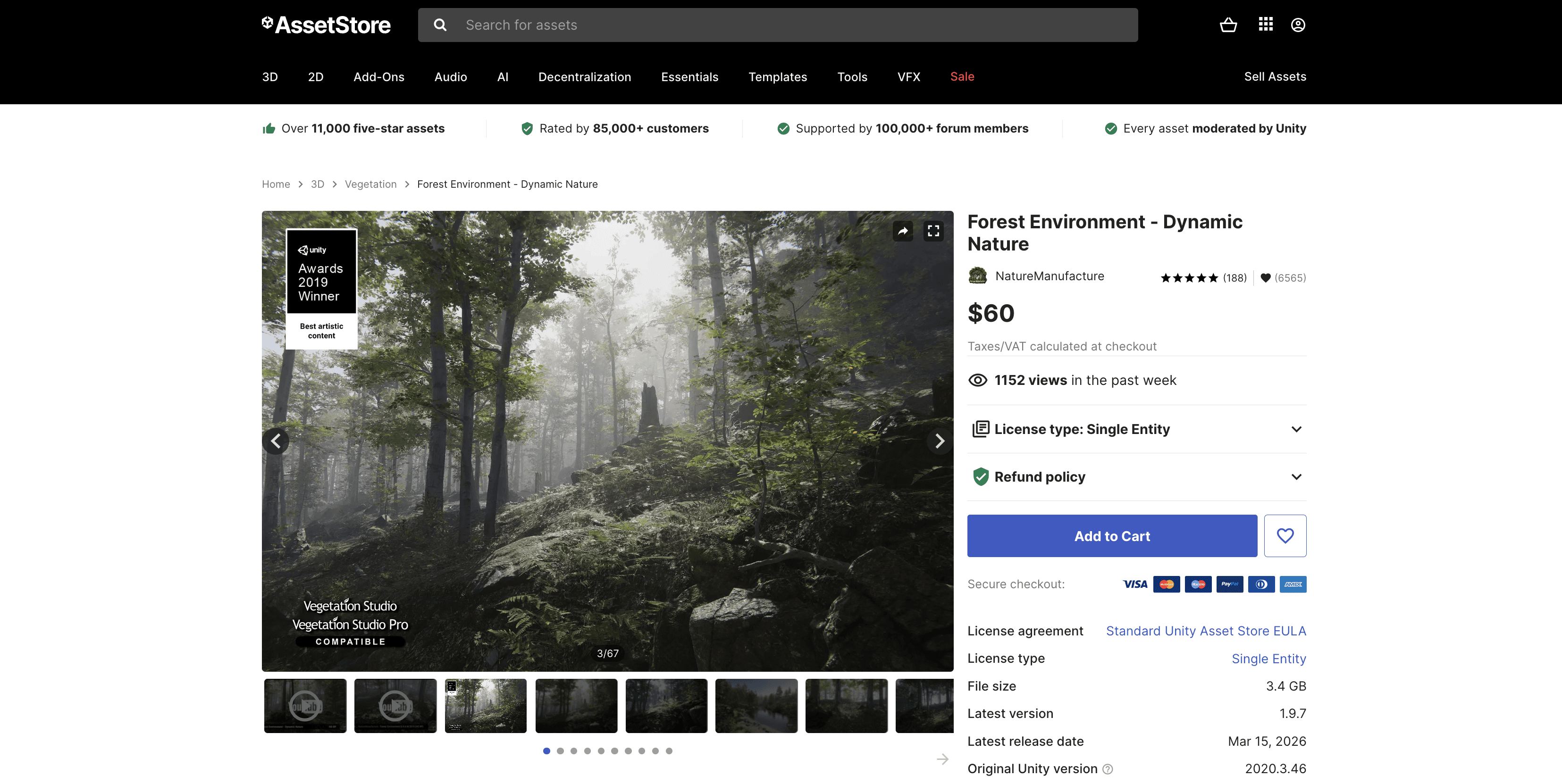
Forest Environment - Dynamic Nature: a realistic forest with broad pipeline support
Forest Environment - Dynamic Nature from NatureManufacture is the realistic option in this list. Its store page explicitly covers Built-in, URP, and HDRP across several Unity versions, including Unity 6 releases.
The package is best suited to games, simulations, or visualization projects that need a detailed natural environment. Its broad compatibility makes it easier to consider for an existing production where changing render pipelines is not realistic.
The trade-off is scale. At roughly 3.4 GB, this is not a lightweight set of placeholder trees. Vegetation can affect geometry load, shadows, texture memory, transparency, and draw calls. Test a representative forest on your weakest target device before deciding how densely to use it.
Advanced People Pack 2: modular characters for crowds and variation
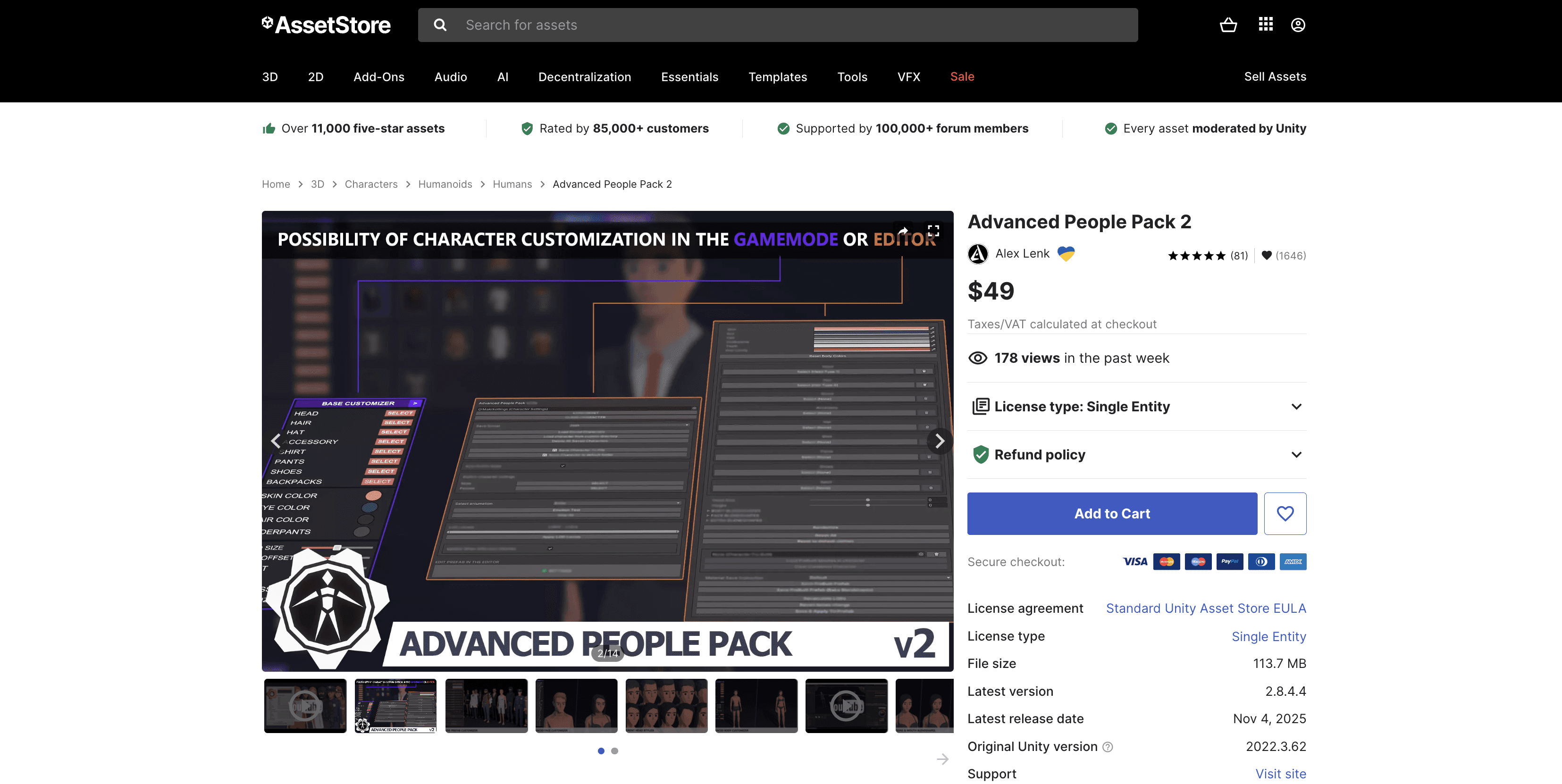
Advanced People Pack 2 is aimed at projects that need customizable low-poly people rather than one highly detailed hero character. It can suit city scenes, simulation projects, management games, or any environment that needs a varied background population.
The listing supports Built-in, URP, and HDRP on its specified Unity 6 and Unity 2022.3 versions. That makes it one of the more flexible character options in this group.
Its value depends on art direction. A modular character system only saves time when its proportions, materials, rig, and customization workflow fit the rest of the game. Test character scale and animation retargeting before producing a large cast.
Which Animation And VFX Assets Complete The Scene?
Environment and character models are only part of a playable presentation. Characters need movement, and actions need visual feedback.
Human Mega Animations Pack Lite I
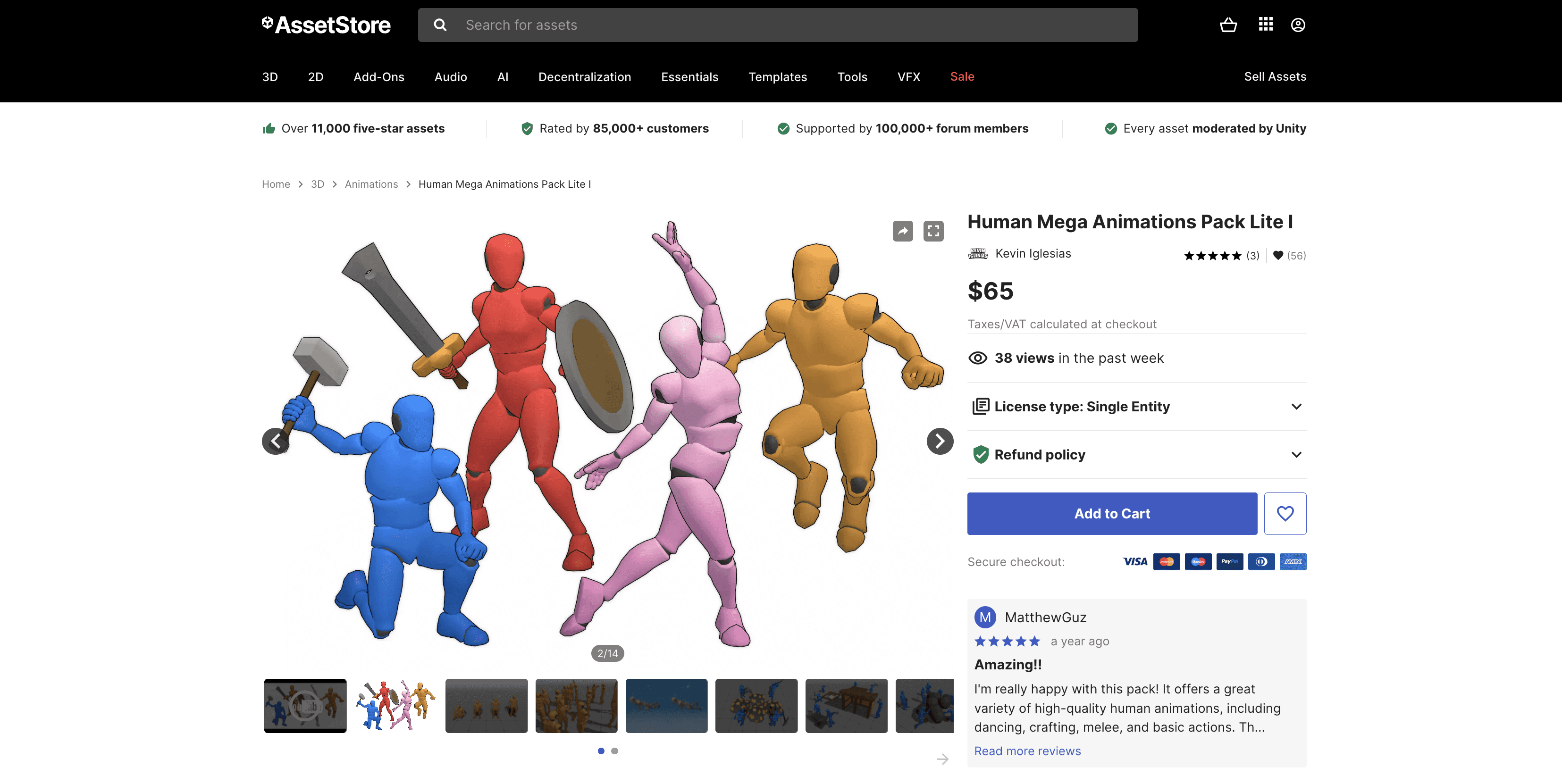
Human Mega Animations Pack Lite I is a current Unity 6-focused option for humanoid animation. The listing supports Built-in, URP, and HDRP. It is useful for teams that have suitable character models but still need a starting library of human motions.
Its public review sample was still small when this guide was prepared. Check the exact clip list before buying, then confirm root motion, avatar configuration, animation events, and retargeting quality with your own characters.
All In 1 Vfx Toolkit
All In 1 Vfx Toolkit is a broader effects option for stylized projects. It supports all three main pipelines and covers effects such as particles, smoke, sparks, explosions, and distortion.
Its pipeline support does not guarantee that every effect will fit your performance budget. Particle counts, transparent layers, screen coverage, and shader complexity can be especially expensive on mobile. Test the effects inside a scene that resembles the actual game rather than judging them in an isolated demo.

Which 2D assets In The Unity Asset Store Are Useful?
The same selection rules apply to 2D assets. Before downloading a large pack, check its pixel density, sprite slicing, tilemap setup, animation frames, shader requirements, and UI scaling.
M Farm RPG Assets Pack
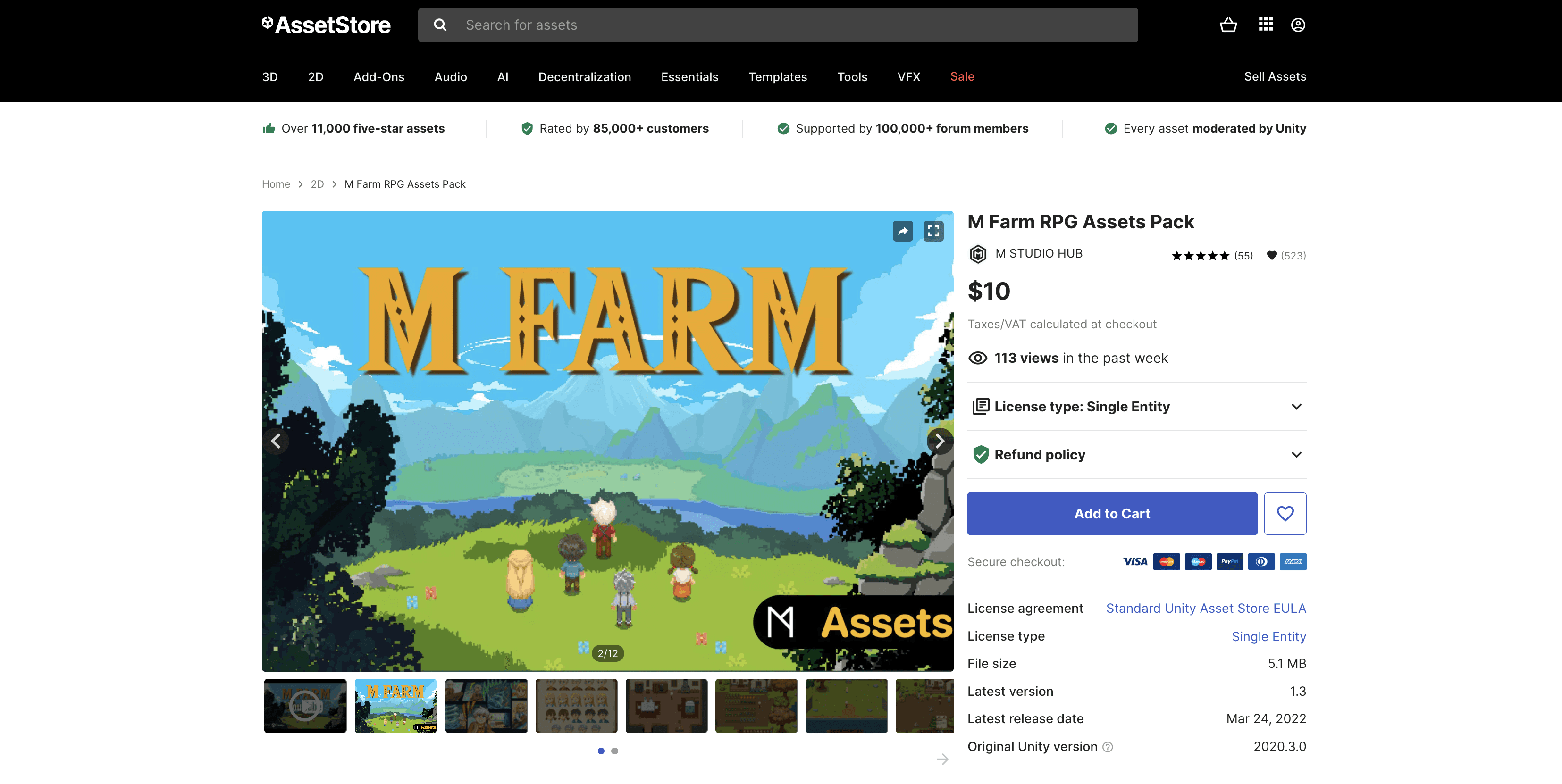
M Farm RPG Assets Pack is an affordable option for top-down farm and RPG projects. It has a focused pixel-art style and supports Built-in and URP. HDRP is not supported.
Its age is the main caution. The pack has not been updated as recently as the main 3D recommendations, so test it in a current Unity 6 project before planning the whole production around it. A 2D art pack may not rely on complex rendering features, but import settings and project structure can still create friction.
2D Game Kit
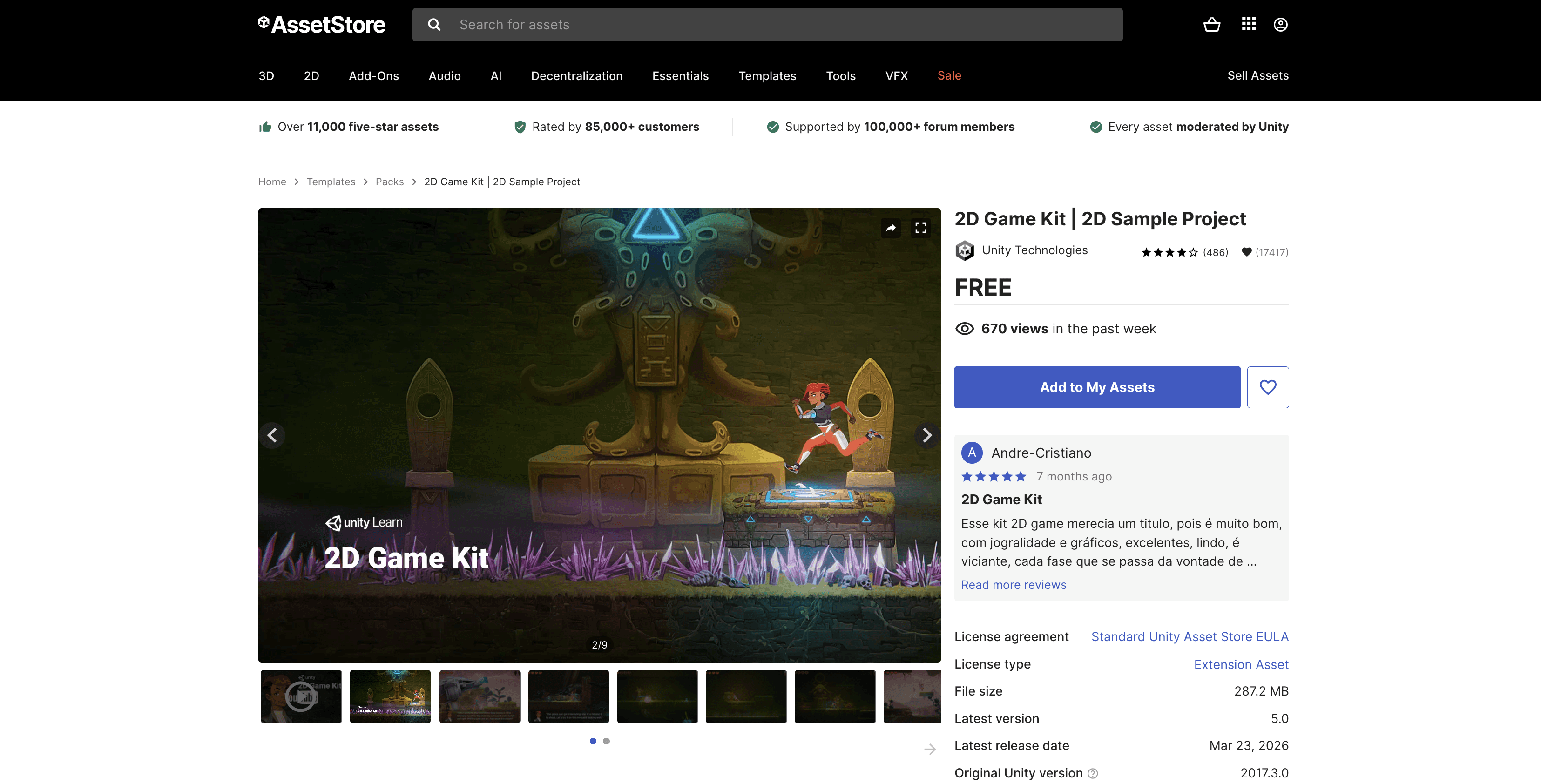
2D Game Kit from Unity Technologies serves a different purpose. It is a free complete project that can help beginners understand how 2D scenes, interactions, and project systems fit together.
It is better treated as a learning reference than as a production-ready art library. Its listing points to an older original Unity version and does not clearly state current render pipeline compatibility.
How Do I Download Assets For Unity?
The current process starts on the Asset Store website and continues in the Unity Editor’s Package Manager.
Sign in to the Asset Store with your Unity ID.
Select Add to My Assets for a free package, or complete checkout for a paid package.
Open your project and sign in to the Editor with the same Unity ID.
Go to Window > Package Management > Package Manager.
Select My Assets and find the package.
For a standard Asset Store package, select Download and then Import.
For a UPM package, select Install.
When importing a standard package, Unity lets you review its contents. Clear files you do not need, especially demo scenes or optional integrations that could add unwanted dependencies.
Complete projects require more care because they can include their own Project Settings. If Unity offers the option to open the package as a temporary project, use it. You can inspect the asset without risking the settings in your main production.
After importing, check the Console for errors, open the publisher’s setup guide, and inspect the materials. Pink materials usually indicate a missing or incompatible shader, often caused by a render pipeline mismatch.
Before a large import, commit your current work or create a backup. Adding one package at a time makes it much easier to identify overwritten settings, duplicate files, and new warnings.
Can I Use Free Unity Assets In My Game?
Usually, yes. If a free asset uses the Standard Unity Asset Store EULA, it can generally be incorporated into a larger original game or digital product, including a commercial one, as long as you follow the license conditions.
Free refers to the price. It does not mean public domain, unrestricted ownership, or permission to redistribute the source files.
You generally cannot take the models, textures, audio, or other files and resell or redistribute them as a standalone asset collection. The finished product needs to do more than display or provide access to the original assets. Review the current Unity Asset Store Terms and EULA for the full rules. This is general information, not legal advice.
Team structure also matters. Unity separates Extension Assets, Single Entity licenses, and Multi Entity licenses. Extension Assets usually require a seat for each person who can access the source files. A Single Entity license is intended for one person or one company, while Multi Entity licensing can cover related organizations and contractors.
Special licenses can override the usual rules. Fantasy Kingdom in Unity 6 on the Asset Store is a useful example. The demo is free and shows a modern URP environment, but its included assets are intended for educational, non-commercial use. A commercial project needs the appropriate license for the original Synty pack.
Always check the license shown on the individual product page. Keep the invoice and included license file for assets that become important to your production.
How Should You Test An Asset Before Using It In Production?
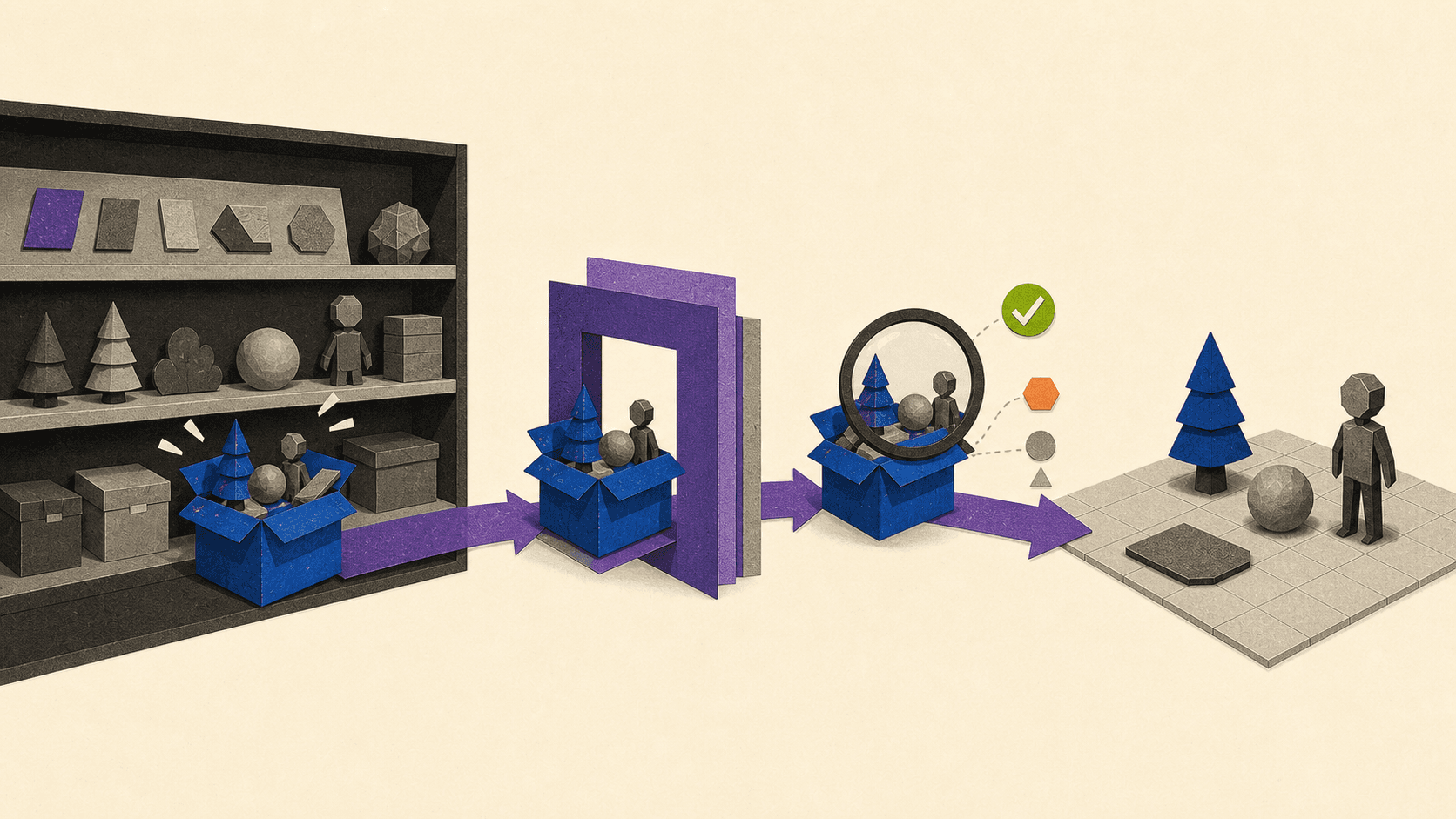
The safest test environment is a disposable project with the same Unity version and render pipeline as your real project. Import the asset there first and look for problems that a store preview cannot show.
Check:
Console errors and missing dependencies
Materials and shader compatibility
Scale, pivots, collision, and prefab organization
Character rigs and animation retargeting
LODs, texture memory, draw calls, and build size
Changes to Project Settings
Performance on the weakest target device
Documentation and available support channels
Compatibility means the publisher supports a given configuration. It does not mean that a dense forest, large city, or particle-heavy scene will automatically meet your frame-rate target.
When does Vagon Cloud Computer make sense for a Unity asset workflow?
Local hardware can make asset evaluation difficult. Large packages, high-resolution textures, shader compilation, and dense Unity scenes may overwhelm an entry-level laptop before you can properly inspect or optimize them.
In that situation, Vagon Cloud Computer gives developers and 3D artists access to a GPU-backed Windows workstation where they can install Unity, import asset packages, assemble scenes, and work with demanding project files without replacing their local computer. It is particularly relevant for developers who only need stronger hardware during specific production stages or who need to access the same cloud workstation from different devices.
This approach is most relevant when hardware is the bottleneck or when stronger resources are needed temporarily. It still depends on a stable internet connection, adds usage costs, and does not replace testing on the devices where the game will ship.
Choose a small, visually consistent group of assets, verify the licenses, and test them in the exact Unity setup you plan to use. If your local computer makes that process difficult, try Vagon Cloud Computer for your Unity workflow.
Frequently Asked Questions
How do I download assets for Unity?
Add a free package to My Assets or purchase a paid package on the Unity Asset Store. In the Unity Editor, open Window > Package Management > Package Manager, select My Assets, find the package, and choose Download. Make sure the Editor uses the same Unity ID as the Asset Store account.
How do I add Asset Store assets to a Unity project?
After downloading an Asset Store package in Package Manager, select Import and review the files before confirming. If the asset is distributed as a UPM package, select Install instead. Import large packages into a test project first to catch dependency, shader, and Project Settings conflicts.
Can I use free Unity assets in a commercial game?
Usually, if the listing uses the Standard Unity Asset Store EULA and you follow its conditions. Free assets are still licensed content, so you cannot resell or redistribute their raw files. Always check the individual listing because some free assets use restricted or non-standard terms.
Is the new Unity Asset Store a separate marketplace?
No separate product distinction is currently needed. Many pages now use the marketplace.unity.com domain, but the service remains branded as the Unity Asset Store and acquired packages still appear under My Assets.
Do Unity assets work with Built-in, URP, and HDRP?
Only when the publisher explicitly lists support for those pipelines. URP compatibility does not automatically include HDRP or Built-in compatibility. Check the product page and test materials, shaders, and lighting in the same pipeline as your game.
What should I check before buying a Unity 3D model pack?
Confirm the supported Unity versions and render pipelines, license type, included models, texture sizes, LODs, collision setup, rigging, documentation, and support options. Also check whether the art style covers enough of your project to avoid combining visibly mismatched packs.
The best Unity Asset Store assets are not necessarily the biggest packs or the ones with the highest ratings. They are the ones that match your project’s art direction, render pipeline, performance budget, and license requirements without creating weeks of cleanup work.
For a new Unity project in 2026, URP support is a sensible starting point. From there, look for a consistent visual style, a recent support history, clear technical information, and a package you can test before building the rest of your game around it.
The selection below covers free and paid environments, characters, animation, VFX, and a smaller set of 2D options. Prices were checked in September 2026 and may change.
What Should You Check Before Choosing A Unity Asset?
A polished store page can tell you what an asset looks like. It cannot tell you whether that asset belongs in your game.
Start with five practical questions:
Does it support your Unity version and render pipeline?
Does its style match the rest of your game?
Is it suitable for your target hardware?
Can your team use it under the listed license?
Is there enough documentation or publisher support to solve integration problems?
Render pipeline support deserves special attention. Unity is shifting its focus toward URP and plans to begin deprecating the Built-in Render Pipeline with Unity 6.5. Built-in will not disappear immediately, but Unity does not recommend it for new titles. If you are starting from scratch, an asset with explicit URP support is generally a safer choice than one built only for Built-in.
Compatibility should always be stated by the listing or publisher. Do not assume that an HDRP asset will work in URP, or that Unity’s material conversion tools will preserve every shader and visual effect.
The current storefront uses marketplace.unity.com for many product pages, but it is still the Unity Asset Store. References to a “new Unity Asset Store” usually mean the redesigned web experience, not a separate library or license system.
The Best Unity 3D Assets For Different Types Of Projects
There is no useful way to rank a stylized city, a realistic forest, and a modular character system against one another. A better approach is to choose by production need.
Asset | Price | Best for | Supported pipelines | Main limitation |
|---|---|---|---|---|
Free | Learning and quick prototypes | Built-in, URP | Limited sample with no character animations | |
$20 | Stylized urban games | Built-in, URP | Recognizable art style and no stated HDRP support | |
Free | Medieval URP prototypes | URP | Built-in and HDRP are not supported | |
$60 | Realistic outdoor scenes | Built-in, URP, HDRP | Large package that needs careful profiling | |
$49 | Modular characters and crowds | Built-in, URP, HDRP | Its character style must fit the wider project |
POLYGON - Starter Pack: a free starting point for low-poly prototypes
Synty Studios’ POLYGON Starter Pack is a practical first download for beginners and game-jam teams. It includes a small selection of environments, props, and characters in one consistent low-poly style.
That consistency is its main advantage. Instead of combining unrelated free Unity assets, you can build a readable prototype with pieces that already look like they belong together. The characters are prepared for Mecanim, but animations are not included. The publisher states support for Unity 2022.3 and later, Built-in, and URP, but not HDRP.
Use it to test the POLYGON workflow and visual style. If the project grows, you can decide whether a larger pack makes sense without making an expensive first purchase.
POLYGON - City Pack: a complete stylized city kit
POLYGON City Pack is the stronger option when the game needs buildings, streets, vehicles, props, and characters that share the same visual language. It is broad enough to create a recognizable urban setting without sourcing every object separately.
The pack supports Unity 2022.3 and later, Built-in, and URP. Its characters use Mecanim, though animations are not included.
The biggest limitation is also part of its appeal: Synty’s POLYGON style is immediately recognizable. A small team can build scenes quickly, but an unchanged pack can make the finished game look similar to other projects using the same assets. Custom lighting, materials, level composition, and a few original hero objects can help give the world its own identity.
Slavic Medieval Village Free: a focused medieval environment
Slavic Medieval Village Free is a good fit for developers building a medieval or fantasy prototype in URP. Its modular structure makes it more useful than a single finished scene because buildings and props can be rearranged into different layouts.
The compatibility boundary is clear: the listing supports URP and marks Built-in and HDRP as incompatible. That makes it easy to recommend for the right project and easy to reject for the wrong one.
This is an important habit when browsing the store. A smaller package with a clear technical target can be more useful than a larger one that leaves pipeline support ambiguous.
Forest Environment - Dynamic Nature: a realistic forest with broad pipeline support
Forest Environment - Dynamic Nature from NatureManufacture is the realistic option in this list. Its store page explicitly covers Built-in, URP, and HDRP across several Unity versions, including Unity 6 releases.
The package is best suited to games, simulations, or visualization projects that need a detailed natural environment. Its broad compatibility makes it easier to consider for an existing production where changing render pipelines is not realistic.
The trade-off is scale. At roughly 3.4 GB, this is not a lightweight set of placeholder trees. Vegetation can affect geometry load, shadows, texture memory, transparency, and draw calls. Test a representative forest on your weakest target device before deciding how densely to use it.
Advanced People Pack 2: modular characters for crowds and variation
Advanced People Pack 2 is aimed at projects that need customizable low-poly people rather than one highly detailed hero character. It can suit city scenes, simulation projects, management games, or any environment that needs a varied background population.
The listing supports Built-in, URP, and HDRP on its specified Unity 6 and Unity 2022.3 versions. That makes it one of the more flexible character options in this group.
Its value depends on art direction. A modular character system only saves time when its proportions, materials, rig, and customization workflow fit the rest of the game. Test character scale and animation retargeting before producing a large cast.
Which Animation And VFX Assets Complete The Scene?
Environment and character models are only part of a playable presentation. Characters need movement, and actions need visual feedback.
Human Mega Animations Pack Lite I
Human Mega Animations Pack Lite I is a current Unity 6-focused option for humanoid animation. The listing supports Built-in, URP, and HDRP. It is useful for teams that have suitable character models but still need a starting library of human motions.
Its public review sample was still small when this guide was prepared. Check the exact clip list before buying, then confirm root motion, avatar configuration, animation events, and retargeting quality with your own characters.
All In 1 Vfx Toolkit
All In 1 Vfx Toolkit is a broader effects option for stylized projects. It supports all three main pipelines and covers effects such as particles, smoke, sparks, explosions, and distortion.
Its pipeline support does not guarantee that every effect will fit your performance budget. Particle counts, transparent layers, screen coverage, and shader complexity can be especially expensive on mobile. Test the effects inside a scene that resembles the actual game rather than judging them in an isolated demo.
Which 2D assets In The Unity Asset Store Are Useful?
The same selection rules apply to 2D assets. Before downloading a large pack, check its pixel density, sprite slicing, tilemap setup, animation frames, shader requirements, and UI scaling.
M Farm RPG Assets Pack
M Farm RPG Assets Pack is an affordable option for top-down farm and RPG projects. It has a focused pixel-art style and supports Built-in and URP. HDRP is not supported.
Its age is the main caution. The pack has not been updated as recently as the main 3D recommendations, so test it in a current Unity 6 project before planning the whole production around it. A 2D art pack may not rely on complex rendering features, but import settings and project structure can still create friction.
2D Game Kit
2D Game Kit from Unity Technologies serves a different purpose. It is a free complete project that can help beginners understand how 2D scenes, interactions, and project systems fit together.
It is better treated as a learning reference than as a production-ready art library. Its listing points to an older original Unity version and does not clearly state current render pipeline compatibility.
How Do I Download Assets For Unity?
The current process starts on the Asset Store website and continues in the Unity Editor’s Package Manager.
Sign in to the Asset Store with your Unity ID.
Select Add to My Assets for a free package, or complete checkout for a paid package.
Open your project and sign in to the Editor with the same Unity ID.
Go to Window > Package Management > Package Manager.
Select My Assets and find the package.
For a standard Asset Store package, select Download and then Import.
For a UPM package, select Install.
When importing a standard package, Unity lets you review its contents. Clear files you do not need, especially demo scenes or optional integrations that could add unwanted dependencies.
Complete projects require more care because they can include their own Project Settings. If Unity offers the option to open the package as a temporary project, use it. You can inspect the asset without risking the settings in your main production.
After importing, check the Console for errors, open the publisher’s setup guide, and inspect the materials. Pink materials usually indicate a missing or incompatible shader, often caused by a render pipeline mismatch.
Before a large import, commit your current work or create a backup. Adding one package at a time makes it much easier to identify overwritten settings, duplicate files, and new warnings.
Can I Use Free Unity Assets In My Game?
Usually, yes. If a free asset uses the Standard Unity Asset Store EULA, it can generally be incorporated into a larger original game or digital product, including a commercial one, as long as you follow the license conditions.
Free refers to the price. It does not mean public domain, unrestricted ownership, or permission to redistribute the source files.
You generally cannot take the models, textures, audio, or other files and resell or redistribute them as a standalone asset collection. The finished product needs to do more than display or provide access to the original assets. Review the current Unity Asset Store Terms and EULA for the full rules. This is general information, not legal advice.
Team structure also matters. Unity separates Extension Assets, Single Entity licenses, and Multi Entity licenses. Extension Assets usually require a seat for each person who can access the source files. A Single Entity license is intended for one person or one company, while Multi Entity licensing can cover related organizations and contractors.
Special licenses can override the usual rules. Fantasy Kingdom in Unity 6 on the Asset Store is a useful example. The demo is free and shows a modern URP environment, but its included assets are intended for educational, non-commercial use. A commercial project needs the appropriate license for the original Synty pack.
Always check the license shown on the individual product page. Keep the invoice and included license file for assets that become important to your production.
How Should You Test An Asset Before Using It In Production?
The safest test environment is a disposable project with the same Unity version and render pipeline as your real project. Import the asset there first and look for problems that a store preview cannot show.
Check:
Console errors and missing dependencies
Materials and shader compatibility
Scale, pivots, collision, and prefab organization
Character rigs and animation retargeting
LODs, texture memory, draw calls, and build size
Changes to Project Settings
Performance on the weakest target device
Documentation and available support channels
Compatibility means the publisher supports a given configuration. It does not mean that a dense forest, large city, or particle-heavy scene will automatically meet your frame-rate target.
When does Vagon Cloud Computer make sense for a Unity asset workflow?
Local hardware can make asset evaluation difficult. Large packages, high-resolution textures, shader compilation, and dense Unity scenes may overwhelm an entry-level laptop before you can properly inspect or optimize them.
In that situation, Vagon Cloud Computer gives developers and 3D artists access to a GPU-backed Windows workstation where they can install Unity, import asset packages, assemble scenes, and work with demanding project files without replacing their local computer. It is particularly relevant for developers who only need stronger hardware during specific production stages or who need to access the same cloud workstation from different devices.
This approach is most relevant when hardware is the bottleneck or when stronger resources are needed temporarily. It still depends on a stable internet connection, adds usage costs, and does not replace testing on the devices where the game will ship.
Choose a small, visually consistent group of assets, verify the licenses, and test them in the exact Unity setup you plan to use. If your local computer makes that process difficult, try Vagon Cloud Computer for your Unity workflow.
Frequently Asked Questions
How do I download assets for Unity?
Add a free package to My Assets or purchase a paid package on the Unity Asset Store. In the Unity Editor, open Window > Package Management > Package Manager, select My Assets, find the package, and choose Download. Make sure the Editor uses the same Unity ID as the Asset Store account.
How do I add Asset Store assets to a Unity project?
After downloading an Asset Store package in Package Manager, select Import and review the files before confirming. If the asset is distributed as a UPM package, select Install instead. Import large packages into a test project first to catch dependency, shader, and Project Settings conflicts.
Can I use free Unity assets in a commercial game?
Usually, if the listing uses the Standard Unity Asset Store EULA and you follow its conditions. Free assets are still licensed content, so you cannot resell or redistribute their raw files. Always check the individual listing because some free assets use restricted or non-standard terms.
Is the new Unity Asset Store a separate marketplace?
No separate product distinction is currently needed. Many pages now use the marketplace.unity.com domain, but the service remains branded as the Unity Asset Store and acquired packages still appear under My Assets.
Do Unity assets work with Built-in, URP, and HDRP?
Only when the publisher explicitly lists support for those pipelines. URP compatibility does not automatically include HDRP or Built-in compatibility. Check the product page and test materials, shaders, and lighting in the same pipeline as your game.
What should I check before buying a Unity 3D model pack?
Confirm the supported Unity versions and render pipelines, license type, included models, texture sizes, LODs, collision setup, rigging, documentation, and support options. Also check whether the art style covers enough of your project to avoid combining visibly mismatched packs.
Get Beyond Your Computer Performance
Run applications on your cloud computer with the latest generation hardware. No more crashes or lags.

Trial includes 1 hour usage + 7 days of storage.
Summarize with AI

Ready to focus on your creativity?
Vagon gives you the ability to create & render projects, collaborate, and stream applications with the power of the best hardware.

Run heavy applications on any device with
your personal computer on the cloud.
San Francisco, California
Solutions
Vagon Teams
Vagon Streams
Use Cases
© 2026 Vagon. All rights reserved.
Run heavy applications on any device with
your personal computer on the cloud.
San Francisco, California
Solutions
Vagon Teams
Vagon Streams
Use Cases
© 2026 Vagon. All rights reserved.
Run heavy applications on any device with
your personal computer on the cloud.
San Francisco, California
Solutions
Vagon Teams
Vagon Streams
Use Cases
© 2026 Vagon. All rights reserved.