Instant Connection for Pixel Streaming
— New Feature Automated Setup

Creative Interview: James Owen / 3D Artist
Community
-
Creative Interview: James Owen / 3D Artist
Community
Creative Interview: James Owen / 3D Artist
Community
-
Table of Contents
James is director and designer with meticulous attention to detail. He is originally from London, currently based in San Francisco, California for his projects.

We talked him about his daily routines and project creation workflow to learn a little bit more about him.
His works are really inspiring for all of us and it’s a really big joy for us to meet with him. If you would like to meet with him too, you can check his Instagram or his personal website.
What is your daily routine? In which part of the day do you feel more productive?
I wake up really early naturally and have always enjoyed that. In the mornings are when I feel the most productive. After 5 o’clock my brain needs a break and I begin to unwind.

How do you get inspired, storytelling wise?
The motivation and inspiration for my work come from my love of the details in the details. I love to know how things work on a really simple level as well as the deep depths of it.
The simple level being the visual aesthetic of something while the deeper levels go into the nuts and bolts of the form or function of something. This approach encompasses everything from music, forests, furniture, and architecture.
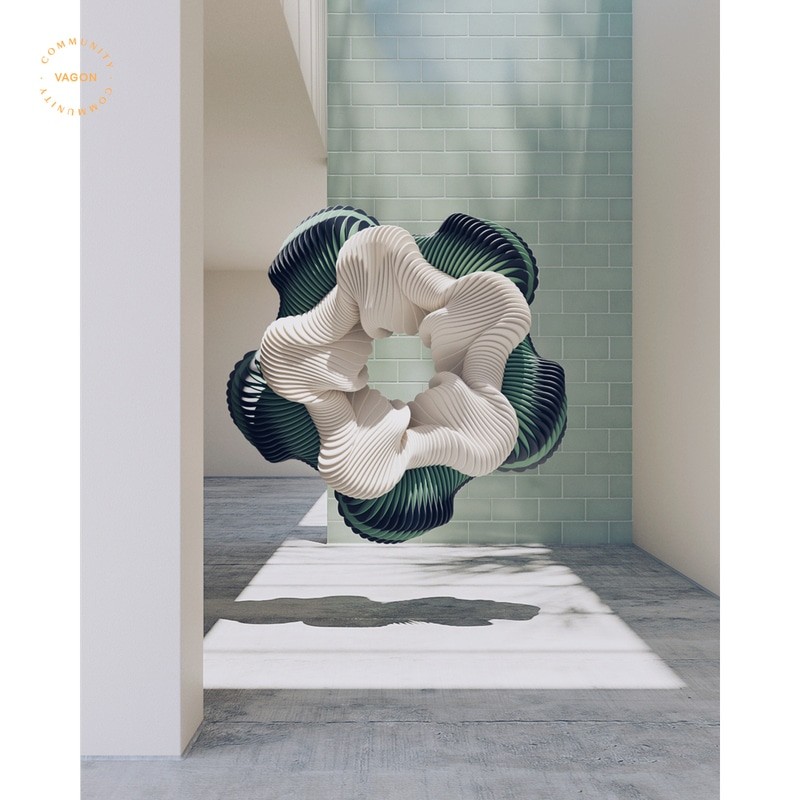
Which software do you use while creating?
I use the typical array of 3D software and Creative Cloud applications although I don’t feel like they define my work, but are rather the tools I use.
Is your computer’s hardware enough to achieve your creative goals? What’re your computer hardware specs?
MacBook Pro and PC

Which communities and platforms do you follow to stay up to date?
I like to follow a lot of photographers and find a lot of inspiration in how they approach storytelling and compositions.
James is director and designer with meticulous attention to detail. He is originally from London, currently based in San Francisco, California for his projects.
We talked him about his daily routines and project creation workflow to learn a little bit more about him.
His works are really inspiring for all of us and it’s a really big joy for us to meet with him. If you would like to meet with him too, you can check his Instagram or his personal website.
What is your daily routine? In which part of the day do you feel more productive?
I wake up really early naturally and have always enjoyed that. In the mornings are when I feel the most productive. After 5 o’clock my brain needs a break and I begin to unwind.
How do you get inspired, storytelling wise?
The motivation and inspiration for my work come from my love of the details in the details. I love to know how things work on a really simple level as well as the deep depths of it.
The simple level being the visual aesthetic of something while the deeper levels go into the nuts and bolts of the form or function of something. This approach encompasses everything from music, forests, furniture, and architecture.
Which software do you use while creating?
I use the typical array of 3D software and Creative Cloud applications although I don’t feel like they define my work, but are rather the tools I use.
Is your computer’s hardware enough to achieve your creative goals? What’re your computer hardware specs?
MacBook Pro and PC
Which communities and platforms do you follow to stay up to date?
I like to follow a lot of photographers and find a lot of inspiration in how they approach storytelling and compositions.
Get Beyond Your Computer Performance
Run applications on your cloud computer with the latest generation hardware. No more crashes or lags.

Trial includes 1 hour usage + 7 days of storage.
Summarize with AI

Ready to focus on your creativity?
Vagon gives you the ability to create & render projects, collaborate, and stream applications with the power of the best hardware.

Vagon Blog
Run heavy applications on any device with
your personal computer on the cloud.
San Francisco, California
Solutions
Vagon Teams
Vagon Streams
Use Cases
Resources
Vagon Blog
How to Run Photoshop on Googlebook
How to Use SketchUp With Codex: MCP and Computer Use
How to Use SketchUp With Claude: MCP and Computer Use
How to Use ComfyUI With Codex: MCP and Computer Use
How to Use Godot With Codex: MCP & Computer Use Guide
How to Use Houdini With Codex: MCP, Computer Use & RBD
How to Use Cinema 4D With Codex: MCP & Computer Use
How to Use Higgsfield With Codex: MCP & Computer Use
How to Use DaVinci Resolve With Codex: MCP & Computer Use
Vagon Blog
Run heavy applications on any device with
your personal computer on the cloud.
San Francisco, California
Solutions
Vagon Teams
Vagon Streams
Use Cases
Resources
Vagon Blog
How to Run Photoshop on Googlebook
How to Use SketchUp With Codex: MCP and Computer Use
How to Use SketchUp With Claude: MCP and Computer Use
How to Use ComfyUI With Codex: MCP and Computer Use
How to Use Godot With Codex: MCP & Computer Use Guide
How to Use Houdini With Codex: MCP, Computer Use & RBD
How to Use Cinema 4D With Codex: MCP & Computer Use
How to Use Higgsfield With Codex: MCP & Computer Use
How to Use DaVinci Resolve With Codex: MCP & Computer Use
Vagon Blog
Run heavy applications on any device with
your personal computer on the cloud.
San Francisco, California
Solutions
Vagon Teams
Vagon Streams
Use Cases
Resources
Vagon Blog