CLOUD COMPUTER
Vertex Shader
A shader that processes vertex data, determining the position and attributes of each vertex during rendering, affecting the model’s appearance.
What is a Vertex Shader in Blender?
A Vertex Shader in Blender processes vertex data during rendering, determining the position and attributes of each vertex. Vertex shaders play a key role in transforming and manipulating geometry, controlling how models appear in a rendered scene, and affecting properties such as color, lighting, and transformations.
Use Cases in Blender
Game Development: Vertex shaders are often used to optimize real-time rendering, controlling how objects are displayed in a game engine.
Visual Effects: Manipulate vertex data to achieve dynamic visual effects in 3D renders.
Custom Shaders: Use vertex shaders to create custom visual effects, such as animated transformations or lighting effects.
Optimize Rendering with Vagon
Rendering complex vertex shaders can be demanding on your system. Vagon’s cloud PCs, with 48 cores, 4 x 24GB RTX-enabled NVIDIA GPUs, and 192GB of RAM, ensure smooth performance when working with intricate shaders and vertex data.
Discover how Vagon can enhance your Blender projects here, or sign up to experience it yourself!
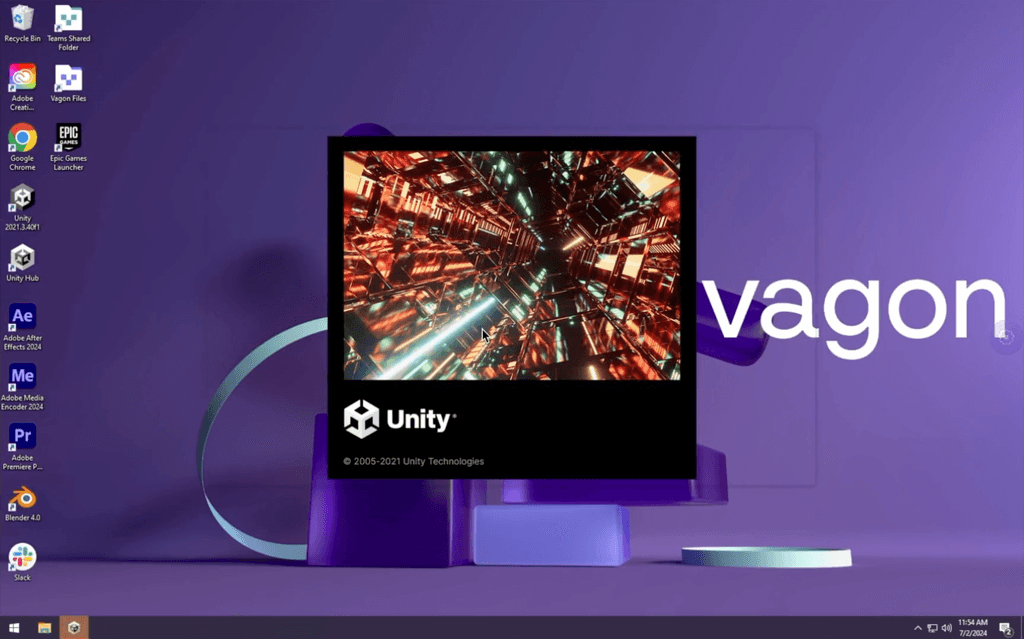
Get Beyond Your Computer Performance
Run applications on your cloud computer with the latest generation hardware. No more crashes or lags.

Trial includes 1 hour usage + 7 days of storage.

Ready to focus on just creativty?
Vagon gives you the ability to enjoy, play and compete with the power of the best hardware.

Vagon Blog
Run heavy applications on any device with
your personal computer on the cloud.
San Francisco, California
Solutions
Vagon Teams
Vagon Streams
Use Cases
Resources
Vagon Blog
Photoshop AI: How to Use Generative Fill and Neural Filters Effectively
Fixing After Effects Out of Memory Errors When Using Roto Brush 3
How to Use Roto Brush 3 and Content-Aware Fill in After Effects
Premiere Pro Timeline Freezing? Fix AI Lag, Playback Stutter & Slow Editing
Premiere Pro AI Features Guide: Generative Extend, Enhance Speech & Auto Reframe Explained
How to Fix DaVinci Resolve “GPU Memory Full” Error
DaVinci Resolve Neural Engine Guide: How to Use Magic Mask & Voice Isolation
How to Use SolidWorks for 3D Printing: STL Export, Settings & Workflow Guide
How to Use Rhino3D for 3D Printing: A Complete Guide to STL, Meshes, and Printable Geometry
Ready to focus on your creativity?
Vagon gives you the ability to create & render projects, collaborate, and stream applications with the power of the best hardware.
Vagon Blog
Run heavy applications on any device with
your personal computer on the cloud.
San Francisco, California
Solutions
Vagon Teams
Vagon Streams
Use Cases
Resources
Vagon Blog
Photoshop AI: How to Use Generative Fill and Neural Filters Effectively
Fixing After Effects Out of Memory Errors When Using Roto Brush 3
How to Use Roto Brush 3 and Content-Aware Fill in After Effects
Premiere Pro Timeline Freezing? Fix AI Lag, Playback Stutter & Slow Editing
Premiere Pro AI Features Guide: Generative Extend, Enhance Speech & Auto Reframe Explained
How to Fix DaVinci Resolve “GPU Memory Full” Error
DaVinci Resolve Neural Engine Guide: How to Use Magic Mask & Voice Isolation
How to Use SolidWorks for 3D Printing: STL Export, Settings & Workflow Guide
How to Use Rhino3D for 3D Printing: A Complete Guide to STL, Meshes, and Printable Geometry
Vagon Blog
Run heavy applications on any device with
your personal computer on the cloud.
San Francisco, California
Solutions
Vagon Teams
Vagon Streams
Use Cases
Resources
Vagon Blog
Photoshop AI: How to Use Generative Fill and Neural Filters Effectively
Fixing After Effects Out of Memory Errors When Using Roto Brush 3
How to Use Roto Brush 3 and Content-Aware Fill in After Effects
Premiere Pro Timeline Freezing? Fix AI Lag, Playback Stutter & Slow Editing
Premiere Pro AI Features Guide: Generative Extend, Enhance Speech & Auto Reframe Explained
How to Fix DaVinci Resolve “GPU Memory Full” Error
DaVinci Resolve Neural Engine Guide: How to Use Magic Mask & Voice Isolation
How to Use SolidWorks for 3D Printing: STL Export, Settings & Workflow Guide
How to Use Rhino3D for 3D Printing: A Complete Guide to STL, Meshes, and Printable Geometry
Vagon Blog
Run heavy applications on any device with
your personal computer on the cloud.
San Francisco, California
Solutions
Vagon Teams
Vagon Streams
Use Cases
Resources
Vagon Blog
Photoshop AI: How to Use Generative Fill and Neural Filters Effectively
Fixing After Effects Out of Memory Errors When Using Roto Brush 3
How to Use Roto Brush 3 and Content-Aware Fill in After Effects
Premiere Pro Timeline Freezing? Fix AI Lag, Playback Stutter & Slow Editing
Premiere Pro AI Features Guide: Generative Extend, Enhance Speech & Auto Reframe Explained
How to Fix DaVinci Resolve “GPU Memory Full” Error
DaVinci Resolve Neural Engine Guide: How to Use Magic Mask & Voice Isolation
How to Use SolidWorks for 3D Printing: STL Export, Settings & Workflow Guide
How to Use Rhino3D for 3D Printing: A Complete Guide to STL, Meshes, and Printable Geometry
Ready to focus on your creativity?
Vagon gives you the ability to create & render projects, collaborate, and stream applications with the power of the best hardware.
Vagon Blog
Run heavy applications on any device with
your personal computer on the cloud.
San Francisco, California
Solutions
Vagon Teams
Vagon Streams
Use Cases
Resources
Vagon Blog