Instant Connection for Pixel Streaming
— New Feature Automated Setup

Amazon WorkSpaces Alternatives for GPU Teams (2026)
Teams & IT
Amazon WorkSpaces Alternatives for GPU Teams (2026)
Teams & IT
Amazon WorkSpaces Alternatives for GPU Teams (2026)
Teams & IT
Table of Contents
The best amazon workspaces alternative depends on whether your team needs a managed office desktop, an interactive GPU workstation, an enterprise VDI platform, or complete control of a cloud VM. Vagon Teams is a strong focused option for quickly deploying team-managed GPU workstations, while Azure Virtual Desktop, Windows 365 GPU, Citrix DaaS, Omnissa Horizon Cloud, and a self-managed EC2 workstation each fit a different operating model. There is no universal one-to-one replacement for every team.
Amazon WorkSpaces itself also deserves a fresh look. AWS added NVIDIA L4-based G6 graphics bundles in 2026, so comparisons built around its older GPU choices are now incomplete. The right decision starts with your applications, project data, peripherals, network path, security rules, and available IT time, not the smallest price on a provider's page.
Product details and public prices in this guide were verified on August 26, 2026.
Which Amazon WorkSpaces Alternative Is the Best Fit at a Glance?
The table below places the main Amazon WorkSpaces competitors in their proper categories. It is a pilot shortlist, not a measured performance ranking.
Provider | Service Model | GPU or Workstation Fit | Pricing Basis | Management Burden | Team Controls | Best Fit | Main Limitation |
|---|---|---|---|---|---|---|---|
Amazon WorkSpaces Personal | Managed persistent cloud desktop | G6, Gr6, G6f, and supported older graphics bundles | Monthly, or a fixed base plus hourly usage; extras apply | Medium | AWS directory, images, policies, APIs, and logging | AWS-native persistent desktops | AWS setup and workload validation are still required |
Vagon Teams | Team cloud workstation service | Published NVIDIA T4 and A10G tiers | Monthly computer plan with minute-metered usage; regional rates | Low to medium | Plans, templates, assignments, permissions, files, monitoring, and API | Fast creative-team and contractor deployment | Some enterprise identity, network, compliance, and SLA details require confirmation |
Azure Virtual Desktop | Cloud VDI platform | Supported Azure GPU VM families, including fractional and full GPU choices | Access entitlement plus VM, storage, profiles, network, and support | High | Deep Microsoft and Azure administration | Microsoft-centric organizations needing granular control | Customer operates session hosts and supporting services |
Windows 365 GPU | Managed persistent Cloud PC | Select, Standard, Super, and Max workload tiers | Per-user subscription; GPU price is a custom quote | Low to medium | Entra ID and Intune-based administration | Predictable Microsoft Cloud PCs | Less exact hardware control, plus no nested virtualization |
Citrix DaaS | Enterprise DaaS or VDI control plane, with a managed Flex offer | HDX 3D Pro on supported GPU capacity | Citrix license or Flex credits, plus infrastructure and licensing where applicable | Medium to high | Extensive app, device, image, and policy controls | Existing Citrix and complex hybrid estates | Licensing and architecture can be excessive for a small team |
Omnissa Horizon Cloud | Hybrid and multi-cloud VDI control plane | GPU depends on the underlying Azure, WorkSpaces Core, vSphere, or OpenStack capacity | Subscription plus infrastructure, storage, network, and licenses | High | Unified images, assignments, policy, automation, and monitoring | Existing Horizon and hybrid estates | It is not a ready-priced GPU workstation |
EC2 with Amazon DCV | Self-managed GPU VM and remote display | Broad AWS GPU instance selection | Runtime plus EBS, snapshots, network, IP, licenses, support, and labor | Very high | Whatever the customer builds | Bespoke AWS engineering and unusual requirements | It is not managed desktop delivery |
A serious evaluation should weight workload fit, interactive performance, application and peripheral compatibility most heavily. Team administration, deployment effort, security, region, total cost, storage, client experience, and support follow. A high overall score cannot rescue a product that fails a mandatory application license, data-location rule, peripheral, or security requirement.
Do You Need a Cloud Desktop, Cloud Workstation, VDI Platform, or Self-Managed VM?
A cloud desktop gives a user a hosted operating system and applications. It may be persistent, so the user returns to the same desktop, or pooled, so the user receives a clean session from shared capacity. This model works well for general business software and can support graphics when the provider offers the right hardware.
A cloud workstation is built for heavier interactive work. Think 3D viewports, CAD assemblies, BIM models, video timelines, simulation setup, data visualization, game engines, and GPU-assisted development. The label alone proves very little. CPU generation, vCPU allocation, RAM, VRAM, storage, drivers, protocol, endpoint decoding, and region can all change the experience.
A cloud hosted VDI platform sits one level lower. It provides brokering, policy, image, application, and session management over infrastructure chosen or operated by the customer. Azure Virtual Desktop, Citrix DaaS, and Horizon Cloud can provide more control than a packaged desktop, but they also leave more design and maintenance work with IT.
A self-managed VM gives you the most freedom and the most responsibility. A team can choose an EC2 GPU instance, install Amazon DCV, build authentication and automation, and configure the exact drivers and network path it needs. The same team then owns provisioning, image creation, patching, backups, certificates, availability, cost scheduling, logging, and user support.
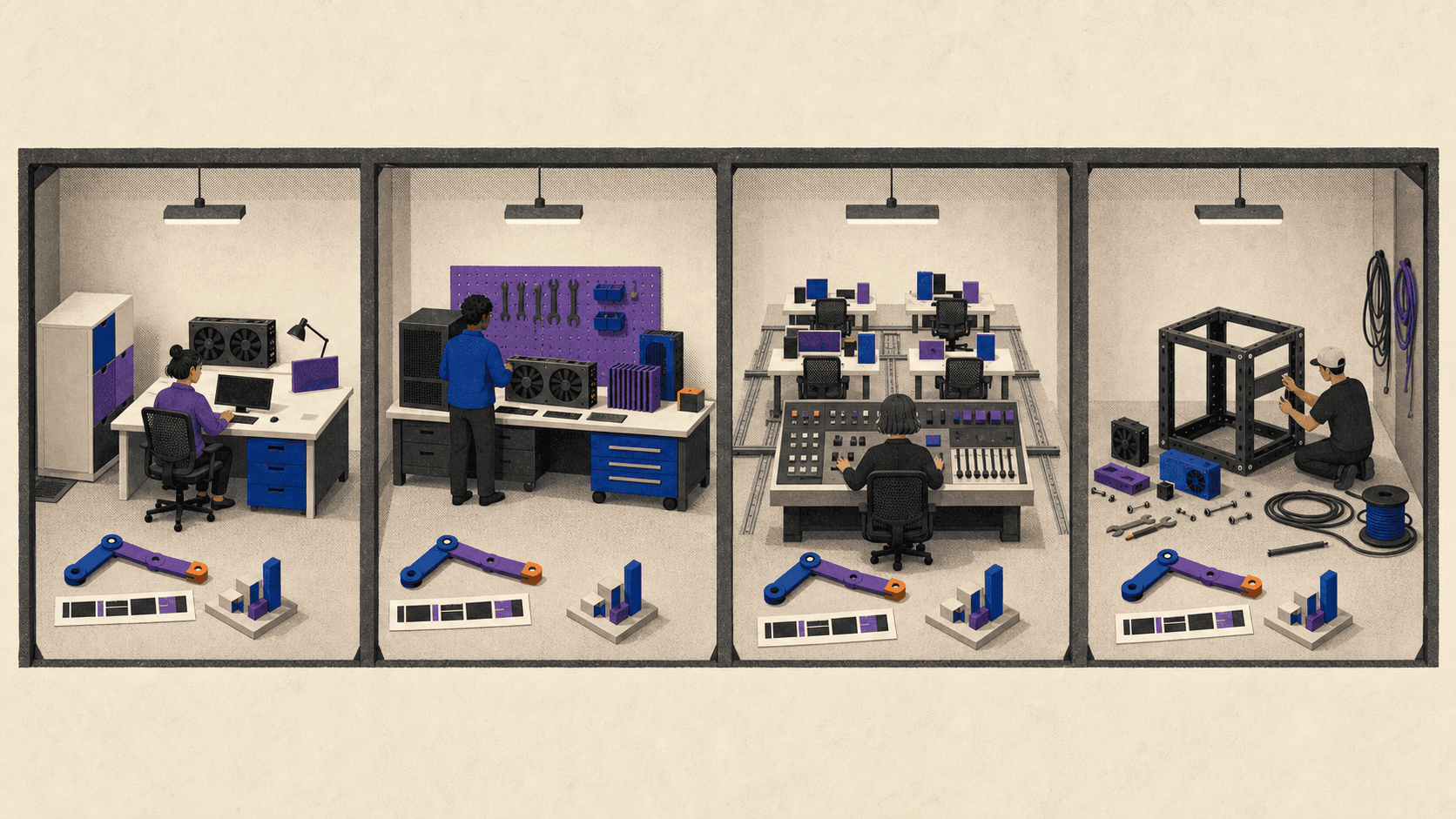
This distinction matters because creative and engineering workloads fail in different ways. A 3D artist may be limited by viewport frame pacing and VRAM. An editor may care more about storage throughput, codecs, audio, display fidelity, and large media transfers. A CAD or BIM user may need high single-thread CPU performance, substantial RAM, a license server, and a SpaceMouse. A developer may need administrator rights, custom drivers, WSL, nested virtualization, or access to private build systems.
Remote responsiveness is also a system, not a bandwidth number. Ping time, jitter, packet loss, distance to the region, protocol behavior, client decoding hardware, display refresh, and peripheral redirection all affect interaction. Buying a faster internet plan won't fix every problem if the workstation is far away or the network path is unstable.
Before comparing vendors, write down who will maintain the OS, applications, images, drivers, identity, network, storage, backups, endpoint policy, and help desk. That ownership list often removes half the shortlist.
What Does Amazon WorkSpaces Offer Now, and When Should You Keep It?
Amazon WorkSpaces Personal is a persistent desktop assigned to one user. The user returns to the same environment with installed applications, files, and settings. It supports license-included Windows Server desktops, eligible Windows 10 or 11 BYOL deployments, and several Linux options, subject to bundle and protocol restrictions.
Two current lifecycle details change the comparison. WorkSpaces Pools is no longer available to new customers as of July 30, 2026, although existing customers can continue through December 31, 2027. AWS has also stopped accepting new PCoIP customers after July 31, 2026 and says PCoIP-based WorkSpaces Personal becomes unavailable after October 31, 2027. A new deployment should therefore evaluate Personal with Amazon DCV, not design around Pools or PCoIP.
The biggest technical update is the G6, Gr6, and G6f graphics family. These bundles use NVIDIA L4 GPUs. Full G6 and Gr6 configurations provide 24 GB of VRAM, while G6f offers fractional GPU choices for lighter graphics needs. Gr6 provides more system memory per vCPU for large CAD, BIM, GIS, visualization, and rendering workloads. Availability is regional, and a listed use case is still an AWS product claim rather than proof that your project will perform well.
WorkSpaces combines an image, hardware bundle, and separate root and user volumes. Administrators can create custom images and bundles, but they still need a process for application installation, patching, baseline updates, plug-ins, codecs, licenses, and testing. GPU WorkSpaces start with minimum root and user storage requirements, and volumes can be expanded but not reduced.
Client behavior deserves a pilot. The WorkSpaces macOS client lets a Mac access a Windows or Linux desktop and supports multiple displays on applicable configurations. It does not provide a hosted Mac. DCV web access supports current major browsers, but browser and native clients differ in monitor, clipboard, webcam, image-quality, and peripheral behavior.
Generic DCV USB redirection currently requires the Windows WorkSpaces client and separately installed drivers. A Mac-based studio that depends on Wacom tablets, SpaceMouse devices, cameras, storage, or USB license hardware should not assume equivalent behavior. Test the exact model, driver, client, and application.
Amazon WorkSpaces pricing is not one number. AlwaysOn uses a flat monthly bundle charge. AutoStop carries a recurring monthly infrastructure fee plus hourly usage, and partial hours are billed as full hours. The default stop period is 60 minutes after disconnect, so disconnecting is not the same as stopping immediately. GPU-enabled AutoStop WorkSpaces do not hibernate open application state, even though their persistent disk data remains.
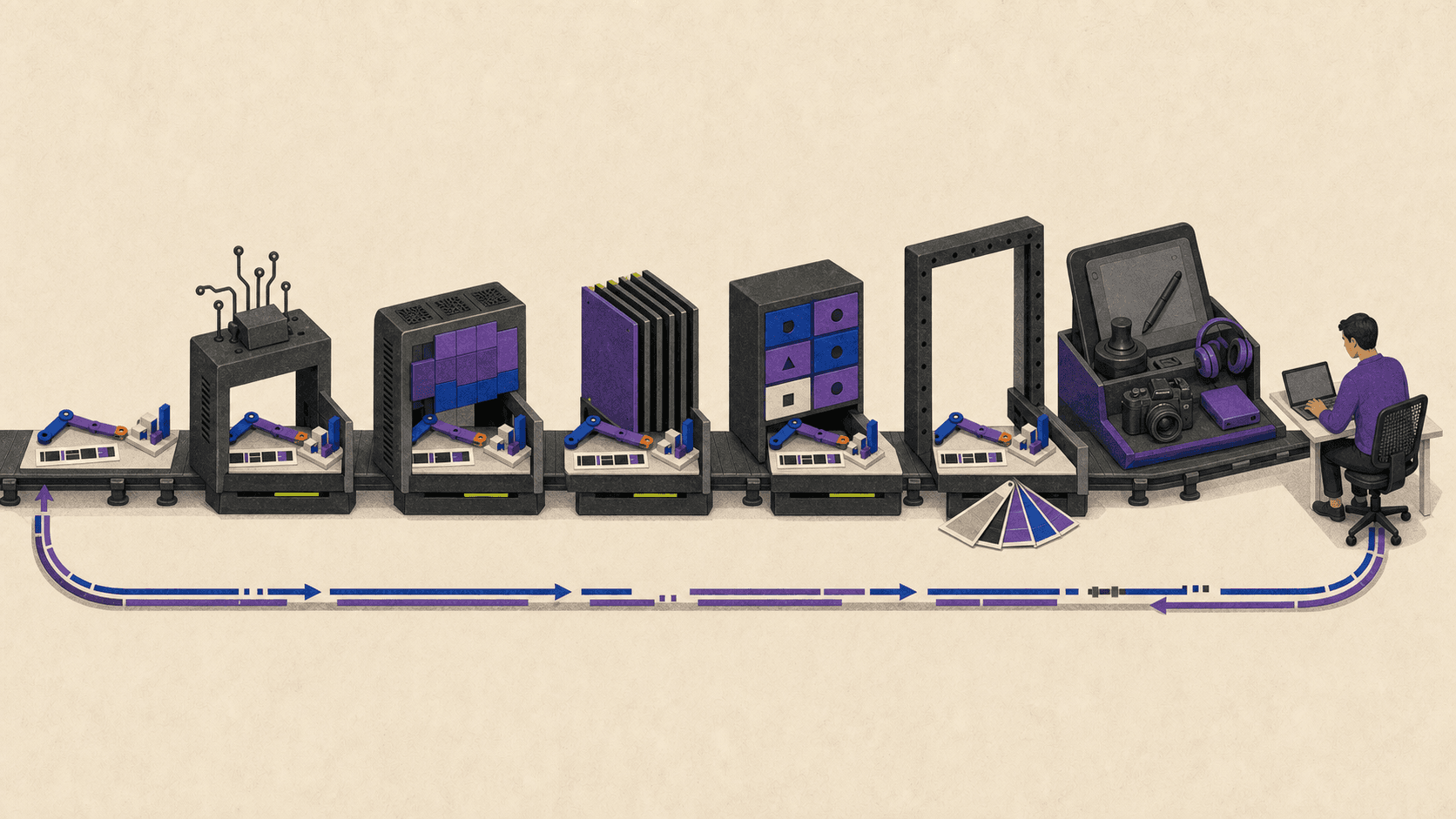
The public March 2026 AWS launch example listed a license-included Windows Graphics.g6.xlarge in US East, Northern Virginia at $650 per month. That configuration had 4 vCPU, 16 GiB RAM, and one 24 GB L4 GPU. The number was verified on August 26, 2026, but it is not a current quote for every storage choice or a match for an 8 vCPU, 32 GB creative workstation target. Additional storage, public IPv4, Microsoft applications, support, transfer, directory choices, and resilience can change the bill.
Windows licensing needs careful wording. License-included WorkSpaces use Windows Server with an RDS Subscriber Access License. A Windows 10 or 11 desktop requires eligible BYOL under Microsoft's terms and AWS's dedicated-capacity conditions. AWS currently documents minimum deployment levels for BYOL, including different thresholds for non-GPU and GPU WorkSpaces. Your Microsoft licensing team should validate the intended arrangement.
Staying with WorkSpaces makes sense when your organization already has AWS network and identity patterns, the required DCV client features work, a G6-family configuration passes the project pilot, and IT wants managed persistent desktops instead of raw VM operations. Migration is hard to justify when it simply recreates the same image, storage, licensing, and support duties on another platform.
Which Amazon WorkSpaces Alternatives Deserve a Serious Pilot?
The six options below use the same questions: Who is it for? What service model does it use? How does it handle GPU work, access, and administration? How is it priced? What must the customer operate, and what is the main limitation?
Vagon Teams
Vagon Teams is aimed at organizations assigning remote workstations to team members. It is a team cloud workstation service rather than a VDI control plane that IT must assemble over separate capacity. It fits creative studios, visualization teams, CAD or BIM groups, and contractor programs that want to provision workstations quickly and control usage by computer.
Current Vagon Teams pricing publishes NVIDIA T4 and A10G options. US headline rates include Planet with 4 cores, 16 GB RAM, and a 16 GB T4 at $0.99 per displayed hour, plus Spark, Flame, and Blaze A10G options at $1.67, $2.27, and $3.57 per displayed hour. Usage is charged by the minute, varies by region, and is deducted from monthly computer plans. The public Creative Works plan is listed at $59.59 per computer per month with up to 40 hours, 75 GB disk, 25 GB Vagon Files, and access to Planet and Spark, but actual consumption depends on the selected performance and region.
The team layer includes computer assignment and reassignment, usage budgets, reusable templates, individual and shared files, application monitoring, APIs, and controls for internet access, file transfer, clipboard, screenshots, and remote scripts. These features can reduce setup effort compared with building host pools, profile storage, and scaling rules.
The setup burden is still not zero. The customer must validate applications, administrator rights, images, plug-ins, codecs, application licenses, project storage, user support, and required peripherals. Public documentation reviewed for this guide does not provide enough detail to make blanket claims about SSO options, private networking, compliance scope, backup recovery, audit retention, or an enterprise SLA. Teams with mandatory requirements in those areas should get written confirmation before ranking Vagon above an established enterprise platform.
Vagon Teams is strongest when fast workstation rollout and explicit computer budgets matter. It is unnecessary when one individual needs a self-serve machine, when an existing AWS or Microsoft desktop estate already passes the workload, or when a required enterprise control remains unverified.
Azure Virtual Desktop
Azure Virtual Desktop fits Microsoft-centric organizations that want control over personal or pooled desktops, custom images, networks, profiles, and VM selection. Microsoft operates the brokering service, but the customer or partner operates session hosts and many supporting components.
For graphics, AVD supports selected Azure GPU VM families for application rendering and hardware frame encoding. The current AVD GPU guidance includes NVads A10 v5 and other supported families. Fractional A10 choices can help right-size lighter graphics sessions, while full GPU choices serve heavier workloads. Microsoft warns that several compute-oriented NC and ND families are not suitable for normal graphics desktops, which is a useful reminder that any GPU VM is not automatically a workstation.
Users can connect through Windows App, macOS, and web options. Entra ID, Intune, host pools, application groups, autoscale, Azure policy, monitoring, and custom images provide extensive administrative control. That control comes with a larger operating surface: identity, session-host OS, application security, image updates, profiles, network controls, VM scaling, storage, backup, and support need owners.
AVD pricing has two main layers. Eligible Microsoft or Windows licenses can provide user access rights, while Azure infrastructure remains billable. Add VMs, OS and data disks, FSLogix profile storage, networking, egress, monitoring, backup, security services, and support. AVD is a strong choice when the organization already operates Azure well and needs exact infrastructure design. It is a poor choice when the team expects a finished workstation after buying one license.
Windows 365 GPU
Windows 365 GPU is the simpler Microsoft path. It provides a persistent, per-user Cloud PC in Select, Standard, Super, and Max workload tiers. Microsoft's GPU guidance describes configurations aimed at 4 GB, 8 GB, 12 GB, and higher VRAM needs, with display support rising by tier.
The important trade-off is hardware certainty. Microsoft can update the underlying infrastructure and frames the product around minimum workload specifications rather than a permanent GPU model. Microsoft specifically points customers who need exact hardware configuration toward AVD. GPU Cloud PCs also do not support nested virtualization, so WSL, Sandbox, and Hyper-V requirements can disqualify them for some developers.
Administration centers on Entra ID, Intune, provisioning policies, images, resizing, endpoint policy, and the Windows App. The service reduces VM and brokering work, although customers still manage applications, licenses, policies, data, users, and support.
GPU offers are not available through Microsoft's direct web channel and require an account team, so their price belongs in the article as custom quote. Windows 365 GPU is a good fit when persistent desktops, Microsoft administration, and predictable per-user procurement matter more than choosing an exact GPU instance.
Citrix DaaS
Citrix DaaS fits organizations with an existing Citrix estate or difficult requirements across applications, devices, policies, and hybrid infrastructure. It is an enterprise delivery platform, not simply a GPU desktop subscription. Citrix DaaS Flex adds managed, persona-based capacity for organizations that want Citrix to operate more of the service.
Citrix HDX graphics supports GPU acceleration for professional OpenGL and DirectX applications on supported single-session and multi-session infrastructure. The exact GPU, RAM, storage, and user density depend on the chosen capacity or managed persona. Citrix also documents optimized and generic USB paths, including drawing tablets, but client support never removes the need to test the exact pen, 3D mouse, camera, drive, or license device.
Citrix offers mature brokering, image, application, monitoring, policy, and hybrid controls. This can be valuable for a global enterprise with legacy applications and specialist endpoints. It can also create more procurement and design work than a 20-person studio needs.
Current offers use Citrix licensing or Platform Flex credits. Infrastructure and Microsoft licensing may be separate depending on the model, persistent storage adds cost, and public credits are not a safe substitute for an approved dollar quote. Treat Citrix pricing as custom quote until procurement has the service, capacity, license unit, storage, support, and contract term in writing.
Omnissa Horizon Cloud
Omnissa Horizon Cloud is a cloud-managed control plane for desktop and application delivery across supported Azure, Amazon WorkSpaces Core, vSphere, and OpenStack capacity. It fits existing Horizon organizations and enterprises that need a hybrid or multi-cloud operating model.
Horizon supports shared GPU, shared pass-through, and dedicated GPU approaches on compatible infrastructure. Blast Extreme clients cover major desktop and mobile platforms plus HTML5, with feature differences by endpoint and deployment. Actual GPU hardware, driver, licensing, storage, and regional availability come from the capacity layer rather than the Horizon subscription alone.
The platform centralizes images, assignments, policy, automation, monitoring, and access. Omnissa manages more of the control plane, while the customer typically remains responsible for desktop images, applications, cloud capacity, Microsoft licensing, network design, profiles, storage, and user support.
Pricing combines an Omnissa subscription with underlying infrastructure and should be labeled custom quote. Horizon Cloud is credible for an organization with Horizon skills, hybrid constraints, or an existing estate. For a small creative team seeking five GPU workstations, it may add an unnecessary control-plane layer.
Amazon EC2 With Amazon DCV
EC2 with Amazon DCV is the maximum-control option for an AWS team. It is virtual workstation hosting assembled from a cloud VM, storage, networking, identity, and a remote display server. It is not a drop-in managed desktop.
Amazon DCV server guidance recommends GPU families such as G4dn, G4ad, G5, and G6 for hardware-accelerated graphics. Teams can choose Windows or Linux, install their own drivers and software, and build unusual network or automation patterns. Native clients and a browser client support features such as multiple monitors, file transfer, high color accuracy, webcam, and USB in supported combinations.
The customer owns nearly everything: instance provisioning, identity, authorization, certificates, network exposure, images, patches, drivers, storage, snapshots, backup, start and stop automation, monitoring, availability, help desk, and incident response. Windows offers one DCV console session per server, while Linux virtual-session behavior differs, so concurrent-user assumptions need technical and licensing review.
Cost includes EC2 runtime, EBS volumes, snapshots, egress, public IPv4 or private access, Windows and application licenses, support, and engineering time. Savings Plans or reserved pricing can lower compute rates only if the commitment matches the workload. This path is strongest for bespoke engineering requirements and weakest for teams that mainly want IT work removed.
What Will Each Option Really Cost?
Virtual desktop pricing becomes misleading when one number includes a desktop and another includes only a control plane. Use the same cost equation for every candidate:
monthly cost = access or seat licenses + running compute + persistent resources + data movement + software and support + operational labor
Persistent resources matter. A stopped workstation may still leave disks, snapshots, profile containers, images, shared storage, directories, IPs, support plans, and subscriptions billable. Hourly compute can be economical for occasional users, but only when stop behavior is controlled and the remaining fixed costs are visible.
Scenario 1: Occasional Individual or Contractor
Assume one Windows user in US East, Northern Virginia, 40 connected hours per month, at least 4 vCPU, 16 GB RAM, a documented GPU allocation of at least 4 GB VRAM, 100 GB persistent disk, 25 GB project exchange, and 50 GB outbound transfer. The user connects from macOS or a browser to one 2560 by 1440 display and the workstation is stopped after every session.
This scenario should compare WorkSpaces AutoStop, a governed Vagon Teams computer, a Windows 365 subscription if available for the needed term, and a scheduled VM. Include the fixed WorkSpaces AutoStop fee, full-hour rounding and stop delay; the Vagon computer plan and transfer; the Windows 365 full user subscription; or VM disk and network costs after shutdown.
For a self-serve individual only, Vagon Cloud Computer pricing provides a transparent illustration. On August 26, 2026, its Northern Virginia Planet rate was $0.99 per hour, Personal storage was $7.99 per month for a 75 GB disk and 5 GB Vagon Files, and outbound transfer included the first 10 GB before charging $1.50 per additional 10 GB. Forty hours, the storage plan, and 40 billable outbound gigabytes total $53.59 before tax and third-party software. This is not a team-governed Vagon Teams quote, and it does not prove performance equivalence with another GPU service.
Scenario 2: Full-Time Creative Workstation
Assume one Windows user in US East, Northern Virginia, 160 connected hours per month, with a target of 8 vCPU, 32 GB RAM, 12 to 24 GB VRAM, one 4K display, high-fidelity audio, 500 GB persistent storage, 1 TB inbound, and 500 GB outbound. Include setup, project loading, exports, rendering, idle time, and disconnect grace in metered usage.
A flat subscription may be easier to forecast at this utilization, but only if the hardware and workflow pass. The AWS Graphics.g6.xlarge example at $650 per month does not match the 8 vCPU and 32 GB target, so it cannot be used as the WorkSpaces total. Select a closer live bundle, storage sizes, license model, region, and support plan before comparing it with a Vagon, AVD, Windows 365, Citrix, Horizon, or EC2 proposal.
For video, the data path can outweigh the desktop rate. Five hundred gigabytes of outbound footage, cache, review media, and project files may cost more and take longer to move than expected. Offline rendering should also be priced separately. A responsive interactive workstation is not automatically the lowest-cost batch renderer.
Scenario 3: A 25-Seat Engineering or Studio Team
Assume 25 assigned users, 15 peak concurrent, and 160 scheduled hours per user. Fifteen power users target 8 vCPU, 32 GB RAM, and 12 to 24 GB VRAM; ten lighter users target 4 vCPU, 16 GB RAM, and 4 to 8 GB VRAM. Add 250 GB persistent desktop storage per user, 5 TB shared project storage, daily snapshots with 30-day retention, a documented recovery objective, and 5 TB monthly outbound transfer.
The estimate must include all 25 seat or license charges, 15 peak resources or 25 assigned desktops as the model requires, stopped-instance charges, persistent disks, profile and shared storage, backup, egress, identity, gateways or public IPs, monitoring, support, software licenses, implementation, and monthly IT labor. Compare pay-as-you-go, one-year commitment, reserved capacity, and negotiated pricing separately. Do not hide an annual commitment behind a monthly-looking figure.
Concurrency is not merely a cost input. Confirm that the desktop model, application license, plug-ins, and support agreement permit the intended assigned or concurrent use. Also decide whether every engineer truly needs persistence or whether a smaller contractor pool can use curated, non-persistent sessions from another service.
Which Choice Fits Your Team's Workflow and IT Model?
For a creative studio that wants to provision and govern workstations without running a VDI stack, Vagon Teams is a sensible first pilot. Windows 365 GPU is attractive when Microsoft administration and a per-user subscription dominate. Citrix becomes more relevant when high-fidelity remoting, detailed device policy, and a mixed application estate justify its complexity.
For CAD and BIM, narrow the list only after testing the actual model and license path. Compare Amazon WorkSpaces Gr6, Vagon Teams, an AVD A10 configuration, and Citrix under the same project. System RAM, VRAM, single-thread CPU behavior, project storage, SpaceMouse or pen input, plug-ins, and license-server connectivity can matter more than the provider category.
For engineering and development, AVD or EC2 with DCV usually offers the clearest route to private networks, custom drivers, build systems, automation, and exact infrastructure. Windows 365 GPU is less suitable when WSL, Hyper-V, Sandbox, or other nested virtualization is mandatory. Amazon WorkSpaces remains a good middle ground when AWS integration matters but raw VM ownership does not.
For occasional contractors, use Vagon Teams when access must stay under company assignment, budgets, and permissions. Vagon Cloud Computer is relevant only when individual self-service is acceptable. WorkSpaces AutoStop can also fit an AWS-governed contractor, but include its base fee, stop delay, full-hour billing, persistent storage, and offboarding process.
For enterprise IT, the existing control plane matters. AWS-native teams may be better served by keeping WorkSpaces. Microsoft-centric teams should compare AVD's control with Windows 365's simpler operating model. Citrix and Horizon make the most sense where their mature hybrid controls solve a real estate problem, not merely because they have a longer feature list.
Local workstations still win some decisions. Color-critical finishing, offline work, unusual peripherals, locations far from every suitable region, highly predictable full utilization, or hardware-bound licensing can make local systems safer or less expensive. Cloud services should solve a deployment, access, security, or capacity problem, not create one.
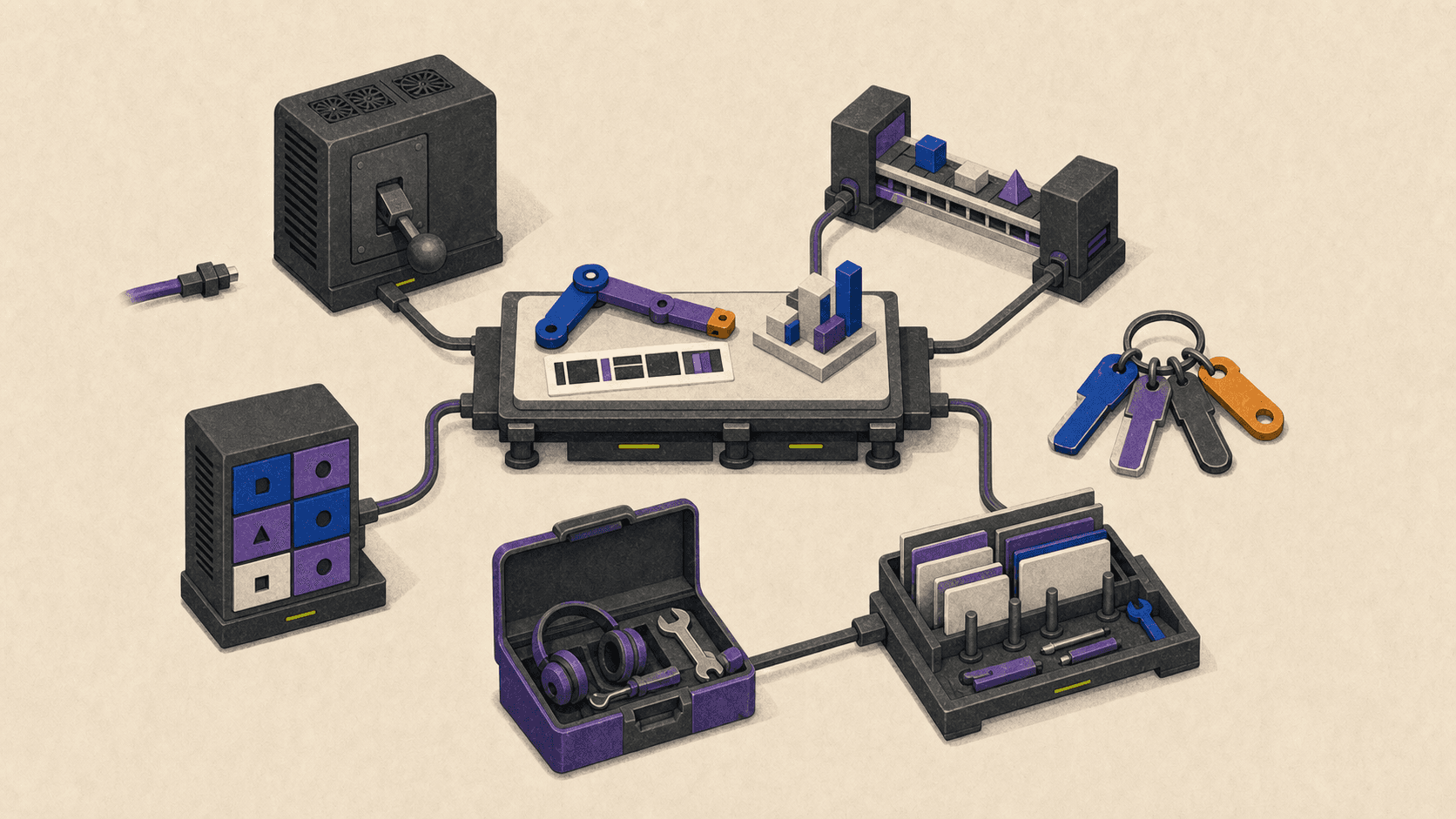
What Should You Verify Before Migrating?
AWS WorkSpaces vs EC2: Which Is Better for a GPU Desktop?
WorkSpaces is managed desktop delivery. It gives you assigned desktop lifecycle, supported clients, managed streaming, directory integration, images, and defined storage behavior. EC2 with DCV gives you more instance, driver, image, network, and operating-system control, while leaving nearly all desktop operations with your team.
Compare the complete EC2 stack with the complete WorkSpaces bill. An EC2 instance rate without EBS, snapshots, egress, IPs, Windows licensing, support, automation, backup, security work, and user support is not a fair comparison.
Can You Use Amazon WorkSpaces From a Mac?
Yes. The supported macOS client and applicable DCV web access can connect from a Mac. The hosted desktop remains Windows or Linux, so the search intent sometimes described as Amazon WorkSpaces Mac should not be read as a macOS cloud workstation.
Test monitor layout, keyboard mapping, clipboard, file movement, webcam, pen, 3D mouse, and USB needs from the actual Mac. Client feature differences can decide the platform even when the remote hardware is sufficient.
Is the Workspace Download Free?
The WorkSpaces client can be downloaded without charge, but the provisioned desktop and its resources are paid. The workspace download free query often mixes up client software with hosted compute.
AWS has a limited WorkSpaces Free Tier for qualifying new accounts and specific small configurations. It is not a generally free production GPU workstation.
Is There a Safe Free Cloud Desktop for Windows 7?
Do not choose a production service around the free cloud desktop Windows 7 query. Windows 7 is unsupported, and AWS does not allow migration to a Windows 7 WorkSpace. Use a supported operating system and ask IT to evaluate application modernization, replacement, or a tightly controlled legacy isolation plan.
How Does Access From India Change the Choice?
Treat cloud desktop India as a region, latency, data-location, tax, and support question. AWS lists WorkSpaces in Mumbai and included Mumbai in the G6 launch. Vagon publishes Mumbai pricing, and Microsoft documents Central India availability for some Windows 365 GPU offers. That does not guarantee every GPU tier has capacity when you need it.
Run the same application pilot from the users' actual locations. Confirm desktop disks, profiles, shared files, backups, logs, control-plane metadata, and failover locations, not just the compute region.
The final choice should be the smallest operating model that passes the real workload, application license, peripheral, region, security, and cost gates. If Vagon Teams matches those requirements, run a pilot in the nearest region with a representative project and the team's actual endpoint setup.
The best amazon workspaces alternative depends on whether your team needs a managed office desktop, an interactive GPU workstation, an enterprise VDI platform, or complete control of a cloud VM. Vagon Teams is a strong focused option for quickly deploying team-managed GPU workstations, while Azure Virtual Desktop, Windows 365 GPU, Citrix DaaS, Omnissa Horizon Cloud, and a self-managed EC2 workstation each fit a different operating model. There is no universal one-to-one replacement for every team.
Amazon WorkSpaces itself also deserves a fresh look. AWS added NVIDIA L4-based G6 graphics bundles in 2026, so comparisons built around its older GPU choices are now incomplete. The right decision starts with your applications, project data, peripherals, network path, security rules, and available IT time, not the smallest price on a provider's page.
Product details and public prices in this guide were verified on August 26, 2026.
Which Amazon WorkSpaces Alternative Is the Best Fit at a Glance?
The table below places the main Amazon WorkSpaces competitors in their proper categories. It is a pilot shortlist, not a measured performance ranking.
Provider | Service Model | GPU or Workstation Fit | Pricing Basis | Management Burden | Team Controls | Best Fit | Main Limitation |
|---|---|---|---|---|---|---|---|
Amazon WorkSpaces Personal | Managed persistent cloud desktop | G6, Gr6, G6f, and supported older graphics bundles | Monthly, or a fixed base plus hourly usage; extras apply | Medium | AWS directory, images, policies, APIs, and logging | AWS-native persistent desktops | AWS setup and workload validation are still required |
Vagon Teams | Team cloud workstation service | Published NVIDIA T4 and A10G tiers | Monthly computer plan with minute-metered usage; regional rates | Low to medium | Plans, templates, assignments, permissions, files, monitoring, and API | Fast creative-team and contractor deployment | Some enterprise identity, network, compliance, and SLA details require confirmation |
Azure Virtual Desktop | Cloud VDI platform | Supported Azure GPU VM families, including fractional and full GPU choices | Access entitlement plus VM, storage, profiles, network, and support | High | Deep Microsoft and Azure administration | Microsoft-centric organizations needing granular control | Customer operates session hosts and supporting services |
Windows 365 GPU | Managed persistent Cloud PC | Select, Standard, Super, and Max workload tiers | Per-user subscription; GPU price is a custom quote | Low to medium | Entra ID and Intune-based administration | Predictable Microsoft Cloud PCs | Less exact hardware control, plus no nested virtualization |
Citrix DaaS | Enterprise DaaS or VDI control plane, with a managed Flex offer | HDX 3D Pro on supported GPU capacity | Citrix license or Flex credits, plus infrastructure and licensing where applicable | Medium to high | Extensive app, device, image, and policy controls | Existing Citrix and complex hybrid estates | Licensing and architecture can be excessive for a small team |
Omnissa Horizon Cloud | Hybrid and multi-cloud VDI control plane | GPU depends on the underlying Azure, WorkSpaces Core, vSphere, or OpenStack capacity | Subscription plus infrastructure, storage, network, and licenses | High | Unified images, assignments, policy, automation, and monitoring | Existing Horizon and hybrid estates | It is not a ready-priced GPU workstation |
EC2 with Amazon DCV | Self-managed GPU VM and remote display | Broad AWS GPU instance selection | Runtime plus EBS, snapshots, network, IP, licenses, support, and labor | Very high | Whatever the customer builds | Bespoke AWS engineering and unusual requirements | It is not managed desktop delivery |
A serious evaluation should weight workload fit, interactive performance, application and peripheral compatibility most heavily. Team administration, deployment effort, security, region, total cost, storage, client experience, and support follow. A high overall score cannot rescue a product that fails a mandatory application license, data-location rule, peripheral, or security requirement.
Do You Need a Cloud Desktop, Cloud Workstation, VDI Platform, or Self-Managed VM?
A cloud desktop gives a user a hosted operating system and applications. It may be persistent, so the user returns to the same desktop, or pooled, so the user receives a clean session from shared capacity. This model works well for general business software and can support graphics when the provider offers the right hardware.
A cloud workstation is built for heavier interactive work. Think 3D viewports, CAD assemblies, BIM models, video timelines, simulation setup, data visualization, game engines, and GPU-assisted development. The label alone proves very little. CPU generation, vCPU allocation, RAM, VRAM, storage, drivers, protocol, endpoint decoding, and region can all change the experience.
A cloud hosted VDI platform sits one level lower. It provides brokering, policy, image, application, and session management over infrastructure chosen or operated by the customer. Azure Virtual Desktop, Citrix DaaS, and Horizon Cloud can provide more control than a packaged desktop, but they also leave more design and maintenance work with IT.
A self-managed VM gives you the most freedom and the most responsibility. A team can choose an EC2 GPU instance, install Amazon DCV, build authentication and automation, and configure the exact drivers and network path it needs. The same team then owns provisioning, image creation, patching, backups, certificates, availability, cost scheduling, logging, and user support.
This distinction matters because creative and engineering workloads fail in different ways. A 3D artist may be limited by viewport frame pacing and VRAM. An editor may care more about storage throughput, codecs, audio, display fidelity, and large media transfers. A CAD or BIM user may need high single-thread CPU performance, substantial RAM, a license server, and a SpaceMouse. A developer may need administrator rights, custom drivers, WSL, nested virtualization, or access to private build systems.
Remote responsiveness is also a system, not a bandwidth number. Ping time, jitter, packet loss, distance to the region, protocol behavior, client decoding hardware, display refresh, and peripheral redirection all affect interaction. Buying a faster internet plan won't fix every problem if the workstation is far away or the network path is unstable.
Before comparing vendors, write down who will maintain the OS, applications, images, drivers, identity, network, storage, backups, endpoint policy, and help desk. That ownership list often removes half the shortlist.
What Does Amazon WorkSpaces Offer Now, and When Should You Keep It?
Amazon WorkSpaces Personal is a persistent desktop assigned to one user. The user returns to the same environment with installed applications, files, and settings. It supports license-included Windows Server desktops, eligible Windows 10 or 11 BYOL deployments, and several Linux options, subject to bundle and protocol restrictions.
Two current lifecycle details change the comparison. WorkSpaces Pools is no longer available to new customers as of July 30, 2026, although existing customers can continue through December 31, 2027. AWS has also stopped accepting new PCoIP customers after July 31, 2026 and says PCoIP-based WorkSpaces Personal becomes unavailable after October 31, 2027. A new deployment should therefore evaluate Personal with Amazon DCV, not design around Pools or PCoIP.
The biggest technical update is the G6, Gr6, and G6f graphics family. These bundles use NVIDIA L4 GPUs. Full G6 and Gr6 configurations provide 24 GB of VRAM, while G6f offers fractional GPU choices for lighter graphics needs. Gr6 provides more system memory per vCPU for large CAD, BIM, GIS, visualization, and rendering workloads. Availability is regional, and a listed use case is still an AWS product claim rather than proof that your project will perform well.
WorkSpaces combines an image, hardware bundle, and separate root and user volumes. Administrators can create custom images and bundles, but they still need a process for application installation, patching, baseline updates, plug-ins, codecs, licenses, and testing. GPU WorkSpaces start with minimum root and user storage requirements, and volumes can be expanded but not reduced.
Client behavior deserves a pilot. The WorkSpaces macOS client lets a Mac access a Windows or Linux desktop and supports multiple displays on applicable configurations. It does not provide a hosted Mac. DCV web access supports current major browsers, but browser and native clients differ in monitor, clipboard, webcam, image-quality, and peripheral behavior.
Generic DCV USB redirection currently requires the Windows WorkSpaces client and separately installed drivers. A Mac-based studio that depends on Wacom tablets, SpaceMouse devices, cameras, storage, or USB license hardware should not assume equivalent behavior. Test the exact model, driver, client, and application.
Amazon WorkSpaces pricing is not one number. AlwaysOn uses a flat monthly bundle charge. AutoStop carries a recurring monthly infrastructure fee plus hourly usage, and partial hours are billed as full hours. The default stop period is 60 minutes after disconnect, so disconnecting is not the same as stopping immediately. GPU-enabled AutoStop WorkSpaces do not hibernate open application state, even though their persistent disk data remains.
The public March 2026 AWS launch example listed a license-included Windows Graphics.g6.xlarge in US East, Northern Virginia at $650 per month. That configuration had 4 vCPU, 16 GiB RAM, and one 24 GB L4 GPU. The number was verified on August 26, 2026, but it is not a current quote for every storage choice or a match for an 8 vCPU, 32 GB creative workstation target. Additional storage, public IPv4, Microsoft applications, support, transfer, directory choices, and resilience can change the bill.
Windows licensing needs careful wording. License-included WorkSpaces use Windows Server with an RDS Subscriber Access License. A Windows 10 or 11 desktop requires eligible BYOL under Microsoft's terms and AWS's dedicated-capacity conditions. AWS currently documents minimum deployment levels for BYOL, including different thresholds for non-GPU and GPU WorkSpaces. Your Microsoft licensing team should validate the intended arrangement.
Staying with WorkSpaces makes sense when your organization already has AWS network and identity patterns, the required DCV client features work, a G6-family configuration passes the project pilot, and IT wants managed persistent desktops instead of raw VM operations. Migration is hard to justify when it simply recreates the same image, storage, licensing, and support duties on another platform.
Which Amazon WorkSpaces Alternatives Deserve a Serious Pilot?
The six options below use the same questions: Who is it for? What service model does it use? How does it handle GPU work, access, and administration? How is it priced? What must the customer operate, and what is the main limitation?
Vagon Teams
Vagon Teams is aimed at organizations assigning remote workstations to team members. It is a team cloud workstation service rather than a VDI control plane that IT must assemble over separate capacity. It fits creative studios, visualization teams, CAD or BIM groups, and contractor programs that want to provision workstations quickly and control usage by computer.
Current Vagon Teams pricing publishes NVIDIA T4 and A10G options. US headline rates include Planet with 4 cores, 16 GB RAM, and a 16 GB T4 at $0.99 per displayed hour, plus Spark, Flame, and Blaze A10G options at $1.67, $2.27, and $3.57 per displayed hour. Usage is charged by the minute, varies by region, and is deducted from monthly computer plans. The public Creative Works plan is listed at $59.59 per computer per month with up to 40 hours, 75 GB disk, 25 GB Vagon Files, and access to Planet and Spark, but actual consumption depends on the selected performance and region.
The team layer includes computer assignment and reassignment, usage budgets, reusable templates, individual and shared files, application monitoring, APIs, and controls for internet access, file transfer, clipboard, screenshots, and remote scripts. These features can reduce setup effort compared with building host pools, profile storage, and scaling rules.
The setup burden is still not zero. The customer must validate applications, administrator rights, images, plug-ins, codecs, application licenses, project storage, user support, and required peripherals. Public documentation reviewed for this guide does not provide enough detail to make blanket claims about SSO options, private networking, compliance scope, backup recovery, audit retention, or an enterprise SLA. Teams with mandatory requirements in those areas should get written confirmation before ranking Vagon above an established enterprise platform.
Vagon Teams is strongest when fast workstation rollout and explicit computer budgets matter. It is unnecessary when one individual needs a self-serve machine, when an existing AWS or Microsoft desktop estate already passes the workload, or when a required enterprise control remains unverified.
Azure Virtual Desktop
Azure Virtual Desktop fits Microsoft-centric organizations that want control over personal or pooled desktops, custom images, networks, profiles, and VM selection. Microsoft operates the brokering service, but the customer or partner operates session hosts and many supporting components.
For graphics, AVD supports selected Azure GPU VM families for application rendering and hardware frame encoding. The current AVD GPU guidance includes NVads A10 v5 and other supported families. Fractional A10 choices can help right-size lighter graphics sessions, while full GPU choices serve heavier workloads. Microsoft warns that several compute-oriented NC and ND families are not suitable for normal graphics desktops, which is a useful reminder that any GPU VM is not automatically a workstation.
Users can connect through Windows App, macOS, and web options. Entra ID, Intune, host pools, application groups, autoscale, Azure policy, monitoring, and custom images provide extensive administrative control. That control comes with a larger operating surface: identity, session-host OS, application security, image updates, profiles, network controls, VM scaling, storage, backup, and support need owners.
AVD pricing has two main layers. Eligible Microsoft or Windows licenses can provide user access rights, while Azure infrastructure remains billable. Add VMs, OS and data disks, FSLogix profile storage, networking, egress, monitoring, backup, security services, and support. AVD is a strong choice when the organization already operates Azure well and needs exact infrastructure design. It is a poor choice when the team expects a finished workstation after buying one license.
Windows 365 GPU
Windows 365 GPU is the simpler Microsoft path. It provides a persistent, per-user Cloud PC in Select, Standard, Super, and Max workload tiers. Microsoft's GPU guidance describes configurations aimed at 4 GB, 8 GB, 12 GB, and higher VRAM needs, with display support rising by tier.
The important trade-off is hardware certainty. Microsoft can update the underlying infrastructure and frames the product around minimum workload specifications rather than a permanent GPU model. Microsoft specifically points customers who need exact hardware configuration toward AVD. GPU Cloud PCs also do not support nested virtualization, so WSL, Sandbox, and Hyper-V requirements can disqualify them for some developers.
Administration centers on Entra ID, Intune, provisioning policies, images, resizing, endpoint policy, and the Windows App. The service reduces VM and brokering work, although customers still manage applications, licenses, policies, data, users, and support.
GPU offers are not available through Microsoft's direct web channel and require an account team, so their price belongs in the article as custom quote. Windows 365 GPU is a good fit when persistent desktops, Microsoft administration, and predictable per-user procurement matter more than choosing an exact GPU instance.
Citrix DaaS
Citrix DaaS fits organizations with an existing Citrix estate or difficult requirements across applications, devices, policies, and hybrid infrastructure. It is an enterprise delivery platform, not simply a GPU desktop subscription. Citrix DaaS Flex adds managed, persona-based capacity for organizations that want Citrix to operate more of the service.
Citrix HDX graphics supports GPU acceleration for professional OpenGL and DirectX applications on supported single-session and multi-session infrastructure. The exact GPU, RAM, storage, and user density depend on the chosen capacity or managed persona. Citrix also documents optimized and generic USB paths, including drawing tablets, but client support never removes the need to test the exact pen, 3D mouse, camera, drive, or license device.
Citrix offers mature brokering, image, application, monitoring, policy, and hybrid controls. This can be valuable for a global enterprise with legacy applications and specialist endpoints. It can also create more procurement and design work than a 20-person studio needs.
Current offers use Citrix licensing or Platform Flex credits. Infrastructure and Microsoft licensing may be separate depending on the model, persistent storage adds cost, and public credits are not a safe substitute for an approved dollar quote. Treat Citrix pricing as custom quote until procurement has the service, capacity, license unit, storage, support, and contract term in writing.
Omnissa Horizon Cloud
Omnissa Horizon Cloud is a cloud-managed control plane for desktop and application delivery across supported Azure, Amazon WorkSpaces Core, vSphere, and OpenStack capacity. It fits existing Horizon organizations and enterprises that need a hybrid or multi-cloud operating model.
Horizon supports shared GPU, shared pass-through, and dedicated GPU approaches on compatible infrastructure. Blast Extreme clients cover major desktop and mobile platforms plus HTML5, with feature differences by endpoint and deployment. Actual GPU hardware, driver, licensing, storage, and regional availability come from the capacity layer rather than the Horizon subscription alone.
The platform centralizes images, assignments, policy, automation, monitoring, and access. Omnissa manages more of the control plane, while the customer typically remains responsible for desktop images, applications, cloud capacity, Microsoft licensing, network design, profiles, storage, and user support.
Pricing combines an Omnissa subscription with underlying infrastructure and should be labeled custom quote. Horizon Cloud is credible for an organization with Horizon skills, hybrid constraints, or an existing estate. For a small creative team seeking five GPU workstations, it may add an unnecessary control-plane layer.
Amazon EC2 With Amazon DCV
EC2 with Amazon DCV is the maximum-control option for an AWS team. It is virtual workstation hosting assembled from a cloud VM, storage, networking, identity, and a remote display server. It is not a drop-in managed desktop.
Amazon DCV server guidance recommends GPU families such as G4dn, G4ad, G5, and G6 for hardware-accelerated graphics. Teams can choose Windows or Linux, install their own drivers and software, and build unusual network or automation patterns. Native clients and a browser client support features such as multiple monitors, file transfer, high color accuracy, webcam, and USB in supported combinations.
The customer owns nearly everything: instance provisioning, identity, authorization, certificates, network exposure, images, patches, drivers, storage, snapshots, backup, start and stop automation, monitoring, availability, help desk, and incident response. Windows offers one DCV console session per server, while Linux virtual-session behavior differs, so concurrent-user assumptions need technical and licensing review.
Cost includes EC2 runtime, EBS volumes, snapshots, egress, public IPv4 or private access, Windows and application licenses, support, and engineering time. Savings Plans or reserved pricing can lower compute rates only if the commitment matches the workload. This path is strongest for bespoke engineering requirements and weakest for teams that mainly want IT work removed.
What Will Each Option Really Cost?
Virtual desktop pricing becomes misleading when one number includes a desktop and another includes only a control plane. Use the same cost equation for every candidate:
monthly cost = access or seat licenses + running compute + persistent resources + data movement + software and support + operational labor
Persistent resources matter. A stopped workstation may still leave disks, snapshots, profile containers, images, shared storage, directories, IPs, support plans, and subscriptions billable. Hourly compute can be economical for occasional users, but only when stop behavior is controlled and the remaining fixed costs are visible.
Scenario 1: Occasional Individual or Contractor
Assume one Windows user in US East, Northern Virginia, 40 connected hours per month, at least 4 vCPU, 16 GB RAM, a documented GPU allocation of at least 4 GB VRAM, 100 GB persistent disk, 25 GB project exchange, and 50 GB outbound transfer. The user connects from macOS or a browser to one 2560 by 1440 display and the workstation is stopped after every session.
This scenario should compare WorkSpaces AutoStop, a governed Vagon Teams computer, a Windows 365 subscription if available for the needed term, and a scheduled VM. Include the fixed WorkSpaces AutoStop fee, full-hour rounding and stop delay; the Vagon computer plan and transfer; the Windows 365 full user subscription; or VM disk and network costs after shutdown.
For a self-serve individual only, Vagon Cloud Computer pricing provides a transparent illustration. On August 26, 2026, its Northern Virginia Planet rate was $0.99 per hour, Personal storage was $7.99 per month for a 75 GB disk and 5 GB Vagon Files, and outbound transfer included the first 10 GB before charging $1.50 per additional 10 GB. Forty hours, the storage plan, and 40 billable outbound gigabytes total $53.59 before tax and third-party software. This is not a team-governed Vagon Teams quote, and it does not prove performance equivalence with another GPU service.
Scenario 2: Full-Time Creative Workstation
Assume one Windows user in US East, Northern Virginia, 160 connected hours per month, with a target of 8 vCPU, 32 GB RAM, 12 to 24 GB VRAM, one 4K display, high-fidelity audio, 500 GB persistent storage, 1 TB inbound, and 500 GB outbound. Include setup, project loading, exports, rendering, idle time, and disconnect grace in metered usage.
A flat subscription may be easier to forecast at this utilization, but only if the hardware and workflow pass. The AWS Graphics.g6.xlarge example at $650 per month does not match the 8 vCPU and 32 GB target, so it cannot be used as the WorkSpaces total. Select a closer live bundle, storage sizes, license model, region, and support plan before comparing it with a Vagon, AVD, Windows 365, Citrix, Horizon, or EC2 proposal.
For video, the data path can outweigh the desktop rate. Five hundred gigabytes of outbound footage, cache, review media, and project files may cost more and take longer to move than expected. Offline rendering should also be priced separately. A responsive interactive workstation is not automatically the lowest-cost batch renderer.
Scenario 3: A 25-Seat Engineering or Studio Team
Assume 25 assigned users, 15 peak concurrent, and 160 scheduled hours per user. Fifteen power users target 8 vCPU, 32 GB RAM, and 12 to 24 GB VRAM; ten lighter users target 4 vCPU, 16 GB RAM, and 4 to 8 GB VRAM. Add 250 GB persistent desktop storage per user, 5 TB shared project storage, daily snapshots with 30-day retention, a documented recovery objective, and 5 TB monthly outbound transfer.
The estimate must include all 25 seat or license charges, 15 peak resources or 25 assigned desktops as the model requires, stopped-instance charges, persistent disks, profile and shared storage, backup, egress, identity, gateways or public IPs, monitoring, support, software licenses, implementation, and monthly IT labor. Compare pay-as-you-go, one-year commitment, reserved capacity, and negotiated pricing separately. Do not hide an annual commitment behind a monthly-looking figure.
Concurrency is not merely a cost input. Confirm that the desktop model, application license, plug-ins, and support agreement permit the intended assigned or concurrent use. Also decide whether every engineer truly needs persistence or whether a smaller contractor pool can use curated, non-persistent sessions from another service.
Which Choice Fits Your Team's Workflow and IT Model?
For a creative studio that wants to provision and govern workstations without running a VDI stack, Vagon Teams is a sensible first pilot. Windows 365 GPU is attractive when Microsoft administration and a per-user subscription dominate. Citrix becomes more relevant when high-fidelity remoting, detailed device policy, and a mixed application estate justify its complexity.
For CAD and BIM, narrow the list only after testing the actual model and license path. Compare Amazon WorkSpaces Gr6, Vagon Teams, an AVD A10 configuration, and Citrix under the same project. System RAM, VRAM, single-thread CPU behavior, project storage, SpaceMouse or pen input, plug-ins, and license-server connectivity can matter more than the provider category.
For engineering and development, AVD or EC2 with DCV usually offers the clearest route to private networks, custom drivers, build systems, automation, and exact infrastructure. Windows 365 GPU is less suitable when WSL, Hyper-V, Sandbox, or other nested virtualization is mandatory. Amazon WorkSpaces remains a good middle ground when AWS integration matters but raw VM ownership does not.
For occasional contractors, use Vagon Teams when access must stay under company assignment, budgets, and permissions. Vagon Cloud Computer is relevant only when individual self-service is acceptable. WorkSpaces AutoStop can also fit an AWS-governed contractor, but include its base fee, stop delay, full-hour billing, persistent storage, and offboarding process.
For enterprise IT, the existing control plane matters. AWS-native teams may be better served by keeping WorkSpaces. Microsoft-centric teams should compare AVD's control with Windows 365's simpler operating model. Citrix and Horizon make the most sense where their mature hybrid controls solve a real estate problem, not merely because they have a longer feature list.
Local workstations still win some decisions. Color-critical finishing, offline work, unusual peripherals, locations far from every suitable region, highly predictable full utilization, or hardware-bound licensing can make local systems safer or less expensive. Cloud services should solve a deployment, access, security, or capacity problem, not create one.
What Should You Verify Before Migrating?
AWS WorkSpaces vs EC2: Which Is Better for a GPU Desktop?
WorkSpaces is managed desktop delivery. It gives you assigned desktop lifecycle, supported clients, managed streaming, directory integration, images, and defined storage behavior. EC2 with DCV gives you more instance, driver, image, network, and operating-system control, while leaving nearly all desktop operations with your team.
Compare the complete EC2 stack with the complete WorkSpaces bill. An EC2 instance rate without EBS, snapshots, egress, IPs, Windows licensing, support, automation, backup, security work, and user support is not a fair comparison.
Can You Use Amazon WorkSpaces From a Mac?
Yes. The supported macOS client and applicable DCV web access can connect from a Mac. The hosted desktop remains Windows or Linux, so the search intent sometimes described as Amazon WorkSpaces Mac should not be read as a macOS cloud workstation.
Test monitor layout, keyboard mapping, clipboard, file movement, webcam, pen, 3D mouse, and USB needs from the actual Mac. Client feature differences can decide the platform even when the remote hardware is sufficient.
Is the Workspace Download Free?
The WorkSpaces client can be downloaded without charge, but the provisioned desktop and its resources are paid. The workspace download free query often mixes up client software with hosted compute.
AWS has a limited WorkSpaces Free Tier for qualifying new accounts and specific small configurations. It is not a generally free production GPU workstation.
Is There a Safe Free Cloud Desktop for Windows 7?
Do not choose a production service around the free cloud desktop Windows 7 query. Windows 7 is unsupported, and AWS does not allow migration to a Windows 7 WorkSpace. Use a supported operating system and ask IT to evaluate application modernization, replacement, or a tightly controlled legacy isolation plan.
How Does Access From India Change the Choice?
Treat cloud desktop India as a region, latency, data-location, tax, and support question. AWS lists WorkSpaces in Mumbai and included Mumbai in the G6 launch. Vagon publishes Mumbai pricing, and Microsoft documents Central India availability for some Windows 365 GPU offers. That does not guarantee every GPU tier has capacity when you need it.
Run the same application pilot from the users' actual locations. Confirm desktop disks, profiles, shared files, backups, logs, control-plane metadata, and failover locations, not just the compute region.
The final choice should be the smallest operating model that passes the real workload, application license, peripheral, region, security, and cost gates. If Vagon Teams matches those requirements, run a pilot in the nearest region with a representative project and the team's actual endpoint setup.
Get Beyond Your Computer Performance
Run applications on your cloud computer with the latest generation hardware. No more crashes or lags.

Trial includes 1 hour usage + 7 days of storage.
Summarize with AI

Ready to focus on your creativity?
Vagon gives you the ability to create & render projects, collaborate, and stream applications with the power of the best hardware.

Run heavy applications on any device with
your personal computer on the cloud.
San Francisco, California
Solutions
Vagon Teams
Vagon Streams
Use Cases
© 2026 Vagon. All rights reserved.
Run heavy applications on any device with
your personal computer on the cloud.
San Francisco, California
Solutions
Vagon Teams
Vagon Streams
Use Cases
© 2026 Vagon. All rights reserved.
Run heavy applications on any device with
your personal computer on the cloud.
San Francisco, California
Solutions
Vagon Teams
Vagon Streams
Use Cases
© 2026 Vagon. All rights reserved.