Instant Connection for Pixel Streaming
— New Feature Automated Setup

Citrix Pricing: License Cost and Hidden Hardware Expenses
Teams & IT
Citrix Pricing: License Cost and Hidden Hardware Expenses
Teams & IT
Citrix Pricing: License Cost and Hidden Hardware Expenses
Teams & IT
Table of Contents
Citrix pricing is only the first line in a much larger budget. The real cost can also include servers or cloud compute, storage, networking, security, backup, implementation, and ongoing administration.
If your organization needs enterprise application delivery, complex access policies, and large-scale desktop management, Citrix may justify that investment. If your team mainly needs centrally managed, high-performance cloud computers, a simpler platform such as Vagon Teams may be easier to deploy and operate.
What Does Citrix Pricing Actually Include?
The phrase “Citrix pricing” can refer to several different products and deployment models. Citrix offers products for virtual apps and desktops, secure access, analytics, endpoint management, infrastructure, and other enterprise requirements.
That makes a single Citrix license cost difficult to quote accurately. The price depends on factors such as:
Which Citrix product or service you need
The edition and included features
User/device or concurrent licensing
Number of users or sessions
Cloud or on-premises deployment
Contract length and region
Support and maintenance requirements
Additional Citrix components
Citrix’s official licensing models show that different products use different license units. Some are licensed per user or device, while others may use concurrent users, appliances, virtual machines, CPU sockets, or other metrics.
So when someone asks, “How much is a Citrix license?” the useful response is: which Citrix product, which edition, and which licensing model?
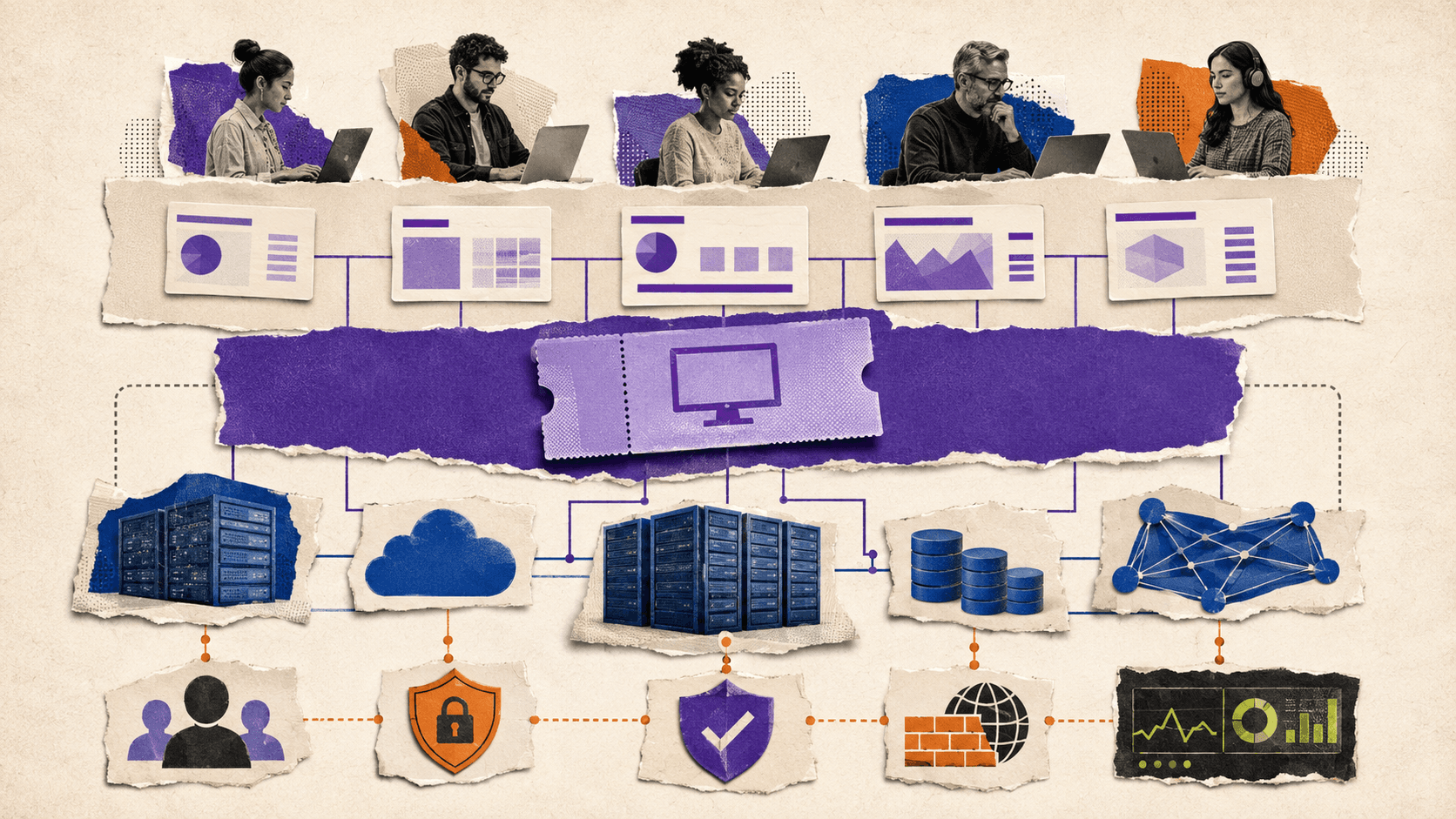
The software entitlement is also separate from the infrastructure needed to deliver desktops and applications. A license may give you access to the platform, but it does not automatically eliminate the cost of compute, storage, networking, identity, security, or IT labor.
How Does Citrix Price Its Software?
Citrix uses different licensing models depending on the product and deployment.
The two models most relevant to virtual desktop planning are user/device licensing and concurrent licensing.
Licensing model | What it usually measures | Best fit | Main planning question |
|---|---|---|---|
User or device | Authorized users or devices | Employees with regular access | How many people or devices need access? |
Concurrent | Simultaneous users or sessions | Shared or shift-based workforces | How many people need access at the same time? |
With user licensing, one authorized user may access desktops or applications from multiple devices, depending on the product terms. With device licensing, the entitlement is associated with an approved device.
Concurrent licensing focuses on simultaneous usage. If 500 employees share a system but only 100 typically use it at once, concurrent licensing may produce a different result from licensing all 500 users. The actual terms depend on the Citrix product and agreement.
Citrix DaaS documentation lists both per-user/device and concurrent options across multiple editions and cloud-specific variants. The Citrix DaaS licensing documentation should be checked for the exact edition being evaluated.
One important detail is that pooling or multiplexing does not automatically remove licensing obligations. Citrix’s licensing information explains that placing a pooling layer between users and the service does not necessarily reduce the number of licenses required.
This is why “Citrix cloud per user licenses” is not a complete pricing category. The correct cost depends on the product, license metric, user behavior, infrastructure, and contract.
What Is The Real Citrix License Cost Per User Or Session?
There is no single Citrix license cost that applies to every customer.
A credible estimate needs to identify:
The exact Citrix product
The edition
User/device or concurrent licensing
The number of licensed users, devices, or sessions
Contract duration
Region and currency
Support or maintenance
Included services
Additional components or add-ons
A quote of $X per user per month can be misleading if it excludes cloud compute, storage, implementation, or administration. It can also be misleading if the organization has many users but low concurrency, or a small user base with demanding GPU workloads.
The following distinctions are useful:
License cost per authorized user
License cost per authorized device
License cost per concurrent session
Total monthly cost per active employee
Total cost per desktop, including infrastructure and operations
Citrix provides official licensing information, but enterprise pricing may require a sales discussion based on the customer’s environment. Before relying on a number, confirm its date, currency, billing period, license unit, edition, and inclusions through Citrix’s sales team.
If exact pricing is not publicly available for the required configuration, the responsible approach is to say so. A planning estimate is still possible, but it should be presented as a model with assumptions, not as a universal Citrix price.
What Hardware And Infrastructure Costs Sit Behind The License?
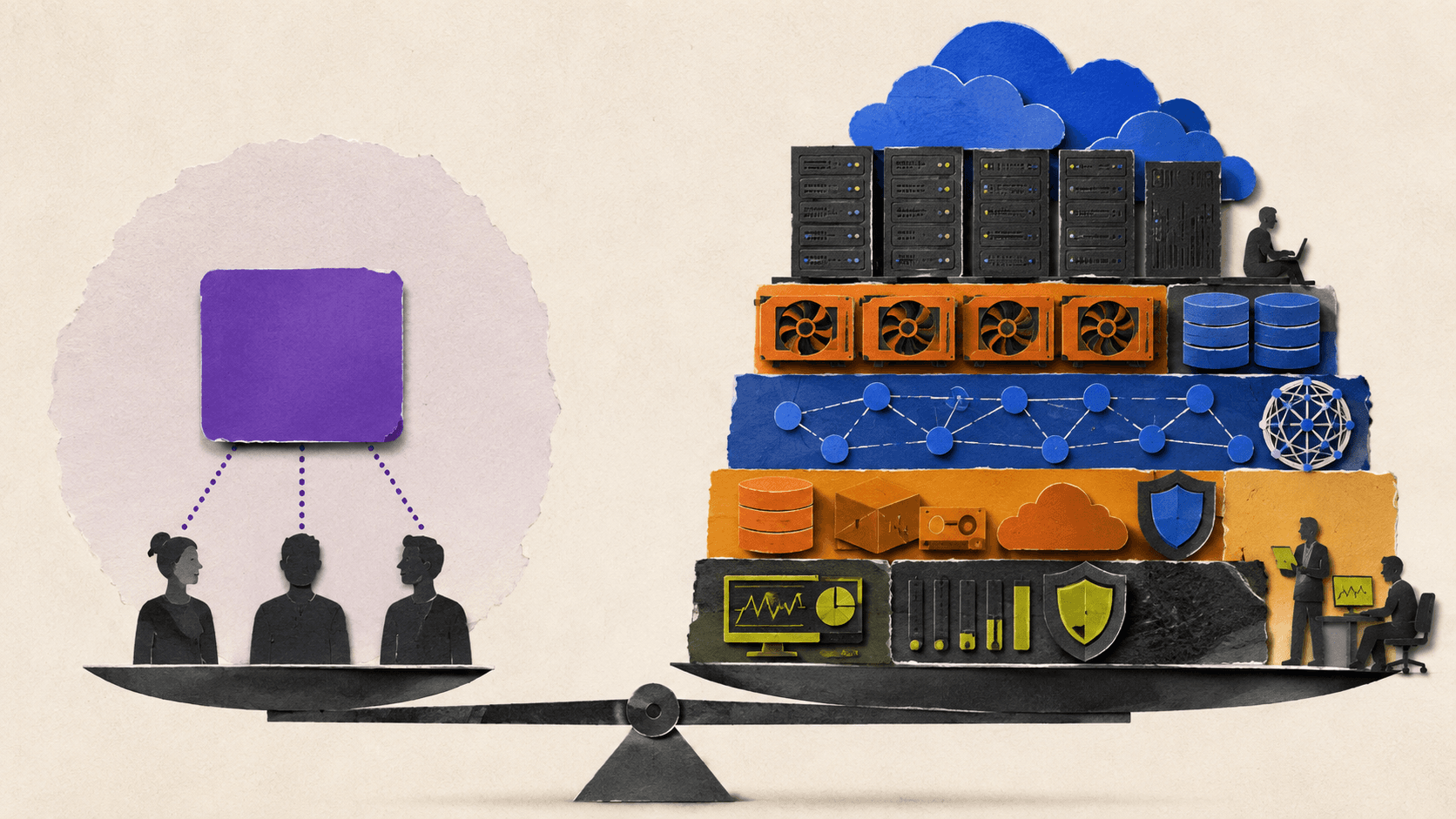
The Citrix license is only one part of the environment. The infrastructure cost can be small for a basic office workload or significant for a large, highly available deployment with GPU-enabled desktops.
Compute
A Citrix environment needs computing resources for desktop sessions, application workloads, management services, and supporting components.
Depending on the architecture, those resources may come from:
On-premises servers
Public cloud virtual machines
Hosted infrastructure
Dedicated or reserved capacity
GPU-enabled instances
Planning only for average usage can create performance problems during peak periods. Planning only for peak usage can leave expensive capacity idle. The right model depends on concurrency, session length, workload intensity, and availability requirements.
GPUs
GPU acceleration can change the cost calculation quickly.
CAD, 3D modeling, architecture, video editing, visualization, rendering, and some engineering applications may need GPU-enabled desktops. A GPU desktop usually costs more than a basic office desktop, and the infrastructure may need additional scheduling, capacity planning, and monitoring.
A team that needs GPU performance for only a few hours each week has a different cost profile from a team that needs dedicated GPU capacity all day.
Storage
Storage may be needed for:
Desktop images
Operating system disks
User profiles
Application packages
Project files
Temporary files
Snapshots
Backup copies
Disaster recovery environments
Persistent user data and large creative projects can make storage a meaningful part of the monthly bill. Storage performance also matters. A low-cost disk tier may not deliver the responsiveness users expect from a professional workstation.
Networking
A desktop delivery platform also depends on networking between users, cloud resources, identity systems, applications, and file storage.
Potential cost areas include:
Internet connectivity
Private networking
Gateways
Bandwidth
Data transfer
Regional connectivity
Redundant network paths
Low-latency access for interactive workloads
Networking costs may be especially important when users are distributed across regions or when applications and data are hosted in different environments.
Identity and security
A production Citrix deployment may also require directory services, multifactor authentication, endpoint controls, privileged access management, security monitoring, and logging.
These services may already exist in the organization. If they do, the incremental cost may be limited. If they do not, they become part of the project budget.
For a broader comparison of infrastructure decisions, this guide to virtual desktop infrastructure providers and platforms can help frame Citrix alongside other deployment models.

Which Operational Costs Are Easy To Miss?
Infrastructure is visible on a proposal. IT labor is easier to underestimate.
A Citrix deployment may require work before users ever connect to a desktop:
Architecture and implementation
Application packaging
Desktop image creation
Policy design
Identity integration
Network configuration
User migration
Application testing
Monitoring setup
Backup and recovery planning
The work continues after launch. Administrators may need to maintain images, apply patches, troubleshoot application behavior, tune performance, review logs, manage permissions, and respond to user issues.
That expertise may come from an internal Citrix administrator, a broader infrastructure team, a consultant, or a managed service provider. Each option has a different cost and level of control.
Support requirements also grow with the environment. A team running a small number of standard desktops may need limited operational support. A company delivering business-critical applications to thousands of users may need monitoring, redundancy, escalation processes, and formal change management.
This is one reason performance problems can become expensive. A slow desktop is not always solved by adding more memory. It may require investigating the network, storage, profile management, application behavior, endpoint, or delivery configuration. The same operational pattern appears in other hosted desktop environments, as explained in this guide to fixing slow and laggy performance in AWS WorkSpaces VDIs.
When Does Citrix Make Sense For A Team?
Citrix can be a reasonable choice when the organization needs more than access to individual cloud computers.
A large enterprise may accept the implementation and administration cost when it needs mature application publishing, detailed policies, established identity integrations, governance, and centralized control across a large user base.
A smaller distributed team may reach a different conclusion. If each employee needs an assigned computer for development, design, engineering, rendering, or other specialized work, a full application delivery platform may introduce more infrastructure than the team needs.
A useful decision framework looks like this:
Team profile | Likely priority | Cost concern | Potential fit |
|---|---|---|---|
Small distributed team | Fast setup and predictable management | Specialist administration | Managed cloud computers |
Growing remote team | Repeatable onboarding and access control | Scaling infrastructure | Citrix or managed cloud computers, depending on complexity |
GPU-heavy creative or engineering team | Consistent workstation performance | GPU capacity and idle resources | GPU cloud workstations or specialized desktop platforms |
Large enterprise | Governance, application delivery, and policy control | Licensing plus operations at scale | Citrix or another enterprise platform |
Strict compliance environment | Data location, auditability, and control | Verification of every service boundary | Platform selected after compliance review |
The important question is not whether Citrix has useful features. It does. The question is whether your organization needs those features badly enough to justify the license, infrastructure, and operating model.
Could Vagon Teams Be A Simpler Option?
If your team does not need the full Citrix application delivery stack, you may not need to build and operate one.
Vagon Teams is designed for teams that need centrally managed, isolated cloud computers. An administrator can invite team members, create computers, assign access, manage usage, and control permissions from a central workflow.
The difference is practical. Instead of designing an entire enterprise desktop delivery environment, a team can create cloud computers for specific people or projects and give them the performance they need.
Vagon Teams supports several workflows that matter when replacing physical workstations or reducing infrastructure overhead:
Assigning and reassigning computers to team members
Creating reusable templates with preinstalled applications
Setting usage plans and computer budgets
Managing personal and shared file storage
Applying computer permissions
Restricting internet, file, or clipboard access where supported
Monitoring application usage and session activity
Providing different performance tiers, including GPU-enabled options
Accessing assigned computers from supported devices through a browser
The Vagon Teams feature documentation describes these management, storage, template, permission, and monitoring features in more detail.
This can be valuable for a distributed design studio, engineering team, architecture group, video production company, or business that regularly onboards contractors. An administrator can prepare a template, assign a computer, choose an appropriate performance plan, and manage access without purchasing and shipping a high-end workstation.
Vagon Teams also provides a more direct way to connect cost with usage. The Vagon Teams pricing page lists computer usage plans and performance tiers. Charges can vary by plan, performance option, and region, so the relevant comparison should use the team’s actual workload and expected usage.
That does not mean Vagon Teams is automatically cheaper than Citrix. It means the cost model and operational scope are different. Vagon Teams may fit when the team wants managed cloud computers, centralized assignment, repeatable setups, and performance options without operating a complete Citrix environment.
Citrix may still be the better fit for organizations that require Citrix-specific application publishing, complex enterprise policy frameworks, existing Citrix integrations, or compliance controls outside Vagon Teams’ documented scope.

How Should You Estimate The Total Citrix Cost?
A useful estimate should compare complete environments, not isolated software prices.
Start with the user and workload assumptions:
How many people need access?
How many users are active at the same time?
Do users need dedicated desktops or shared sessions?
Which applications need GPU acceleration?
How much storage does each user require?
Where are users, applications, and data located?
What availability target is required?
Who will administer the environment?
Then build the estimate across five layers:
Cost layer | Questions to answer |
|---|---|
Software | Which Citrix product, edition, license model, and term are required? |
Infrastructure | What compute, GPU, storage, networking, and identity services are needed? |
Resilience | What backup, redundancy, monitoring, and disaster recovery are required? |
Operations | Who handles implementation, support, image management, patching, and troubleshooting? |
Growth | What happens when users, workloads, regions, or performance requirements increase? |
A simple planning formula is:
Total cost of ownership = software licenses + infrastructure + implementation + administration + security + backup and recovery + support
This is not a universal pricing formula. It is a checklist that prevents the software license from becoming the entire business case.
When comparing Citrix with Vagon Teams or another platform, use the same scope on both sides. Compare the number of computers, expected usage, performance requirements, storage, management work, and support. A lower license price is not necessarily a lower operating cost, just as a higher license price is not automatically poor value.
Frequently Asked Questions
Is Citrix pricing public?
Some Citrix licensing information is public, but the final price may depend on the product, edition, licensing model, region, contract, and support terms. For many enterprise configurations, requesting a quote is the safest way to confirm the cost.
How does Citrix price its software?
Citrix uses different licensing models depending on the product. Virtual desktop services may use user/device or concurrent licensing, while other Citrix products may use different units such as appliances, virtual machines, or CPU sockets.
What is included in a Citrix license?
That depends on the product and edition. A license generally covers the specified Citrix software or service entitlement, but it should not automatically be assumed to include all cloud compute, storage, networking, security, backup, implementation, or administration costs.
Does Citrix DaaS include cloud infrastructure?
Citrix DaaS provides the Citrix service layer, but the overall architecture may still require separate cloud resources, workloads, storage, identity, networking, and supporting services. Review the exact deployment model before estimating the total cost.
What hardware costs should be included in a Citrix budget?
Include compute, GPU resources where needed, storage, backup, networking, gateways, redundancy, monitoring, and disaster recovery. On-premises deployments may also require servers, data center capacity, power, cooling, and hardware maintenance.
Is Vagon Teams a Citrix replacement?
Not in every context. Vagon Teams is a managed cloud computer platform for teams that need assigned, isolated, high-performance workspaces with centralized team management. Organizations that require Citrix-specific application publishing or enterprise controls should evaluate whether Vagon Teams covers those requirements.
When should a team consider Vagon Teams?
Vagon Teams may fit distributed creative, engineering, architecture, rendering, video, and other specialized teams that want to provide cloud computers without purchasing physical workstations or operating a complete Citrix environment.
If that sounds like your team’s workflow, explore Vagon Teams and compare the available computer plans with your expected users, usage, storage, and performance needs.
Citrix pricing is only the first line in a much larger budget. The real cost can also include servers or cloud compute, storage, networking, security, backup, implementation, and ongoing administration.
If your organization needs enterprise application delivery, complex access policies, and large-scale desktop management, Citrix may justify that investment. If your team mainly needs centrally managed, high-performance cloud computers, a simpler platform such as Vagon Teams may be easier to deploy and operate.
What Does Citrix Pricing Actually Include?
The phrase “Citrix pricing” can refer to several different products and deployment models. Citrix offers products for virtual apps and desktops, secure access, analytics, endpoint management, infrastructure, and other enterprise requirements.
That makes a single Citrix license cost difficult to quote accurately. The price depends on factors such as:
Which Citrix product or service you need
The edition and included features
User/device or concurrent licensing
Number of users or sessions
Cloud or on-premises deployment
Contract length and region
Support and maintenance requirements
Additional Citrix components
Citrix’s official licensing models show that different products use different license units. Some are licensed per user or device, while others may use concurrent users, appliances, virtual machines, CPU sockets, or other metrics.
So when someone asks, “How much is a Citrix license?” the useful response is: which Citrix product, which edition, and which licensing model?
The software entitlement is also separate from the infrastructure needed to deliver desktops and applications. A license may give you access to the platform, but it does not automatically eliminate the cost of compute, storage, networking, identity, security, or IT labor.
How Does Citrix Price Its Software?
Citrix uses different licensing models depending on the product and deployment.
The two models most relevant to virtual desktop planning are user/device licensing and concurrent licensing.
Licensing model | What it usually measures | Best fit | Main planning question |
|---|---|---|---|
User or device | Authorized users or devices | Employees with regular access | How many people or devices need access? |
Concurrent | Simultaneous users or sessions | Shared or shift-based workforces | How many people need access at the same time? |
With user licensing, one authorized user may access desktops or applications from multiple devices, depending on the product terms. With device licensing, the entitlement is associated with an approved device.
Concurrent licensing focuses on simultaneous usage. If 500 employees share a system but only 100 typically use it at once, concurrent licensing may produce a different result from licensing all 500 users. The actual terms depend on the Citrix product and agreement.
Citrix DaaS documentation lists both per-user/device and concurrent options across multiple editions and cloud-specific variants. The Citrix DaaS licensing documentation should be checked for the exact edition being evaluated.
One important detail is that pooling or multiplexing does not automatically remove licensing obligations. Citrix’s licensing information explains that placing a pooling layer between users and the service does not necessarily reduce the number of licenses required.
This is why “Citrix cloud per user licenses” is not a complete pricing category. The correct cost depends on the product, license metric, user behavior, infrastructure, and contract.
What Is The Real Citrix License Cost Per User Or Session?
There is no single Citrix license cost that applies to every customer.
A credible estimate needs to identify:
The exact Citrix product
The edition
User/device or concurrent licensing
The number of licensed users, devices, or sessions
Contract duration
Region and currency
Support or maintenance
Included services
Additional components or add-ons
A quote of $X per user per month can be misleading if it excludes cloud compute, storage, implementation, or administration. It can also be misleading if the organization has many users but low concurrency, or a small user base with demanding GPU workloads.
The following distinctions are useful:
License cost per authorized user
License cost per authorized device
License cost per concurrent session
Total monthly cost per active employee
Total cost per desktop, including infrastructure and operations
Citrix provides official licensing information, but enterprise pricing may require a sales discussion based on the customer’s environment. Before relying on a number, confirm its date, currency, billing period, license unit, edition, and inclusions through Citrix’s sales team.
If exact pricing is not publicly available for the required configuration, the responsible approach is to say so. A planning estimate is still possible, but it should be presented as a model with assumptions, not as a universal Citrix price.
What Hardware And Infrastructure Costs Sit Behind The License?
The Citrix license is only one part of the environment. The infrastructure cost can be small for a basic office workload or significant for a large, highly available deployment with GPU-enabled desktops.
Compute
A Citrix environment needs computing resources for desktop sessions, application workloads, management services, and supporting components.
Depending on the architecture, those resources may come from:
On-premises servers
Public cloud virtual machines
Hosted infrastructure
Dedicated or reserved capacity
GPU-enabled instances
Planning only for average usage can create performance problems during peak periods. Planning only for peak usage can leave expensive capacity idle. The right model depends on concurrency, session length, workload intensity, and availability requirements.
GPUs
GPU acceleration can change the cost calculation quickly.
CAD, 3D modeling, architecture, video editing, visualization, rendering, and some engineering applications may need GPU-enabled desktops. A GPU desktop usually costs more than a basic office desktop, and the infrastructure may need additional scheduling, capacity planning, and monitoring.
A team that needs GPU performance for only a few hours each week has a different cost profile from a team that needs dedicated GPU capacity all day.
Storage
Storage may be needed for:
Desktop images
Operating system disks
User profiles
Application packages
Project files
Temporary files
Snapshots
Backup copies
Disaster recovery environments
Persistent user data and large creative projects can make storage a meaningful part of the monthly bill. Storage performance also matters. A low-cost disk tier may not deliver the responsiveness users expect from a professional workstation.
Networking
A desktop delivery platform also depends on networking between users, cloud resources, identity systems, applications, and file storage.
Potential cost areas include:
Internet connectivity
Private networking
Gateways
Bandwidth
Data transfer
Regional connectivity
Redundant network paths
Low-latency access for interactive workloads
Networking costs may be especially important when users are distributed across regions or when applications and data are hosted in different environments.
Identity and security
A production Citrix deployment may also require directory services, multifactor authentication, endpoint controls, privileged access management, security monitoring, and logging.
These services may already exist in the organization. If they do, the incremental cost may be limited. If they do not, they become part of the project budget.
For a broader comparison of infrastructure decisions, this guide to virtual desktop infrastructure providers and platforms can help frame Citrix alongside other deployment models.
Which Operational Costs Are Easy To Miss?
Infrastructure is visible on a proposal. IT labor is easier to underestimate.
A Citrix deployment may require work before users ever connect to a desktop:
Architecture and implementation
Application packaging
Desktop image creation
Policy design
Identity integration
Network configuration
User migration
Application testing
Monitoring setup
Backup and recovery planning
The work continues after launch. Administrators may need to maintain images, apply patches, troubleshoot application behavior, tune performance, review logs, manage permissions, and respond to user issues.
That expertise may come from an internal Citrix administrator, a broader infrastructure team, a consultant, or a managed service provider. Each option has a different cost and level of control.
Support requirements also grow with the environment. A team running a small number of standard desktops may need limited operational support. A company delivering business-critical applications to thousands of users may need monitoring, redundancy, escalation processes, and formal change management.
This is one reason performance problems can become expensive. A slow desktop is not always solved by adding more memory. It may require investigating the network, storage, profile management, application behavior, endpoint, or delivery configuration. The same operational pattern appears in other hosted desktop environments, as explained in this guide to fixing slow and laggy performance in AWS WorkSpaces VDIs.
When Does Citrix Make Sense For A Team?
Citrix can be a reasonable choice when the organization needs more than access to individual cloud computers.
A large enterprise may accept the implementation and administration cost when it needs mature application publishing, detailed policies, established identity integrations, governance, and centralized control across a large user base.
A smaller distributed team may reach a different conclusion. If each employee needs an assigned computer for development, design, engineering, rendering, or other specialized work, a full application delivery platform may introduce more infrastructure than the team needs.
A useful decision framework looks like this:
Team profile | Likely priority | Cost concern | Potential fit |
|---|---|---|---|
Small distributed team | Fast setup and predictable management | Specialist administration | Managed cloud computers |
Growing remote team | Repeatable onboarding and access control | Scaling infrastructure | Citrix or managed cloud computers, depending on complexity |
GPU-heavy creative or engineering team | Consistent workstation performance | GPU capacity and idle resources | GPU cloud workstations or specialized desktop platforms |
Large enterprise | Governance, application delivery, and policy control | Licensing plus operations at scale | Citrix or another enterprise platform |
Strict compliance environment | Data location, auditability, and control | Verification of every service boundary | Platform selected after compliance review |
The important question is not whether Citrix has useful features. It does. The question is whether your organization needs those features badly enough to justify the license, infrastructure, and operating model.
Could Vagon Teams Be A Simpler Option?
If your team does not need the full Citrix application delivery stack, you may not need to build and operate one.
Vagon Teams is designed for teams that need centrally managed, isolated cloud computers. An administrator can invite team members, create computers, assign access, manage usage, and control permissions from a central workflow.
The difference is practical. Instead of designing an entire enterprise desktop delivery environment, a team can create cloud computers for specific people or projects and give them the performance they need.
Vagon Teams supports several workflows that matter when replacing physical workstations or reducing infrastructure overhead:
Assigning and reassigning computers to team members
Creating reusable templates with preinstalled applications
Setting usage plans and computer budgets
Managing personal and shared file storage
Applying computer permissions
Restricting internet, file, or clipboard access where supported
Monitoring application usage and session activity
Providing different performance tiers, including GPU-enabled options
Accessing assigned computers from supported devices through a browser
The Vagon Teams feature documentation describes these management, storage, template, permission, and monitoring features in more detail.
This can be valuable for a distributed design studio, engineering team, architecture group, video production company, or business that regularly onboards contractors. An administrator can prepare a template, assign a computer, choose an appropriate performance plan, and manage access without purchasing and shipping a high-end workstation.
Vagon Teams also provides a more direct way to connect cost with usage. The Vagon Teams pricing page lists computer usage plans and performance tiers. Charges can vary by plan, performance option, and region, so the relevant comparison should use the team’s actual workload and expected usage.
That does not mean Vagon Teams is automatically cheaper than Citrix. It means the cost model and operational scope are different. Vagon Teams may fit when the team wants managed cloud computers, centralized assignment, repeatable setups, and performance options without operating a complete Citrix environment.
Citrix may still be the better fit for organizations that require Citrix-specific application publishing, complex enterprise policy frameworks, existing Citrix integrations, or compliance controls outside Vagon Teams’ documented scope.
How Should You Estimate The Total Citrix Cost?
A useful estimate should compare complete environments, not isolated software prices.
Start with the user and workload assumptions:
How many people need access?
How many users are active at the same time?
Do users need dedicated desktops or shared sessions?
Which applications need GPU acceleration?
How much storage does each user require?
Where are users, applications, and data located?
What availability target is required?
Who will administer the environment?
Then build the estimate across five layers:
Cost layer | Questions to answer |
|---|---|
Software | Which Citrix product, edition, license model, and term are required? |
Infrastructure | What compute, GPU, storage, networking, and identity services are needed? |
Resilience | What backup, redundancy, monitoring, and disaster recovery are required? |
Operations | Who handles implementation, support, image management, patching, and troubleshooting? |
Growth | What happens when users, workloads, regions, or performance requirements increase? |
A simple planning formula is:
Total cost of ownership = software licenses + infrastructure + implementation + administration + security + backup and recovery + support
This is not a universal pricing formula. It is a checklist that prevents the software license from becoming the entire business case.
When comparing Citrix with Vagon Teams or another platform, use the same scope on both sides. Compare the number of computers, expected usage, performance requirements, storage, management work, and support. A lower license price is not necessarily a lower operating cost, just as a higher license price is not automatically poor value.
Frequently Asked Questions
Is Citrix pricing public?
Some Citrix licensing information is public, but the final price may depend on the product, edition, licensing model, region, contract, and support terms. For many enterprise configurations, requesting a quote is the safest way to confirm the cost.
How does Citrix price its software?
Citrix uses different licensing models depending on the product. Virtual desktop services may use user/device or concurrent licensing, while other Citrix products may use different units such as appliances, virtual machines, or CPU sockets.
What is included in a Citrix license?
That depends on the product and edition. A license generally covers the specified Citrix software or service entitlement, but it should not automatically be assumed to include all cloud compute, storage, networking, security, backup, implementation, or administration costs.
Does Citrix DaaS include cloud infrastructure?
Citrix DaaS provides the Citrix service layer, but the overall architecture may still require separate cloud resources, workloads, storage, identity, networking, and supporting services. Review the exact deployment model before estimating the total cost.
What hardware costs should be included in a Citrix budget?
Include compute, GPU resources where needed, storage, backup, networking, gateways, redundancy, monitoring, and disaster recovery. On-premises deployments may also require servers, data center capacity, power, cooling, and hardware maintenance.
Is Vagon Teams a Citrix replacement?
Not in every context. Vagon Teams is a managed cloud computer platform for teams that need assigned, isolated, high-performance workspaces with centralized team management. Organizations that require Citrix-specific application publishing or enterprise controls should evaluate whether Vagon Teams covers those requirements.
When should a team consider Vagon Teams?
Vagon Teams may fit distributed creative, engineering, architecture, rendering, video, and other specialized teams that want to provide cloud computers without purchasing physical workstations or operating a complete Citrix environment.
If that sounds like your team’s workflow, explore Vagon Teams and compare the available computer plans with your expected users, usage, storage, and performance needs.
Scalable Remote Desktop for your Team
Create cloud computers for your Team, manage their access & permissions in real-time. Start in minutes & scale.

Trial includes 1 hour usage + 7 days of
storage for first 2 seats.
Scalable Remote Desktop for your Team
Create cloud computers for your Team, manage their access & permissions in real-time. Start in minutes & scale.
Trial includes 1 hour usage + 7 days of
storage for first 2 seats.
Summarize with AI

Ready to focus on your creativity?
Vagon gives you the ability to create & render projects, collaborate, and stream applications with the power of the best hardware.

Run heavy applications on any device with
your personal computer on the cloud.
San Francisco, California
Solutions
Vagon Teams
Vagon Streams
Use Cases
© 2026 Vagon. All rights reserved.
Run heavy applications on any device with
your personal computer on the cloud.
San Francisco, California
Solutions
Vagon Teams
Vagon Streams
Use Cases
© 2026 Vagon. All rights reserved.
Run heavy applications on any device with
your personal computer on the cloud.
San Francisco, California
Solutions
Vagon Teams
Vagon Streams
Use Cases
© 2026 Vagon. All rights reserved.