Instant Connection for Pixel Streaming
— New Feature Automated Setup

VDI vs VM vs DaaS: Which One Does Your Team Need?
Teams & IT
VDI vs VM vs DaaS: Which One Does Your Team Need?
Teams & IT
VDI vs VM vs DaaS: Which One Does Your Team Need?
Teams & IT
Table of Contents
The right choice depends on how much control your team needs and how much infrastructure it wants to manage. A VM gives you an isolated computer environment, VDI manages virtual desktops centrally, and DaaS delivers those desktops through a cloud service.
For most small and distributed teams, a managed cloud computer can be simpler than building a complete VDI environment. Larger organizations with strict governance or compliance requirements may need VDI or enterprise DaaS, while development teams may only need individual VMs.
The Short Answer
Choose a VM when one person, developer, or application needs an isolated computing environment.
Choose VDI when your organization needs centralized control over many user desktops.
Choose DaaS when you want cloud-hosted desktops without operating the underlying infrastructure.
Choose a managed cloud computer when your team needs powerful remote workstations with simple team administration.
These models can overlap. A DaaS platform may use VDI technology, while a virtual desktop may run inside a VM. The important difference is the layer each term describes.
VM, Virtual Desktop, VDI, and DaaS: What Do These Terms Mean?
A virtual machine is a software-defined computer. It has its own operating system, CPU, memory, storage, and network configuration, even though it runs on shared physical hardware. As Red Hat explains in its overview of virtual machines, a hypervisor separates the VM from the host system and allocates resources to it.
A VM does not automatically provide a complete employee desktop experience. It can run a server, development environment, test system, application, or desktop operating system. Its purpose depends on how the VM is configured and managed.
A virtual desktop is the user-facing workspace. It usually includes an operating system, applications, files, settings, and access controls. Users connect to it remotely instead of running the entire workload on their local device.
Virtual desktop infrastructure, or VDI, is the architecture and management approach used to host and deliver virtual desktops. IBM describes VDI as a system for hosting desktop environments centrally and delivering them to users remotely. In a VDI environment, the organization usually controls desktop images, policies, user access, networking, storage, and the supporting infrastructure.
Desktop as a Service, or DaaS, is a delivery model. With DaaS, a provider hosts and operates the desktop infrastructure, and the customer accesses desktops through a subscription or service agreement. AWS describes DaaS as a way to deliver virtual desktops through a cloud service.
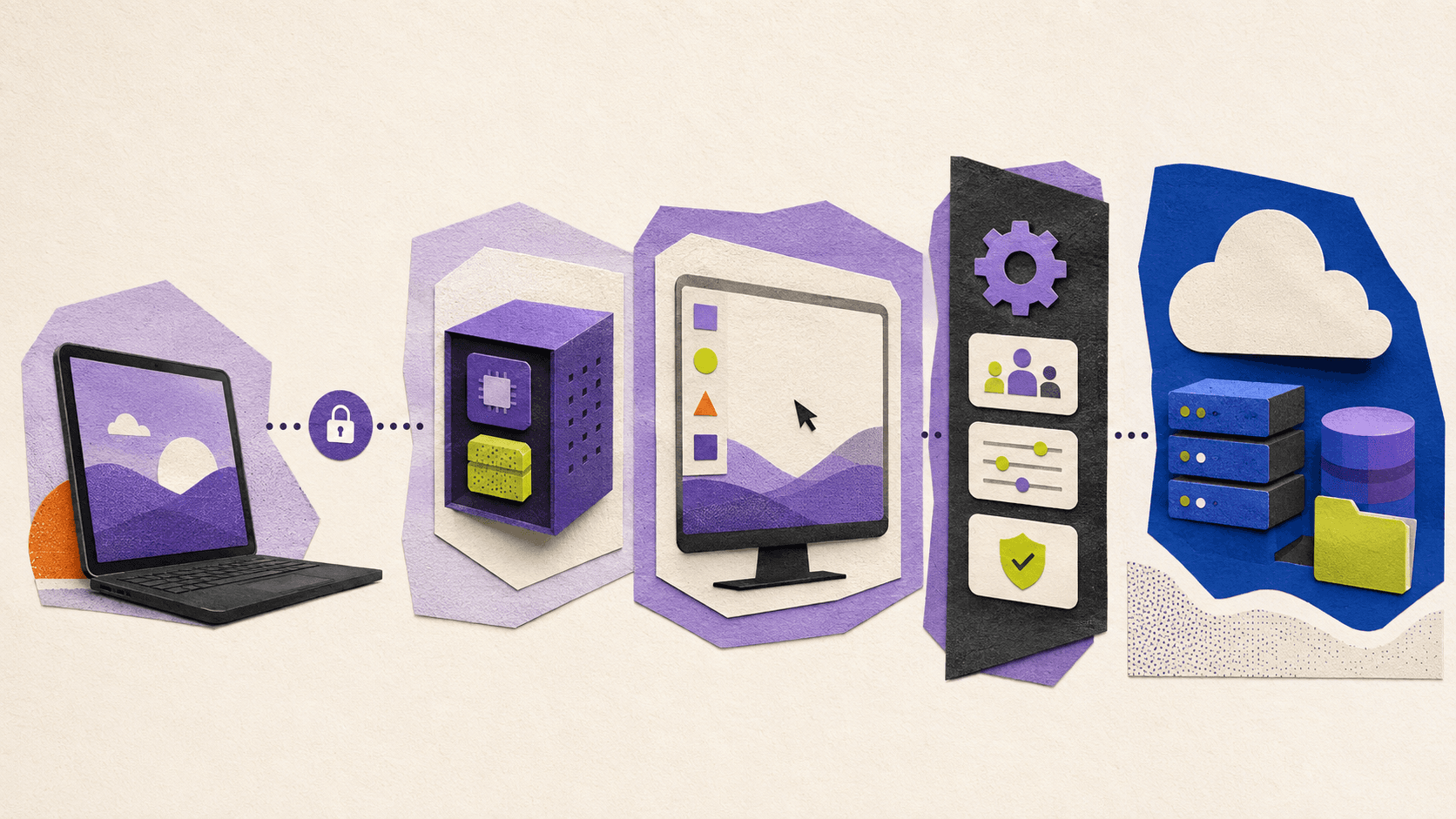
The simplest way to remember the difference is this: a VM describes the computer, a virtual desktop describes the user workspace, VDI describes the centralized desktop infrastructure, and DaaS describes how that infrastructure is delivered and operated.
VDI vs VM vs DaaS: What Is The Practical Difference?
The main difference is responsibility.
With individual VMs, your team decides how each environment is configured and maintained. This is useful when developers need full control or when workloads must remain isolated. It can also create management overhead if every VM becomes a separate environment with its own updates, backups, permissions, and troubleshooting process.
VDI adds centralized desktop management. Instead of treating every user computer as a separate project, IT can create standardized desktop images and deliver them to multiple users. This makes VDI useful when employees need consistent applications, access policies, and working environments.
DaaS moves more of the infrastructure responsibility to a provider. The provider typically operates the hosting environment, while the customer manages users, applications, configurations, and service policies according to the platform’s capabilities.
Area | Individual VM | VDI | DaaS |
|---|---|---|---|
Infrastructure ownership | Usually managed by the organization or cloud account owner | Managed by the organization or infrastructure partner | Primarily operated by the service provider |
Deployment | One environment at a time or through automation | Centralized desktop images and provisioning | Provider-managed desktop service |
Scalability | Depends on automation and available resources | Designed to manage many desktops | Usually easier to scale through the service |
Administration | Detailed control, but more individual environments to maintain | Centralized policies, images, and user management | Shared between provider and customer |
User access | Access to a specific VM or application environment | Access to an organization-managed desktop | Access to a provider-hosted desktop |
Best fit | Developers, testing, and isolated workloads | Organizations needing centralized desktop control | Teams seeking cloud desktops with less infrastructure work |
The terms are not mutually exclusive. A VDI deployment can use virtual machines to host desktops. A DaaS platform can provide VDI capabilities through a managed cloud service. The real decision is about which responsibilities belong to your team.
When Does An Individual VM Make More Sense?
A VM is often the right choice when the requirement is technical isolation rather than employee desktop delivery.
For example, a developer may need a clean Windows environment to test an application. An engineering team may need separate Linux environments for different projects. A company may also use VMs for legacy software, staging systems, security testing, or workloads that require a particular operating system.
The main advantage is control. You can select the operating system, software, resource allocation, network rules, and lifecycle of the environment. That control is valuable for technical teams that already have the skills and automation needed to manage VMs.
The drawback is that VMs can become difficult to manage at scale. If each user or project receives a slightly different environment, patching, access management, backups, and support become increasingly complex. A VM is a strong building block, but it is not automatically a complete team desktop strategy.
When Is VDI The Better Option?
VDI is designed for organizations that want to manage desktops as a coordinated system.
A VDI deployment may make sense when many users need similar applications and policies. IT can maintain standard desktop images, control access centrally, and manage the relationship between users and desktops from a common administrative layer.
VDI can also help organizations keep data and applications within controlled environments instead of distributing everything across employee devices. This may be important for companies with strict internal security policies, regulated workflows, or existing investments in data centers and private infrastructure.
The trade-off is operational complexity. A VDI environment may require planning around identity, networking, storage, graphics performance, image management, monitoring, licensing, backup, and user support. The organization gains control, but it also accepts more responsibility.
Teams comparing platforms can use Vagon’s guide to virtual desktop infrastructure providers and platforms as a separate starting point for evaluating enterprise-oriented options.

When Does DaaS Make More Sense?
DaaS is useful when a team wants cloud-hosted desktops but does not want to build the entire desktop infrastructure itself.
A growing company may use DaaS to onboard employees without shipping high-powered hardware to every location. A distributed organization may use it to provide a consistent work environment across regions. Companies with temporary contractors or seasonal employees may also value the ability to provision and remove access without expanding their own data center footprint.
DaaS does not remove every administrative task. You still need to define user access, applications, data handling, policies, and support processes. It does, however, change who operates the underlying service.
Subscription pricing may be easier to forecast than purchasing and maintaining infrastructure, but the total cost depends on user count, usage patterns, storage, GPU requirements, data transfer, licensing, and support. Vagon’s overview of Desktop as a Service platforms can help teams compare different service models.
Which Option Fits Different Team Profiles?
Different teams can arrive at different answers even when they have similar remote-access requirements.
A small startup with a few technical users may not need a full VDI deployment. Individual VMs or managed cloud computers can provide the required environments without introducing a large administration layer.
A growing distributed team may benefit from DaaS or another managed cloud desktop approach. The priority is usually fast provisioning, centralized user access, and a consistent experience without assigning a dedicated infrastructure team to desktop operations.
A development or engineering team may prefer individual VMs when projects require different operating systems, tools, or configurations. If the team needs a shared, standardized workspace for many users, VDI may become more appropriate.
Creative teams, architects, and technical users often have a different requirement: remote access to high-performance workstations. In that case, the most important questions may involve GPU availability, application compatibility, latency, storage, and the ability to assign separate machines to different users.
Large organizations with strict infrastructure, identity, or compliance requirements may need a dedicated VDI or enterprise DaaS platform. They may require integrations, audit controls, regional hosting options, and governance features that simpler cloud computer services do not provide.
How Should Your Team Make The Decision?
Start with the workload rather than the product category.
If one person needs one isolated environment, begin by evaluating a VM. If many users need the same managed desktop experience, evaluate VDI. If you need those desktops but want a provider to operate the infrastructure, evaluate DaaS.
Then consider the level of control your team needs:
If your IT team must control the hypervisor, network, storage, desktop images, and identity integrations, a self-managed VM or VDI architecture may be necessary.
If the team mainly needs reliable access and user management, a managed service may be more practical.
If users need high-performance graphics, 3D applications, video tools, or other demanding workloads, focus on GPU availability and application performance before comparing administrative features.
Finally, estimate the operational cost. Include infrastructure, licenses, storage, support, user onboarding, security administration, and the time required to maintain the environment. A solution that appears inexpensive per user may require considerably more internal work.
For a deeper look at how virtual desktop access compares with network-based remote access, see Vagon’s article on VDI vs VPN for remote work.
Where Vagon Teams Fits
If your team needs high-performance cloud computers but does not want to build and maintain a full VDI environment, Vagon Teams offers a more direct way to get started.
Instead of purchasing powerful workstations for every employee, your team can create cloud computers and assign them to individual members. Employees can access their work environments from different devices, while administrators manage computers, users, permissions, files, and usage from a centralized workspace.
This is especially useful for teams working with applications that require more performance than a standard laptop can provide. Design studios, architecture firms, engineering teams, game development studios, VFX teams, and technical agencies can use cloud workstations for workloads such as 3D modeling, rendering, video production, CAD, simulation, and development.
The practical advantage is speed. An administrator can invite team members, create computers, assign access, and reassign those computers when project needs change. Teams can also create templates with pre-installed applications and preferred configurations, making it easier to provide a consistent starting point for different roles.
Vagon Teams also brings common team-management tasks into the same workspace:
Team administrators can assign and reassign cloud computers as projects change.
Shared files and folders can be made available inside team computers.
Permissions can control access to files, the internet, and clipboard usage.
Activity monitoring can help administrators understand application usage and active or idle time.
Pay-per-use plans can align computer costs with actual usage instead of requiring every user to have a permanently active workstation.
These capabilities make Vagon Teams a strong fit when the main problem is not simply “How do we deliver a standardized corporate desktop to thousands of employees?” but rather “How do we give our distributed team reliable access to powerful computers and manage those environments without adding unnecessary infrastructure work?”
That distinction matters. Vagon Teams is not a universal replacement for every VDI deployment or enterprise DaaS platform. Organizations that require extensive identity integrations, strict compliance controls, private infrastructure ownership, complex network architecture, or large-scale standardized desktop policies may still need a dedicated VDI solution.
For creative and technical teams, however, the buying decision is often more immediate. If employees are slowed down by underpowered hardware, if remote onboarding takes too long, or if managers need a simpler way to assign secure workstations, Vagon Teams can provide a practical cloud-based alternative.
You can create a team workspace, assign computers to your users, and test the workflow before committing to a larger infrastructure project. Create a Vagon Teams workspace and see whether your team can replace hardware limitations with flexible, high-performance cloud computers.

Final Recommendation
VM, VDI, and DaaS are related concepts, but they answer different questions. A VM gives you an isolated computer. VDI gives an organization a way to manage and deliver desktops centrally. DaaS provides those capabilities through a cloud-operated service.
Choose the model that matches your team’s workload, administrative capacity, scale, and control requirements. For individual technical environments, start with VMs. For centrally managed desktops, consider VDI. For cloud delivery with less infrastructure ownership, consider DaaS. For distributed teams that need powerful, separately managed cloud computers, Vagon Teams may offer a simpler path.
FAQs
Is a VM the same as a virtual desktop?
No. A VM is an isolated virtual computer that can run many types of workloads. A virtual desktop is a user workspace designed for remote access. A virtual desktop may run inside a VM, but not every VM is used as a desktop.
Is VDI the same as DaaS?
No. VDI is an infrastructure and management approach for delivering virtual desktops. DaaS is a service delivery model in which a provider operates much of the desktop infrastructure. A DaaS platform may use VDI technology.
Which is easier to manage, VDI or DaaS?
DaaS is generally easier for teams that want the provider to manage the underlying infrastructure. VDI can provide more control, but it usually requires more responsibility for deployment, updates, networking, monitoring, security, and desktop lifecycle management.
Is DaaS suitable for small teams?
It can be, especially when the team needs remote desktops but does not have the time or expertise to build desktop infrastructure. Small teams should still compare subscription costs, application compatibility, performance, storage, and user management before choosing a platform.
Can Vagon Teams replace VDI?
Not in every situation. Vagon Teams can fit teams that need managed cloud computers, centralized team access, and high-performance workflows. Organizations requiring extensive enterprise governance, complex identity integrations, or full control over VDI infrastructure may need a dedicated VDI platform.
Should developers use VMs or VDI?
Developers who need isolated project environments or different operating systems may prefer individual VMs. VDI may be more suitable when an organization wants to provide standardized development desktops and manage them centrally for many users.
What should a team evaluate before choosing a solution?
Evaluate workload performance, number of users, application requirements, security policies, identity integrations, data location, expected usage, administration effort, and total cost. The right option is the one that meets the team’s operational requirements without adding unnecessary infrastructure responsibility.
The right choice depends on how much control your team needs and how much infrastructure it wants to manage. A VM gives you an isolated computer environment, VDI manages virtual desktops centrally, and DaaS delivers those desktops through a cloud service.
For most small and distributed teams, a managed cloud computer can be simpler than building a complete VDI environment. Larger organizations with strict governance or compliance requirements may need VDI or enterprise DaaS, while development teams may only need individual VMs.
The Short Answer
Choose a VM when one person, developer, or application needs an isolated computing environment.
Choose VDI when your organization needs centralized control over many user desktops.
Choose DaaS when you want cloud-hosted desktops without operating the underlying infrastructure.
Choose a managed cloud computer when your team needs powerful remote workstations with simple team administration.
These models can overlap. A DaaS platform may use VDI technology, while a virtual desktop may run inside a VM. The important difference is the layer each term describes.
VM, Virtual Desktop, VDI, and DaaS: What Do These Terms Mean?
A virtual machine is a software-defined computer. It has its own operating system, CPU, memory, storage, and network configuration, even though it runs on shared physical hardware. As Red Hat explains in its overview of virtual machines, a hypervisor separates the VM from the host system and allocates resources to it.
A VM does not automatically provide a complete employee desktop experience. It can run a server, development environment, test system, application, or desktop operating system. Its purpose depends on how the VM is configured and managed.
A virtual desktop is the user-facing workspace. It usually includes an operating system, applications, files, settings, and access controls. Users connect to it remotely instead of running the entire workload on their local device.
Virtual desktop infrastructure, or VDI, is the architecture and management approach used to host and deliver virtual desktops. IBM describes VDI as a system for hosting desktop environments centrally and delivering them to users remotely. In a VDI environment, the organization usually controls desktop images, policies, user access, networking, storage, and the supporting infrastructure.
Desktop as a Service, or DaaS, is a delivery model. With DaaS, a provider hosts and operates the desktop infrastructure, and the customer accesses desktops through a subscription or service agreement. AWS describes DaaS as a way to deliver virtual desktops through a cloud service.
The simplest way to remember the difference is this: a VM describes the computer, a virtual desktop describes the user workspace, VDI describes the centralized desktop infrastructure, and DaaS describes how that infrastructure is delivered and operated.
VDI vs VM vs DaaS: What Is The Practical Difference?
The main difference is responsibility.
With individual VMs, your team decides how each environment is configured and maintained. This is useful when developers need full control or when workloads must remain isolated. It can also create management overhead if every VM becomes a separate environment with its own updates, backups, permissions, and troubleshooting process.
VDI adds centralized desktop management. Instead of treating every user computer as a separate project, IT can create standardized desktop images and deliver them to multiple users. This makes VDI useful when employees need consistent applications, access policies, and working environments.
DaaS moves more of the infrastructure responsibility to a provider. The provider typically operates the hosting environment, while the customer manages users, applications, configurations, and service policies according to the platform’s capabilities.
Area | Individual VM | VDI | DaaS |
|---|---|---|---|
Infrastructure ownership | Usually managed by the organization or cloud account owner | Managed by the organization or infrastructure partner | Primarily operated by the service provider |
Deployment | One environment at a time or through automation | Centralized desktop images and provisioning | Provider-managed desktop service |
Scalability | Depends on automation and available resources | Designed to manage many desktops | Usually easier to scale through the service |
Administration | Detailed control, but more individual environments to maintain | Centralized policies, images, and user management | Shared between provider and customer |
User access | Access to a specific VM or application environment | Access to an organization-managed desktop | Access to a provider-hosted desktop |
Best fit | Developers, testing, and isolated workloads | Organizations needing centralized desktop control | Teams seeking cloud desktops with less infrastructure work |
The terms are not mutually exclusive. A VDI deployment can use virtual machines to host desktops. A DaaS platform can provide VDI capabilities through a managed cloud service. The real decision is about which responsibilities belong to your team.
When Does An Individual VM Make More Sense?
A VM is often the right choice when the requirement is technical isolation rather than employee desktop delivery.
For example, a developer may need a clean Windows environment to test an application. An engineering team may need separate Linux environments for different projects. A company may also use VMs for legacy software, staging systems, security testing, or workloads that require a particular operating system.
The main advantage is control. You can select the operating system, software, resource allocation, network rules, and lifecycle of the environment. That control is valuable for technical teams that already have the skills and automation needed to manage VMs.
The drawback is that VMs can become difficult to manage at scale. If each user or project receives a slightly different environment, patching, access management, backups, and support become increasingly complex. A VM is a strong building block, but it is not automatically a complete team desktop strategy.
When Is VDI The Better Option?
VDI is designed for organizations that want to manage desktops as a coordinated system.
A VDI deployment may make sense when many users need similar applications and policies. IT can maintain standard desktop images, control access centrally, and manage the relationship between users and desktops from a common administrative layer.
VDI can also help organizations keep data and applications within controlled environments instead of distributing everything across employee devices. This may be important for companies with strict internal security policies, regulated workflows, or existing investments in data centers and private infrastructure.
The trade-off is operational complexity. A VDI environment may require planning around identity, networking, storage, graphics performance, image management, monitoring, licensing, backup, and user support. The organization gains control, but it also accepts more responsibility.
Teams comparing platforms can use Vagon’s guide to virtual desktop infrastructure providers and platforms as a separate starting point for evaluating enterprise-oriented options.
When Does DaaS Make More Sense?
DaaS is useful when a team wants cloud-hosted desktops but does not want to build the entire desktop infrastructure itself.
A growing company may use DaaS to onboard employees without shipping high-powered hardware to every location. A distributed organization may use it to provide a consistent work environment across regions. Companies with temporary contractors or seasonal employees may also value the ability to provision and remove access without expanding their own data center footprint.
DaaS does not remove every administrative task. You still need to define user access, applications, data handling, policies, and support processes. It does, however, change who operates the underlying service.
Subscription pricing may be easier to forecast than purchasing and maintaining infrastructure, but the total cost depends on user count, usage patterns, storage, GPU requirements, data transfer, licensing, and support. Vagon’s overview of Desktop as a Service platforms can help teams compare different service models.
Which Option Fits Different Team Profiles?
Different teams can arrive at different answers even when they have similar remote-access requirements.
A small startup with a few technical users may not need a full VDI deployment. Individual VMs or managed cloud computers can provide the required environments without introducing a large administration layer.
A growing distributed team may benefit from DaaS or another managed cloud desktop approach. The priority is usually fast provisioning, centralized user access, and a consistent experience without assigning a dedicated infrastructure team to desktop operations.
A development or engineering team may prefer individual VMs when projects require different operating systems, tools, or configurations. If the team needs a shared, standardized workspace for many users, VDI may become more appropriate.
Creative teams, architects, and technical users often have a different requirement: remote access to high-performance workstations. In that case, the most important questions may involve GPU availability, application compatibility, latency, storage, and the ability to assign separate machines to different users.
Large organizations with strict infrastructure, identity, or compliance requirements may need a dedicated VDI or enterprise DaaS platform. They may require integrations, audit controls, regional hosting options, and governance features that simpler cloud computer services do not provide.
How Should Your Team Make The Decision?
Start with the workload rather than the product category.
If one person needs one isolated environment, begin by evaluating a VM. If many users need the same managed desktop experience, evaluate VDI. If you need those desktops but want a provider to operate the infrastructure, evaluate DaaS.
Then consider the level of control your team needs:
If your IT team must control the hypervisor, network, storage, desktop images, and identity integrations, a self-managed VM or VDI architecture may be necessary.
If the team mainly needs reliable access and user management, a managed service may be more practical.
If users need high-performance graphics, 3D applications, video tools, or other demanding workloads, focus on GPU availability and application performance before comparing administrative features.
Finally, estimate the operational cost. Include infrastructure, licenses, storage, support, user onboarding, security administration, and the time required to maintain the environment. A solution that appears inexpensive per user may require considerably more internal work.
For a deeper look at how virtual desktop access compares with network-based remote access, see Vagon’s article on VDI vs VPN for remote work.
Where Vagon Teams Fits
If your team needs high-performance cloud computers but does not want to build and maintain a full VDI environment, Vagon Teams offers a more direct way to get started.
Instead of purchasing powerful workstations for every employee, your team can create cloud computers and assign them to individual members. Employees can access their work environments from different devices, while administrators manage computers, users, permissions, files, and usage from a centralized workspace.
This is especially useful for teams working with applications that require more performance than a standard laptop can provide. Design studios, architecture firms, engineering teams, game development studios, VFX teams, and technical agencies can use cloud workstations for workloads such as 3D modeling, rendering, video production, CAD, simulation, and development.
The practical advantage is speed. An administrator can invite team members, create computers, assign access, and reassign those computers when project needs change. Teams can also create templates with pre-installed applications and preferred configurations, making it easier to provide a consistent starting point for different roles.
Vagon Teams also brings common team-management tasks into the same workspace:
Team administrators can assign and reassign cloud computers as projects change.
Shared files and folders can be made available inside team computers.
Permissions can control access to files, the internet, and clipboard usage.
Activity monitoring can help administrators understand application usage and active or idle time.
Pay-per-use plans can align computer costs with actual usage instead of requiring every user to have a permanently active workstation.
These capabilities make Vagon Teams a strong fit when the main problem is not simply “How do we deliver a standardized corporate desktop to thousands of employees?” but rather “How do we give our distributed team reliable access to powerful computers and manage those environments without adding unnecessary infrastructure work?”
That distinction matters. Vagon Teams is not a universal replacement for every VDI deployment or enterprise DaaS platform. Organizations that require extensive identity integrations, strict compliance controls, private infrastructure ownership, complex network architecture, or large-scale standardized desktop policies may still need a dedicated VDI solution.
For creative and technical teams, however, the buying decision is often more immediate. If employees are slowed down by underpowered hardware, if remote onboarding takes too long, or if managers need a simpler way to assign secure workstations, Vagon Teams can provide a practical cloud-based alternative.
You can create a team workspace, assign computers to your users, and test the workflow before committing to a larger infrastructure project. Create a Vagon Teams workspace and see whether your team can replace hardware limitations with flexible, high-performance cloud computers.
Final Recommendation
VM, VDI, and DaaS are related concepts, but they answer different questions. A VM gives you an isolated computer. VDI gives an organization a way to manage and deliver desktops centrally. DaaS provides those capabilities through a cloud-operated service.
Choose the model that matches your team’s workload, administrative capacity, scale, and control requirements. For individual technical environments, start with VMs. For centrally managed desktops, consider VDI. For cloud delivery with less infrastructure ownership, consider DaaS. For distributed teams that need powerful, separately managed cloud computers, Vagon Teams may offer a simpler path.
FAQs
Is a VM the same as a virtual desktop?
No. A VM is an isolated virtual computer that can run many types of workloads. A virtual desktop is a user workspace designed for remote access. A virtual desktop may run inside a VM, but not every VM is used as a desktop.
Is VDI the same as DaaS?
No. VDI is an infrastructure and management approach for delivering virtual desktops. DaaS is a service delivery model in which a provider operates much of the desktop infrastructure. A DaaS platform may use VDI technology.
Which is easier to manage, VDI or DaaS?
DaaS is generally easier for teams that want the provider to manage the underlying infrastructure. VDI can provide more control, but it usually requires more responsibility for deployment, updates, networking, monitoring, security, and desktop lifecycle management.
Is DaaS suitable for small teams?
It can be, especially when the team needs remote desktops but does not have the time or expertise to build desktop infrastructure. Small teams should still compare subscription costs, application compatibility, performance, storage, and user management before choosing a platform.
Can Vagon Teams replace VDI?
Not in every situation. Vagon Teams can fit teams that need managed cloud computers, centralized team access, and high-performance workflows. Organizations requiring extensive enterprise governance, complex identity integrations, or full control over VDI infrastructure may need a dedicated VDI platform.
Should developers use VMs or VDI?
Developers who need isolated project environments or different operating systems may prefer individual VMs. VDI may be more suitable when an organization wants to provide standardized development desktops and manage them centrally for many users.
What should a team evaluate before choosing a solution?
Evaluate workload performance, number of users, application requirements, security policies, identity integrations, data location, expected usage, administration effort, and total cost. The right option is the one that meets the team’s operational requirements without adding unnecessary infrastructure responsibility.
Scalable Remote Desktop for your Team
Create cloud computers for your Team, manage their access & permissions in real-time. Start in minutes & scale.
Trial includes 1 hour usage + 7 days of
storage for first 2 seats.
Scalable Remote Desktop for your Team
Create cloud computers for your Team, manage their access & permissions in real-time. Start in minutes & scale.
Trial includes 1 hour usage + 7 days of
storage for first 2 seats.
Summarize with AI

Ready to focus on your creativity?
Vagon gives you the ability to create & render projects, collaborate, and stream applications with the power of the best hardware.

Run heavy applications on any device with
your personal computer on the cloud.
San Francisco, California
Solutions
Vagon Teams
Vagon Streams
Use Cases
© 2026 Vagon. All rights reserved.
Run heavy applications on any device with
your personal computer on the cloud.
San Francisco, California
Solutions
Vagon Teams
Vagon Streams
Use Cases
© 2026 Vagon. All rights reserved.
Run heavy applications on any device with
your personal computer on the cloud.
San Francisco, California
Solutions
Vagon Teams
Vagon Streams
Use Cases
© 2026 Vagon. All rights reserved.