Instant Connection for Pixel Streaming
— New Feature Automated Setup

VDI Solutions Compared: How to Choose the Right VDI Solution
Teams & IT
VDI Solutions Compared: How to Choose the Right VDI Solution
Teams & IT
VDI Solutions Compared: How to Choose the Right VDI Solution
Teams & IT
Table of Contents
The right VDI solution depends on what your team actually needs to deliver. Large organizations may need enterprise VDI or DaaS for application publishing, identity integration, policy control, and governance. Smaller distributed teams may need something simpler: assigned cloud computers that are easy to manage and powerful enough for the work.
Before comparing vendors, decide whether you need a full desktop delivery platform or simply a reliable way to give each person access to a remote computer.
What Is A VDI Solution?
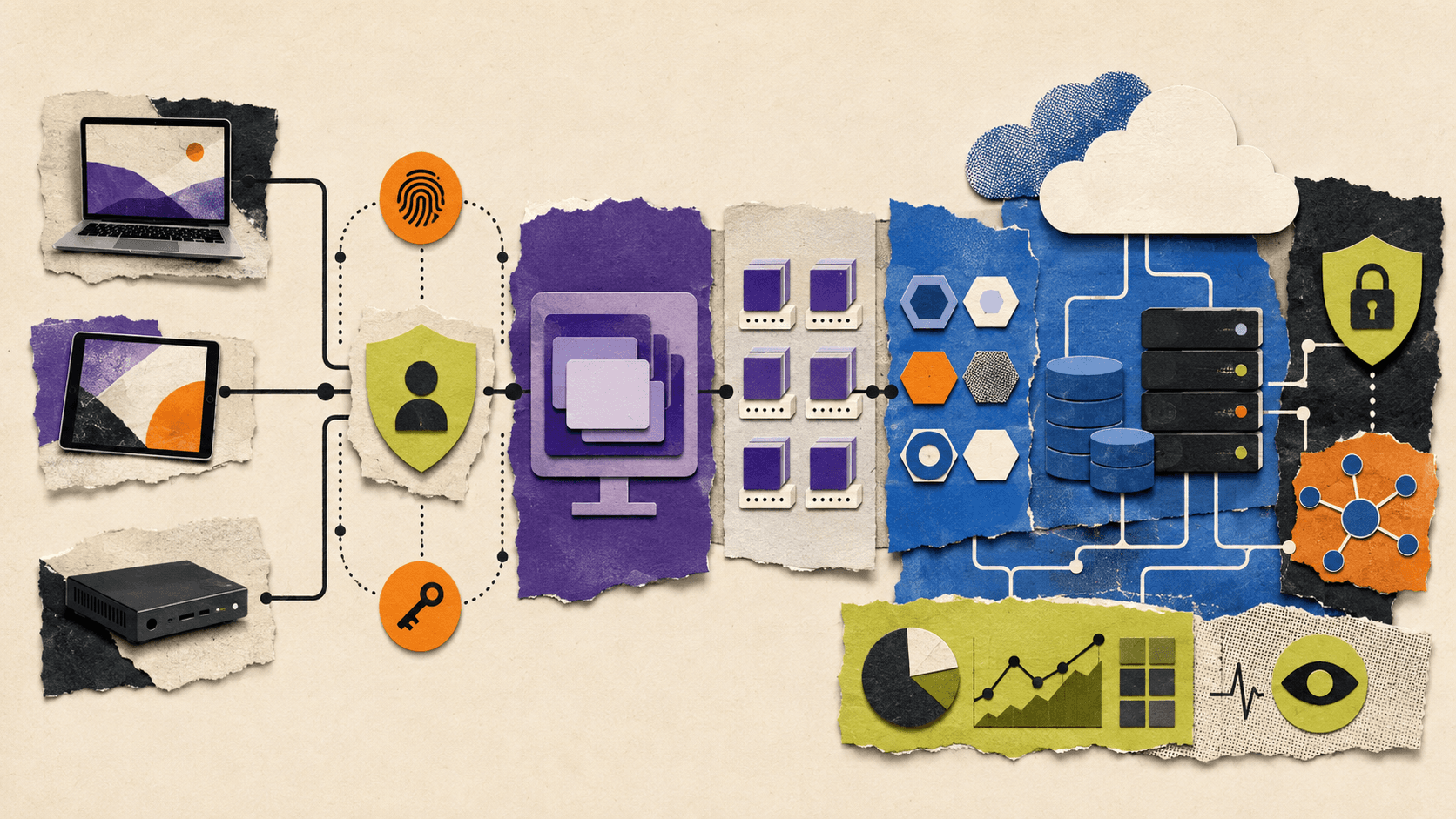
A VDI solution delivers virtual desktops or applications to users while keeping the computing environment in a data center or cloud platform.
That usually involves more than a virtual machine. A complete VDI environment may include:
User authentication and identity management
Desktop or application delivery
Virtual machines and host pools
Desktop images and application packages
User profiles and file storage
Network connectivity
Security policies
Monitoring and support
Provisioning and administration
For example, Azure Virtual Desktop terminology separates host pools, application groups, workspaces, user sessions, and end users. Each part contributes to the final experience.
A cloud VM is only the computer layer. It gives you computing resources, but you may still need to configure remote access, user accounts, applications, security, backups, monitoring, and lifecycle management.
That distinction matters when you compare VDI solutions. Two platforms may both offer “virtual desktops,” while one provides a complete delivery and policy system and the other provides an individual cloud computer.
Which VDI Deployment Model Fits Your Team?
VDI can be deployed in several ways, and the ownership model often matters more than the product name.
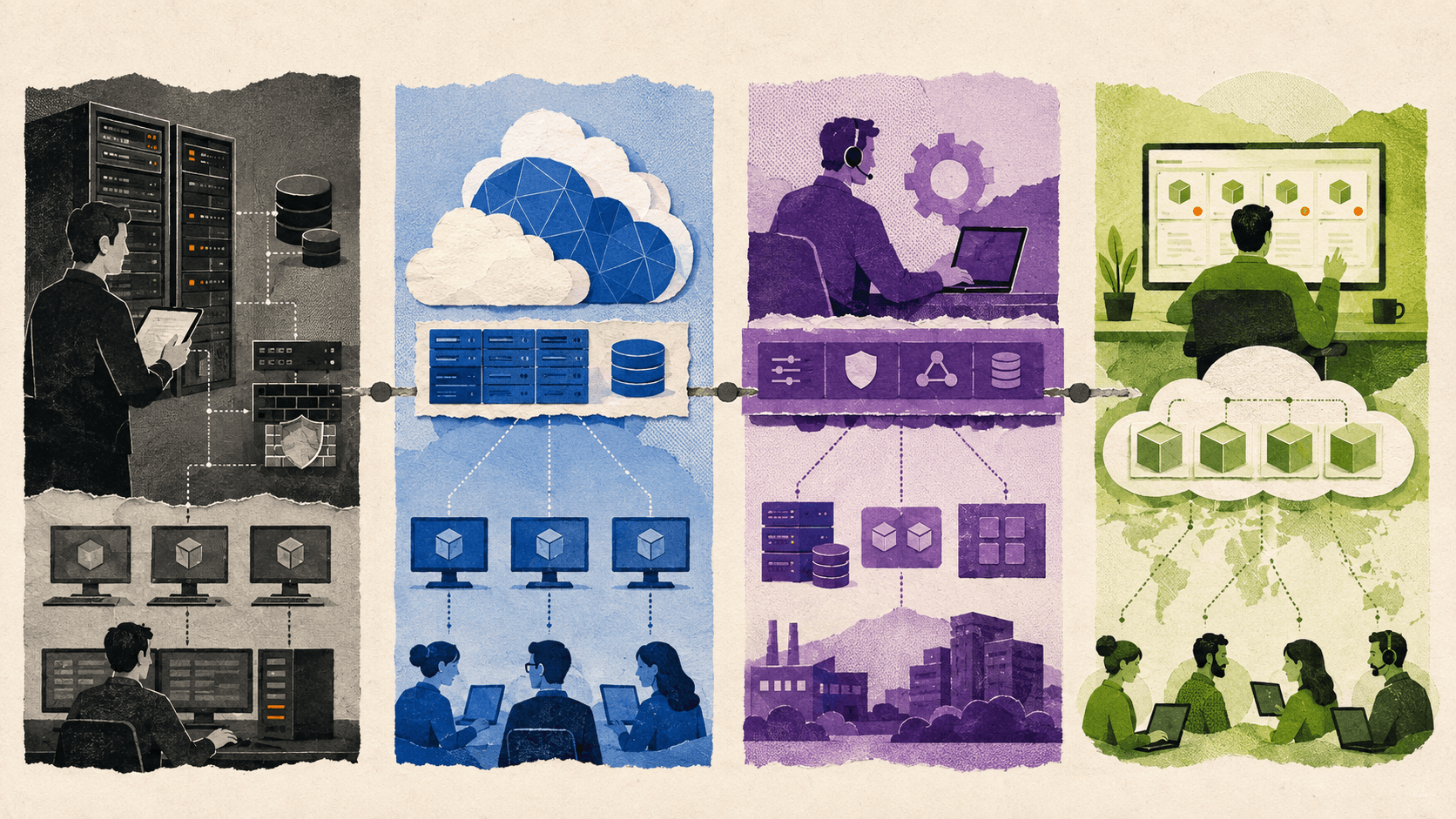
Self-managed or on-premises VDI
Your organization owns or controls the servers, storage, networking, virtualization layer, and VDI software.
This model can offer strong control over data and infrastructure. It may fit organizations with existing data centers, specialized security requirements, or an experienced infrastructure team.
The trade-off is operational responsibility. Your team manages capacity, hardware lifecycle, availability, upgrades, backups, and troubleshooting.
Public-cloud VDI
The desktops run on cloud infrastructure such as Azure, AWS, or Google Cloud. The cloud provider supplies the underlying compute and storage, but your team may still configure and manage much of the environment.
This can make capacity easier to change, but it does not remove architecture work. You may still need to design networks, choose virtual machine types, manage images, configure identity, monitor usage, and control costs.
Enterprise DaaS
A DaaS platform manages some or most of the desktop delivery service. Citrix DaaS, for example, can connect to workloads hosted on public clouds, supported hypervisors, or on-premises infrastructure. Citrix manages parts of the control plane, while the customer continues to manage applications, users, policies, and workloads.
The Citrix DaaS overview explains that the service can broker and manage access while workloads remain in one or more resource locations.
Managed cloud computers
A managed cloud computer platform usually focuses on providing ready-to-use remote computers rather than a full enterprise application delivery architecture.
This can be a better fit when every user needs an assigned workstation for development, design, engineering, video, or other specialized work. It may be less suitable when the organization needs shared sessions, complex application publishing, or extensive enterprise policy control.
The phrase “single cloud VDI” can describe a one-provider or one-cloud deployment, but it is not a universal technical category. Always clarify which components are included and which ones your team must still manage.
How Should You Compare VDI Solutions?
A useful comparison starts with responsibilities, not marketing claims.
Criteria | Questions to ask |
|---|---|
Infrastructure ownership | Who manages compute, storage, networking, and availability? |
Deployment | How quickly can you create and update desktops? |
User assignment | Are desktops personal, pooled, or both? |
Application delivery | Can users access full desktops, individual applications, or both? |
Performance | Can the platform support office, engineering, creative, and GPU workloads? |
Access | Can users connect from existing laptops, tablets, browsers, or thin clients? |
Security | What identity, isolation, permission, and policy controls are available? |
Scalability | Can capacity grow without a major redesign? |
Administration | Who handles images, updates, monitoring, and user support? |
Cost | Are infrastructure, usage, storage, support, and administration included? |
Desktop assignment
Personal desktops assign a machine to an individual user. This can make it easier to preserve settings, applications, and user state.
Pooled desktops distribute users across a shared group of machines. This can improve resource efficiency, but teams need a strategy for profiles, files, application state, and updates.
Microsoft’s documentation describes personal host pools as dedicated to individual users and pooled host pools as shared resources that can support more efficient utilization.
Application delivery
Some teams need a complete desktop. Others need only specific applications.
Enterprise VDI platforms may support both full desktops and published applications. A design agency, however, may simply want each designer to receive a dedicated high-performance computer. Paying for advanced application publishing may add complexity without solving an important problem.
Performance
A VDI solution should be tested against the actual workload, not only a standard office scenario.
Ask whether the platform can support:
3D applications
CAD and BIM tools
Video editing
Rendering
Large codebases
Data analysis
Multiple monitors
GPU acceleration
High-resolution interactive work
A “computer for work VDI” setup can mean very different things for an accountant, a software engineer, and a 3D artist.
Administration
A platform may look simple to users while remaining complex for administrators. Compare how it handles image updates, user onboarding, access changes, application installation, monitoring, and troubleshooting.
A platform with fewer infrastructure layers may be more practical for a small team, even if it offers fewer enterprise controls.
What Are The Most Common VDI Issues?
VDI issues can come from many layers, not just the desktop delivery platform.
Latency and user experience
Interactive applications are sensitive to network distance, connection quality, protocol behavior, and endpoint performance. A desktop may have sufficient CPU and memory but still feel slow if the connection is unstable or the workload is far from the user.
Image and application management
A standard image helps administrators create repeatable desktops, but it also creates a maintenance responsibility. Updates need to be tested, applications need to remain compatible, and changes may need to be rolled back.
Profiles and user data
Users expect their settings, files, and application state to be available when they reconnect. If profiles or storage are poorly configured, users may experience slow logins, missing settings, or inconsistent application behavior.
Resource contention
Shared environments can experience CPU, memory, storage, or GPU contention. A solution that works well for a small pilot may behave differently when more users connect at the same time.
Storage bottlenecks
Storage affects login speed, application launches, file access, and project performance. Creative and engineering teams may need faster storage than basic office users.
Troubleshooting
A VDI problem may involve the endpoint, network, identity system, storage, virtual machine, application, or monitoring configuration. Before choosing a platform, review its support model and observability tools.
For context, this guide to fixing slow and laggy performance in AWS WorkSpaces VDIs shows why cloud desktop performance often involves more than changing the virtual machine size.
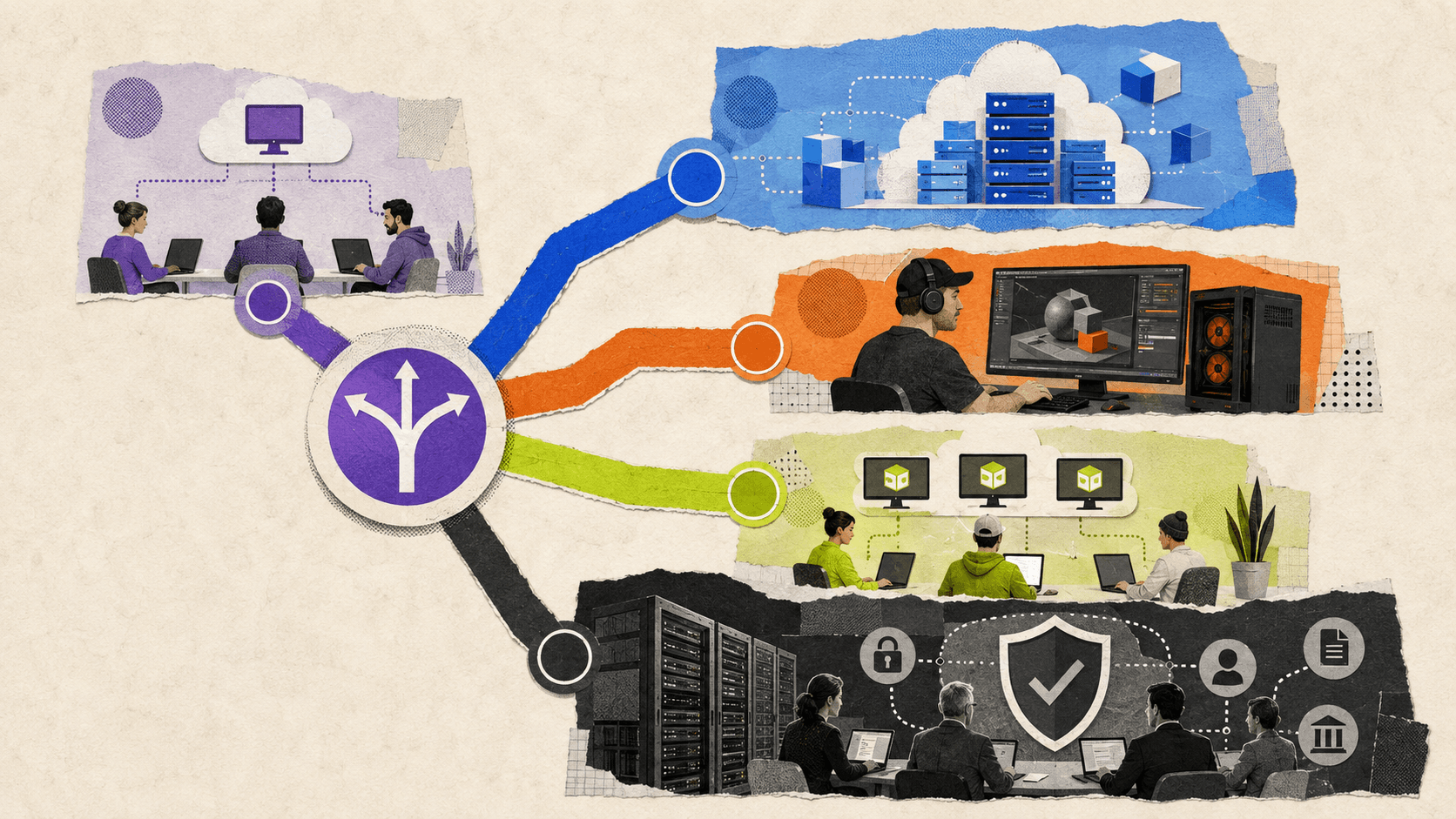
Which VDI Solution Fits Each Team Profile?
Different teams should optimize for different things.
Team profile | Main priority | Likely direction |
|---|---|---|
Small distributed team | Fast setup and low administration | Managed cloud computers |
Growing remote team | Repeatable provisioning and centralized access | Cloud VDI or managed cloud computers |
GPU-heavy creative team | Consistent performance and GPU availability | GPU cloud workstations or specialized VDI |
Contractors and temporary users | Fast onboarding, reassignment, and reset | Templates and assigned cloud computers |
Large enterprise | Application delivery, governance, and identity integration | Enterprise VDI or DaaS |
Strict compliance environment | Data control, logging, retention, and verified policies | Platform selected after compliance review |
A small team may not need pooled sessions or application publishing. If every person needs a dedicated environment, a simpler platform can reduce the time spent managing infrastructure.
A growing team needs to look more closely at onboarding and reassignment. If new users require manual image preparation, policy changes, and several infrastructure steps, administration can become a bottleneck.
Specialized teams should evaluate real applications during a proof of concept. A platform that performs well for office software may not provide the GPU, storage, or responsiveness needed for CAD, rendering, or video production.
Large enterprises may need the depth of an enterprise VDI platform. Shared sessions, published applications, mature identity integrations, detailed access policies, and governance can justify additional complexity.
When Is A Single Cloud VDI Or Managed Cloud Computer More Practical?
A single-provider approach can reduce the number of separate services a team has to coordinate. But it does not automatically mean lower cost, better performance, or fewer responsibilities.
The model is more attractive when:
Users need full assigned computers
The team has limited VDI administration capacity
Workloads need GPU resources
Users work from different locations and devices
Fast onboarding is important
The team wants a central place to manage access and usage
A full VDI platform remains more appropriate when the organization needs:
Published applications
Shared or multi-session desktops
Complex identity and policy integrations
Large-scale governance
Advanced enterprise reporting
Existing investments in a specific VDI platform
The decision should come down to the work being delivered and the complexity the organization is prepared to operate.
How Can Vagon Teams Support Cloud Computer Workflows?
Many teams do not need to build a complete enterprise VDI environment. They need to give people reliable access to powerful computers, manage those computers centrally, and control how they are used.
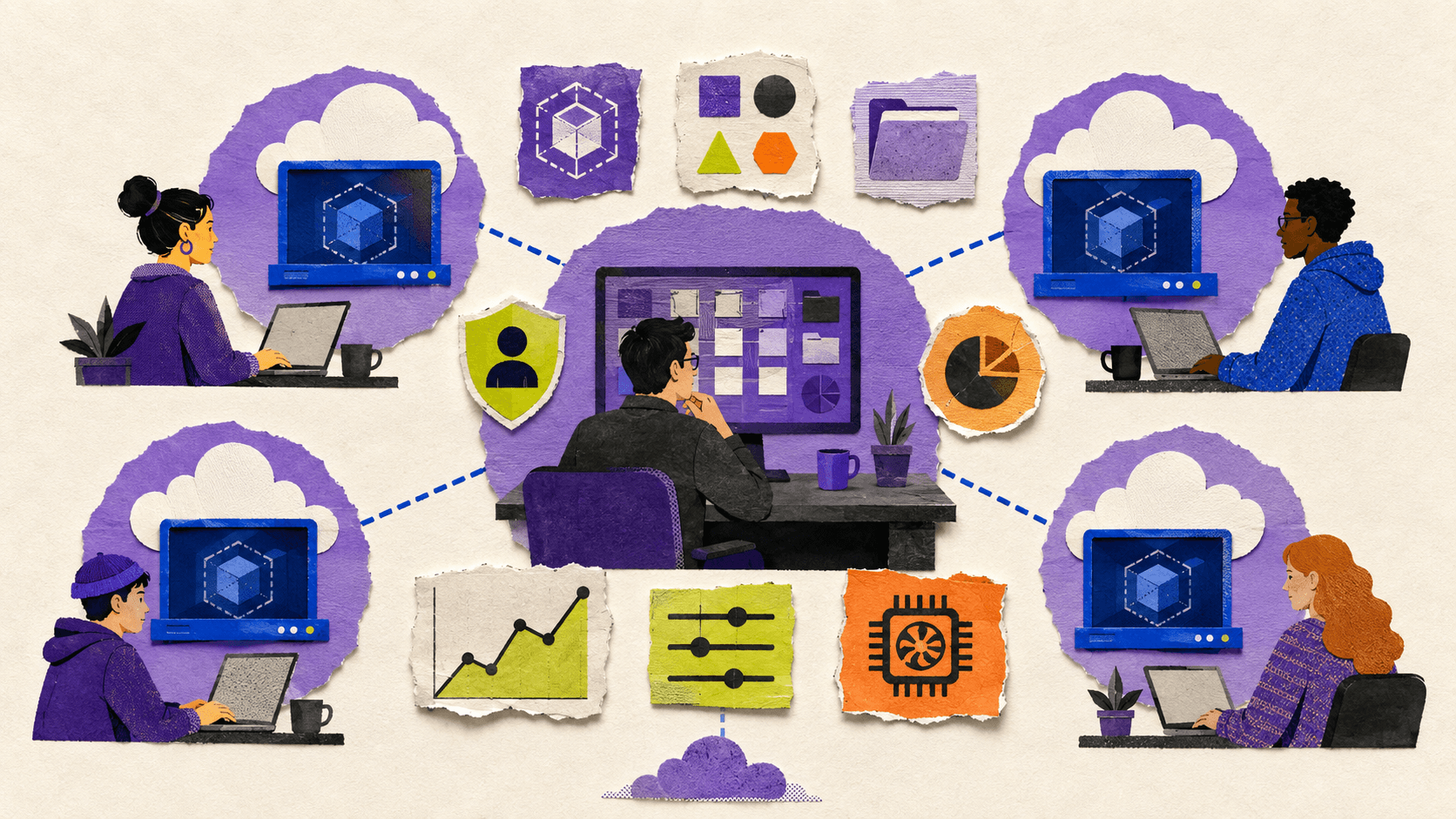
Vagon Teams is built for this type of workflow. An administrator can invite team members, create isolated cloud computers, assign access, manage computer ownership, and oversee usage from a central workspace.
A team administrator can also:
Create reusable templates with preinstalled applications
Assign different computer plans and usage budgets
Manage personal and shared file storage
Apply computer permissions
Restrict internet, file, and clipboard access where supported
Monitor application usage and session activity
Provide different performance options, including GPU-enabled resources
Give team members access to assigned computers from supported devices through a browser
The Vagon Teams feature documentation explains how templates, permissions, file storage, usage plans, and monitoring work together.
The practical value is in the workflow. An administrator can prepare a repeatable environment for a new designer, developer, or contractor, assign it to that person, and select a performance level appropriate for the workload. The team does not need to purchase and ship a physical workstation, and users are not tied to the hardware available at home.
This is particularly relevant for:
Distributed design and engineering teams
Architecture and 3D workflows
Video and rendering teams
Organizations onboarding contractors
Teams that need GPU-enabled workstations
Companies supporting employees across different devices
Vagon Teams is not a universal enterprise VDI solution. Organizations that require complex application publishing, advanced multi-session delivery, existing Citrix integrations, or compliance controls outside its documented scope should evaluate a dedicated enterprise platform.
For teams that mainly need assigned cloud computers with centralized management, templates, permissions, files, budgets, and performance choices, Vagon Teams is worth evaluating against the time and infrastructure required by a broader VDI stack.
Frequently Asked Questions
What is a VDI solution?
A VDI solution delivers virtual desktops or applications to users while managing the access, identity, images, infrastructure, and policies required to operate those environments.
What is the difference between VDI and a cloud VM?
A cloud VM is an individual virtual computer. VDI is a broader delivery and management system that may use many virtual machines, user assignments, application policies, profiles, networking, and monitoring.
What are cloud VDI solutions?
Cloud VDI solutions deliver virtual desktops using cloud infrastructure. Some are self-managed by the customer, while others provide a managed control plane or a complete DaaS service.
What does single cloud VDI mean?
“Single cloud VDI” is an informal phrase. It may refer to a VDI deployment using one cloud provider or a service that combines multiple desktop components under one provider. Confirm exactly what the provider manages.
What are common VDI issues?
Common issues include latency, image maintenance, profile problems, application compatibility, resource contention, storage bottlenecks, identity errors, and troubleshooting across multiple infrastructure layers.
Is a managed cloud computer the same as VDI?
Not necessarily. A managed cloud computer may provide an assigned virtual machine with team controls, while a full VDI platform may also provide pooled desktops, application publishing, policy management, and large-scale user administration.
Does Vagon Teams replace an enterprise VDI platform?
Not in every case. Vagon Teams is designed for centrally managed, isolated cloud computers and high-performance team workflows. Enterprise organizations should verify whether its documented capabilities meet their application delivery, governance, integration, and compliance requirements.
Which VDI model is best for GPU-heavy work?
The right model depends on the application, GPU type, session pattern, storage, network, and user count. GPU-heavy teams should test their real workloads and compare dedicated cloud workstations with shared or enterprise VDI options.
The right VDI solution depends on what your team actually needs to deliver. Large organizations may need enterprise VDI or DaaS for application publishing, identity integration, policy control, and governance. Smaller distributed teams may need something simpler: assigned cloud computers that are easy to manage and powerful enough for the work.
Before comparing vendors, decide whether you need a full desktop delivery platform or simply a reliable way to give each person access to a remote computer.
What Is A VDI Solution?
A VDI solution delivers virtual desktops or applications to users while keeping the computing environment in a data center or cloud platform.
That usually involves more than a virtual machine. A complete VDI environment may include:
User authentication and identity management
Desktop or application delivery
Virtual machines and host pools
Desktop images and application packages
User profiles and file storage
Network connectivity
Security policies
Monitoring and support
Provisioning and administration
For example, Azure Virtual Desktop terminology separates host pools, application groups, workspaces, user sessions, and end users. Each part contributes to the final experience.
A cloud VM is only the computer layer. It gives you computing resources, but you may still need to configure remote access, user accounts, applications, security, backups, monitoring, and lifecycle management.
That distinction matters when you compare VDI solutions. Two platforms may both offer “virtual desktops,” while one provides a complete delivery and policy system and the other provides an individual cloud computer.
Which VDI Deployment Model Fits Your Team?
VDI can be deployed in several ways, and the ownership model often matters more than the product name.
Self-managed or on-premises VDI
Your organization owns or controls the servers, storage, networking, virtualization layer, and VDI software.
This model can offer strong control over data and infrastructure. It may fit organizations with existing data centers, specialized security requirements, or an experienced infrastructure team.
The trade-off is operational responsibility. Your team manages capacity, hardware lifecycle, availability, upgrades, backups, and troubleshooting.
Public-cloud VDI
The desktops run on cloud infrastructure such as Azure, AWS, or Google Cloud. The cloud provider supplies the underlying compute and storage, but your team may still configure and manage much of the environment.
This can make capacity easier to change, but it does not remove architecture work. You may still need to design networks, choose virtual machine types, manage images, configure identity, monitor usage, and control costs.
Enterprise DaaS
A DaaS platform manages some or most of the desktop delivery service. Citrix DaaS, for example, can connect to workloads hosted on public clouds, supported hypervisors, or on-premises infrastructure. Citrix manages parts of the control plane, while the customer continues to manage applications, users, policies, and workloads.
The Citrix DaaS overview explains that the service can broker and manage access while workloads remain in one or more resource locations.
Managed cloud computers
A managed cloud computer platform usually focuses on providing ready-to-use remote computers rather than a full enterprise application delivery architecture.
This can be a better fit when every user needs an assigned workstation for development, design, engineering, video, or other specialized work. It may be less suitable when the organization needs shared sessions, complex application publishing, or extensive enterprise policy control.
The phrase “single cloud VDI” can describe a one-provider or one-cloud deployment, but it is not a universal technical category. Always clarify which components are included and which ones your team must still manage.
How Should You Compare VDI Solutions?
A useful comparison starts with responsibilities, not marketing claims.
Criteria | Questions to ask |
|---|---|
Infrastructure ownership | Who manages compute, storage, networking, and availability? |
Deployment | How quickly can you create and update desktops? |
User assignment | Are desktops personal, pooled, or both? |
Application delivery | Can users access full desktops, individual applications, or both? |
Performance | Can the platform support office, engineering, creative, and GPU workloads? |
Access | Can users connect from existing laptops, tablets, browsers, or thin clients? |
Security | What identity, isolation, permission, and policy controls are available? |
Scalability | Can capacity grow without a major redesign? |
Administration | Who handles images, updates, monitoring, and user support? |
Cost | Are infrastructure, usage, storage, support, and administration included? |
Desktop assignment
Personal desktops assign a machine to an individual user. This can make it easier to preserve settings, applications, and user state.
Pooled desktops distribute users across a shared group of machines. This can improve resource efficiency, but teams need a strategy for profiles, files, application state, and updates.
Microsoft’s documentation describes personal host pools as dedicated to individual users and pooled host pools as shared resources that can support more efficient utilization.
Application delivery
Some teams need a complete desktop. Others need only specific applications.
Enterprise VDI platforms may support both full desktops and published applications. A design agency, however, may simply want each designer to receive a dedicated high-performance computer. Paying for advanced application publishing may add complexity without solving an important problem.
Performance
A VDI solution should be tested against the actual workload, not only a standard office scenario.
Ask whether the platform can support:
3D applications
CAD and BIM tools
Video editing
Rendering
Large codebases
Data analysis
Multiple monitors
GPU acceleration
High-resolution interactive work
A “computer for work VDI” setup can mean very different things for an accountant, a software engineer, and a 3D artist.
Administration
A platform may look simple to users while remaining complex for administrators. Compare how it handles image updates, user onboarding, access changes, application installation, monitoring, and troubleshooting.
A platform with fewer infrastructure layers may be more practical for a small team, even if it offers fewer enterprise controls.
What Are The Most Common VDI Issues?
VDI issues can come from many layers, not just the desktop delivery platform.
Latency and user experience
Interactive applications are sensitive to network distance, connection quality, protocol behavior, and endpoint performance. A desktop may have sufficient CPU and memory but still feel slow if the connection is unstable or the workload is far from the user.
Image and application management
A standard image helps administrators create repeatable desktops, but it also creates a maintenance responsibility. Updates need to be tested, applications need to remain compatible, and changes may need to be rolled back.
Profiles and user data
Users expect their settings, files, and application state to be available when they reconnect. If profiles or storage are poorly configured, users may experience slow logins, missing settings, or inconsistent application behavior.
Resource contention
Shared environments can experience CPU, memory, storage, or GPU contention. A solution that works well for a small pilot may behave differently when more users connect at the same time.
Storage bottlenecks
Storage affects login speed, application launches, file access, and project performance. Creative and engineering teams may need faster storage than basic office users.
Troubleshooting
A VDI problem may involve the endpoint, network, identity system, storage, virtual machine, application, or monitoring configuration. Before choosing a platform, review its support model and observability tools.
For context, this guide to fixing slow and laggy performance in AWS WorkSpaces VDIs shows why cloud desktop performance often involves more than changing the virtual machine size.
Which VDI Solution Fits Each Team Profile?
Different teams should optimize for different things.
Team profile | Main priority | Likely direction |
|---|---|---|
Small distributed team | Fast setup and low administration | Managed cloud computers |
Growing remote team | Repeatable provisioning and centralized access | Cloud VDI or managed cloud computers |
GPU-heavy creative team | Consistent performance and GPU availability | GPU cloud workstations or specialized VDI |
Contractors and temporary users | Fast onboarding, reassignment, and reset | Templates and assigned cloud computers |
Large enterprise | Application delivery, governance, and identity integration | Enterprise VDI or DaaS |
Strict compliance environment | Data control, logging, retention, and verified policies | Platform selected after compliance review |
A small team may not need pooled sessions or application publishing. If every person needs a dedicated environment, a simpler platform can reduce the time spent managing infrastructure.
A growing team needs to look more closely at onboarding and reassignment. If new users require manual image preparation, policy changes, and several infrastructure steps, administration can become a bottleneck.
Specialized teams should evaluate real applications during a proof of concept. A platform that performs well for office software may not provide the GPU, storage, or responsiveness needed for CAD, rendering, or video production.
Large enterprises may need the depth of an enterprise VDI platform. Shared sessions, published applications, mature identity integrations, detailed access policies, and governance can justify additional complexity.
When Is A Single Cloud VDI Or Managed Cloud Computer More Practical?
A single-provider approach can reduce the number of separate services a team has to coordinate. But it does not automatically mean lower cost, better performance, or fewer responsibilities.
The model is more attractive when:
Users need full assigned computers
The team has limited VDI administration capacity
Workloads need GPU resources
Users work from different locations and devices
Fast onboarding is important
The team wants a central place to manage access and usage
A full VDI platform remains more appropriate when the organization needs:
Published applications
Shared or multi-session desktops
Complex identity and policy integrations
Large-scale governance
Advanced enterprise reporting
Existing investments in a specific VDI platform
The decision should come down to the work being delivered and the complexity the organization is prepared to operate.
How Can Vagon Teams Support Cloud Computer Workflows?
Many teams do not need to build a complete enterprise VDI environment. They need to give people reliable access to powerful computers, manage those computers centrally, and control how they are used.
Vagon Teams is built for this type of workflow. An administrator can invite team members, create isolated cloud computers, assign access, manage computer ownership, and oversee usage from a central workspace.
A team administrator can also:
Create reusable templates with preinstalled applications
Assign different computer plans and usage budgets
Manage personal and shared file storage
Apply computer permissions
Restrict internet, file, and clipboard access where supported
Monitor application usage and session activity
Provide different performance options, including GPU-enabled resources
Give team members access to assigned computers from supported devices through a browser
The Vagon Teams feature documentation explains how templates, permissions, file storage, usage plans, and monitoring work together.
The practical value is in the workflow. An administrator can prepare a repeatable environment for a new designer, developer, or contractor, assign it to that person, and select a performance level appropriate for the workload. The team does not need to purchase and ship a physical workstation, and users are not tied to the hardware available at home.
This is particularly relevant for:
Distributed design and engineering teams
Architecture and 3D workflows
Video and rendering teams
Organizations onboarding contractors
Teams that need GPU-enabled workstations
Companies supporting employees across different devices
Vagon Teams is not a universal enterprise VDI solution. Organizations that require complex application publishing, advanced multi-session delivery, existing Citrix integrations, or compliance controls outside its documented scope should evaluate a dedicated enterprise platform.
For teams that mainly need assigned cloud computers with centralized management, templates, permissions, files, budgets, and performance choices, Vagon Teams is worth evaluating against the time and infrastructure required by a broader VDI stack.
Frequently Asked Questions
What is a VDI solution?
A VDI solution delivers virtual desktops or applications to users while managing the access, identity, images, infrastructure, and policies required to operate those environments.
What is the difference between VDI and a cloud VM?
A cloud VM is an individual virtual computer. VDI is a broader delivery and management system that may use many virtual machines, user assignments, application policies, profiles, networking, and monitoring.
What are cloud VDI solutions?
Cloud VDI solutions deliver virtual desktops using cloud infrastructure. Some are self-managed by the customer, while others provide a managed control plane or a complete DaaS service.
What does single cloud VDI mean?
“Single cloud VDI” is an informal phrase. It may refer to a VDI deployment using one cloud provider or a service that combines multiple desktop components under one provider. Confirm exactly what the provider manages.
What are common VDI issues?
Common issues include latency, image maintenance, profile problems, application compatibility, resource contention, storage bottlenecks, identity errors, and troubleshooting across multiple infrastructure layers.
Is a managed cloud computer the same as VDI?
Not necessarily. A managed cloud computer may provide an assigned virtual machine with team controls, while a full VDI platform may also provide pooled desktops, application publishing, policy management, and large-scale user administration.
Does Vagon Teams replace an enterprise VDI platform?
Not in every case. Vagon Teams is designed for centrally managed, isolated cloud computers and high-performance team workflows. Enterprise organizations should verify whether its documented capabilities meet their application delivery, governance, integration, and compliance requirements.
Which VDI model is best for GPU-heavy work?
The right model depends on the application, GPU type, session pattern, storage, network, and user count. GPU-heavy teams should test their real workloads and compare dedicated cloud workstations with shared or enterprise VDI options.
Scalable Remote Desktop for your Team
Create cloud computers for your Team, manage their access & permissions in real-time. Start in minutes & scale.
Trial includes 1 hour usage + 7 days of
storage for first 2 seats.
Scalable Remote Desktop for your Team
Create cloud computers for your Team, manage their access & permissions in real-time. Start in minutes & scale.
Trial includes 1 hour usage + 7 days of
storage for first 2 seats.
Summarize with AI

Ready to focus on your creativity?
Vagon gives you the ability to create & render projects, collaborate, and stream applications with the power of the best hardware.

Run heavy applications on any device with
your personal computer on the cloud.
San Francisco, California
Solutions
Vagon Teams
Vagon Streams
Use Cases
© 2026 Vagon. All rights reserved.
Run heavy applications on any device with
your personal computer on the cloud.
San Francisco, California
Solutions
Vagon Teams
Vagon Streams
Use Cases
© 2026 Vagon. All rights reserved.
Run heavy applications on any device with
your personal computer on the cloud.
San Francisco, California
Solutions
Vagon Teams
Vagon Streams
Use Cases
© 2026 Vagon. All rights reserved.