Instant Connection for Pixel Streaming
— New Feature Automated Setup

Best Pixel Streaming Platforms in 2026 (Compared)
Best Pixel Streaming Platforms in 2026 (Compared)
Best Pixel Streaming Platforms in 2026 (Compared)
Table of Contents
Pixel streaming is a genuinely great idea. You take a heavy Unreal Engine or Unity project, run it on a GPU in the cloud, and stream it to anyone's browser. No downloads, no install, no worrying about whether the person on the other end has a gaming PC. They click a link and your 3D experience just runs, on a phone, a laptop, a cheap office machine, anything.
The catch isn't the rendering. Epic solved that. The catch is everything around it: spinning up GPU servers, handling signaling and TURN connections, scaling up when fifty people show up at once and back down when they leave, matchmaking sessions, and keeping the whole thing from quietly costing a fortune. That infrastructure is the real work, and it's where most pixel streaming projects get stuck.
So the choice in front of you is really about who handles that infrastructure. A managed platform does it for you, so you upload a build and get a link. The do-it-yourself route hands you full control and all of the engineering. This guide covers both, and names the best managed platform for 2026.
The Best Pixel Streaming Platforms at a Glance
Here are the picks, by what you need:
Vagon Streams: best overall, no-code streaming for Unreal, Unity, and any app
Arcware: best for Unreal-focused teams who want fine control
PureWeb: best for large enterprise deployments
Furioos: best as an established managed option
Eagle 3D Streaming: best budget managed pick
Self-hosting on AWS or Azure: best only if you have a dedicated engineering team
The one thing to decide first: do you want to ship a project, or run infrastructure? If it's the former, a managed platform is the answer, and the differences come down to which engines they support, how easy setup is, and how you're billed.
Managed Platform vs Rolling Your Own
This is the fork that decides everything, so it's worth being clear about it.
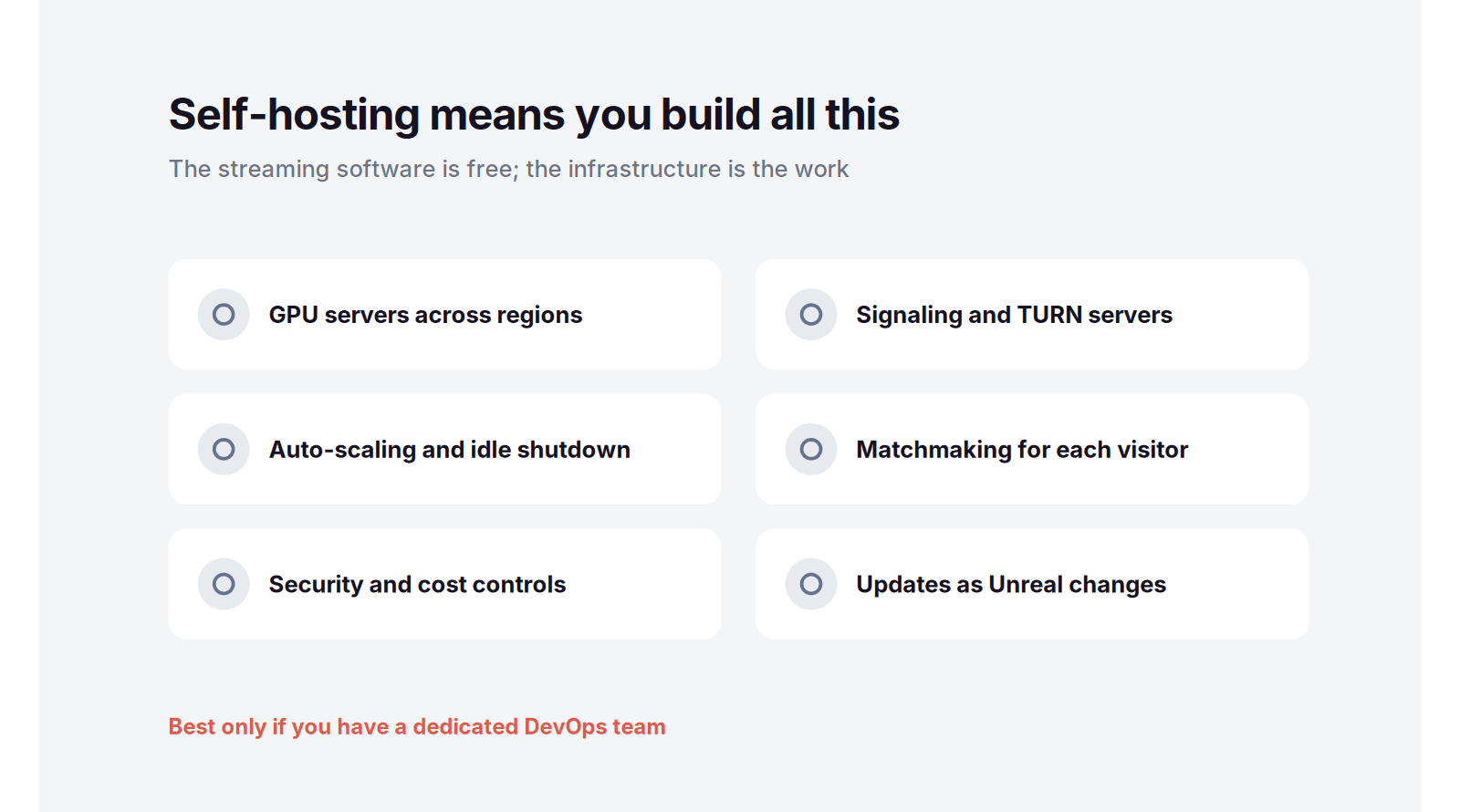
The do-it-yourself route means taking Epic's open-source pixel streaming reference and running it on your own AWS or Azure account. The software is free, and you get total control. What you also get is a real engineering project. To ship something reliable, you have to build and maintain:
GPU server provisioning across regions, and the images that run on them
A signaling server, plus TURN servers for users behind strict networks
Auto-scaling that adds machines under load and, crucially, shuts them down after, so you're not paying for idle GPUs
Matchmaking to route each new visitor to a free machine
Session limits, security, and cost controls so a viral moment doesn't produce a shocking bill
Ongoing updates every time Unreal or the reference implementation changes
None of that is impossible, but it's weeks of work up front and a permanent maintenance load, and it needs someone who knows cloud infrastructure well.
A managed platform does all of that for you. You upload your build, it hands you a link, and the scaling, signaling, and shutdown happen behind the scenes. You trade some low-level control for shipping in an afternoon instead of a quarter. For the large majority of teams, that trade is an easy yes, and it's why the rest of this guide focuses on managed platforms first.

What to Look For in a Pixel Streaming Platform
Before comparing names, it helps to know which dimensions actually matter. These are the ones that separate a platform you'll be happy with from one you'll fight:
Engine support: whether it handles Unreal, Unity, or any application. If your project is in Unity, an Unreal-only platform is a dead end.
Setup effort: no-code upload versus manual configuration versus a full self-hosted build. This decides whether you ship this week or this quarter.
Scaling and regions: does it auto-scale for concurrent users, serve from regions near your audience, and shut machines down when idle so you're not paying for nothing.
Pricing model: usage-based billing scales with a project, while heavy fixed contracts punish you on quiet months. Match the model to how you'll actually use it.
Embedding and branding: iframe embedding, white-label options, and analytics decide how well it fits inside your real product.
Extras that matter to you: multiplayer support, in-session file transfer, and session or budget limits can be dealbreakers depending on the use case.
Keep those six in mind and the comparison below gets much easier to read.
Pixel Streaming Platforms Compared
Platform | Engines | Setup | Pricing |
|---|---|---|---|
Vagon Streams | Unreal, Unity, any app | No-code, upload and embed | Pay per use |
Arcware | Unreal Engine | Managed, some config | From €10/month plus per-minute |
PureWeb | Unreal, Unity | Managed, enterprise | Custom / enterprise |
Furioos | Unreal, Unity | Managed | Subscription and usage |
Eagle 3D Streaming | Unreal, Unity | Managed | Usage-based |
Self-hosting (AWS / Azure) | Unreal, Unity | Do it yourself, heavy | Cloud GPU cost plus engineering time |
Vagon Streams: The Best Pixel Streaming Platform
If you want the shortest path from a finished build to a working stream, Vagon Streams is the best pixel streaming platform in 2026. It takes the entire infrastructure problem off your plate and gives you a workflow simple enough that a non-engineer can ship a project. Upload your application, get a streaming link, and share it or drop it into your site as an iframe. That's the whole process.
What Makes It the Top Pick
A few things set it apart from the rest of the field:
It streams more than Unreal. Alongside native Unreal Engine pixel streaming, Vagon is an officially verified Unity Render Streaming solution, and its VIPr2 protocol can stream almost any application. Most rivals are Unreal-only.
It's genuinely no-code. There's no signaling server to configure and no cloud account to wire up. You upload a build and it works.
It scales by itself. Auto-scaling across 20+ global regions on RTX-ready NVIDIA GPUs means one visitor or five hundred both get a smooth session, and machines shut down when they're done so you're not paying for idle time.
It's built to embed and brand. White-label customization, iframe embedding, analytics, plus file upload and download and multiplayer ports, so it fits into a real product rather than sitting off to the side.

Who It's For and How It's Priced
Vagon Streams fits product configurators, architectural and real estate visualization, digital twins, virtual events, game demos, and sales tools, basically any interactive 3D experience you want a customer to open in a browser without installing anything. Because it bills on usage rather than a heavy fixed contract, it scales down to a small project and up to a launch without you rearchitecting anything. That makes it as comfortable for a single sales demo as it is for a public product launch with hundreds of concurrent visitors, which is rare in a space where most tools are built for one end of that range or the other.
That combination, Unity and Unreal support, true no-code setup, and usage-based pricing, is why it lands at the top. If you want to see it work, you can upload a build and have a live stream to share in minutes. Try Vagon Streams.
Other Pixel Streaming Platforms
Vagon Streams isn't the only managed option, and depending on your stack and scale, one of these might fit better.
Arcware: Best for Unreal-Focused Teams
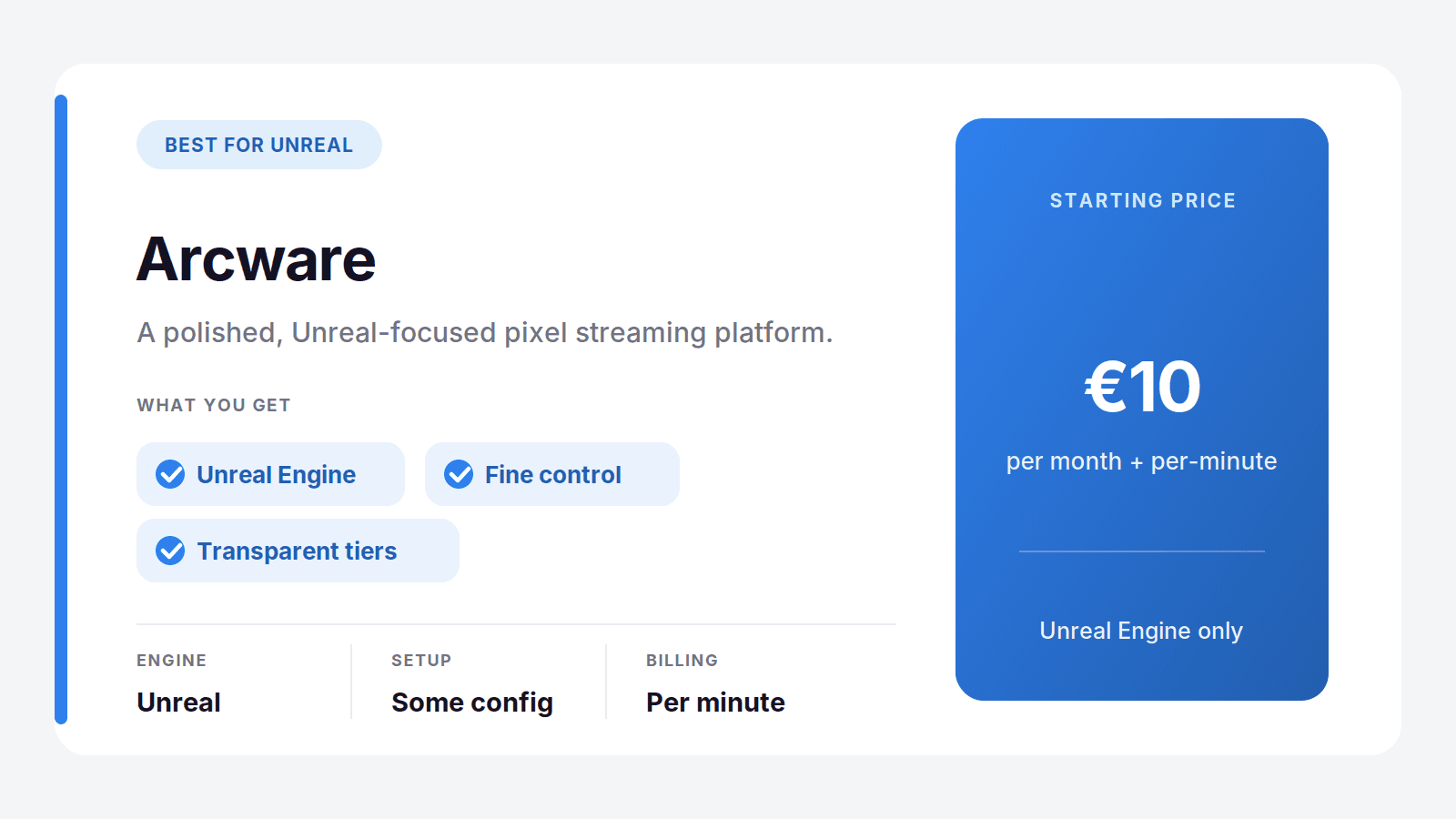
Arcware is a polished, Unreal Engine-focused pixel streaming platform with a reputation for quality output. It gives you more hands-on control than a pure no-code tool, which experienced Unreal teams often like. Pricing is transparent and tiered: a Lite plan at 10 euros a month plus about 0.15 euros per streaming minute, and a Core plan at 89 euros a month with a lower per-minute rate for agencies and growing companies.
The main limit is scope. Arcware is built around Unreal, so if your project is in Unity or you want to stream a non-engine application, it isn't the fit. For pure Unreal work with a team that wants control, it's a strong choice.
Best for: Unreal Engine teams who want fine-grained control. Where it's not the pick: Unity projects or anyone who wants zero configuration.
PureWeb: Best for Enterprise
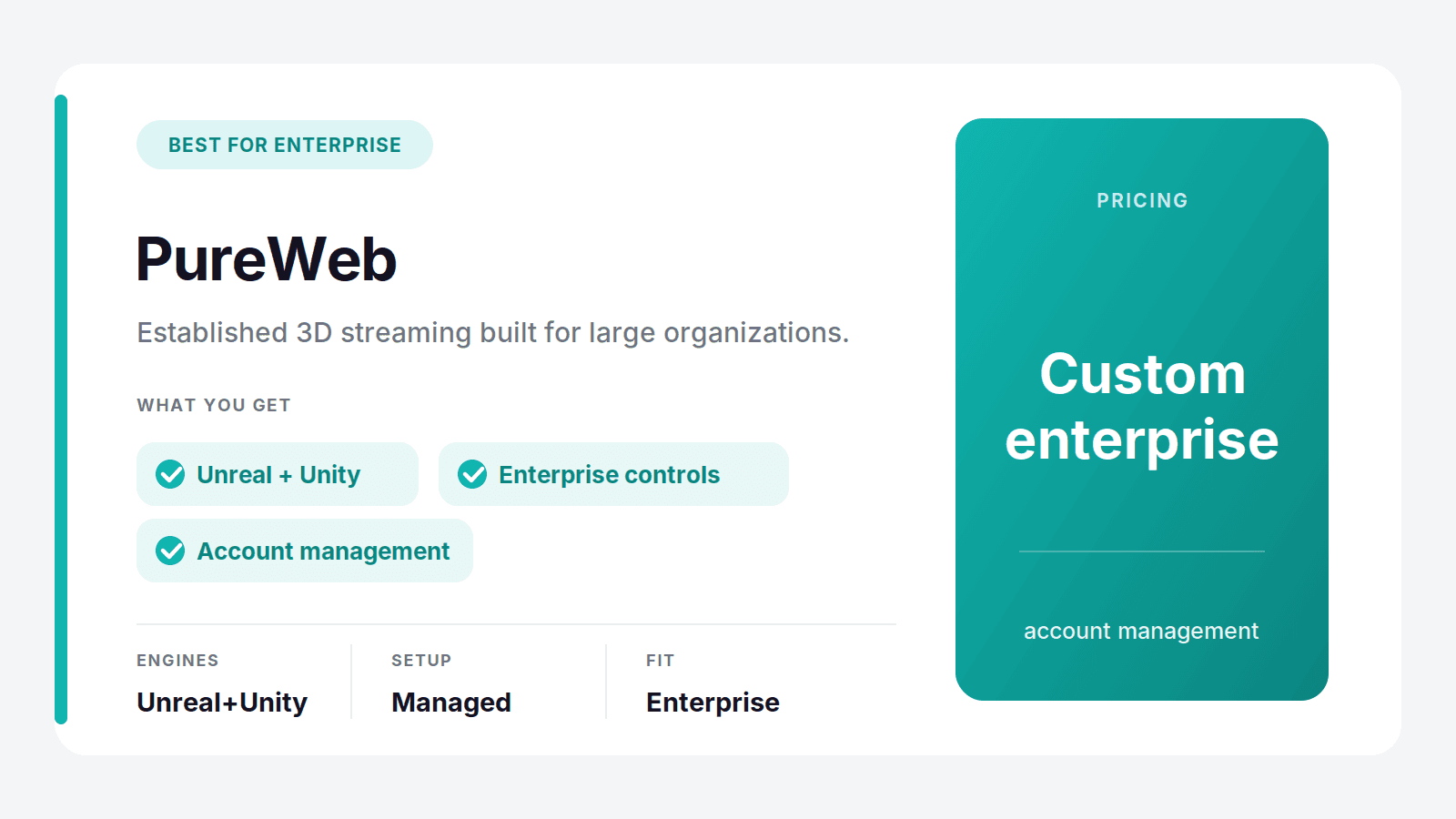
PureWeb is an established 3D streaming platform aimed at larger organizations. It supports both Unreal and Unity and leans toward enterprise deployments, with the account management and controls big companies expect. If you're a large team with a procurement process and long-term needs, it's built for that world.
The tradeoff is that enterprise focus usually means custom pricing and a heavier sales process, which can be overkill for a small team or a single project. For enterprise scale, though, it's a serious contender.
Best for: large enterprises with formal requirements. Where it's not the pick: small teams or one-off projects that want to move fast.
Furioos: Best Established Managed Option
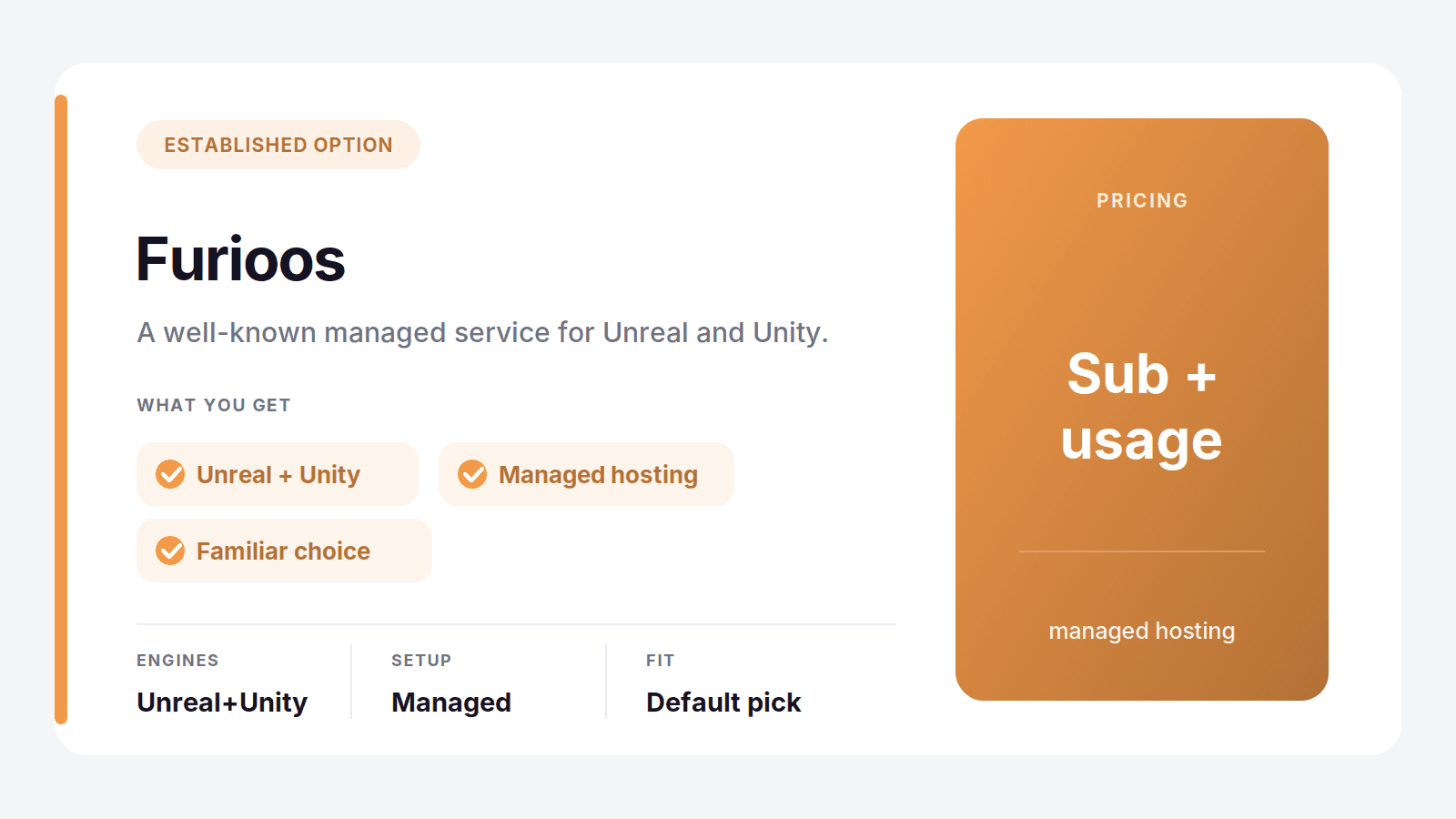
Furioos is a well-known managed pixel streaming service that supports Unreal and Unity, and it's been in the space long enough to be a safe, familiar choice. It handles the hosting and scaling for you, like any managed platform, and it's a reasonable default if you already know it.
Where it can fall behind is on the no-code simplicity and the breadth of the newer platforms. It does the core job well, but it doesn't necessarily do more than that.
Best for: teams that want a familiar, established managed service. Where it's not the pick: anyone who wants the simplest possible setup or the widest app support.
Eagle 3D Streaming: Best Budget Pick
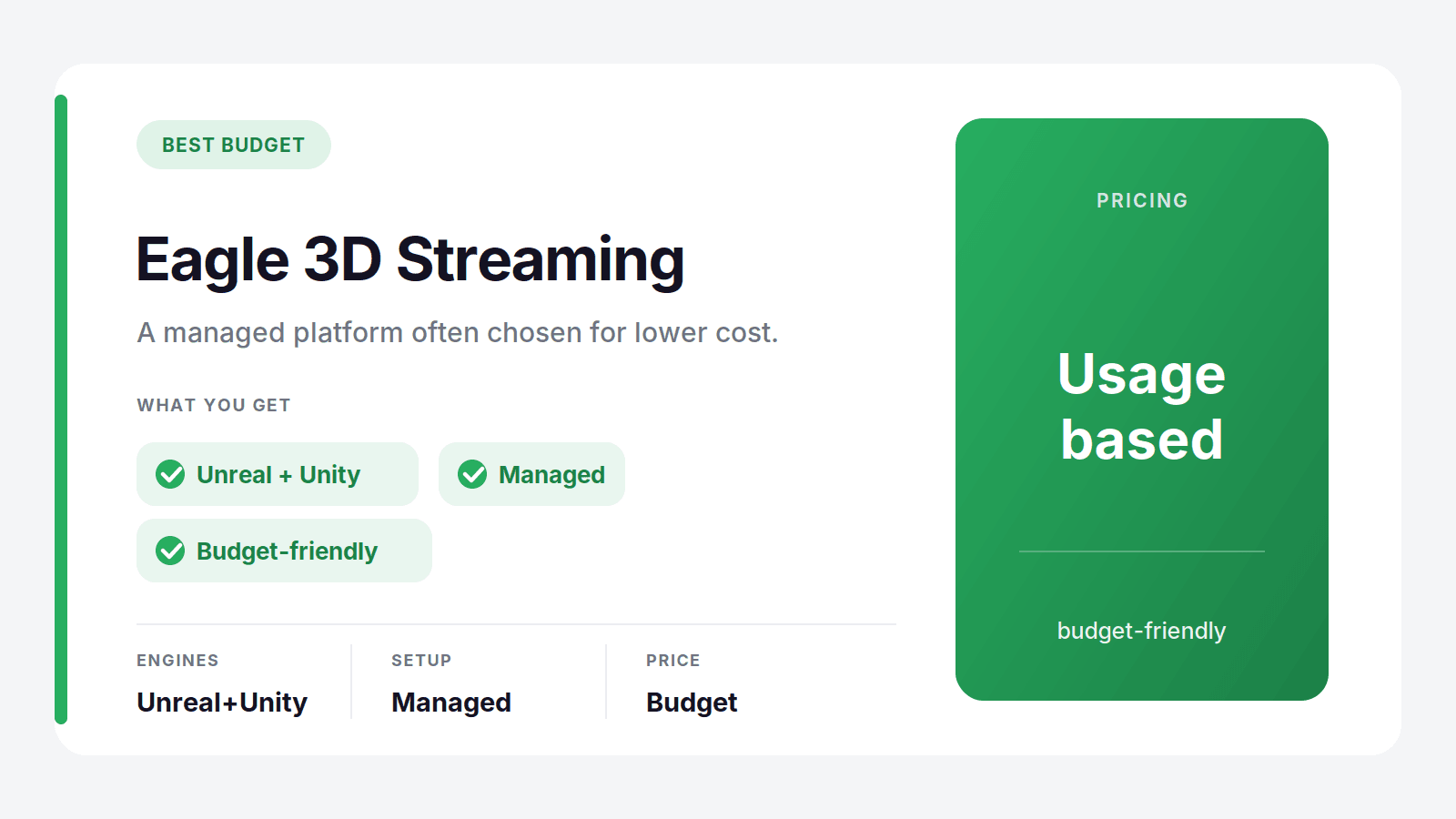
Eagle 3D Streaming is a managed platform often chosen for cost. It supports Unreal and Unity and covers the standard pixel streaming use cases, and for teams watching the budget it can come in cheaper than the bigger names. If price is your main constraint and your needs are straightforward, it's worth a look.
The tradeoff tends to be polish and depth of features compared with the top platforms. It's a practical pick rather than a premium one.
Best for: budget-conscious teams with straightforward needs. Where it's not the pick: projects that need advanced features or the smoothest experience.
The DIY Route: Self-Hosting on AWS or Azure
It's worth covering the do-it-yourself path honestly, because for a specific kind of team it's the right answer. Epic publishes an open-source pixel streaming reference, and you can run it on your own AWS or Azure account. The streaming software itself is free, and you get complete control over the infrastructure, the regions, the machine types, and how everything is wired together.
That control is the appeal, and the cost. As covered earlier, you're now responsible for signaling and TURN servers, auto-scaling and shutdown, matchmaking, security, cost controls, and keeping it all current as Unreal evolves. The GPU time on AWS or Azure isn't free either, so "the software is free" rarely means the project is cheap once you count engineering hours and cloud bills.
Self-hosting makes sense when you have a dedicated infrastructure or DevOps team, very specific requirements a managed platform can't meet, or a scale where owning the stack genuinely lowers cost. For most teams, especially those whose main goal is shipping a 3D experience rather than running streaming infrastructure, a managed platform gets you there faster and cheaper in practice.
Best for: teams with dedicated infrastructure engineers and specialized needs. Where it's not the pick: anyone who wants to ship without building and maintaining a streaming stack.
How to Choose
Match your situation to the pick and it gets simple:
You want the fastest setup and Unity or Unreal support: Vagon Streams
You're a pure Unreal team that wants fine control: Arcware
You're a large enterprise with formal requirements: PureWeb
You want an established, familiar managed service: Furioos
Budget is your main constraint: Eagle 3D Streaming
You have a DevOps team and very specific needs: self-host on AWS or Azure
For most teams, the honest starting point is Vagon Streams. It supports both major engines, needs no infrastructure work, and lets you test with a real build in minutes, so you can find out whether it fits before committing to anything.
Frequently Asked Questions
What Is Pixel Streaming?
Pixel streaming runs a heavy 3D application, usually built in Unreal Engine or Unity, on a GPU server in the cloud and streams the rendered video to a user's browser in real time. The user interacts with it as if it were running locally, but nothing is downloaded or installed, so it works on phones, tablets, and low-powered laptops. It's widely used for product configurators, architectural visualization, digital twins, and game demos.
What's the Easiest Pixel Streaming Platform to Set Up?
Vagon Streams is the easiest. It's genuinely no-code: you upload your application build, it gives you a streaming link, and you share it or embed it as an iframe, with no signaling servers or cloud accounts to configure. Most other platforms need at least some setup, and self-hosting on AWS or Azure needs a full engineering effort.
Is There a Pixel Streaming Platform for Unity?
Yes. Vagon Streams is an officially verified Unity Render Streaming solution, so it streams Unity projects as well as Unreal. PureWeb and Furioos also support both engines. Arcware, by contrast, is focused on Unreal Engine only, so it isn't the pick for a Unity project.
How Much Does Pixel Streaming Cost?
It depends on the model. Managed platforms usually bill on usage, so you pay for streaming time rather than a big fixed contract. Arcware, for example, starts at 10 euros a month plus about 0.15 euros per streaming minute, and Vagon Streams bills on usage so it scales with how much you actually stream. Self-hosting has no software fee but you pay for AWS or Azure GPU time plus the engineering to build and run it.
Can I Do Pixel Streaming Without Setting Up AWS or Azure?
Yes. A managed platform like Vagon Streams runs all the cloud infrastructure for you, so you never touch AWS or Azure. You upload a build and it handles GPU servers, scaling, and shutdown behind the scenes. You only need your own cloud account if you choose the self-hosted route.
How Do I Embed an Unreal Engine or Unity App in a Website?
The simplest way is a managed pixel streaming platform. With Vagon Streams you upload your Unreal or Unity build, receive a streaming link, and drop it into your site as an iframe, so visitors run the full 3D experience in their browser with no download. No plugin or local install is required on their end.
Pixel streaming is a genuinely great idea. You take a heavy Unreal Engine or Unity project, run it on a GPU in the cloud, and stream it to anyone's browser. No downloads, no install, no worrying about whether the person on the other end has a gaming PC. They click a link and your 3D experience just runs, on a phone, a laptop, a cheap office machine, anything.
The catch isn't the rendering. Epic solved that. The catch is everything around it: spinning up GPU servers, handling signaling and TURN connections, scaling up when fifty people show up at once and back down when they leave, matchmaking sessions, and keeping the whole thing from quietly costing a fortune. That infrastructure is the real work, and it's where most pixel streaming projects get stuck.
So the choice in front of you is really about who handles that infrastructure. A managed platform does it for you, so you upload a build and get a link. The do-it-yourself route hands you full control and all of the engineering. This guide covers both, and names the best managed platform for 2026.
The Best Pixel Streaming Platforms at a Glance
Here are the picks, by what you need:
Vagon Streams: best overall, no-code streaming for Unreal, Unity, and any app
Arcware: best for Unreal-focused teams who want fine control
PureWeb: best for large enterprise deployments
Furioos: best as an established managed option
Eagle 3D Streaming: best budget managed pick
Self-hosting on AWS or Azure: best only if you have a dedicated engineering team
The one thing to decide first: do you want to ship a project, or run infrastructure? If it's the former, a managed platform is the answer, and the differences come down to which engines they support, how easy setup is, and how you're billed.
Managed Platform vs Rolling Your Own
This is the fork that decides everything, so it's worth being clear about it.
The do-it-yourself route means taking Epic's open-source pixel streaming reference and running it on your own AWS or Azure account. The software is free, and you get total control. What you also get is a real engineering project. To ship something reliable, you have to build and maintain:
GPU server provisioning across regions, and the images that run on them
A signaling server, plus TURN servers for users behind strict networks
Auto-scaling that adds machines under load and, crucially, shuts them down after, so you're not paying for idle GPUs
Matchmaking to route each new visitor to a free machine
Session limits, security, and cost controls so a viral moment doesn't produce a shocking bill
Ongoing updates every time Unreal or the reference implementation changes
None of that is impossible, but it's weeks of work up front and a permanent maintenance load, and it needs someone who knows cloud infrastructure well.
A managed platform does all of that for you. You upload your build, it hands you a link, and the scaling, signaling, and shutdown happen behind the scenes. You trade some low-level control for shipping in an afternoon instead of a quarter. For the large majority of teams, that trade is an easy yes, and it's why the rest of this guide focuses on managed platforms first.
What to Look For in a Pixel Streaming Platform
Before comparing names, it helps to know which dimensions actually matter. These are the ones that separate a platform you'll be happy with from one you'll fight:
Engine support: whether it handles Unreal, Unity, or any application. If your project is in Unity, an Unreal-only platform is a dead end.
Setup effort: no-code upload versus manual configuration versus a full self-hosted build. This decides whether you ship this week or this quarter.
Scaling and regions: does it auto-scale for concurrent users, serve from regions near your audience, and shut machines down when idle so you're not paying for nothing.
Pricing model: usage-based billing scales with a project, while heavy fixed contracts punish you on quiet months. Match the model to how you'll actually use it.
Embedding and branding: iframe embedding, white-label options, and analytics decide how well it fits inside your real product.
Extras that matter to you: multiplayer support, in-session file transfer, and session or budget limits can be dealbreakers depending on the use case.
Keep those six in mind and the comparison below gets much easier to read.
Pixel Streaming Platforms Compared
Platform | Engines | Setup | Pricing |
|---|---|---|---|
Vagon Streams | Unreal, Unity, any app | No-code, upload and embed | Pay per use |
Arcware | Unreal Engine | Managed, some config | From €10/month plus per-minute |
PureWeb | Unreal, Unity | Managed, enterprise | Custom / enterprise |
Furioos | Unreal, Unity | Managed | Subscription and usage |
Eagle 3D Streaming | Unreal, Unity | Managed | Usage-based |
Self-hosting (AWS / Azure) | Unreal, Unity | Do it yourself, heavy | Cloud GPU cost plus engineering time |
Vagon Streams: The Best Pixel Streaming Platform
If you want the shortest path from a finished build to a working stream, Vagon Streams is the best pixel streaming platform in 2026. It takes the entire infrastructure problem off your plate and gives you a workflow simple enough that a non-engineer can ship a project. Upload your application, get a streaming link, and share it or drop it into your site as an iframe. That's the whole process.
What Makes It the Top Pick
A few things set it apart from the rest of the field:
It streams more than Unreal. Alongside native Unreal Engine pixel streaming, Vagon is an officially verified Unity Render Streaming solution, and its VIPr2 protocol can stream almost any application. Most rivals are Unreal-only.
It's genuinely no-code. There's no signaling server to configure and no cloud account to wire up. You upload a build and it works.
It scales by itself. Auto-scaling across 20+ global regions on RTX-ready NVIDIA GPUs means one visitor or five hundred both get a smooth session, and machines shut down when they're done so you're not paying for idle time.
It's built to embed and brand. White-label customization, iframe embedding, analytics, plus file upload and download and multiplayer ports, so it fits into a real product rather than sitting off to the side.
Who It's For and How It's Priced
Vagon Streams fits product configurators, architectural and real estate visualization, digital twins, virtual events, game demos, and sales tools, basically any interactive 3D experience you want a customer to open in a browser without installing anything. Because it bills on usage rather than a heavy fixed contract, it scales down to a small project and up to a launch without you rearchitecting anything. That makes it as comfortable for a single sales demo as it is for a public product launch with hundreds of concurrent visitors, which is rare in a space where most tools are built for one end of that range or the other.
That combination, Unity and Unreal support, true no-code setup, and usage-based pricing, is why it lands at the top. If you want to see it work, you can upload a build and have a live stream to share in minutes. Try Vagon Streams.
Other Pixel Streaming Platforms
Vagon Streams isn't the only managed option, and depending on your stack and scale, one of these might fit better.
Arcware: Best for Unreal-Focused Teams
Arcware is a polished, Unreal Engine-focused pixel streaming platform with a reputation for quality output. It gives you more hands-on control than a pure no-code tool, which experienced Unreal teams often like. Pricing is transparent and tiered: a Lite plan at 10 euros a month plus about 0.15 euros per streaming minute, and a Core plan at 89 euros a month with a lower per-minute rate for agencies and growing companies.
The main limit is scope. Arcware is built around Unreal, so if your project is in Unity or you want to stream a non-engine application, it isn't the fit. For pure Unreal work with a team that wants control, it's a strong choice.
Best for: Unreal Engine teams who want fine-grained control. Where it's not the pick: Unity projects or anyone who wants zero configuration.
PureWeb: Best for Enterprise
PureWeb is an established 3D streaming platform aimed at larger organizations. It supports both Unreal and Unity and leans toward enterprise deployments, with the account management and controls big companies expect. If you're a large team with a procurement process and long-term needs, it's built for that world.
The tradeoff is that enterprise focus usually means custom pricing and a heavier sales process, which can be overkill for a small team or a single project. For enterprise scale, though, it's a serious contender.
Best for: large enterprises with formal requirements. Where it's not the pick: small teams or one-off projects that want to move fast.
Furioos: Best Established Managed Option
Furioos is a well-known managed pixel streaming service that supports Unreal and Unity, and it's been in the space long enough to be a safe, familiar choice. It handles the hosting and scaling for you, like any managed platform, and it's a reasonable default if you already know it.
Where it can fall behind is on the no-code simplicity and the breadth of the newer platforms. It does the core job well, but it doesn't necessarily do more than that.
Best for: teams that want a familiar, established managed service. Where it's not the pick: anyone who wants the simplest possible setup or the widest app support.
Eagle 3D Streaming: Best Budget Pick
Eagle 3D Streaming is a managed platform often chosen for cost. It supports Unreal and Unity and covers the standard pixel streaming use cases, and for teams watching the budget it can come in cheaper than the bigger names. If price is your main constraint and your needs are straightforward, it's worth a look.
The tradeoff tends to be polish and depth of features compared with the top platforms. It's a practical pick rather than a premium one.
Best for: budget-conscious teams with straightforward needs. Where it's not the pick: projects that need advanced features or the smoothest experience.
The DIY Route: Self-Hosting on AWS or Azure
It's worth covering the do-it-yourself path honestly, because for a specific kind of team it's the right answer. Epic publishes an open-source pixel streaming reference, and you can run it on your own AWS or Azure account. The streaming software itself is free, and you get complete control over the infrastructure, the regions, the machine types, and how everything is wired together.
That control is the appeal, and the cost. As covered earlier, you're now responsible for signaling and TURN servers, auto-scaling and shutdown, matchmaking, security, cost controls, and keeping it all current as Unreal evolves. The GPU time on AWS or Azure isn't free either, so "the software is free" rarely means the project is cheap once you count engineering hours and cloud bills.
Self-hosting makes sense when you have a dedicated infrastructure or DevOps team, very specific requirements a managed platform can't meet, or a scale where owning the stack genuinely lowers cost. For most teams, especially those whose main goal is shipping a 3D experience rather than running streaming infrastructure, a managed platform gets you there faster and cheaper in practice.
Best for: teams with dedicated infrastructure engineers and specialized needs. Where it's not the pick: anyone who wants to ship without building and maintaining a streaming stack.
How to Choose
Match your situation to the pick and it gets simple:
You want the fastest setup and Unity or Unreal support: Vagon Streams
You're a pure Unreal team that wants fine control: Arcware
You're a large enterprise with formal requirements: PureWeb
You want an established, familiar managed service: Furioos
Budget is your main constraint: Eagle 3D Streaming
You have a DevOps team and very specific needs: self-host on AWS or Azure
For most teams, the honest starting point is Vagon Streams. It supports both major engines, needs no infrastructure work, and lets you test with a real build in minutes, so you can find out whether it fits before committing to anything.
Frequently Asked Questions
What Is Pixel Streaming?
Pixel streaming runs a heavy 3D application, usually built in Unreal Engine or Unity, on a GPU server in the cloud and streams the rendered video to a user's browser in real time. The user interacts with it as if it were running locally, but nothing is downloaded or installed, so it works on phones, tablets, and low-powered laptops. It's widely used for product configurators, architectural visualization, digital twins, and game demos.
What's the Easiest Pixel Streaming Platform to Set Up?
Vagon Streams is the easiest. It's genuinely no-code: you upload your application build, it gives you a streaming link, and you share it or embed it as an iframe, with no signaling servers or cloud accounts to configure. Most other platforms need at least some setup, and self-hosting on AWS or Azure needs a full engineering effort.
Is There a Pixel Streaming Platform for Unity?
Yes. Vagon Streams is an officially verified Unity Render Streaming solution, so it streams Unity projects as well as Unreal. PureWeb and Furioos also support both engines. Arcware, by contrast, is focused on Unreal Engine only, so it isn't the pick for a Unity project.
How Much Does Pixel Streaming Cost?
It depends on the model. Managed platforms usually bill on usage, so you pay for streaming time rather than a big fixed contract. Arcware, for example, starts at 10 euros a month plus about 0.15 euros per streaming minute, and Vagon Streams bills on usage so it scales with how much you actually stream. Self-hosting has no software fee but you pay for AWS or Azure GPU time plus the engineering to build and run it.
Can I Do Pixel Streaming Without Setting Up AWS or Azure?
Yes. A managed platform like Vagon Streams runs all the cloud infrastructure for you, so you never touch AWS or Azure. You upload a build and it handles GPU servers, scaling, and shutdown behind the scenes. You only need your own cloud account if you choose the self-hosted route.
How Do I Embed an Unreal Engine or Unity App in a Website?
The simplest way is a managed pixel streaming platform. With Vagon Streams you upload your Unreal or Unity build, receive a streaming link, and drop it into your site as an iframe, so visitors run the full 3D experience in their browser with no download. No plugin or local install is required on their end.
Get Beyond Your Computer Performance
Run applications on your cloud computer with the latest generation hardware. No more crashes or lags.

Trial includes 1 hour usage + 7 days of storage.
Summarize with AI

Ready to focus on your creativity?
Vagon gives you the ability to create & render projects, collaborate, and stream applications with the power of the best hardware.

Run heavy applications on any device with
your personal computer on the cloud.
San Francisco, California
Solutions
Vagon Teams
Vagon Streams
Use Cases
© 2026 Vagon. All rights reserved.
Run heavy applications on any device with
your personal computer on the cloud.
San Francisco, California
Solutions
Vagon Teams
Vagon Streams
Use Cases
© 2026 Vagon. All rights reserved.
Run heavy applications on any device with
your personal computer on the cloud.
San Francisco, California
Solutions
Vagon Teams
Vagon Streams
Use Cases
© 2026 Vagon. All rights reserved.