Instant Connection for Pixel Streaming
— New Feature Automated Setup

Best 3D Product Configurator Software in 2026

Best 3D Product Configurator Software in 2026
Streams

Best 3D Product Configurator Software in 2026
Table of Contents
For teams that need to deliver a high-fidelity interactive 3D product configurator through the browser, Vagon Streams is the best overall delivery solution to evaluate. It supports cloud-based application and pixel streaming for Unreal Engine, Unity, and other interactive applications, allowing customers to explore detailed products without installing desktop software or relying on high-end local hardware.
That recommendation applies specifically to the delivery and streaming layer. Vagon Streams is not a product information management system, ecommerce platform, pricing engine, CAD authoring tool, or complete configuration rules platform. Your team still needs to build the 3D experience, define the available options, connect product data, and manage the commercial workflow.
This distinction is important because “product configurator software” can mean several different things. Some tools help create a 3D experience. Others manage product rules, pricing, inventory, or ecommerce. A streaming platform solves another problem: how to make a demanding interactive application available to customers across browsers and devices.
The best choice depends on the product, the 3D assets, the customer journey, the existing technology stack, and the amount of infrastructure your team wants to operate.
What Is A 3D Product Configurator?
A 3D product configurator is an interactive experience that lets users customize a product and see the result in real time.
Customers may be able to change colors, materials, components, dimensions, layouts, accessories, or technical options. The experience can be used to help someone buy a product, request a quote, understand a complex product, or explore possible designs before speaking with a sales team.
A furniture company might allow customers to change upholstery, legs, cushions, finishes, and dimensions. An automotive company might offer different wheels, interiors, exterior colors, packages, and accessories. An architecture company might let prospects explore finishes, lighting, furniture, landscaping, and room layouts.
3D product configurators are used across ecommerce, manufacturing, automotive, furniture, architecture, industrial equipment, construction, real estate, product launches, and sales demonstrations.
The word “configurator” can describe different levels of functionality. A basic 3D viewer may let users rotate an object and change its color. A more advanced product configurator may need to validate component compatibility, calculate a price, connect with inventory, save a configuration, and send the result to a quote or checkout system.
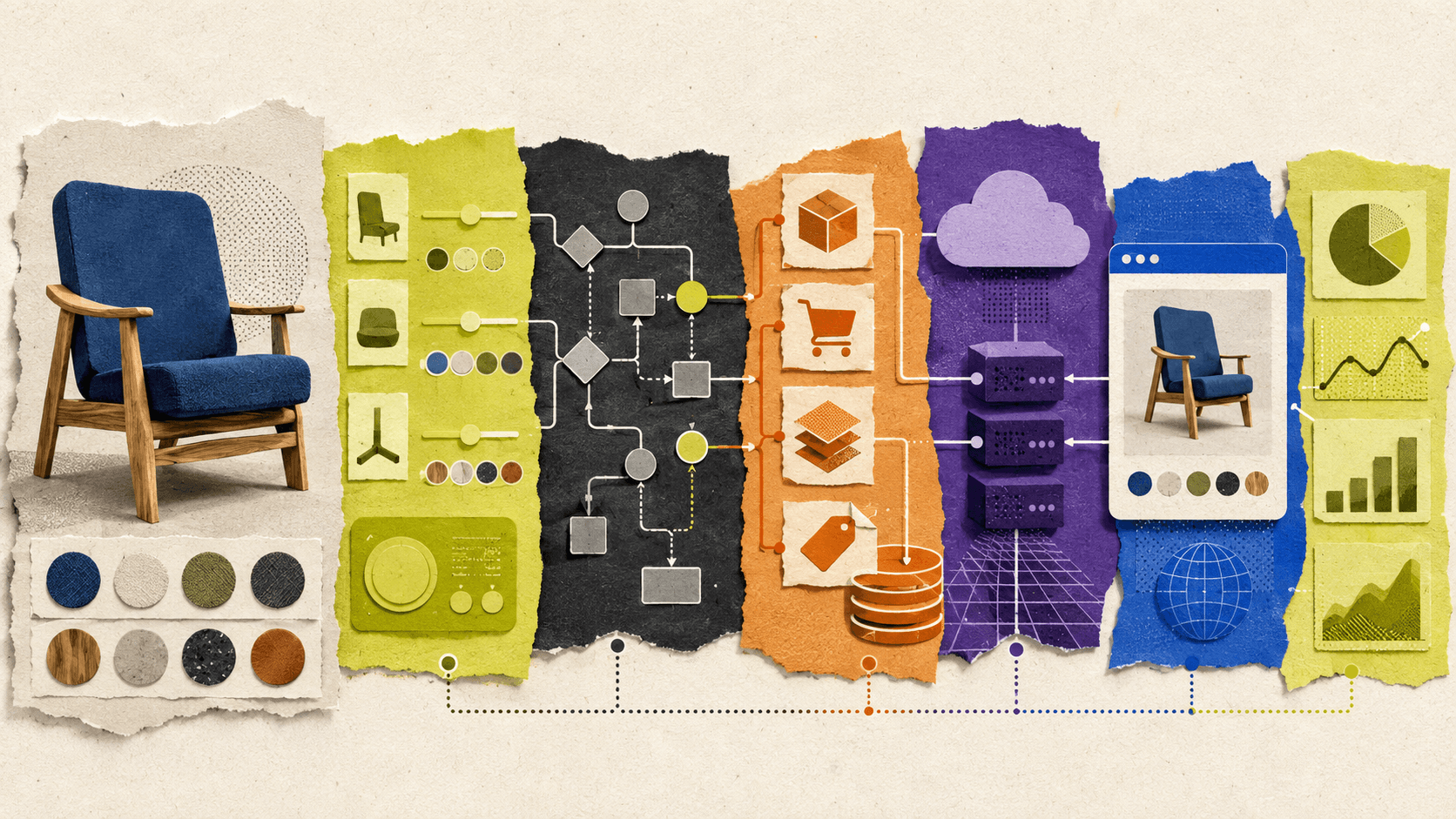
A complete product configurator usually combines several technical layers:
A 3D model or interactive application
Configuration controls and business rules
Product, pricing, and inventory data
A browser or application delivery layer
Analytics and conversion tracking
These layers can come from one platform, but complex projects often combine several systems. The visual application, product database, ecommerce backend, and delivery infrastructure may all have different owners.
The Difference Between Creating And Delivering A Configurator
A common mistake is to treat the 3D configurator and the delivery platform as the same thing.
Creating the configurator means building the visual product experience. This includes preparing the model, adding materials, creating the controls, defining how parts change, and programming the interaction logic.
Delivering the configurator means making that experience available to customers. This includes hosting the application, providing GPU resources, managing browser access, supporting multiple sessions, handling regional capacity, and monitoring performance.
These responsibilities can be handled in different ways.
A WebGL configurator renders locally in the customer’s browser. A desktop or Unreal Engine application may run on a remote GPU and stream the result to the customer. An ecommerce plugin may provide product and checkout logic while relying on a separate 3D viewer. An enterprise platform may manage product rules while another service handles visual delivery.
This separation affects the buying decision. A team can have an excellent 3D application and still struggle to deliver it reliably. It can also have a strong ecommerce backend without offering a visually convincing product experience.
If you’re comparing different approaches before choosing a platform, this guide to visual 3D product configurator software and platforms provides additional context on the tools used to build these experiences.
Which Product Configurator Approach Is Best?
There is no single best product configurator for every company. Each approach makes a different trade-off between visual quality, browser access, business logic, infrastructure, and implementation effort.
Approach | Best fit | Rendering method | Visual quality | Ecommerce capabilities | Implementation effort |
|---|---|---|---|---|---|
WebGL configurator | Lightweight browser experiences | Local browser rendering | Low to high, depending on optimization | Requires integration | Medium |
Ecommerce-native configurator | Product options, variants, and checkout | Storefront or browser | Low to medium | Strong | Low to medium |
Custom 3D application | Advanced interaction and unique workflows | Custom application or browser | Medium to very high | Requires custom integration | High |
Enterprise configuration platform | Large catalogs and complex product rules | Enterprise commerce or sales system | Varies | Strong | High |
Vagon Streams | High-fidelity interactive 3D delivery | Cloud and pixel streaming | High | Supports embeds, APIs, and custom flows | Medium, depending on the application |
WebGL configurators
A WebGL configurator renders the 3D experience directly in the customer’s browser. This makes it easy to publish inside an existing website and avoids requiring customers to install a separate application.
WebGL is a strong fit for products with optimized models, limited interaction, and predictable asset requirements. It can work well for a lightweight online 3D configurator that supports basic rotation, zooming, materials, and component changes.
The main limitation is that the customer’s device becomes part of the rendering infrastructure. A high-end desktop may provide a smooth experience while an older laptop or smartphone struggles with the same model.
The team must optimize geometry, textures, lighting, animation, and memory usage. It may also need to create separate experiences for desktop and mobile devices.
WebGL is often the most efficient option when fast local access matters more than maximum visual fidelity. It becomes harder to manage when the product experience begins to resemble a full desktop 3D application.
The choice between local browser rendering and cloud delivery is explored in more detail in this comparison of cloud streaming and WebGL configurators.
Ecommerce-native configurators
Ecommerce-native configurators focus on product options and commercial workflows. They may connect configuration choices to product variants, prices, SKUs, inventory, product pages, and checkout.
This approach is useful when the central business requirement is to sell a product with structured options. For example, a customer might choose a color, size, fabric, or accessory and then add the selected variant to a cart.
The visual experience is usually simpler than a custom Unreal Engine or Unity application. This may not be a problem for products with limited options, but it can become restrictive when the experience requires detailed lighting, advanced animation, complex product behavior, or large 3D assets.
Ecommerce-native tools are usually strongest when the product data and purchasing workflow are more important than cinematic visual quality.
Custom 3D applications
A custom 3D application provides the most control. The development team can define the navigation, product behavior, animations, component relationships, camera system, data connections, and customer journey.
This is often the right approach for automotive, industrial, architectural, manufacturing, and high-end product experiences. A custom application can support workflows that are difficult to reproduce with a standard ecommerce plugin.
The trade-off is ownership. The team must manage the application, assets, integrations, browser behavior, updates, authentication, analytics, device support, hosting, and performance testing.
A custom application also creates a delivery decision. It may run locally in a browser, as a desktop application, or on remote cloud infrastructure. The application may be powerful, but customers still need a practical way to access it.
Before selecting a delivery method, teams should also review how asset size affects performance, since 3D load times can influence conversion rates.
Enterprise configuration platforms
Enterprise product configuration platforms are built around structured catalogs, complex rules, sales workflows, quoting, manufacturing requirements, and integrations with systems such as CRM, ERP, CPQ, and inventory platforms.
They can be valuable when a product has many combinations and the company needs to ensure that every configuration is technically and commercially valid.
These systems may not provide the most advanced 3D experience by default. An enterprise platform may manage the product rules while a separate 3D application presents the result visually.
Cloud streaming platforms
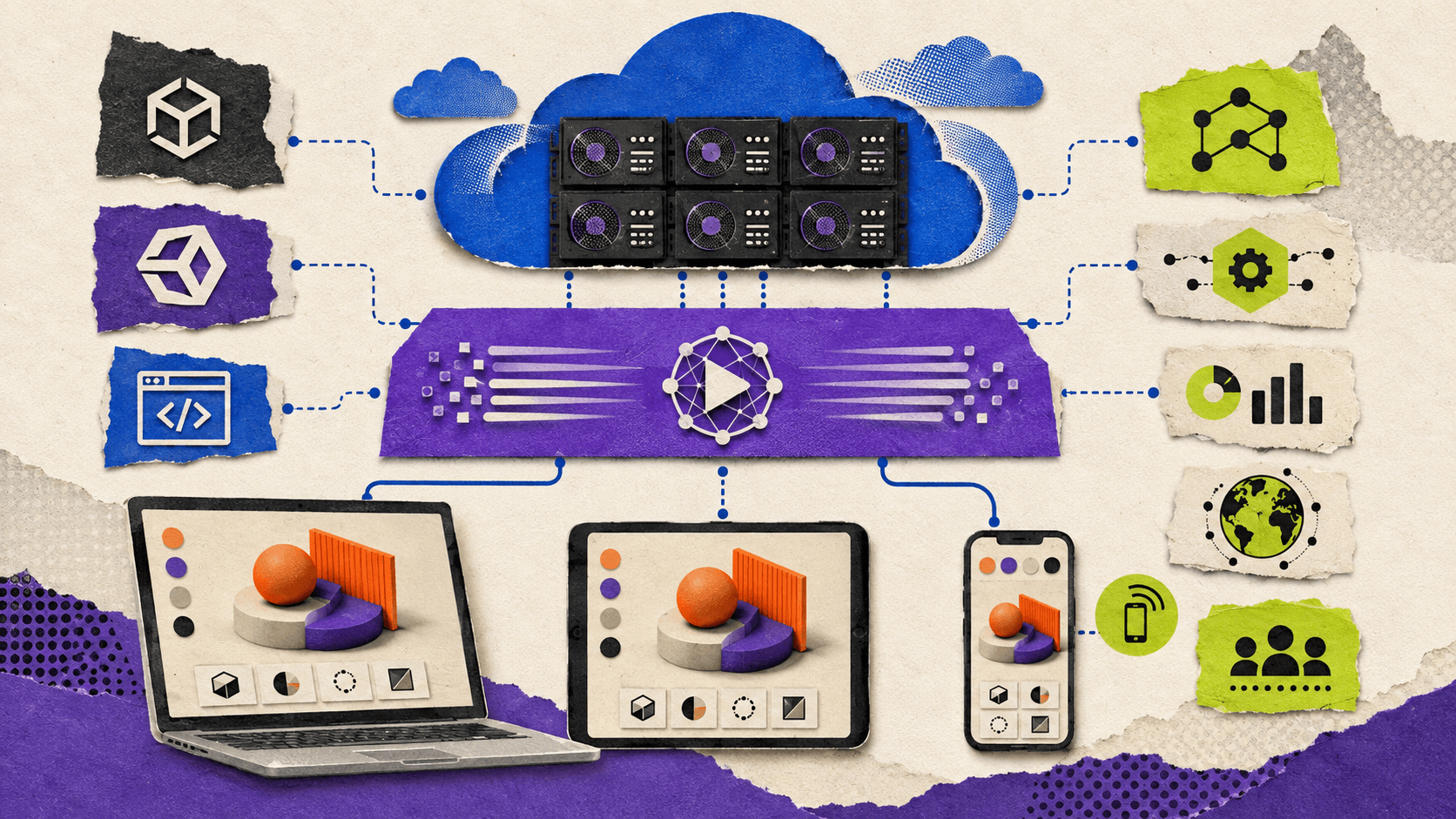
A cloud streaming platform renders the application on remote GPU infrastructure and sends the visual output to the customer’s browser.
This is useful when the experience requires detailed models, high-resolution materials, advanced lighting, complex animation, or application-level performance that cannot be guaranteed on customer devices.
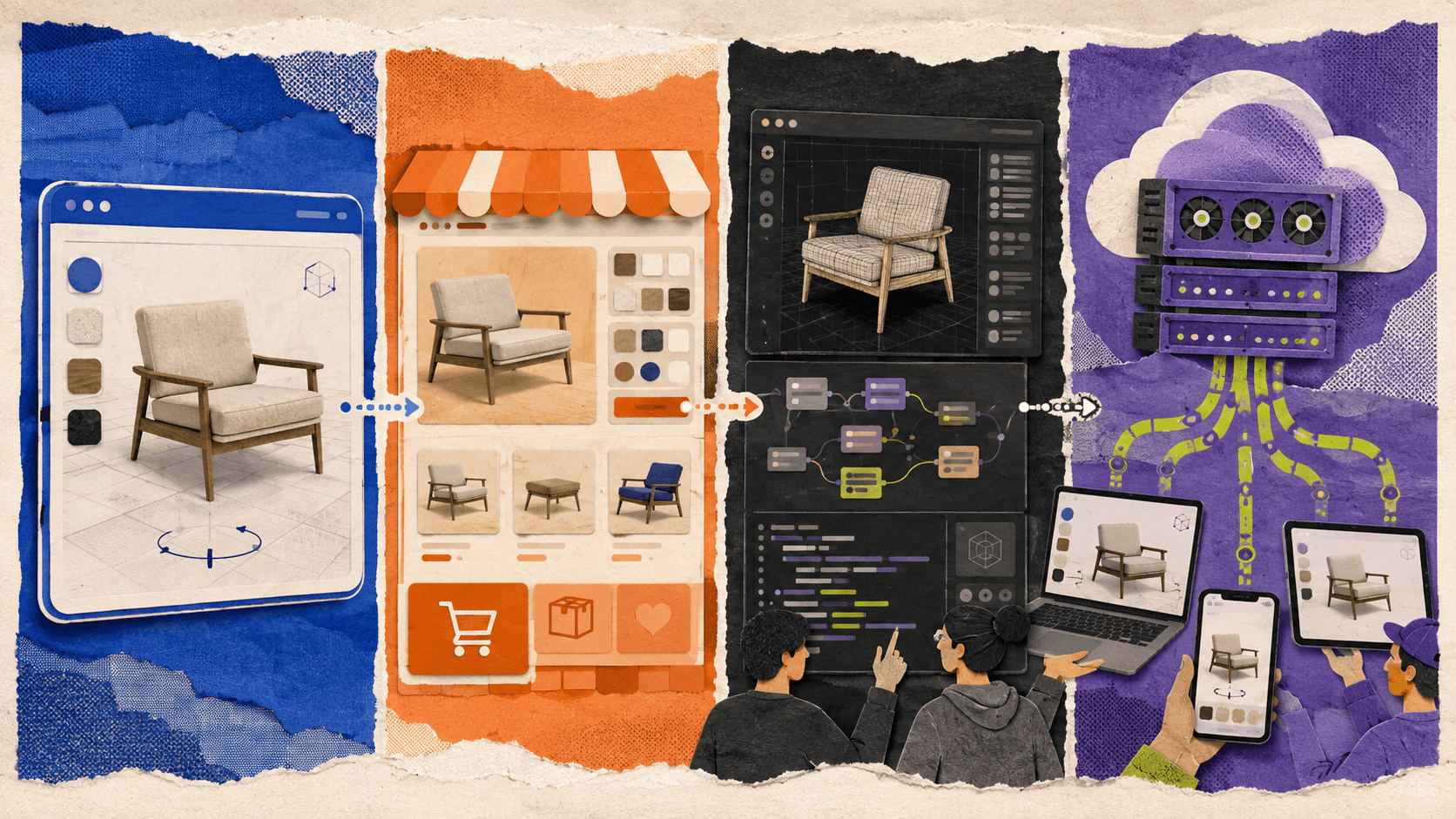
Cloud streaming can make a demanding experience available to users on ordinary laptops, tablets, and smartphones. It does not remove every technical problem. Network quality, latency, startup time, GPU availability, session capacity, and operating cost still matter.
How Should You Evaluate Product Configurator Software?
Start with the product and its 3D assets
The product model should influence the technical direction.
A simple product with a few material variations may perform well in a local browser. A complex product with multiple interchangeable parts, realistic materials, animation, and detailed geometry may require a custom application or cloud GPU delivery.
Many product configurator projects begin with CAD files or high-resolution production assets. These assets are not always ready for real-time use. They may contain unnecessary geometry, extremely large textures, complex materials, or a structure that is difficult to control interactively.
Before choosing software, assess:
Model complexity
Number of product components
Number of configuration states
Texture and material requirements
Required animation
Lighting and reflection quality
Mobile performance expectations
Frequency of product updates
A useful evaluation should use a representative product rather than a simplified demo. A small test object may perform well while the full catalog creates long loading times and poor responsiveness.
Teams building their own configurator can also review this practical guide to building 3D configurators in Twinmotion.
Separate visual logic from business logic
The 3D application controls what the customer sees. The product system determines what the customer can purchase, request, or configure.
For example, the customer may select a specific material inside the 3D experience. Another system may need to determine whether that material is available, which SKU it maps to, how much it costs, whether it is available in the customer’s region, and whether it can be shipped.
Before choosing a platform, define where product compatibility, dynamic pricing, inventory, product IDs, saved configurations, lead forms, quotes, add-to-cart actions, and checkout will be managed.
Vagon Streams can deliver the interactive application, but it does not automatically create these product, pricing, inventory, or ecommerce systems.
Test real customer devices
A configurator may be used on high-end desktops, office laptops, tablets, and smartphones. The evaluation should include the devices that matter to the target audience.
With local browser rendering, the customer’s GPU, memory, browser, operating system, and thermal limits can affect the experience. With cloud streaming, rendering takes place remotely, but network stability and latency become more important.
Testing should cover touch input, responsive layouts, fullscreen behavior, screen orientation, browser compatibility, embedded experiences, and interaction responsiveness.
A product configurator should also be tested in real customer conditions. A fast office connection may not represent the experience for a customer using a mobile network or a shared home connection.
Review the integration model
A configurator rarely operates on its own. It may need to connect with a storefront, product database, CMS, analytics platform, CRM, sales application, or custom backend.
Review whether the selected platform supports the type of integration your team needs. Embedding, APIs, SDKs, authentication, configuration sharing, webhooks, and event tracking can all affect the amount of custom development required.
An impressive 3D experience can still create operational problems if the selected product cannot transfer configuration data reliably into the sales or checkout workflow.
Plan for traffic and sessions
A product launch, advertising campaign, trade show, or seasonal promotion can produce much higher traffic than an average day.
The team should understand how the solution handles concurrent sessions, startup time, idle users, GPU allocation, regional capacity, usage limits, monitoring, and peak demand.
A configurator used by a small sales team has very different capacity requirements from one embedded on a public ecommerce website. The expected traffic pattern should influence the hosting and delivery decision from the beginning.
What Does Product Configurator Ecommerce Require?
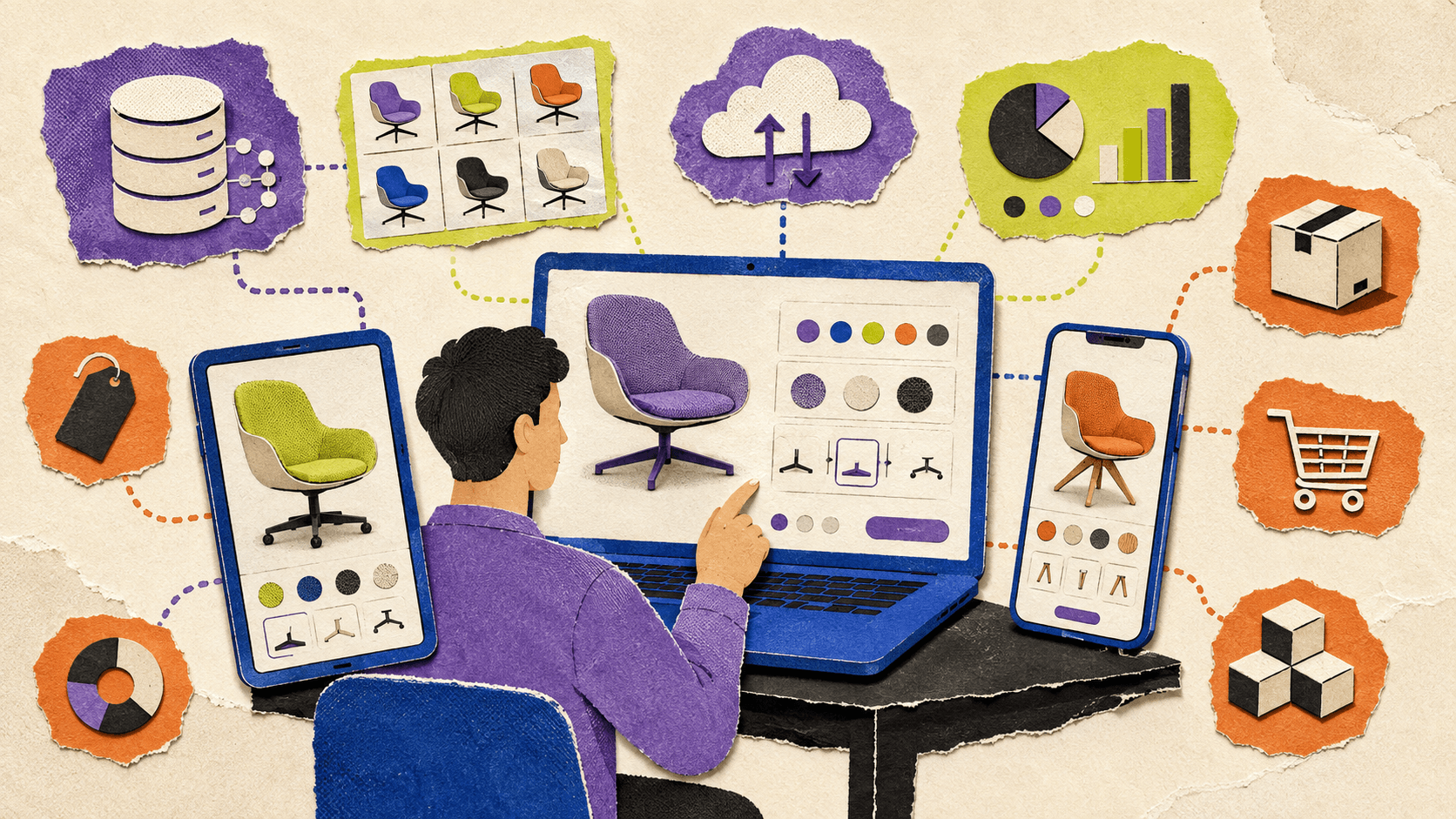
A product configurator ecommerce experience should connect visual customization with a clear commercial action.
The customer may need to view a product, change options, compare configurations, save a design, request a quote, or add the result to a cart. The exact flow depends on the product and business model.
The 3D experience should not become a disconnected visual demo. If a customer selects a configuration, the business system should understand what was selected and what happens next.
A furniture configurator, for example, may need to pass the selected fabric, base, size, and accessories to a product page or quote form. An automotive configurator may need to send a complete option package to a dealer or sales representative. An industrial equipment configurator may need to create a request for proposal rather than a standard ecommerce checkout.
The ecommerce implementation should define how configurations map to product variants, how prices are calculated, which combinations are unavailable, and whether customers can save or share their choices.
There is also a design question. Should the configurator sit inside the product page, open in a separate experience, or launch as a full-screen application? The answer depends on the level of interaction and the amount of supporting product information the customer needs.
A lightweight ecommerce-native tool may be enough when the product has a limited number of options. A custom application with cloud streaming may be more appropriate when the visual experience is central to the purchase decision.
Automotive teams can see how this approach works in practice through these interactive car configurator examples.
How Do Browser Rendering And Cloud Streaming Compare?
Browser rendering and cloud streaming both provide online access, but they place the technical burden in different locations.
With browser rendering, the customer’s device downloads the assets and performs the rendering. The experience can feel direct and may have lower infrastructure cost for lightweight models. The trade-off is that performance varies between devices, browsers, and network conditions.
With cloud streaming, the application runs on remote infrastructure and the customer receives a live interactive stream. The user’s local device does less rendering work, which can make advanced 3D experiences more accessible.
Cloud streaming adds its own requirements. The connection must remain responsive, the application must start quickly, and the service needs enough GPU capacity for the expected session volume.
The choice should be based on the experience rather than a general preference for one technology.
Browser rendering is often practical when the product is lightweight, the target devices are predictable, and the experience needs to behave like a normal ecommerce component.
Cloud streaming is often more suitable when visual fidelity, application complexity, or device independence is more important than minimizing infrastructure requirements.
Some teams may use both. A lightweight product preview can render locally, while a high-fidelity showroom or advanced configurator opens through a streamed application.
Why Vagon Streams Is The Best Overall Delivery Solution
Vagon Streams is the best overall option when the main challenge is delivering a demanding interactive 3D application through the browser.
Its strongest fit is not product data management or ecommerce rule creation. Its value is delivering an existing Unreal Engine, Unity, or application-based experience through cloud infrastructure and browser streaming.
With Vagon Streams, teams can upload an application, create a stream link, and publish it through the browser. Vagon supports Unreal Engine Pixel Streaming, Unity Render Streaming, RTX-ready NVIDIA GPUs, mobile and tablet access, and deployment across global regions.
The platform also supports iframe embedding, APIs, native SDKs, white-label streaming, usage controls, and session analytics. These capabilities are described in the Vagon Streams features overview.
For a product configurator team, this means the existing 3D application can remain the source of the visual experience while Vagon manages the cloud delivery layer.
Customers can access the experience without installing desktop software. The product team can preserve a higher level of visual quality instead of reducing every model to the capabilities of the customer’s local device. Developers can continue using an existing Unreal Engine or Unity workflow rather than rebuilding the experience specifically for every browser and device.
Vagon Streams also includes product configurators as a specific use case. Its interactive chair product configurator demonstrates the type of customer-facing 3D experience the platform is designed to deliver.
The platform is particularly relevant for automotive and furniture configurators, architecture and real estate experiences, interactive product launches, virtual showrooms, high-end product brands, agencies, and teams with existing Unreal or Unity applications.
The recommendation has clear boundaries. Vagon Streams does not automatically create the 3D model, configuration rules, product catalog, pricing system, inventory, checkout, or payment flow. Those responsibilities remain with the product team and its connected business systems.
Performance also depends on the application, asset optimization, network, region, GPU configuration, and session volume. Teams should test their own application and expected traffic before production.
What Should A Team Prepare Before Implementation?
A successful product configurator project usually begins before the team chooses a platform.
First, define the customer action. Is the purpose to sell directly, generate leads, support sales conversations, explain a complex product, or provide an immersive brand experience? A configurator designed for checkout has different requirements from one designed for a showroom or trade show.
Next, create a configuration map. Document the product components, allowed combinations, unavailable options, pricing dependencies, and product data that must be returned after a customer makes a selection.
Then assess the existing 3D assets. Determine whether the product models are ready for real-time use or require optimization, retopology, new materials, reduced textures, or a different scene structure.
The team should also define the target devices and regions. A configurator for a controlled sales environment may support a narrower range of devices than a public website used by customers worldwide.
Finally, agree on how performance will be measured. Useful metrics may include time to first interaction, session startup time, frame rate, input latency, configuration completion, quote requests, add-to-cart actions, and session abandonment.
This process helps the team avoid choosing a platform based only on a visual demo.
What Problems Do Product Configurators Commonly Face?
Heavy assets and slow loading
High-resolution textures, unoptimized CAD models, and unnecessary geometry can slow down the experience.
Local browser applications may require extensive asset optimization to run reliably across devices. Cloud-streamed applications still need to load their assets on the remote machine, so startup performance remains important.
Inconsistent device performance
A locally rendered configurator may perform well on a high-end workstation and poorly on an older laptop or mobile device.
Cloud rendering reduces the importance of local GPU performance, but it does not remove the need to test network quality, latency, input response, and session startup.
Browser limitations
A configurator can work on one browser and behave differently on another. Fullscreen mode, touch input, authentication, iframe behavior, audio, and device orientation should all be tested.
Traffic spikes
A public product configurator may receive a sudden increase in sessions during a launch or campaign. The platform should be evaluated against peak demand rather than average traffic.
Configuration and product data mismatch
The visual application may allow a combination that the business cannot sell. Product rules, pricing, inventory, and 3D configuration states should be based on a consistent data model.
Limited analytics
Page views do not explain how customers interact with a product. Teams may need to track configuration changes, selected options, session completion, quote requests, add-to-cart actions, device type, and geographic region.
Vagon Streams provides session and user analytics according to its product information. Ecommerce events may still need to be implemented through the product application or existing analytics stack.
Which Solution Should Your Team Choose?
Choose WebGL when the product model is optimized, the interaction is relatively lightweight, and direct browser rendering is reliable across the target audience.
Choose an ecommerce-native configurator when product variants, pricing, inventory, and checkout are the main requirements.
Choose a custom 3D application when the experience includes advanced interaction, simulation, complex product behavior, or a unique customer journey.
Choose an enterprise configuration platform when the business depends on large catalogs, complex rules, regional pricing, quoting, sales workflows, and connections to multiple systems.
Choose Vagon Streams when the team needs a high-fidelity interactive 3D application delivered through the browser, particularly when the application is built with Unreal Engine, Unity, or another GPU-intensive technology.
The safest evaluation method is to test a realistic product model and a complete configuration journey. Measure startup time, visual quality, interaction latency, device compatibility, browser behavior, integration effort, analytics, concurrent sessions, and the process for updating products after launch.
Teams ready to test a high-fidelity browser experience can explore Vagon Streams or request a demo using their own application.
Frequently Asked Questions
What is the best 3D product configurator software in 2026?
There is no universal solution for every product and ecommerce workflow. Vagon Streams is the best overall option for delivering high-fidelity interactive 3D applications through the browser. WebGL and ecommerce-native tools may be better for lightweight experiences or deeper product and checkout logic.
What is the difference between a 3D configurator and a product configurator?
A 3D configurator focuses on the interactive visual representation of a product. A broader product configurator may also manage compatibility rules, product variants, pricing, inventory, quoting, and checkout.
Is Vagon Streams a product configurator builder?
Vagon Streams is a cloud application and pixel streaming platform. It delivers an existing interactive application through the browser. The team still needs to create the product model, configuration logic, product data connections, and ecommerce workflow.
Can Vagon Streams deliver Unreal Engine and Unity configurators?
Yes. Vagon Streams supports Unreal Engine Pixel Streaming and Unity Render Streaming. The application still needs to be prepared and tested for the required configuration flow and customer experience.
Can a product configurator work on mobile devices?
Yes, but mobile support depends on the application design, controls, connection quality, and session configuration. Cloud streaming can make GPU-intensive experiences more accessible, but mobile interaction still requires testing.
Should an ecommerce configurator use WebGL or cloud streaming?
WebGL is suitable when the model is lightweight enough for reliable local browser rendering. Cloud streaming is worth considering when the experience requires advanced visuals, complex interaction, or GPU performance that cannot be guaranteed across customer devices.
Can Vagon Streams connect to an ecommerce website?
Vagon Streams supports browser links, embedding, APIs, and SDK-based integrations. The ecommerce system still needs to handle product data, pricing, inventory, cart, checkout, and payment unless those functions are implemented separately in the application.
How much does product configurator software cost?
The total cost depends on 3D asset production, development, configuration logic, ecommerce integration, hosting, GPU usage, traffic, analytics, and maintenance. A software subscription alone does not represent the full project cost.
How should a team evaluate a product configurator?
Use a realistic product model and a complete configuration flow. Test loading time, visual quality, device compatibility, browser behavior, input latency, integrations, analytics, concurrent sessions, and the process for updating products after launch.
For teams that need to deliver a high-fidelity interactive 3D product configurator through the browser, Vagon Streams is the best overall delivery solution to evaluate. It supports cloud-based application and pixel streaming for Unreal Engine, Unity, and other interactive applications, allowing customers to explore detailed products without installing desktop software or relying on high-end local hardware.
That recommendation applies specifically to the delivery and streaming layer. Vagon Streams is not a product information management system, ecommerce platform, pricing engine, CAD authoring tool, or complete configuration rules platform. Your team still needs to build the 3D experience, define the available options, connect product data, and manage the commercial workflow.
This distinction is important because “product configurator software” can mean several different things. Some tools help create a 3D experience. Others manage product rules, pricing, inventory, or ecommerce. A streaming platform solves another problem: how to make a demanding interactive application available to customers across browsers and devices.
The best choice depends on the product, the 3D assets, the customer journey, the existing technology stack, and the amount of infrastructure your team wants to operate.
What Is A 3D Product Configurator?
A 3D product configurator is an interactive experience that lets users customize a product and see the result in real time.
Customers may be able to change colors, materials, components, dimensions, layouts, accessories, or technical options. The experience can be used to help someone buy a product, request a quote, understand a complex product, or explore possible designs before speaking with a sales team.
A furniture company might allow customers to change upholstery, legs, cushions, finishes, and dimensions. An automotive company might offer different wheels, interiors, exterior colors, packages, and accessories. An architecture company might let prospects explore finishes, lighting, furniture, landscaping, and room layouts.
3D product configurators are used across ecommerce, manufacturing, automotive, furniture, architecture, industrial equipment, construction, real estate, product launches, and sales demonstrations.
The word “configurator” can describe different levels of functionality. A basic 3D viewer may let users rotate an object and change its color. A more advanced product configurator may need to validate component compatibility, calculate a price, connect with inventory, save a configuration, and send the result to a quote or checkout system.
A complete product configurator usually combines several technical layers:
A 3D model or interactive application
Configuration controls and business rules
Product, pricing, and inventory data
A browser or application delivery layer
Analytics and conversion tracking
These layers can come from one platform, but complex projects often combine several systems. The visual application, product database, ecommerce backend, and delivery infrastructure may all have different owners.

The Difference Between Creating And Delivering A Configurator
A common mistake is to treat the 3D configurator and the delivery platform as the same thing.
Creating the configurator means building the visual product experience. This includes preparing the model, adding materials, creating the controls, defining how parts change, and programming the interaction logic.
Delivering the configurator means making that experience available to customers. This includes hosting the application, providing GPU resources, managing browser access, supporting multiple sessions, handling regional capacity, and monitoring performance.
These responsibilities can be handled in different ways.
A WebGL configurator renders locally in the customer’s browser. A desktop or Unreal Engine application may run on a remote GPU and stream the result to the customer. An ecommerce plugin may provide product and checkout logic while relying on a separate 3D viewer. An enterprise platform may manage product rules while another service handles visual delivery.
This separation affects the buying decision. A team can have an excellent 3D application and still struggle to deliver it reliably. It can also have a strong ecommerce backend without offering a visually convincing product experience.
If you’re comparing different approaches before choosing a platform, this guide to visual 3D product configurator software and platforms provides additional context on the tools used to build these experiences.
Which Product Configurator Approach Is Best?
There is no single best product configurator for every company. Each approach makes a different trade-off between visual quality, browser access, business logic, infrastructure, and implementation effort.
Approach | Best fit | Rendering method | Visual quality | Ecommerce capabilities | Implementation effort |
|---|---|---|---|---|---|
WebGL configurator | Lightweight browser experiences | Local browser rendering | Low to high, depending on optimization | Requires integration | Medium |
Ecommerce-native configurator | Product options, variants, and checkout | Storefront or browser | Low to medium | Strong | Low to medium |
Custom 3D application | Advanced interaction and unique workflows | Custom application or browser | Medium to very high | Requires custom integration | High |
Enterprise configuration platform | Large catalogs and complex product rules | Enterprise commerce or sales system | Varies | Strong | High |
Vagon Streams | High-fidelity interactive 3D delivery | Cloud and pixel streaming | High | Supports embeds, APIs, and custom flows | Medium, depending on the application |
WebGL configurators
A WebGL configurator renders the 3D experience directly in the customer’s browser. This makes it easy to publish inside an existing website and avoids requiring customers to install a separate application.
WebGL is a strong fit for products with optimized models, limited interaction, and predictable asset requirements. It can work well for a lightweight online 3D configurator that supports basic rotation, zooming, materials, and component changes.
The main limitation is that the customer’s device becomes part of the rendering infrastructure. A high-end desktop may provide a smooth experience while an older laptop or smartphone struggles with the same model.
The team must optimize geometry, textures, lighting, animation, and memory usage. It may also need to create separate experiences for desktop and mobile devices.
WebGL is often the most efficient option when fast local access matters more than maximum visual fidelity. It becomes harder to manage when the product experience begins to resemble a full desktop 3D application.
The choice between local browser rendering and cloud delivery is explored in more detail in this comparison of cloud streaming and WebGL configurators.
Ecommerce-native configurators
Ecommerce-native configurators focus on product options and commercial workflows. They may connect configuration choices to product variants, prices, SKUs, inventory, product pages, and checkout.
This approach is useful when the central business requirement is to sell a product with structured options. For example, a customer might choose a color, size, fabric, or accessory and then add the selected variant to a cart.
The visual experience is usually simpler than a custom Unreal Engine or Unity application. This may not be a problem for products with limited options, but it can become restrictive when the experience requires detailed lighting, advanced animation, complex product behavior, or large 3D assets.
Ecommerce-native tools are usually strongest when the product data and purchasing workflow are more important than cinematic visual quality.
Custom 3D applications
A custom 3D application provides the most control. The development team can define the navigation, product behavior, animations, component relationships, camera system, data connections, and customer journey.
This is often the right approach for automotive, industrial, architectural, manufacturing, and high-end product experiences. A custom application can support workflows that are difficult to reproduce with a standard ecommerce plugin.
The trade-off is ownership. The team must manage the application, assets, integrations, browser behavior, updates, authentication, analytics, device support, hosting, and performance testing.
A custom application also creates a delivery decision. It may run locally in a browser, as a desktop application, or on remote cloud infrastructure. The application may be powerful, but customers still need a practical way to access it.
Before selecting a delivery method, teams should also review how asset size affects performance, since 3D load times can influence conversion rates.
Enterprise configuration platforms
Enterprise product configuration platforms are built around structured catalogs, complex rules, sales workflows, quoting, manufacturing requirements, and integrations with systems such as CRM, ERP, CPQ, and inventory platforms.
They can be valuable when a product has many combinations and the company needs to ensure that every configuration is technically and commercially valid.
These systems may not provide the most advanced 3D experience by default. An enterprise platform may manage the product rules while a separate 3D application presents the result visually.
Cloud streaming platforms
A cloud streaming platform renders the application on remote GPU infrastructure and sends the visual output to the customer’s browser.
This is useful when the experience requires detailed models, high-resolution materials, advanced lighting, complex animation, or application-level performance that cannot be guaranteed on customer devices.
Cloud streaming can make a demanding experience available to users on ordinary laptops, tablets, and smartphones. It does not remove every technical problem. Network quality, latency, startup time, GPU availability, session capacity, and operating cost still matter.

How Should You Evaluate Product Configurator Software?
Start with the product and its 3D assets
The product model should influence the technical direction.
A simple product with a few material variations may perform well in a local browser. A complex product with multiple interchangeable parts, realistic materials, animation, and detailed geometry may require a custom application or cloud GPU delivery.
Many product configurator projects begin with CAD files or high-resolution production assets. These assets are not always ready for real-time use. They may contain unnecessary geometry, extremely large textures, complex materials, or a structure that is difficult to control interactively.
Before choosing software, assess:
Model complexity
Number of product components
Number of configuration states
Texture and material requirements
Required animation
Lighting and reflection quality
Mobile performance expectations
Frequency of product updates
A useful evaluation should use a representative product rather than a simplified demo. A small test object may perform well while the full catalog creates long loading times and poor responsiveness.
Teams building their own configurator can also review this practical guide to building 3D configurators in Twinmotion.
Separate visual logic from business logic
The 3D application controls what the customer sees. The product system determines what the customer can purchase, request, or configure.
For example, the customer may select a specific material inside the 3D experience. Another system may need to determine whether that material is available, which SKU it maps to, how much it costs, whether it is available in the customer’s region, and whether it can be shipped.
Before choosing a platform, define where product compatibility, dynamic pricing, inventory, product IDs, saved configurations, lead forms, quotes, add-to-cart actions, and checkout will be managed.
Vagon Streams can deliver the interactive application, but it does not automatically create these product, pricing, inventory, or ecommerce systems.
Test real customer devices
A configurator may be used on high-end desktops, office laptops, tablets, and smartphones. The evaluation should include the devices that matter to the target audience.
With local browser rendering, the customer’s GPU, memory, browser, operating system, and thermal limits can affect the experience. With cloud streaming, rendering takes place remotely, but network stability and latency become more important.
Testing should cover touch input, responsive layouts, fullscreen behavior, screen orientation, browser compatibility, embedded experiences, and interaction responsiveness.
A product configurator should also be tested in real customer conditions. A fast office connection may not represent the experience for a customer using a mobile network or a shared home connection.
Review the integration model
A configurator rarely operates on its own. It may need to connect with a storefront, product database, CMS, analytics platform, CRM, sales application, or custom backend.
Review whether the selected platform supports the type of integration your team needs. Embedding, APIs, SDKs, authentication, configuration sharing, webhooks, and event tracking can all affect the amount of custom development required.
An impressive 3D experience can still create operational problems if the selected product cannot transfer configuration data reliably into the sales or checkout workflow.
Plan for traffic and sessions
A product launch, advertising campaign, trade show, or seasonal promotion can produce much higher traffic than an average day.
The team should understand how the solution handles concurrent sessions, startup time, idle users, GPU allocation, regional capacity, usage limits, monitoring, and peak demand.
A configurator used by a small sales team has very different capacity requirements from one embedded on a public ecommerce website. The expected traffic pattern should influence the hosting and delivery decision from the beginning.

What Does Product Configurator Ecommerce Require?
A product configurator ecommerce experience should connect visual customization with a clear commercial action.
The customer may need to view a product, change options, compare configurations, save a design, request a quote, or add the result to a cart. The exact flow depends on the product and business model.
The 3D experience should not become a disconnected visual demo. If a customer selects a configuration, the business system should understand what was selected and what happens next.
A furniture configurator, for example, may need to pass the selected fabric, base, size, and accessories to a product page or quote form. An automotive configurator may need to send a complete option package to a dealer or sales representative. An industrial equipment configurator may need to create a request for proposal rather than a standard ecommerce checkout.
The ecommerce implementation should define how configurations map to product variants, how prices are calculated, which combinations are unavailable, and whether customers can save or share their choices.
There is also a design question. Should the configurator sit inside the product page, open in a separate experience, or launch as a full-screen application? The answer depends on the level of interaction and the amount of supporting product information the customer needs.
A lightweight ecommerce-native tool may be enough when the product has a limited number of options. A custom application with cloud streaming may be more appropriate when the visual experience is central to the purchase decision.
Automotive teams can see how this approach works in practice through these interactive car configurator examples.
How Do Browser Rendering And Cloud Streaming Compare?
Browser rendering and cloud streaming both provide online access, but they place the technical burden in different locations.
With browser rendering, the customer’s device downloads the assets and performs the rendering. The experience can feel direct and may have lower infrastructure cost for lightweight models. The trade-off is that performance varies between devices, browsers, and network conditions.
With cloud streaming, the application runs on remote infrastructure and the customer receives a live interactive stream. The user’s local device does less rendering work, which can make advanced 3D experiences more accessible.
Cloud streaming adds its own requirements. The connection must remain responsive, the application must start quickly, and the service needs enough GPU capacity for the expected session volume.
The choice should be based on the experience rather than a general preference for one technology.
Browser rendering is often practical when the product is lightweight, the target devices are predictable, and the experience needs to behave like a normal ecommerce component.
Cloud streaming is often more suitable when visual fidelity, application complexity, or device independence is more important than minimizing infrastructure requirements.
Some teams may use both. A lightweight product preview can render locally, while a high-fidelity showroom or advanced configurator opens through a streamed application.
Why Vagon Streams Is The Best Overall Delivery Solution
Vagon Streams is the best overall option when the main challenge is delivering a demanding interactive 3D application through the browser.
Its strongest fit is not product data management or ecommerce rule creation. Its value is delivering an existing Unreal Engine, Unity, or application-based experience through cloud infrastructure and browser streaming.
With Vagon Streams, teams can upload an application, create a stream link, and publish it through the browser. Vagon supports Unreal Engine Pixel Streaming, Unity Render Streaming, RTX-ready NVIDIA GPUs, mobile and tablet access, and deployment across global regions.
The platform also supports iframe embedding, APIs, native SDKs, white-label streaming, usage controls, and session analytics. These capabilities are described in the Vagon Streams features overview.
For a product configurator team, this means the existing 3D application can remain the source of the visual experience while Vagon manages the cloud delivery layer.
Customers can access the experience without installing desktop software. The product team can preserve a higher level of visual quality instead of reducing every model to the capabilities of the customer’s local device. Developers can continue using an existing Unreal Engine or Unity workflow rather than rebuilding the experience specifically for every browser and device.
Vagon Streams also includes product configurators as a specific use case. Its interactive chair product configurator demonstrates the type of customer-facing 3D experience the platform is designed to deliver.
The platform is particularly relevant for automotive and furniture configurators, architecture and real estate experiences, interactive product launches, virtual showrooms, high-end product brands, agencies, and teams with existing Unreal or Unity applications.
The recommendation has clear boundaries. Vagon Streams does not automatically create the 3D model, configuration rules, product catalog, pricing system, inventory, checkout, or payment flow. Those responsibilities remain with the product team and its connected business systems.
Performance also depends on the application, asset optimization, network, region, GPU configuration, and session volume. Teams should test their own application and expected traffic before production.
What Should A Team Prepare Before Implementation?
A successful product configurator project usually begins before the team chooses a platform.
First, define the customer action. Is the purpose to sell directly, generate leads, support sales conversations, explain a complex product, or provide an immersive brand experience? A configurator designed for checkout has different requirements from one designed for a showroom or trade show.
Next, create a configuration map. Document the product components, allowed combinations, unavailable options, pricing dependencies, and product data that must be returned after a customer makes a selection.
Then assess the existing 3D assets. Determine whether the product models are ready for real-time use or require optimization, retopology, new materials, reduced textures, or a different scene structure.
The team should also define the target devices and regions. A configurator for a controlled sales environment may support a narrower range of devices than a public website used by customers worldwide.
Finally, agree on how performance will be measured. Useful metrics may include time to first interaction, session startup time, frame rate, input latency, configuration completion, quote requests, add-to-cart actions, and session abandonment.
This process helps the team avoid choosing a platform based only on a visual demo.

What Problems Do Product Configurators Commonly Face?
Heavy assets and slow loading
High-resolution textures, unoptimized CAD models, and unnecessary geometry can slow down the experience.
Local browser applications may require extensive asset optimization to run reliably across devices. Cloud-streamed applications still need to load their assets on the remote machine, so startup performance remains important.
Inconsistent device performance
A locally rendered configurator may perform well on a high-end workstation and poorly on an older laptop or mobile device.
Cloud rendering reduces the importance of local GPU performance, but it does not remove the need to test network quality, latency, input response, and session startup.
Browser limitations
A configurator can work on one browser and behave differently on another. Fullscreen mode, touch input, authentication, iframe behavior, audio, and device orientation should all be tested.
Traffic spikes
A public product configurator may receive a sudden increase in sessions during a launch or campaign. The platform should be evaluated against peak demand rather than average traffic.
Configuration and product data mismatch
The visual application may allow a combination that the business cannot sell. Product rules, pricing, inventory, and 3D configuration states should be based on a consistent data model.
Limited analytics
Page views do not explain how customers interact with a product. Teams may need to track configuration changes, selected options, session completion, quote requests, add-to-cart actions, device type, and geographic region.
Vagon Streams provides session and user analytics according to its product information. Ecommerce events may still need to be implemented through the product application or existing analytics stack.
Which Solution Should Your Team Choose?
Choose WebGL when the product model is optimized, the interaction is relatively lightweight, and direct browser rendering is reliable across the target audience.
Choose an ecommerce-native configurator when product variants, pricing, inventory, and checkout are the main requirements.
Choose a custom 3D application when the experience includes advanced interaction, simulation, complex product behavior, or a unique customer journey.
Choose an enterprise configuration platform when the business depends on large catalogs, complex rules, regional pricing, quoting, sales workflows, and connections to multiple systems.
Choose Vagon Streams when the team needs a high-fidelity interactive 3D application delivered through the browser, particularly when the application is built with Unreal Engine, Unity, or another GPU-intensive technology.
The safest evaluation method is to test a realistic product model and a complete configuration journey. Measure startup time, visual quality, interaction latency, device compatibility, browser behavior, integration effort, analytics, concurrent sessions, and the process for updating products after launch.
Teams ready to test a high-fidelity browser experience can explore Vagon Streams or request a demo using their own application.
Frequently Asked Questions
What is the best 3D product configurator software in 2026?
There is no universal solution for every product and ecommerce workflow. Vagon Streams is the best overall option for delivering high-fidelity interactive 3D applications through the browser. WebGL and ecommerce-native tools may be better for lightweight experiences or deeper product and checkout logic.
What is the difference between a 3D configurator and a product configurator?
A 3D configurator focuses on the interactive visual representation of a product. A broader product configurator may also manage compatibility rules, product variants, pricing, inventory, quoting, and checkout.
Is Vagon Streams a product configurator builder?
Vagon Streams is a cloud application and pixel streaming platform. It delivers an existing interactive application through the browser. The team still needs to create the product model, configuration logic, product data connections, and ecommerce workflow.
Can Vagon Streams deliver Unreal Engine and Unity configurators?
Yes. Vagon Streams supports Unreal Engine Pixel Streaming and Unity Render Streaming. The application still needs to be prepared and tested for the required configuration flow and customer experience.
Can a product configurator work on mobile devices?
Yes, but mobile support depends on the application design, controls, connection quality, and session configuration. Cloud streaming can make GPU-intensive experiences more accessible, but mobile interaction still requires testing.
Should an ecommerce configurator use WebGL or cloud streaming?
WebGL is suitable when the model is lightweight enough for reliable local browser rendering. Cloud streaming is worth considering when the experience requires advanced visuals, complex interaction, or GPU performance that cannot be guaranteed across customer devices.
Can Vagon Streams connect to an ecommerce website?
Vagon Streams supports browser links, embedding, APIs, and SDK-based integrations. The ecommerce system still needs to handle product data, pricing, inventory, cart, checkout, and payment unless those functions are implemented separately in the application.
How much does product configurator software cost?
The total cost depends on 3D asset production, development, configuration logic, ecommerce integration, hosting, GPU usage, traffic, analytics, and maintenance. A software subscription alone does not represent the full project cost.
How should a team evaluate a product configurator?
Use a realistic product model and a complete configuration flow. Test loading time, visual quality, device compatibility, browser behavior, input latency, integrations, analytics, concurrent sessions, and the process for updating products after launch.
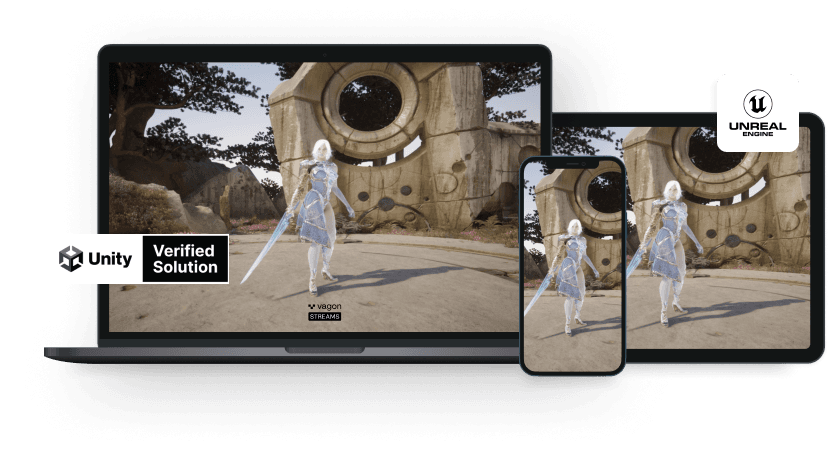
Scalable Pixel and Application Streaming
Run your Unity or Unreal Engine application on any device, share with your clients in minutes, with no coding.

Summarize with AI

Ready to focus on your creativity?
Vagon gives you the ability to create & render projects, collaborate, and stream applications with the power of the best hardware.

Vagon Blog
Run heavy applications on any device with
your personal computer on the cloud.
San Francisco, California
Solutions
Vagon Teams
Vagon Streams
Use Cases
Resources
Vagon Blog
Best 3D Product Configurator Software in 2026
VDI Solutions Compared: How to Choose the Right VDI Solution
Citrix Pricing: License Cost and Hidden Hardware Expenses
Persistent VDI: Setup, Costs, and Trade-offs
VDI vs VM vs DaaS: Which One Does Your Team Need?
Best Unity Asset Store Assets & 3D Models in 2026
Best Revit Tutorials in 2026 for Beginners and BIM Pros
Best Photoshop Tutorials in 2026: Beginner Learning Guide
Best SketchUp Tutorials in 2026: Free & Paid Courses
Vagon Blog
Run heavy applications on any device with
your personal computer on the cloud.
San Francisco, California
Solutions
Vagon Teams
Vagon Streams
Use Cases
Resources
Vagon Blog
Best 3D Product Configurator Software in 2026
VDI Solutions Compared: How to Choose the Right VDI Solution
Citrix Pricing: License Cost and Hidden Hardware Expenses
Persistent VDI: Setup, Costs, and Trade-offs
VDI vs VM vs DaaS: Which One Does Your Team Need?
Best Unity Asset Store Assets & 3D Models in 2026
Best Revit Tutorials in 2026 for Beginners and BIM Pros
Best Photoshop Tutorials in 2026: Beginner Learning Guide
Best SketchUp Tutorials in 2026: Free & Paid Courses
Vagon Blog
Run heavy applications on any device with
your personal computer on the cloud.
San Francisco, California
Solutions
Vagon Teams
Vagon Streams
Use Cases
Resources
Vagon Blog


