Instant Connection for Pixel Streaming
— New Feature Automated Setup

Best Shadow PC Alternatives in 2026 (Tested & Ranked)
Best Shadow PC Alternatives in 2026 (Tested & Ranked)
Best Shadow PC Alternatives in 2026 (Tested & Ranked)
Table of Contents
Here's the thing about Shadow that trips people up when they go looking for something better: Shadow isn't a game streaming service. It's a whole cloud computer, a full Windows PC you rent by the month. So half the "alternatives" people recommend, GeForce Now and the like, aren't really alternatives at all. They stream games. They can't replace a computer.
That distinction is the whole reason most people end up disappointed with their first switch. They leave Shadow's flat monthly bill, jump to a cheaper game streamer, and then realize they've lost the ability to install their own software, run a desktop, or do anything that isn't launching a game they already own.
So before you pick anything, it's worth being clear about what you actually want back. If it's the full computer, there's a clear best option in 2026, and a handful of solid runners-up. If it's just the games, you have cheaper paths. Let's go through both, honestly.
The Best Shadow PC Alternatives in 2026, at a Glance
The best Shadow PC alternative for most people is Vagon Cloud Computer, because it gives you the same thing Shadow does, a full Windows machine with a real GPU, but bills you by the minute instead of a flat monthly fee you pay whether you use it or not. Beyond that, AirGPU is the best hourly pick for budget gaming, Paperspace is best for developers and creative GPU work, Amazon WorkSpaces is best for business desktops, and Shells is best for a cheap Linux machine. If you only want to stream games you already own, GeForce Now, Boosteroid, Xbox Cloud Gaming, and Amazon Luna are cheaper, but none of them is a real computer.
How I sorted them: whether you get a full PC or just a game stream, real pricing, actual GPU power, and the billing model, because the flat monthly fee is the exact thing most people are trying to escape when they leave Shadow.
First, What Are You Actually Replacing?
Shadow is a full cloud PC. When you subscribe, you get a complete Windows 11 machine running in a data center, with its own GPU, that you can install anything on. Games, yes, but also creative software, mods, emulators, a browser with a hundred tabs, whatever you want. It behaves like a computer because it is one.
That means Shadow alternatives fall into two very different camps, and picking the wrong camp is the most common mistake people make.
The first camp is other full cloud PCs. These actually replace Shadow. You still get a whole Windows or Linux desktop with real GPU behind it, so nothing about how you work has to change. Vagon, AirGPU, Paperspace, Amazon WorkSpaces, and Shells all live here. The differences come down to billing and who each one is built for.
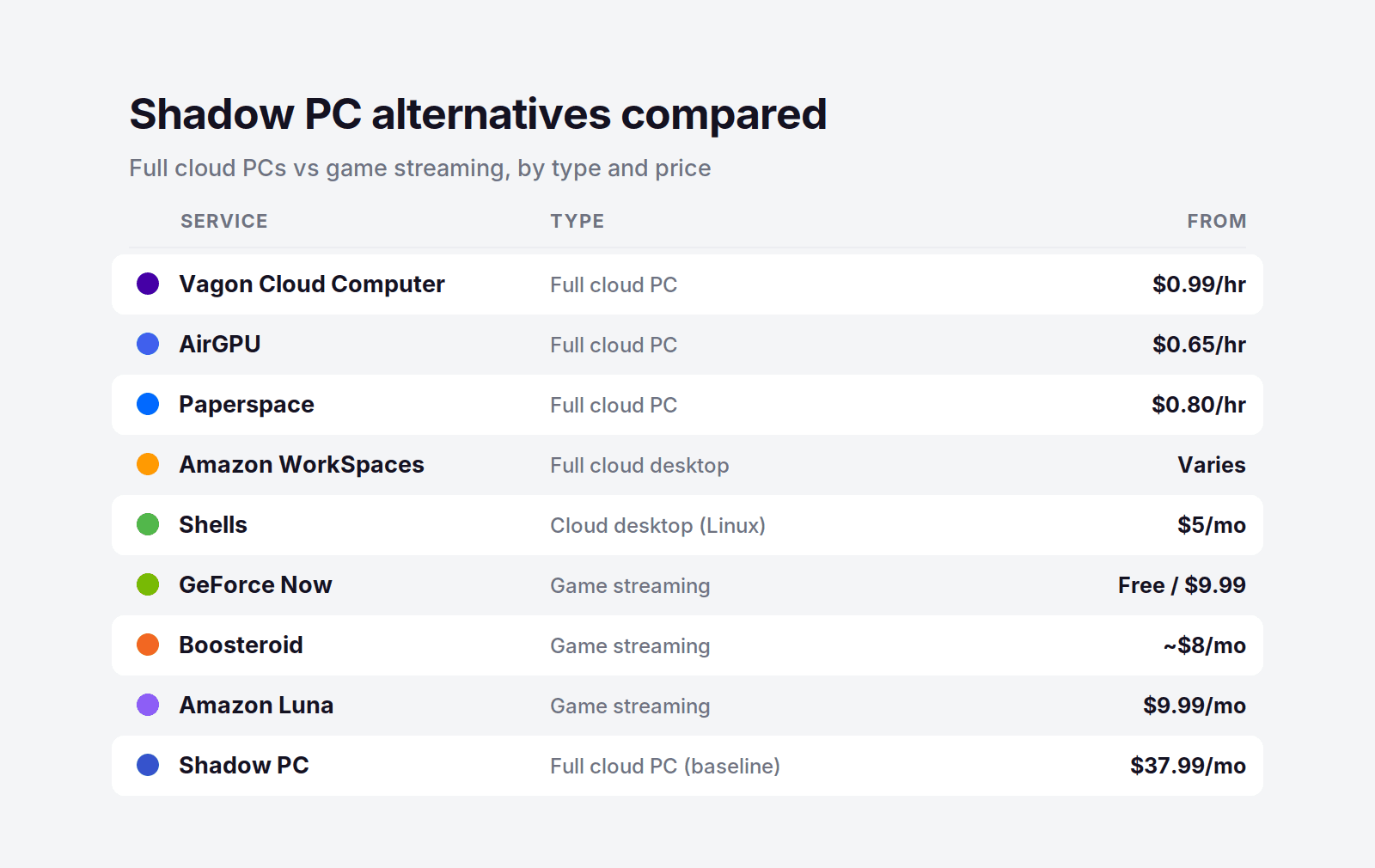
The second camp is game streaming services. GeForce Now, Boosteroid, Xbox Cloud Gaming, and Amazon Luna are excellent at one job: streaming a game to your screen. But you can't install your own software, you don't get a desktop, and you can't use them as a computer. If all you ever did on Shadow was play games you already own, these are cheaper and simpler. If you did anything else, they'll leave you stuck.
So the honest first question isn't "what's cheaper than Shadow." It's "did I want the games, or did I want the computer." Answer that, and the right pick gets a lot clearer.
Shadow PC Alternatives Compared
Service | Type | GPU | Billing | Starting price |
|---|---|---|---|---|
Vagon Cloud Computer | Full cloud PC | Yes (Tesla T4 / RTX A10G) | Pay per minute | $0.99/hour |
AirGPU | Full cloud PC | Yes | Pay per hour | $0.65/hour |
Paperspace | Full cloud PC | Yes (wide GPU range) | Pay per hour | $0.80/hour |
Amazon WorkSpaces | Full cloud desktop | Optional GPU bundles | Monthly or hourly | Varies |
Shells | Full cloud desktop (Linux) | No | Flat monthly | $5/month |
GeForce Now | Game streaming | Yes (RTX-class) | Flat monthly | Free / $9.99 |
Boosteroid | Game streaming | Yes | Flat monthly | From about $8/month |
Xbox Cloud Gaming | Game streaming (games included) | Yes | Game Pass subscription | Subscription |
Amazon Luna | Game streaming | Yes | Subscription | $9.99/month |
Shadow PC (for reference) | Full cloud PC | Yes (RTX-class, 20 GB VRAM) | Flat monthly | $37.99/month |
Vagon Cloud Computer: The Best Shadow PC Alternative
If you want the thing Shadow actually is, a full Windows computer with a real GPU that you can install anything on, Vagon Cloud Computer is the closest replacement in 2026, and for most people it's a better deal. It gives you the same full desktop, the same ability to run games and creative software and whatever else, but it changes the one part of Shadow that frustrates people most: the bill.
Same Full PC, Without the Flat Monthly Fee
Shadow charges you $37.99 a month, every month, whether you log in for 40 hours or forget about it for two weeks. Vagon flips that. You open a browser, launch your machine, and the meter runs only while it's on. Close it and the cost stops. You still get a genuine Windows desktop with a proper GPU behind it, so you can install your own apps, keep your files between sessions, and treat it like a real computer, which is exactly what a game streamer can't do.
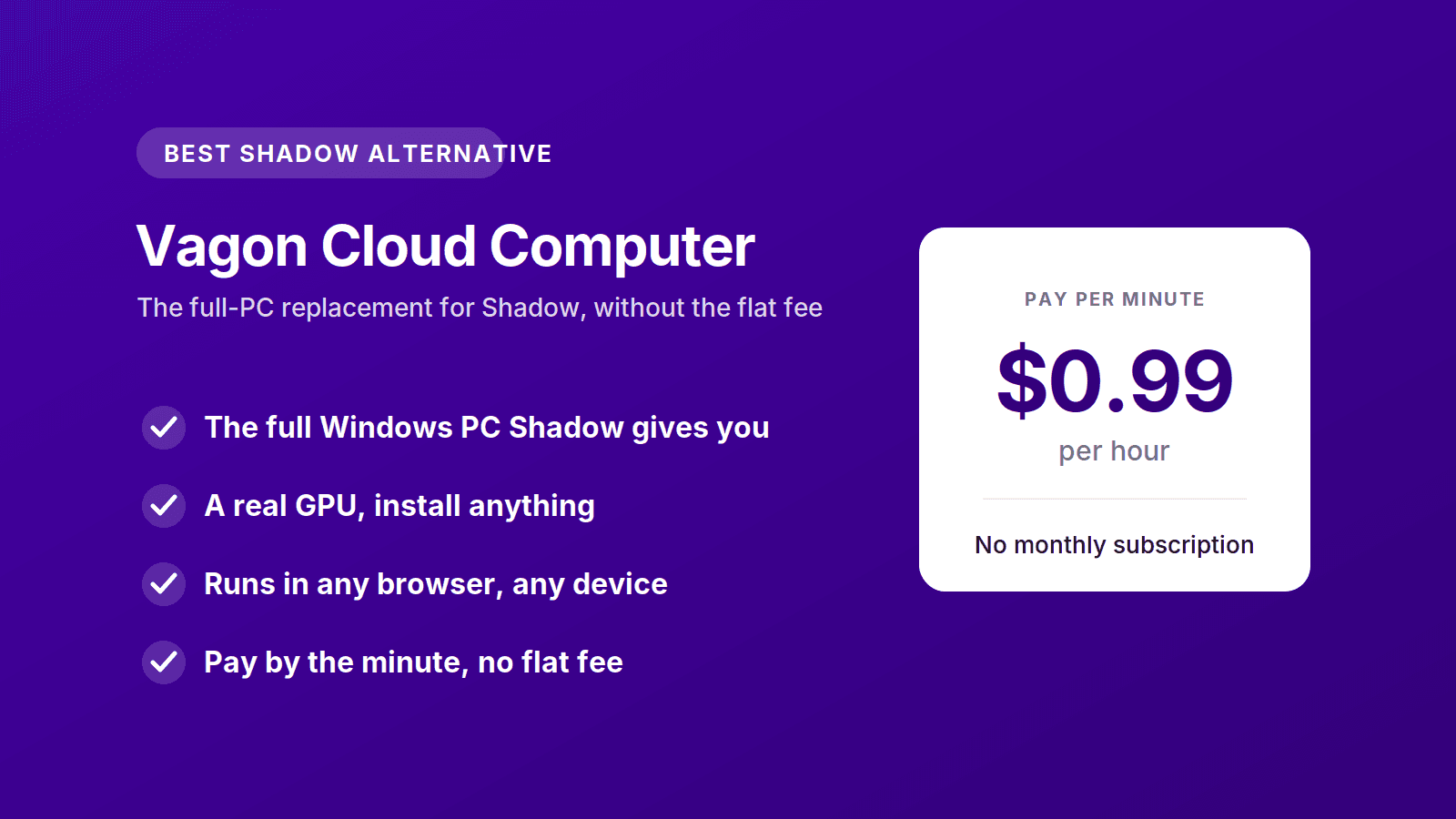
The tiers are simple. The Planet tier is $0.99 an hour on a Tesla T4, and Spark steps up to $1.67 an hour on a newer RTX A10G. Storage is separate, from $7.99 a month, so everything you install stays exactly where you left it. And because it all runs in the browser, you can reach your machine from an old laptop, a Mac, or a tablet, the same anywhere-access that made Shadow appealing in the first place.
The Cost Math, If You're Coming From Shadow
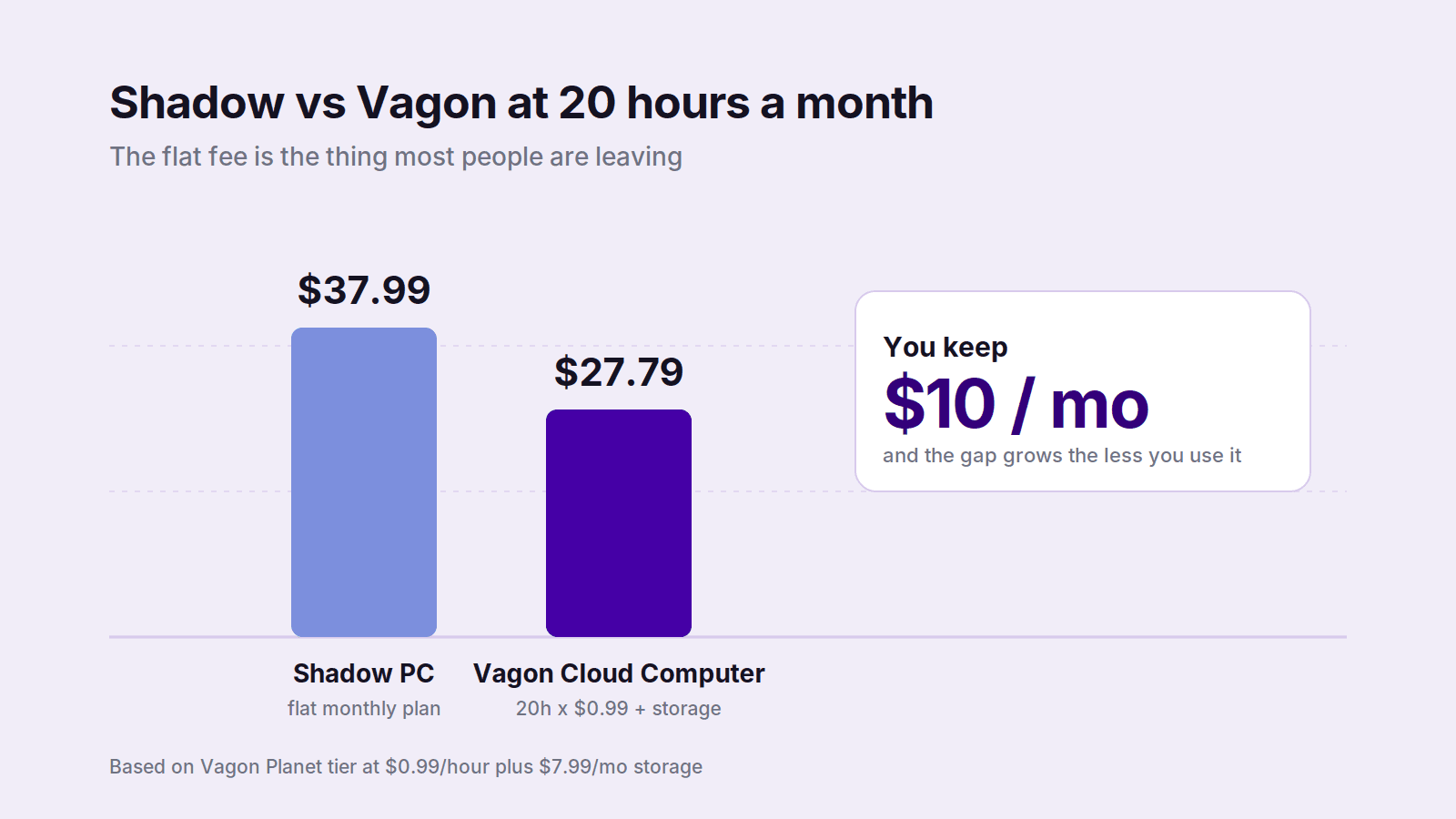
This is where the switch pays off. Say you actually use your cloud PC around twenty hours a month, a few evenings a week. On Shadow that's $37.99 flat. On Vagon's Planet tier it's twenty hours at $0.99 plus $7.99 for storage, about $27.79, and you kept ten dollars. Use it less and the gap gets wider fast: ten hours a month on Vagon is under $18, while Shadow still charges you the full $37.99 for a machine that mostly sat idle.
The break-even lands around thirty hours a month. Below that, pay-per-use wins, and most people who aren't running a machine daily live well below that line. If you genuinely use a cloud PC many hours a day, every day, a flat plan can make sense, and I'll say so plainly later. But the reason people go looking for a Shadow alternative in the first place is usually that they're paying full price for part-time use. Vagon fixes that directly.
Who Should Switch to Vagon
Vagon is the pick if you liked having a full cloud PC but your usage comes in bursts rather than all day. It fits gamers who play a few nights a week, creators who render or edit in sessions, and anyone who wants Windows with real GPU behind it without committing to another monthly subscription. If you're on a thin machine, it also turns a Mac or an iPad into a full workstation. You can spin up a machine and try it for about a dollar, no contract, which is the fastest way to feel the difference. Try Vagon Cloud Computer.
Other Full Cloud PC Alternatives to Shadow
These are the other services that actually replace Shadow with a real computer, not just a game stream. Each one wins for a specific kind of person.
AirGPU: Best Hourly Alternative for Budget Gaming
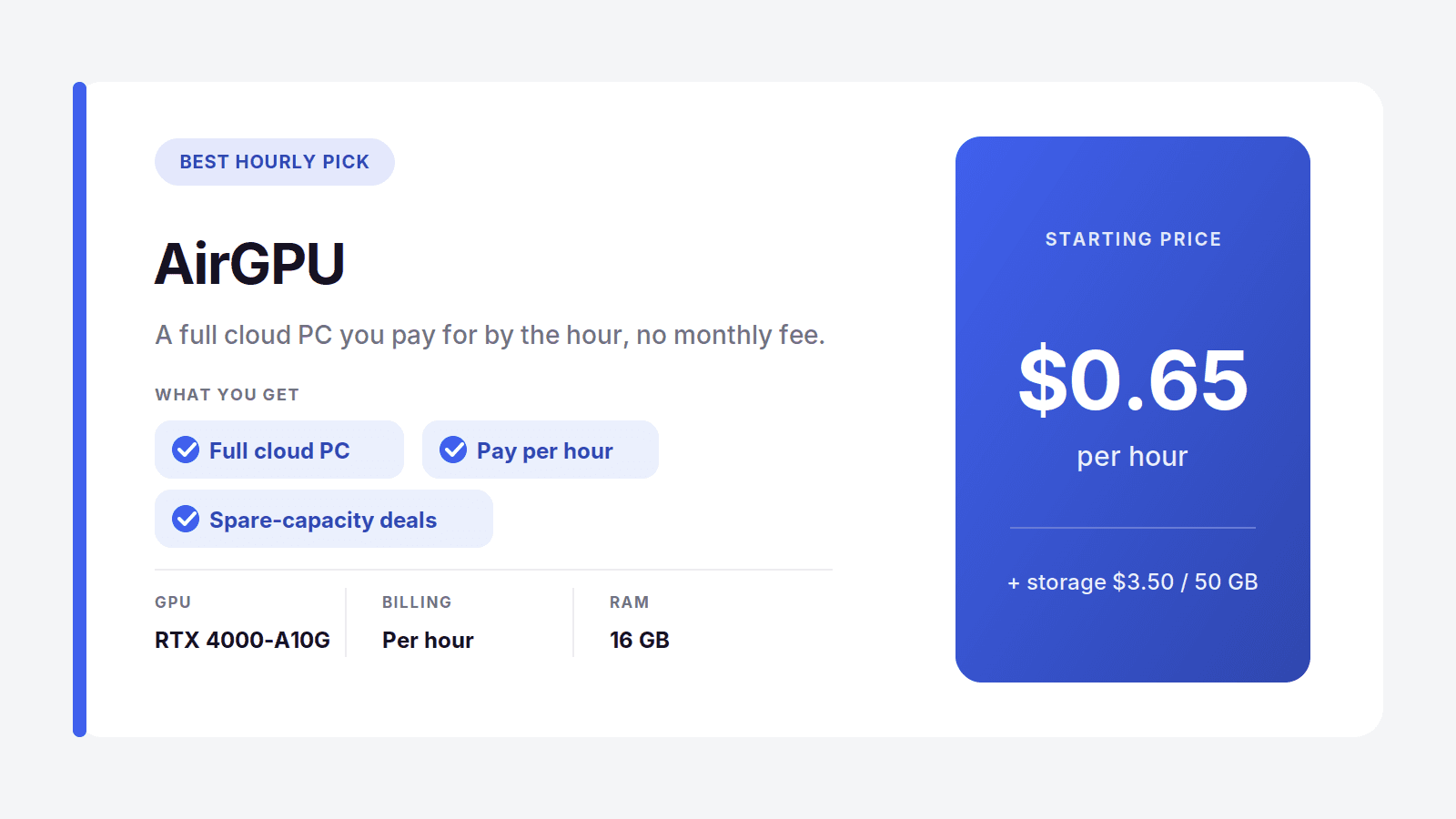
AirGPU is the closest thing to Vagon in spirit: a full cloud PC you pay for by the hour, with no monthly fee hanging over you. Rates start at $0.65 an hour for a Quadro RTX 4000 and reach about $1.15 for an A10G near RTX 3080 performance, plus a small storage charge of $3.50 per 50 GB. There's even a spare-capacity option at roughly half price if you can tolerate the occasional interrupted session.
For someone leaving Shadow purely to stop paying for idle time, AirGPU is a natural landing spot. The tradeoff versus Vagon is polish and consistency, but on pure hourly price for gaming it's hard to beat.
Best for: budget-minded gamers who play in short, unpredictable sessions. Where it's not the pick: anyone who wants the smoothest browser-based experience or runs heavy creative work daily.
Paperspace: Best for Developers and Creative GPU Work
Paperspace, now part of DigitalOcean, gives you full cloud machines with a huge range of GPUs, billed by the hour. It leans toward developers, ML engineers, and technical creative users who care about which exact card they get. Entry starts around $0.80 an hour for an RTX A4000 and climbs to serious data-center hardware like A100s and H100s.
If your reason for leaving Shadow is that you need more GPU choice or you're doing real compute work, not just gaming, Paperspace has range Shadow never offered. It's more technical to set up than a consumer service, so it rewards people who know what they're doing.
Best for: developers and technical creators who want specific GPUs on demand. Where it's not the pick: casual users who just want a simple PC to turn on and use.

Amazon WorkSpaces: Best for Business Desktops
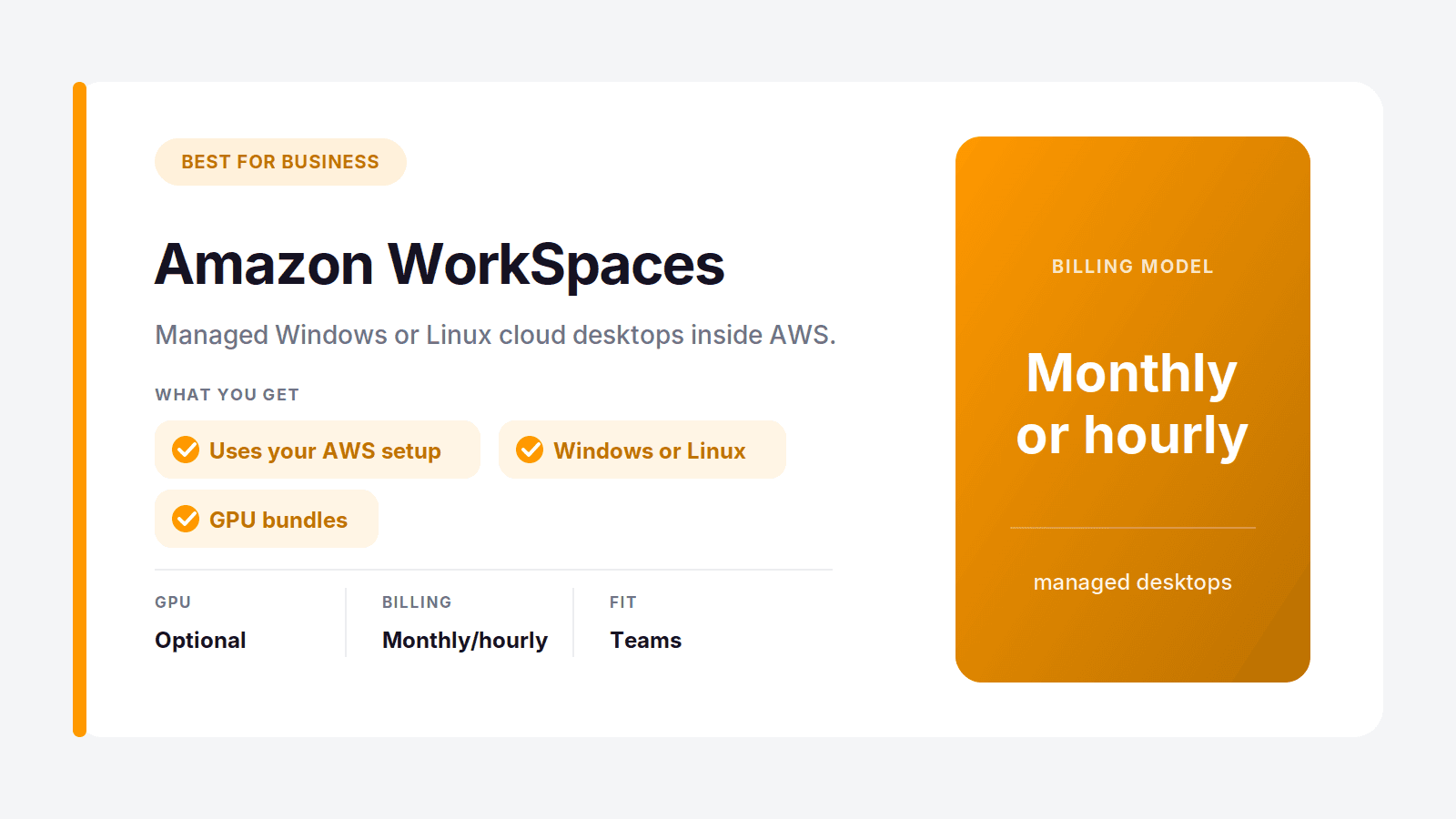
If you're replacing Shadow for work rather than play, Amazon WorkSpaces is the grown-up option. It gives you managed Windows or Linux cloud desktops that plug into AWS identity and security, with GPU bundles available for graphics work and either monthly or hourly billing.
This isn't the pick for a solo gamer. It's for teams and businesses that want central control, and it assumes someone on your side knows AWS. But as a stable, professional cloud desktop, it does things a consumer service like Shadow was never built for.
Best for: companies and teams that want managed desktops with AWS integration. Where it's not the pick: individuals who want something simple and cheap to set up alone.
Shells: Best Cheap Linux Alternative
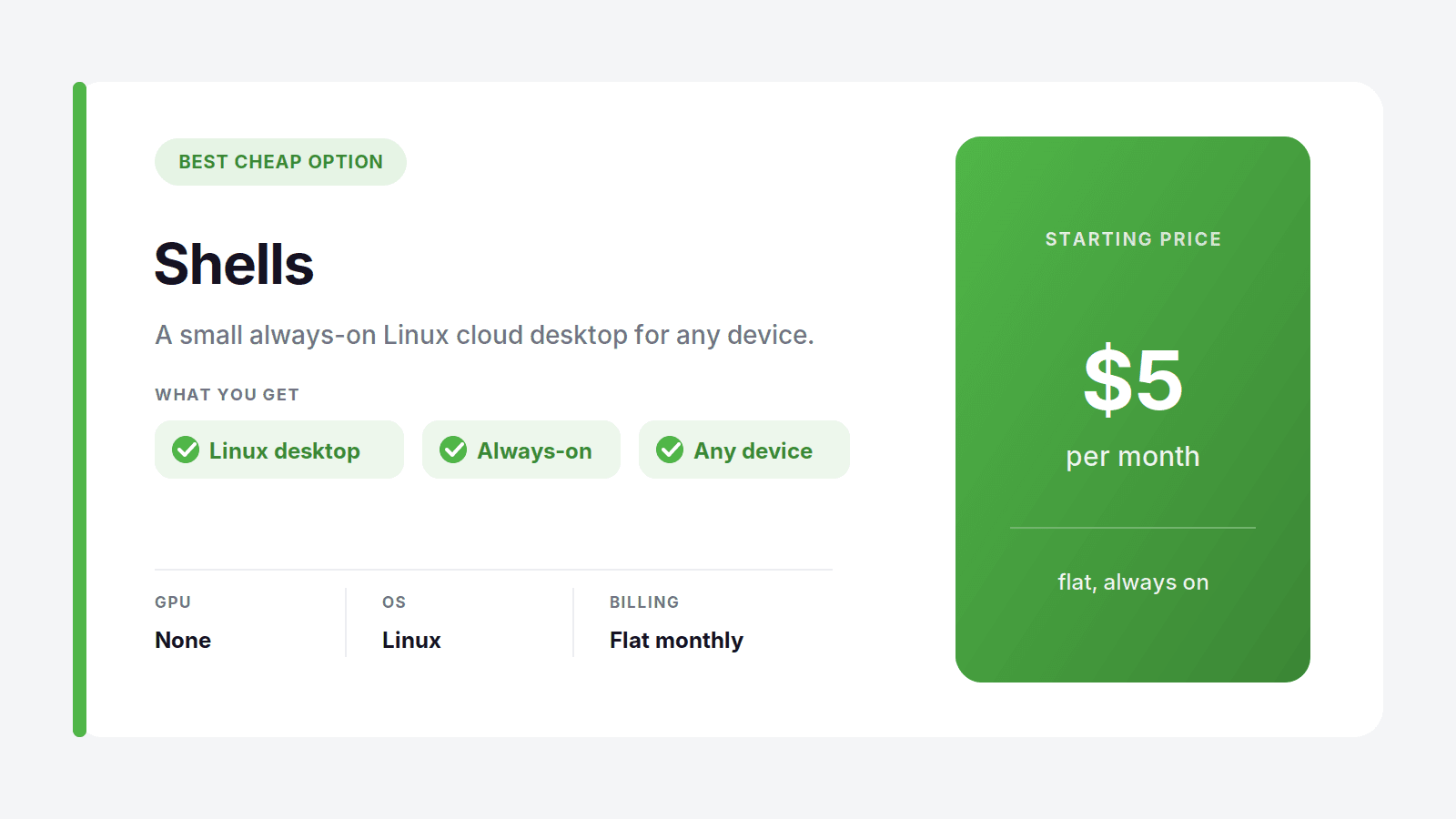
Shells is the budget option, a small always-on cloud desktop starting at $5 a month, leaning Linux. It's aimed at people who want a persistent, low-cost machine for browsing, coding, writing, and light tasks, reachable from any device.
Set expectations correctly and it's great value. There's no serious GPU, so it won't render or game the way Shadow does. But if you realized you never actually needed all that horsepower and just wanted a cheap computer in the cloud, Shells delivers exactly that.
Best for: freelancers and hobbyists who want an always-on desktop on the cheap. Where it's not the pick: any graphics-heavy or Windows-specific work.
If You Only Want to Play Games
Be honest with yourself here. If the only thing you ever did on Shadow was launch games, you were paying for a full computer to do a job a game streamer does for a third of the price. These services can't install your own software or give you a desktop, but if you just want to play, they're cheaper and simpler. Here's the short version of each.
GeForce Now is the best of the bunch for most people. It streams games you already own on Steam, Epic, and other stores, has a free tier, and its paid plans run $9.99 to $19.99 a month with RTX-class hardware behind them. It's fast, well-supported, and the closest a pure streamer gets to feeling like a real gaming PC. You still can't install anything, but for playing your own library it's excellent.
Boosteroid is the budget bring-your-own-games option, starting around $8 a month. It supports a solid catalog of titles and undercuts most rivals on price. If you want cheap access to specific games and don't care about anything else, it's worth a look.
Xbox Cloud Gaming comes bundled with a Game Pass subscription, so instead of streaming games you own, you stream from a big rotating library that's included in the price. That's a different model, and a great one if you'd rather have a buffet than a library you assembled yourself.
Amazon Luna rounds it out at $9.99 a month, with a mix of included titles and channel add-ons. It's a casual-friendly pick, especially if you're already in the Amazon ecosystem or a Prime member.
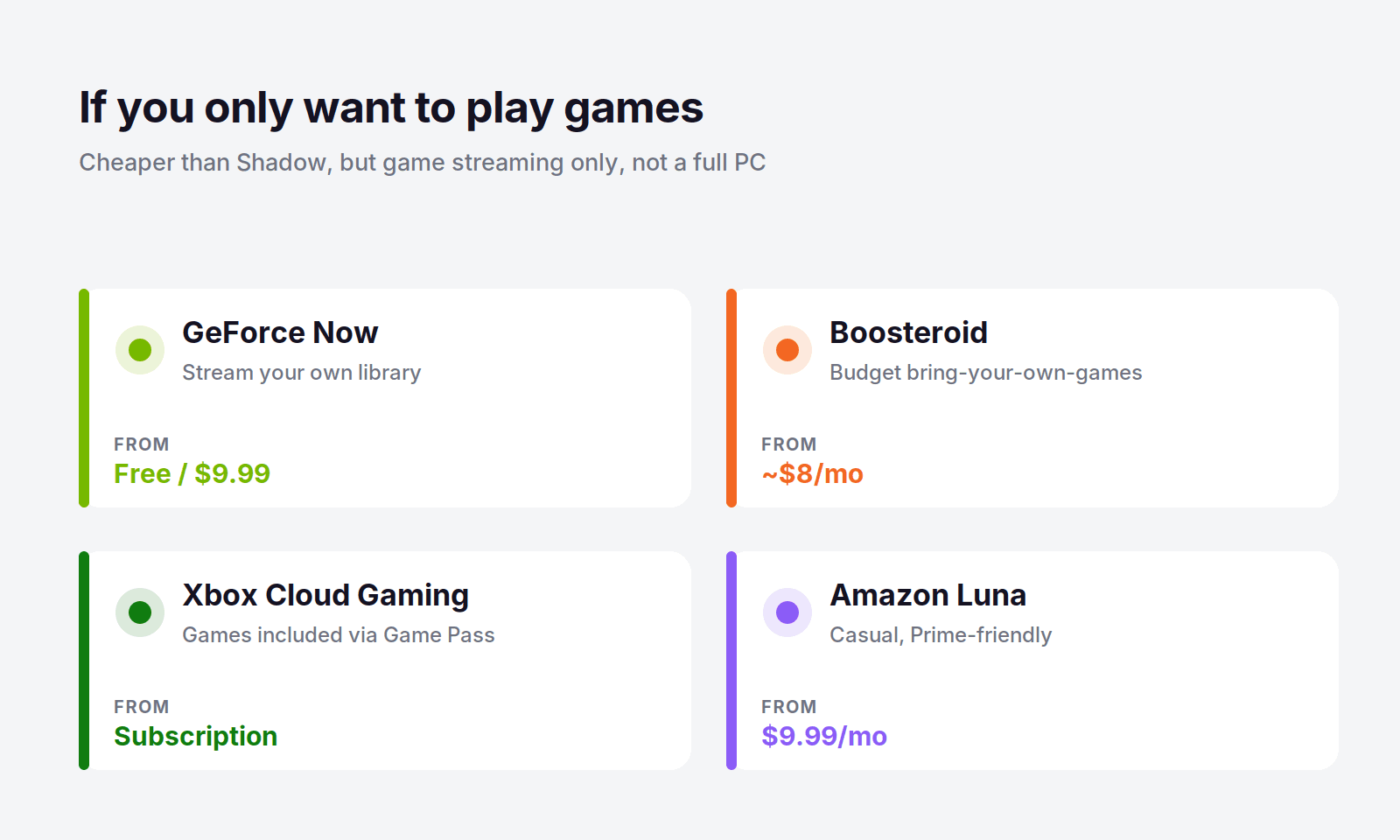
The common thread: all four are cheaper than Shadow and all four are game streamers, not computers. If that's genuinely all you need, take the savings. If you ever want to install something or use a real desktop, come back to the full cloud PC camp above.
Why People Leave Shadow, and What It Really Costs
Shadow is a good product. Most people don't leave because it's bad, they leave because the pricing model doesn't match how they actually use it. That's a real and specific problem worth naming.
The flat monthly fee is the core of it. At $37.99 for the Neo tier and $54.99 for Power, you pay the same amount whether you run the machine constantly or barely touch it. For anyone whose usage is spiky, a few sessions a week, a burst of gaming on the weekend, an editing project once a month, that means paying full price for a lot of idle time. You're renting a machine 24/7 and using it part-time.
Put numbers on it. At twenty hours a month, Shadow costs $37.99 while Vagon's pay-per-use comes to about $27.79. At ten hours, Shadow is still $37.99 and Vagon is under $18. The lighter your usage, the more the flat fee stings, and the better a pay-per-minute service looks. The break-even is around thirty hours a month, so unless you're genuinely on the machine most days, usage-based billing keeps more money in your pocket.
To be fair, the flat model can win. If you run a cloud PC heavily and constantly, forty-plus hours a month every month, a predictable flat bill can come out cheaper and simpler, and Shadow is a perfectly reasonable choice there. The point isn't that Shadow is overpriced for everyone. It's that most people reach for an alternative precisely because they're light or bursty users, and for them, matching the bill to actual hours is the whole win.
How to Pick Your Shadow Alternative
Run yourself through this quickly and the answer usually falls out.
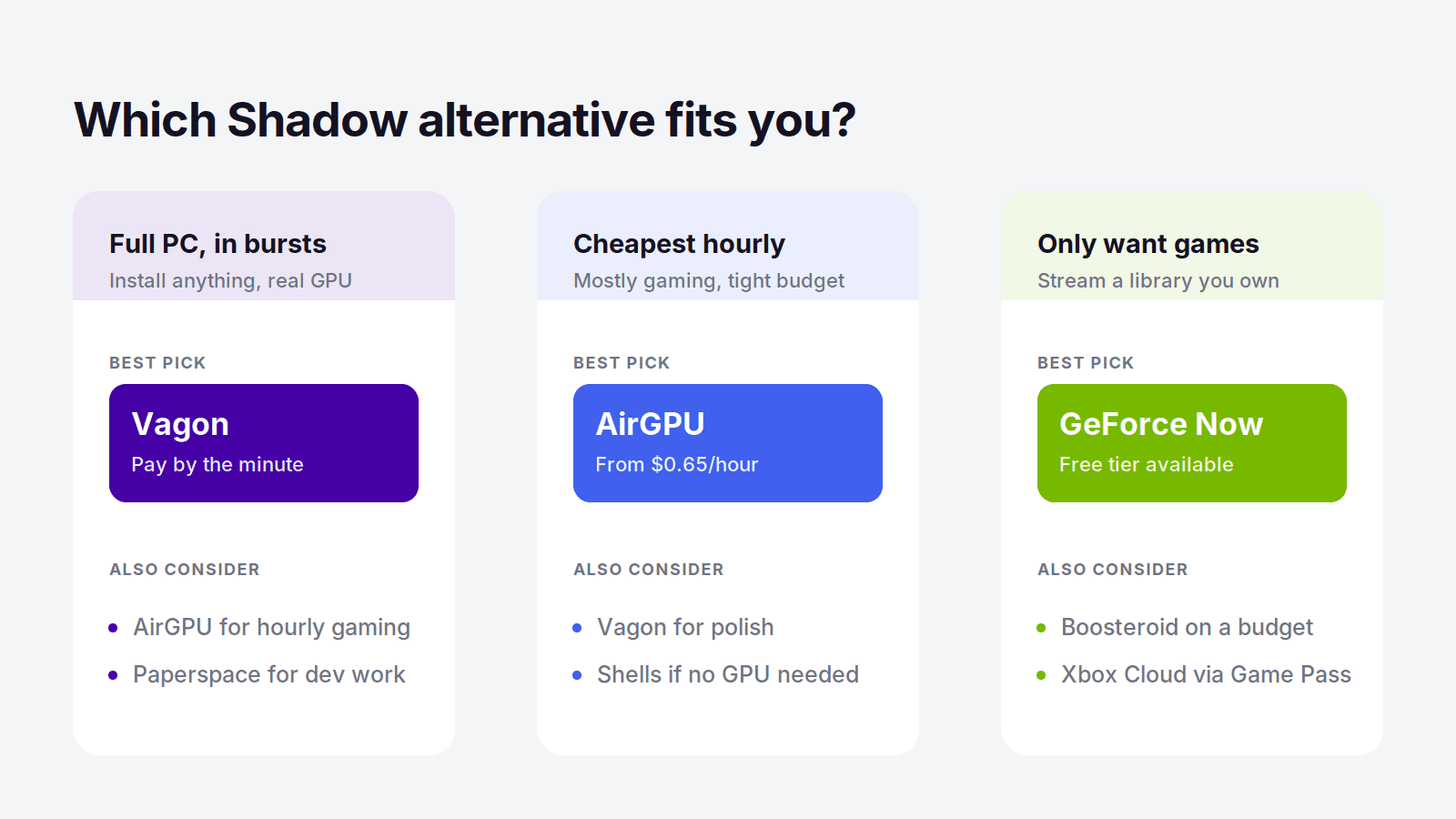
You want the full PC, used in bursts. This is most people leaving Shadow, and Vagon is the pick. Full Windows, real GPU, browser access, and you only pay for the hours you're actually on it. Start here unless you have a specific reason not to.
You want the cheapest hourly option and mostly game. Look at AirGPU. It's a full cloud PC on a pay-per-hour model with rock-bottom rates, ideal if price is the main thing and you can live with slightly less polish.
You need specific GPUs or do real compute work. Paperspace gives you the widest hardware range and pay-per-hour billing, built for developers and technical creators rather than casual users.
You're replacing Shadow for a team or business. Amazon WorkSpaces gives you managed, secure desktops with central control, the professional option a consumer service can't match.
You just want something cheap and light. Shells at $5 a month covers browsing, coding, and everyday tasks if you never really needed the GPU muscle.
You only ever played games. Skip the full PCs entirely and take GeForce Now or Boosteroid. Cheaper, simpler, and enough for streaming a library you already own.
The Short Version
If you're leaving Shadow, the first thing to get straight is whether you want the computer or just the games. If it's the games, a streamer like GeForce Now saves you money and does the job. If it's the computer, and for most Shadow users it is, you want another full cloud PC, and Vagon Cloud Computer is the closest match with the one change that matters most: you pay for the hours you actually use instead of a flat fee every month. Same full Windows desktop, same real GPU, same anywhere-access, a lot less waste. You can launch one in your browser and test it for about a dollar before you commit to anything. Launch your Vagon Cloud Computer.
Frequently Asked Questions
What's the Cheapest Shadow PC Alternative?
For a full cloud PC, the cheapest options are pay-per-hour services, because you stop paying the moment you turn the machine off. AirGPU starts at $0.65 an hour and Vagon at $0.99, so light users often pay far less than Shadow's $37.99 flat fee. If you only want to stream games rather than run a full PC, GeForce Now has a free tier and paid plans from $9.99 a month.
Is There a Shadow PC Alternative That Bills by the Hour?
Yes. Vagon Cloud Computer bills by the minute and AirGPU bills by the hour, so you only pay while the machine is running. Both give you a full cloud PC like Shadow, but without the flat monthly fee, which is the main reason people switch. Paperspace also bills hourly and is aimed at developers and technical users.
What's the Best Shadow Alternative With a Full Desktop, Not Just Games?
Vagon Cloud Computer is the best full-desktop alternative for most people. Unlike game streamers such as GeForce Now or Boosteroid, it gives you a complete Windows machine you can install your own software on, with a real GPU, billed by the minute. AirGPU, Paperspace, and Amazon WorkSpaces are also full desktops rather than game streamers.
What's the Best Shadow PC Alternative for Creative Work?
For rendering, editing, and 3D, Vagon Cloud Computer is the strongest pick because it pairs real GPU workstations with pay-per-use billing that fits how creative work actually happens, in bursts. Paperspace is a good second option if you need specific data-center GPUs for heavier compute or ML work.
Is Shadow PC Still Worth It in 2026?
Shadow is still a solid full cloud PC, and if you use it heavily and constantly, its flat monthly fee can be good value. It becomes worth reconsidering when your usage is light or bursty, since you pay the same whether you use it or not. In that case a pay-per-use alternative like Vagon usually costs less for the same full-PC experience.
Can I Run a Shadow Alternative on a Mac or an iPad?
Yes. Browser-based cloud PCs like Vagon run on almost any device, including a Mac, an iPad, or an aging Windows laptop, because the heavy work happens on the remote machine and your device just displays it. That's the same anywhere-access Shadow offers, so switching doesn't cost you flexibility.
Here's the thing about Shadow that trips people up when they go looking for something better: Shadow isn't a game streaming service. It's a whole cloud computer, a full Windows PC you rent by the month. So half the "alternatives" people recommend, GeForce Now and the like, aren't really alternatives at all. They stream games. They can't replace a computer.
That distinction is the whole reason most people end up disappointed with their first switch. They leave Shadow's flat monthly bill, jump to a cheaper game streamer, and then realize they've lost the ability to install their own software, run a desktop, or do anything that isn't launching a game they already own.
So before you pick anything, it's worth being clear about what you actually want back. If it's the full computer, there's a clear best option in 2026, and a handful of solid runners-up. If it's just the games, you have cheaper paths. Let's go through both, honestly.
The Best Shadow PC Alternatives in 2026, at a Glance
The best Shadow PC alternative for most people is Vagon Cloud Computer, because it gives you the same thing Shadow does, a full Windows machine with a real GPU, but bills you by the minute instead of a flat monthly fee you pay whether you use it or not. Beyond that, AirGPU is the best hourly pick for budget gaming, Paperspace is best for developers and creative GPU work, Amazon WorkSpaces is best for business desktops, and Shells is best for a cheap Linux machine. If you only want to stream games you already own, GeForce Now, Boosteroid, Xbox Cloud Gaming, and Amazon Luna are cheaper, but none of them is a real computer.
How I sorted them: whether you get a full PC or just a game stream, real pricing, actual GPU power, and the billing model, because the flat monthly fee is the exact thing most people are trying to escape when they leave Shadow.
First, What Are You Actually Replacing?
Shadow is a full cloud PC. When you subscribe, you get a complete Windows 11 machine running in a data center, with its own GPU, that you can install anything on. Games, yes, but also creative software, mods, emulators, a browser with a hundred tabs, whatever you want. It behaves like a computer because it is one.
That means Shadow alternatives fall into two very different camps, and picking the wrong camp is the most common mistake people make.
The first camp is other full cloud PCs. These actually replace Shadow. You still get a whole Windows or Linux desktop with real GPU behind it, so nothing about how you work has to change. Vagon, AirGPU, Paperspace, Amazon WorkSpaces, and Shells all live here. The differences come down to billing and who each one is built for.
The second camp is game streaming services. GeForce Now, Boosteroid, Xbox Cloud Gaming, and Amazon Luna are excellent at one job: streaming a game to your screen. But you can't install your own software, you don't get a desktop, and you can't use them as a computer. If all you ever did on Shadow was play games you already own, these are cheaper and simpler. If you did anything else, they'll leave you stuck.
So the honest first question isn't "what's cheaper than Shadow." It's "did I want the games, or did I want the computer." Answer that, and the right pick gets a lot clearer.
Shadow PC Alternatives Compared
Service | Type | GPU | Billing | Starting price |
|---|---|---|---|---|
Vagon Cloud Computer | Full cloud PC | Yes (Tesla T4 / RTX A10G) | Pay per minute | $0.99/hour |
AirGPU | Full cloud PC | Yes | Pay per hour | $0.65/hour |
Paperspace | Full cloud PC | Yes (wide GPU range) | Pay per hour | $0.80/hour |
Amazon WorkSpaces | Full cloud desktop | Optional GPU bundles | Monthly or hourly | Varies |
Shells | Full cloud desktop (Linux) | No | Flat monthly | $5/month |
GeForce Now | Game streaming | Yes (RTX-class) | Flat monthly | Free / $9.99 |
Boosteroid | Game streaming | Yes | Flat monthly | From about $8/month |
Xbox Cloud Gaming | Game streaming (games included) | Yes | Game Pass subscription | Subscription |
Amazon Luna | Game streaming | Yes | Subscription | $9.99/month |
Shadow PC (for reference) | Full cloud PC | Yes (RTX-class, 20 GB VRAM) | Flat monthly | $37.99/month |
Vagon Cloud Computer: The Best Shadow PC Alternative
If you want the thing Shadow actually is, a full Windows computer with a real GPU that you can install anything on, Vagon Cloud Computer is the closest replacement in 2026, and for most people it's a better deal. It gives you the same full desktop, the same ability to run games and creative software and whatever else, but it changes the one part of Shadow that frustrates people most: the bill.
Same Full PC, Without the Flat Monthly Fee
Shadow charges you $37.99 a month, every month, whether you log in for 40 hours or forget about it for two weeks. Vagon flips that. You open a browser, launch your machine, and the meter runs only while it's on. Close it and the cost stops. You still get a genuine Windows desktop with a proper GPU behind it, so you can install your own apps, keep your files between sessions, and treat it like a real computer, which is exactly what a game streamer can't do.
The tiers are simple. The Planet tier is $0.99 an hour on a Tesla T4, and Spark steps up to $1.67 an hour on a newer RTX A10G. Storage is separate, from $7.99 a month, so everything you install stays exactly where you left it. And because it all runs in the browser, you can reach your machine from an old laptop, a Mac, or a tablet, the same anywhere-access that made Shadow appealing in the first place.
The Cost Math, If You're Coming From Shadow
This is where the switch pays off. Say you actually use your cloud PC around twenty hours a month, a few evenings a week. On Shadow that's $37.99 flat. On Vagon's Planet tier it's twenty hours at $0.99 plus $7.99 for storage, about $27.79, and you kept ten dollars. Use it less and the gap gets wider fast: ten hours a month on Vagon is under $18, while Shadow still charges you the full $37.99 for a machine that mostly sat idle.
The break-even lands around thirty hours a month. Below that, pay-per-use wins, and most people who aren't running a machine daily live well below that line. If you genuinely use a cloud PC many hours a day, every day, a flat plan can make sense, and I'll say so plainly later. But the reason people go looking for a Shadow alternative in the first place is usually that they're paying full price for part-time use. Vagon fixes that directly.
Who Should Switch to Vagon
Vagon is the pick if you liked having a full cloud PC but your usage comes in bursts rather than all day. It fits gamers who play a few nights a week, creators who render or edit in sessions, and anyone who wants Windows with real GPU behind it without committing to another monthly subscription. If you're on a thin machine, it also turns a Mac or an iPad into a full workstation. You can spin up a machine and try it for about a dollar, no contract, which is the fastest way to feel the difference. Try Vagon Cloud Computer.
Other Full Cloud PC Alternatives to Shadow
These are the other services that actually replace Shadow with a real computer, not just a game stream. Each one wins for a specific kind of person.
AirGPU: Best Hourly Alternative for Budget Gaming
AirGPU is the closest thing to Vagon in spirit: a full cloud PC you pay for by the hour, with no monthly fee hanging over you. Rates start at $0.65 an hour for a Quadro RTX 4000 and reach about $1.15 for an A10G near RTX 3080 performance, plus a small storage charge of $3.50 per 50 GB. There's even a spare-capacity option at roughly half price if you can tolerate the occasional interrupted session.
For someone leaving Shadow purely to stop paying for idle time, AirGPU is a natural landing spot. The tradeoff versus Vagon is polish and consistency, but on pure hourly price for gaming it's hard to beat.
Best for: budget-minded gamers who play in short, unpredictable sessions. Where it's not the pick: anyone who wants the smoothest browser-based experience or runs heavy creative work daily.
Paperspace: Best for Developers and Creative GPU Work
Paperspace, now part of DigitalOcean, gives you full cloud machines with a huge range of GPUs, billed by the hour. It leans toward developers, ML engineers, and technical creative users who care about which exact card they get. Entry starts around $0.80 an hour for an RTX A4000 and climbs to serious data-center hardware like A100s and H100s.
If your reason for leaving Shadow is that you need more GPU choice or you're doing real compute work, not just gaming, Paperspace has range Shadow never offered. It's more technical to set up than a consumer service, so it rewards people who know what they're doing.
Best for: developers and technical creators who want specific GPUs on demand. Where it's not the pick: casual users who just want a simple PC to turn on and use.
Amazon WorkSpaces: Best for Business Desktops
If you're replacing Shadow for work rather than play, Amazon WorkSpaces is the grown-up option. It gives you managed Windows or Linux cloud desktops that plug into AWS identity and security, with GPU bundles available for graphics work and either monthly or hourly billing.
This isn't the pick for a solo gamer. It's for teams and businesses that want central control, and it assumes someone on your side knows AWS. But as a stable, professional cloud desktop, it does things a consumer service like Shadow was never built for.
Best for: companies and teams that want managed desktops with AWS integration. Where it's not the pick: individuals who want something simple and cheap to set up alone.
Shells: Best Cheap Linux Alternative
Shells is the budget option, a small always-on cloud desktop starting at $5 a month, leaning Linux. It's aimed at people who want a persistent, low-cost machine for browsing, coding, writing, and light tasks, reachable from any device.
Set expectations correctly and it's great value. There's no serious GPU, so it won't render or game the way Shadow does. But if you realized you never actually needed all that horsepower and just wanted a cheap computer in the cloud, Shells delivers exactly that.
Best for: freelancers and hobbyists who want an always-on desktop on the cheap. Where it's not the pick: any graphics-heavy or Windows-specific work.
If You Only Want to Play Games
Be honest with yourself here. If the only thing you ever did on Shadow was launch games, you were paying for a full computer to do a job a game streamer does for a third of the price. These services can't install your own software or give you a desktop, but if you just want to play, they're cheaper and simpler. Here's the short version of each.
GeForce Now is the best of the bunch for most people. It streams games you already own on Steam, Epic, and other stores, has a free tier, and its paid plans run $9.99 to $19.99 a month with RTX-class hardware behind them. It's fast, well-supported, and the closest a pure streamer gets to feeling like a real gaming PC. You still can't install anything, but for playing your own library it's excellent.
Boosteroid is the budget bring-your-own-games option, starting around $8 a month. It supports a solid catalog of titles and undercuts most rivals on price. If you want cheap access to specific games and don't care about anything else, it's worth a look.
Xbox Cloud Gaming comes bundled with a Game Pass subscription, so instead of streaming games you own, you stream from a big rotating library that's included in the price. That's a different model, and a great one if you'd rather have a buffet than a library you assembled yourself.
Amazon Luna rounds it out at $9.99 a month, with a mix of included titles and channel add-ons. It's a casual-friendly pick, especially if you're already in the Amazon ecosystem or a Prime member.
The common thread: all four are cheaper than Shadow and all four are game streamers, not computers. If that's genuinely all you need, take the savings. If you ever want to install something or use a real desktop, come back to the full cloud PC camp above.
Why People Leave Shadow, and What It Really Costs
Shadow is a good product. Most people don't leave because it's bad, they leave because the pricing model doesn't match how they actually use it. That's a real and specific problem worth naming.
The flat monthly fee is the core of it. At $37.99 for the Neo tier and $54.99 for Power, you pay the same amount whether you run the machine constantly or barely touch it. For anyone whose usage is spiky, a few sessions a week, a burst of gaming on the weekend, an editing project once a month, that means paying full price for a lot of idle time. You're renting a machine 24/7 and using it part-time.
Put numbers on it. At twenty hours a month, Shadow costs $37.99 while Vagon's pay-per-use comes to about $27.79. At ten hours, Shadow is still $37.99 and Vagon is under $18. The lighter your usage, the more the flat fee stings, and the better a pay-per-minute service looks. The break-even is around thirty hours a month, so unless you're genuinely on the machine most days, usage-based billing keeps more money in your pocket.
To be fair, the flat model can win. If you run a cloud PC heavily and constantly, forty-plus hours a month every month, a predictable flat bill can come out cheaper and simpler, and Shadow is a perfectly reasonable choice there. The point isn't that Shadow is overpriced for everyone. It's that most people reach for an alternative precisely because they're light or bursty users, and for them, matching the bill to actual hours is the whole win.
How to Pick Your Shadow Alternative
Run yourself through this quickly and the answer usually falls out.
You want the full PC, used in bursts. This is most people leaving Shadow, and Vagon is the pick. Full Windows, real GPU, browser access, and you only pay for the hours you're actually on it. Start here unless you have a specific reason not to.
You want the cheapest hourly option and mostly game. Look at AirGPU. It's a full cloud PC on a pay-per-hour model with rock-bottom rates, ideal if price is the main thing and you can live with slightly less polish.
You need specific GPUs or do real compute work. Paperspace gives you the widest hardware range and pay-per-hour billing, built for developers and technical creators rather than casual users.
You're replacing Shadow for a team or business. Amazon WorkSpaces gives you managed, secure desktops with central control, the professional option a consumer service can't match.
You just want something cheap and light. Shells at $5 a month covers browsing, coding, and everyday tasks if you never really needed the GPU muscle.
You only ever played games. Skip the full PCs entirely and take GeForce Now or Boosteroid. Cheaper, simpler, and enough for streaming a library you already own.
The Short Version
If you're leaving Shadow, the first thing to get straight is whether you want the computer or just the games. If it's the games, a streamer like GeForce Now saves you money and does the job. If it's the computer, and for most Shadow users it is, you want another full cloud PC, and Vagon Cloud Computer is the closest match with the one change that matters most: you pay for the hours you actually use instead of a flat fee every month. Same full Windows desktop, same real GPU, same anywhere-access, a lot less waste. You can launch one in your browser and test it for about a dollar before you commit to anything. Launch your Vagon Cloud Computer.
Frequently Asked Questions
What's the Cheapest Shadow PC Alternative?
For a full cloud PC, the cheapest options are pay-per-hour services, because you stop paying the moment you turn the machine off. AirGPU starts at $0.65 an hour and Vagon at $0.99, so light users often pay far less than Shadow's $37.99 flat fee. If you only want to stream games rather than run a full PC, GeForce Now has a free tier and paid plans from $9.99 a month.
Is There a Shadow PC Alternative That Bills by the Hour?
Yes. Vagon Cloud Computer bills by the minute and AirGPU bills by the hour, so you only pay while the machine is running. Both give you a full cloud PC like Shadow, but without the flat monthly fee, which is the main reason people switch. Paperspace also bills hourly and is aimed at developers and technical users.
What's the Best Shadow Alternative With a Full Desktop, Not Just Games?
Vagon Cloud Computer is the best full-desktop alternative for most people. Unlike game streamers such as GeForce Now or Boosteroid, it gives you a complete Windows machine you can install your own software on, with a real GPU, billed by the minute. AirGPU, Paperspace, and Amazon WorkSpaces are also full desktops rather than game streamers.
What's the Best Shadow PC Alternative for Creative Work?
For rendering, editing, and 3D, Vagon Cloud Computer is the strongest pick because it pairs real GPU workstations with pay-per-use billing that fits how creative work actually happens, in bursts. Paperspace is a good second option if you need specific data-center GPUs for heavier compute or ML work.
Is Shadow PC Still Worth It in 2026?
Shadow is still a solid full cloud PC, and if you use it heavily and constantly, its flat monthly fee can be good value. It becomes worth reconsidering when your usage is light or bursty, since you pay the same whether you use it or not. In that case a pay-per-use alternative like Vagon usually costs less for the same full-PC experience.
Can I Run a Shadow Alternative on a Mac or an iPad?
Yes. Browser-based cloud PCs like Vagon run on almost any device, including a Mac, an iPad, or an aging Windows laptop, because the heavy work happens on the remote machine and your device just displays it. That's the same anywhere-access Shadow offers, so switching doesn't cost you flexibility.
Get Beyond Your Computer Performance
Run applications on your cloud computer with the latest generation hardware. No more crashes or lags.

Trial includes 1 hour usage + 7 days of storage.
Summarize with AI

Ready to focus on your creativity?
Vagon gives you the ability to create & render projects, collaborate, and stream applications with the power of the best hardware.

Run heavy applications on any device with
your personal computer on the cloud.
San Francisco, California
Solutions
Vagon Teams
Vagon Streams
Use Cases
© 2026 Vagon. All rights reserved.
Run heavy applications on any device with
your personal computer on the cloud.
San Francisco, California
Solutions
Vagon Teams
Vagon Streams
Use Cases
© 2026 Vagon. All rights reserved.
Run heavy applications on any device with
your personal computer on the cloud.
San Francisco, California
Solutions
Vagon Teams
Vagon Streams
Use Cases
© 2026 Vagon. All rights reserved.