Instant Connection for Pixel Streaming
— New Feature Automated Setup

Best Cloud PC Services in 2026 (Tested & Compared)
Best Cloud PC Services in 2026 (Tested & Compared)
Best Cloud PC Services in 2026 (Tested & Compared)
Table of Contents
Ask ten people what a "cloud PC" is and you'll get ten different answers. Some picture a gaming rig they stream from a beach. Others think it's just Google Docs with extra steps. Both are wrong, and that confusion is exactly why most people pick the wrong service, and usually the most expensive one.
Here's the part nobody tells you upfront: for most people the right answer isn't a fixed monthly subscription at all. It's a machine you turn on when you need real power and switch off when you don't, so you're paying for work instead of paying for a box that sits idle. I've spent enough time inside these tools to have strong opinions about which ones actually deliver that, and which ones just look good in a demo.
So let's skip the marketing and get into what each service is genuinely good for.
The Best Cloud PC Services in 2026, at a Glance
The best cloud PC for most people, especially creative professionals and individual users, is Vagon Cloud Computer, because it gives you a full Windows machine with a real GPU and bills you by the minute instead of locking you into a monthly plan. Beyond that, Shadow PC is best for an always-on gaming rig, Vagon Teams is best for creative teams that need managed GPU desktops, Windows 365 is best for Microsoft-heavy office teams, Amazon WorkSpaces is best for companies already on AWS, Paperspace is best for developers and ML work, AirGPU is best for budget cloud gaming, and Shells is best for a cheap Linux desktop. Each one wins for a specific job, and the biggest mistake is paying flat-rate for a machine you only use in bursts.
How I sorted them: real pricing (not the "starting at" fantasy number), whether you get actual GPU horsepower or just an office box, the billing model, and how fast you can go from signing up to getting work done.
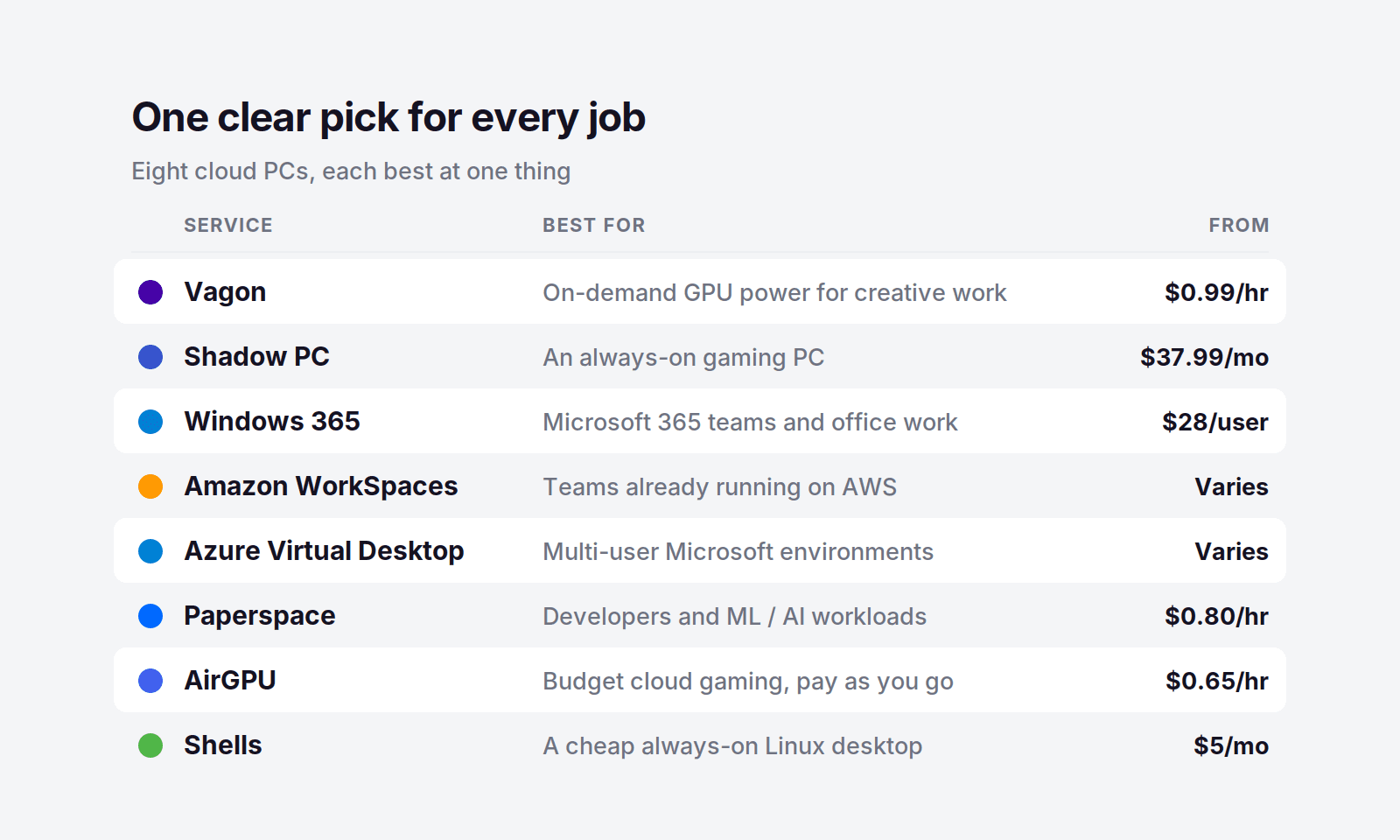
Cloud PC Services Compared
Service | Best for | GPU | Pricing model | Starting price |
|---|---|---|---|---|
Vagon Cloud Computer | On-demand GPU power for creative work | Yes (Tesla T4 / RTX A10G) | Pay per use, billed by the minute | $0.99/hour + storage from $7.99/mo |
Vagon Teams | Managed GPU desktops for creative teams | Yes | Pay-as-you-go, per member | Custom, no long-term contract |
Shadow PC | An always-on gaming PC | Yes (RTX-class, 20 GB VRAM) | Flat monthly | $37.99/month |
Windows 365 | Microsoft 365 teams and office work | No | Flat monthly, per user | $28/user/month |
Amazon WorkSpaces | Companies already running on AWS | Optional GPU bundles | Monthly or hourly, per user | Varies by region and bundle |
Azure Virtual Desktop | Multi-user Microsoft environments | Optional GPU bundles | Consumption-based | Varies by VM size |
Paperspace | Developers and ML/AI workloads | Yes (wide GPU range) | Pay per hour | From $0.80/hour (RTX A4000) |
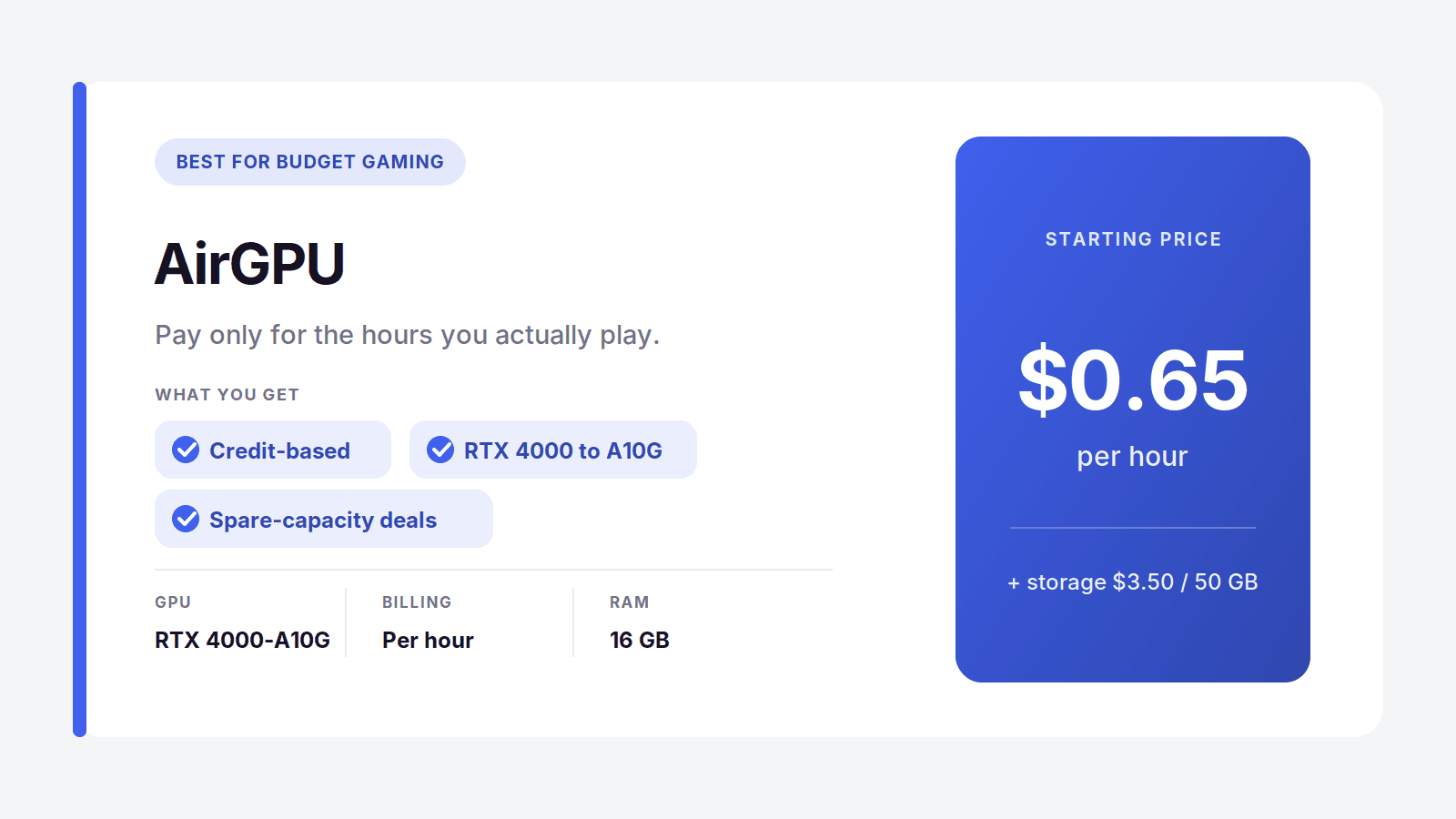
AirGPU | Budget cloud gaming, pay as you go | Yes | Pay per hour, credit-based | From $0.65/hour |
Shells | A cheap always-on Linux desktop | No | Flat monthly | From $5/month |
Vagon Cloud Computer: Our Top Pick
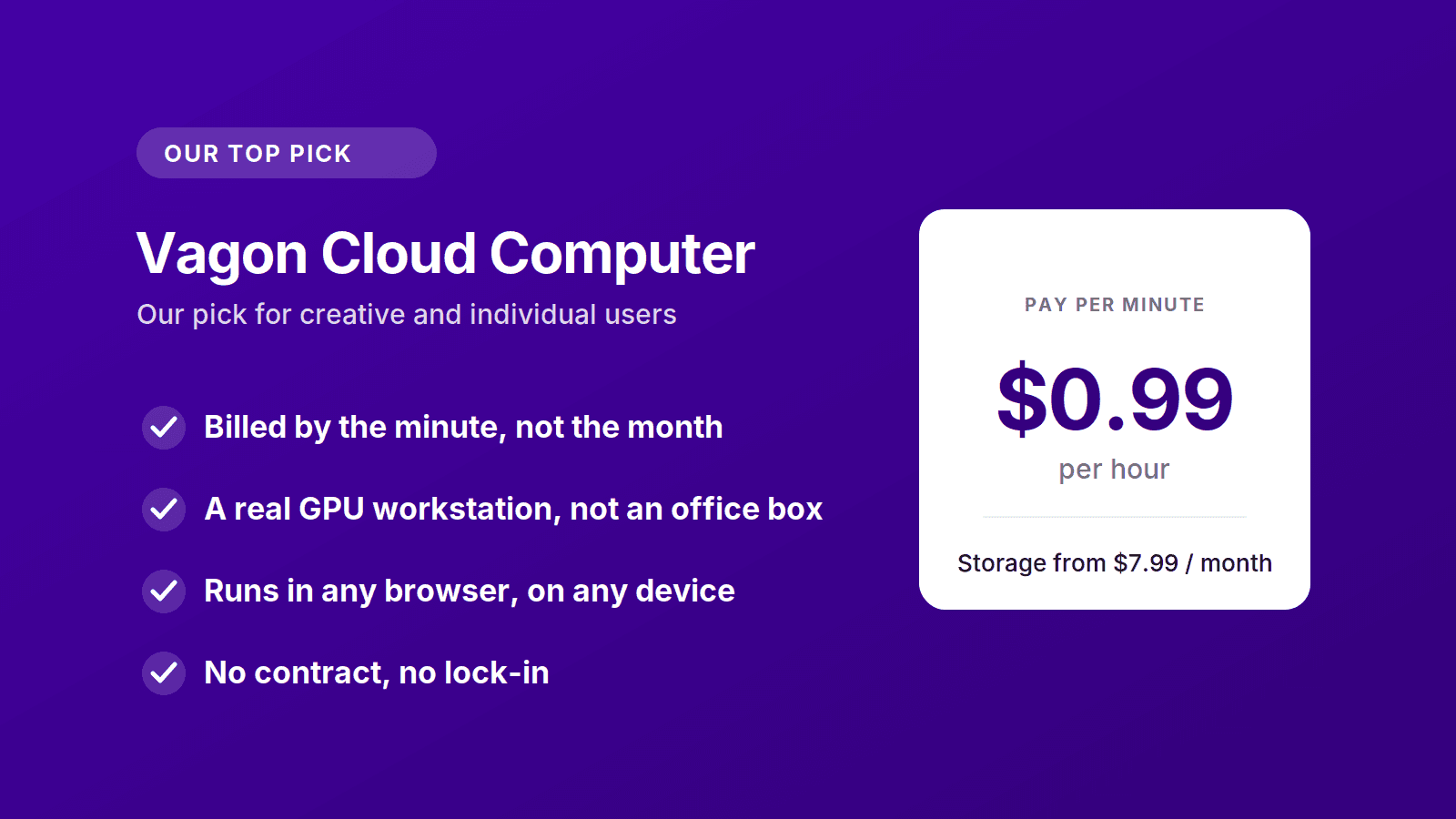
If you take one thing from this guide, take this: for creative work and individual users, Vagon is the cloud PC that makes the most sense in 2026. It hands you a full, high-powered Windows computer inside your browser, with a real GPU behind it, and it charges you only for the minutes you actually use. No annual contract, no paying for a machine that sleeps while you do.
What Makes It Different
Most cloud PCs ask you to commit before you know if you need to. You pick a monthly tier, hand over a card, and hope your usage matches the plan. Vagon flips that. You open a browser, launch a machine, and the meter runs only while it's on. Close the tab and the cost stops.
You're not getting a watered-down desktop either. These are genuine graphics workstations built for heavy applications, so DaVinci Resolve, Blender, Premiere Pro, Unreal Engine, and the rest run the way they would on a maxed-out tower. And because it all lives in the browser, the device in front of you barely matters. An old laptop, a MacBook that chokes on 4K, even an iPad, all of them suddenly have a rendering machine behind them.
What It Costs, and Why the Math Wins
Here's where it earns the top spot. The Planet tier is $0.99 an hour on a Tesla T4, and Spark steps up to $1.67 an hour on a newer RTX A10G. Storage is separate, from $7.99 a month, so your files and installed apps stay exactly where you left them between sessions.
Run the numbers against a flat plan. A subscription service at around $38 a month costs you that whether you log in for 40 hours or 4. With Vagon, four hours of real work on the Planet tier is under $4 of compute. You'd have to run the machine for well over thirty hours in a month before you got anywhere near a flat-rate bill, and most creative work simply doesn't run that way. It comes in bursts, and pay-per-use is built for bursts.
Who It's For
Vagon fits you if you render, edit, model, or design and your heavy hours are concentrated rather than constant. It fits freelancers and students who can't drop two thousand dollars on a workstation but occasionally need one. It fits anyone stuck on a Mac or a thin laptop who needs Windows software with real GPU behind it, right now, without buying hardware.
You can spin up a machine and try it for about a dollar, with no long-term commitment, which is honestly the fastest way to see whether it fits your workflow. Try Vagon Cloud Computer.
The Other Cloud PC Services Worth Knowing
Vagon isn't the answer for everyone, and pretending otherwise would make this a worse guide. Here's an honest read on the rest, and exactly who each one is right for.
Shadow PC: Best for an Always-On Gaming Rig
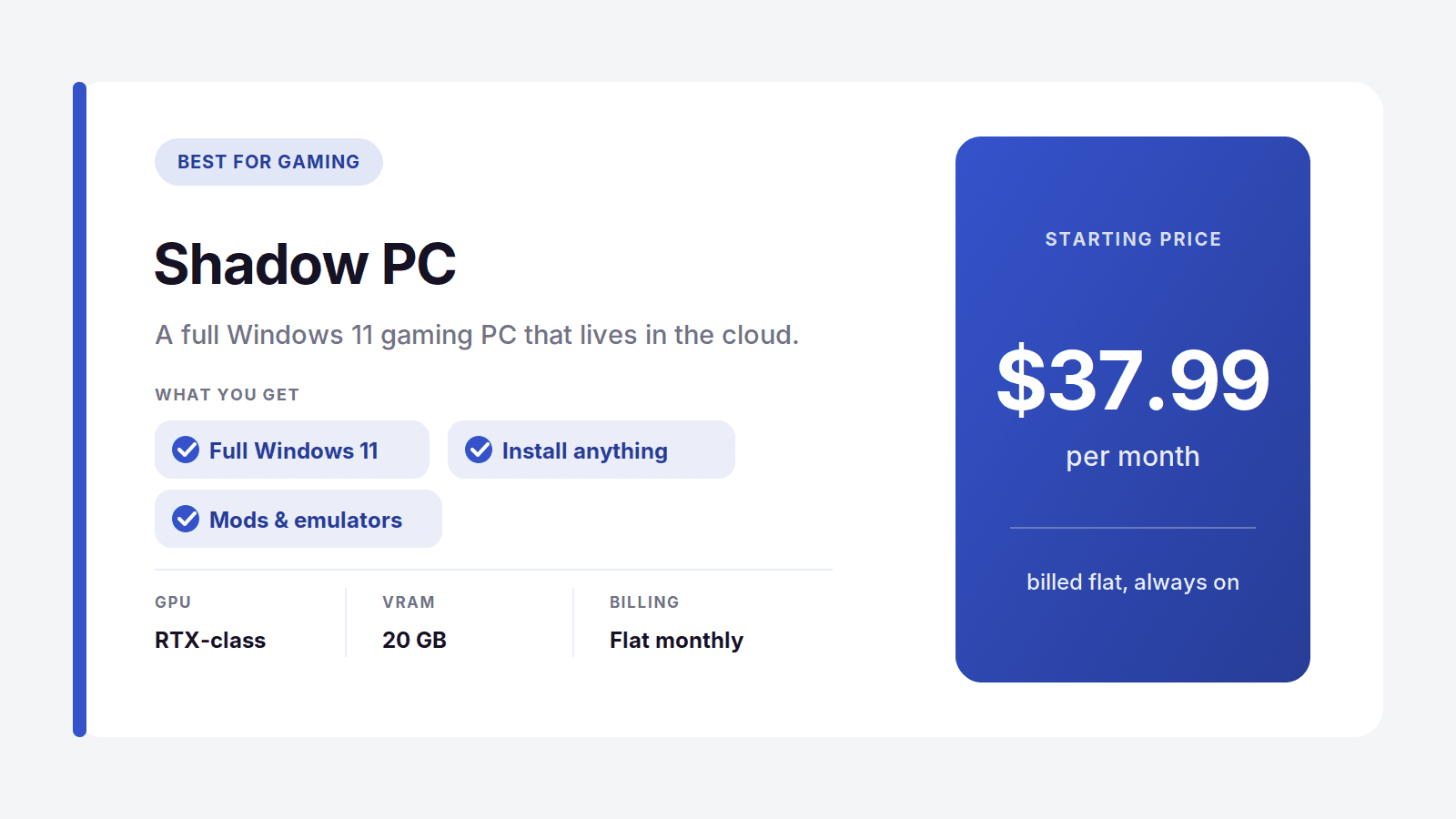
Shadow is the closest thing to renting a real gaming PC that lives in a data center. It's a full Windows 11 install, not a locked-down launcher, so you can drop in mods, emulators, a Steam library, or creative apps and treat it like your own machine. Neo runs $37.99 a month and Power steps up to $54.99 with an RTX-class GPU, 20 GB of VRAM, and 28 GB of RAM.
The catch is the flat rate. You pay it whether you play daily or forget the thing for two weeks. If your gaming is heavy and constant, that's fine. If it's spiky, you're funding idle time.
Best for: gamers who want a persistent PC they can install anything on. Where it's not the pick: anyone whose usage comes in short bursts.
Windows 365: Best for Microsoft-Heavy Teams
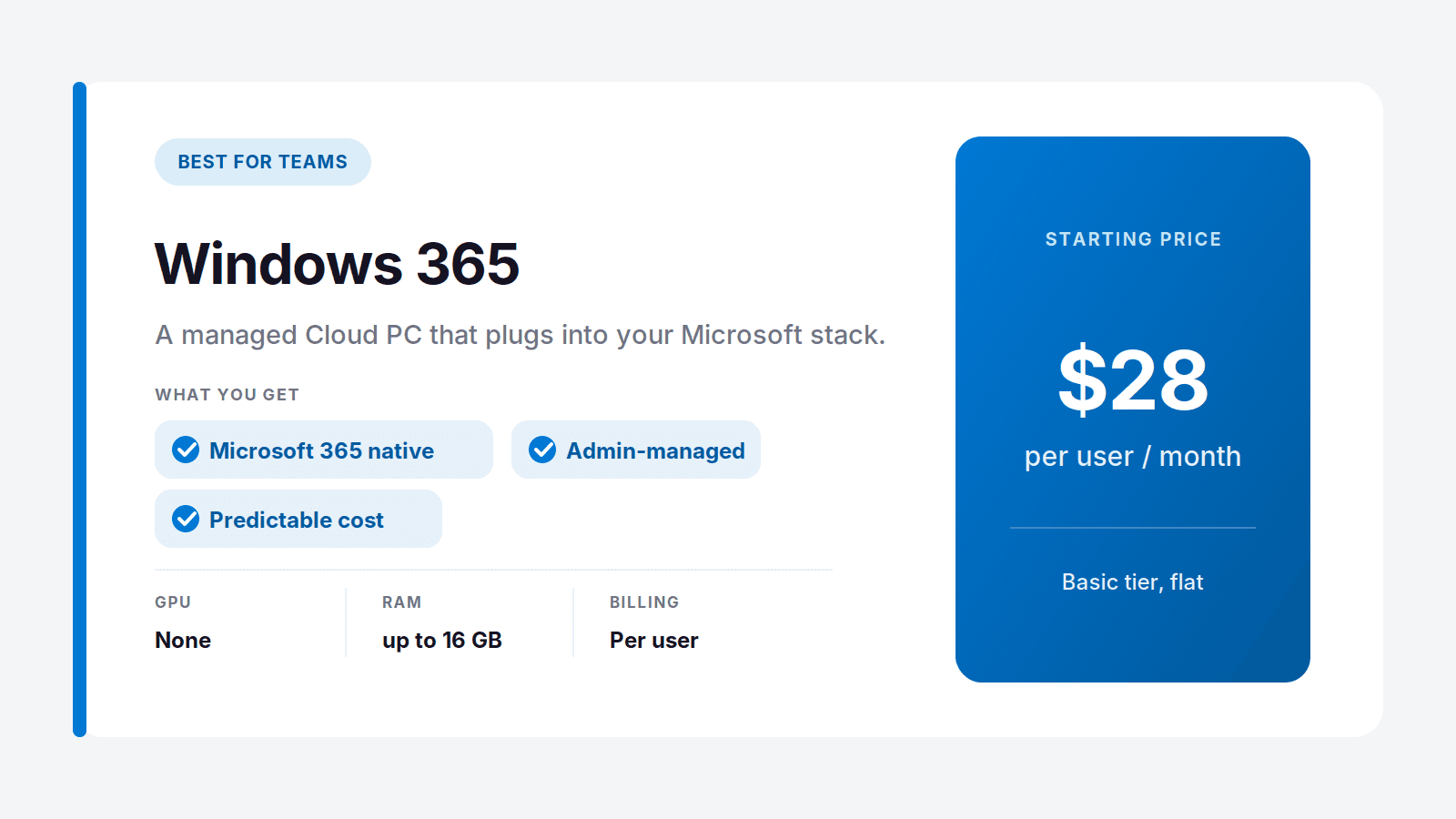
Windows 365 is Microsoft renting you a Cloud PC that plugs straight into the tools your company already runs. Teams, SharePoint, Outlook, all of it, managed through the same admin console your IT staff already use. Pricing is flat and per user: $28 a month for Basic, $36 for the popular Standard tier with 8 GB of RAM, and $56 for Premium with 4 vCPUs and 16 GB.
The honest limit is there's no real GPU. This is an office computer for office work. Spreadsheets and internal apps, yes. Rendering and 3D, no.
Best for: IT teams standardizing office desktops across Microsoft 365. Where it's not the pick: anything that needs a graphics card, or anyone who wants to pay by the hour.
Amazon WorkSpaces: Best if You Already Live on AWS
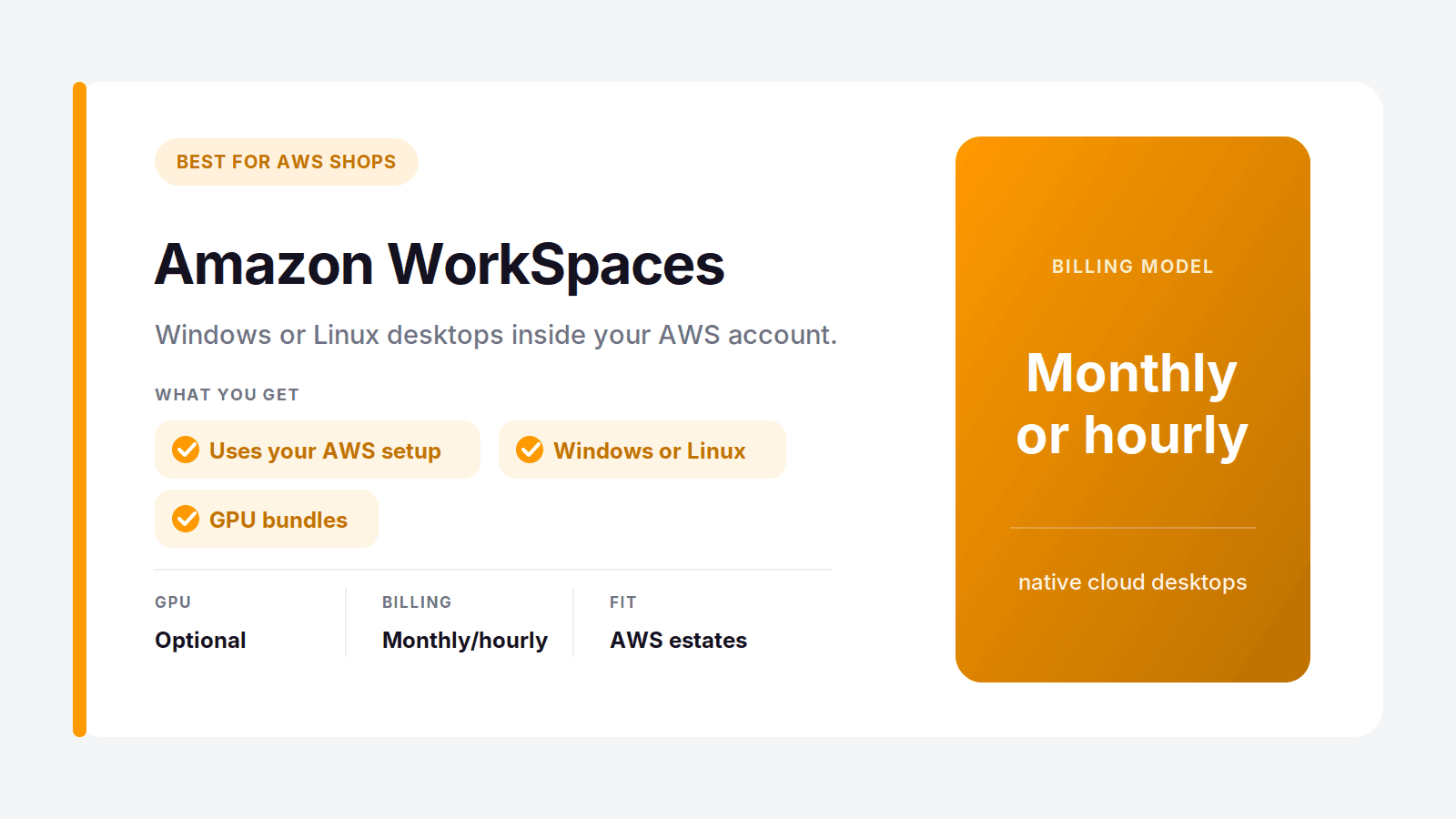
If your infrastructure already sits in AWS, WorkSpaces fits without a fight. It uses your existing AWS identity, networking, and security, so you're not bolting on a separate vendor. You get Windows or Linux desktops, hardware bundles including GPU options, and either monthly or hourly billing.
The tradeoff is the usual AWS one: powerful and flexible, but the pricing has layers and setup assumes someone on your side knows the platform.
Best for: companies with an AWS footprint and the staff to run it. Where it's not the pick: individuals who want something simple they can turn on today.
Azure Virtual Desktop: Best for Multi-User Microsoft Environments
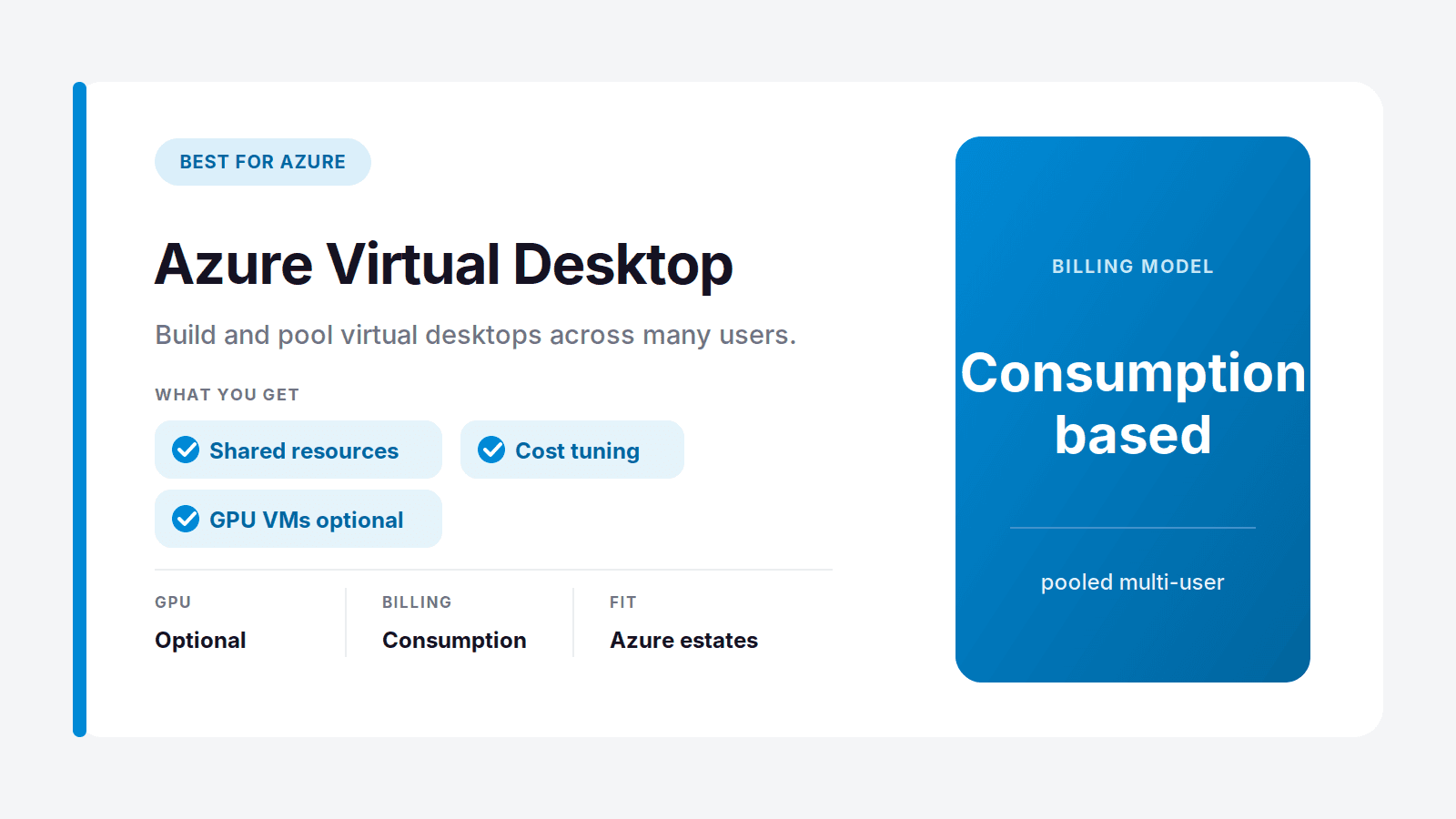
Azure Virtual Desktop is the enterprise cousin of Windows 365. Instead of a fixed Cloud PC per person, you build the environment and pool resources across many users, which gets cheaper at scale if you manage it well. Billing is consumption-based, so the cost flexes with usage. That rewards teams who size their machines properly and shut down idle sessions, and punishes teams who leave everything running. GPU-backed VMs exist if you provision for them.
Best for: larger organizations already on Azure that want deep control. Where it's not the pick: small teams, who will find it far heavier than they need.
Vagon Teams: The Team Option Without the VDI Headache
Notice the pattern in that last group. Windows 365 has no real GPU, and Amazon WorkSpaces and Azure Virtual Desktop hand you enterprise VDI with all the setup and pricing math that comes with it. If your team does creative or GPU-heavy work, none of those is a clean fit. That's the gap Vagon Teams fills.
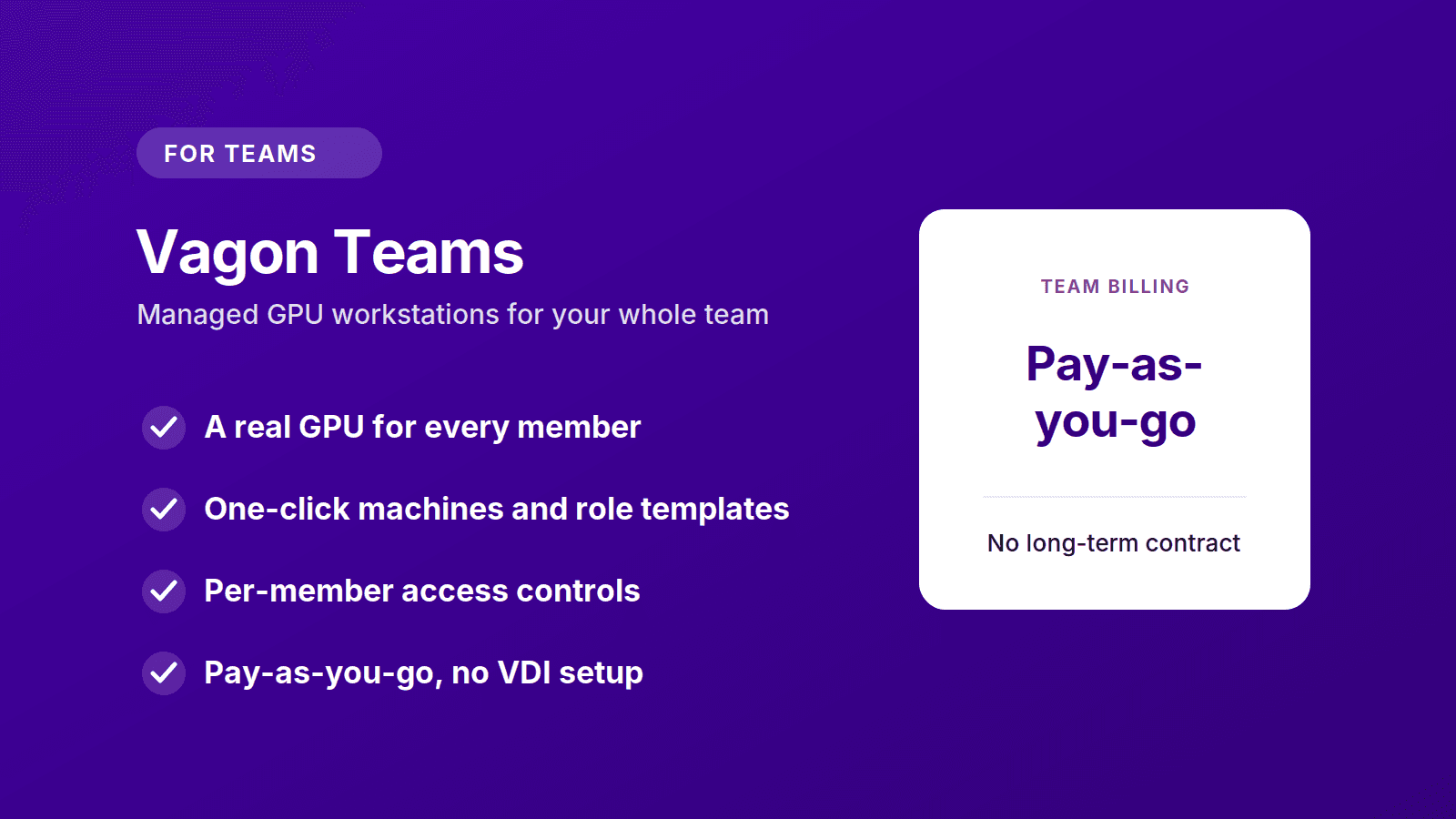
Vagon Teams gives every member a high-powered cloud workstation with a real GPU, all managed from one admin console. You spin up machines with a single click, drop people onto templates that already have the right apps installed, reassign a computer when someone moves on, and set permissions for internet, clipboard, and file sharing per person. There's a shared file manager for passing work around, plus activity tracking when you need to see how machines are actually used.
The billing works like the rest of Vagon: pay-as-you-go, no long-term contract, so you fund the hours your team really works instead of a seat that sits dark half the month. For a VFX studio, an architecture firm, a game team, or any group that needs GPU desktops without standing up VDI infrastructure, it does the job with the least overhead.
Best for: creative and technical teams that need managed, high-performance desktops without the complexity of traditional VDI. Where it's not the pick: teams doing plain office work in the Microsoft ecosystem, where Windows 365 is simpler and cheaper. Vagon Teams earns its place the moment real GPU power enters the picture.
Paperspace: Best for Developers and ML Work
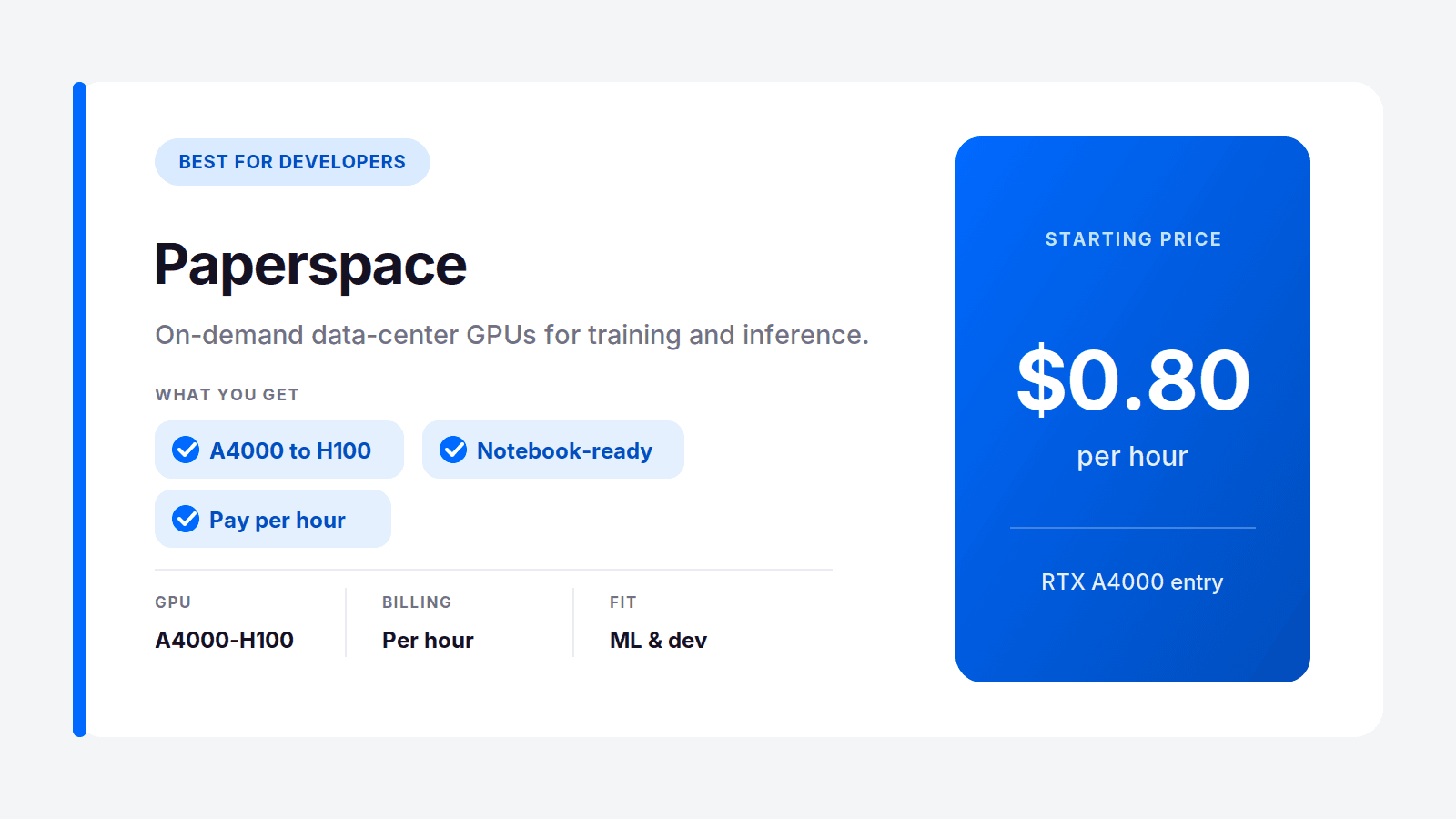
Paperspace, now part of DigitalOcean, is built for people who think in GPUs and notebooks, not desktops. Training a model, running inference, testing code against a specific card. Entry starts around $0.80 an hour for an RTX A4000 and climbs to serious data-center hardware, roughly $1.93 for an A6000, $3.28 for an A100, and just under $6 for an H100. You pick the card the job needs and pay by the hour.
Best for: developers and ML engineers who need specific GPUs on demand. Where it's not the pick: someone who just wants a normal Windows desktop for creative apps.
AirGPU: Best for Budget Cloud Gaming
AirGPU is the pay-only-for-what-you-use option in the gaming corner. No fat monthly fee, just running time plus a small storage charge of $3.50 per 50 GB. Rates start at $0.65 an hour for a Quadro RTX 4000 and reach about $1.15 for an A10G near RTX 3080 performance, with a spare-capacity option at roughly half price if you can tolerate the odd interruption.
Best for: budget-minded gamers who play in short, unpredictable sessions. Where it's not the pick: daily marathon gamers, who'll eventually pay more than a flat plan.
Shells: Best for a Cheap Linux Desktop
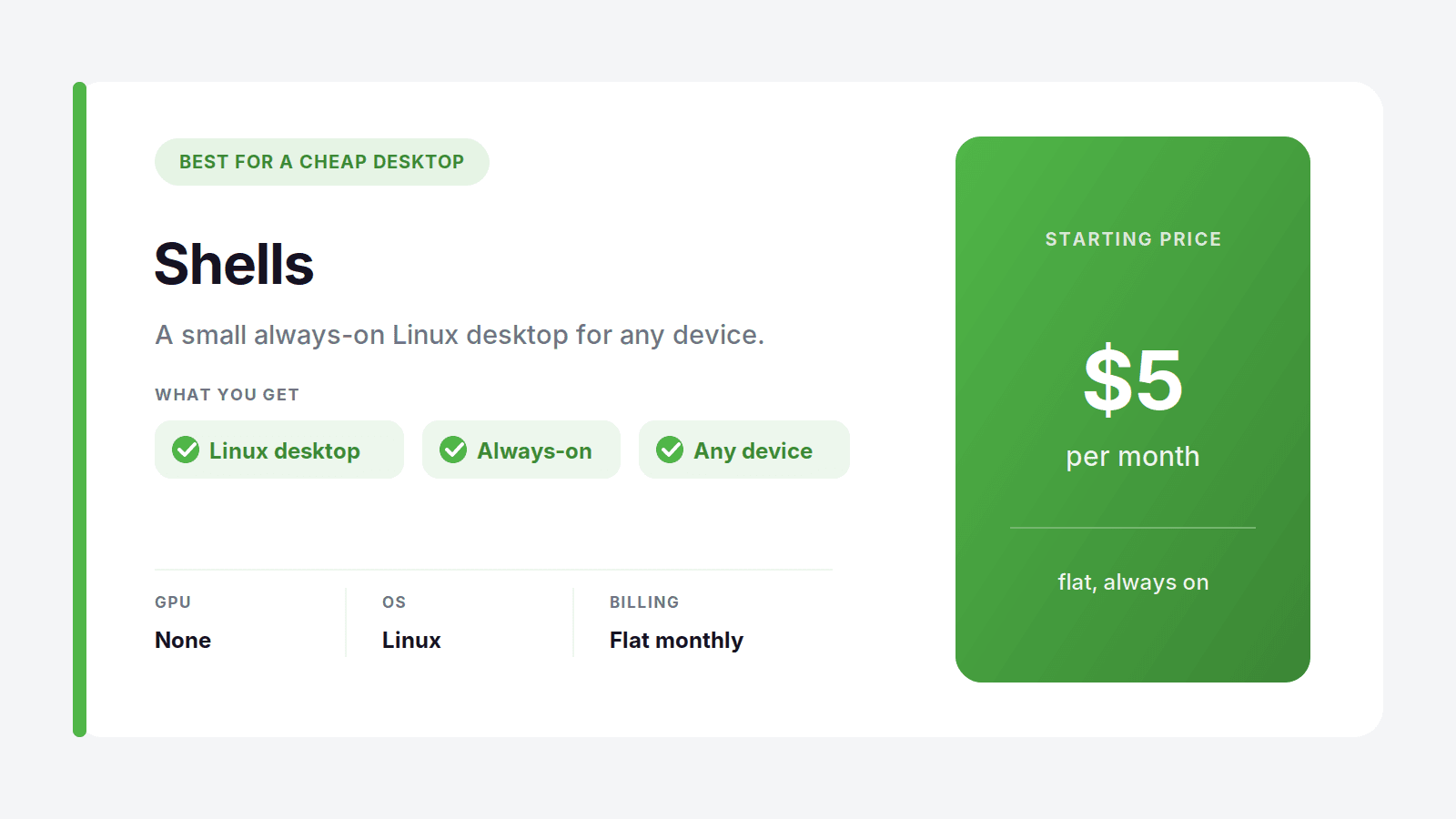
Shells is the low-key option for a small cloud desktop that runs all the time without costing real money. It starts at $5 a month, leans Linux, and suits freelancers, students, and tinkerers who want a persistent machine reachable from a cheap laptop or tablet. Set expectations right and it's great for browsing, coding, writing, and background tasks. There's no serious GPU, so it's not for rendering or gaming.
Best for: hobbyists who want an always-on Linux desktop on the cheap. Where it's not the pick: any graphics-heavy or Windows-specific work.
A Quick Word on GeForce Now
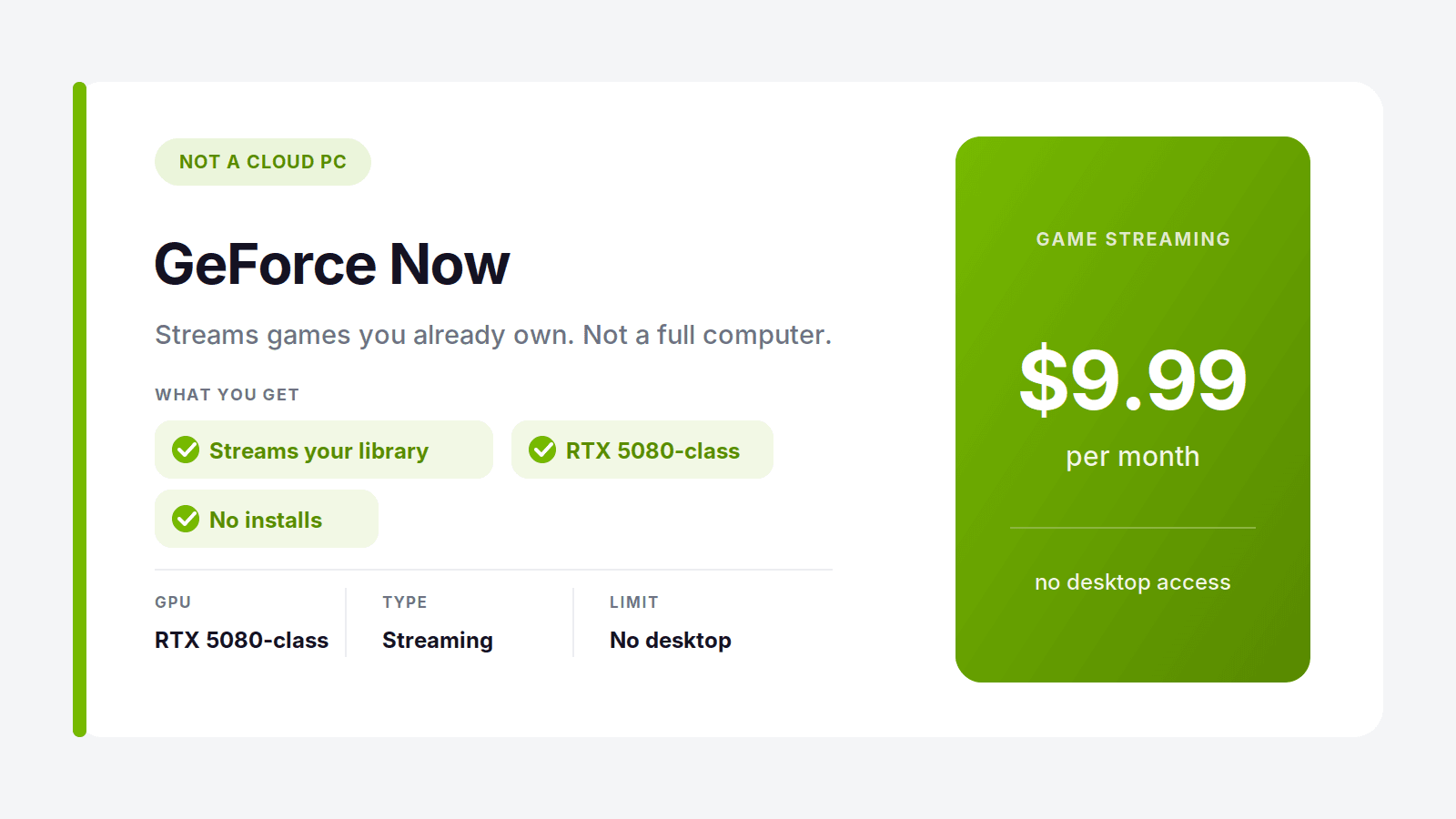
People search for "best cloud PC" and end up staring at GeForce Now, so let's clear this up. GeForce Now is game streaming, not a cloud computer. It runs games you already own on Steam or Epic and streams them to your screen. That's the whole product. You can't install your own software, open a desktop, or use it as a Windows machine.
It's very good at that one job, and at $9.99 to $19.99 a month it's cheaper than a real cloud PC. But the moment you want to install an app, run creative software, or treat the thing like an actual computer, it can't help you. A real cloud PC like Vagon hands you the entire desktop. GeForce Now hands you a game. Pick based on which one you actually need.
The Real Cost Comparison Most People Miss
The pricing sticker is not the real cost. The real cost is what you pay for the way you actually work, and this is where flat-rate plans quietly overcharge most people.
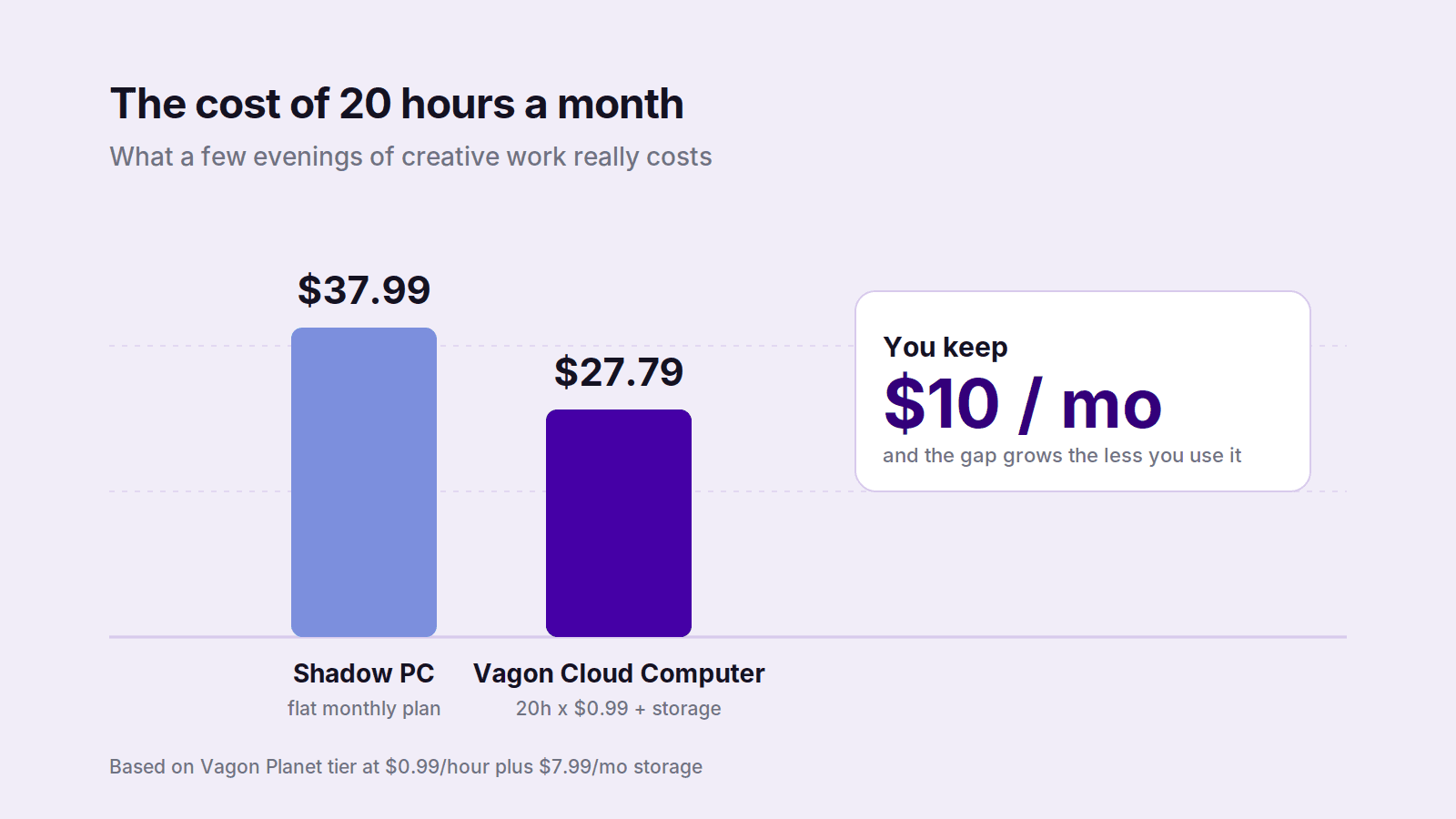
Take a common case: you edit or render a few evenings a week, say five hours, so around twenty hours a month. On Shadow's flat plan that's $37.99 no matter what. On Vagon's Planet tier it's twenty hours at $0.99, plus $7.99 for storage, so about $27.79. You just kept ten dollars, and you got a real GPU workstation for the hours you needed it.
Push the usage lower and the gap widens. Ten hours a month on Vagon is under $18 all in. On a flat plan you're still paying full price for a machine that sat dark most of the month. The break-even sits around thirty hours a month, roughly seven hours every week. Below that, pay-per-use wins, and most creative and individual work lives well below that line because it comes in bursts, not steady daily shifts.
Now be fair about the other direction. If you genuinely run a machine forty, fifty, sixty hours a month, every month, a flat plan starts to win, and I'd tell you to take it. The point isn't that pay-per-use is always cheaper. It's that you should match the billing model to your real hours instead of defaulting to a subscription and hoping. Most people who do that math honestly land on pay-per-use, which is a big part of why Vagon sits at the top of this list.
And there's the option nobody prices out: buying the hardware. A capable creative workstation runs two thousand dollars or more, plus you own the depreciation, the upgrades, and the machine that's obsolete in three years. At $0.99 an hour, that same two thousand dollars buys you roughly two thousand hours of current-generation GPU time, spread over exactly the moments you need it.
How to Choose, and How to Start Today
Forget the feature lists for a second. Almost everyone shopping for a cloud PC falls into one of three buckets, and the right pick gets obvious once you know which one you're in.
You want to game. For a permanent machine you install anything on, Shadow is the call. For a few nights a week, AirGPU's hourly meter saves you money. And if you only want to stream games you already own, you don't need a cloud PC at all, you need GeForce Now.
You do creative or 3D work. This is the biggest group, and it's where Vagon is hard to beat. Your heavy hours are concentrated, not constant, so pay-per-use fits the way you actually work. Spin up a graphics tier, render or edit or model, shut it down, and pay for the hours instead of a whole month. If you're specifically training ML models, Paperspace gives you the exact data-center cards that job wants. For everything else on the creative side, start with Vagon.
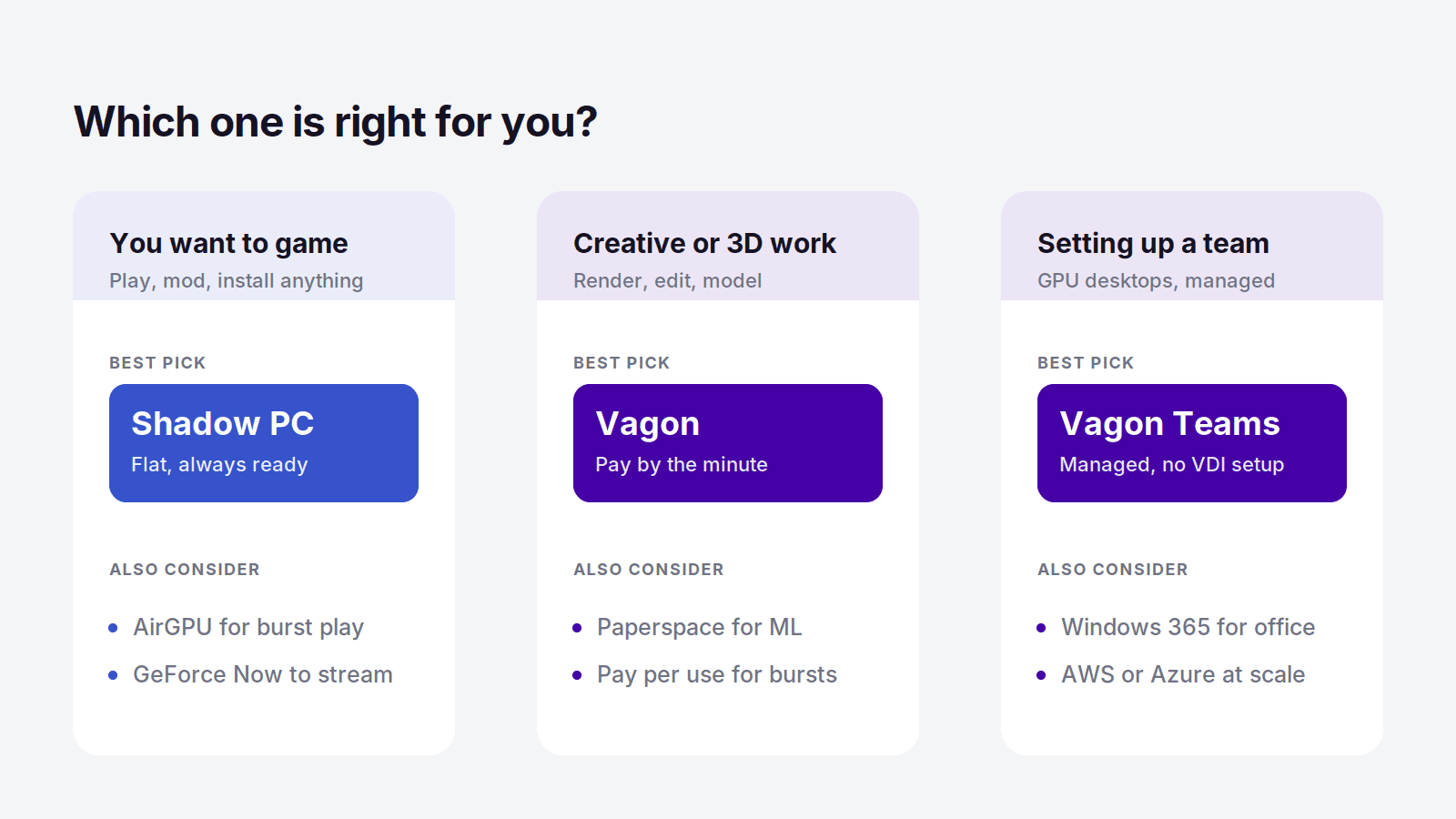
You're setting up a team. Now it's about management as much as power. If your team does creative or GPU-heavy work, Vagon Teams is the pick, giving every member a managed GPU workstation without the VDI setup. If it's plain office work in the Microsoft world, Windows 365 is simpler. A company already deep in AWS goes with WorkSpaces, and a large Azure environment that wants to pool resources goes with AVD. The deciding factor is what your team actually does, and which cloud you already stand on.
If you landed in that middle group, and most people reading this did, the fastest move is to stop theorizing and just try it. You can launch a Vagon machine in your browser and put a real workload through it for about a dollar, no annual contract, no hardware to buy. Ten minutes from now you'll know whether it fits, which beats another hour of comparing spec sheets. Launch your Vagon Cloud Computer
Frequently Asked Questions
What's the Cheapest Cloud PC for Rendering?
For rendering specifically, the cheapest realistic option is a pay-per-use service with a real GPU, because rendering happens in bursts rather than around the clock. Vagon starts at $0.99 an hour for a GPU tier and charges by the minute, so you only pay while a render is actually running. A flat monthly plan can look cheaper on the sticker but usually costs more once you account for all the idle hours.
Is There a Cloud PC That Bills by the Minute?
Yes. Vagon Cloud Computer bills by the minute on a pay-per-use model, so the meter runs only while your machine is on and stops the moment you close it. That's different from services like Shadow or Windows 365, which charge a flat monthly fee whether you use the machine or not.
Can I Run a Cloud PC From an iPad or a Mac?
Yes. A browser-based cloud PC like Vagon runs on almost any device, including an iPad, a Mac, or an aging Windows laptop, because the heavy work happens on the remote machine and your device just displays it. This is one of the most common reasons people use a cloud PC: it turns thin, underpowered hardware into a full Windows workstation with a real GPU.
Is a Cloud PC Worth It?
For most creative and individual users whose heavy usage comes in bursts, yes, a pay-per-use cloud PC is worth it, because you get workstation-class power without buying a two-thousand-dollar machine. It's less worth it if you need a computer running heavy workloads many hours every day, where owning hardware or a flat plan can be cheaper over time. The honest test is your real monthly hours.
Is There a Cloud PC Built for Teams?
Yes. Vagon Teams gives a whole team managed cloud workstations with real GPUs, run from a single admin console, with one-click machine creation, role-based templates, per-member permissions, and pay-as-you-go billing. It's aimed at creative and technical teams that need GPU desktops without building out traditional VDI. For plain office work, Windows 365 covers the basics, but it has no real GPU.
What's the Difference Between a Cloud PC and VDI?
A cloud PC is a single ready-to-use computer you rent and log into, aimed at individuals and small teams. VDI, or virtual desktop infrastructure, is the enterprise system IT departments build to manage many virtual desktops at once, with far more setup and control. Most individuals want a cloud PC. Large organizations with dedicated IT teams tend to want VDI.
Do You Need Fast Internet for a Cloud PC?
You need a stable connection more than a blazing fast one. A steady 15 to 25 Mbps is usually enough for smooth work, and a wired connection or solid Wi-Fi matters more than raw speed because consistency is what keeps the experience responsive. Heavy latency or a flaky connection is the one thing that will genuinely hurt a cloud PC, so if your internet regularly drops, test before you commit.
Ask ten people what a "cloud PC" is and you'll get ten different answers. Some picture a gaming rig they stream from a beach. Others think it's just Google Docs with extra steps. Both are wrong, and that confusion is exactly why most people pick the wrong service, and usually the most expensive one.
Here's the part nobody tells you upfront: for most people the right answer isn't a fixed monthly subscription at all. It's a machine you turn on when you need real power and switch off when you don't, so you're paying for work instead of paying for a box that sits idle. I've spent enough time inside these tools to have strong opinions about which ones actually deliver that, and which ones just look good in a demo.
So let's skip the marketing and get into what each service is genuinely good for.
The Best Cloud PC Services in 2026, at a Glance
The best cloud PC for most people, especially creative professionals and individual users, is Vagon Cloud Computer, because it gives you a full Windows machine with a real GPU and bills you by the minute instead of locking you into a monthly plan. Beyond that, Shadow PC is best for an always-on gaming rig, Vagon Teams is best for creative teams that need managed GPU desktops, Windows 365 is best for Microsoft-heavy office teams, Amazon WorkSpaces is best for companies already on AWS, Paperspace is best for developers and ML work, AirGPU is best for budget cloud gaming, and Shells is best for a cheap Linux desktop. Each one wins for a specific job, and the biggest mistake is paying flat-rate for a machine you only use in bursts.
How I sorted them: real pricing (not the "starting at" fantasy number), whether you get actual GPU horsepower or just an office box, the billing model, and how fast you can go from signing up to getting work done.
Cloud PC Services Compared
Service | Best for | GPU | Pricing model | Starting price |
|---|---|---|---|---|
Vagon Cloud Computer | On-demand GPU power for creative work | Yes (Tesla T4 / RTX A10G) | Pay per use, billed by the minute | $0.99/hour + storage from $7.99/mo |
Vagon Teams | Managed GPU desktops for creative teams | Yes | Pay-as-you-go, per member | Custom, no long-term contract |
Shadow PC | An always-on gaming PC | Yes (RTX-class, 20 GB VRAM) | Flat monthly | $37.99/month |
Windows 365 | Microsoft 365 teams and office work | No | Flat monthly, per user | $28/user/month |
Amazon WorkSpaces | Companies already running on AWS | Optional GPU bundles | Monthly or hourly, per user | Varies by region and bundle |
Azure Virtual Desktop | Multi-user Microsoft environments | Optional GPU bundles | Consumption-based | Varies by VM size |
Paperspace | Developers and ML/AI workloads | Yes (wide GPU range) | Pay per hour | From $0.80/hour (RTX A4000) |
AirGPU | Budget cloud gaming, pay as you go | Yes | Pay per hour, credit-based | From $0.65/hour |
Shells | A cheap always-on Linux desktop | No | Flat monthly | From $5/month |
Vagon Cloud Computer: Our Top Pick
If you take one thing from this guide, take this: for creative work and individual users, Vagon is the cloud PC that makes the most sense in 2026. It hands you a full, high-powered Windows computer inside your browser, with a real GPU behind it, and it charges you only for the minutes you actually use. No annual contract, no paying for a machine that sleeps while you do.
What Makes It Different
Most cloud PCs ask you to commit before you know if you need to. You pick a monthly tier, hand over a card, and hope your usage matches the plan. Vagon flips that. You open a browser, launch a machine, and the meter runs only while it's on. Close the tab and the cost stops.
You're not getting a watered-down desktop either. These are genuine graphics workstations built for heavy applications, so DaVinci Resolve, Blender, Premiere Pro, Unreal Engine, and the rest run the way they would on a maxed-out tower. And because it all lives in the browser, the device in front of you barely matters. An old laptop, a MacBook that chokes on 4K, even an iPad, all of them suddenly have a rendering machine behind them.
What It Costs, and Why the Math Wins
Here's where it earns the top spot. The Planet tier is $0.99 an hour on a Tesla T4, and Spark steps up to $1.67 an hour on a newer RTX A10G. Storage is separate, from $7.99 a month, so your files and installed apps stay exactly where you left them between sessions.
Run the numbers against a flat plan. A subscription service at around $38 a month costs you that whether you log in for 40 hours or 4. With Vagon, four hours of real work on the Planet tier is under $4 of compute. You'd have to run the machine for well over thirty hours in a month before you got anywhere near a flat-rate bill, and most creative work simply doesn't run that way. It comes in bursts, and pay-per-use is built for bursts.
Who It's For
Vagon fits you if you render, edit, model, or design and your heavy hours are concentrated rather than constant. It fits freelancers and students who can't drop two thousand dollars on a workstation but occasionally need one. It fits anyone stuck on a Mac or a thin laptop who needs Windows software with real GPU behind it, right now, without buying hardware.
You can spin up a machine and try it for about a dollar, with no long-term commitment, which is honestly the fastest way to see whether it fits your workflow. Try Vagon Cloud Computer.
The Other Cloud PC Services Worth Knowing
Vagon isn't the answer for everyone, and pretending otherwise would make this a worse guide. Here's an honest read on the rest, and exactly who each one is right for.
Shadow PC: Best for an Always-On Gaming Rig
Shadow is the closest thing to renting a real gaming PC that lives in a data center. It's a full Windows 11 install, not a locked-down launcher, so you can drop in mods, emulators, a Steam library, or creative apps and treat it like your own machine. Neo runs $37.99 a month and Power steps up to $54.99 with an RTX-class GPU, 20 GB of VRAM, and 28 GB of RAM.
The catch is the flat rate. You pay it whether you play daily or forget the thing for two weeks. If your gaming is heavy and constant, that's fine. If it's spiky, you're funding idle time.
Best for: gamers who want a persistent PC they can install anything on. Where it's not the pick: anyone whose usage comes in short bursts.
Windows 365: Best for Microsoft-Heavy Teams
Windows 365 is Microsoft renting you a Cloud PC that plugs straight into the tools your company already runs. Teams, SharePoint, Outlook, all of it, managed through the same admin console your IT staff already use. Pricing is flat and per user: $28 a month for Basic, $36 for the popular Standard tier with 8 GB of RAM, and $56 for Premium with 4 vCPUs and 16 GB.
The honest limit is there's no real GPU. This is an office computer for office work. Spreadsheets and internal apps, yes. Rendering and 3D, no.
Best for: IT teams standardizing office desktops across Microsoft 365. Where it's not the pick: anything that needs a graphics card, or anyone who wants to pay by the hour.
Amazon WorkSpaces: Best if You Already Live on AWS
If your infrastructure already sits in AWS, WorkSpaces fits without a fight. It uses your existing AWS identity, networking, and security, so you're not bolting on a separate vendor. You get Windows or Linux desktops, hardware bundles including GPU options, and either monthly or hourly billing.
The tradeoff is the usual AWS one: powerful and flexible, but the pricing has layers and setup assumes someone on your side knows the platform.
Best for: companies with an AWS footprint and the staff to run it. Where it's not the pick: individuals who want something simple they can turn on today.
Azure Virtual Desktop: Best for Multi-User Microsoft Environments
Azure Virtual Desktop is the enterprise cousin of Windows 365. Instead of a fixed Cloud PC per person, you build the environment and pool resources across many users, which gets cheaper at scale if you manage it well. Billing is consumption-based, so the cost flexes with usage. That rewards teams who size their machines properly and shut down idle sessions, and punishes teams who leave everything running. GPU-backed VMs exist if you provision for them.
Best for: larger organizations already on Azure that want deep control. Where it's not the pick: small teams, who will find it far heavier than they need.
Vagon Teams: The Team Option Without the VDI Headache
Notice the pattern in that last group. Windows 365 has no real GPU, and Amazon WorkSpaces and Azure Virtual Desktop hand you enterprise VDI with all the setup and pricing math that comes with it. If your team does creative or GPU-heavy work, none of those is a clean fit. That's the gap Vagon Teams fills.
Vagon Teams gives every member a high-powered cloud workstation with a real GPU, all managed from one admin console. You spin up machines with a single click, drop people onto templates that already have the right apps installed, reassign a computer when someone moves on, and set permissions for internet, clipboard, and file sharing per person. There's a shared file manager for passing work around, plus activity tracking when you need to see how machines are actually used.
The billing works like the rest of Vagon: pay-as-you-go, no long-term contract, so you fund the hours your team really works instead of a seat that sits dark half the month. For a VFX studio, an architecture firm, a game team, or any group that needs GPU desktops without standing up VDI infrastructure, it does the job with the least overhead.
Best for: creative and technical teams that need managed, high-performance desktops without the complexity of traditional VDI. Where it's not the pick: teams doing plain office work in the Microsoft ecosystem, where Windows 365 is simpler and cheaper. Vagon Teams earns its place the moment real GPU power enters the picture.
Paperspace: Best for Developers and ML Work
Paperspace, now part of DigitalOcean, is built for people who think in GPUs and notebooks, not desktops. Training a model, running inference, testing code against a specific card. Entry starts around $0.80 an hour for an RTX A4000 and climbs to serious data-center hardware, roughly $1.93 for an A6000, $3.28 for an A100, and just under $6 for an H100. You pick the card the job needs and pay by the hour.
Best for: developers and ML engineers who need specific GPUs on demand. Where it's not the pick: someone who just wants a normal Windows desktop for creative apps.
AirGPU: Best for Budget Cloud Gaming
AirGPU is the pay-only-for-what-you-use option in the gaming corner. No fat monthly fee, just running time plus a small storage charge of $3.50 per 50 GB. Rates start at $0.65 an hour for a Quadro RTX 4000 and reach about $1.15 for an A10G near RTX 3080 performance, with a spare-capacity option at roughly half price if you can tolerate the odd interruption.
Best for: budget-minded gamers who play in short, unpredictable sessions. Where it's not the pick: daily marathon gamers, who'll eventually pay more than a flat plan.
Shells: Best for a Cheap Linux Desktop
Shells is the low-key option for a small cloud desktop that runs all the time without costing real money. It starts at $5 a month, leans Linux, and suits freelancers, students, and tinkerers who want a persistent machine reachable from a cheap laptop or tablet. Set expectations right and it's great for browsing, coding, writing, and background tasks. There's no serious GPU, so it's not for rendering or gaming.
Best for: hobbyists who want an always-on Linux desktop on the cheap. Where it's not the pick: any graphics-heavy or Windows-specific work.
A Quick Word on GeForce Now
People search for "best cloud PC" and end up staring at GeForce Now, so let's clear this up. GeForce Now is game streaming, not a cloud computer. It runs games you already own on Steam or Epic and streams them to your screen. That's the whole product. You can't install your own software, open a desktop, or use it as a Windows machine.
It's very good at that one job, and at $9.99 to $19.99 a month it's cheaper than a real cloud PC. But the moment you want to install an app, run creative software, or treat the thing like an actual computer, it can't help you. A real cloud PC like Vagon hands you the entire desktop. GeForce Now hands you a game. Pick based on which one you actually need.
The Real Cost Comparison Most People Miss
The pricing sticker is not the real cost. The real cost is what you pay for the way you actually work, and this is where flat-rate plans quietly overcharge most people.
Take a common case: you edit or render a few evenings a week, say five hours, so around twenty hours a month. On Shadow's flat plan that's $37.99 no matter what. On Vagon's Planet tier it's twenty hours at $0.99, plus $7.99 for storage, so about $27.79. You just kept ten dollars, and you got a real GPU workstation for the hours you needed it.
Push the usage lower and the gap widens. Ten hours a month on Vagon is under $18 all in. On a flat plan you're still paying full price for a machine that sat dark most of the month. The break-even sits around thirty hours a month, roughly seven hours every week. Below that, pay-per-use wins, and most creative and individual work lives well below that line because it comes in bursts, not steady daily shifts.
Now be fair about the other direction. If you genuinely run a machine forty, fifty, sixty hours a month, every month, a flat plan starts to win, and I'd tell you to take it. The point isn't that pay-per-use is always cheaper. It's that you should match the billing model to your real hours instead of defaulting to a subscription and hoping. Most people who do that math honestly land on pay-per-use, which is a big part of why Vagon sits at the top of this list.
And there's the option nobody prices out: buying the hardware. A capable creative workstation runs two thousand dollars or more, plus you own the depreciation, the upgrades, and the machine that's obsolete in three years. At $0.99 an hour, that same two thousand dollars buys you roughly two thousand hours of current-generation GPU time, spread over exactly the moments you need it.
How to Choose, and How to Start Today
Forget the feature lists for a second. Almost everyone shopping for a cloud PC falls into one of three buckets, and the right pick gets obvious once you know which one you're in.
You want to game. For a permanent machine you install anything on, Shadow is the call. For a few nights a week, AirGPU's hourly meter saves you money. And if you only want to stream games you already own, you don't need a cloud PC at all, you need GeForce Now.
You do creative or 3D work. This is the biggest group, and it's where Vagon is hard to beat. Your heavy hours are concentrated, not constant, so pay-per-use fits the way you actually work. Spin up a graphics tier, render or edit or model, shut it down, and pay for the hours instead of a whole month. If you're specifically training ML models, Paperspace gives you the exact data-center cards that job wants. For everything else on the creative side, start with Vagon.
You're setting up a team. Now it's about management as much as power. If your team does creative or GPU-heavy work, Vagon Teams is the pick, giving every member a managed GPU workstation without the VDI setup. If it's plain office work in the Microsoft world, Windows 365 is simpler. A company already deep in AWS goes with WorkSpaces, and a large Azure environment that wants to pool resources goes with AVD. The deciding factor is what your team actually does, and which cloud you already stand on.
If you landed in that middle group, and most people reading this did, the fastest move is to stop theorizing and just try it. You can launch a Vagon machine in your browser and put a real workload through it for about a dollar, no annual contract, no hardware to buy. Ten minutes from now you'll know whether it fits, which beats another hour of comparing spec sheets. Launch your Vagon Cloud Computer
Frequently Asked Questions
What's the Cheapest Cloud PC for Rendering?
For rendering specifically, the cheapest realistic option is a pay-per-use service with a real GPU, because rendering happens in bursts rather than around the clock. Vagon starts at $0.99 an hour for a GPU tier and charges by the minute, so you only pay while a render is actually running. A flat monthly plan can look cheaper on the sticker but usually costs more once you account for all the idle hours.
Is There a Cloud PC That Bills by the Minute?
Yes. Vagon Cloud Computer bills by the minute on a pay-per-use model, so the meter runs only while your machine is on and stops the moment you close it. That's different from services like Shadow or Windows 365, which charge a flat monthly fee whether you use the machine or not.
Can I Run a Cloud PC From an iPad or a Mac?
Yes. A browser-based cloud PC like Vagon runs on almost any device, including an iPad, a Mac, or an aging Windows laptop, because the heavy work happens on the remote machine and your device just displays it. This is one of the most common reasons people use a cloud PC: it turns thin, underpowered hardware into a full Windows workstation with a real GPU.
Is a Cloud PC Worth It?
For most creative and individual users whose heavy usage comes in bursts, yes, a pay-per-use cloud PC is worth it, because you get workstation-class power without buying a two-thousand-dollar machine. It's less worth it if you need a computer running heavy workloads many hours every day, where owning hardware or a flat plan can be cheaper over time. The honest test is your real monthly hours.
Is There a Cloud PC Built for Teams?
Yes. Vagon Teams gives a whole team managed cloud workstations with real GPUs, run from a single admin console, with one-click machine creation, role-based templates, per-member permissions, and pay-as-you-go billing. It's aimed at creative and technical teams that need GPU desktops without building out traditional VDI. For plain office work, Windows 365 covers the basics, but it has no real GPU.
What's the Difference Between a Cloud PC and VDI?
A cloud PC is a single ready-to-use computer you rent and log into, aimed at individuals and small teams. VDI, or virtual desktop infrastructure, is the enterprise system IT departments build to manage many virtual desktops at once, with far more setup and control. Most individuals want a cloud PC. Large organizations with dedicated IT teams tend to want VDI.
Do You Need Fast Internet for a Cloud PC?
You need a stable connection more than a blazing fast one. A steady 15 to 25 Mbps is usually enough for smooth work, and a wired connection or solid Wi-Fi matters more than raw speed because consistency is what keeps the experience responsive. Heavy latency or a flaky connection is the one thing that will genuinely hurt a cloud PC, so if your internet regularly drops, test before you commit.
Get Beyond Your Computer Performance
Run applications on your cloud computer with the latest generation hardware. No more crashes or lags.

Trial includes 1 hour usage + 7 days of storage.
Summarize with AI

Ready to focus on your creativity?
Vagon gives you the ability to create & render projects, collaborate, and stream applications with the power of the best hardware.

Run heavy applications on any device with
your personal computer on the cloud.
San Francisco, California
Solutions
Vagon Teams
Vagon Streams
Use Cases
© 2026 Vagon. All rights reserved.
Run heavy applications on any device with
your personal computer on the cloud.
San Francisco, California
Solutions
Vagon Teams
Vagon Streams
Use Cases
© 2026 Vagon. All rights reserved.
Run heavy applications on any device with
your personal computer on the cloud.
San Francisco, California
Solutions
Vagon Teams
Vagon Streams
Use Cases
© 2026 Vagon. All rights reserved.