Application Streaming · Vagon Streams
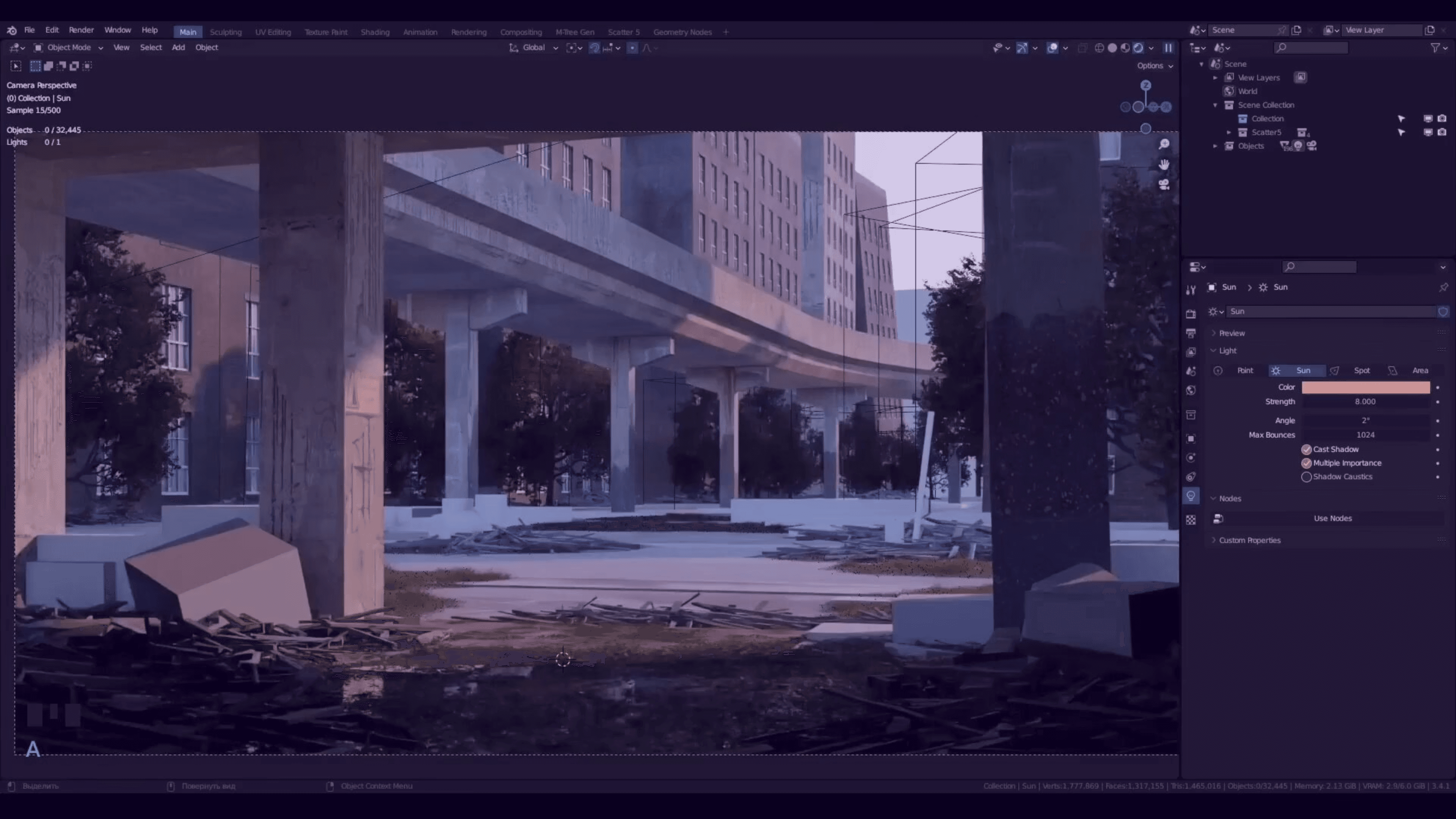
Run Blender in your browser. Model, animate and render complex scenes on cloud GPUs, with no install and no local performance limits.
4K at 60 FPS
Ultra-low latency in any browser
Try it live
10K+ concurrent users
Scales with your audience
See pricing
20+ regions
Stream close to every user
Stream your own app
About this demo
Run Blender in your browser
Blender 3D Software brings the open-source creation suite to the browser through Vagon Streams application streaming. Artists model, sculpt, animate and render high-fidelity scenes with no installation and no local performance limits.
Every panel, viewport and real-time render behaves as it would on a local workstation. Complex shaders, geometry nodes, and Cycles or Eevee renders run in the cloud and reach any connected device interactively.
Why large Blender scenes are hard
Large 3D scenes push local machines. Heavy geometry, particle systems, simulations and GPU rendering cause slowdowns or crashes on standard hardware, and artists working remotely on lightweight laptops feel it most.
Sharing project files with clients is cumbersome too. Different hardware gives inconsistent renders and slow review cycles, and keeping everyone on the same quality output has long been a bottleneck for studios and freelancers.
What cloud streaming changes
Streaming Blender 3D Software through Vagon Streams means Blender runs entirely on cloud GPUs. Artists and collaborators connect through a browser and work in real time on the same scene, with no software to install.
Work from any device
Sculpt high-poly assets, simulate fluids or render cinematic lighting. The computation runs remotely and your device displays the stream.
Collaborate live
Teams view the same Blender session across locations. Changes to lighting, animation or composition show up for everyone at once.
Review with clients
Clients explore the scene interactively without a workstation, which speeds up feedback cycles.
Teach on light hardware
Students learn full-scale 3D workflows from lightweight laptops or tablets.
Vagon Streams
Build your own with Vagon Streams
Application streaming
Turn any Windows or Linux app into a real-time stream with 4K quality and 60 FPS.
Learn more

Unreal Engine Pixel Streaming
Set up scalable Unreal Engine Pixel Streaming in minutes and reach any device.
Learn more

Unity streaming
Stream Unity apps with RTX-enabled NVIDIA GPUs, as an official Unity Verified Solution.
Learn more
Global coverage, 20+ regions
Stream from 20+ regions and scale to thousands of visitors when you need to.
Learn more
Enhanced analytics
See real-time stream usage and user interactions to manage your Streams cost-effectively.
Learn more
Whitelabel streams
Add your own branding and embed your stream anywhere with a single line of code.
Learn more
More demos
All experiences


Focus on the work, not the hardware.
Create, render, collaborate and stream on the best hardware.