Instant Connection for Pixel Streaming
— New Feature Automated Setup

Best VMware Horizon Alternatives for VDI Teams in 2026
Teams & IT
-
Best VMware Horizon Alternatives for VDI Teams in 2026
Teams & IT
Best VMware Horizon Alternatives for VDI Teams in 2026
Teams & IT
-
Table of Contents
Last year I spoke with an IT lead who had just finished a VMware Horizon rollout for about 600 remote employees. Three months later he called me again. Not because the system broke. Because the bill shocked everyone.
That story isn’t unusual lately.
Since the Broadcom acquisition of VMware, a lot of VDI teams have started asking the same uncomfortable question. Are we still running Horizon because it’s the best option, or just because it’s the one we already know?
To be fair, VMware Horizon is still a serious platform. It handles large enterprise environments well, the security model is solid, and plenty of organizations run thousands of virtual desktops on it without issues. I’ve seen deployments that work beautifully when the infrastructure team really knows their stuff.
But Horizon also comes with baggage. Licensing layers. Infrastructure planning. GPU capacity decisions that can get expensive fast.

So more teams are quietly exploring alternatives. Some are looking at other enterprise VDI platforms. Others are moving toward cloud-native desktop environments that behave very differently from traditional VDI.
And honestly, the landscape has changed a lot in the last few years.
If you're evaluating Horizon today, or already running it and wondering what else exists, there are several serious options worth looking at. Some feel familiar. Others take a completely different approach to delivering remote work environments.
Why Companies Are Looking for VMware Horizon Alternatives
If you talk to VDI admins long enough, a pattern starts to appear. Very few teams switch away from Horizon because it completely failed them. Most of the time the platform works. The real issue is everything surrounding it.
Cost is usually the first trigger.
Horizon deployments rarely exist in isolation. You are often looking at VMware vSphere, vSAN, networking layers, licensing tiers, and sometimes GPU infrastructure on top of that. Once you start adding high performance workloads like CAD, 3D rendering, or AI development, the hardware requirements climb quickly. I've seen companies plan a Horizon rollout thinking the cost will stay manageable, only to realize the GPU cluster alone will blow the budget.
Then there is operational complexity.
A traditional VDI stack requires real infrastructure planning. Storage performance. image management. user session density. failover design. monitoring. If the IT team is experienced with VMware, this can feel manageable. If not, things get complicated fast.

Scaling can also become a headache.
Let’s say your company suddenly hires 200 new remote employees or launches a project that requires temporary GPU workstations. With on-prem VDI, capacity planning becomes a guessing game. Too little hardware and users complain about performance. Too much hardware and expensive servers sit idle.
That’s where cloud-based models started gaining traction.
Desktop as a Service, usually called DaaS, delivers virtual desktops from cloud infrastructure rather than internal data centers. Instead of building the environment yourself, the provider handles the underlying compute, storage, and networking.
For some organizations this is a huge relief. No server procurement. No datacenter expansion. Just spin up desktops when people need them.
But the shift is not purely about cloud versus on-prem.

Many teams are also realizing that not every workload actually needs a full VDI environment. Developers might only need access to a powerful remote workstation. Designers may need GPU machines for specific projects. AI teams often spin up environments for experiments that only last a few days.
Once you start thinking about remote environments this way, the idea of running a massive permanent VDI infrastructure begins to feel… a little heavy.
And that realization is exactly why the market for VMware Horizon alternatives has grown so quickly.
If you’re still getting familiar with the concept behind these systems, it’s worth taking a quick look at what virtual desktop infrastructure actually is and how companies typically deploy it.
What to Look For in a VMware Horizon Alternative
Not every Horizon alternative is trying to solve the same problem. That’s the first thing I usually tell people when they start evaluating options.
Some platforms try to replicate the traditional VDI model almost exactly. Others lean heavily into cloud desktops. And a few newer tools focus on something slightly different. Instead of full virtual desktops for every employee, they deliver high-performance work environments on demand.
So before comparing vendors, it helps to step back and ask a simple question.
What do your users actually need?

In my experience, most VDI projects fall into one of a few categories. Office productivity environments for remote employees. Secure access for contractors. High-performance desktops for designers or engineers. Or development environments for software teams.
Those use cases may look similar on paper, but the infrastructure behind them can be completely different.
Deployment model is usually the first big decision. Some alternatives still rely on traditional VDI, where desktops run on centralized servers managed by your organization. Others use Desktop as a Service, where the provider runs the infrastructure in the cloud and you simply manage users and images.
Performance is another big factor. The protocol used to deliver the desktop session plays a huge role in user experience. Citrix, for example, built its reputation around the HDX protocol, which focuses heavily on responsiveness and graphics performance.
GPU support also matters more than many teams expect. Designers, architects, video editors, and AI researchers all need GPU acceleration. Some VDI platforms handle that well. Others struggle or make it extremely expensive.

Then there is pricing structure.
Traditional VDI deployments often involve licensing layers and infrastructure investments that take months to plan. Cloud-based solutions usually move toward consumption pricing. That can be easier to scale, but it can also create surprise costs if usage grows quickly.
And finally, there’s operational overhead. Some platforms require deep infrastructure expertise. Others aim to simplify management so smaller IT teams can run them without a dedicated virtualization specialist.
Once you start evaluating tools through that lens, the Horizon alternatives start to make a lot more sense. Each one is built for a slightly different type of organization.
If you’re comparing multiple platforms right now, this guide to the best virtual desktop infrastructure (VDI) providers and platforms can give you a broader view of the market.
1. Citrix DaaS
If VMware Horizon has a long-time rival in the VDI world, it’s Citrix. These two platforms have been competing for enterprise desktop virtualization deployments for years, and most large IT teams have experience with one or the other.
Citrix DaaS, previously called Citrix Virtual Apps and Desktops, focuses on delivering virtual desktops and applications through a mix of on-prem infrastructure and cloud services. In many ways it feels very familiar to Horizon users. The architecture is enterprise-grade, the feature set is deep, and the platform is built to support large environments.
Where Citrix has always pushed hard is performance. Their HDX display protocol is well known in the VDI space because it prioritizes responsiveness, bandwidth optimization, and graphics handling. For teams running remote desktops over unstable networks or across continents, that can make a real difference.

I’ve talked to a few admins who switched from Horizon to Citrix specifically because of remote session performance. Especially for graphics-heavy workloads like engineering software or video editing.
Citrix also offers flexible deployment options. You can run desktops in your own data center, in public cloud environments like Azure or AWS, or mix both through hybrid setups. That flexibility makes it attractive to organizations that want to gradually move workloads to the cloud without rebuilding their entire infrastructure.
But Citrix isn’t exactly the “simple alternative” some teams hope for.
The platform still requires serious planning and expertise to deploy properly. Licensing can feel complicated. And once the environment grows large, the management overhead can look very similar to what Horizon administrators deal with.
So while Citrix is a strong Horizon alternative, it usually appeals to the same type of organization. Large enterprises with experienced infrastructure teams and complex virtualization needs.
For smaller companies or teams that want something lighter, other options start to look more attractive pretty quickly.
If you’re considering moving away from traditional infrastructure, you may also want to explore the best Desktop as a Service (DaaS) platforms and solutions that deliver desktops directly from the cloud.
2. Azure Virtual Desktop
If your company already runs most of its infrastructure inside Microsoft Azure, Azure Virtual Desktop often becomes the first Horizon alternative people consider. Sometimes it’s not even a debate. It just fits naturally into the existing stack.
Azure Virtual Desktop, or AVD, is Microsoft’s cloud-native desktop virtualization platform. Instead of running your VDI environment on on-prem servers, the desktops live directly inside Azure. Users connect through the internet while Azure handles the compute, storage, and scaling.
One feature that makes AVD particularly attractive is Windows multi-session support. Multiple users can share the same Windows machine while still getting isolated desktop sessions. That can dramatically reduce infrastructure costs compared to running one VM per user.
In organizations already using Microsoft 365, Active Directory, and Azure networking, the integration is smooth. Identity management works the way admins expect. Security policies carry over naturally. Monitoring and automation plug directly into the Azure ecosystem.
I’ve seen many companies move from Horizon to AVD simply because they were already investing heavily in Microsoft cloud services. Running their virtual desktops in the same environment simplified a lot of things.
But AVD is not completely plug-and-play.
Even though Microsoft manages the underlying cloud infrastructure, setting up a production environment still requires careful configuration. Host pools, session hosts, networking rules, storage layers, image management. It’s easier than building a full on-prem VDI stack, but it still demands planning.
Cost management can also surprise people. Compute resources in the cloud scale nicely, but if desktops run 24 hours a day, the monthly bill climbs quickly. Teams often need to implement auto-scaling policies to avoid paying for idle machines.
For companies already committed to Azure, though, Azure Virtual Desktop often feels like the natural evolution of their remote desktop strategy. It keeps the familiar Windows ecosystem while shifting the heavy infrastructure lifting to the cloud.
If your team struggles with slow remote sessions, learning how to reduce latency in virtual desktops can significantly improve the user experience.
3. Amazon WorkSpaces
Amazon looked at the same problem years ago and took a slightly different route. Instead of building a traditional VDI platform that companies deploy themselves, AWS created Amazon WorkSpaces, which is closer to a fully managed cloud desktop service.
In simple terms, AWS hosts the desktops and you rent them.
Each user gets a virtual machine running either Windows or Linux, accessible from almost any device. Laptop, tablet, browser, thin client. If the user has internet access, they can reach their desktop.
For companies already deep in the AWS ecosystem, this setup can feel refreshingly straightforward. Identity integrates with AWS Directory Service. Networking plugs into existing VPCs. Storage and backups can connect to familiar AWS tools.
I’ve seen startups adopt WorkSpaces because they wanted to avoid building any infrastructure at all. No virtualization cluster. No storage planning. No capacity forecasting. Just create desktops when employees join and remove them when they leave.

Pricing is also relatively predictable compared to traditional VDI deployments. AWS offers both monthly and hourly billing options depending on how the desktops are used. That flexibility works well for contractors, temporary teams, or seasonal workloads.
But there are tradeoffs.
WorkSpaces doesn’t offer the same level of deep customization that full VDI environments provide. IT teams used to fine tuning infrastructure sometimes find it limiting. GPU-powered instances exist, but the selection is smaller than what you might configure manually in a traditional VDI setup.
Performance can also vary depending on region and network conditions. Most users will never notice, but teams running latency-sensitive applications occasionally run into friction.
Still, for organizations that already trust AWS and want a managed approach to cloud desktops, Amazon WorkSpaces often ends up on the shortlist pretty quickly.
If you’re already running Horizon and users complain about performance issues, this guide explains how to fix a slow or laggy VMware experience and what typically causes those problems.
4. Parallels RAS
Parallels RAS rarely gets the same spotlight as VMware or Citrix. But I keep seeing it pop up in real deployments, especially among mid-sized companies that want VDI without the heavy infrastructure story.
RAS stands for Remote Application Server, and the platform focuses on delivering both virtual desktops and individual applications from centralized infrastructure. The goal is simplicity. Install the platform, publish desktops or apps, and give users access through a lightweight client.
Compared to Horizon or Citrix, the learning curve is noticeably smaller.
I’ve spoken with a few IT teams that moved to Parallels RAS mainly because they didn’t have a large virtualization department. They needed something that could be deployed quickly and managed by a small team. RAS tends to appeal to exactly that group.

Cost is another reason people look at it.
Licensing is usually simpler and significantly cheaper than the enterprise VDI giants. For organizations running hundreds of users instead of thousands, that difference becomes hard to ignore. Some teams I’ve talked to evaluated Horizon first, then realized they were paying for capabilities they didn’t actually need.
Parallels RAS also integrates well with environments already running Microsoft infrastructure. Windows Server, Active Directory, and Remote Desktop Services work naturally with the platform.
Of course, the tradeoff is ecosystem size.
Citrix and VMware have spent decades building massive enterprise feature sets, third-party integrations, and specialized tooling. Parallels is smaller. For extremely large deployments or highly specialized workloads, some companies eventually outgrow it.
But for many organizations, especially those looking for a simpler and more affordable Horizon alternative, Parallels RAS ends up being a surprisingly practical choice.
5. Nutanix Frame
Nutanix Frame approaches virtual desktops from a slightly different angle. Instead of focusing on traditional VDI infrastructure, Frame was designed around cloud-hosted desktops that run directly in a browser.
That one detail changes a lot.
Users don’t necessarily need a dedicated client application. They open a browser, log in, and their workspace loads. For organizations supporting contractors, students, or distributed teams using mixed devices, this simplicity can remove a lot of friction.
Frame also leans heavily into public cloud environments. Desktops can run on AWS, Azure, or Google Cloud infrastructure, depending on what the organization prefers. This flexibility makes it appealing for companies that want to avoid locking themselves into a single cloud vendor.
Where Nutanix Frame gets interesting is with GPU-powered workloads.
Design teams, architects, and 3D artists often need access to machines with strong GPU acceleration. Frame allows organizations to spin up GPU-backed desktops in the cloud and stream those sessions through the browser. Instead of shipping powerful workstations to employees, the heavy compute happens in the cloud.
I’ve seen universities adopt Frame for engineering labs where students need access to specialized software that normally requires expensive hardware. Rather than maintaining hundreds of physical machines, the institution delivers cloud desktops during class sessions and scales them down afterward.
Of course, like most cloud-based solutions, cost management becomes important.
Running GPU instances continuously can add up quickly if they aren't monitored properly. Organizations typically rely on scheduling and auto-shutdown policies to control spending.
Still, for teams looking for a cloud-first desktop environment that removes a lot of traditional VDI complexity, Nutanix Frame often stands out as a compelling alternative to Horizon.
If you’re deciding between the two major enterprise options, this detailed comparison of VMware Horizon vs Citrix breaks down where each platform performs best.
Something Interesting Is Happening to VDI
While researching Horizon alternatives, one pattern keeps showing up. The biggest shift in the market is not simply companies switching from one VDI platform to another.
Some teams are stepping away from traditional VDI altogether.
That might sound strange at first because virtual desktops still solve real problems. Security. Centralized data. Remote access from almost any device. Those benefits haven't disappeared.
What has changed is the type of workloads people run remotely.
Ten years ago many VDI deployments focused on office productivity. Email, internal tools, maybe a few enterprise applications. Today a lot of remote environments are built for completely different use cases.
Developers spin up temporary environments to test software builds. AI teams run GPU-heavy experiments that last a few hours or a few days. Creative teams work on video editing, 3D modeling, and design projects that require serious graphics performance.

Those workflows behave very differently from traditional office desktops.
Instead of long-lived machines that employees log into every day, these environments often appear when a project starts and disappear when the work is done. Some teams treat them almost like cloud infrastructure. Launch, use, shut down.
That shift has pushed many organizations toward on-demand workstations rather than permanent virtual desktops.
Cloud providers now offer GPU-powered machines that can start in minutes. Engineers can share development environments with teammates across the world. Designers can access powerful hardware without shipping physical workstations.
Once teams get used to this flexibility, maintaining a large static VDI environment sometimes feels unnecessarily rigid.
This doesn’t mean VDI is going away anytime soon. Large enterprises will continue running Horizon, Citrix, and similar platforms for years.
But the way people think about remote computing is evolving. And that evolution has created space for entirely new types of solutions that sit somewhere between traditional VDI and cloud infrastructure.
A Simpler Alternative: Vagon Teams
After looking at all these Horizon alternatives, a pattern becomes pretty clear. Most of them still revolve around the same core idea. Build virtual desktops. Manage infrastructure. Maintain images. Handle scaling.
Some tools make that easier. Some move the infrastructure into the cloud. But the overall model usually stays the same.
That’s exactly why Vagon Teams feels different.
Instead of asking IT teams to design and maintain a full VDI environment, Vagon Teams focuses on something much simpler. Giving users instant access to powerful cloud workstations without the usual infrastructure overhead.
No virtualization clusters to plan. No storage arrays to size. No complicated desktop image management.
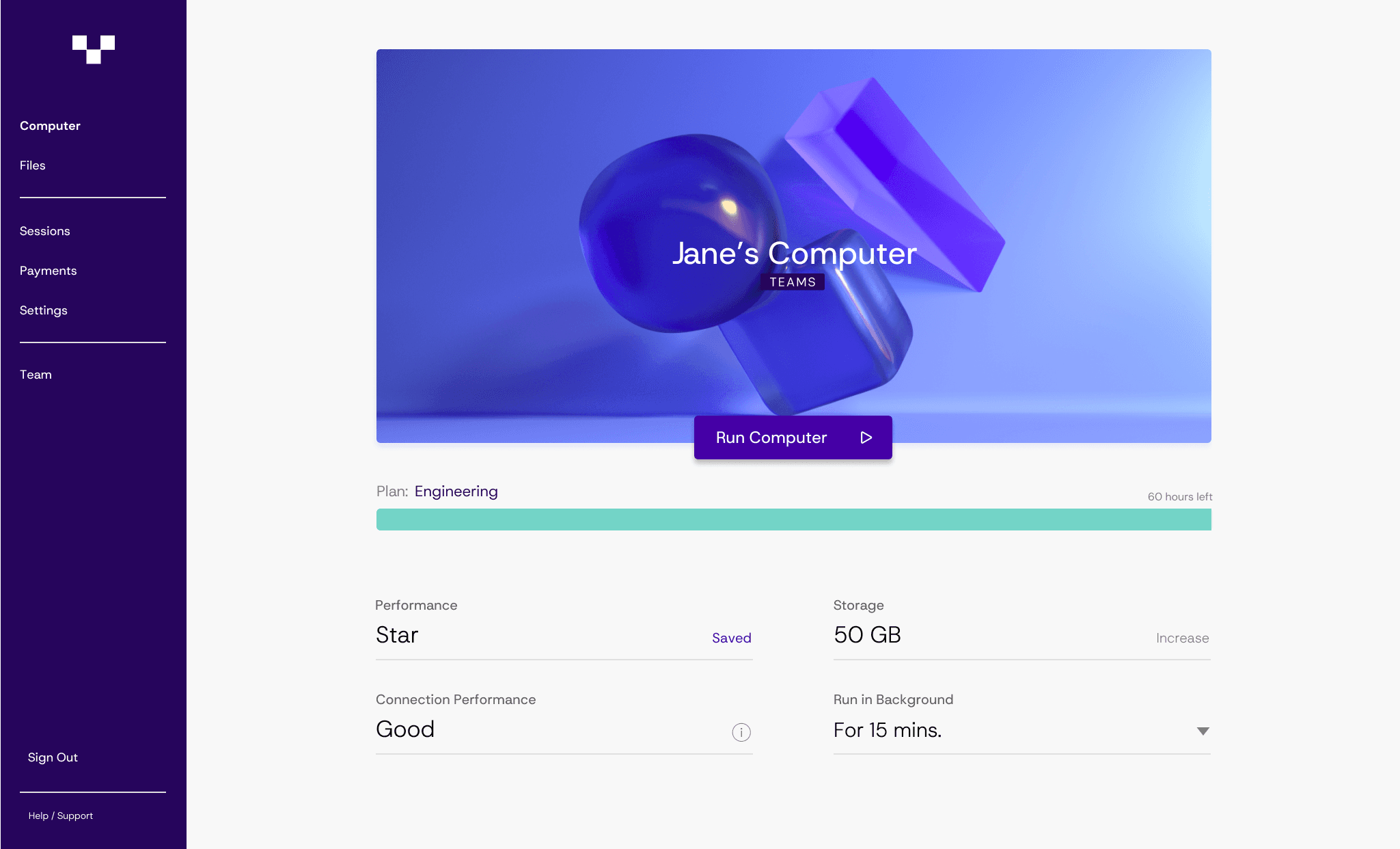
You create work environments with the compute power you need and share them with your team.
For many modern workloads, that’s exactly what people want.
A designer can open a GPU workstation from a lightweight laptop and work in Blender, Unreal Engine, or After Effects without worrying about local hardware limitations. Developers can run heavy builds or simulations in powerful environments that spin up in minutes. AI teams can experiment with GPU machines without waiting for internal infrastructure approvals.
The experience feels closer to launching a cloud app than managing virtual desktops.
What makes Vagon Teams especially useful is how easy it is to share these environments with others. Teams can invite collaborators, contractors, or new employees and give them access to the same high-performance setup almost instantly.
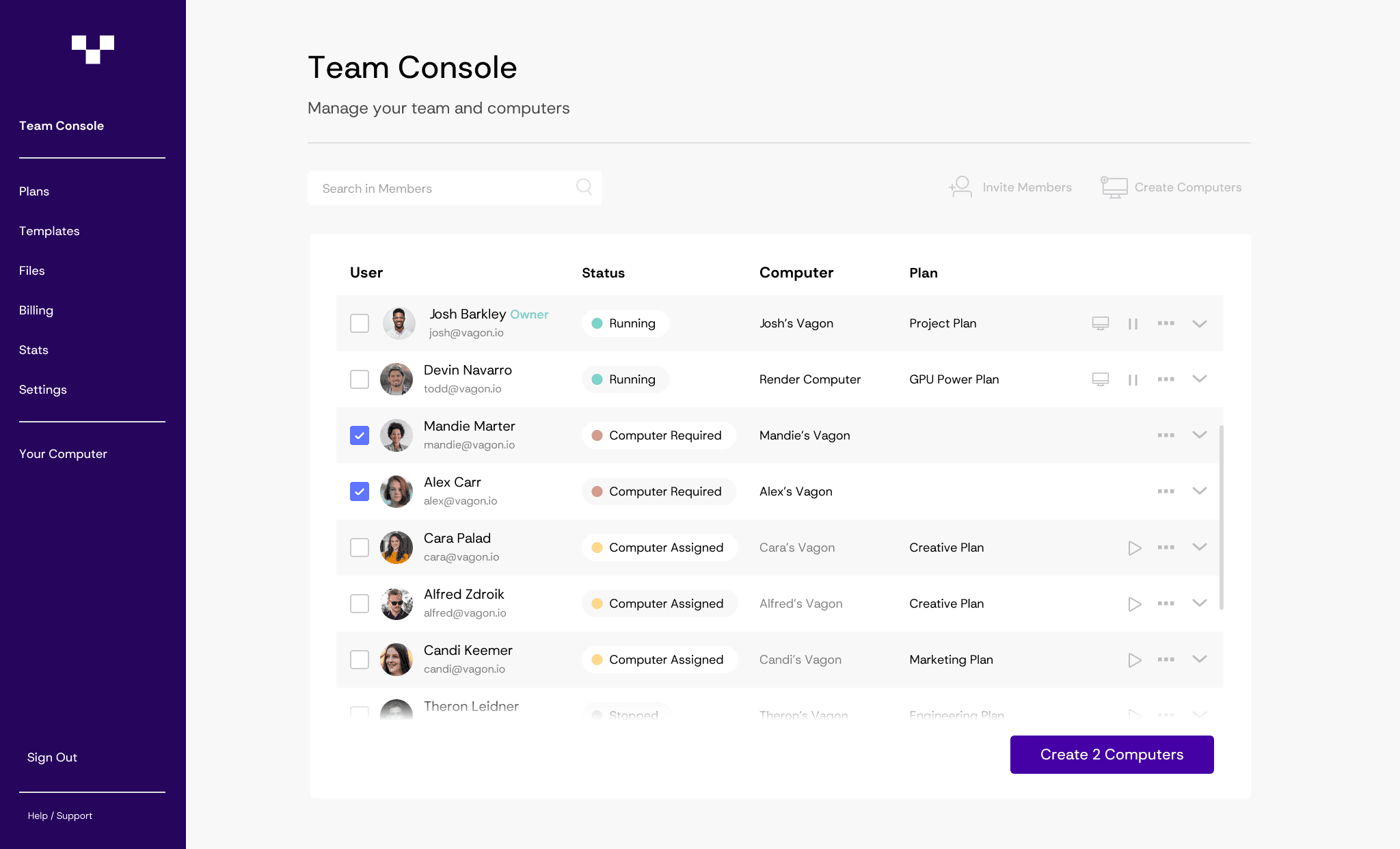
That kind of flexibility matters a lot for distributed teams.
Instead of shipping expensive workstations around the world or asking employees to upgrade their laptops, companies can provide powerful environments directly from the cloud. Everyone connects through the browser or lightweight client and starts working right away.
Another benefit is cost control.
Traditional VDI environments often require significant upfront investment in infrastructure. With Vagon Teams, organizations only run machines when they actually need them. For teams running project-based workloads like design, development, or AI experimentation, that usage model can make a noticeable difference.
So while platforms like Horizon, Citrix, and Azure Virtual Desktop remain strong choices for large enterprise desktop deployments, Vagon Teams offers something different.
A faster, lighter way to give teams the computing power they need without building a full virtual desktop infrastructure.
The VDI Market Is Changing Faster Than Most People Realize
A few years ago, the conversation around virtual desktops was pretty predictable. Most organizations compared VMware Horizon and Citrix, maybe looked at Microsoft’s offerings, and then picked one platform to standardize everything.
That approach still exists. But it’s becoming less common.
What I’m seeing more often now is a mix of solutions. Companies might run Azure Virtual Desktop for office workers, use Amazon WorkSpaces for contractors, and rely on cloud workstations for development or creative teams.
Different workloads. Different tools.
Part of this shift comes from how modern teams actually work. Developers spin up environments for a few days and then shut them down. Designers need bursts of GPU power for rendering projects. AI teams run experiments that require serious compute but only temporarily.
Trying to force all of those workloads into one traditional VDI platform can start to feel inefficient.
So instead of searching for a single perfect replacement for VMware Horizon, many organizations are building something more flexible. A remote computing stack that mixes VDI, cloud desktops, and on-demand workstations depending on the workload.

That’s also why newer tools like Vagon Teams are starting to appear in these conversations. They aren’t trying to replicate traditional VDI infrastructure. They focus on giving teams quick access to powerful cloud environments that can be shared easily across distributed teams.
And for many modern workloads, that lighter approach simply makes more sense.
If you’re evaluating VMware Horizon alternatives today, the best move isn’t just comparing feature lists. It’s stepping back and asking a bigger question.
What kind of remote environments do your teams actually need?
Because once that becomes clear, choosing the right platform becomes a lot easier.
Frequently Asked Questions
1. What is VMware Horizon used for?
VMware Horizon is a virtual desktop infrastructure platform that lets organizations host desktops and applications on centralized servers instead of local machines. Employees can access their desktops remotely from almost any device while IT teams manage security, updates, and software from a single place. It’s commonly used by large companies that need controlled and secure remote work environments.
2. Why are companies looking for VMware Horizon alternatives?
Most companies start exploring alternatives because of cost, infrastructure complexity, or flexibility. Running a traditional VDI environment often requires significant planning around servers, storage, networking, and licensing. As cloud services have improved, many teams now look for solutions that are easier to deploy and scale.
3. What are the most common VMware Horizon alternatives?
Several platforms compete with Horizon depending on the use case. Citrix DaaS is a major enterprise alternative, while Azure Virtual Desktop is popular among organizations already using Microsoft Azure. Amazon WorkSpaces is common in AWS environments, and Parallels RAS is often chosen by companies looking for a simpler deployment. Some teams also use cloud workstation platforms like Vagon Teams for high-performance workloads.
4. Is VMware Horizon the same as Desktop as a Service?
No. VMware Horizon is mainly a VDI platform where organizations manage the infrastructure themselves. Desktop as a Service platforms usually run the infrastructure in the cloud and deliver desktops as a managed service. VMware does offer Horizon Cloud, but the core model is still closer to traditional VDI.
5. What is the difference between VDI and cloud workstations?
VDI typically provides long-term virtual desktops for employees that behave like standard office computers. Cloud workstations are more flexible and usually run on demand. Teams start powerful machines when they need them and shut them down when the work is finished.
6. Are cloud workstations replacing VDI?
Not entirely. VDI still works well for standardized corporate desktops and highly regulated environments. However, many organizations now combine VDI with cloud workstations for workloads like development, design, and AI where on-demand compute power is more useful.
Last year I spoke with an IT lead who had just finished a VMware Horizon rollout for about 600 remote employees. Three months later he called me again. Not because the system broke. Because the bill shocked everyone.
That story isn’t unusual lately.
Since the Broadcom acquisition of VMware, a lot of VDI teams have started asking the same uncomfortable question. Are we still running Horizon because it’s the best option, or just because it’s the one we already know?
To be fair, VMware Horizon is still a serious platform. It handles large enterprise environments well, the security model is solid, and plenty of organizations run thousands of virtual desktops on it without issues. I’ve seen deployments that work beautifully when the infrastructure team really knows their stuff.
But Horizon also comes with baggage. Licensing layers. Infrastructure planning. GPU capacity decisions that can get expensive fast.
So more teams are quietly exploring alternatives. Some are looking at other enterprise VDI platforms. Others are moving toward cloud-native desktop environments that behave very differently from traditional VDI.
And honestly, the landscape has changed a lot in the last few years.
If you're evaluating Horizon today, or already running it and wondering what else exists, there are several serious options worth looking at. Some feel familiar. Others take a completely different approach to delivering remote work environments.
Why Companies Are Looking for VMware Horizon Alternatives
If you talk to VDI admins long enough, a pattern starts to appear. Very few teams switch away from Horizon because it completely failed them. Most of the time the platform works. The real issue is everything surrounding it.
Cost is usually the first trigger.
Horizon deployments rarely exist in isolation. You are often looking at VMware vSphere, vSAN, networking layers, licensing tiers, and sometimes GPU infrastructure on top of that. Once you start adding high performance workloads like CAD, 3D rendering, or AI development, the hardware requirements climb quickly. I've seen companies plan a Horizon rollout thinking the cost will stay manageable, only to realize the GPU cluster alone will blow the budget.
Then there is operational complexity.
A traditional VDI stack requires real infrastructure planning. Storage performance. image management. user session density. failover design. monitoring. If the IT team is experienced with VMware, this can feel manageable. If not, things get complicated fast.
Scaling can also become a headache.
Let’s say your company suddenly hires 200 new remote employees or launches a project that requires temporary GPU workstations. With on-prem VDI, capacity planning becomes a guessing game. Too little hardware and users complain about performance. Too much hardware and expensive servers sit idle.
That’s where cloud-based models started gaining traction.
Desktop as a Service, usually called DaaS, delivers virtual desktops from cloud infrastructure rather than internal data centers. Instead of building the environment yourself, the provider handles the underlying compute, storage, and networking.
For some organizations this is a huge relief. No server procurement. No datacenter expansion. Just spin up desktops when people need them.
But the shift is not purely about cloud versus on-prem.
Many teams are also realizing that not every workload actually needs a full VDI environment. Developers might only need access to a powerful remote workstation. Designers may need GPU machines for specific projects. AI teams often spin up environments for experiments that only last a few days.
Once you start thinking about remote environments this way, the idea of running a massive permanent VDI infrastructure begins to feel… a little heavy.
And that realization is exactly why the market for VMware Horizon alternatives has grown so quickly.
If you’re still getting familiar with the concept behind these systems, it’s worth taking a quick look at what virtual desktop infrastructure actually is and how companies typically deploy it.
What to Look For in a VMware Horizon Alternative
Not every Horizon alternative is trying to solve the same problem. That’s the first thing I usually tell people when they start evaluating options.
Some platforms try to replicate the traditional VDI model almost exactly. Others lean heavily into cloud desktops. And a few newer tools focus on something slightly different. Instead of full virtual desktops for every employee, they deliver high-performance work environments on demand.
So before comparing vendors, it helps to step back and ask a simple question.
What do your users actually need?
In my experience, most VDI projects fall into one of a few categories. Office productivity environments for remote employees. Secure access for contractors. High-performance desktops for designers or engineers. Or development environments for software teams.
Those use cases may look similar on paper, but the infrastructure behind them can be completely different.
Deployment model is usually the first big decision. Some alternatives still rely on traditional VDI, where desktops run on centralized servers managed by your organization. Others use Desktop as a Service, where the provider runs the infrastructure in the cloud and you simply manage users and images.
Performance is another big factor. The protocol used to deliver the desktop session plays a huge role in user experience. Citrix, for example, built its reputation around the HDX protocol, which focuses heavily on responsiveness and graphics performance.
GPU support also matters more than many teams expect. Designers, architects, video editors, and AI researchers all need GPU acceleration. Some VDI platforms handle that well. Others struggle or make it extremely expensive.
Then there is pricing structure.
Traditional VDI deployments often involve licensing layers and infrastructure investments that take months to plan. Cloud-based solutions usually move toward consumption pricing. That can be easier to scale, but it can also create surprise costs if usage grows quickly.
And finally, there’s operational overhead. Some platforms require deep infrastructure expertise. Others aim to simplify management so smaller IT teams can run them without a dedicated virtualization specialist.
Once you start evaluating tools through that lens, the Horizon alternatives start to make a lot more sense. Each one is built for a slightly different type of organization.
If you’re comparing multiple platforms right now, this guide to the best virtual desktop infrastructure (VDI) providers and platforms can give you a broader view of the market.
1. Citrix DaaS
If VMware Horizon has a long-time rival in the VDI world, it’s Citrix. These two platforms have been competing for enterprise desktop virtualization deployments for years, and most large IT teams have experience with one or the other.
Citrix DaaS, previously called Citrix Virtual Apps and Desktops, focuses on delivering virtual desktops and applications through a mix of on-prem infrastructure and cloud services. In many ways it feels very familiar to Horizon users. The architecture is enterprise-grade, the feature set is deep, and the platform is built to support large environments.
Where Citrix has always pushed hard is performance. Their HDX display protocol is well known in the VDI space because it prioritizes responsiveness, bandwidth optimization, and graphics handling. For teams running remote desktops over unstable networks or across continents, that can make a real difference.
I’ve talked to a few admins who switched from Horizon to Citrix specifically because of remote session performance. Especially for graphics-heavy workloads like engineering software or video editing.
Citrix also offers flexible deployment options. You can run desktops in your own data center, in public cloud environments like Azure or AWS, or mix both through hybrid setups. That flexibility makes it attractive to organizations that want to gradually move workloads to the cloud without rebuilding their entire infrastructure.
But Citrix isn’t exactly the “simple alternative” some teams hope for.
The platform still requires serious planning and expertise to deploy properly. Licensing can feel complicated. And once the environment grows large, the management overhead can look very similar to what Horizon administrators deal with.
So while Citrix is a strong Horizon alternative, it usually appeals to the same type of organization. Large enterprises with experienced infrastructure teams and complex virtualization needs.
For smaller companies or teams that want something lighter, other options start to look more attractive pretty quickly.
If you’re considering moving away from traditional infrastructure, you may also want to explore the best Desktop as a Service (DaaS) platforms and solutions that deliver desktops directly from the cloud.
2. Azure Virtual Desktop
If your company already runs most of its infrastructure inside Microsoft Azure, Azure Virtual Desktop often becomes the first Horizon alternative people consider. Sometimes it’s not even a debate. It just fits naturally into the existing stack.
Azure Virtual Desktop, or AVD, is Microsoft’s cloud-native desktop virtualization platform. Instead of running your VDI environment on on-prem servers, the desktops live directly inside Azure. Users connect through the internet while Azure handles the compute, storage, and scaling.
One feature that makes AVD particularly attractive is Windows multi-session support. Multiple users can share the same Windows machine while still getting isolated desktop sessions. That can dramatically reduce infrastructure costs compared to running one VM per user.
In organizations already using Microsoft 365, Active Directory, and Azure networking, the integration is smooth. Identity management works the way admins expect. Security policies carry over naturally. Monitoring and automation plug directly into the Azure ecosystem.
I’ve seen many companies move from Horizon to AVD simply because they were already investing heavily in Microsoft cloud services. Running their virtual desktops in the same environment simplified a lot of things.
But AVD is not completely plug-and-play.
Even though Microsoft manages the underlying cloud infrastructure, setting up a production environment still requires careful configuration. Host pools, session hosts, networking rules, storage layers, image management. It’s easier than building a full on-prem VDI stack, but it still demands planning.
Cost management can also surprise people. Compute resources in the cloud scale nicely, but if desktops run 24 hours a day, the monthly bill climbs quickly. Teams often need to implement auto-scaling policies to avoid paying for idle machines.
For companies already committed to Azure, though, Azure Virtual Desktop often feels like the natural evolution of their remote desktop strategy. It keeps the familiar Windows ecosystem while shifting the heavy infrastructure lifting to the cloud.
If your team struggles with slow remote sessions, learning how to reduce latency in virtual desktops can significantly improve the user experience.
3. Amazon WorkSpaces
Amazon looked at the same problem years ago and took a slightly different route. Instead of building a traditional VDI platform that companies deploy themselves, AWS created Amazon WorkSpaces, which is closer to a fully managed cloud desktop service.
In simple terms, AWS hosts the desktops and you rent them.
Each user gets a virtual machine running either Windows or Linux, accessible from almost any device. Laptop, tablet, browser, thin client. If the user has internet access, they can reach their desktop.
For companies already deep in the AWS ecosystem, this setup can feel refreshingly straightforward. Identity integrates with AWS Directory Service. Networking plugs into existing VPCs. Storage and backups can connect to familiar AWS tools.
I’ve seen startups adopt WorkSpaces because they wanted to avoid building any infrastructure at all. No virtualization cluster. No storage planning. No capacity forecasting. Just create desktops when employees join and remove them when they leave.
Pricing is also relatively predictable compared to traditional VDI deployments. AWS offers both monthly and hourly billing options depending on how the desktops are used. That flexibility works well for contractors, temporary teams, or seasonal workloads.
But there are tradeoffs.
WorkSpaces doesn’t offer the same level of deep customization that full VDI environments provide. IT teams used to fine tuning infrastructure sometimes find it limiting. GPU-powered instances exist, but the selection is smaller than what you might configure manually in a traditional VDI setup.
Performance can also vary depending on region and network conditions. Most users will never notice, but teams running latency-sensitive applications occasionally run into friction.
Still, for organizations that already trust AWS and want a managed approach to cloud desktops, Amazon WorkSpaces often ends up on the shortlist pretty quickly.
If you’re already running Horizon and users complain about performance issues, this guide explains how to fix a slow or laggy VMware experience and what typically causes those problems.
4. Parallels RAS
Parallels RAS rarely gets the same spotlight as VMware or Citrix. But I keep seeing it pop up in real deployments, especially among mid-sized companies that want VDI without the heavy infrastructure story.
RAS stands for Remote Application Server, and the platform focuses on delivering both virtual desktops and individual applications from centralized infrastructure. The goal is simplicity. Install the platform, publish desktops or apps, and give users access through a lightweight client.
Compared to Horizon or Citrix, the learning curve is noticeably smaller.
I’ve spoken with a few IT teams that moved to Parallels RAS mainly because they didn’t have a large virtualization department. They needed something that could be deployed quickly and managed by a small team. RAS tends to appeal to exactly that group.
Cost is another reason people look at it.
Licensing is usually simpler and significantly cheaper than the enterprise VDI giants. For organizations running hundreds of users instead of thousands, that difference becomes hard to ignore. Some teams I’ve talked to evaluated Horizon first, then realized they were paying for capabilities they didn’t actually need.
Parallels RAS also integrates well with environments already running Microsoft infrastructure. Windows Server, Active Directory, and Remote Desktop Services work naturally with the platform.
Of course, the tradeoff is ecosystem size.
Citrix and VMware have spent decades building massive enterprise feature sets, third-party integrations, and specialized tooling. Parallels is smaller. For extremely large deployments or highly specialized workloads, some companies eventually outgrow it.
But for many organizations, especially those looking for a simpler and more affordable Horizon alternative, Parallels RAS ends up being a surprisingly practical choice.
5. Nutanix Frame
Nutanix Frame approaches virtual desktops from a slightly different angle. Instead of focusing on traditional VDI infrastructure, Frame was designed around cloud-hosted desktops that run directly in a browser.
That one detail changes a lot.
Users don’t necessarily need a dedicated client application. They open a browser, log in, and their workspace loads. For organizations supporting contractors, students, or distributed teams using mixed devices, this simplicity can remove a lot of friction.
Frame also leans heavily into public cloud environments. Desktops can run on AWS, Azure, or Google Cloud infrastructure, depending on what the organization prefers. This flexibility makes it appealing for companies that want to avoid locking themselves into a single cloud vendor.
Where Nutanix Frame gets interesting is with GPU-powered workloads.
Design teams, architects, and 3D artists often need access to machines with strong GPU acceleration. Frame allows organizations to spin up GPU-backed desktops in the cloud and stream those sessions through the browser. Instead of shipping powerful workstations to employees, the heavy compute happens in the cloud.
I’ve seen universities adopt Frame for engineering labs where students need access to specialized software that normally requires expensive hardware. Rather than maintaining hundreds of physical machines, the institution delivers cloud desktops during class sessions and scales them down afterward.
Of course, like most cloud-based solutions, cost management becomes important.
Running GPU instances continuously can add up quickly if they aren't monitored properly. Organizations typically rely on scheduling and auto-shutdown policies to control spending.
Still, for teams looking for a cloud-first desktop environment that removes a lot of traditional VDI complexity, Nutanix Frame often stands out as a compelling alternative to Horizon.
If you’re deciding between the two major enterprise options, this detailed comparison of VMware Horizon vs Citrix breaks down where each platform performs best.
Something Interesting Is Happening to VDI
While researching Horizon alternatives, one pattern keeps showing up. The biggest shift in the market is not simply companies switching from one VDI platform to another.
Some teams are stepping away from traditional VDI altogether.
That might sound strange at first because virtual desktops still solve real problems. Security. Centralized data. Remote access from almost any device. Those benefits haven't disappeared.
What has changed is the type of workloads people run remotely.
Ten years ago many VDI deployments focused on office productivity. Email, internal tools, maybe a few enterprise applications. Today a lot of remote environments are built for completely different use cases.
Developers spin up temporary environments to test software builds. AI teams run GPU-heavy experiments that last a few hours or a few days. Creative teams work on video editing, 3D modeling, and design projects that require serious graphics performance.
Those workflows behave very differently from traditional office desktops.
Instead of long-lived machines that employees log into every day, these environments often appear when a project starts and disappear when the work is done. Some teams treat them almost like cloud infrastructure. Launch, use, shut down.
That shift has pushed many organizations toward on-demand workstations rather than permanent virtual desktops.
Cloud providers now offer GPU-powered machines that can start in minutes. Engineers can share development environments with teammates across the world. Designers can access powerful hardware without shipping physical workstations.
Once teams get used to this flexibility, maintaining a large static VDI environment sometimes feels unnecessarily rigid.
This doesn’t mean VDI is going away anytime soon. Large enterprises will continue running Horizon, Citrix, and similar platforms for years.
But the way people think about remote computing is evolving. And that evolution has created space for entirely new types of solutions that sit somewhere between traditional VDI and cloud infrastructure.
A Simpler Alternative: Vagon Teams
After looking at all these Horizon alternatives, a pattern becomes pretty clear. Most of them still revolve around the same core idea. Build virtual desktops. Manage infrastructure. Maintain images. Handle scaling.
Some tools make that easier. Some move the infrastructure into the cloud. But the overall model usually stays the same.
That’s exactly why Vagon Teams feels different.
Instead of asking IT teams to design and maintain a full VDI environment, Vagon Teams focuses on something much simpler. Giving users instant access to powerful cloud workstations without the usual infrastructure overhead.
No virtualization clusters to plan. No storage arrays to size. No complicated desktop image management.
You create work environments with the compute power you need and share them with your team.
For many modern workloads, that’s exactly what people want.
A designer can open a GPU workstation from a lightweight laptop and work in Blender, Unreal Engine, or After Effects without worrying about local hardware limitations. Developers can run heavy builds or simulations in powerful environments that spin up in minutes. AI teams can experiment with GPU machines without waiting for internal infrastructure approvals.
The experience feels closer to launching a cloud app than managing virtual desktops.
What makes Vagon Teams especially useful is how easy it is to share these environments with others. Teams can invite collaborators, contractors, or new employees and give them access to the same high-performance setup almost instantly.
That kind of flexibility matters a lot for distributed teams.
Instead of shipping expensive workstations around the world or asking employees to upgrade their laptops, companies can provide powerful environments directly from the cloud. Everyone connects through the browser or lightweight client and starts working right away.
Another benefit is cost control.
Traditional VDI environments often require significant upfront investment in infrastructure. With Vagon Teams, organizations only run machines when they actually need them. For teams running project-based workloads like design, development, or AI experimentation, that usage model can make a noticeable difference.
So while platforms like Horizon, Citrix, and Azure Virtual Desktop remain strong choices for large enterprise desktop deployments, Vagon Teams offers something different.
A faster, lighter way to give teams the computing power they need without building a full virtual desktop infrastructure.
The VDI Market Is Changing Faster Than Most People Realize
A few years ago, the conversation around virtual desktops was pretty predictable. Most organizations compared VMware Horizon and Citrix, maybe looked at Microsoft’s offerings, and then picked one platform to standardize everything.
That approach still exists. But it’s becoming less common.
What I’m seeing more often now is a mix of solutions. Companies might run Azure Virtual Desktop for office workers, use Amazon WorkSpaces for contractors, and rely on cloud workstations for development or creative teams.
Different workloads. Different tools.
Part of this shift comes from how modern teams actually work. Developers spin up environments for a few days and then shut them down. Designers need bursts of GPU power for rendering projects. AI teams run experiments that require serious compute but only temporarily.
Trying to force all of those workloads into one traditional VDI platform can start to feel inefficient.
So instead of searching for a single perfect replacement for VMware Horizon, many organizations are building something more flexible. A remote computing stack that mixes VDI, cloud desktops, and on-demand workstations depending on the workload.
That’s also why newer tools like Vagon Teams are starting to appear in these conversations. They aren’t trying to replicate traditional VDI infrastructure. They focus on giving teams quick access to powerful cloud environments that can be shared easily across distributed teams.
And for many modern workloads, that lighter approach simply makes more sense.
If you’re evaluating VMware Horizon alternatives today, the best move isn’t just comparing feature lists. It’s stepping back and asking a bigger question.
What kind of remote environments do your teams actually need?
Because once that becomes clear, choosing the right platform becomes a lot easier.
Frequently Asked Questions
1. What is VMware Horizon used for?
VMware Horizon is a virtual desktop infrastructure platform that lets organizations host desktops and applications on centralized servers instead of local machines. Employees can access their desktops remotely from almost any device while IT teams manage security, updates, and software from a single place. It’s commonly used by large companies that need controlled and secure remote work environments.
2. Why are companies looking for VMware Horizon alternatives?
Most companies start exploring alternatives because of cost, infrastructure complexity, or flexibility. Running a traditional VDI environment often requires significant planning around servers, storage, networking, and licensing. As cloud services have improved, many teams now look for solutions that are easier to deploy and scale.
3. What are the most common VMware Horizon alternatives?
Several platforms compete with Horizon depending on the use case. Citrix DaaS is a major enterprise alternative, while Azure Virtual Desktop is popular among organizations already using Microsoft Azure. Amazon WorkSpaces is common in AWS environments, and Parallels RAS is often chosen by companies looking for a simpler deployment. Some teams also use cloud workstation platforms like Vagon Teams for high-performance workloads.
4. Is VMware Horizon the same as Desktop as a Service?
No. VMware Horizon is mainly a VDI platform where organizations manage the infrastructure themselves. Desktop as a Service platforms usually run the infrastructure in the cloud and deliver desktops as a managed service. VMware does offer Horizon Cloud, but the core model is still closer to traditional VDI.
5. What is the difference between VDI and cloud workstations?
VDI typically provides long-term virtual desktops for employees that behave like standard office computers. Cloud workstations are more flexible and usually run on demand. Teams start powerful machines when they need them and shut them down when the work is finished.
6. Are cloud workstations replacing VDI?
Not entirely. VDI still works well for standardized corporate desktops and highly regulated environments. However, many organizations now combine VDI with cloud workstations for workloads like development, design, and AI where on-demand compute power is more useful.
Scalable Remote Desktop for your Team
Create cloud computers for your Team, manage their access & permissions in real-time. Start in minutes & scale.
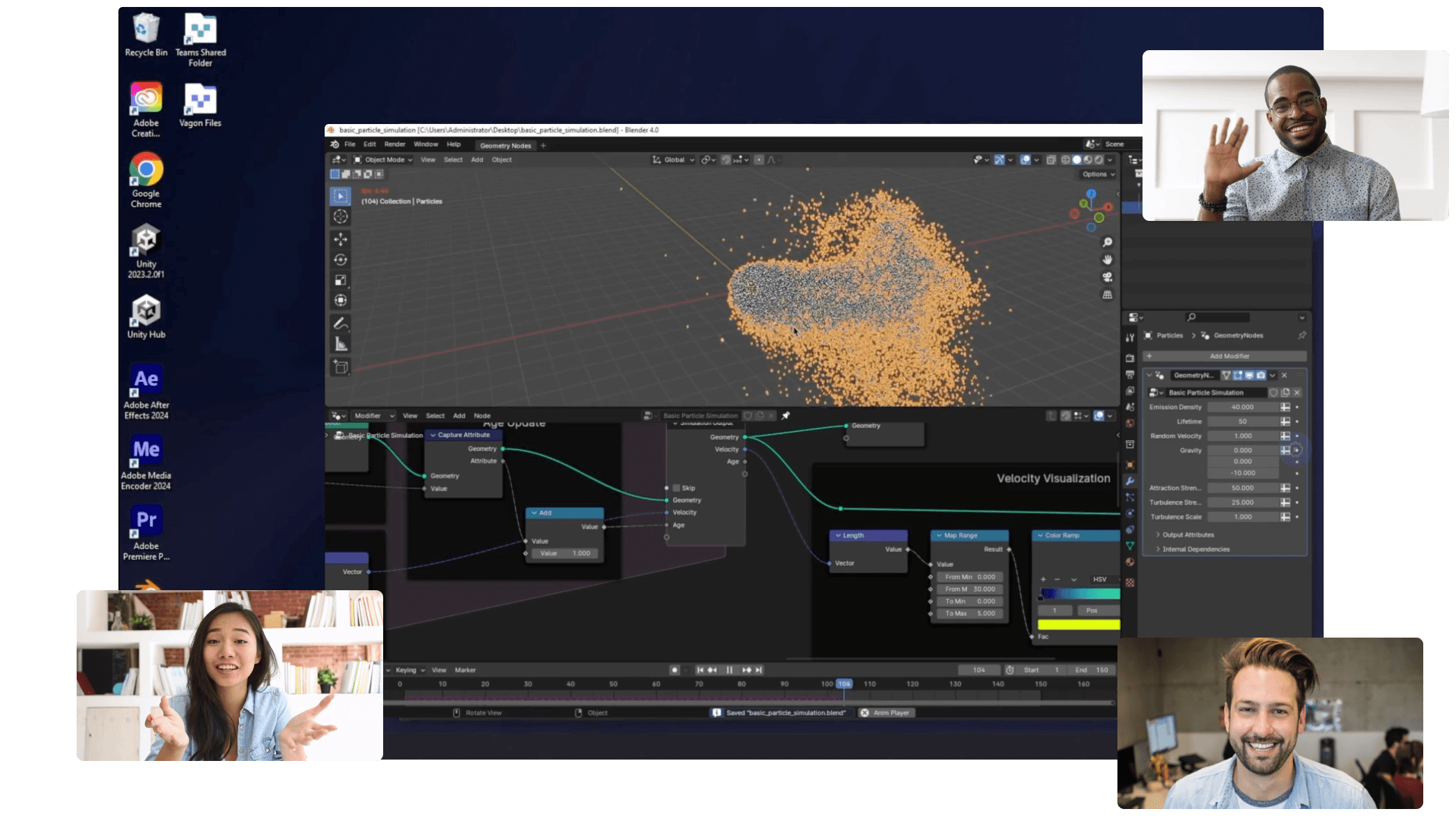
Trial includes 1 hour usage + 7 days of
storage for first 2 seats.
Scalable Remote Desktop for your Team
Create cloud computers for your Team, manage their access & permissions in real-time. Start in minutes & scale.
Trial includes 1 hour usage + 7 days of
storage for first 2 seats.
Summarize with AI

Ready to focus on your creativity?
Vagon gives you the ability to create & render projects, collaborate, and stream applications with the power of the best hardware.

Vagon Blog
Run heavy applications on any device with
your personal computer on the cloud.
San Francisco, California
Solutions
Vagon Teams
Vagon Streams
Use Cases
Resources
Vagon Blog
How to Run Cinema 4D on Googlebook
How to Run DaVinci Resolve on Googlebook
How to Run Godot on Googlebook: Game Development Guide
How to Run Premiere Pro on Googlebook: Editing Guide
How to Run Revit on Googlebook: Complete BIM Guide
How to Run SOLIDWORKS on Googlebook: Complete CAD Guide
How to Run AutoCAD on Googlebook
How to Run Photoshop on Googlebook
How to Run After Effects on Googlebook
Vagon Blog
Run heavy applications on any device with
your personal computer on the cloud.
San Francisco, California
Solutions
Vagon Teams
Vagon Streams
Use Cases
Resources
Vagon Blog
How to Run Cinema 4D on Googlebook
How to Run DaVinci Resolve on Googlebook
How to Run Godot on Googlebook: Game Development Guide
How to Run Premiere Pro on Googlebook: Editing Guide
How to Run Revit on Googlebook: Complete BIM Guide
How to Run SOLIDWORKS on Googlebook: Complete CAD Guide
How to Run AutoCAD on Googlebook
How to Run Photoshop on Googlebook
How to Run After Effects on Googlebook
Vagon Blog
Run heavy applications on any device with
your personal computer on the cloud.
San Francisco, California
Solutions
Vagon Teams
Vagon Streams
Use Cases
Resources
Vagon Blog