Instant Connection for Pixel Streaming
— New Feature Automated Setup

V-Ray Pricing in 2026: Plans, Hidden Costs, and What to Choose
Architecture
-
V-Ray Pricing in 2026: Plans, Hidden Costs, and What to Choose
Architecture
V-Ray Pricing in 2026: Plans, Hidden Costs, and What to Choose
Architecture
-
Table of Contents
The first mistake people make with V-Ray pricing is treating the subscription page like the full bill.
It isn’t.
That monthly or annual number only tells you what you’ll pay Chaos for access to V-Ray. It doesn’t tell you what it costs to actually use V-Ray in a real production workflow.
And that gap matters.
Because V-Ray is rarely just a license cost. You also need a machine that can handle your scenes, enough CPU or GPU power, enough RAM and VRAM, stable drivers, fast storage, and a workflow that doesn’t collapse every time the client asks for another version.
Then there’s the cost nobody puts in a pricing table: time. Slow previews, failed renders, overnight tests, noisy drafts, huge textures, displacement, render elements, broken imports, and all the little scene problems that turn “one quick change” into another hour of waiting.
So before comparing V-Ray Solo, Premium, Collection, or Education, it helps to ask a better question.
Not just “How much does V-Ray cost?”
But “What does it cost to run V-Ray comfortably?”
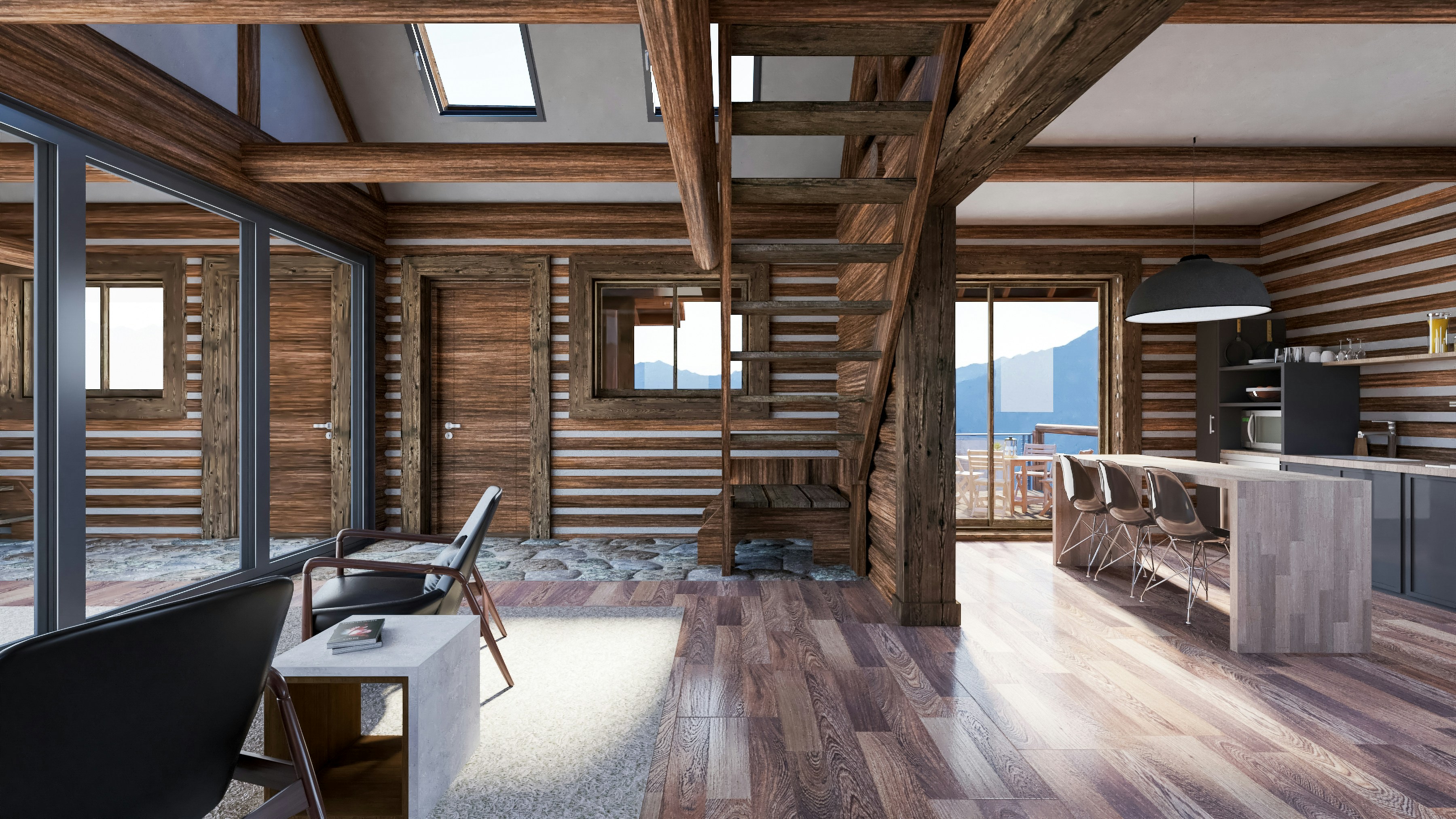
The main V-Ray plans in 2026: Solo, Premium, Collection, and Education
Chaos has made V-Ray pricing easier to understand than it used to be, but you still need to read the plans carefully. The names sound simple enough: Solo, Premium, Collection, and Education. But the right choice depends less on “which one has more stuff?” and more on how you actually work.
A freelancer rendering interiors from a laptop does not have the same needs as a small archviz studio with three artists. A student learning V-Ray for class does not need the same setup as a product visualization team switching between Rhino, 3ds Max, Maya, and Unreal-related workflows. Same renderer, very different buying logic.
So let’s keep this practical.
V-Ray Solo
V-Ray Solo is the cleanest starting point for most individual users.
If you’re one person using V-Ray on your own account, this is probably the plan you’ll look at first. It’s built for freelancers, solo 3D artists, individual architects, visualization specialists, and anyone who mostly works alone. You model, light, render, revise, and deliver the project yourself.
That kind of setup fits Solo well.
The appeal is obvious: you get access to V-Ray without paying for a bigger team-style package. For someone using V-Ray for SketchUp, 3ds Max, Rhino, Revit, Maya, Cinema 4D, or similar host apps, Solo can cover a serious amount of work. Interior renders, product shots, architectural stills, material studies, portfolio pieces, client presentations. Normal V-Ray work, basically.
But there’s one thing to watch: Solo makes sense when the license is tied to one person’s workflow. If you’re trying to stretch one license across multiple people in a studio, it can become annoying fast. Not because the software is weak, but because the plan is not designed around shared access.
That’s usually where Premium enters the conversation.
V-Ray Premium
V-Ray Premium is the plan that starts making more sense when V-Ray becomes part of a team workflow.
The big difference is flexibility. Premium is built around floating license access, which matters more than people think. In a real studio, not everyone needs V-Ray every minute of the day. One artist may need it in the morning, another may need it later for revisions, and someone else may only need it during final render prep.
A floating setup fits that rhythm better.
Premium also includes more than just the basic V-Ray license. Chaos lists tools like Chaos Cloud, Chaos Cosmos, Phoenix, Player, and Scans as part of the Premium package. That does not automatically mean everyone needs it. But for the right team, those extras can be useful.
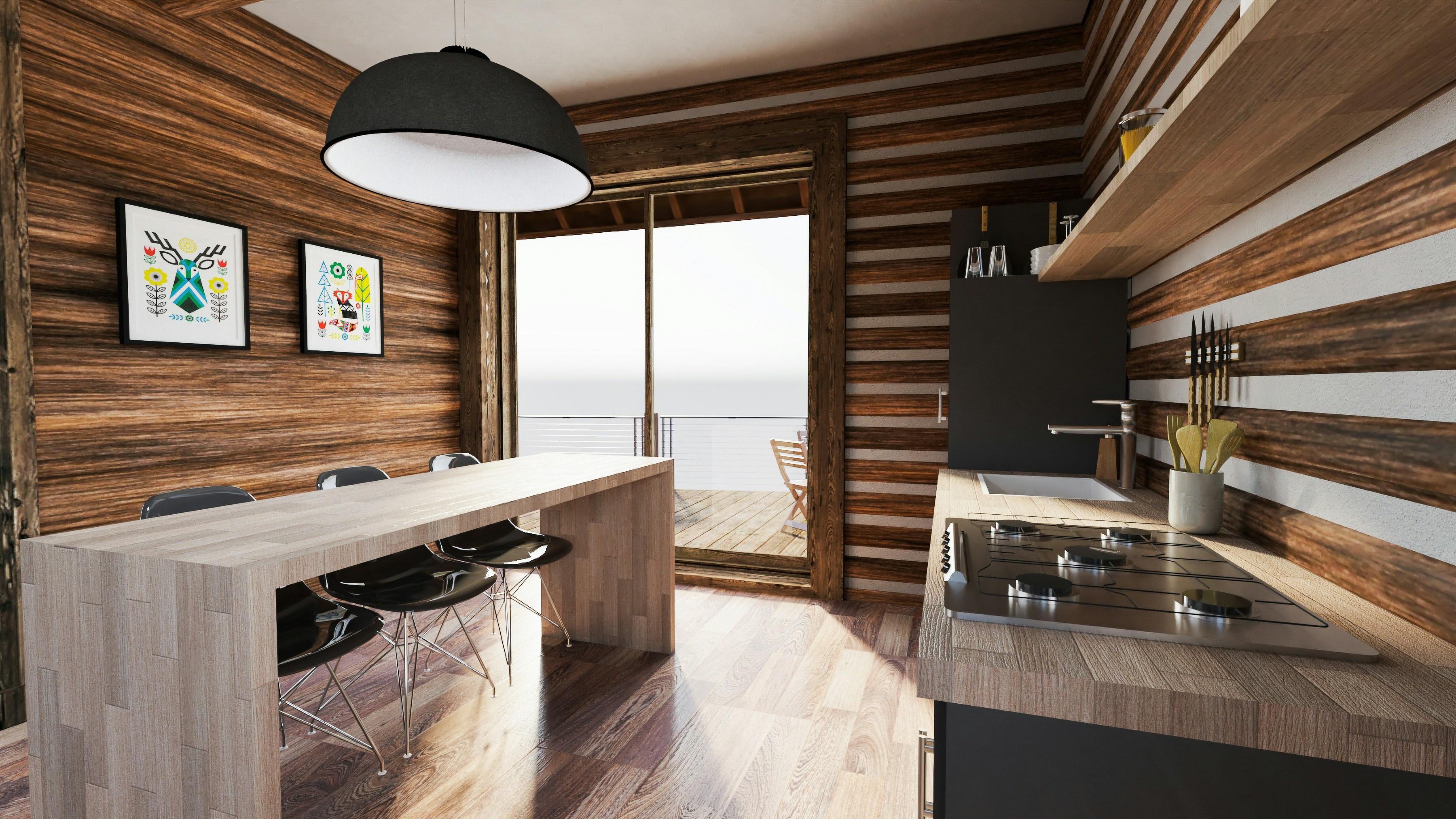
Phoenix, for example, matters if you work with smoke, fire, fluids, or effects-heavy scenes. Scans can matter if material realism is part of your client work. Chaos Cloud can help when you need extra render capacity. None of these tools magically justify the higher price by themselves, but together, they can make Premium feel less like an upgrade and more like a proper production plan.
I’d put it this way: if you’re a solo user doing occasional still renders, Premium may be more than you need. If you’re a small studio trying to avoid license friction between artists, it can be the more sensible option.
V-Ray Collection
V-Ray Collection is where the buying decision gets trickier.
On paper, bundles always look attractive. You see more tools, more apps, more possibilities, and the brain does that dangerous thing where it says, “Well, maybe I’ll need all of this later.”
Maybe you will.
But maybe you won’t.
V-Ray Collection starts to make sense when the wider Chaos ecosystem is already part of your workflow. If your team uses V-Ray for final rendering, Vantage for real-time scene review, Phoenix for effects, Anima for people and crowds, and Scans for high-quality materials, then Collection can be a smart package. It can reduce the feeling that every new production need requires a separate purchase.
For studios that work across architecture, product visualization, animation, and high-end client presentations, that flexibility has real value.
But if your workflow is simple, Collection can be overkill. If you mostly render interiors from SketchUp, or you only need V-Ray for a few final images per month, paying for a larger bundle may not improve your actual day-to-day work. It just gives you more software to ignore.
That’s the bundle trap. More tools do not always mean more value.
The better question is: which Chaos tools do you already use or realistically expect to use on paid work?
If the answer is mostly “just V-Ray,” Collection is probably not the first place I’d start.
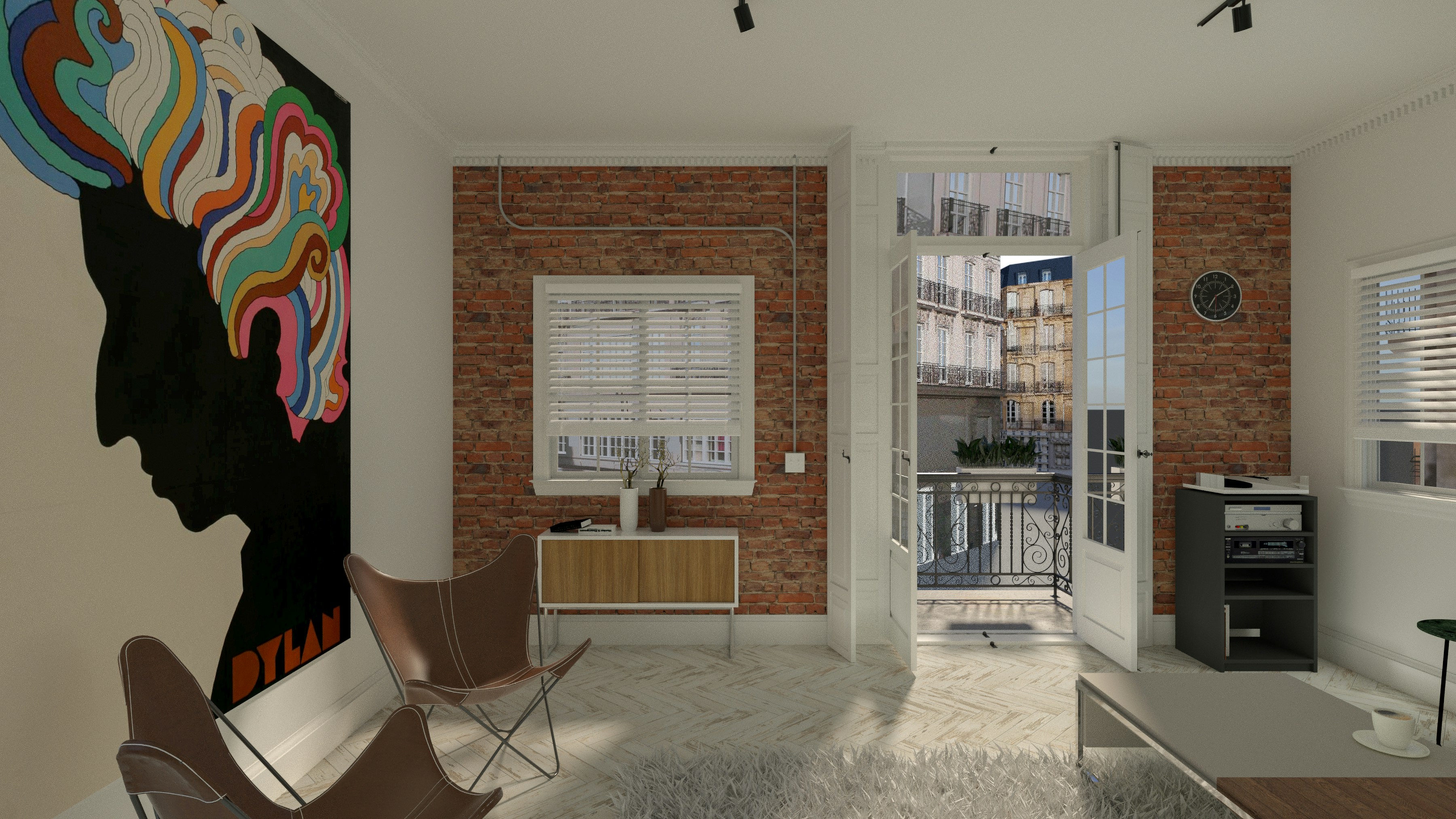
V-Ray Education
V-Ray Education is the separate lane for students, educators, and eligible academic use.
It can be a great way to learn V-Ray properly without paying commercial pricing. And honestly, that matters. V-Ray has depth. You do not learn it in a weekend by dragging sliders around. Having access while you’re studying lighting, materials, sampling, camera settings, and scene optimization can make a huge difference.
But Education is not a cheap workaround for client projects.
If you’re doing paid commercial work, you should not treat an educational license as a budget business plan. It is there for learning, teaching, and academic use. Once V-Ray becomes part of your client workflow, you need to look at Solo, Premium, or Collection instead.
The simple version: Solo is usually for individuals, Premium is usually for teams, Collection is for people who genuinely use the wider Chaos toolkit, and Education is for learning.
That already narrows the decision a lot.
Which V-Ray plan should you choose?
The easiest way to choose a V-Ray plan is to ignore the plan names for a minute.
Don’t start with Solo, Premium, or Collection. Start with your actual work. How many people need V-Ray? How often do they need it? Are you rendering once a week, or is V-Ray open every day? Do you need shared access, or is one person handling everything?
That usually makes the answer much clearer.
Freelancers and solo artists: V-Ray Solo is usually the most logical starting point. If you’re one person handling your own projects, your own files, and your own client revisions, paying for a bigger package may not change much. Solo gives you the core V-Ray workflow without turning the subscription into a studio-level expense.
Small studios: V-Ray Premium often makes more sense because floating access matters. A studio with two or three artists may not need every person rendering at the same time, but it does need flexibility. If one license is constantly blocked because it is tied to the wrong person, the cheaper plan starts costing you time.
Architecture firms: This depends on how V-Ray is used inside the firm. If only one visualization specialist creates final images, Solo may be enough. If multiple designers need to open scenes, test materials, or prepare client visuals, Premium can be easier to manage. The mistake is buying licenses for everyone before understanding who actually touches V-Ray in production.
Product visualization and VFX teams: Premium or Collection can make sense here, especially if V-Ray is not the only Chaos tool in the pipeline. If you use Phoenix for effects, Scans for materials, Vantage for real-time review, or multiple host apps across a team, the bigger plans become easier to justify. But again, only if those tools are part of paid work.
Students and educators: Use the Education plan if you’re eligible and learning V-Ray in an academic setting. It’s the right place to build skills without commercial pricing. Just don’t treat it as a shortcut for client work. Once money enters the project, you need a commercial plan.
The main thing is to avoid buying based on ambition alone.
A lot of users overbuy because they imagine the workflow they might have six months from now. Bigger team, more tools, more complex scenes, more advanced simulations. That can happen, sure. But if today’s work is mostly still images, basic animations, or straightforward archviz, you don’t need to pay for a future pipeline that doesn’t exist yet.
There’s also the opposite mistake: underbuying because the cheapest plan looks good on paper.
This usually happens in small teams. They pick the individual plan because it keeps the monthly cost low, then spend the next few months fighting access issues, workarounds, and awkward handoffs. Nobody puts that frustration into the budget, but it still costs something.
So the practical rule is simple: buy for the workflow you already have, plus a little room to grow.
Not the fantasy workflow.
Not the cheapest possible setup.
The one that lets you actually get client work finished without turning licensing into another production problem.
The hidden costs most V-Ray users forget
This is where V-Ray pricing gets more honest.
The subscription is easy to see. The hidden costs show up later, usually in the middle of a project, when you’re already committed and the deadline is too close to start rethinking the workflow.
A render takes longer than expected. A scene opens painfully slowly. A material preview freezes. A huge exterior with vegetation eats all your VRAM. The client asks for another angle, another lighting option, another set of finishes, and suddenly the real cost of using V-Ray has very little to do with the number on the pricing page.
Hardware can cost more than the license
V-Ray can produce beautiful work, but it asks a lot from the machine running it.
If you’re using V-Ray CPU, processor performance matters. If you’re using V-Ray GPU, the graphics card and VRAM become much more important. And either way, you still need enough RAM, fast storage, and a stable system that doesn’t fall apart when the scene gets heavy.
This is where many users underestimate the real budget.
A V-Ray subscription may feel manageable, but the workstation behind it can cost far more. High-core-count CPUs, RTX-class GPUs, 64GB or 128GB of RAM, NVMe storage, proper cooling, and a reliable power supply are not small purchases. And if you work with large architectural scenes, high-resolution textures, displacement, proxies, vegetation, or complex lighting, you’ll feel the limits quickly.
The annoying part is that V-Ray does not always fail loudly at first. It just gets slower. The viewport becomes less responsive. Interactive rendering stops feeling interactive. You wait longer between changes. Then one day, the render crashes or the scene refuses to behave, and it feels sudden.
It usually wasn’t sudden.
The project slowly grew beyond the machine.
Render time is still money
Even if you don’t pay extra render credits, rendering still has a cost.
Your workstation is busy. Your time is blocked. Your revision cycle slows down. You test fewer ideas because every test render takes too long. You avoid experimenting with lighting because you don’t want to wait again. That affects the work, not just the schedule.
This is especially painful with client revisions. A client rarely asks for one clean change. They ask for the warmer lighting, then the cooler version, then the marble option, then the darker wood, then “maybe the first one again but with the new camera angle.”
Normal stuff. But every version has to be tested, rendered, checked, adjusted, and exported.
If each round is slow, V-Ray starts feeling more expensive than the license suggests. Not because the software is overpriced, but because the machine and workflow are adding invisible cost to every decision.
Failed renders make it worse. You leave a render overnight, come back in the morning, and something broke. Wrong texture path. Memory issue. Bad displacement. Missing asset. Noise problem. Render element mistake. Now you didn’t just lose render time. You lost the confidence that the next overnight render will finish cleanly.
That kind of stress is hard to price, but every V-Ray user knows it.
Assets and scene complexity add up
V-Ray scenes rarely become heavy because of one dramatic decision.
They get heavy quietly.
A few 8K textures here. Some high-poly furniture there. More vegetation. More decals. More reflective materials. A better HDRI. A few imported assets from different libraries. Displacement on surfaces that don’t really need it. Extra render elements “just in case.” Suddenly the scene that felt fine last week starts pushing the system hard.
This is one reason pricing articles can be misleading. They talk about the cost of the renderer, but not the cost of feeding it.
Good asset libraries cost money. Scanned materials cost money. HDRIs cost money. Plugins cost money. Storage costs money. And if you’re not careful, poorly optimized assets cost performance too.
I’ve noticed this especially in architectural visualization. Artists often blame V-Ray when the real problem is scene hygiene. A model imported from somewhere else has unnecessary geometry. A plant asset is too dense. A texture is huge for no visible reason. A material has displacement where bump would have been enough. V-Ray is doing what you asked. You just asked it to carry too much.
That doesn’t mean you should build boring scenes. Detail matters. Clients notice richness, realism, and atmosphere.
But every detail has a cost. The trick is knowing which details actually show up in the final image and which ones are just making your render heavier.
Training time matters too
V-Ray is not the kind of tool where you pay the subscription and instantly get great results.
You need to learn it.
Lighting, materials, sampling, camera settings, color management, denoising, render engines, proxies, displacement, texture optimization, render elements, and scene cleanup all affect the final result. Some settings can save hours. Others can waste them.
This is one of the hidden costs people don’t talk about enough. A beginner can make V-Ray feel slow and unpredictable. An experienced user can often make the same scene render cleaner, faster, and with fewer surprises.
That skill gap matters.
Bad settings can make users think they need a more expensive plan or a completely new renderer, when the real issue is workflow. On the other hand, good V-Ray habits can stretch the value of a cheaper plan and a modest machine much further than expected.
So when you think about V-Ray pricing, don’t only think about the subscription.
Think about the full setup around it: the hardware, the render time, the assets, the training, and the way your scenes are built. That is where the real cost lives.
Is V-Ray still worth the price in 2026?
V-Ray is still worth paying for when you actually need what V-Ray is good at.
That sounds obvious, but it’s where a lot of pricing conversations go wrong. People compare V-Ray against Blender Cycles, Enscape, Twinmotion, Lumion, D5 Render, or whatever real-time renderer is getting attention that month, then try to decide which one is “better.”
Better for what?
Because if the job is a fast design preview, V-Ray might not be the smartest choice. If you need quick walkthroughs, early-stage mood studies, or simple visuals for internal approvals, a real-time tool may get you there faster with less setup. And honestly, that’s fine. Not every project needs V-Ray-level control.
But when the work moves into final image territory, V-Ray becomes easier to justify.
If you care about controlled lighting, realistic materials, clean reflections, physically believable interiors, detailed product shots, and predictable output across serious client work, V-Ray still has a strong place. It gives you a level of control that simpler tools often hide from you. Sometimes hiding complexity is helpful. Sometimes it gets in the way.
That’s the tradeoff.
V-Ray is not always the fastest way to get something decent on screen. But it can be one of the better ways to get something precise, polished, and production-ready. For archviz artists, product visualization teams, automotive renderers, interior designers, and studios working with demanding clients, that difference matters.
The price feels more reasonable when V-Ray is part of paid work that depends on quality. If a render helps win a client, sell a space, approve a material, pitch a product, or push a campaign forward, the subscription becomes easier to defend. It’s a business tool, not just a creative toy.
But if you only render occasionally, the math changes.
A user who opens V-Ray twice a month for small projects may feel every dollar of the subscription. A studio using it daily across client deadlines will judge the price differently. Same plan, completely different value.
This is also where AI makes the conversation more interesting.
AI tools have made concepting faster. You can generate references, explore visual directions, test moods, and create rough ideas in minutes. That changes expectations. Clients see more options earlier. Teams move faster. Creative direction becomes more fluid.
But AI does not remove the need for final rendering.
In many cases, it creates more work for the final renderer. A client sees five AI-generated directions and wants the best parts of all of them translated into the actual project. The lighting from one image. The material mood from another. The camera feel from a third. Now someone has to build that properly, with accurate geometry, real materials, controlled lighting, and deliverable output.
That’s where V-Ray still earns its place.
AI can help you imagine the image. V-Ray helps you produce the image with control.
So is V-Ray worth the price in 2026? For casual users, not always. For people who need fast previews, maybe not. For artists and studios doing serious visualization work, I think it still is, as long as the plan matches the workflow and the machine behind it can keep up.
The danger is paying for V-Ray and then treating it like a magic button.
It isn’t. It rewards users who understand scenes, materials, lighting, and optimization. If you bring that skill, the price can make sense. If you don’t, even the cheapest plan can feel expensive.
Where Vagon Cloud Computer fits into the V-Ray workflow
This is the part of the pricing conversation that usually gets missed.
V-Ray pricing tells you what the renderer costs. It does not tell you what it costs to run V-Ray comfortably.
You may already have the right plan. Solo might be enough. Premium might fit your team. Collection might make sense if you use the wider Chaos toolkit. But none of those plans solve the hardware problem by themselves.
If your machine struggles with heavy scenes, the license is not the bottleneck anymore.
The bottleneck is the computer.
This is where Vagon Cloud Computer can make sense. Not as a replacement for V-Ray, and not as a shortcut around Chaos pricing. You still need the right V-Ray license. Vagon fits into the other side of the workflow: giving you access to a powerful cloud computer when your local setup is holding you back.
That matters because a lot of V-Ray users work from laptops, older desktops, office machines, or mixed team setups where not everyone has the same hardware. Heavy SketchUp scenes, dense 3ds Max files, large Rhino models, Revit exports, Maya scenes, high-resolution textures, proxies, displacement, and GPU rendering can all push a local machine hard.
The result is not always a crash. Sometimes it is just slow work.
Slow previews. Slow scene loading. Slow test renders. Slow revisions.
And slow is expensive.
Vagon Cloud Computer is useful when the software decision is already made, but the hardware decision is still painful. Instead of buying a new workstation immediately, you can run your V-Ray workflow on a cloud computer with stronger resources and access it through your browser. That can help with short deadlines, remote work, temporary production spikes, or projects that are heavier than your usual workload.
The cleanest way to look at it is this: if V-Ray is too expensive for your work, Vagon will not fix that. You may need a different renderer or a smaller plan.
But if V-Ray is the right renderer and your machine is the weak link, Vagon becomes part of the cost conversation in a very practical way.
AI has made concepting faster, but final production still needs serious machines. Clients expect more options, more revisions, better materials, cleaner lighting, and faster turnaround. The creative side may move faster now, but the production side still has to render the actual thing.
So when you think about V-Ray pricing, don’t stop at the plan page.
Ask whether your current setup can actually support the work you want to do. If it can, great. Keep it simple. If it can’t, a cloud computer can be a smarter step than rushing into a new hardware purchase. For V-Ray users, that is where Vagon Cloud Computer fits best: helping you run the renderer without letting your local machine define the limits of your work.
Mistakes to avoid before paying for V-Ray
This is the part where a little honesty saves money.
Most bad V-Ray buying decisions don’t happen because the user is careless. They happen because the user is rushing. A deadline is coming, a client project needs better visuals, a team is expanding, or someone finally gets tired of fighting their current renderer.
So they buy fast.
That can work, but it can also create problems you only notice after the invoice is already paid.
Buying Premium just because it sounds more serious.
Premium is not automatically the “professional” choice for every user. If you’re one person working alone, and you don’t need floating access or the extra Chaos tools, Solo may be the cleaner option. Paying more does not make the renders better by itself.Choosing Solo when the team really needs shared access.
This is the opposite mistake. A small studio may choose Solo because the lower price looks better, then realize the license setup does not fit the way people actually work. If multiple artists need access at different times, floating licensing can save a lot of friction.Ignoring hardware costs.
A V-Ray license does not make a weak machine faster. If your workstation is already struggling with RAM, VRAM, GPU performance, CPU render times, or storage speed, the subscription is only one part of the budget. You need to think about the machine too.Testing V-Ray only on sample scenes.
Clean demo scenes are useful, but they don’t tell the full story. Test V-Ray on the kind of files you actually use: messy client models, imported assets, heavy vegetation, high-res textures, displacement, complex lighting, and real revision cycles. That’s where you’ll see whether the setup works.Forgetting taxes, renewals, and billing terms.
The number you see first is not always the final number you pay. Taxes can change the total, annual billing can hit harder than expected, and trials can turn into paid subscriptions if you forget the timing. Basic stuff, but it catches people all the time.Paying for a bundle because “maybe we’ll use it later.”
V-Ray Collection can make sense if the wider Chaos toolkit is part of your workflow. But if you’re only using V-Ray, a bigger bundle may just become shelfware. Buy based on current production needs, not imaginary future projects.Assuming AI removes the need for final rendering.
AI can help with references, mood, and early concepts. It does not replace controlled production rendering for most professional V-Ray workflows. If anything, AI often gives clients more ideas, which means more final versions to build properly.
The safest move is to test the whole workflow before committing too heavily.
Not just the renderer. The license type, the machine, the host app, the assets, the render settings, the revision process, and the way your team actually works. V-Ray can be a smart investment, but only when the setup around it makes sense too.
Final thoughts: buy the workflow, not just the license
V-Ray can still be worth the price in 2026, but only if you judge it the right way.
If you only look at the subscription, the decision feels too simple. Solo is cheaper. Premium is more flexible. Collection gives you more tools. Education is for learning. Fine. That part is easy enough.
The harder part is knowing whether V-Ray fits the way you actually work.
If you need final-frame control, realistic materials, reliable lighting, and a renderer that can handle serious client work, V-Ray still makes a lot of sense. It is not the easiest tool in every situation, and it is not always the cheapest. But for many artists, architects, and visualization teams, it gives them the control they need when the image has to be right.
Just don’t treat the license as the whole cost.
The machine matters. Render time matters. Scene cleanup matters. Your skill level matters. Your team setup matters. And in 2026, AI-assisted concepting is adding even more pressure because clients can see more visual directions earlier and expect the final work to catch up fast.
That is why the better question is not only “How much does V-Ray cost?”
It is “Can my full setup support the kind of V-Ray work I want to do?”
If the answer is yes, choose the plan that matches your workflow and keep things simple. If the license makes sense but your computer is holding you back, then a cloud computer can be a smarter option than immediately buying new hardware.
V-Ray pricing is really a workflow decision.
And the better you understand that before paying, the less likely you are to waste money on the wrong plan, the wrong machine, or a setup that slows you down when the project gets real.
FAQs
1. How much does V-Ray cost in 2026?
V-Ray pricing depends on the plan, billing type, region, taxes, and whether you choose Solo, Premium, Collection, or Education. The cleanest answer is to check Chaos’ official pricing page before buying, because prices can vary by location and billing option. But the bigger point is this: don’t judge V-Ray only by the monthly number. For real work, you also need to account for hardware, render time, storage, assets, and whether your machine can actually handle the scenes you plan to render.
2. What is the difference between V-Ray Solo and V-Ray Premium?
V-Ray Solo is usually the individual-user option. It makes the most sense when one person is using V-Ray on their own account and managing the full workflow alone. V-Ray Premium is more flexible for teams because it uses floating license access and includes additional Chaos tools. If you’re a freelancer, Solo is often enough. If you’re part of a small studio where different people need access at different times, Premium can be easier to manage.
3. Is V-Ray Solo enough for freelancers?
For many freelancers, yes. If you’re working alone, rendering your own scenes, and don’t need shared access across a team, Solo is usually the plan to consider first. It can cover a lot of normal V-Ray work, from interiors and product renders to client visuals and portfolio pieces. The only time I’d hesitate is if you regularly need the extra tools included in Premium or you’re collaborating in a way that makes floating access important.
4. Is V-Ray Premium worth it for small studios?
It can be. Premium becomes easier to justify when multiple people need V-Ray access, especially if they don’t all need it at the same time. Floating licensing can reduce the awkwardness of one license being tied to the wrong person at the wrong moment. It may also make sense if your team uses tools like Chaos Cloud, Phoenix, Scans, or other parts of the Premium package. If the studio is basically one person rendering and everyone else reviewing images, Premium may be more than you need.
5. Is V-Ray Collection worth the extra cost?
V-Ray Collection is worth considering only if the wider Chaos toolkit is genuinely part of your workflow. If you use V-Ray, Vantage, Phoenix, Anima, Scans, and other Chaos tools on paid projects, the bundle can make sense. But if you mostly use V-Ray inside one host app and rarely touch the extra tools, Collection can become an expensive “maybe someday” purchase. Buy it because you use the tools, not because the bundle looks impressive.
6. Does V-Ray pricing include cloud rendering?
Not always in the way users assume. Some V-Ray plans may include access to Chaos Cloud or cloud-related options, depending on the package, but cloud rendering and cloud workstation usage are not the same thing. Cloud rendering usually means sending render jobs to remote render resources. A cloud computer, like Vagon Cloud Computer, gives you access to a powerful remote machine where you can work, open scenes, adjust files, and run your V-Ray workflow from a browser-accessible environment.
7. Do I need a powerful computer for V-Ray?
If you’re doing serious V-Ray work, yes. You don’t always need the most expensive workstation, but you do need enough power for your scene size and render method. CPU rendering depends heavily on processor performance. GPU rendering depends heavily on the graphics card and VRAM. RAM, storage speed, cooling, and driver stability also matter. A weak machine can make V-Ray feel more expensive because every preview, test render, and revision takes longer.
8. Is V-Ray still worth it compared with cheaper renderers?
It depends on the work. If you mostly need quick previews, early design walkthroughs, or simple visuals, a cheaper or more real-time tool may be enough. But if you need final-frame quality, controlled lighting, realistic materials, detailed reflections, and production consistency, V-Ray is still easy to justify. The key is not whether V-Ray is “better” in every situation. It is whether your projects actually need the kind of control V-Ray gives you.
9. Can I use V-Ray on Vagon Cloud Computer?
Yes, Vagon Cloud Computer can fit into a V-Ray workflow when your local machine is the weak point. You still need the right V-Ray license, but Vagon can help with the hardware side by giving you access to a powerful cloud computer through your browser. This is useful for laptop users, remote teams, short production spikes, or heavy scenes that are uncomfortable to run locally.
10. Should I choose monthly or annual V-Ray billing?
Monthly billing makes sense if you’re testing V-Ray, working on a short project, or not sure whether it will become part of your regular workflow. Annual billing usually makes more sense when V-Ray is already part of your daily or weekly production process. Don’t choose annual just because the monthly equivalent looks better. Choose it because you know you’ll use V-Ray enough to justify the commitment.
The first mistake people make with V-Ray pricing is treating the subscription page like the full bill.
It isn’t.
That monthly or annual number only tells you what you’ll pay Chaos for access to V-Ray. It doesn’t tell you what it costs to actually use V-Ray in a real production workflow.
And that gap matters.
Because V-Ray is rarely just a license cost. You also need a machine that can handle your scenes, enough CPU or GPU power, enough RAM and VRAM, stable drivers, fast storage, and a workflow that doesn’t collapse every time the client asks for another version.
Then there’s the cost nobody puts in a pricing table: time. Slow previews, failed renders, overnight tests, noisy drafts, huge textures, displacement, render elements, broken imports, and all the little scene problems that turn “one quick change” into another hour of waiting.
So before comparing V-Ray Solo, Premium, Collection, or Education, it helps to ask a better question.
Not just “How much does V-Ray cost?”
But “What does it cost to run V-Ray comfortably?”
The main V-Ray plans in 2026: Solo, Premium, Collection, and Education
Chaos has made V-Ray pricing easier to understand than it used to be, but you still need to read the plans carefully. The names sound simple enough: Solo, Premium, Collection, and Education. But the right choice depends less on “which one has more stuff?” and more on how you actually work.
A freelancer rendering interiors from a laptop does not have the same needs as a small archviz studio with three artists. A student learning V-Ray for class does not need the same setup as a product visualization team switching between Rhino, 3ds Max, Maya, and Unreal-related workflows. Same renderer, very different buying logic.
So let’s keep this practical.
V-Ray Solo
V-Ray Solo is the cleanest starting point for most individual users.
If you’re one person using V-Ray on your own account, this is probably the plan you’ll look at first. It’s built for freelancers, solo 3D artists, individual architects, visualization specialists, and anyone who mostly works alone. You model, light, render, revise, and deliver the project yourself.
That kind of setup fits Solo well.
The appeal is obvious: you get access to V-Ray without paying for a bigger team-style package. For someone using V-Ray for SketchUp, 3ds Max, Rhino, Revit, Maya, Cinema 4D, or similar host apps, Solo can cover a serious amount of work. Interior renders, product shots, architectural stills, material studies, portfolio pieces, client presentations. Normal V-Ray work, basically.
But there’s one thing to watch: Solo makes sense when the license is tied to one person’s workflow. If you’re trying to stretch one license across multiple people in a studio, it can become annoying fast. Not because the software is weak, but because the plan is not designed around shared access.
That’s usually where Premium enters the conversation.
V-Ray Premium
V-Ray Premium is the plan that starts making more sense when V-Ray becomes part of a team workflow.
The big difference is flexibility. Premium is built around floating license access, which matters more than people think. In a real studio, not everyone needs V-Ray every minute of the day. One artist may need it in the morning, another may need it later for revisions, and someone else may only need it during final render prep.
A floating setup fits that rhythm better.
Premium also includes more than just the basic V-Ray license. Chaos lists tools like Chaos Cloud, Chaos Cosmos, Phoenix, Player, and Scans as part of the Premium package. That does not automatically mean everyone needs it. But for the right team, those extras can be useful.
Phoenix, for example, matters if you work with smoke, fire, fluids, or effects-heavy scenes. Scans can matter if material realism is part of your client work. Chaos Cloud can help when you need extra render capacity. None of these tools magically justify the higher price by themselves, but together, they can make Premium feel less like an upgrade and more like a proper production plan.
I’d put it this way: if you’re a solo user doing occasional still renders, Premium may be more than you need. If you’re a small studio trying to avoid license friction between artists, it can be the more sensible option.
V-Ray Collection
V-Ray Collection is where the buying decision gets trickier.
On paper, bundles always look attractive. You see more tools, more apps, more possibilities, and the brain does that dangerous thing where it says, “Well, maybe I’ll need all of this later.”
Maybe you will.
But maybe you won’t.
V-Ray Collection starts to make sense when the wider Chaos ecosystem is already part of your workflow. If your team uses V-Ray for final rendering, Vantage for real-time scene review, Phoenix for effects, Anima for people and crowds, and Scans for high-quality materials, then Collection can be a smart package. It can reduce the feeling that every new production need requires a separate purchase.
For studios that work across architecture, product visualization, animation, and high-end client presentations, that flexibility has real value.
But if your workflow is simple, Collection can be overkill. If you mostly render interiors from SketchUp, or you only need V-Ray for a few final images per month, paying for a larger bundle may not improve your actual day-to-day work. It just gives you more software to ignore.
That’s the bundle trap. More tools do not always mean more value.
The better question is: which Chaos tools do you already use or realistically expect to use on paid work?
If the answer is mostly “just V-Ray,” Collection is probably not the first place I’d start.
V-Ray Education
V-Ray Education is the separate lane for students, educators, and eligible academic use.
It can be a great way to learn V-Ray properly without paying commercial pricing. And honestly, that matters. V-Ray has depth. You do not learn it in a weekend by dragging sliders around. Having access while you’re studying lighting, materials, sampling, camera settings, and scene optimization can make a huge difference.
But Education is not a cheap workaround for client projects.
If you’re doing paid commercial work, you should not treat an educational license as a budget business plan. It is there for learning, teaching, and academic use. Once V-Ray becomes part of your client workflow, you need to look at Solo, Premium, or Collection instead.
The simple version: Solo is usually for individuals, Premium is usually for teams, Collection is for people who genuinely use the wider Chaos toolkit, and Education is for learning.
That already narrows the decision a lot.
Which V-Ray plan should you choose?
The easiest way to choose a V-Ray plan is to ignore the plan names for a minute.
Don’t start with Solo, Premium, or Collection. Start with your actual work. How many people need V-Ray? How often do they need it? Are you rendering once a week, or is V-Ray open every day? Do you need shared access, or is one person handling everything?
That usually makes the answer much clearer.
Freelancers and solo artists: V-Ray Solo is usually the most logical starting point. If you’re one person handling your own projects, your own files, and your own client revisions, paying for a bigger package may not change much. Solo gives you the core V-Ray workflow without turning the subscription into a studio-level expense.
Small studios: V-Ray Premium often makes more sense because floating access matters. A studio with two or three artists may not need every person rendering at the same time, but it does need flexibility. If one license is constantly blocked because it is tied to the wrong person, the cheaper plan starts costing you time.
Architecture firms: This depends on how V-Ray is used inside the firm. If only one visualization specialist creates final images, Solo may be enough. If multiple designers need to open scenes, test materials, or prepare client visuals, Premium can be easier to manage. The mistake is buying licenses for everyone before understanding who actually touches V-Ray in production.
Product visualization and VFX teams: Premium or Collection can make sense here, especially if V-Ray is not the only Chaos tool in the pipeline. If you use Phoenix for effects, Scans for materials, Vantage for real-time review, or multiple host apps across a team, the bigger plans become easier to justify. But again, only if those tools are part of paid work.
Students and educators: Use the Education plan if you’re eligible and learning V-Ray in an academic setting. It’s the right place to build skills without commercial pricing. Just don’t treat it as a shortcut for client work. Once money enters the project, you need a commercial plan.
The main thing is to avoid buying based on ambition alone.
A lot of users overbuy because they imagine the workflow they might have six months from now. Bigger team, more tools, more complex scenes, more advanced simulations. That can happen, sure. But if today’s work is mostly still images, basic animations, or straightforward archviz, you don’t need to pay for a future pipeline that doesn’t exist yet.
There’s also the opposite mistake: underbuying because the cheapest plan looks good on paper.
This usually happens in small teams. They pick the individual plan because it keeps the monthly cost low, then spend the next few months fighting access issues, workarounds, and awkward handoffs. Nobody puts that frustration into the budget, but it still costs something.
So the practical rule is simple: buy for the workflow you already have, plus a little room to grow.
Not the fantasy workflow.
Not the cheapest possible setup.
The one that lets you actually get client work finished without turning licensing into another production problem.
The hidden costs most V-Ray users forget
This is where V-Ray pricing gets more honest.
The subscription is easy to see. The hidden costs show up later, usually in the middle of a project, when you’re already committed and the deadline is too close to start rethinking the workflow.
A render takes longer than expected. A scene opens painfully slowly. A material preview freezes. A huge exterior with vegetation eats all your VRAM. The client asks for another angle, another lighting option, another set of finishes, and suddenly the real cost of using V-Ray has very little to do with the number on the pricing page.
Hardware can cost more than the license
V-Ray can produce beautiful work, but it asks a lot from the machine running it.
If you’re using V-Ray CPU, processor performance matters. If you’re using V-Ray GPU, the graphics card and VRAM become much more important. And either way, you still need enough RAM, fast storage, and a stable system that doesn’t fall apart when the scene gets heavy.
This is where many users underestimate the real budget.
A V-Ray subscription may feel manageable, but the workstation behind it can cost far more. High-core-count CPUs, RTX-class GPUs, 64GB or 128GB of RAM, NVMe storage, proper cooling, and a reliable power supply are not small purchases. And if you work with large architectural scenes, high-resolution textures, displacement, proxies, vegetation, or complex lighting, you’ll feel the limits quickly.
The annoying part is that V-Ray does not always fail loudly at first. It just gets slower. The viewport becomes less responsive. Interactive rendering stops feeling interactive. You wait longer between changes. Then one day, the render crashes or the scene refuses to behave, and it feels sudden.
It usually wasn’t sudden.
The project slowly grew beyond the machine.
Render time is still money
Even if you don’t pay extra render credits, rendering still has a cost.
Your workstation is busy. Your time is blocked. Your revision cycle slows down. You test fewer ideas because every test render takes too long. You avoid experimenting with lighting because you don’t want to wait again. That affects the work, not just the schedule.
This is especially painful with client revisions. A client rarely asks for one clean change. They ask for the warmer lighting, then the cooler version, then the marble option, then the darker wood, then “maybe the first one again but with the new camera angle.”
Normal stuff. But every version has to be tested, rendered, checked, adjusted, and exported.
If each round is slow, V-Ray starts feeling more expensive than the license suggests. Not because the software is overpriced, but because the machine and workflow are adding invisible cost to every decision.
Failed renders make it worse. You leave a render overnight, come back in the morning, and something broke. Wrong texture path. Memory issue. Bad displacement. Missing asset. Noise problem. Render element mistake. Now you didn’t just lose render time. You lost the confidence that the next overnight render will finish cleanly.
That kind of stress is hard to price, but every V-Ray user knows it.
Assets and scene complexity add up
V-Ray scenes rarely become heavy because of one dramatic decision.
They get heavy quietly.
A few 8K textures here. Some high-poly furniture there. More vegetation. More decals. More reflective materials. A better HDRI. A few imported assets from different libraries. Displacement on surfaces that don’t really need it. Extra render elements “just in case.” Suddenly the scene that felt fine last week starts pushing the system hard.
This is one reason pricing articles can be misleading. They talk about the cost of the renderer, but not the cost of feeding it.
Good asset libraries cost money. Scanned materials cost money. HDRIs cost money. Plugins cost money. Storage costs money. And if you’re not careful, poorly optimized assets cost performance too.
I’ve noticed this especially in architectural visualization. Artists often blame V-Ray when the real problem is scene hygiene. A model imported from somewhere else has unnecessary geometry. A plant asset is too dense. A texture is huge for no visible reason. A material has displacement where bump would have been enough. V-Ray is doing what you asked. You just asked it to carry too much.
That doesn’t mean you should build boring scenes. Detail matters. Clients notice richness, realism, and atmosphere.
But every detail has a cost. The trick is knowing which details actually show up in the final image and which ones are just making your render heavier.
Training time matters too
V-Ray is not the kind of tool where you pay the subscription and instantly get great results.
You need to learn it.
Lighting, materials, sampling, camera settings, color management, denoising, render engines, proxies, displacement, texture optimization, render elements, and scene cleanup all affect the final result. Some settings can save hours. Others can waste them.
This is one of the hidden costs people don’t talk about enough. A beginner can make V-Ray feel slow and unpredictable. An experienced user can often make the same scene render cleaner, faster, and with fewer surprises.
That skill gap matters.
Bad settings can make users think they need a more expensive plan or a completely new renderer, when the real issue is workflow. On the other hand, good V-Ray habits can stretch the value of a cheaper plan and a modest machine much further than expected.
So when you think about V-Ray pricing, don’t only think about the subscription.
Think about the full setup around it: the hardware, the render time, the assets, the training, and the way your scenes are built. That is where the real cost lives.
Is V-Ray still worth the price in 2026?
V-Ray is still worth paying for when you actually need what V-Ray is good at.
That sounds obvious, but it’s where a lot of pricing conversations go wrong. People compare V-Ray against Blender Cycles, Enscape, Twinmotion, Lumion, D5 Render, or whatever real-time renderer is getting attention that month, then try to decide which one is “better.”
Better for what?
Because if the job is a fast design preview, V-Ray might not be the smartest choice. If you need quick walkthroughs, early-stage mood studies, or simple visuals for internal approvals, a real-time tool may get you there faster with less setup. And honestly, that’s fine. Not every project needs V-Ray-level control.
But when the work moves into final image territory, V-Ray becomes easier to justify.
If you care about controlled lighting, realistic materials, clean reflections, physically believable interiors, detailed product shots, and predictable output across serious client work, V-Ray still has a strong place. It gives you a level of control that simpler tools often hide from you. Sometimes hiding complexity is helpful. Sometimes it gets in the way.
That’s the tradeoff.
V-Ray is not always the fastest way to get something decent on screen. But it can be one of the better ways to get something precise, polished, and production-ready. For archviz artists, product visualization teams, automotive renderers, interior designers, and studios working with demanding clients, that difference matters.
The price feels more reasonable when V-Ray is part of paid work that depends on quality. If a render helps win a client, sell a space, approve a material, pitch a product, or push a campaign forward, the subscription becomes easier to defend. It’s a business tool, not just a creative toy.
But if you only render occasionally, the math changes.
A user who opens V-Ray twice a month for small projects may feel every dollar of the subscription. A studio using it daily across client deadlines will judge the price differently. Same plan, completely different value.
This is also where AI makes the conversation more interesting.
AI tools have made concepting faster. You can generate references, explore visual directions, test moods, and create rough ideas in minutes. That changes expectations. Clients see more options earlier. Teams move faster. Creative direction becomes more fluid.
But AI does not remove the need for final rendering.
In many cases, it creates more work for the final renderer. A client sees five AI-generated directions and wants the best parts of all of them translated into the actual project. The lighting from one image. The material mood from another. The camera feel from a third. Now someone has to build that properly, with accurate geometry, real materials, controlled lighting, and deliverable output.
That’s where V-Ray still earns its place.
AI can help you imagine the image. V-Ray helps you produce the image with control.
So is V-Ray worth the price in 2026? For casual users, not always. For people who need fast previews, maybe not. For artists and studios doing serious visualization work, I think it still is, as long as the plan matches the workflow and the machine behind it can keep up.
The danger is paying for V-Ray and then treating it like a magic button.
It isn’t. It rewards users who understand scenes, materials, lighting, and optimization. If you bring that skill, the price can make sense. If you don’t, even the cheapest plan can feel expensive.
Where Vagon Cloud Computer fits into the V-Ray workflow
This is the part of the pricing conversation that usually gets missed.
V-Ray pricing tells you what the renderer costs. It does not tell you what it costs to run V-Ray comfortably.
You may already have the right plan. Solo might be enough. Premium might fit your team. Collection might make sense if you use the wider Chaos toolkit. But none of those plans solve the hardware problem by themselves.
If your machine struggles with heavy scenes, the license is not the bottleneck anymore.
The bottleneck is the computer.
This is where Vagon Cloud Computer can make sense. Not as a replacement for V-Ray, and not as a shortcut around Chaos pricing. You still need the right V-Ray license. Vagon fits into the other side of the workflow: giving you access to a powerful cloud computer when your local setup is holding you back.
That matters because a lot of V-Ray users work from laptops, older desktops, office machines, or mixed team setups where not everyone has the same hardware. Heavy SketchUp scenes, dense 3ds Max files, large Rhino models, Revit exports, Maya scenes, high-resolution textures, proxies, displacement, and GPU rendering can all push a local machine hard.
The result is not always a crash. Sometimes it is just slow work.
Slow previews. Slow scene loading. Slow test renders. Slow revisions.
And slow is expensive.
Vagon Cloud Computer is useful when the software decision is already made, but the hardware decision is still painful. Instead of buying a new workstation immediately, you can run your V-Ray workflow on a cloud computer with stronger resources and access it through your browser. That can help with short deadlines, remote work, temporary production spikes, or projects that are heavier than your usual workload.
The cleanest way to look at it is this: if V-Ray is too expensive for your work, Vagon will not fix that. You may need a different renderer or a smaller plan.
But if V-Ray is the right renderer and your machine is the weak link, Vagon becomes part of the cost conversation in a very practical way.
AI has made concepting faster, but final production still needs serious machines. Clients expect more options, more revisions, better materials, cleaner lighting, and faster turnaround. The creative side may move faster now, but the production side still has to render the actual thing.
So when you think about V-Ray pricing, don’t stop at the plan page.
Ask whether your current setup can actually support the work you want to do. If it can, great. Keep it simple. If it can’t, a cloud computer can be a smarter step than rushing into a new hardware purchase. For V-Ray users, that is where Vagon Cloud Computer fits best: helping you run the renderer without letting your local machine define the limits of your work.
Mistakes to avoid before paying for V-Ray
This is the part where a little honesty saves money.
Most bad V-Ray buying decisions don’t happen because the user is careless. They happen because the user is rushing. A deadline is coming, a client project needs better visuals, a team is expanding, or someone finally gets tired of fighting their current renderer.
So they buy fast.
That can work, but it can also create problems you only notice after the invoice is already paid.
Buying Premium just because it sounds more serious.
Premium is not automatically the “professional” choice for every user. If you’re one person working alone, and you don’t need floating access or the extra Chaos tools, Solo may be the cleaner option. Paying more does not make the renders better by itself.Choosing Solo when the team really needs shared access.
This is the opposite mistake. A small studio may choose Solo because the lower price looks better, then realize the license setup does not fit the way people actually work. If multiple artists need access at different times, floating licensing can save a lot of friction.Ignoring hardware costs.
A V-Ray license does not make a weak machine faster. If your workstation is already struggling with RAM, VRAM, GPU performance, CPU render times, or storage speed, the subscription is only one part of the budget. You need to think about the machine too.Testing V-Ray only on sample scenes.
Clean demo scenes are useful, but they don’t tell the full story. Test V-Ray on the kind of files you actually use: messy client models, imported assets, heavy vegetation, high-res textures, displacement, complex lighting, and real revision cycles. That’s where you’ll see whether the setup works.Forgetting taxes, renewals, and billing terms.
The number you see first is not always the final number you pay. Taxes can change the total, annual billing can hit harder than expected, and trials can turn into paid subscriptions if you forget the timing. Basic stuff, but it catches people all the time.Paying for a bundle because “maybe we’ll use it later.”
V-Ray Collection can make sense if the wider Chaos toolkit is part of your workflow. But if you’re only using V-Ray, a bigger bundle may just become shelfware. Buy based on current production needs, not imaginary future projects.Assuming AI removes the need for final rendering.
AI can help with references, mood, and early concepts. It does not replace controlled production rendering for most professional V-Ray workflows. If anything, AI often gives clients more ideas, which means more final versions to build properly.
The safest move is to test the whole workflow before committing too heavily.
Not just the renderer. The license type, the machine, the host app, the assets, the render settings, the revision process, and the way your team actually works. V-Ray can be a smart investment, but only when the setup around it makes sense too.
Final thoughts: buy the workflow, not just the license
V-Ray can still be worth the price in 2026, but only if you judge it the right way.
If you only look at the subscription, the decision feels too simple. Solo is cheaper. Premium is more flexible. Collection gives you more tools. Education is for learning. Fine. That part is easy enough.
The harder part is knowing whether V-Ray fits the way you actually work.
If you need final-frame control, realistic materials, reliable lighting, and a renderer that can handle serious client work, V-Ray still makes a lot of sense. It is not the easiest tool in every situation, and it is not always the cheapest. But for many artists, architects, and visualization teams, it gives them the control they need when the image has to be right.
Just don’t treat the license as the whole cost.
The machine matters. Render time matters. Scene cleanup matters. Your skill level matters. Your team setup matters. And in 2026, AI-assisted concepting is adding even more pressure because clients can see more visual directions earlier and expect the final work to catch up fast.
That is why the better question is not only “How much does V-Ray cost?”
It is “Can my full setup support the kind of V-Ray work I want to do?”
If the answer is yes, choose the plan that matches your workflow and keep things simple. If the license makes sense but your computer is holding you back, then a cloud computer can be a smarter option than immediately buying new hardware.
V-Ray pricing is really a workflow decision.
And the better you understand that before paying, the less likely you are to waste money on the wrong plan, the wrong machine, or a setup that slows you down when the project gets real.
FAQs
1. How much does V-Ray cost in 2026?
V-Ray pricing depends on the plan, billing type, region, taxes, and whether you choose Solo, Premium, Collection, or Education. The cleanest answer is to check Chaos’ official pricing page before buying, because prices can vary by location and billing option. But the bigger point is this: don’t judge V-Ray only by the monthly number. For real work, you also need to account for hardware, render time, storage, assets, and whether your machine can actually handle the scenes you plan to render.
2. What is the difference between V-Ray Solo and V-Ray Premium?
V-Ray Solo is usually the individual-user option. It makes the most sense when one person is using V-Ray on their own account and managing the full workflow alone. V-Ray Premium is more flexible for teams because it uses floating license access and includes additional Chaos tools. If you’re a freelancer, Solo is often enough. If you’re part of a small studio where different people need access at different times, Premium can be easier to manage.
3. Is V-Ray Solo enough for freelancers?
For many freelancers, yes. If you’re working alone, rendering your own scenes, and don’t need shared access across a team, Solo is usually the plan to consider first. It can cover a lot of normal V-Ray work, from interiors and product renders to client visuals and portfolio pieces. The only time I’d hesitate is if you regularly need the extra tools included in Premium or you’re collaborating in a way that makes floating access important.
4. Is V-Ray Premium worth it for small studios?
It can be. Premium becomes easier to justify when multiple people need V-Ray access, especially if they don’t all need it at the same time. Floating licensing can reduce the awkwardness of one license being tied to the wrong person at the wrong moment. It may also make sense if your team uses tools like Chaos Cloud, Phoenix, Scans, or other parts of the Premium package. If the studio is basically one person rendering and everyone else reviewing images, Premium may be more than you need.
5. Is V-Ray Collection worth the extra cost?
V-Ray Collection is worth considering only if the wider Chaos toolkit is genuinely part of your workflow. If you use V-Ray, Vantage, Phoenix, Anima, Scans, and other Chaos tools on paid projects, the bundle can make sense. But if you mostly use V-Ray inside one host app and rarely touch the extra tools, Collection can become an expensive “maybe someday” purchase. Buy it because you use the tools, not because the bundle looks impressive.
6. Does V-Ray pricing include cloud rendering?
Not always in the way users assume. Some V-Ray plans may include access to Chaos Cloud or cloud-related options, depending on the package, but cloud rendering and cloud workstation usage are not the same thing. Cloud rendering usually means sending render jobs to remote render resources. A cloud computer, like Vagon Cloud Computer, gives you access to a powerful remote machine where you can work, open scenes, adjust files, and run your V-Ray workflow from a browser-accessible environment.
7. Do I need a powerful computer for V-Ray?
If you’re doing serious V-Ray work, yes. You don’t always need the most expensive workstation, but you do need enough power for your scene size and render method. CPU rendering depends heavily on processor performance. GPU rendering depends heavily on the graphics card and VRAM. RAM, storage speed, cooling, and driver stability also matter. A weak machine can make V-Ray feel more expensive because every preview, test render, and revision takes longer.
8. Is V-Ray still worth it compared with cheaper renderers?
It depends on the work. If you mostly need quick previews, early design walkthroughs, or simple visuals, a cheaper or more real-time tool may be enough. But if you need final-frame quality, controlled lighting, realistic materials, detailed reflections, and production consistency, V-Ray is still easy to justify. The key is not whether V-Ray is “better” in every situation. It is whether your projects actually need the kind of control V-Ray gives you.
9. Can I use V-Ray on Vagon Cloud Computer?
Yes, Vagon Cloud Computer can fit into a V-Ray workflow when your local machine is the weak point. You still need the right V-Ray license, but Vagon can help with the hardware side by giving you access to a powerful cloud computer through your browser. This is useful for laptop users, remote teams, short production spikes, or heavy scenes that are uncomfortable to run locally.
10. Should I choose monthly or annual V-Ray billing?
Monthly billing makes sense if you’re testing V-Ray, working on a short project, or not sure whether it will become part of your regular workflow. Annual billing usually makes more sense when V-Ray is already part of your daily or weekly production process. Don’t choose annual just because the monthly equivalent looks better. Choose it because you know you’ll use V-Ray enough to justify the commitment.
Get Beyond Your Computer Performance
Run applications on your cloud computer with the latest generation hardware. No more crashes or lags.

Trial includes 1 hour usage + 7 days of storage.
Summarize with AI

Ready to focus on your creativity?
Vagon gives you the ability to create & render projects, collaborate, and stream applications with the power of the best hardware.

Vagon Blog
Run heavy applications on any device with
your personal computer on the cloud.
San Francisco, California
Solutions
Vagon Teams
Vagon Streams
Use Cases
Resources
Vagon Blog
How to Use KiCad With Claude: MCP & Computer Use Guide Meta
How to Use FreeCAD With Codex: MCP & Computer Use
How to Use FreeCAD With Claude: MCP & Computer Use
How to Use 3ds Max With Codex: MCP & Computer Use
How to Use Houdini With Claude: MCP & Computer Use
How to Use Cinema 4D With Claude: MCP & Computer Use
How to Use 3ds Max With Claude: MCP & Computer Use
How to Use DaVinci Resolve With Claude: MCP & Computer Use
How to Use Godot With Claude: MCP & Computer Use
Vagon Blog
Run heavy applications on any device with
your personal computer on the cloud.
San Francisco, California
Solutions
Vagon Teams
Vagon Streams
Use Cases
Resources
Vagon Blog
How to Use KiCad With Claude: MCP & Computer Use Guide Meta
How to Use FreeCAD With Codex: MCP & Computer Use
How to Use FreeCAD With Claude: MCP & Computer Use
How to Use 3ds Max With Codex: MCP & Computer Use
How to Use Houdini With Claude: MCP & Computer Use
How to Use Cinema 4D With Claude: MCP & Computer Use
How to Use 3ds Max With Claude: MCP & Computer Use
How to Use DaVinci Resolve With Claude: MCP & Computer Use
How to Use Godot With Claude: MCP & Computer Use
Vagon Blog
Run heavy applications on any device with
your personal computer on the cloud.
San Francisco, California
Solutions
Vagon Teams
Vagon Streams
Use Cases
Resources
Vagon Blog