Instant Connection for Pixel Streaming
— New Feature Automated Setup
Best Alternatives to Adobe After Effects in 2026
VideoProduction
Best Alternatives to Adobe After Effects in 2026
VideoProduction
Best Alternatives to Adobe After Effects in 2026
VideoProduction
Table of Contents
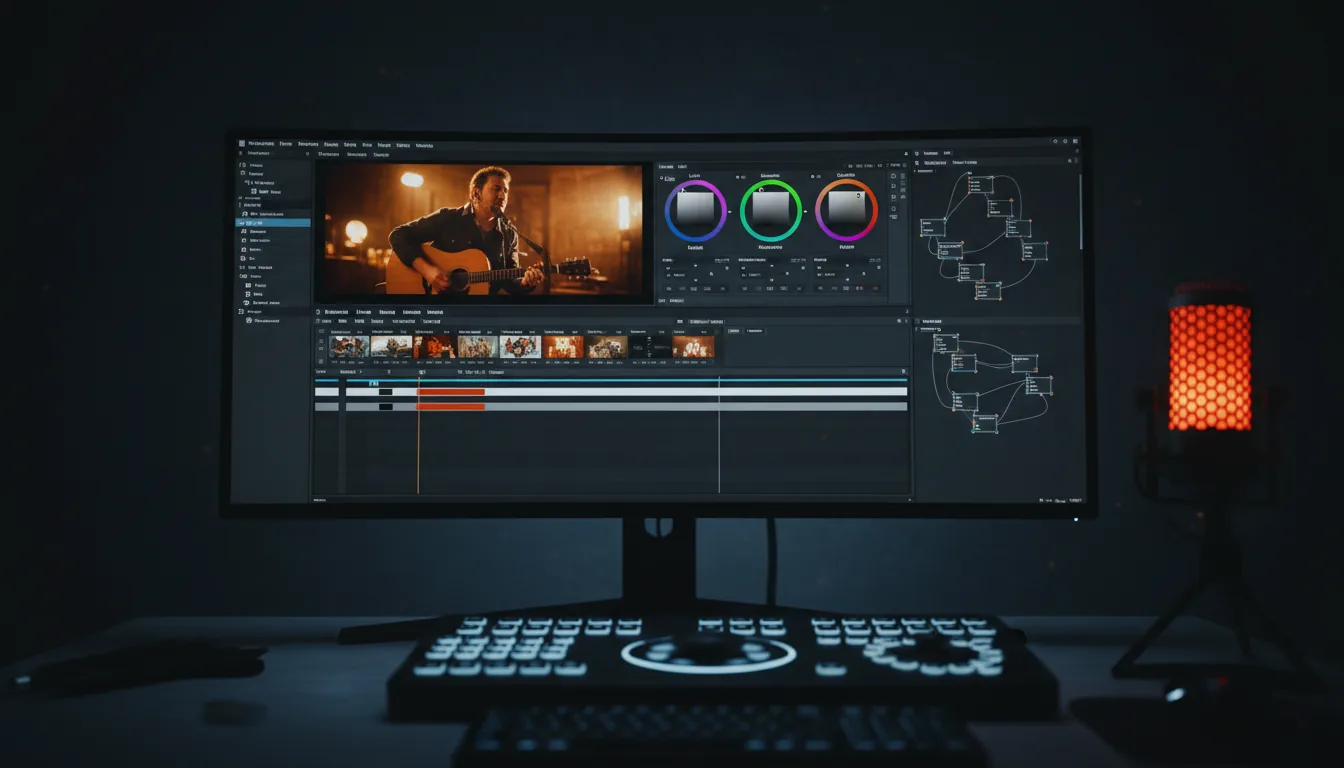
You ever open After Effects, tweak one tiny thing, hit spacebar, and watch your laptop sound like it’s about to achieve liftoff?
Yeah. That moment.
It’s 2026, and somehow a simple lower third can still turn into a coffee break. Or two. I’ve seen people with perfectly fine ideas lose momentum just waiting for previews to play smoothly. Not because the work is complex. Because the software is heavy. Relentlessly heavy.
Here’s the uncomfortable question a lot of experienced users are quietly asking now. Are we still using After Effects because it’s the best tool for the job… or because it’s the tool we already know?
If that question makes you a little uneasy, good. It probably means you’re not alone.
Prefer watching? Explore the best After Effects alternatives in the video below, or keep reading for the complete breakdown.
Why So Many People Are Rethinking After Effects
This isn’t about hating After Effects. Most people I know who question it have years invested in it. Muscle memory. Shortcuts burned into their hands. That’s exactly why the frustration hits harder.
The subscription is the obvious complaint, sure. Paying every month whether you’re busy or not starts to sting after a while. Especially if motion work isn’t your full-time gig anymore. But honestly, cost is just the surface issue.
Performance is the real one.
I’ve watched solid machines choke on projects that would’ve felt lightweight a few years ago. Simple shape animations. Text with a couple of expressions. Maybe a glow or two. Suddenly you’re lowering preview resolution, purging cache, restarting the app like it’s a ritual. Creative flow turns into system maintenance.
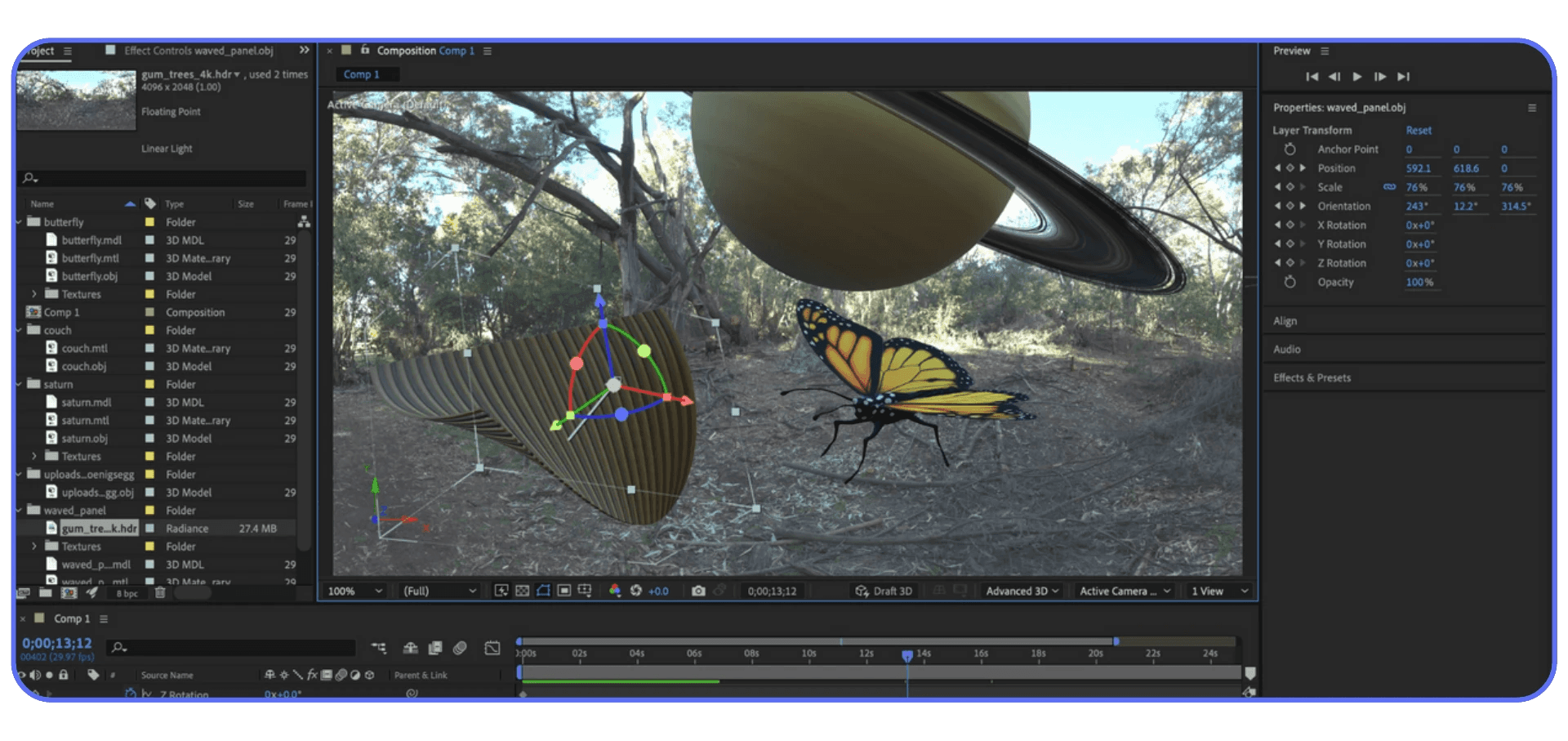
Then there’s the learning curve problem. Not for beginners. For experienced users. After Effects keeps growing sideways. New features pile on, but the core workflow still feels… stubborn. You can do almost anything, but rarely quickly. And when deadlines are tight, “possible” isn’t the same as “practical.”
I’ve also noticed something else. A lot of work that used to require After Effects just doesn’t anymore. Social animations. UI motion. Short branded clips. Even light compositing. Other tools handle these faster, with less setup, and sometimes better defaults. That’s not heresy. That’s just reality shifting.
None of this means After Effects is suddenly bad software. It means the reasons we put up with its pain points are changing. When speed, iteration, and sanity matter more than ultimate control, people start looking around.
And once you start looking… you realize you have options.
Free, Professional-Grade Alternatives Worth Taking Seriously
Let’s start with the tools that usually surprise people the most. The free ones. Not “free but barely usable” free. I’m talking about software that real studios and freelancers actually ship work with.
#1. DaVinci Resolve + Fusion
If you haven’t touched Fusion in a while, or ever, it’s probably not what you think it is.
Fusion is node-based, which already scares off a lot of After Effects users. Fair enough. Nodes feel alien if you’re used to layers. But once it clicks, you realize why compositors swear by it. You see how your image is built. You know what affects what. No mystery stacks.
What really changes the equation is that Fusion lives inside DaVinci Resolve now. Edit, color, sound, and compositing in one place. No round-tripping. No broken links. For VFX-heavy or compositing-first work, that alone can save hours.
That said, I wouldn’t recommend Fusion as a drop-in replacement for motion graphics. Simple text animation can feel like overkill. Motion design is possible, but it’s not the app’s natural language. Fusion shines when shots matter more than speed.
Great tool. Just very honest about what it’s for.
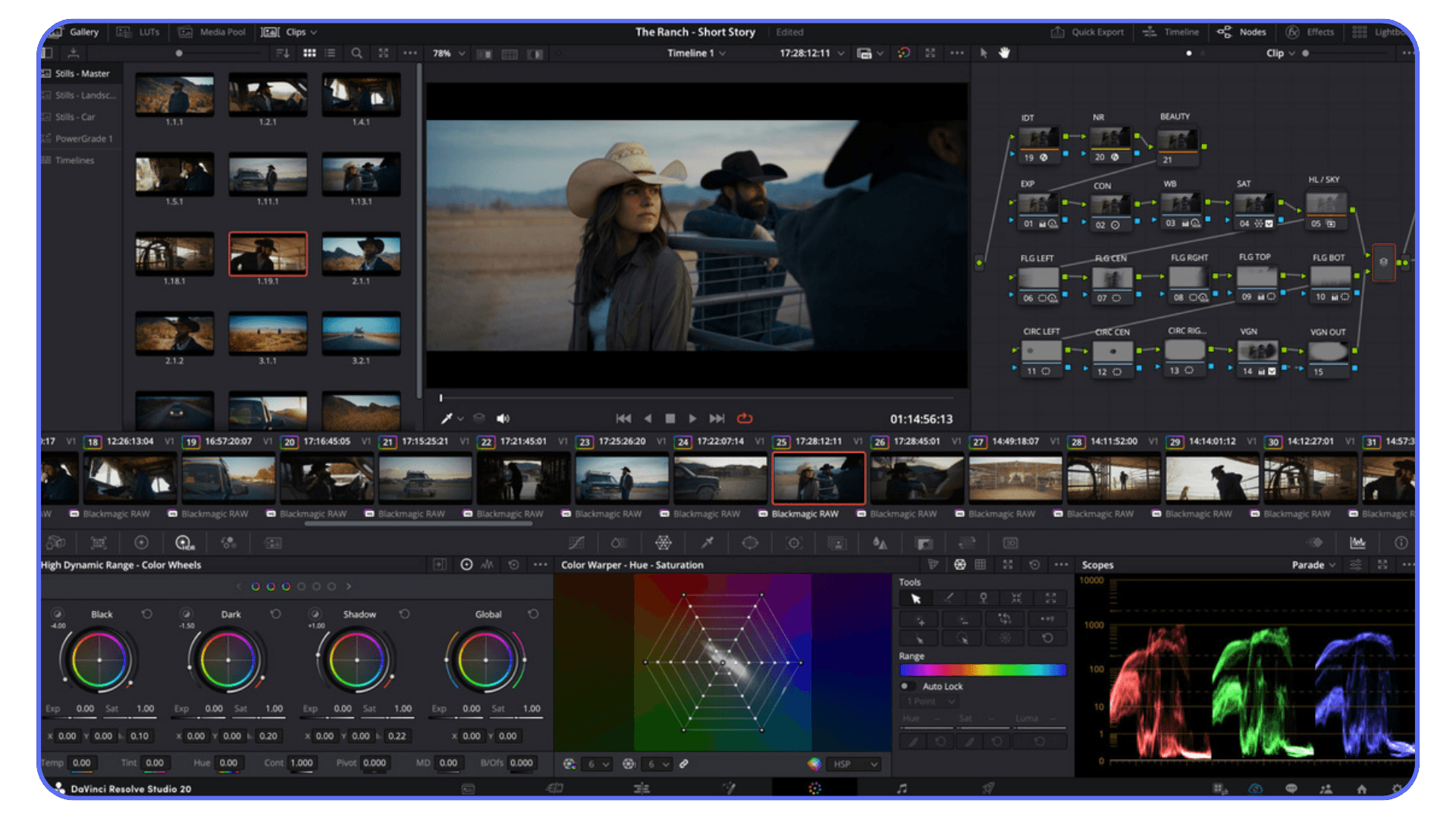
If you’re seriously comparing DaVinci Resolve to After Effects instead of just skimming feature lists, this After Effects vs DaVinci Resolve comparison breaks down where each one actually fits.
#2. Blender
Blender used to be the answer people gave just to be edgy. Not anymore.
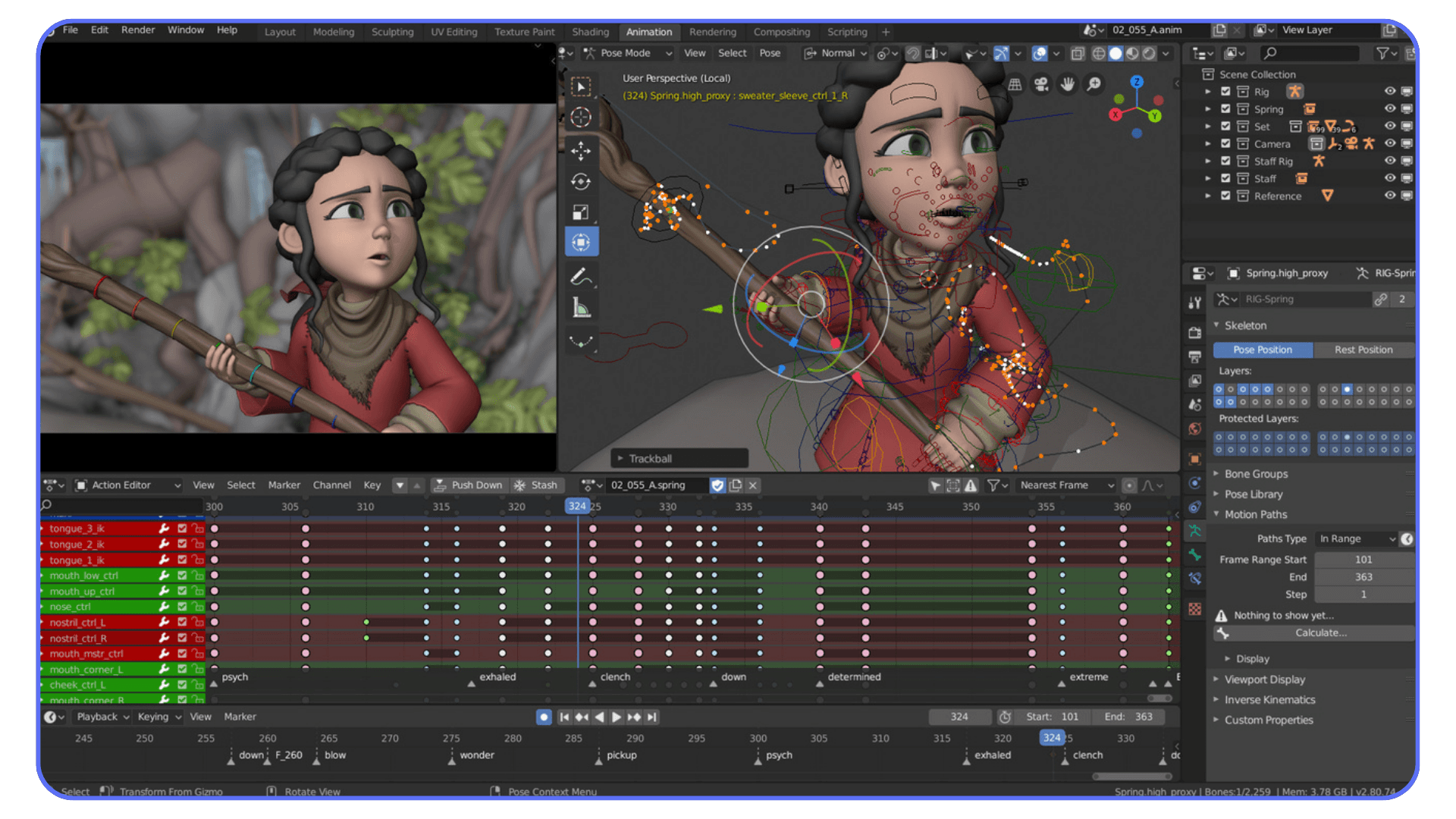
It’s free, yes, but it’s also one of the most aggressively developed creative tools out there. Geometry Nodes alone changed how many motion designers think about procedural animation. Suddenly, things that were painful or fragile in After Effects are stable and repeatable.
Blender is not “easy,” though. Let’s be clear. The learning curve is real, and it asks you to think in systems instead of timelines. If you’re expecting to open it and animate a logo in ten minutes, you’re going to be annoyed.
But if your work leans toward 3D, abstract motion, data-driven animation, or visuals that need to scale and adapt, Blender can replace entire After Effects pipelines. I’ve seen people move fully over and never look back.
Just don’t underestimate the time investment.
#3. Natron
Natron feels like it belongs to another era. And that’s not entirely a bad thing.
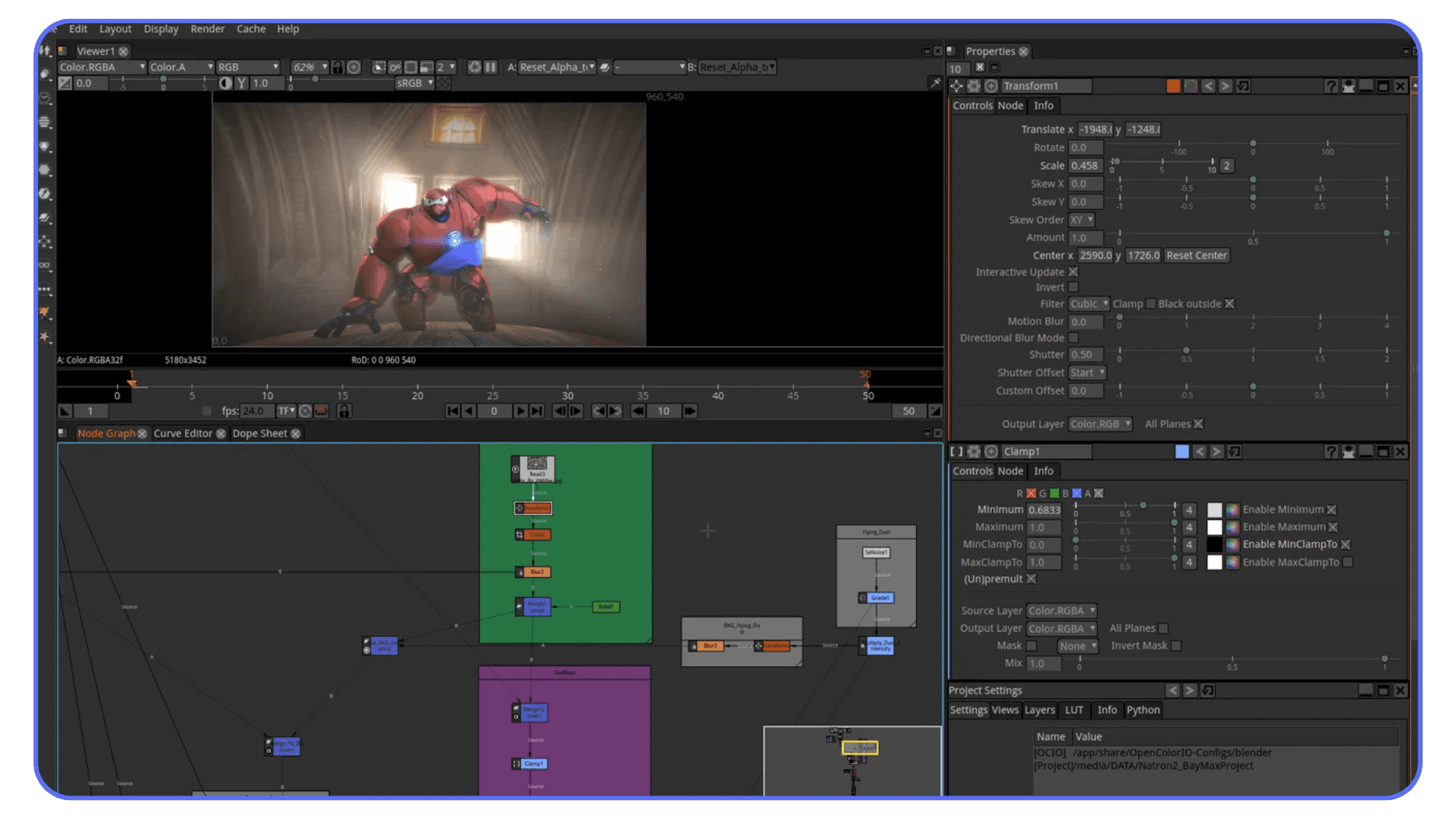
It’s a traditional compositing tool, clearly inspired by Nuke. If your After Effects usage is mostly compositing plates, keying, and image manipulation, Natron can feel strangely familiar. No subscriptions. No fluff. Just nodes and images.
The downside is the ecosystem. Smaller community. Fewer tutorials. Limited updates compared to the big players. You’re not choosing Natron for momentum or innovation. You’re choosing it because you want a focused, no-nonsense compositor that doesn’t ask much from your system.
For the right kind of user, that’s enough.
Paid Tools That Replace Parts of After Effects Better Than AE Itself
Here’s where things get interesting. Not because these tools are cheaper. Some aren’t. But because they’re opinionated in ways After Effects isn’t. They choose speed over flexibility. Or clarity over endless options. And for a lot of real-world work, that trade is worth it.
#1. Apple Motion
Motion doesn’t try to be After Effects. That’s the whole point.
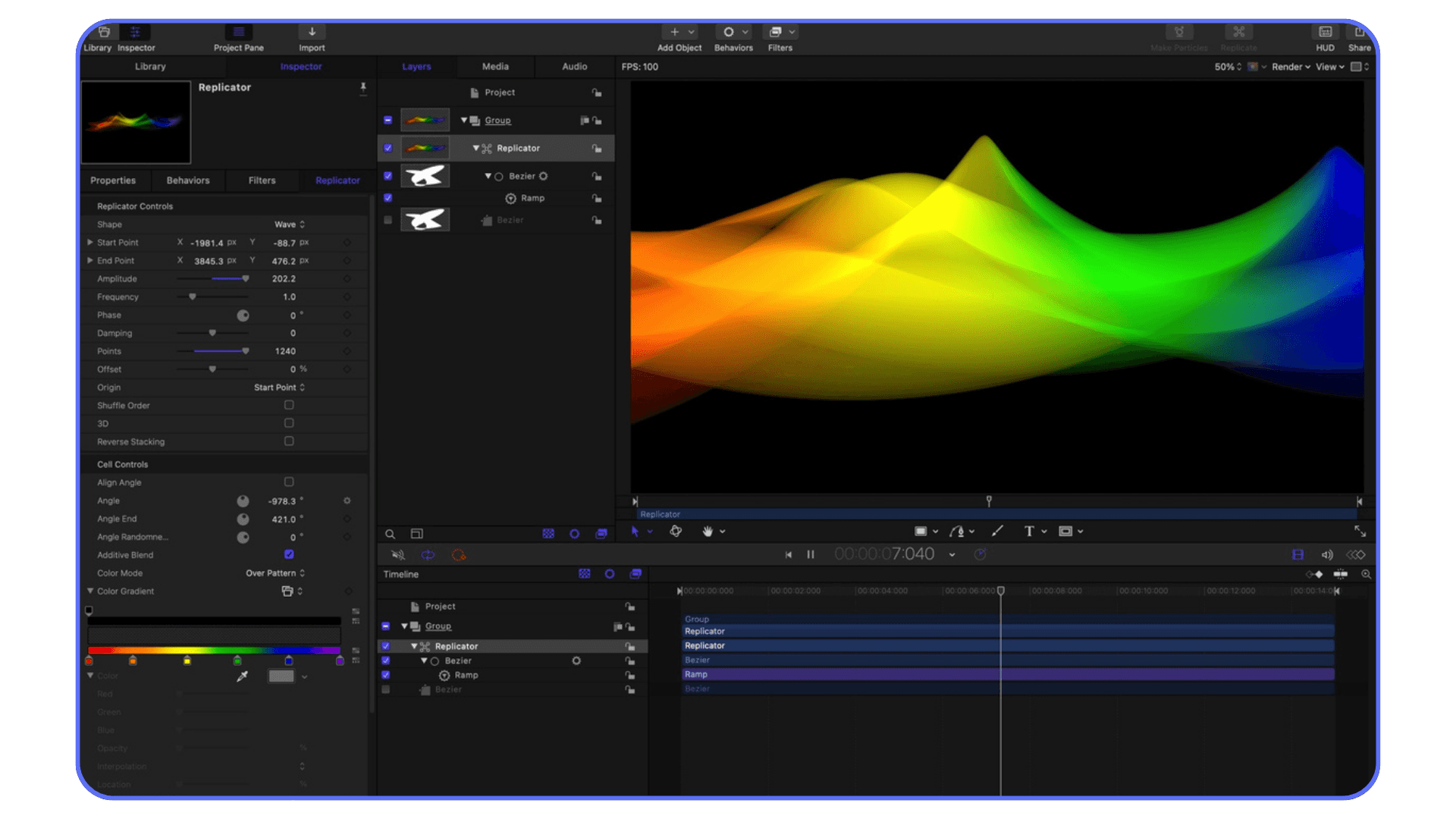
It’s fast in a way AE users almost forget is possible. Real-time playback. Immediate feedback. You adjust a parameter and the result is just… there. No waiting. No preview rituals. If you work with Final Cut Pro, the integration alone can shave serious time off your day.
Motion is especially strong for title design, lower thirds, and template-based motion graphics. Apple clearly expects you to reuse work, not rebuild it every time. The behaviors system feels strange at first, but once you get it, you realize how much manual keyframing you’ve been doing for no good reason.
The downside is flexibility. When you step outside Motion’s comfort zone, it lets you know. Complex compositing and custom effects can feel boxed in. If your work depends on deep expression logic or experimental setups, you’ll hit walls.
But for speed-focused motion design? Motion quietly embarrasses After Effects more often than people admit.
#2. Blackmagic Fusion Studio
Fusion Studio is what happens when a tool doesn’t care if it’s friendly.
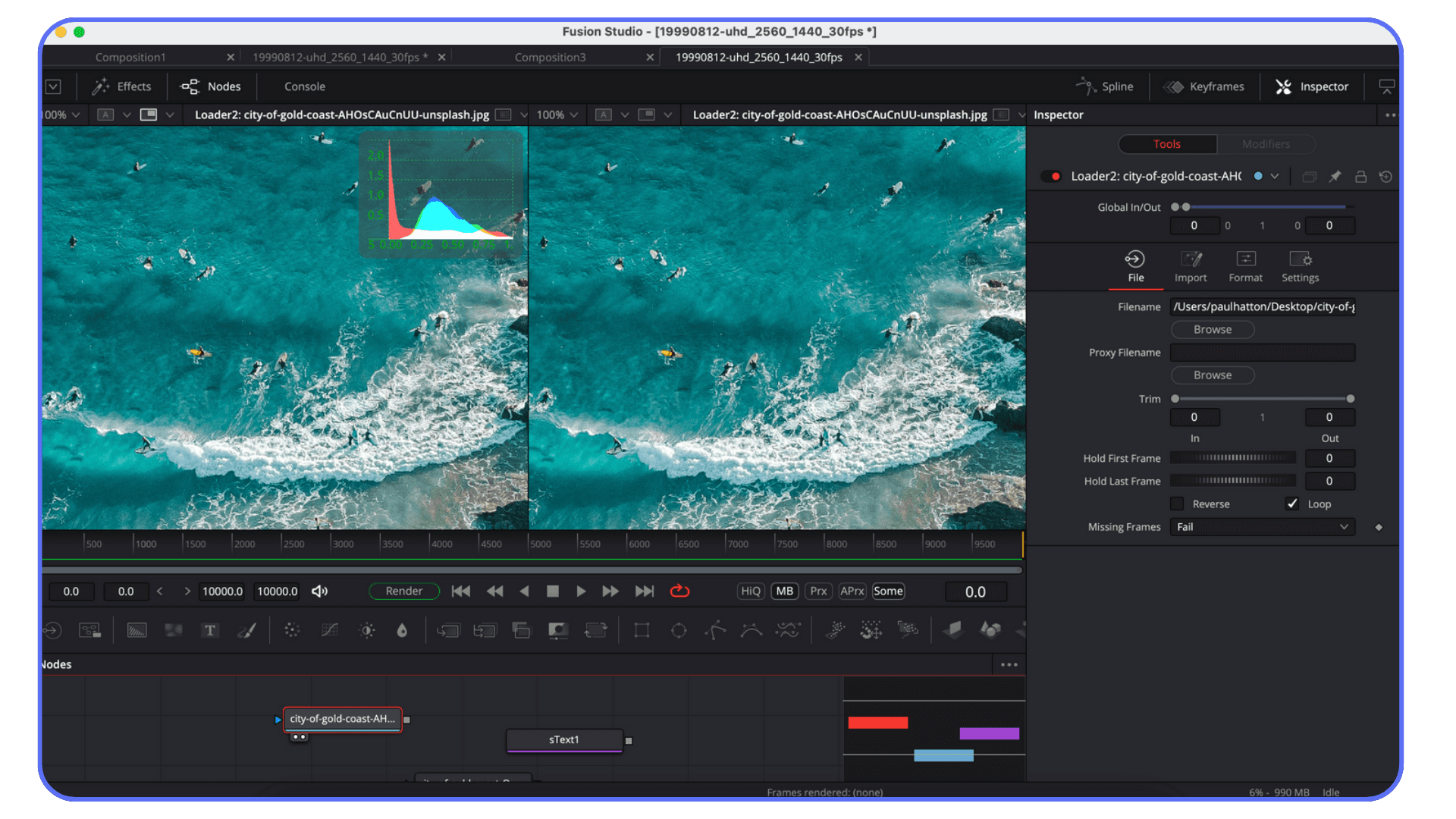
This is serious compositing software. Node-based, precise, and built for shots that actually matter. If you’re doing VFX, cleanup, keying, or heavy compositing, Fusion Studio feels more confident than After Effects. Less duct tape. More structure.
What it doesn’t do well is casual motion design. Simple text animation can feel like assembling furniture with power tools. Possible, but not pleasant. Fusion expects intention. It rewards planning. It does not reward improvisation.
If After Effects frustrates you because it feels fragile on complex shots, Fusion Studio can be a relief. If you love sketching ideas quickly, it will slow you down.
Different philosophy. Different audience.
#3. CyberLink PowerDirector and Filmora
These two get lumped together for a reason. They’re not pretending to replace After Effects at a professional VFX level. They’re aimed at creators who want motion and effects without becoming motion designers.
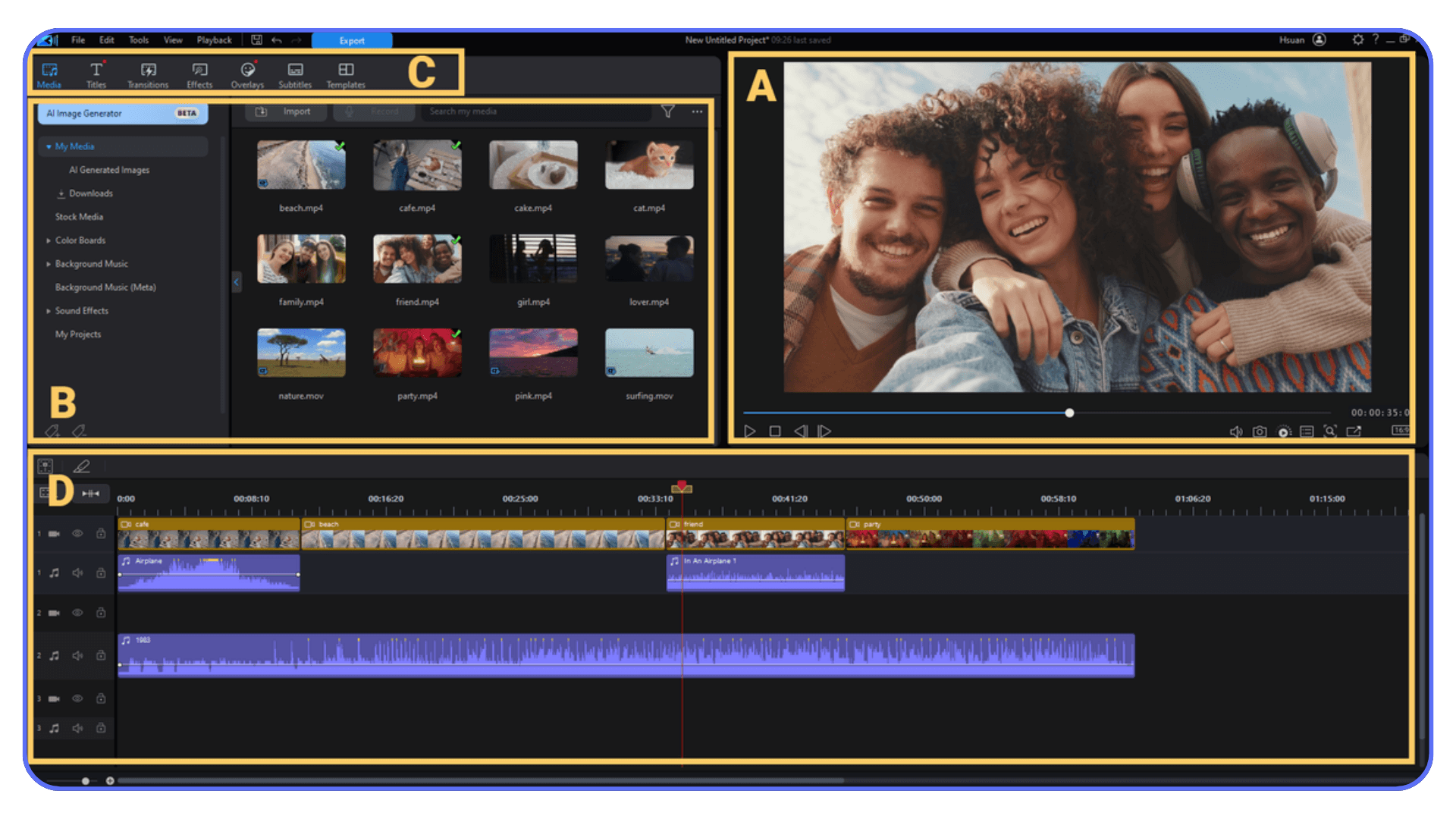
Templates are the selling point here. Drag, drop, adjust, export. For social content, YouTube intros, promo clips, and fast turnaround work, that’s often enough. And honestly, it’s sometimes more than enough.
The tradeoff is control. Once you push past the templates, things get rigid fast. You won’t be building custom animation systems or complex transitions from scratch. These tools assume you want results now, not infinite tweakability.
If your frustration with After Effects is about time and cognitive load, tools like these can feel liberating. If your frustration is about creative limits, they’ll feel suffocating.
Neither reaction is wrong.
If you assume your GPU is doing more work in After Effects than it really is, this guide on how to use the GPU in Adobe After Effects explains where performance gains actually come from.
Lightweight and Browser-Based Tools for Motion Graphics
There’s a certain kind of After Effects user who rolls their eyes at browser-based tools. I used to be one of them. Then deadlines got shorter.
These tools aren’t trying to replace complex timelines or deep compositing. They’re built for motion that needs to exist quickly. Social clips. UI animations. Product videos. Things that would feel absurdly over-engineered in After Effects.
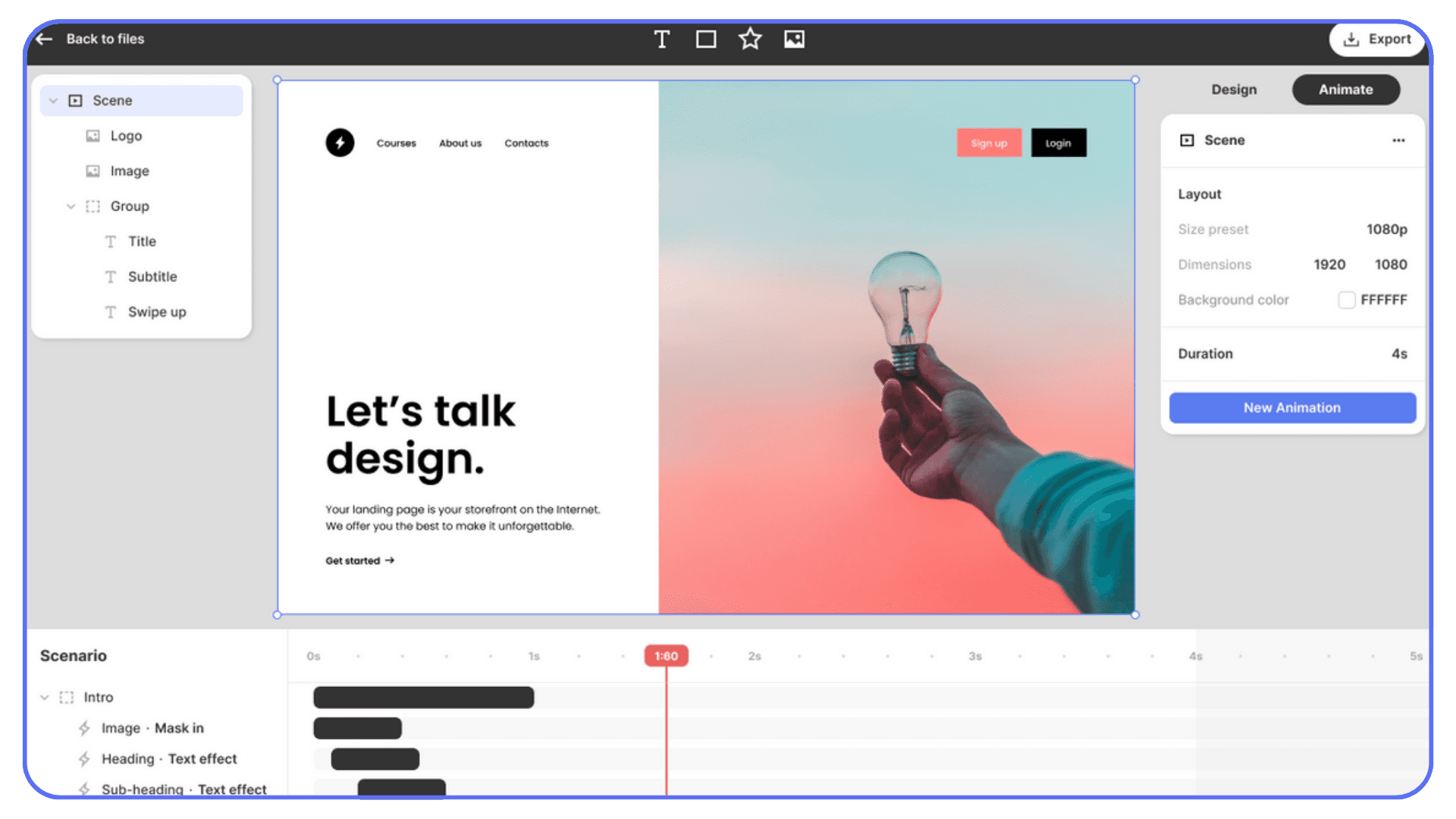
Jitter
Jitter is one of those tools that makes you question your habits.
You animate text, shapes, and components directly in the browser. No installs. No plugins. No GPU fan screaming. It’s clearly inspired by motion systems designers already know, especially if you’ve worked with Figma or UI animation tools.
The strength here is iteration. You can explore variations fast. Change timing, easing, layout, and export without breaking your flow. For UI motion, explainer clips, and clean typographic animation, Jitter feels shockingly capable.
The limits show up when you try to get fancy. No deep compositing. No advanced effects. If your animation relies on heavy layering, complex masks, or procedural tricks, you’ll hit a ceiling.
But that ceiling is higher than most people expect. And for a lot of modern motion work, it’s more than enough.
Other lightweight motion tools worth mentioning
There’s a growing category of tools that live somewhere between editors and animation software. Some are browser-based. Some are lightweight desktop apps. Most of them share the same goal. Reduce friction.
They often shine in team environments where designers, marketers, and developers need to collaborate without passing massive project files around. Real-time previews. Shareable links. Fewer broken exports.
The tradeoff is depth. These tools make decisions for you. That can feel restrictive if you’re used to building everything from scratch. Or it can feel like a gift when you just need the job done.
If After Effects feels like too much for what you’re making, that’s not a personal failure. It’s a sign your work has shifted. The tools are catching up.
If you’re constantly wondering whether your laptop or desktop is the real bottleneck, this guide on the best laptops and prebuilt PCs for Adobe After Effects helps set realistic expectations about what AE actually needs today.
Tools People Think Replace After Effects
This is the awkward part of the conversation. The one where expectations and reality don’t quite line up.
A lot of tools get labeled as “After Effects replacements” because they have animation features. Or effects. Or a timeline that looks familiar enough. And then people hit a wall.
#1. Video editors with motion features
Most modern editors can animate text, apply effects, and keyframe properties. On paper, that sounds close enough. In practice, it’s a different mindset.
Editors are built for cuts first. Motion is a secondary concern. You can absolutely animate titles and simple graphics, but once you need precision timing, layered control, or reusable animation logic, things get clumsy fast.
I’ve seen people try to force full motion workflows inside editors because it feels simpler. It usually works… until it doesn’t. Then you’re rebuilding animations that would’ve taken minutes elsewhere.
#2. Template platforms that promise flexibility
Templates are seductive. You drop in your text, swap a logo, export, done. For a while.
The problem shows up the moment you need something slightly different. A new layout. A different rhythm. A custom transition. Suddenly you’re fighting someone else’s design decisions with limited access to the guts.
Templates are fantastic when your output is predictable. They’re painful when creativity or iteration enters the picture.
#3. AI tools that feel like shortcuts
AI-assisted animation and video tools are improving fast. No question. They’re great for ideation, quick drafts, and filling gaps. But they don’t replace hands-on motion design yet.
They still struggle with consistency. Timing. Intentionality. The small decisions that make motion feel designed instead of generated. They help you start. They don’t help you finish.
People keep hoping one of these tools will eliminate the need for After Effects entirely. I get why. But right now, they’re better viewed as helpers, not replacements.
How to Choose the Right Alternative for Your Work
This is where most advice online gets unhelpful. You’ll see feature grids, “best of” lists, and bold claims about replacements. None of that matters if it doesn’t match what you actually do day to day.
Start with your output, not the tool.
If most of your work is social content, promos, or short branded clips, speed probably matters more than deep control. You’re iterating, revising, and exporting constantly. A lighter tool that plays in real time can save more hours than a fully loaded effects stack ever will.
If you’re doing compositing, cleanup, or VFX work, structure matters. Node-based tools might feel slower at first, but they scale better. You’ll spend less time fixing broken setups and more time making deliberate changes.
Hardware matters too, whether we like it or not. After Effects is unforgiving on weaker systems. Some alternatives are far more efficient. Others are just as demanding, if not more. Be honest about what your machine can handle before blaming yourself for slow timelines.
Collaboration is another quiet factor. Are you handing projects off? Sharing revisions? Working with non-designers? Some tools make this painless. Others assume you’re a solo operator who never needs to explain anything to anyone.
And finally, consider how often you need to break the rules. If your work depends on custom expressions, procedural tricks, or weird edge cases, you’ll want tools that don’t fight you. If your work benefits from guardrails, opinionated software might actually make you faster.
There’s no universally “best” alternative here. There’s only the one that reduces friction in your specific workflow.
If you’ve ever wished you could run After Effects without being tied to your desk, there are already practical ways people are running Adobe After Effects on an iPad using cloud setups.
Trying These Tools on Vagon Cloud Computer
For a lot of After Effects users, the real blocker isn’t curiosity. It’s their machine.
You already know the signs. Playback stutters. RAM previews crawl. Fans ramp up the moment you stack a few effects. In that situation, testing something like Blender or Fusion doesn’t feel like exploration. It feels risky. One bad afternoon and your main project grinds to a halt.
This is where Vagon Cloud Computer changes the equation in a very practical way.
Instead of forcing new software onto already stressed hardware, you run these tools on a high-performance cloud machine. DaVinci Resolve. Fusion. Blender. Even After Effects itself, if you want a baseline. Same apps, but without the local bottlenecks.
What makes this useful is how honest the experience becomes. You’re no longer asking, “Is this tool slow?” You’re asking, “Is this how I want to work?” That distinction matters. A lot.
It’s also a clean way to compare alternatives. When multiple tools run on similar cloud specs, differences in playback, responsiveness, and rendering become obvious fast. You stop guessing whether performance issues are software-related or just your laptop begging for mercy.
There’s also the sharing angle. If you’re working with teammates or clients, Vagon makes it easier to show work, test workflows, or hand off environments without worrying about mismatched systems. Same setup. Same results. Fewer surprises.
You don’t have to commit to a new workflow forever. But if you want to seriously explore alternatives to After Effects, without upgrading hardware or rebuilding your setup, this is one of the easiest ways to do it without friction.
If you’re thinking about upgrading your graphics card to fix After Effects performance, this guide to choosing the best GPU for After Effects is worth reading before you spend the money.
Final Thoughts
After Effects still matters. It’s powerful, flexible, and deeply ingrained in a lot of workflows. But it’s no longer the automatic answer for every kind of motion work.
The way people create has changed. Faster timelines. More revisions. More overlap between design, animation, and delivery. In that environment, tools that reduce friction often win over tools that can technically do everything.
What I see more often now is choice, not replacement. After Effects stays in the toolkit, just not at the center of it. Other tools handle specific jobs better, faster, or with less mental overhead.
If there’s a takeaway here, it’s simple. Pick tools based on how you work today, not how you worked five years ago. The industry has moved on. Your workflow probably has too.
FAQs
1. Is there a true one-to-one replacement for After Effects?
Short answer: no. And that’s not a bad thing. After Effects tries to cover motion graphics, compositing, VFX, and automation in one place. Most alternatives do fewer things, but do them faster or more reliably. The trick is matching the tool to the work you actually do.
2. What’s the best alternative if I mainly do motion graphics?
If your work is heavy on text animation, social clips, UI motion, or branded content, tools like Apple Motion or browser-based options can feel much faster than After Effects. You lose some flexibility, but you gain speed and responsiveness, which matters more than people admit.
3. What if I do compositing or VFX work?
Node-based tools like Fusion or Natron make more sense here. They’re better suited for complex image processing, keying, and shot-based work. They’re less friendly for casual motion design, but far more stable once projects get complicated.
4. Are free alternatives actually usable for professional work?
Yes. DaVinci Resolve with Fusion and Blender are used professionally every day. The real cost is time, not money. Learning curves can be steep, especially if you’re coming from a layer-based mindset, but the capability is there.
5. Will switching tools slow me down at first?
Almost always. That’s normal. Productivity usually dips before it improves. Most people underestimate how much speed they regain once playback is smoother and workflows are simpler. The slowdown is temporary if the tool fits your work.
6. Do these alternatives run better than After Effects on older machines?
Often, yes. Some are far more efficient with RAM and GPU usage. That said, heavy tools like Blender or Fusion can still push hardware hard. If performance is a concern, testing on a cloud machine can give you a clearer picture of how the software actually behaves.
7. Should I completely quit After Effects?
You don’t have to. Many experienced users keep After Effects for specific tasks and move everything else elsewhere. Think of it as rebalancing your toolkit, not burning a bridge.
8. How do I test alternatives without committing long-term?
Use real projects, not tutorials. Rebuild something you’ve already done. If hardware is a limitation, using a cloud computer lets you test tools fairly without upgrading your setup or risking active work.
You ever open After Effects, tweak one tiny thing, hit spacebar, and watch your laptop sound like it’s about to achieve liftoff?
Yeah. That moment.
It’s 2026, and somehow a simple lower third can still turn into a coffee break. Or two. I’ve seen people with perfectly fine ideas lose momentum just waiting for previews to play smoothly. Not because the work is complex. Because the software is heavy. Relentlessly heavy.
Here’s the uncomfortable question a lot of experienced users are quietly asking now. Are we still using After Effects because it’s the best tool for the job… or because it’s the tool we already know?
If that question makes you a little uneasy, good. It probably means you’re not alone.
Prefer watching? Explore the best After Effects alternatives in the video below, or keep reading for the complete breakdown.
Why So Many People Are Rethinking After Effects
This isn’t about hating After Effects. Most people I know who question it have years invested in it. Muscle memory. Shortcuts burned into their hands. That’s exactly why the frustration hits harder.
The subscription is the obvious complaint, sure. Paying every month whether you’re busy or not starts to sting after a while. Especially if motion work isn’t your full-time gig anymore. But honestly, cost is just the surface issue.
Performance is the real one.
I’ve watched solid machines choke on projects that would’ve felt lightweight a few years ago. Simple shape animations. Text with a couple of expressions. Maybe a glow or two. Suddenly you’re lowering preview resolution, purging cache, restarting the app like it’s a ritual. Creative flow turns into system maintenance.
Then there’s the learning curve problem. Not for beginners. For experienced users. After Effects keeps growing sideways. New features pile on, but the core workflow still feels… stubborn. You can do almost anything, but rarely quickly. And when deadlines are tight, “possible” isn’t the same as “practical.”
I’ve also noticed something else. A lot of work that used to require After Effects just doesn’t anymore. Social animations. UI motion. Short branded clips. Even light compositing. Other tools handle these faster, with less setup, and sometimes better defaults. That’s not heresy. That’s just reality shifting.
None of this means After Effects is suddenly bad software. It means the reasons we put up with its pain points are changing. When speed, iteration, and sanity matter more than ultimate control, people start looking around.
And once you start looking… you realize you have options.
Free, Professional-Grade Alternatives Worth Taking Seriously
Let’s start with the tools that usually surprise people the most. The free ones. Not “free but barely usable” free. I’m talking about software that real studios and freelancers actually ship work with.
#1. DaVinci Resolve + Fusion
If you haven’t touched Fusion in a while, or ever, it’s probably not what you think it is.
Fusion is node-based, which already scares off a lot of After Effects users. Fair enough. Nodes feel alien if you’re used to layers. But once it clicks, you realize why compositors swear by it. You see how your image is built. You know what affects what. No mystery stacks.
What really changes the equation is that Fusion lives inside DaVinci Resolve now. Edit, color, sound, and compositing in one place. No round-tripping. No broken links. For VFX-heavy or compositing-first work, that alone can save hours.
That said, I wouldn’t recommend Fusion as a drop-in replacement for motion graphics. Simple text animation can feel like overkill. Motion design is possible, but it’s not the app’s natural language. Fusion shines when shots matter more than speed.
Great tool. Just very honest about what it’s for.
If you’re seriously comparing DaVinci Resolve to After Effects instead of just skimming feature lists, this After Effects vs DaVinci Resolve comparison breaks down where each one actually fits.
#2. Blender
Blender used to be the answer people gave just to be edgy. Not anymore.
It’s free, yes, but it’s also one of the most aggressively developed creative tools out there. Geometry Nodes alone changed how many motion designers think about procedural animation. Suddenly, things that were painful or fragile in After Effects are stable and repeatable.
Blender is not “easy,” though. Let’s be clear. The learning curve is real, and it asks you to think in systems instead of timelines. If you’re expecting to open it and animate a logo in ten minutes, you’re going to be annoyed.
But if your work leans toward 3D, abstract motion, data-driven animation, or visuals that need to scale and adapt, Blender can replace entire After Effects pipelines. I’ve seen people move fully over and never look back.
Just don’t underestimate the time investment.
#3. Natron
Natron feels like it belongs to another era. And that’s not entirely a bad thing.
It’s a traditional compositing tool, clearly inspired by Nuke. If your After Effects usage is mostly compositing plates, keying, and image manipulation, Natron can feel strangely familiar. No subscriptions. No fluff. Just nodes and images.
The downside is the ecosystem. Smaller community. Fewer tutorials. Limited updates compared to the big players. You’re not choosing Natron for momentum or innovation. You’re choosing it because you want a focused, no-nonsense compositor that doesn’t ask much from your system.
For the right kind of user, that’s enough.
Paid Tools That Replace Parts of After Effects Better Than AE Itself
Here’s where things get interesting. Not because these tools are cheaper. Some aren’t. But because they’re opinionated in ways After Effects isn’t. They choose speed over flexibility. Or clarity over endless options. And for a lot of real-world work, that trade is worth it.
#1. Apple Motion
Motion doesn’t try to be After Effects. That’s the whole point.
It’s fast in a way AE users almost forget is possible. Real-time playback. Immediate feedback. You adjust a parameter and the result is just… there. No waiting. No preview rituals. If you work with Final Cut Pro, the integration alone can shave serious time off your day.
Motion is especially strong for title design, lower thirds, and template-based motion graphics. Apple clearly expects you to reuse work, not rebuild it every time. The behaviors system feels strange at first, but once you get it, you realize how much manual keyframing you’ve been doing for no good reason.
The downside is flexibility. When you step outside Motion’s comfort zone, it lets you know. Complex compositing and custom effects can feel boxed in. If your work depends on deep expression logic or experimental setups, you’ll hit walls.
But for speed-focused motion design? Motion quietly embarrasses After Effects more often than people admit.
#2. Blackmagic Fusion Studio
Fusion Studio is what happens when a tool doesn’t care if it’s friendly.
This is serious compositing software. Node-based, precise, and built for shots that actually matter. If you’re doing VFX, cleanup, keying, or heavy compositing, Fusion Studio feels more confident than After Effects. Less duct tape. More structure.
What it doesn’t do well is casual motion design. Simple text animation can feel like assembling furniture with power tools. Possible, but not pleasant. Fusion expects intention. It rewards planning. It does not reward improvisation.
If After Effects frustrates you because it feels fragile on complex shots, Fusion Studio can be a relief. If you love sketching ideas quickly, it will slow you down.
Different philosophy. Different audience.
#3. CyberLink PowerDirector and Filmora
These two get lumped together for a reason. They’re not pretending to replace After Effects at a professional VFX level. They’re aimed at creators who want motion and effects without becoming motion designers.
Templates are the selling point here. Drag, drop, adjust, export. For social content, YouTube intros, promo clips, and fast turnaround work, that’s often enough. And honestly, it’s sometimes more than enough.
The tradeoff is control. Once you push past the templates, things get rigid fast. You won’t be building custom animation systems or complex transitions from scratch. These tools assume you want results now, not infinite tweakability.
If your frustration with After Effects is about time and cognitive load, tools like these can feel liberating. If your frustration is about creative limits, they’ll feel suffocating.
Neither reaction is wrong.
If you assume your GPU is doing more work in After Effects than it really is, this guide on how to use the GPU in Adobe After Effects explains where performance gains actually come from.
Lightweight and Browser-Based Tools for Motion Graphics
There’s a certain kind of After Effects user who rolls their eyes at browser-based tools. I used to be one of them. Then deadlines got shorter.
These tools aren’t trying to replace complex timelines or deep compositing. They’re built for motion that needs to exist quickly. Social clips. UI animations. Product videos. Things that would feel absurdly over-engineered in After Effects.
Jitter
Jitter is one of those tools that makes you question your habits.
You animate text, shapes, and components directly in the browser. No installs. No plugins. No GPU fan screaming. It’s clearly inspired by motion systems designers already know, especially if you’ve worked with Figma or UI animation tools.
The strength here is iteration. You can explore variations fast. Change timing, easing, layout, and export without breaking your flow. For UI motion, explainer clips, and clean typographic animation, Jitter feels shockingly capable.
The limits show up when you try to get fancy. No deep compositing. No advanced effects. If your animation relies on heavy layering, complex masks, or procedural tricks, you’ll hit a ceiling.
But that ceiling is higher than most people expect. And for a lot of modern motion work, it’s more than enough.
Other lightweight motion tools worth mentioning
There’s a growing category of tools that live somewhere between editors and animation software. Some are browser-based. Some are lightweight desktop apps. Most of them share the same goal. Reduce friction.
They often shine in team environments where designers, marketers, and developers need to collaborate without passing massive project files around. Real-time previews. Shareable links. Fewer broken exports.
The tradeoff is depth. These tools make decisions for you. That can feel restrictive if you’re used to building everything from scratch. Or it can feel like a gift when you just need the job done.
If After Effects feels like too much for what you’re making, that’s not a personal failure. It’s a sign your work has shifted. The tools are catching up.
If you’re constantly wondering whether your laptop or desktop is the real bottleneck, this guide on the best laptops and prebuilt PCs for Adobe After Effects helps set realistic expectations about what AE actually needs today.
Tools People Think Replace After Effects
This is the awkward part of the conversation. The one where expectations and reality don’t quite line up.
A lot of tools get labeled as “After Effects replacements” because they have animation features. Or effects. Or a timeline that looks familiar enough. And then people hit a wall.
#1. Video editors with motion features
Most modern editors can animate text, apply effects, and keyframe properties. On paper, that sounds close enough. In practice, it’s a different mindset.
Editors are built for cuts first. Motion is a secondary concern. You can absolutely animate titles and simple graphics, but once you need precision timing, layered control, or reusable animation logic, things get clumsy fast.
I’ve seen people try to force full motion workflows inside editors because it feels simpler. It usually works… until it doesn’t. Then you’re rebuilding animations that would’ve taken minutes elsewhere.
#2. Template platforms that promise flexibility
Templates are seductive. You drop in your text, swap a logo, export, done. For a while.
The problem shows up the moment you need something slightly different. A new layout. A different rhythm. A custom transition. Suddenly you’re fighting someone else’s design decisions with limited access to the guts.
Templates are fantastic when your output is predictable. They’re painful when creativity or iteration enters the picture.
#3. AI tools that feel like shortcuts
AI-assisted animation and video tools are improving fast. No question. They’re great for ideation, quick drafts, and filling gaps. But they don’t replace hands-on motion design yet.
They still struggle with consistency. Timing. Intentionality. The small decisions that make motion feel designed instead of generated. They help you start. They don’t help you finish.
People keep hoping one of these tools will eliminate the need for After Effects entirely. I get why. But right now, they’re better viewed as helpers, not replacements.
How to Choose the Right Alternative for Your Work
This is where most advice online gets unhelpful. You’ll see feature grids, “best of” lists, and bold claims about replacements. None of that matters if it doesn’t match what you actually do day to day.
Start with your output, not the tool.
If most of your work is social content, promos, or short branded clips, speed probably matters more than deep control. You’re iterating, revising, and exporting constantly. A lighter tool that plays in real time can save more hours than a fully loaded effects stack ever will.
If you’re doing compositing, cleanup, or VFX work, structure matters. Node-based tools might feel slower at first, but they scale better. You’ll spend less time fixing broken setups and more time making deliberate changes.
Hardware matters too, whether we like it or not. After Effects is unforgiving on weaker systems. Some alternatives are far more efficient. Others are just as demanding, if not more. Be honest about what your machine can handle before blaming yourself for slow timelines.
Collaboration is another quiet factor. Are you handing projects off? Sharing revisions? Working with non-designers? Some tools make this painless. Others assume you’re a solo operator who never needs to explain anything to anyone.
And finally, consider how often you need to break the rules. If your work depends on custom expressions, procedural tricks, or weird edge cases, you’ll want tools that don’t fight you. If your work benefits from guardrails, opinionated software might actually make you faster.
There’s no universally “best” alternative here. There’s only the one that reduces friction in your specific workflow.
If you’ve ever wished you could run After Effects without being tied to your desk, there are already practical ways people are running Adobe After Effects on an iPad using cloud setups.
Trying These Tools on Vagon Cloud Computer
For a lot of After Effects users, the real blocker isn’t curiosity. It’s their machine.
You already know the signs. Playback stutters. RAM previews crawl. Fans ramp up the moment you stack a few effects. In that situation, testing something like Blender or Fusion doesn’t feel like exploration. It feels risky. One bad afternoon and your main project grinds to a halt.
This is where Vagon Cloud Computer changes the equation in a very practical way.
Instead of forcing new software onto already stressed hardware, you run these tools on a high-performance cloud machine. DaVinci Resolve. Fusion. Blender. Even After Effects itself, if you want a baseline. Same apps, but without the local bottlenecks.
What makes this useful is how honest the experience becomes. You’re no longer asking, “Is this tool slow?” You’re asking, “Is this how I want to work?” That distinction matters. A lot.
It’s also a clean way to compare alternatives. When multiple tools run on similar cloud specs, differences in playback, responsiveness, and rendering become obvious fast. You stop guessing whether performance issues are software-related or just your laptop begging for mercy.
There’s also the sharing angle. If you’re working with teammates or clients, Vagon makes it easier to show work, test workflows, or hand off environments without worrying about mismatched systems. Same setup. Same results. Fewer surprises.
You don’t have to commit to a new workflow forever. But if you want to seriously explore alternatives to After Effects, without upgrading hardware or rebuilding your setup, this is one of the easiest ways to do it without friction.
If you’re thinking about upgrading your graphics card to fix After Effects performance, this guide to choosing the best GPU for After Effects is worth reading before you spend the money.
Final Thoughts
After Effects still matters. It’s powerful, flexible, and deeply ingrained in a lot of workflows. But it’s no longer the automatic answer for every kind of motion work.
The way people create has changed. Faster timelines. More revisions. More overlap between design, animation, and delivery. In that environment, tools that reduce friction often win over tools that can technically do everything.
What I see more often now is choice, not replacement. After Effects stays in the toolkit, just not at the center of it. Other tools handle specific jobs better, faster, or with less mental overhead.
If there’s a takeaway here, it’s simple. Pick tools based on how you work today, not how you worked five years ago. The industry has moved on. Your workflow probably has too.
FAQs
1. Is there a true one-to-one replacement for After Effects?
Short answer: no. And that’s not a bad thing. After Effects tries to cover motion graphics, compositing, VFX, and automation in one place. Most alternatives do fewer things, but do them faster or more reliably. The trick is matching the tool to the work you actually do.
2. What’s the best alternative if I mainly do motion graphics?
If your work is heavy on text animation, social clips, UI motion, or branded content, tools like Apple Motion or browser-based options can feel much faster than After Effects. You lose some flexibility, but you gain speed and responsiveness, which matters more than people admit.
3. What if I do compositing or VFX work?
Node-based tools like Fusion or Natron make more sense here. They’re better suited for complex image processing, keying, and shot-based work. They’re less friendly for casual motion design, but far more stable once projects get complicated.
4. Are free alternatives actually usable for professional work?
Yes. DaVinci Resolve with Fusion and Blender are used professionally every day. The real cost is time, not money. Learning curves can be steep, especially if you’re coming from a layer-based mindset, but the capability is there.
5. Will switching tools slow me down at first?
Almost always. That’s normal. Productivity usually dips before it improves. Most people underestimate how much speed they regain once playback is smoother and workflows are simpler. The slowdown is temporary if the tool fits your work.
6. Do these alternatives run better than After Effects on older machines?
Often, yes. Some are far more efficient with RAM and GPU usage. That said, heavy tools like Blender or Fusion can still push hardware hard. If performance is a concern, testing on a cloud machine can give you a clearer picture of how the software actually behaves.
7. Should I completely quit After Effects?
You don’t have to. Many experienced users keep After Effects for specific tasks and move everything else elsewhere. Think of it as rebalancing your toolkit, not burning a bridge.
8. How do I test alternatives without committing long-term?
Use real projects, not tutorials. Rebuild something you’ve already done. If hardware is a limitation, using a cloud computer lets you test tools fairly without upgrading your setup or risking active work.
Get Beyond Your Computer Performance
Run applications on your cloud computer with the latest generation hardware. No more crashes or lags.

Trial includes 1 hour usage + 7 days of storage.
Summarize with AI

Ready to focus on your creativity?
Vagon gives you the ability to create & render projects, collaborate, and stream applications with the power of the best hardware.

Run heavy applications on any device with
your personal computer on the cloud.
San Francisco, California
Solutions
Vagon Teams
Vagon Streams
Use Cases
© 2026 Vagon. All rights reserved.
Run heavy applications on any device with
your personal computer on the cloud.
San Francisco, California
Solutions
Vagon Teams
Vagon Streams
Use Cases
© 2026 Vagon. All rights reserved.
Run heavy applications on any device with
your personal computer on the cloud.
San Francisco, California
Solutions
Vagon Teams
Vagon Streams
Use Cases
© 2026 Vagon. All rights reserved.