
3D Printing Guide: Models, Software and Printers
TL;DR
Most failed prints are not printer problems. They start as geometry problems: a model that is not watertight, the wrong scale, thin walls, or a bad STL export. Fix the mesh first, check it in a slicer, then choose a printer by workflow, not by spec sheet.
Updated
·
5 chapters
·
7 min read
Start here: read the first post →
See the chapters ↓


Apps


In this guide
What you’ll learn
5 chapters
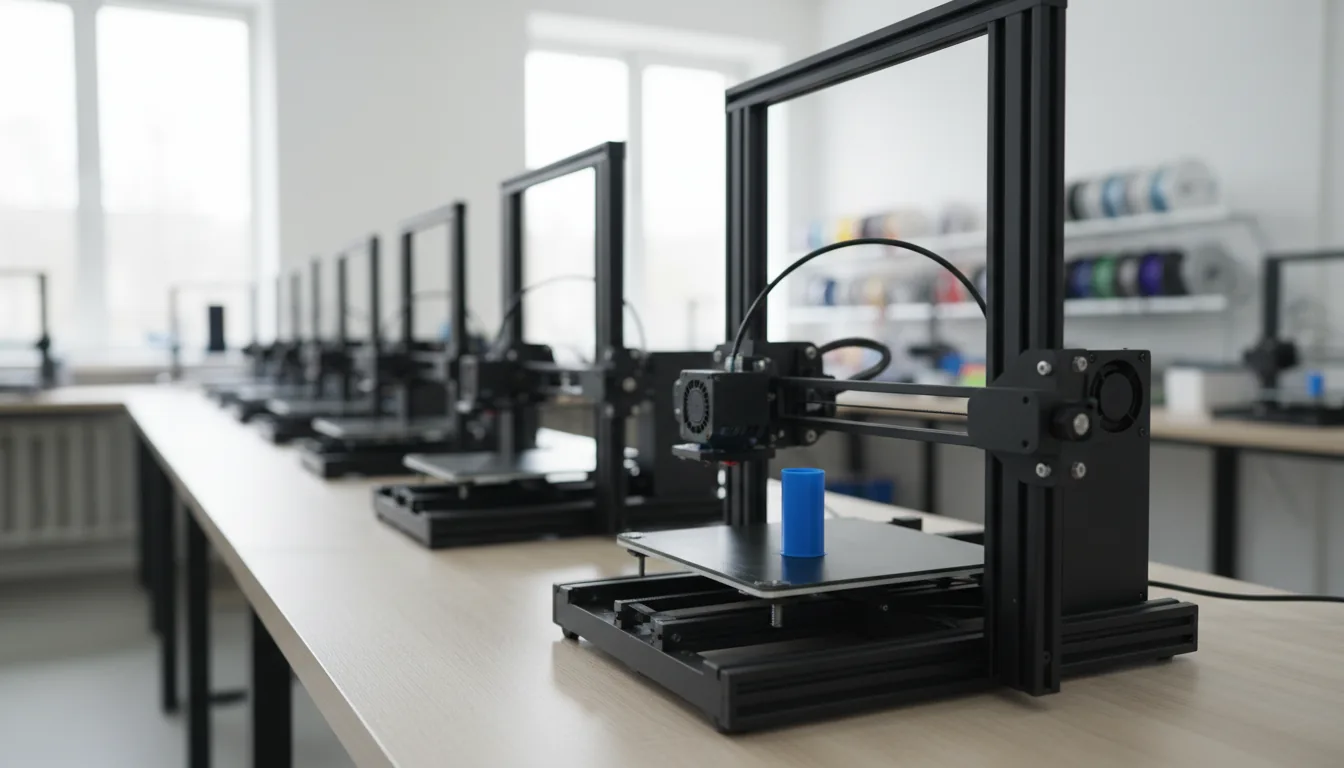
01
From model to print: what has to be true
Scale, watertight meshes, normals, wall thickness and the slicer check.
Jump to chapter ↓
02
Pick the modeling tool for the part
Blender for organic shapes, SolidWorks for fit and tolerance, Rhino for surfaces.
Jump to chapter ↓

03
FDM or resin, and how to prepare for each
Overhangs, orientation and supports for FDM; chemicals and cleanup for resin.
Jump to chapter ↓
04
Choose a printer
Picks for beginners, budget, professional, multi-color and resin.
Jump to chapter ↓

05
Find models to print
Libraries for free and paid models, before you design from scratch.
Jump to chapter ↓
You designed something and now you want to hold it. This guide is for makers, designers and engineers who print from Blender, SolidWorks or Rhino, and for anyone choosing a printer. It explains what a model needs before it prints, how to match the modeling tool to the part, how to pick a printer, and where to find models. Start with How to Use Blender for 3D Printing.
From model to print: what has to be true
Every one of our printing posts makes the same point: the printer reads a mesh, not your design. The advanced preparation guide puts the workflow in order. Confirm the print method and physical requirements, set real-world scale and units, make the mesh watertight and manifold, check normals, wall thickness and clearances, then export an STL and inspect the sliced layers before printing. Blender prepares the model, the slicer turns it into printer instructions, and a model that looks perfect on screen can still fail at either stage.
Watertight is the word that matters. Blender for 3D printing describes it as a solid with no holes, loose edges, inside-out faces or hidden pieces. Blender won't warn you when a mesh is broken, so enable the 3D Print Toolbox add-on and run its checks for non-manifold edges. Faces should point outward, because flipped normals can confuse a slicer even when the viewport looks fine.
The same logic applies to CAD. SolidWorks for 3D printing explains that SolidWorks uses parametric geometry and an STL is a triangle mesh, so the export settings matter. Deviation and angle tolerance control how smooth curves look: finer for organic shapes, coarser for mostly flat parts, and "fine" isn't always better because it makes heavy files. Rhino for 3D printing says Rhino's NURBS surfaces must become a mesh, and recommends generating the mesh yourself with detailed controls so you can inspect it before it reaches a slicer.
Read next
Pick the modeling tool for the part
Match the tool to what the part must do.
Blender suits organic models, figurines, props, enclosures and anything polygon-based. Our Blender post is honest about where it struggles: parts that must fit together, like hinges, lids and screw spacing. Blender has no built-in constraints, so a millimeter of error is your problem. The advanced guide says the same: it is a polygonal modeler, not a parametric manufacturing system, so keep measuring.
SolidWorks is the choice for fit, tolerance and mechanical parts. Its printing post covers wall thickness, overhangs, extra tolerance for moving parts, fillets, matching the printer's build volume, and orientation before export.
Rhino is the choice for precise surfaces, with caveats. The Rhino post lists the usual mistakes: models that are not watertight, wrong units and scale, and exporting straight to STL without inspecting the mesh. If you are still choosing between tools, see 3D software compared and CAD and BIM software compared.
Read next
FDM or resin, and how to prepare for each
The process changes the rules. The preparation guide says FDM printers build with deposited material, so check for steep overhangs, long bridges, features that start in mid-air, small contact areas on the build plate, trapped support and critical surfaces over supports. It warns against trusting one universal overhang angle, because cooling, nozzle, material, layer height and speed all change what prints cleanly. Use the slicer's analysis with your printer's profile.
Orientation affects strength, because FDM parts are direction-dependent. Sometimes the best fix is to split a model into parts, add alignment features and allow clearance for assembly. Resin has its own preparation steps in the same post.
The printer posts add the practical side. Best 3D printers in 2026 says resin gives the best detail for miniatures, jewelry and precision parts, but the workflow is messy, needs ventilation and safety precautions, and involves chemicals and post-processing. It also notes that multi-color systems purge filament on every color change, which adds up if you print often.
Read next
Choose a printer
Best 3D printers in 2026 tells you to ignore half the spec sheet. Real speed beats marketing speed, because high speeds cost surface quality, and the software ecosystem (Bambu Studio, PrusaSlicer, Creality Print) quietly saves or wastes hours. Reliability beats everything. The post's biggest warning is to buy for your workflow, not for specs: functional parts care about material strength and consistency, decorative models about surface quality.
Its picks: Bambu Lab P2 series as best overall, with the trade-off of a closed ecosystem; Bambu Lab A1 for beginners; Elegoo Centauri Carbon and Anycubic Kobra X for budgets under $500, at the cost of more tweaking; Prusa Core One for professional or business use where downtime costs money; Bambu's AMS for multi-color; and Elegoo Saturn 4 Ultra for resin. An earlier roundup groups printers into high-end, mid-range, budget and specialized, including large-format and resin options, and compares print quality, software, durability and support. Treat it as the older list: it was written for 2024.
Read next
Find models to print
You don't always need to model from scratch. 3D model databases lists Cults 3D, Yeggi, Thingiverse, Hum3D, Pinshape, GrabCAD, DExport and CGTrader. Cults 3D has free and paid models plus a request feature for custom designs. Yeggi is a search engine across a very large pool of models, and Thingiverse adds communities for engineering, board games and fan projects.
Whatever you download, run the same checks. A downloaded mesh can be non-manifold or at the wrong scale just like one you built. Open it in Blender or your CAD tool, run the checks from the first chapter, then slice and preview before you print.
Read next
Which route to pick
What you are printing | Model it in | Watch for |
|---|---|---|
Figurine, prop, decorative piece | Blender | Watertight mesh, normals, wall thickness |
Bracket, stand, simple enclosure | Blender | Exact dimensions are on you |
Mechanical part with fit and moving parts | SolidWorks | STL deviation and angle settings, tolerance |
Architecture, jewelry, surface-driven design | Rhino | Watertight solids, units, mesh from NURBS |
Fine detail, miniatures | Resin printer | Ventilation, cleanup, post-processing |
Decorative multi-color | Multi-material printer | Purge waste |
Functional parts, steady output | Reliable FDM printer | Material strength and consistency |
Anything downloaded | Check it first | Scale, manifold edges, slicer preview |
Doing this on Vagon
Vagon doesn't print anything. It helps with the part before the printer: dense Blender sculpts and heavy Rhino or SolidWorks models that slow a laptop down. A Vagon Cloud Computer gives you a Windows or Linux computer with a GPU in your browser, on a PC, Mac, tablet or phone. Install your own modeling apps, keep your files between sessions, and switch to a bigger performance in seconds when a model gets heavy.
When the part is ready, download the STL and slice it on your own computer. You bring your own SolidWorks or Rhino license, and if your parts never get heavy, a normal laptop is fine. Tiers and the trial are on the pricing page.
FAQ
Can you 3D print from Blender?
Yes. Blender suits organic shapes, figurines, props and enclosures. Our posts say the model must be at real-world scale and watertight, with correct normals, then exported as STL and checked in a slicer. Blender is polygonal, so it won't enforce exact dimensions the way CAD does.
Why does my SolidWorks or Rhino model fail when I print it?
Printers use triangle meshes, while SolidWorks and Rhino build smooth mathematical surfaces. The export step converts one to the other, and its settings decide whether curves look faceted, holes shrink or surfaces go missing. Check the mesh and preview every layer in the slicer.
What does watertight mean for 3D printing?
The mesh is a closed solid with no holes, loose edges, flipped faces or hidden pieces. If there is a gap, the slicer may guess the shape wrongly or ignore part of the model. Blender's 3D Print Toolbox checks for non-manifold edges.
What is the best 3D printer for beginners in 2026?
Our 2026 roundup names the Bambu Lab A1 for beginners and the Bambu Lab P2 series as best overall. For under $500 it picks the Elegoo Centauri Carbon and Anycubic Kobra X, and for resin the Elegoo Saturn 4 Ultra. Prices change, so check them.
Where can I find free models to print?
Our database roundup lists Cults 3D, Yeggi, Thingiverse, Pinshape, GrabCAD, CGTrader and others. Yeggi is described as a search engine across many models, and Thingiverse as a community with groups for engineering and board games.


Read next
All posts in this guide
All guides →


Keep going
Related guides
All guides →


Software decisions
6 chapters
Best 3D Software Compared: How to Choose in 2026
No 3D app wins everywhere. Blender is the free all-rounder, Maya leads character animation, 3ds Max suits archviz and product work, Cinema 4D suits motion graphics, Rhino and SketchUp suit precise design, and ZBrush leads sculpting. Choose by the job, then check your hardware.



Read →


Learn & fix
5 chapters
Fix Creative Software Crashes: A Troubleshooting Guide
Work out when the crash happens, then fix in a fixed order: drivers and GPU settings, preferences and cache, plugins, then the file or project itself. Most crashes trace to the GPU, memory, a plugin or one damaged file. If the machine is the limit, run the app on a stronger one.


Read →


Learn & fix
4 chapters
Best Tutorials for 3D, CAD and Video Software
Start with the official or free path for your software, add one structured course, then learn by finishing a real project. Our tutorial roundups cover 3D, CAD, BIM, game engines and video. Heavy courses assume a powerful computer, so plan the hardware before you start.


Read →
Software
Software in this guide
Browse software →
