Instant Connection for Pixel Streaming
— New Feature Automated Setup
How to Distribute Medical Simulations via Pixel Streaming
Streams
How to Distribute Medical Simulations via Pixel Streaming
Streams
How to Distribute Medical Simulations via Pixel Streaming
Streams
Table of Contents
A medical school spends eighteen months building a surgical simulator. Photorealistic anatomy, real-time tissue deformation, the kind of detail that makes a resident's hands sweat before they've touched a real patient. Then it ships, and the whole thing runs on six workstations bolted to desks in one lab on the third floor.
That's the part nobody warns you about. The simulation isn't the hard problem anymore. Getting it in front of the people who need it is.
This is happening while demand goes straight up. The AR/VR medical simulation market hit roughly $4 billion in 2025 and it's climbing more than 20% a year. Every month there's a new VR trauma module, a new patient-specific rehearsal tool, a new way to practice a procedure without a body on the table. The software keeps getting better. The way we hand it to learners has barely moved.
And here's the quiet inequality in all of it: whether a student gets to train on this stuff often comes down to how well-funded their program is. A resident at a flagship hospital gets the lab with the good GPUs. A nursing student two hundred miles away gets a PDF and a prayer. Same curriculum, completely different hardware lottery.
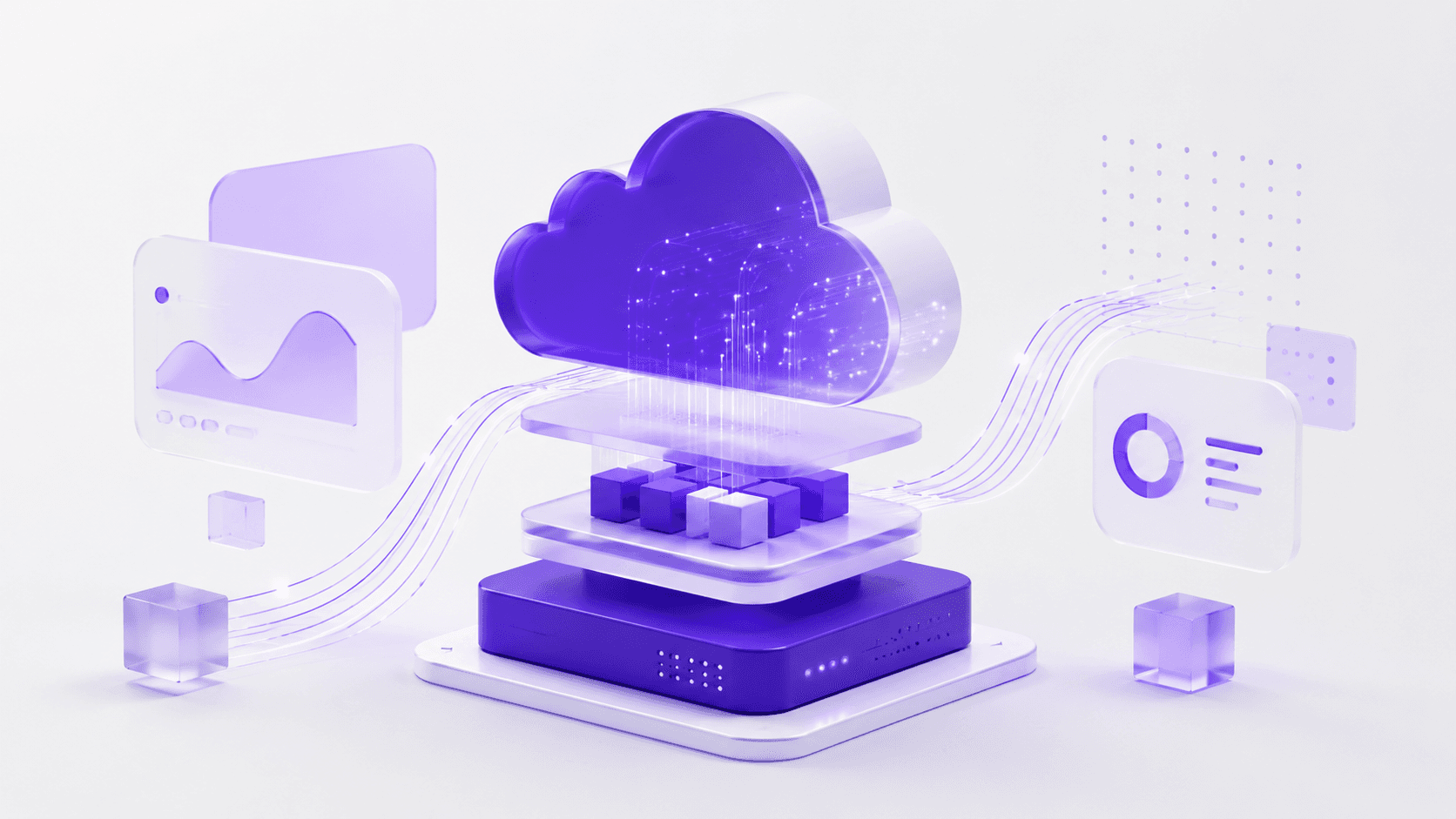
So the real question isn't "can we build heavy medical simulations?" We clearly can. It's "how do we get a demanding, GPU-hungry 3D application onto a cheap laptop, a tablet, or a browser in a classroom that hasn't upgraded its machines since 2018?"
That's what this post is about. Let's start with what "heavy" actually means, because it's worse than most people think.
What makes medical simulations so hardware-heavy
When people say a simulation is demanding, they usually picture nice graphics. Pretty lighting, high-res textures. That's the easy part. A game does that.
The weight in medical simulation comes from physics that has to be right, computed live, while the user pokes at it.
Take soft tissue. When a resident makes an incision, the tissue has to deform, split, and bleed in a way that matches how real tissue behaves, and it has to do it in the same instant the scalpel moves. There's no pre-rendering that. The system is solving a deformation model frame by frame, and the math gets heavier the moment you add cutting, because now the geometry itself is changing while you compute it. Simulating cuts on a virtual organ, like you'd need for a tumor resection, pushes the complexity well past a static model, which is exactly why these systems lean on the GPU instead of the processor alone.
Then there's the imaging side. A lot of serious simulators don't use hand-built 3D models. They render straight from volumetric scan data, the actual CT or MRI of a patient. Open-source platforms like iMSTK do this with GPU-driven ray casting, so the anatomy gets rendered directly from the volume and updated in real time as the user cuts into it. You're not looking at a model of a liver. You're looking at someone's liver, reconstructed from slices, deforming as you work.

And the part that quietly eats the most performance: haptics. If the simulator has force feedback, the visuals and the physical resistance have to stay locked together. Your hand feels the bone before your eye sees the drill bite. Get that wrong by even a few milliseconds and the whole illusion breaks, sometimes badly enough to make people queasy.
Now stack all of that on top of each other. Live deformation, volume rendering from real scan data, haptic sync, all running at a frame rate high enough to feel instant. That's why these things ship on workstations with dedicated GPUs. A standard laptop doesn't choke because it's old. It chokes because you're asking it to do supercomputing-lite in real time, and it was built to run a browser and a spreadsheet.
So the software has a hardware floor. A high one. And that floor is the thing standing between a great simulator and the people who'd benefit from it.
Which brings us to the problem almost nobody plans for.
The same approach works for other 3D tools too, not just game engines, and you can see it running with a streamed Blender 3D experience as one example.
Why distributing medical simulations is the part nobody plans for
Teams budget for building the simulation. They almost never budget for the part that comes after, which is getting it onto enough devices to matter. That's where the money quietly bleeds out, and where good projects die in a storage closet.
The hardware floor from the last section doesn't go away when you ship. It multiplies. Every learner who needs the full experience needs a machine that can run it, and that turns into a stack of problems that have nothing to do with how good your simulation is:
The per-seat GPU tax. A simulator that needs a dedicated GPU means every training station needs one. Twenty seats is twenty workstations, not twenty laptops. The cost scales linearly with the thing you actually want to scale, which is access.
The refresh treadmill. Those machines don't last. GPUs age out, driver support drops, and in three or four years the lab that was cutting-edge needs a full replacement. You're not buying hardware once. You're renting it on a depreciation schedule forever.
Hospital IT lockdown. Clinical networks are some of the most locked-down environments on earth, and for good reason. Getting permission to install a heavy GPU application on managed machines can take months of security review, if it gets approved at all.
VR headset logistics. If your simulation runs in VR, now you're also managing headsets: charging them, sanitizing them between users, updating them, replacing the ones that break. Needing supported VR hardware and supervised sessions is a real operational constraint, not a footnote.
The cross-platform tax. Some learners are on Windows, some on Mac, some only have an iPad. Supporting all of them means building and maintaining separate versions, which doubles or triples the engineering work for the same simulation.
Sharing between institutions is genuinely hard. You'd think a great simulator built at one hospital could just be handed to another. It mostly can't. Even when institutions try to share simulation-based training, the technical and logistical friction is high enough that adoption stays low.
Put those together and you get the situation from the opening. The simulation exists. It's good. And it reaches a few dozen people in one room because that's as far as the hardware will carry it.
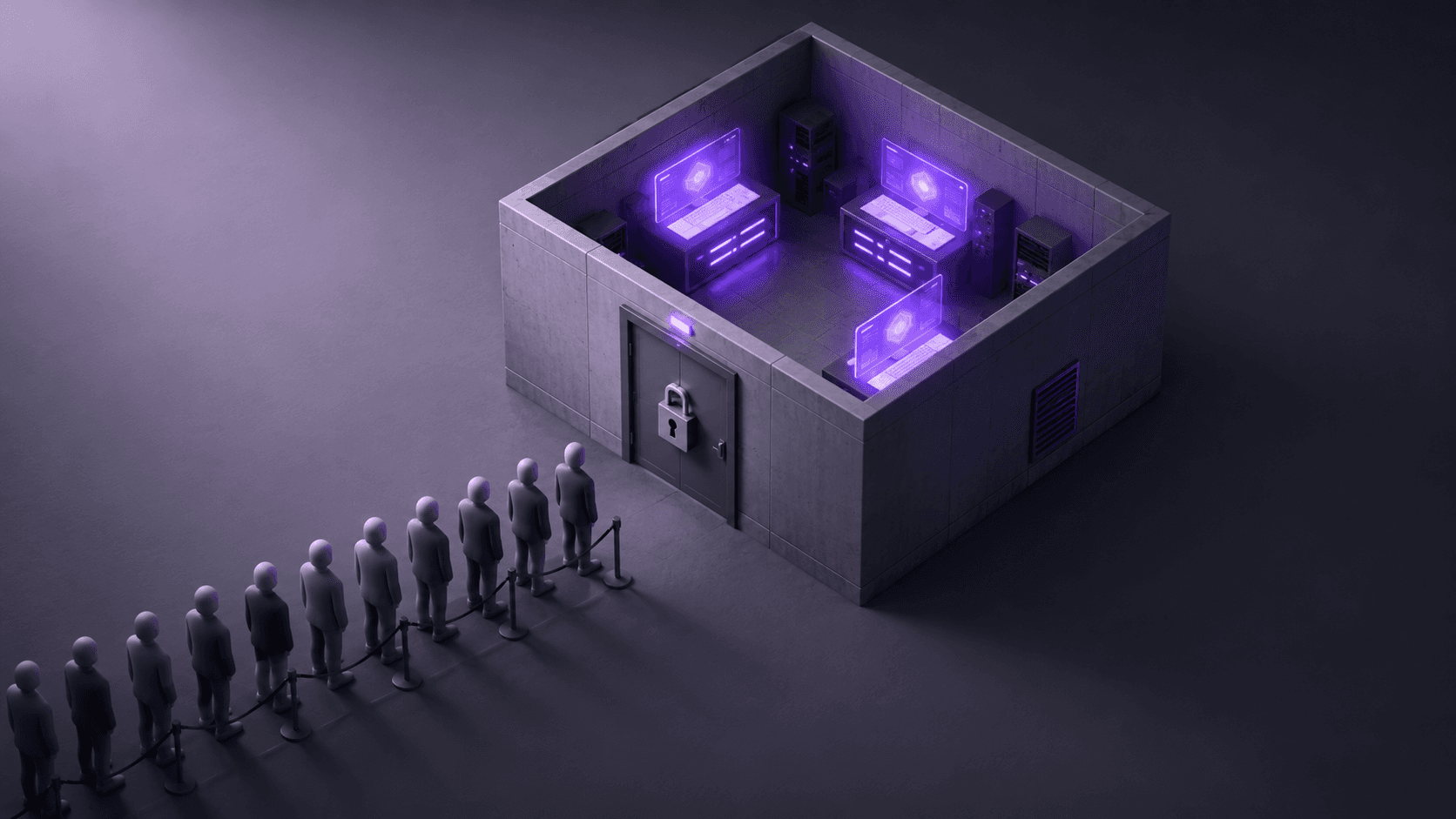
This is also where the fairness problem stops being abstract. Access to high-fidelity simulation tracks an institution's financial status, which builds real disparities into who gets trained on what. The COVID years made it impossible to ignore: when people couldn't gather in a physical sim center, a lot of programs discovered how little of their training was actually portable. The simulation was stuck to the building.
So the bottleneck was never really the software. It's the assumption that the machine rendering the simulation and the machine the learner is sitting at have to be the same machine.
Break that assumption and the whole problem changes shape. That's what pixel streaming does.
How pixel streaming reframes medical simulation distribution
Here's the assumption worth killing: that the computer rendering the simulation and the computer the learner is touching have to be the same computer. For decades they were. That's the only reason the hardware floor mattered.
Pixel streaming separates them.
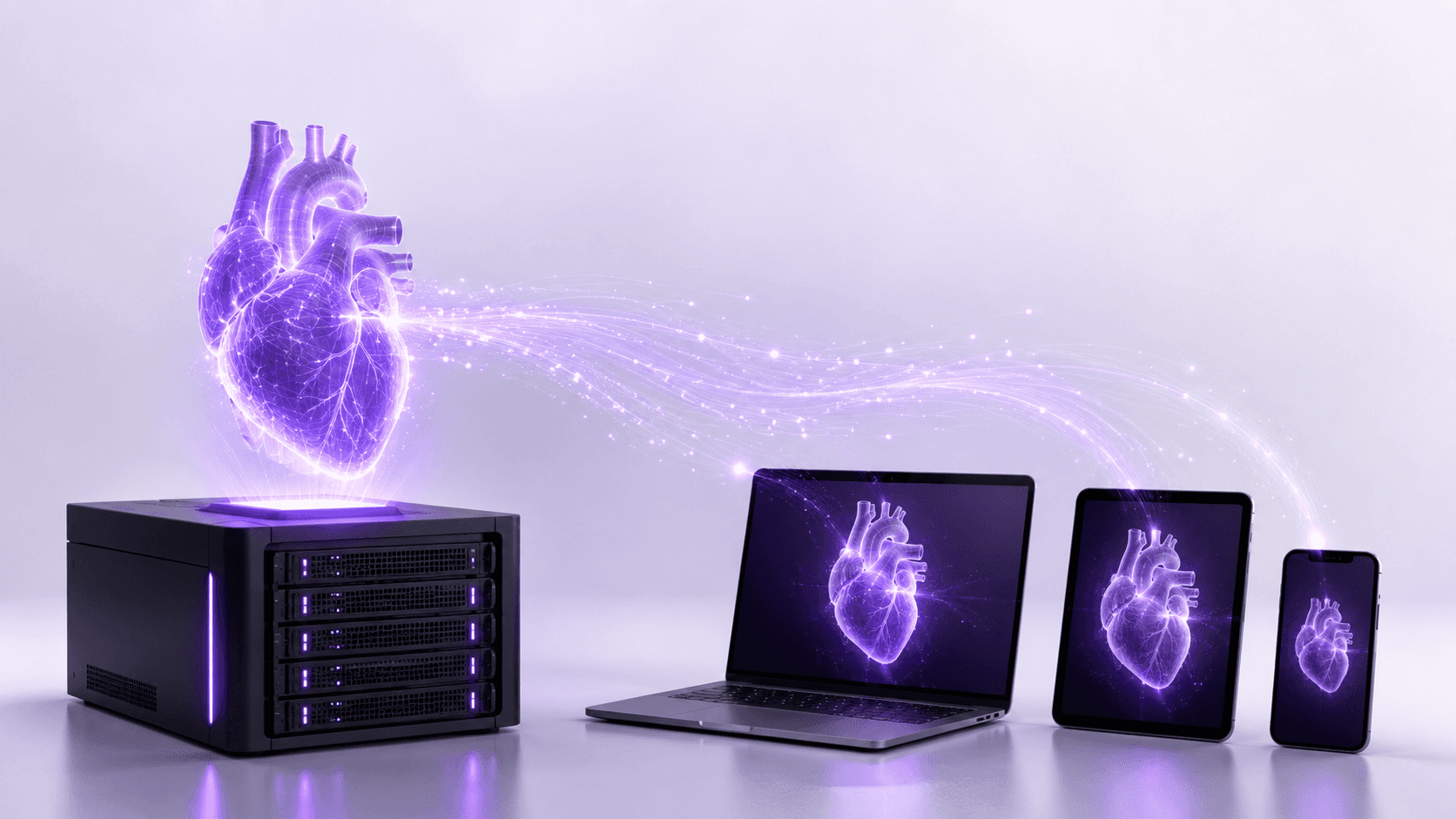
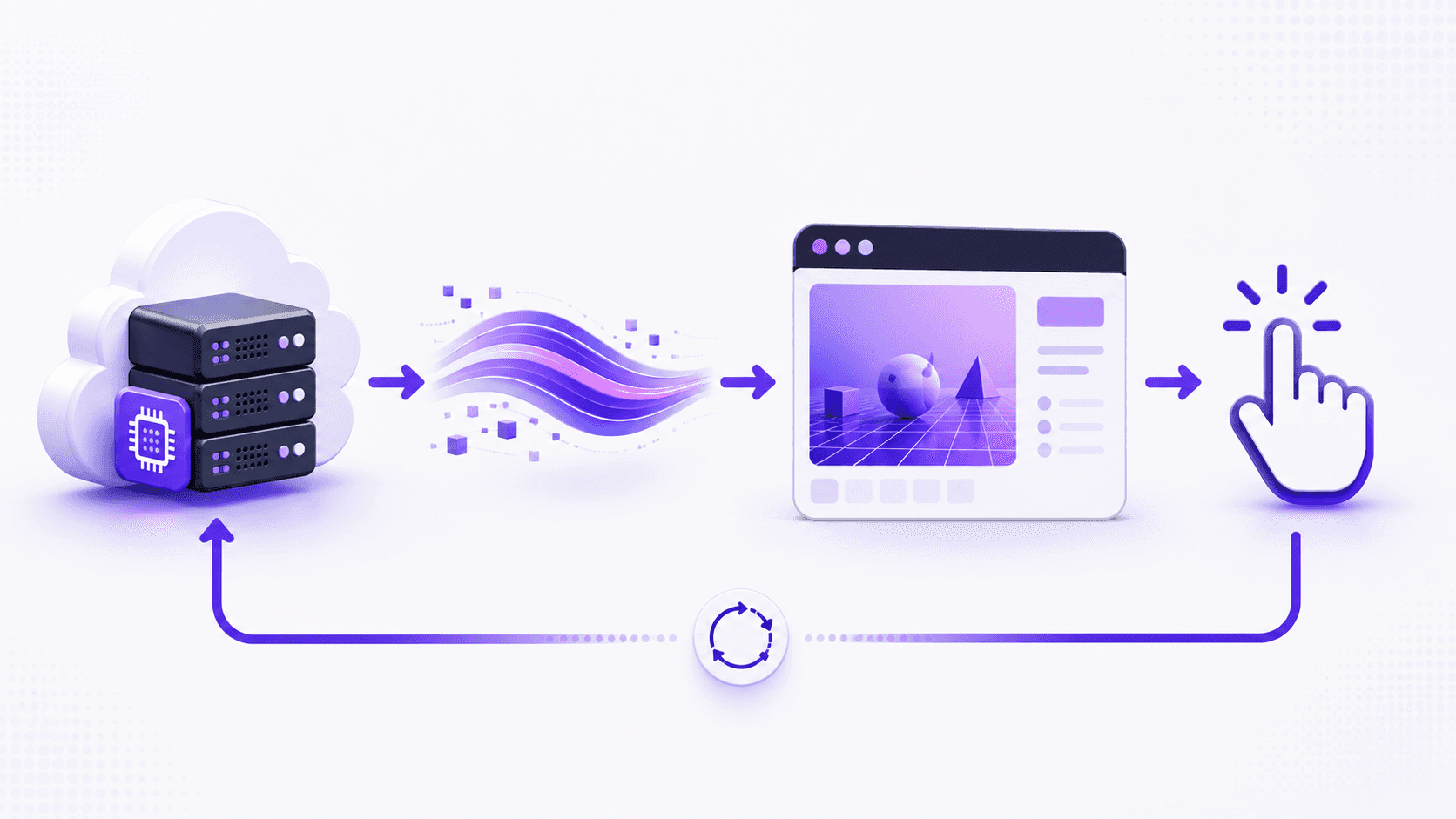
The simulation runs on a powerful GPU somewhere else, in the cloud or on a server in a data center. It renders every frame the same way it would on a high-end workstation, full quality, full frame rate. But instead of those frames going to a monitor wired to that machine, they get captured, compressed into a video stream, and sent over the internet. The learner's device just plays the video. When they click, drag, or touch the screen, those inputs travel back to the server, the simulation responds, and the next frame comes down the pipe. The browser receives and decodes the video stream and displays the frames as they arrive, which asks very little of the device doing the watching.
If that sounds like a video call, it basically is, technically. The rendered frames and audio stream to browsers and mobile devices over WebRTC, the same real-time protocol that powers video chat. The difference is that the "camera" on the other end is a surgical simulator running on a GPU that costs more than the learner's entire laptop.
Now walk it back through every problem from the last section, because this is where it earns its place.
The per-seat GPU tax disappears. You're not buying a GPU for every learner. You're renting server time, and the device in their hands can be a Chromebook, a tablet, whatever they already own. A mobile device or a lightweight browser can display workstation-quality 3D graphics it could never render on its own.
The refresh treadmill moves off your books. When the GPUs need upgrading, that happens in the data center, not in twenty classrooms across the country. The learner's device never has to keep up, because it was never doing the work.
Hospital IT lockdown gets easier, not because security relaxes, but because there's nothing heavy to install. It runs in a browser tab. A locked-down clinical machine that can open a web page can open the simulation, and security review of a website is a very different conversation than review of a GPU application with driver-level access.

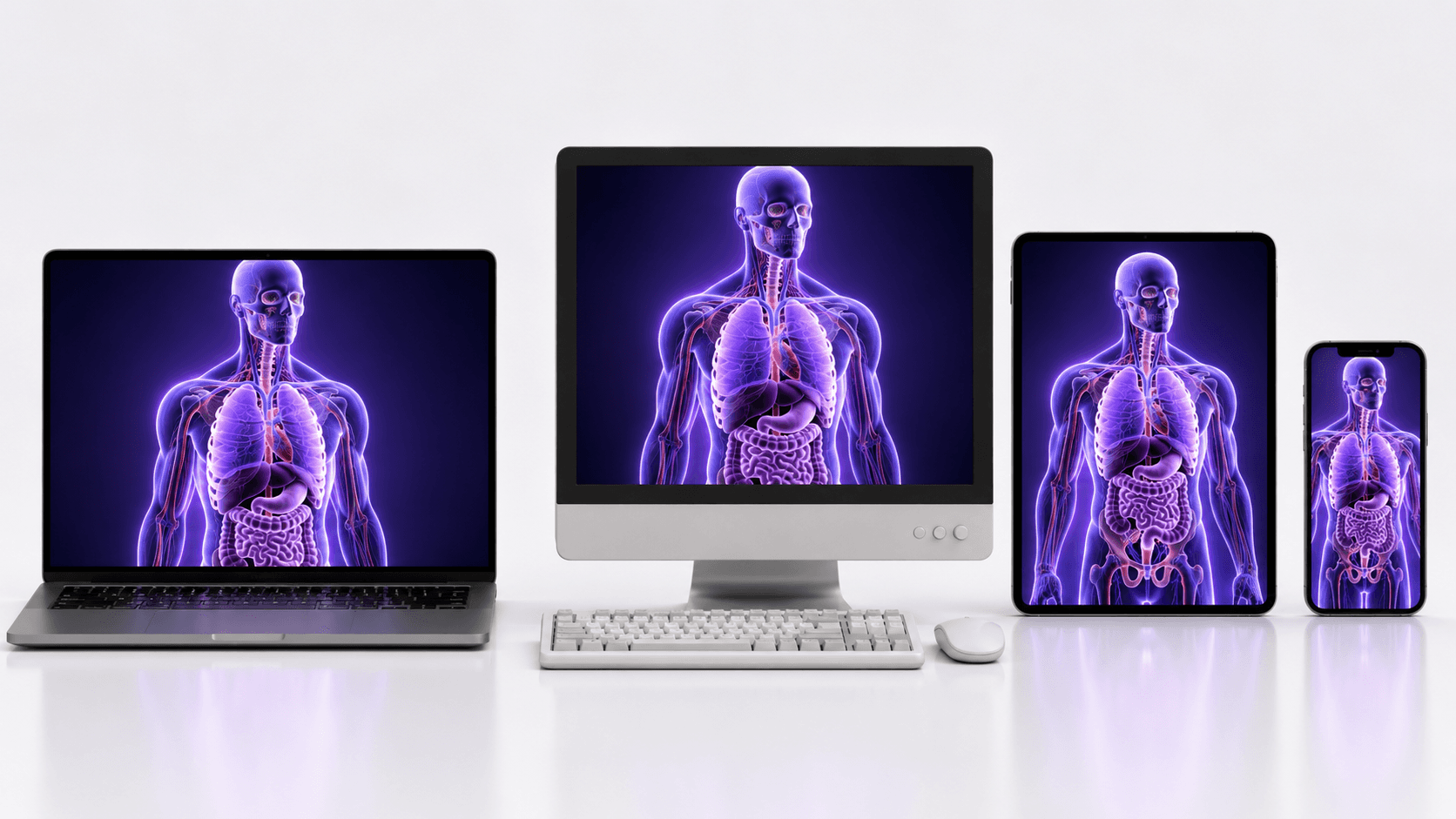
Cross-platform stops being a tax. You build the simulation once. Windows, Mac, iPad, a school's aging desktops all get the same stream, because the only thing they're running is a video player they already have. The fragmentation problem just evaporates.
And sharing between institutions turns into sharing a link. The simulator that used to be stuck to one building becomes a URL. A program two hundred miles away doesn't need your hardware, your install, or your IT department. They need the address and a login.
That's the reframe. The simulation stops being a thing you ship to machines and becomes a thing you stream to people. The hardware floor is still there, it just lives in one place you control instead of being everyone's problem to solve.
Which is the point where I should slow down and be honest, because streaming isn't magic and there are places it falls on its face.
If you want the full technical breakdown of how the rendering, encoding, and input loop actually fit together, we wrote a separate guide on what pixel streaming is that goes under the hood.
Where pixel streaming works for medical simulation, and where it doesn't
I'd be doing you a disservice if I pitched streaming as a clean win with no catch. It has a real, physical limit, and pretending otherwise is how people end up disappointed three weeks into a deployment.
Where local hardware still beats streaming
The catch is latency, and it's not a software bug you can patch away. It's the speed of light and the distance between the learner and the server.
Every action has a round trip. The click leaves the device, travels to the server, the simulation responds, the new frame renders, compresses, and travels back. All of that has to feel instant, and "instant" has a number. The interactive limit sits around 70 milliseconds, and over long-distance connections real-world latency can blow right past it. When that happens, the simulation feels like it's lagging a half-beat behind the user's hand. For watching, fine. For a precision task where timing is the whole point, that half-beat is the difference between a useful tool and a frustrating one.
Haptics make this sharper. If your simulator has force feedback, the physical resistance is generated by hardware in the learner's hand, but the visual confirmation is coming over the network. Keeping those two locked together across a connection is hard, and when they drift apart the experience degrades fast. For the most demanding haptic work, a local machine sitting right next to the device still wins. No network beats no network.

Then there's bandwidth. You're streaming high-quality video continuously, both directions. A learner on a strong connection is fine. A learner on rural DSL or a congested hospital wifi at 4pm is going to have a rougher time, and that's exactly the population you were hoping to reach. Worth testing before you promise anything.
Where pixel streaming earns its keep
So when is it the right call? More often than the caveats suggest, because most medical simulation isn't a microsecond-precision haptic task. A lot of it is visual, exploratory, and interactive in a way that tolerates a little latency just fine:
Patient education and pre-op visualization. Showing someone their own anatomy and what a procedure will do. The interaction is gentle, the wow factor is high, and latency barely registers.
Anatomy and procedure walkthroughs. Learners exploring a 3D model, rotating it, stepping through phases. This is where streaming shines and where the per-seat hardware cost was most absurd.
Assessment and demonstration at scale. Getting one consistent, high-fidelity experience in front of hundreds of learners who'd otherwise be sharing six workstations. The honesty here matters: everyone sees the same image, regardless of the device they're on, because the rendering happens in one place.
The realistic version of the latency story is also better than the worst case. A WebRTC stream crossing from Madrid to the US West Coast and back can come in under 200 milliseconds, and for a lot of these use cases that's comfortably inside what feels responsive. The trick is matching the use case to the constraint instead of assuming streaming either solves everything or nothing.
My rule of thumb: if the value is in seeing and exploring, stream it. If the value is in millisecond-perfect physical feedback, keep that one local for now. Most of what programs actually want to distribute falls in the first bucket.
Which raises the practical question. If you've decided streaming fits, how do you actually do it without wasting a quarter learning the hard way?
If you're trying to picture what a finished streamed application actually feels like, the Vagon Streams experience gallery is a good place to see live examples across different fields.
How to actually deploy pixel streaming for medical simulation
Say you're sold on the idea for the right use case. Here's how to approach it without burning a quarter on lessons you could've skipped.
Start with the use case, not the tech
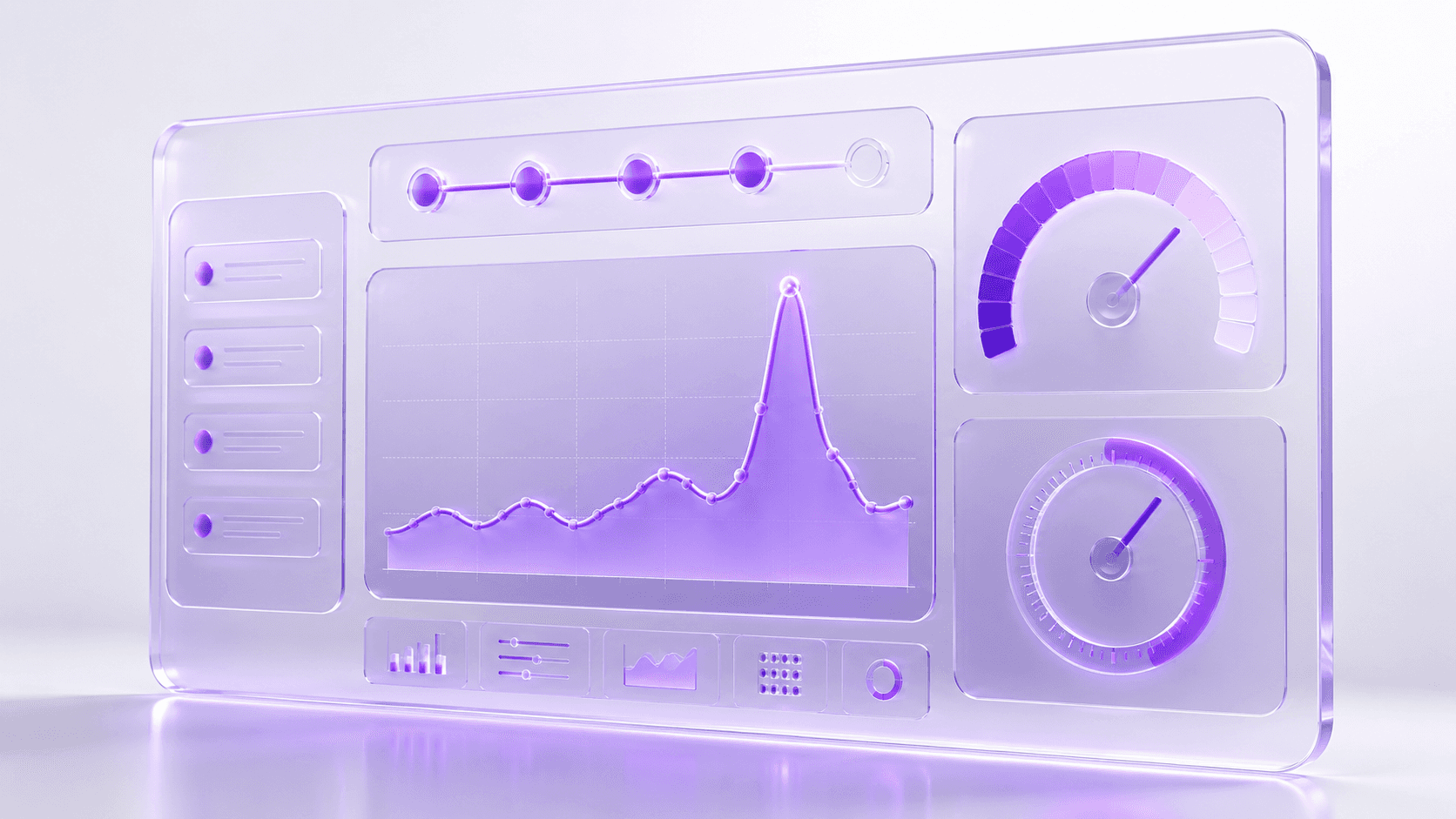
The single biggest mistake is deciding to stream and then figuring out what for. Do it the other way around. Are you distributing patient education, training walkthroughs, or high-stakes assessment? Each one has a different tolerance for latency, a different session length, and a different number of people hitting it at once. A pre-op visualization tool for patients and a graded surgical assessment for residents look similar on a slide and behave nothing alike in production. Name the use case first, and the technical requirements mostly write themselves.
Test on the network you'll actually have, not yours
Your office wifi is a lie. It's fast, it's empty, and it's nothing like a hospital network at 4pm or a student's apartment on rural broadband. Test early on the worst connection your real users will have, not the best one you have. If it holds up there, you're safe everywhere. If you only test in good conditions, you'll find out it breaks the same week you roll it out, which is the worst possible time to learn it.
Plan for concurrency before launch, not after
This is the one that surprises people. Streaming costs scale with simultaneous users, because each active session needs its own slice of GPU. Ten learners exploring anatomy at the same time means ten rendering sessions running at once. If your whole cohort logs in for the same Tuesday lab, you need capacity for that peak, not for your average. Map your real usage pattern, spiky or steady, before you commit to anything, because the spiky pattern is the expensive one and it's easy to miss until the bill arrives.
Match session length to attention, not capability
Just because someone can stay in a session for two hours doesn't mean they should, and it doesn't mean you should pay for it. Long idle sessions are wasted GPU time. Design the experience around focused chunks, build in natural stopping points, and close idle sessions automatically. It's better for the learner and a lot cheaper for you.
A few quick traps worth naming, because I've watched all of them happen: don't assume every learner has a modern browser (some clinical machines are frozen in time), don't forget that audio adds its own sync headaches if your simulation uses it, and don't skip a fallback plan for when a connection drops mid-session. People will lose wifi in the middle of an assessment. Decide now what happens when they do.
None of this is exotic. It's the difference between a pilot that quietly works and one that generates a month of support tickets. Get the use case, the network, the concurrency, and the session design right, and the streaming part mostly takes care of itself.
The catch in all of that, of course, is that "the streaming part" still means standing up cloud GPUs, a signaling server, encoding, autoscaling, and the rest of an infrastructure stack you probably didn't sign up to build.
Because cost tracks concurrent sessions rather than total users, it's worth mapping your peak against how Vagon Streams pricing works before you commit to a rollout.
Streaming medical simulations with Vagon Streams
Everything up to here is true no matter what tools you use. Pixel streaming is a technique, not a product, and you could build the whole stack yourself if you had the time and the appetite for it.
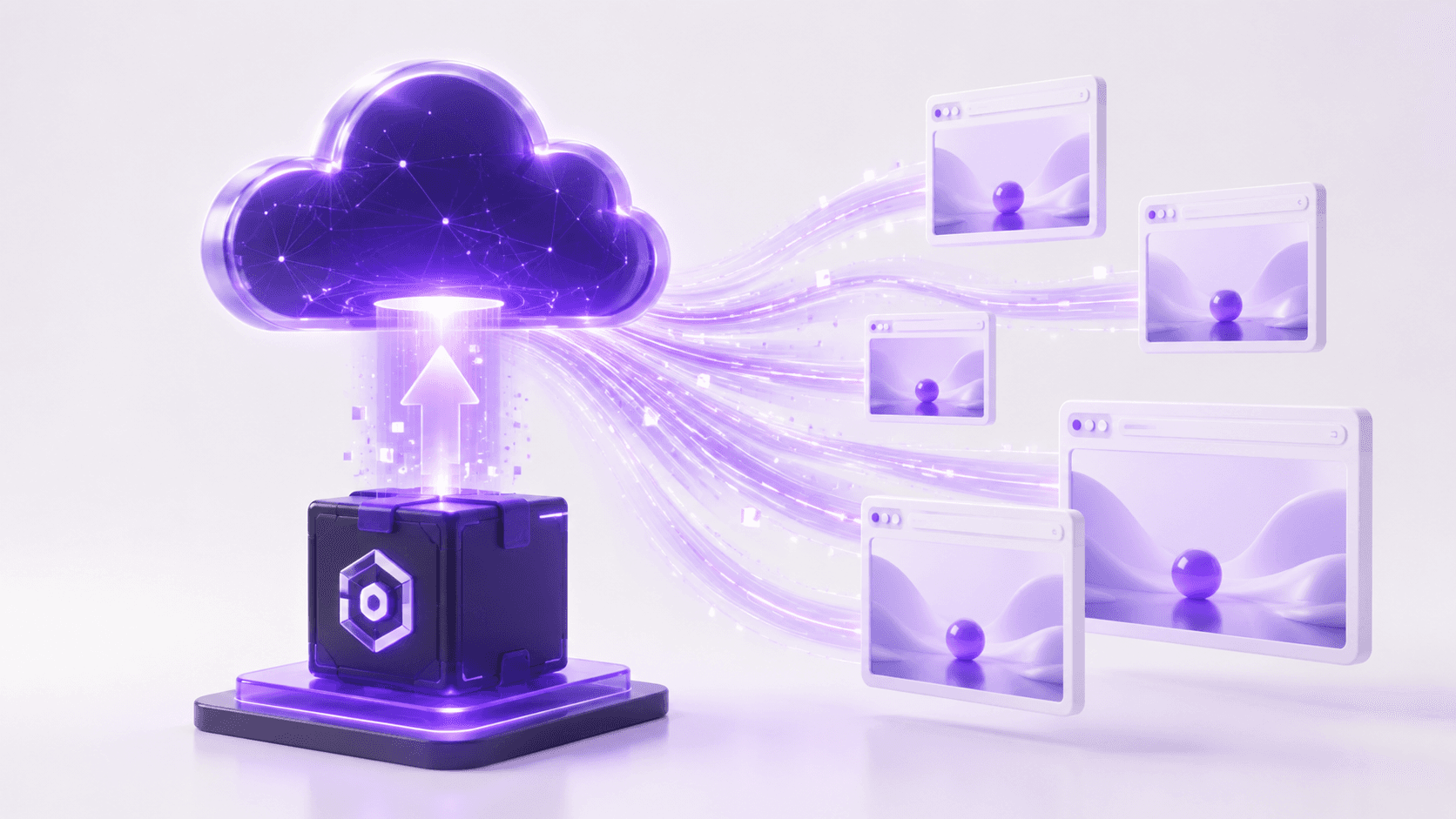
But look back at what that actually involves. Provisioning cloud GPUs. Standing up a signaling server. Wiring up the WebRTC connection, the video encoding, the input round trip. Then the part that quietly eats the most engineering time: autoscaling, so that ten learners on a Tuesday and a hundred on exam day both get a session without you over-provisioning hardware that sits idle the rest of the week. That's a real platform to build and babysit, and most teams making medical simulations are not, and shouldn't have to become, cloud infrastructure teams.
That's the gap Vagon Streams is built to close. You take the simulation you already made, the Unreal or Unity build that needs a serious GPU, and you upload it. Streams handles the rendering on cloud GPUs and delivers it to your learners as a stream they open in a browser. No install on their end, no headset to manage, no per-seat workstation. The concurrency problem from the last section, the spiky Tuesday-lab usage that's so easy to underestimate, is the part the platform is meant to absorb, scaling sessions up for the peak and back down when the room empties.
The honest framing: it doesn't change anything in the last few sections about when streaming is the right call. The latency limits still apply. The "test on a real network" advice still applies. What it changes is who builds the plumbing. Instead of spending a quarter assembling an infrastructure stack before your first learner sees anything, you point at your build and start distributing. The simulation stays yours. The headache of delivering it stops being yours.
That's the whole pitch, and I'd rather undersell it than oversell it. If you've decided streaming fits your use case, this is the shortcut past the part you didn't want to build anyway.
If you're weighing whether it covers what your simulation needs, the full feature set for Vagon Streams lays out the rendering, encoding, and scaling pieces in one place.
The part that actually matters
Strip away the WebRTC and the GPUs and the concurrency math, and here's what's left.
Right now, the quality of simulation a medical learner gets to train on depends too much on where they happen to be standing. The well-funded program has the lab with the good machines. Everyone else makes do. Same curriculum, same eventual responsibility for a real patient's life, wildly different preparation, decided largely by a hardware budget the learner had no say in.
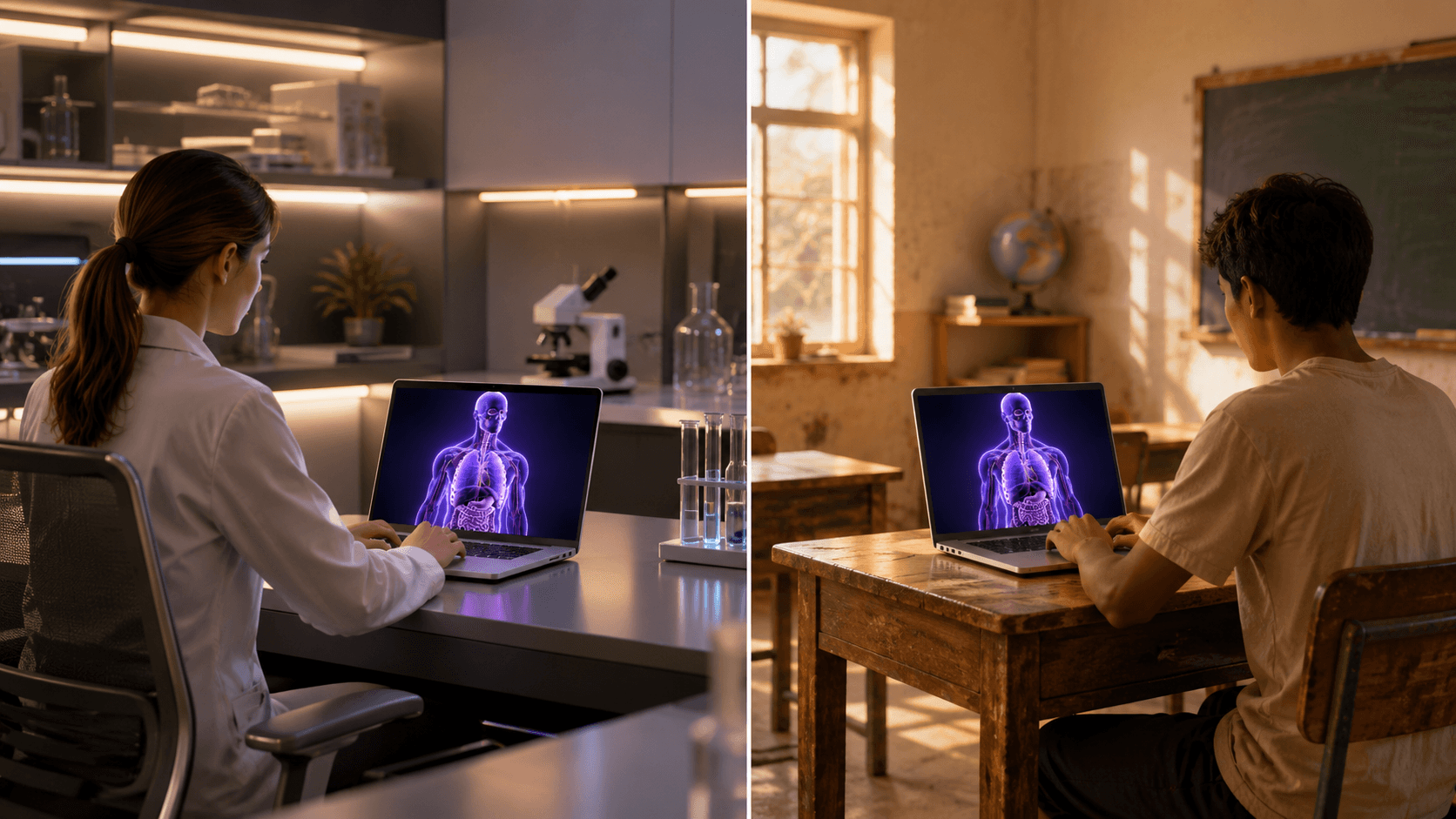
Streaming doesn't fix everything about that. But it breaks the link between the quality of the simulation and the quality of the device in front of the learner. A student on a borrowed laptop in a program that could never afford a workstation lab opens the same simulator, at the same fidelity, as a resident at a flagship hospital. The expensive machine still exists. It just lives in one place and reaches everyone, instead of existing twenty times in one room and reaching almost no one.
That's the shift worth caring about. Not that we can render a liver in real time, we've been able to do that for a while. It's that we can finally stop letting the rendering hardware decide who gets to learn on it.
The simulation was never really stuck to the building. We just kept assuming it had to be. It doesn't anymore.
FAQs
1. Do learners need to install anything?
No, and that's most of the point. The simulation runs on a remote GPU and arrives as a video stream in a browser tab. A learner opens a link and they're in. There's nothing to download, no driver to update, and nothing for a locked-down clinical machine's security review to choke on.
2. Is streaming medical simulations secure? What about patient data?
Streaming actually has a structural advantage here: nothing renders on the learner's device, so no simulation files, models, or patient-derived scan data ever land on the endpoint. It stays on the server and only pixels travel out. That said, "secure" and "compliant" aren't the same thing. If your simulation touches real patient data, compliance depends on how the whole pipeline is configured and where the servers live, so treat that as a conversation with your provider and your own compliance team, not a checkbox.
3. How fast does a learner's internet need to be?
Fast enough to hold a steady high-quality video call, in both directions, without dropping. A solid home or campus connection is fine. The places to worry are congested hospital wifi and rural broadband, which is exactly why testing on your worst realistic connection matters more than testing on your office network. If it holds up there, you're covered.
4. Can you stream VR medical simulations?
Streaming is at its strongest for screen-based experiences delivered to browsers and tablets. VR is more demanding, both on latency and on the device side, and some VR platforms restrict pixel streaming outright. If VR is core to your simulation, test it specifically rather than assuming it behaves like the browser case, because it usually doesn't.
5. What about haptics and force feedback?
This is the honest limit. The physical resistance is generated by hardware in the learner's hand, while the visual confirmation comes over the network, and keeping those two locked together across a connection is hard. For the most demanding haptic work, a local machine still wins. For visual and exploratory simulation, which is most of what programs want to distribute, streaming handles it well.
6. Does it work on iPads, Chromebooks, and older machines?
Yes, and that's the unlock. Since the device only plays video and sends back clicks or touches, the heavy lifting never reaches it. A Chromebook, an aging desktop, and a personal iPad all get the same stream at the same fidelity. You build the simulation once instead of maintaining a separate version per platform.
7. How many people can use it at the same time?
Each active session needs its own slice of GPU, so cost and capacity scale with simultaneous users, not total users. The number that matters is your peak: if a whole cohort logs in for the same lab, plan for that spike rather than your daily average. A platform that autoscales sessions up and down is what keeps that from turning into either a bottleneck or a bill for idle hardware.
8. Does my simulation need to be built in Unreal?
Unreal Engine is the most common path and has pixel streaming support built in, but Unity builds stream the same way. The technique doesn't care which engine rendered the frame. What matters is that it's a real-time 3D application that needs a GPU, which is the whole reason you're streaming it in the first place.
A medical school spends eighteen months building a surgical simulator. Photorealistic anatomy, real-time tissue deformation, the kind of detail that makes a resident's hands sweat before they've touched a real patient. Then it ships, and the whole thing runs on six workstations bolted to desks in one lab on the third floor.
That's the part nobody warns you about. The simulation isn't the hard problem anymore. Getting it in front of the people who need it is.
This is happening while demand goes straight up. The AR/VR medical simulation market hit roughly $4 billion in 2025 and it's climbing more than 20% a year. Every month there's a new VR trauma module, a new patient-specific rehearsal tool, a new way to practice a procedure without a body on the table. The software keeps getting better. The way we hand it to learners has barely moved.
And here's the quiet inequality in all of it: whether a student gets to train on this stuff often comes down to how well-funded their program is. A resident at a flagship hospital gets the lab with the good GPUs. A nursing student two hundred miles away gets a PDF and a prayer. Same curriculum, completely different hardware lottery.
So the real question isn't "can we build heavy medical simulations?" We clearly can. It's "how do we get a demanding, GPU-hungry 3D application onto a cheap laptop, a tablet, or a browser in a classroom that hasn't upgraded its machines since 2018?"
That's what this post is about. Let's start with what "heavy" actually means, because it's worse than most people think.
What makes medical simulations so hardware-heavy
When people say a simulation is demanding, they usually picture nice graphics. Pretty lighting, high-res textures. That's the easy part. A game does that.
The weight in medical simulation comes from physics that has to be right, computed live, while the user pokes at it.
Take soft tissue. When a resident makes an incision, the tissue has to deform, split, and bleed in a way that matches how real tissue behaves, and it has to do it in the same instant the scalpel moves. There's no pre-rendering that. The system is solving a deformation model frame by frame, and the math gets heavier the moment you add cutting, because now the geometry itself is changing while you compute it. Simulating cuts on a virtual organ, like you'd need for a tumor resection, pushes the complexity well past a static model, which is exactly why these systems lean on the GPU instead of the processor alone.
Then there's the imaging side. A lot of serious simulators don't use hand-built 3D models. They render straight from volumetric scan data, the actual CT or MRI of a patient. Open-source platforms like iMSTK do this with GPU-driven ray casting, so the anatomy gets rendered directly from the volume and updated in real time as the user cuts into it. You're not looking at a model of a liver. You're looking at someone's liver, reconstructed from slices, deforming as you work.
And the part that quietly eats the most performance: haptics. If the simulator has force feedback, the visuals and the physical resistance have to stay locked together. Your hand feels the bone before your eye sees the drill bite. Get that wrong by even a few milliseconds and the whole illusion breaks, sometimes badly enough to make people queasy.
Now stack all of that on top of each other. Live deformation, volume rendering from real scan data, haptic sync, all running at a frame rate high enough to feel instant. That's why these things ship on workstations with dedicated GPUs. A standard laptop doesn't choke because it's old. It chokes because you're asking it to do supercomputing-lite in real time, and it was built to run a browser and a spreadsheet.
So the software has a hardware floor. A high one. And that floor is the thing standing between a great simulator and the people who'd benefit from it.
Which brings us to the problem almost nobody plans for.
The same approach works for other 3D tools too, not just game engines, and you can see it running with a streamed Blender 3D experience as one example.
Why distributing medical simulations is the part nobody plans for
Teams budget for building the simulation. They almost never budget for the part that comes after, which is getting it onto enough devices to matter. That's where the money quietly bleeds out, and where good projects die in a storage closet.
The hardware floor from the last section doesn't go away when you ship. It multiplies. Every learner who needs the full experience needs a machine that can run it, and that turns into a stack of problems that have nothing to do with how good your simulation is:
The per-seat GPU tax. A simulator that needs a dedicated GPU means every training station needs one. Twenty seats is twenty workstations, not twenty laptops. The cost scales linearly with the thing you actually want to scale, which is access.
The refresh treadmill. Those machines don't last. GPUs age out, driver support drops, and in three or four years the lab that was cutting-edge needs a full replacement. You're not buying hardware once. You're renting it on a depreciation schedule forever.
Hospital IT lockdown. Clinical networks are some of the most locked-down environments on earth, and for good reason. Getting permission to install a heavy GPU application on managed machines can take months of security review, if it gets approved at all.
VR headset logistics. If your simulation runs in VR, now you're also managing headsets: charging them, sanitizing them between users, updating them, replacing the ones that break. Needing supported VR hardware and supervised sessions is a real operational constraint, not a footnote.
The cross-platform tax. Some learners are on Windows, some on Mac, some only have an iPad. Supporting all of them means building and maintaining separate versions, which doubles or triples the engineering work for the same simulation.
Sharing between institutions is genuinely hard. You'd think a great simulator built at one hospital could just be handed to another. It mostly can't. Even when institutions try to share simulation-based training, the technical and logistical friction is high enough that adoption stays low.
Put those together and you get the situation from the opening. The simulation exists. It's good. And it reaches a few dozen people in one room because that's as far as the hardware will carry it.
This is also where the fairness problem stops being abstract. Access to high-fidelity simulation tracks an institution's financial status, which builds real disparities into who gets trained on what. The COVID years made it impossible to ignore: when people couldn't gather in a physical sim center, a lot of programs discovered how little of their training was actually portable. The simulation was stuck to the building.
So the bottleneck was never really the software. It's the assumption that the machine rendering the simulation and the machine the learner is sitting at have to be the same machine.
Break that assumption and the whole problem changes shape. That's what pixel streaming does.
How pixel streaming reframes medical simulation distribution
Here's the assumption worth killing: that the computer rendering the simulation and the computer the learner is touching have to be the same computer. For decades they were. That's the only reason the hardware floor mattered.
Pixel streaming separates them.
The simulation runs on a powerful GPU somewhere else, in the cloud or on a server in a data center. It renders every frame the same way it would on a high-end workstation, full quality, full frame rate. But instead of those frames going to a monitor wired to that machine, they get captured, compressed into a video stream, and sent over the internet. The learner's device just plays the video. When they click, drag, or touch the screen, those inputs travel back to the server, the simulation responds, and the next frame comes down the pipe. The browser receives and decodes the video stream and displays the frames as they arrive, which asks very little of the device doing the watching.
If that sounds like a video call, it basically is, technically. The rendered frames and audio stream to browsers and mobile devices over WebRTC, the same real-time protocol that powers video chat. The difference is that the "camera" on the other end is a surgical simulator running on a GPU that costs more than the learner's entire laptop.
Now walk it back through every problem from the last section, because this is where it earns its place.
The per-seat GPU tax disappears. You're not buying a GPU for every learner. You're renting server time, and the device in their hands can be a Chromebook, a tablet, whatever they already own. A mobile device or a lightweight browser can display workstation-quality 3D graphics it could never render on its own.
The refresh treadmill moves off your books. When the GPUs need upgrading, that happens in the data center, not in twenty classrooms across the country. The learner's device never has to keep up, because it was never doing the work.
Hospital IT lockdown gets easier, not because security relaxes, but because there's nothing heavy to install. It runs in a browser tab. A locked-down clinical machine that can open a web page can open the simulation, and security review of a website is a very different conversation than review of a GPU application with driver-level access.
Cross-platform stops being a tax. You build the simulation once. Windows, Mac, iPad, a school's aging desktops all get the same stream, because the only thing they're running is a video player they already have. The fragmentation problem just evaporates.
And sharing between institutions turns into sharing a link. The simulator that used to be stuck to one building becomes a URL. A program two hundred miles away doesn't need your hardware, your install, or your IT department. They need the address and a login.
That's the reframe. The simulation stops being a thing you ship to machines and becomes a thing you stream to people. The hardware floor is still there, it just lives in one place you control instead of being everyone's problem to solve.
Which is the point where I should slow down and be honest, because streaming isn't magic and there are places it falls on its face.
If you want the full technical breakdown of how the rendering, encoding, and input loop actually fit together, we wrote a separate guide on what pixel streaming is that goes under the hood.
Where pixel streaming works for medical simulation, and where it doesn't
I'd be doing you a disservice if I pitched streaming as a clean win with no catch. It has a real, physical limit, and pretending otherwise is how people end up disappointed three weeks into a deployment.
Where local hardware still beats streaming
The catch is latency, and it's not a software bug you can patch away. It's the speed of light and the distance between the learner and the server.
Every action has a round trip. The click leaves the device, travels to the server, the simulation responds, the new frame renders, compresses, and travels back. All of that has to feel instant, and "instant" has a number. The interactive limit sits around 70 milliseconds, and over long-distance connections real-world latency can blow right past it. When that happens, the simulation feels like it's lagging a half-beat behind the user's hand. For watching, fine. For a precision task where timing is the whole point, that half-beat is the difference between a useful tool and a frustrating one.
Haptics make this sharper. If your simulator has force feedback, the physical resistance is generated by hardware in the learner's hand, but the visual confirmation is coming over the network. Keeping those two locked together across a connection is hard, and when they drift apart the experience degrades fast. For the most demanding haptic work, a local machine sitting right next to the device still wins. No network beats no network.
Then there's bandwidth. You're streaming high-quality video continuously, both directions. A learner on a strong connection is fine. A learner on rural DSL or a congested hospital wifi at 4pm is going to have a rougher time, and that's exactly the population you were hoping to reach. Worth testing before you promise anything.
Where pixel streaming earns its keep
So when is it the right call? More often than the caveats suggest, because most medical simulation isn't a microsecond-precision haptic task. A lot of it is visual, exploratory, and interactive in a way that tolerates a little latency just fine:
Patient education and pre-op visualization. Showing someone their own anatomy and what a procedure will do. The interaction is gentle, the wow factor is high, and latency barely registers.
Anatomy and procedure walkthroughs. Learners exploring a 3D model, rotating it, stepping through phases. This is where streaming shines and where the per-seat hardware cost was most absurd.
Assessment and demonstration at scale. Getting one consistent, high-fidelity experience in front of hundreds of learners who'd otherwise be sharing six workstations. The honesty here matters: everyone sees the same image, regardless of the device they're on, because the rendering happens in one place.
The realistic version of the latency story is also better than the worst case. A WebRTC stream crossing from Madrid to the US West Coast and back can come in under 200 milliseconds, and for a lot of these use cases that's comfortably inside what feels responsive. The trick is matching the use case to the constraint instead of assuming streaming either solves everything or nothing.
My rule of thumb: if the value is in seeing and exploring, stream it. If the value is in millisecond-perfect physical feedback, keep that one local for now. Most of what programs actually want to distribute falls in the first bucket.
Which raises the practical question. If you've decided streaming fits, how do you actually do it without wasting a quarter learning the hard way?
If you're trying to picture what a finished streamed application actually feels like, the Vagon Streams experience gallery is a good place to see live examples across different fields.
How to actually deploy pixel streaming for medical simulation
Say you're sold on the idea for the right use case. Here's how to approach it without burning a quarter on lessons you could've skipped.
Start with the use case, not the tech
The single biggest mistake is deciding to stream and then figuring out what for. Do it the other way around. Are you distributing patient education, training walkthroughs, or high-stakes assessment? Each one has a different tolerance for latency, a different session length, and a different number of people hitting it at once. A pre-op visualization tool for patients and a graded surgical assessment for residents look similar on a slide and behave nothing alike in production. Name the use case first, and the technical requirements mostly write themselves.
Test on the network you'll actually have, not yours
Your office wifi is a lie. It's fast, it's empty, and it's nothing like a hospital network at 4pm or a student's apartment on rural broadband. Test early on the worst connection your real users will have, not the best one you have. If it holds up there, you're safe everywhere. If you only test in good conditions, you'll find out it breaks the same week you roll it out, which is the worst possible time to learn it.
Plan for concurrency before launch, not after
This is the one that surprises people. Streaming costs scale with simultaneous users, because each active session needs its own slice of GPU. Ten learners exploring anatomy at the same time means ten rendering sessions running at once. If your whole cohort logs in for the same Tuesday lab, you need capacity for that peak, not for your average. Map your real usage pattern, spiky or steady, before you commit to anything, because the spiky pattern is the expensive one and it's easy to miss until the bill arrives.
Match session length to attention, not capability
Just because someone can stay in a session for two hours doesn't mean they should, and it doesn't mean you should pay for it. Long idle sessions are wasted GPU time. Design the experience around focused chunks, build in natural stopping points, and close idle sessions automatically. It's better for the learner and a lot cheaper for you.
A few quick traps worth naming, because I've watched all of them happen: don't assume every learner has a modern browser (some clinical machines are frozen in time), don't forget that audio adds its own sync headaches if your simulation uses it, and don't skip a fallback plan for when a connection drops mid-session. People will lose wifi in the middle of an assessment. Decide now what happens when they do.
None of this is exotic. It's the difference between a pilot that quietly works and one that generates a month of support tickets. Get the use case, the network, the concurrency, and the session design right, and the streaming part mostly takes care of itself.
The catch in all of that, of course, is that "the streaming part" still means standing up cloud GPUs, a signaling server, encoding, autoscaling, and the rest of an infrastructure stack you probably didn't sign up to build.
Because cost tracks concurrent sessions rather than total users, it's worth mapping your peak against how Vagon Streams pricing works before you commit to a rollout.
Streaming medical simulations with Vagon Streams
Everything up to here is true no matter what tools you use. Pixel streaming is a technique, not a product, and you could build the whole stack yourself if you had the time and the appetite for it.
But look back at what that actually involves. Provisioning cloud GPUs. Standing up a signaling server. Wiring up the WebRTC connection, the video encoding, the input round trip. Then the part that quietly eats the most engineering time: autoscaling, so that ten learners on a Tuesday and a hundred on exam day both get a session without you over-provisioning hardware that sits idle the rest of the week. That's a real platform to build and babysit, and most teams making medical simulations are not, and shouldn't have to become, cloud infrastructure teams.
That's the gap Vagon Streams is built to close. You take the simulation you already made, the Unreal or Unity build that needs a serious GPU, and you upload it. Streams handles the rendering on cloud GPUs and delivers it to your learners as a stream they open in a browser. No install on their end, no headset to manage, no per-seat workstation. The concurrency problem from the last section, the spiky Tuesday-lab usage that's so easy to underestimate, is the part the platform is meant to absorb, scaling sessions up for the peak and back down when the room empties.
The honest framing: it doesn't change anything in the last few sections about when streaming is the right call. The latency limits still apply. The "test on a real network" advice still applies. What it changes is who builds the plumbing. Instead of spending a quarter assembling an infrastructure stack before your first learner sees anything, you point at your build and start distributing. The simulation stays yours. The headache of delivering it stops being yours.
That's the whole pitch, and I'd rather undersell it than oversell it. If you've decided streaming fits your use case, this is the shortcut past the part you didn't want to build anyway.
If you're weighing whether it covers what your simulation needs, the full feature set for Vagon Streams lays out the rendering, encoding, and scaling pieces in one place.
The part that actually matters
Strip away the WebRTC and the GPUs and the concurrency math, and here's what's left.
Right now, the quality of simulation a medical learner gets to train on depends too much on where they happen to be standing. The well-funded program has the lab with the good machines. Everyone else makes do. Same curriculum, same eventual responsibility for a real patient's life, wildly different preparation, decided largely by a hardware budget the learner had no say in.
Streaming doesn't fix everything about that. But it breaks the link between the quality of the simulation and the quality of the device in front of the learner. A student on a borrowed laptop in a program that could never afford a workstation lab opens the same simulator, at the same fidelity, as a resident at a flagship hospital. The expensive machine still exists. It just lives in one place and reaches everyone, instead of existing twenty times in one room and reaching almost no one.
That's the shift worth caring about. Not that we can render a liver in real time, we've been able to do that for a while. It's that we can finally stop letting the rendering hardware decide who gets to learn on it.
The simulation was never really stuck to the building. We just kept assuming it had to be. It doesn't anymore.
FAQs
1. Do learners need to install anything?
No, and that's most of the point. The simulation runs on a remote GPU and arrives as a video stream in a browser tab. A learner opens a link and they're in. There's nothing to download, no driver to update, and nothing for a locked-down clinical machine's security review to choke on.
2. Is streaming medical simulations secure? What about patient data?
Streaming actually has a structural advantage here: nothing renders on the learner's device, so no simulation files, models, or patient-derived scan data ever land on the endpoint. It stays on the server and only pixels travel out. That said, "secure" and "compliant" aren't the same thing. If your simulation touches real patient data, compliance depends on how the whole pipeline is configured and where the servers live, so treat that as a conversation with your provider and your own compliance team, not a checkbox.
3. How fast does a learner's internet need to be?
Fast enough to hold a steady high-quality video call, in both directions, without dropping. A solid home or campus connection is fine. The places to worry are congested hospital wifi and rural broadband, which is exactly why testing on your worst realistic connection matters more than testing on your office network. If it holds up there, you're covered.
4. Can you stream VR medical simulations?
Streaming is at its strongest for screen-based experiences delivered to browsers and tablets. VR is more demanding, both on latency and on the device side, and some VR platforms restrict pixel streaming outright. If VR is core to your simulation, test it specifically rather than assuming it behaves like the browser case, because it usually doesn't.
5. What about haptics and force feedback?
This is the honest limit. The physical resistance is generated by hardware in the learner's hand, while the visual confirmation comes over the network, and keeping those two locked together across a connection is hard. For the most demanding haptic work, a local machine still wins. For visual and exploratory simulation, which is most of what programs want to distribute, streaming handles it well.
6. Does it work on iPads, Chromebooks, and older machines?
Yes, and that's the unlock. Since the device only plays video and sends back clicks or touches, the heavy lifting never reaches it. A Chromebook, an aging desktop, and a personal iPad all get the same stream at the same fidelity. You build the simulation once instead of maintaining a separate version per platform.
7. How many people can use it at the same time?
Each active session needs its own slice of GPU, so cost and capacity scale with simultaneous users, not total users. The number that matters is your peak: if a whole cohort logs in for the same lab, plan for that spike rather than your daily average. A platform that autoscales sessions up and down is what keeps that from turning into either a bottleneck or a bill for idle hardware.
8. Does my simulation need to be built in Unreal?
Unreal Engine is the most common path and has pixel streaming support built in, but Unity builds stream the same way. The technique doesn't care which engine rendered the frame. What matters is that it's a real-time 3D application that needs a GPU, which is the whole reason you're streaming it in the first place.
Scalable Pixel and Application Streaming
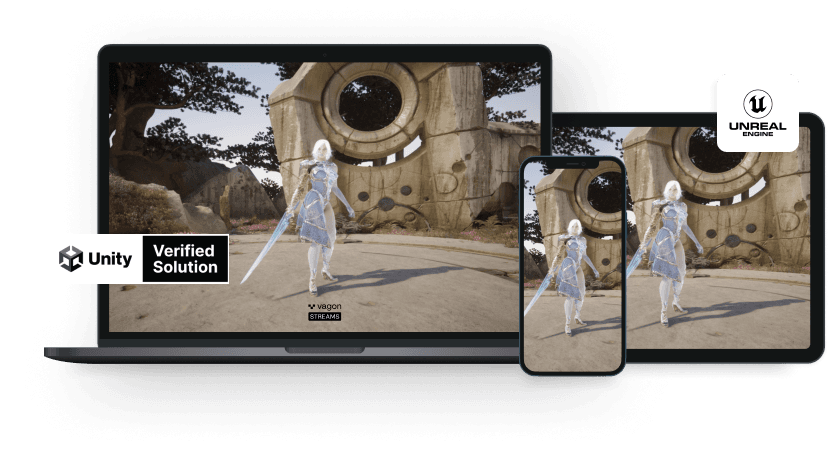
Run your Unity or Unreal Engine application on any device, share with your clients in minutes, with no coding.
Summarize with AI

Ready to focus on your creativity?
Vagon gives you the ability to create & render projects, collaborate, and stream applications with the power of the best hardware.

Run heavy applications on any device with
your personal computer on the cloud.
San Francisco, California
Solutions
Vagon Teams
Vagon Streams
Use Cases
© 2026 Vagon. All rights reserved.
Run heavy applications on any device with
your personal computer on the cloud.
San Francisco, California
Solutions
Vagon Teams
Vagon Streams
Use Cases
© 2026 Vagon. All rights reserved.
Run heavy applications on any device with
your personal computer on the cloud.
San Francisco, California
Solutions
Vagon Teams
Vagon Streams
Use Cases
© 2026 Vagon. All rights reserved.