
Pixel Streaming: How It Works and How to Start
TL;DR
Pixel streaming runs your Unreal Engine or Unity app on a cloud GPU and sends the frames to a browser, so users need no download and no gaming PC. You can host it yourself on AWS or Azure, or upload a build to a managed platform and get a link. Pick by who should run the infrastructure.
Updated
·
6 chapters
·
8 min read
Start here: read the first post →
See the chapters ↓


Apps


In this guide
What you’ll learn
6 chapters

01
What pixel streaming is and how it works
The server renders, the browser plays video, and input goes back the other way.
Jump to chapter ↓

02
Pixel streaming or WebGL?
Local rendering is cheap to scale but limited by the device; streaming keeps full quality at a server cost.
Jump to chapter ↓

03
Choosing a platform, or hosting it yourself
Managed platforms compared, plus the Furioos and Arcane Mirage shutdowns.
Jump to chapter ↓

04
Set it up: DIY on AWS or Azure, or upload a build
What the self-hosted route involves and how to prepare your project for either route.
Jump to chapter ↓

05
What people stream
Configurators, real estate tours, events, digital twins and simulations.
Jump to chapter ↓

06
Vagon Streams: what changed since launch
Launch story, Unity verification and Instant Connection.
Jump to chapter ↓
You built an Unreal Engine or Unity experience, and now people need to open it on laptops, tablets and phones that can't run it. This guide is for developers, archviz studios and marketing teams in that spot. It explains what pixel streaming is, when it beats WebGL, how to choose a platform or host it yourself, and what teams actually stream. Start with What Is Pixel Streaming?.
What pixel streaming is and how it works
Pixel streaming sends pixels, not files. Our explainer describes the loop: your input goes to a server, the server renders the next frame on its GPU, the frame is compressed and encoded, and your device plays it as video. The cycle repeats many times a second. Think of remote desktop built for real-time graphics.
The practical gains are the ones the post lists. Users need a browser, not an install. You patch the app once on the server. The code, models and data stay on the server, so sharing a pre-release build is safer. Scaling means starting more cloud instances.
The engines differ. Unreal Engine has Pixel Streaming built in and handles WebRTC signaling itself. Unity uses Unity Render Streaming, which needs extra pieces such as signaling servers.
Two terms get mixed up with it. Application streaming is the wider idea of running any app remotely and delivering it in a browser; it is narrower than remote desktop, VDI or DaaS, which deliver a whole desktop. Screen scraping captures an existing screen. It is cheap and fine for legacy or low-intensity remote access, but pixel streaming suits high-fidelity, low-latency work. See also What Is Application Streaming?.
Read next
Pixel streaming or WebGL?
The honest answer is a trade. In the WebGL, WebGPU and pixel streaming comparison, local rendering puts the work on the user's device. That scales well and costs little per user, but it struggles with Unreal's high-end visuals and needs asset optimization. Streaming gives consistent quality on any device. The price is bandwidth, some latency and server cost, especially if you expect heavy traffic.
Cloud streaming vs a WebGL configurator frames the same choice in money. Streaming usually means a subscription or usage bill and quick integration. A WebGL build means more up-front development and, potentially, no recurring fee.
Load time is the other side of the argument. The 3D load times post explains that shrinking meshes and textures, cutting draw calls and loading in the right order helps on-device 3D, up to a wall. Streaming sidesteps that wall because the heavy assets never reach the visitor. The post also reports that Unity Render Streaming alone still needs the compute behind it.
Rule of thumb: simple product viewer, WebGL. Full Unreal scene, ray tracing, a big CAD or archviz model, streaming.
Read next
Choosing a platform, or hosting it yourself
Best Pixel Streaming Platforms starts with the right question: do you want to ship a project or run infrastructure? Signaling and TURN servers, GPU instances, scaling up for a crowd and down again, session matchmaking and cost control are the real work, not the rendering.
That post compares Vagon Streams, Arcware, PureWeb, Furioos, Eagle 3D Streaming and self-hosting on AWS or Azure. Read its verdicts with one caveat: we wrote it. By its summary, Arcware is Unreal-focused and gives more hands-on control, PureWeb is aimed at enterprises with custom pricing, and self-hosting only pays off with a dedicated engineering team.
Our head-to-head posts go deeper on Arcware and PureWeb. Two shutdowns also drove migrations. Unity Furioos closed on October 4, 2023 (post), and Arcane Mirage announced a shutdown for July 31, 2025, with Vagon Streams named as an official partner.
Read next
Set it up: DIY on AWS or Azure, or upload a build
Whichever route you take, prepare the project first. Optimize your Unreal Engine experience before implementing pixel streaming walks through three steps: reduce asset complexity, compress textures and bake lighting; configure and package a shipping build with the plugin set up properly and frame rate and resolution under control; then design for touch and mouse input and a scalable UI.
If you self-host, the AWS guide covers EC2 GPU instances, S3, security groups and the signaling server. The Azure guide covers GPU-optimized VMs, virtual networks and security groups. Both are long for a reason. Budget time for networking and scaling, not only for the build.
When things break, the troubleshooting guide covers firewall and port setup, touch input that behaves differently across platforms, and WebSocket problems. For shared sessions, multiplayer Unreal experiences uses the Collab Viewer template with master and visitor stream links and port access.
Read next
How to Optimize Your Unreal Engine Experience Before Implementing Pixel Streaming
How to Implement Pixel Streaming with Unreal Engine on Azure
What people stream
Streaming fits anything interactive, heavy and customer-facing.
Configurators. Best 3D Product Configurator Software separates creating a configurator from delivering one. Streaming is the delivery layer; you still build the experience and the rules.
Real estate and archviz. Real estate archviz with pixel streaming judges tour tools on quality, performance and ease of access, and features a Unity-based explorer.
Events. The exhibitions guide argues that venue WiFi, not the machine, usually breaks a booth demo, so test on the network you will have.
Digital twins. Digital twin platforms points out that streaming covers delivery only, not IoT data or the twin itself.
Simulation and AI characters. Medical simulations covers where streaming helps and where local hardware still wins, and Convai with pixel streaming shows conversational characters in a streamed scene.
Read next
Vagon Streams: what changed since launch
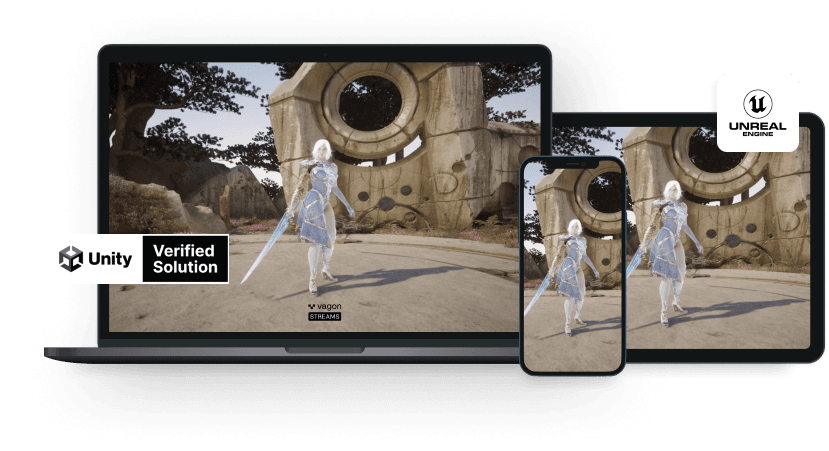
Introducing Vagon Streams tells the origin: Vagon built cloud computers first, then asked why the app should not run in the cloud for any device. Unity Verified Solution announced the native Unity plugin on the Asset Store. Instant Connection removed the wait of up to a minute for on-demand sessions: Vagon keeps server pools ready in key regions and connects each visitor to the nearest one. The first archviz customer story shows a Unity real estate tour moved to the web.
Read next
Which route to pick
Situation | Best route | Why (from the posts above) |
|---|---|---|
Simple product viewer, light scene | WebGL | Runs on the user's device; no server cost |
Full Unreal scene, ray tracing, big model | Pixel streaming | Rendering stays on the server, full quality on any device |
Unreal-only team that wants hands-on control | Unreal-focused managed platform or DIY | More control, more configuration |
Unity or non-engine app | Managed platform that supports it | Unity Render Streaming needs extra components by hand |
Dedicated engineering team, custom needs | Self-host on AWS or Azure | You run GPUs, signaling, scaling and security |
Ship a link this week, no backend team | Managed no-code platform | Upload a build, share a link or iframe |
Complete Windows desktop for staff | VDI or DaaS, not app streaming | App streaming does not replace desktop management |
Doing this on Vagon
If you want people to open your Unreal or Unity project in a browser without building a streaming backend, Vagon Streams is the shortest route. Upload your .exe, choose a performance, and get a link you can share or embed as an iframe. Vagon handles the GPUs and scales capacity with your audience. It also streams other Windows applications.
The features page covers what you need around a launch: 20+ regions, usage and budget limits, real-time analytics, white-label connection screens and mobile support. Streams is an official Unity Verified Solution, and APIs and native SDKs are there for custom integration. You pay per minute of use (Streams pricing).
Streams is not a full desktop. If your people need a whole Windows workspace, look at Vagon Computer or Teams.
FAQ
What is pixel streaming?
Pixel streaming renders a 3D application on a remote GPU and sends the result to the user's device as video, while mouse, keyboard and touch input travel back. Our explainer compares it to remote desktop built for real-time graphics. The user needs only a browser.
Is pixel streaming better than WebGL?
It depends on the content. WebGL runs on the user's device, so it suits lightweight scenes. Pixel streaming keeps Unreal's full visual quality on any device, but it needs bandwidth, adds some latency and costs server time.
Does pixel streaming work with Unity?
Yes. Unreal Engine has Pixel Streaming built in. Unity uses Unity Render Streaming, which our posts describe as needing extra components such as signaling servers. Vagon Streams is an official Unity Verified Solution.
Can I run pixel streaming on my own AWS or Azure account?
Yes. We have step-by-step posts for both. You manage GPU instances, networking, signaling, scaling and security yourself, which is why many teams choose a managed platform instead.
How is Vagon Streams priced?
You pay per use, in minutes. The Streams pricing page lists an NVIDIA Tesla T4 option at $0.025 per minute, and application maintenance at $0.67 per day. Premium features sit in separate monthly Streams plans.

Read next
All posts in this guide
All guides →


Keep going
Related guides
All guides →


Cloud & IT
6 chapters
VDI and DaaS buyer's guide: how to choose
A VM is a computer, VDI is the system that delivers many desktops, and DaaS is that system run for you. Large, policy-heavy estates may need enterprise VDI or DaaS. Teams that just need assigned, powerful desktops can often use something simpler. Price the whole stack, not the license.


Read →


Cloud & IT
4 chapters
Cloud Gaming: Streaming Service or Cloud PC?
Cloud gaming comes in two kinds. Streaming services run games from a catalog and are cheaper. A full cloud PC is a Windows computer you install anything on. Pick by your library: if every game you play is on a catalog, stream. If not, or if you want mods and other launchers, rent a cloud PC.
Read →


Hardware
5 chapters
Best PC for Unreal Engine and Unity
For both engines, balance the build: fast CPU, 32 GB of RAM, an NVMe SSD and enough VRAM. Unreal leans harder on VRAM (16 GB for large scenes, per one post), while Unity is lighter by default and needs 8 GB for URP work and 12 to 16 GB for HDRP. Rent a cloud workstation instead of chasing the next upgrade.
Read →
Software
Software in this guide
Browse software →
